Next time try

Post

--


AiCoin官方
·
--
Editor shares: A must-read for beginners! You can write custom indicators with no foundation.
Hey, friends, do you want to have your own trading 'secret weapon'? Don’t worry about difficult codes and annoying programming; this tutorial will guide you from zero to custom indicators in the simplest way! Follow me step by step, I guarantee you will understand, learn, and be able to use it immediately!
Step 1: Preparation, super simple!
1. Download AiCoin PC version: https://www.aicoin.com/zh-Hans/download
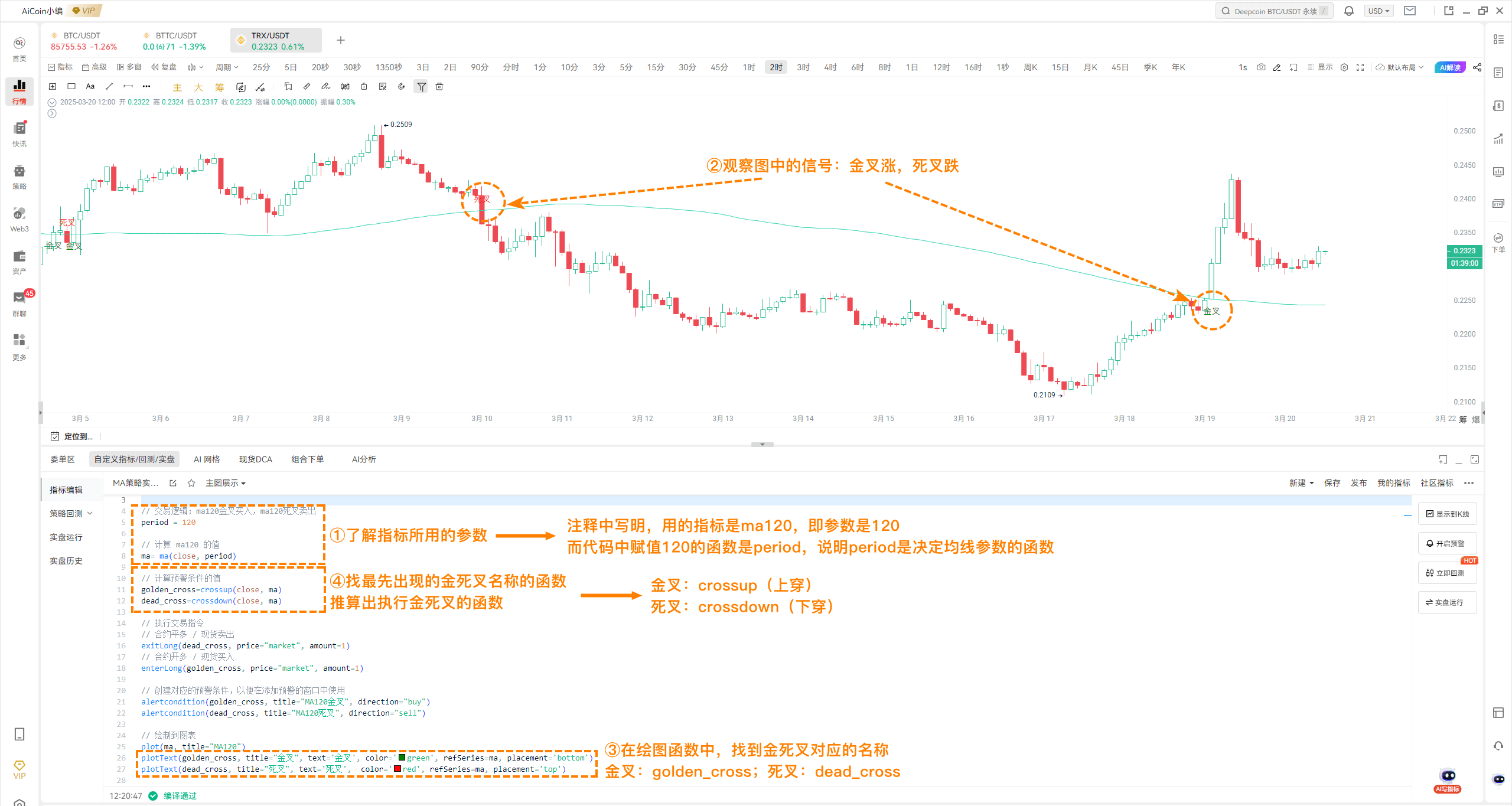
2. Find the entry for custom indicators: Open AiCoin, go to the 'Market K-line' page, scroll to the bottom, and click 'Custom Indicators'.
Step 1: Preparation, super simple!
1. Download AiCoin PC version: https://www.aicoin.com/zh-Hans/download
2. Find the entry for custom indicators: Open AiCoin, go to the 'Market K-line' page, scroll to the bottom, and click 'Custom Indicators'.
Disclaimer: Includes third-party opinions. No advice. Binance AI may be used without guarantee. See T&Cs.