


On March 18, 2025, Binance officially launched Alpha 2.0. This is a disruptive model for on-chain transactions, and it may even push the entire industry to a new level. Today, the president will take you to disassemble the core content, usage methods and possible impact of Alpha 2.0 in detail. Without further ado, let's get started!
1. What is Binance Alpha 2.0?
Alpha 2.0 is a major upgrade newly launched by Binance. It is an extension of the Alpha section in the original Binance Web3 wallet. In simple terms, you can directly purchase the on-chain tokens in the Alpha section on the Binance APP without having to perform cumbersome on-chain withdrawal operations.
Differences from Alpha 1.0:
Alpha 1.0: Only accessible through Binance Web3 wallet. When purchasing tokens, you need to withdraw funds to the on-chain wallet.
Alpha 2.0: Directly integrated into the Binance app, you can purchase with funds from the exchange.
Core Features:
Seamless trading, you can use the funds in your Binance spot account or funding account (such as USDT, USDC) to directly purchase Alpha tokens without the cumbersome on-chain asset withdrawals.
2. How to use Binance Alpha 2.0?
Below is a detailed tutorial to help you quickly get started with Alpha 2.0, explore and purchase on-chain tokens.
Preparation: Update Binance APP to the latest version
Make sure your Binance APP is [iOS version > 2.97.2] or [Android version > 2.97.8] and above
Operation process:
Open the Binance APP, enter the bottom market page, and find the top Alpha area.
Browse and view the tokens in the Alpha section, click on the token you are interested in, and go to the details page to view the project introduction, price trend chart, etc.

Buy Tokens:
On the token details page, click the “Trade” button.
Enter the amount you want to buy (USDT or USDC) and the system will automatically display the number of tokens you will receive.
After confirming the transaction information, click "Place Order" to complete the transaction.
Manage your assets:
After the purchase is successful, you can view the currencies you hold in this interface.
If you want to sell in the future, you can exchange tokens up and down on the same page and select "Place Order".

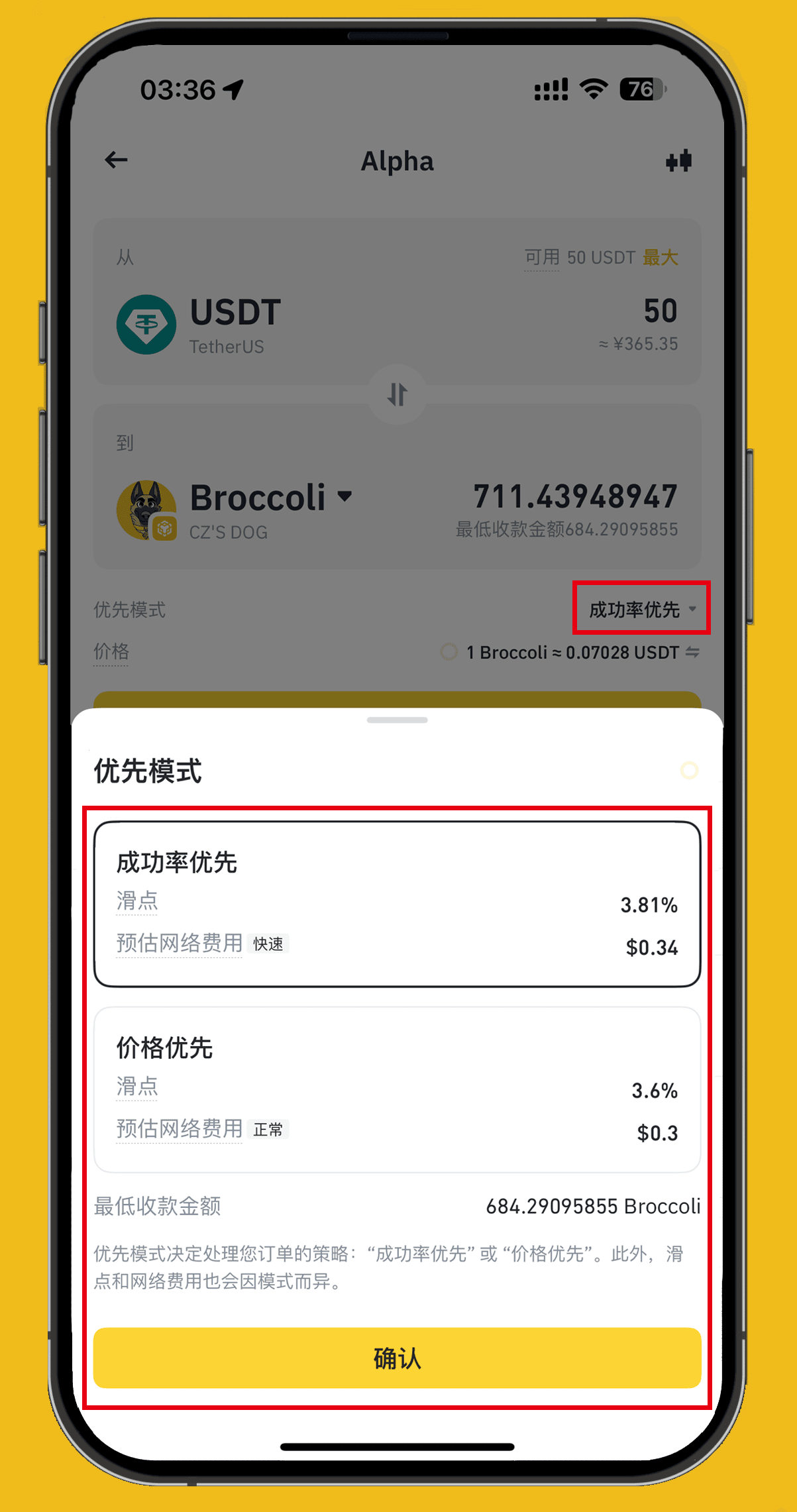
Priority mode: You can select the priority mode of the transaction in the transaction interface
Success rate priority: This mode focuses on "stability". The system will optimize your orders to ensure the highest transaction success rate. This can avoid order failures, especially when the market fluctuates greatly and gas fees soar.
Price priority: As the name suggests, this mode gives priority to the best price and is suitable for users who want to buy at the lowest cost. The system will automatically match the best price in the current market.
Conclusion
The launch of Binance Alpha 2.0 marks a new stage for on-chain transactions. In the past, there were many hurdles to play on-chain: getting a wallet, transferring assets, paying gas... Each step discouraged people. Alpha 2.0 cuts all of these and handles them directly in the APP, promoting on-chain transactions to 250 million users. Compared with traditional on-chain dex, it can definitely be called a "dimensionality reduction strike."
For ordinary users, it is also easy and efficient to purchase more potential tokens through Alpha 2.0. Now open the Binance APP, enter the Alpha zone, and start your on-chain investment journey!