For the last few days, I have been noticing that some people are not able to do the daily check-in task or they are not getting it, so today I will tell you how to do that task.
You will follow these steps :
1. First of all you will go to ➕ sign which is on the discover page or home page.
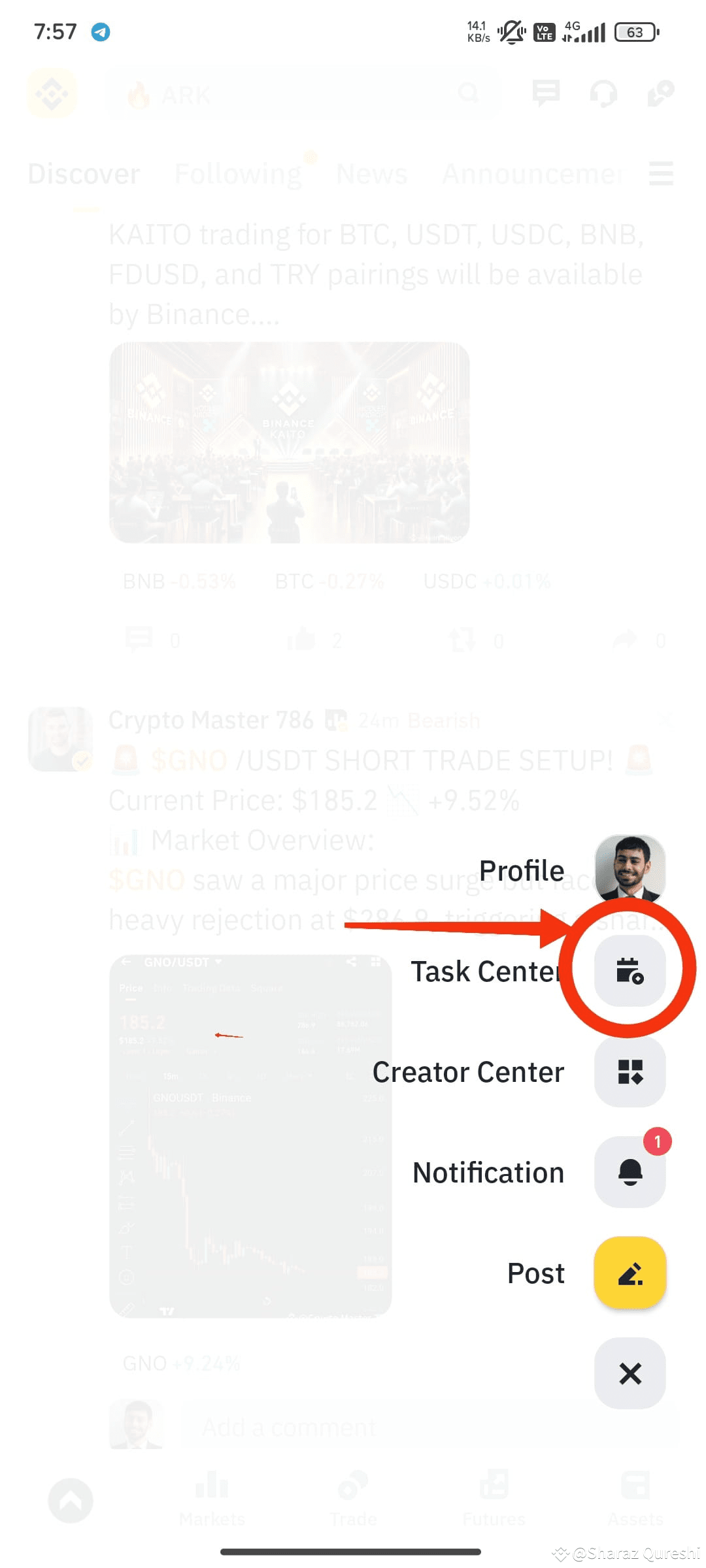
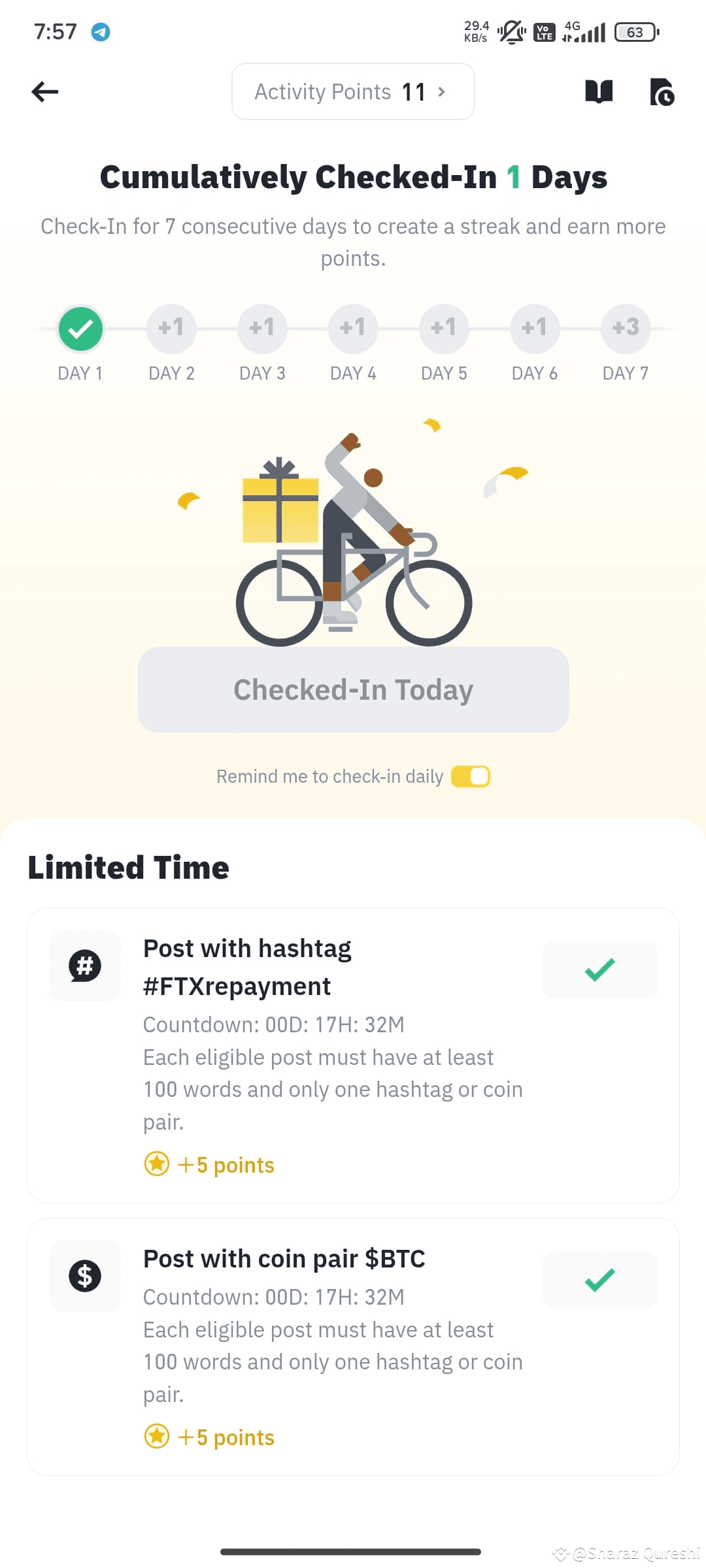
2. After that tap on the ➕ you will see Task Centre, simply tap on Task Centre to reach your final destination. i.e. Cumulatively checked-in section.
I have shared some pictures step by step, I hope that because of this, those people who did not know how to do it will get to know.
Thanks.
#Write2Earn #AIandStablecoins #Binance #checkintoday #CheckinDailyPoints
You will follow these steps :
1. First of all you will go to ➕ sign which is on the discover page or home page.
2. After that tap on the ➕ you will see Task Centre, simply tap on Task Centre to reach your final destination. i.e. Cumulatively checked-in section.
I have shared some pictures step by step, I hope that because of this, those people who did not know how to do it will get to know.
Thanks.
#Write2Earn #AIandStablecoins #Binance #checkintoday #CheckinDailyPoints