

Many people are wary of the idea of trading digital currencies, especially Bitcoin, but others, on the other hand, see the opportunity to achieve long-term profits, but may be prevented by price fluctuations, as trading is different from investing, which focuses on storing Bitcoin without a desire to sell.
Bitcoin is a highly volatile asset but is traded in large and frequent volumes with traders able to make profits if they accurately predict the market.
For beginners, traders need to first access a cryptocurrency exchange such as StormGen, Coinbase, Gemini, or Binance.
In this guide,
Register an account on Binance
Deposit Bitcoin on Binance
Trading Basics for New Traders
1- Trading pairs
2- Trading fees
3- Limit, Market and Stop Orders
Bitcoin trading
Register an account on Binance
If you have a Binance account, you can skip this section, but if not, go to Start Trading Journey.
1- Go to Binance.com and log in.
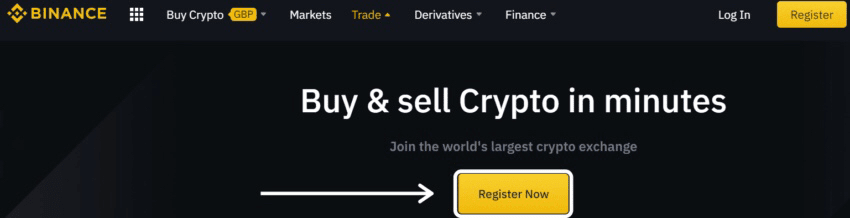
2- On the registration page, enter the email address and password you wish to use.
3- Enter the confirmation code, then agree to the terms and conditions, and then click to create an account.
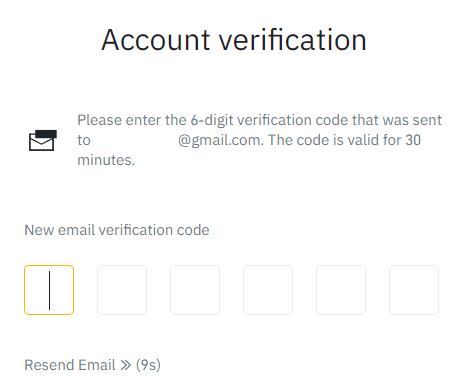
4- Verify your account via the code sent via email. The code is valid for 30 minutes only.
5- Confirm that the registration has been completed successfully.
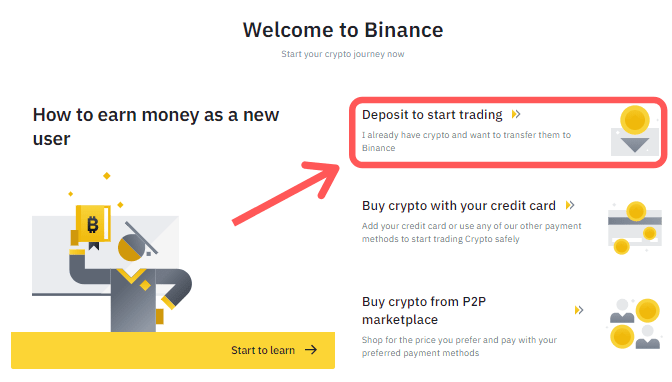
You can now deposit Bitcoin into your Binance account and start trading.
Security Tip: To enhance account security, make sure to enable two-factor authentication after logging into Binance.
You can choose between two-factor authentication from Google or via SMS.
Deposit Bitcoin on Binance
There are many cryptocurrency wallets that can be used to send Bitcoin to Binance.
The most popular wallets include MetaMask, Coinbase, Exodus, and SoFee, in addition to offline wallets such as Trezor and Ledger.
Depositing Bitcoin means sending it from your preferred wallet to Binance, if it is already on the platform go to the next section.
Go to your account dashboard and click Deposit.
Bitcoin can be deposited using a wallet address.
The wallet address is unique to your Binance account so make sure to copy it before using it to deposit funds and deposit Bitcoin.
The QR code reader in the app can be used to ensure the address is entered correctly.
Make sure the selected currency is Bitcoin and that you are using the Bitcoin deposit network.
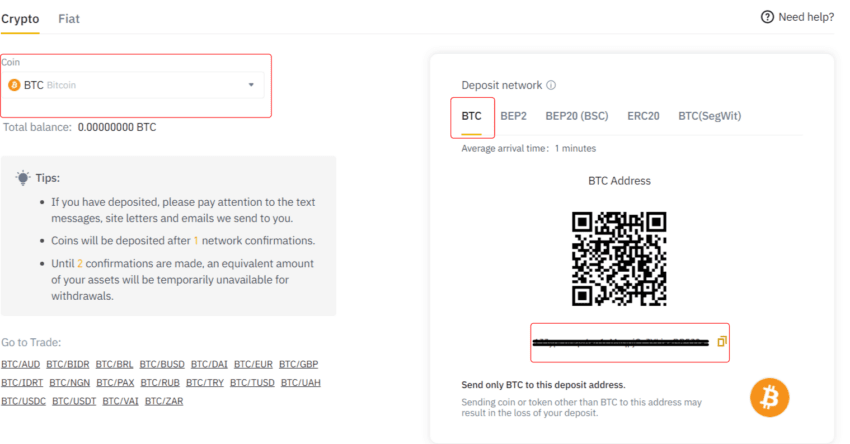
An error can result in the loss of bitcoins so double check addresses before sending.
After the deposit is complete, you will receive two notifications from Binance, one via email and the other a deposit notification.
You can view your bitcoin balance via the wallet and then start trading.
Trading Basics for New Traders
Before you get started there are a few things you need to know to ensure you have the best possible trading experience.
1- Trading pairs
Popular exchanges like Binance and StormGen offer access to hundreds of thousands of trading pairs where trading on Binance can be done against global cash and over 50 cryptocurrencies.
You can trade cryptocurrencies, fiat currency pairs like USD/GBP, or stablecoins like USDT, which are currencies that are pegged to the value of a currency.
For example, Bitcoin can be traded for Ethereum using a cryptocurrency pair, a fiat pair, or a fixed currency pair.
2- Trading fees
Trading fees are specific to each trade you make, as fees are charged on all trades regardless of the total amount traded, and fees range from 0.1% to 1% on each trade made.
Some exchanges like Binance and FTX allow you to reduce this amount by using the exchange's currency to pay trading fees.
For example, you can use Binance Coin (BNB) to get a 25% discount on trading fees. This is good for those who want to make regular trades and are looking to pay lower fees.
3- Limit, Market and Stop Orders
Bitcoin can be traded on exchanges using limit, market and stop orders, with the most popular orders being market and limit.
Market Orders
Trades are executed as quickly as possible at the market price, the user buys the currency with a market order and the order is executed at the Bitcoin price when executed.
These orders are to buy and sell Bitcoin and provide the greatest opportunity for the order to be executed, but they leave traders exposed to price changes and downside risks, which means getting Bitcoins at a lower price.
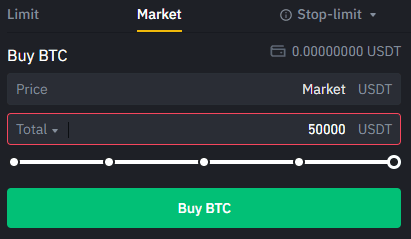
Market orders are used when you need to buy Bitcoin or exit a losing trade by selling.
Limit orders
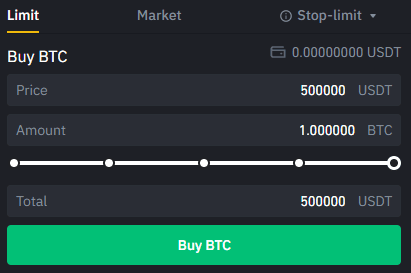
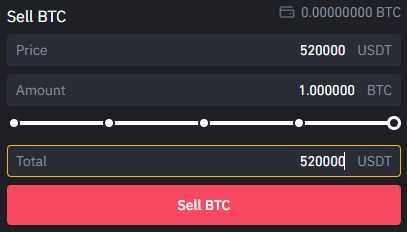
Bitcoin can be bought at $50,000 and if the current price is $51,000 a limit order can be set which means the trade will not be executed until the price reaches $50,000.
A limit order is an order to buy or sell Bitcoin at a specific price and is displayed via the order book where it shows the trades being made.
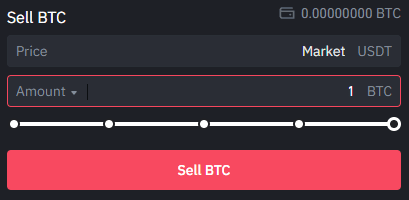
Bitcoin can be sold in the same way, meaning the order is executed when the specified price is reached.
For example, if Bitcoin is trading at $51,000 and you want to sell it at $52,000, you can set a limit order to sell when that price is reached.
Stop order
Buy or sell Bitcoin BTC when it reaches a certain price, but it is not recommended for beginner traders, but it can be used by advanced traders.
Bitcoin trading
After learning the basics of trading, it is time to start your first Bitcoin trade.
Select the Trade button from the top bar in Binance and then tap Classic.
The Classic option provides all the tools you need to make your first trade.
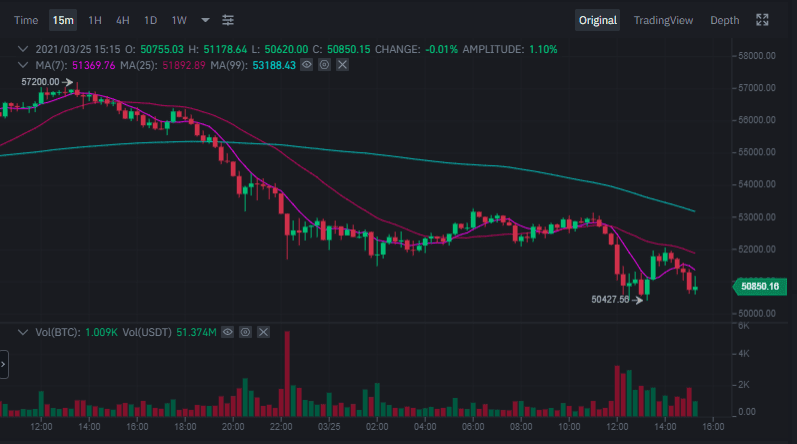
The trading page for the BTC/USDT pair will appear to trade this stablecoin.
Bitcoin chart shown to track different time frames.
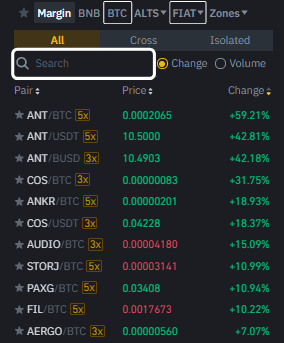
If you want to trade against another currency you can select Bitcoin or the pair of your choice or search for fiat or coin pairs.
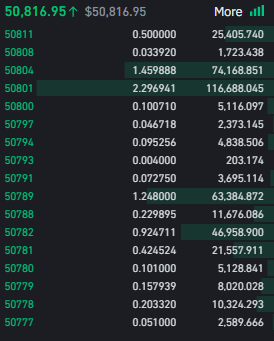
On the left side of the screen you will find the order book which displays the buy and sell orders being placed in the current period.
The trading interface allows setting market, limit and stop orders.
Select your order type and enter the amount of Bitcoin you wish to buy, sell or send a trade.
When the trade is completed, you will receive a notification that the order has been executed.
For more information, you can follow us.
This is a quote from an old post, but it is for the sake of learning.
