


This guide covers how to easily register on Binance and activate your account in 2025. Check out the simple steps to create your account and start trading on Binance.
How to register on the Binance platform and activate your account simply and quickly. Learn the necessary steps to start trading on the Binance platform.
Learn how to register and activate a Binance account in simple steps. Follow the instructions to set up security, deposit funds, and start trading on the Binance platform. Ensure a safe and successful trading experience in cryptocurrency trading.
To start the registration process, you need to visittheBinance official website and click on the “Register” button. Fill in the required information, such as your email address and strong password. It is recommended to enable two-factor authentication (2FA) for added security. Once you are done registering, you will receive a verification email to confirm your account. By following the link in the email, you can complete your registration and start using Binance.
Registering on Binance opens up a world of opportunities for trading and investing in cryptocurrencies. It is important to ensure that you understand the risks involved and familiarize yourself with the platform’s features and security measures. Binance offers a user-friendly interface and a wide range of trading options, making it a popular choice for both beginners and experienced crypto traders.
How to register in Binance from A to Z - Create a Binance account
Without further ado, here are the steps to create a Binance account:
First, go to the official Binance website from here.
Enter your email and choose a strong password for your account, as shown in the image.
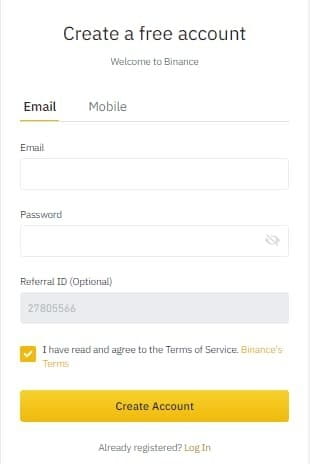
The site will ask you to verify that you are not a robot. Move the missing part in the image to its place, as shown in the image.

Now the site will ask you to verify your email by entering the numbers you received in your email in the appropriate box as shown in the image below.
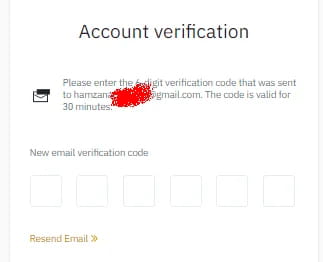
Now your account is ready, click on go to dashboard to be directed to the control panel.
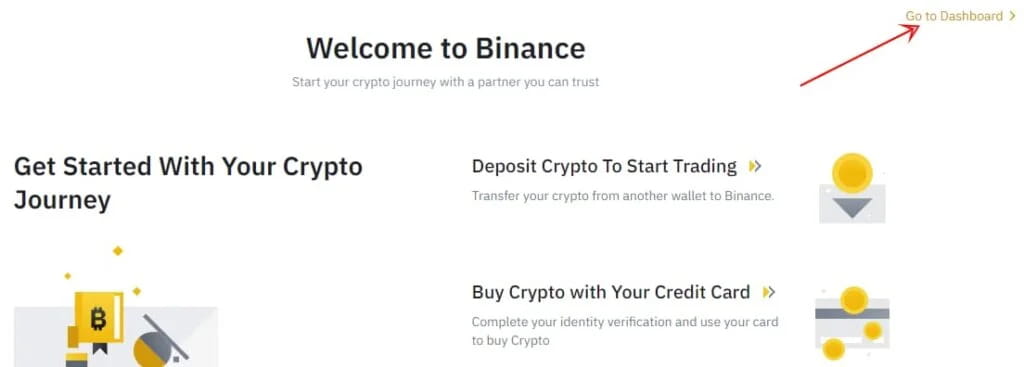
Create a wallet on the Binance platform
An interface will appear asking you to increase the security of your account by adding a second method of verification. Click on Verify, then choose phone verification as shown in the image.
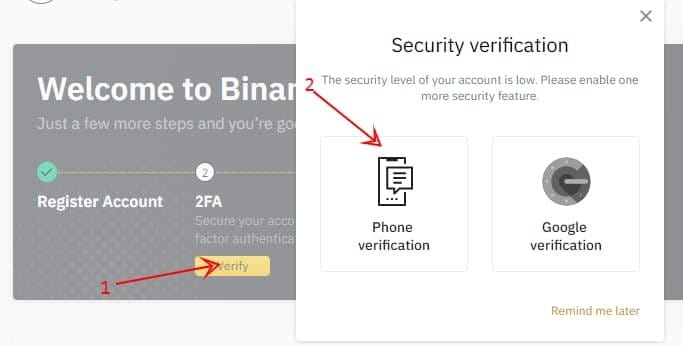
The site will ask you to enter your phone number. Enter it and you will receive a message containing a code. Enter the code in its place and congratulations.
After learning how to register in Binance, now it is time to activate your account in Binance so that you can deposit and withdraw money and trade currencies.
How to activate Binance account and verify your hobby
How to activate Binance account
Go to the Binance website, then click on the User Center – Identification button.
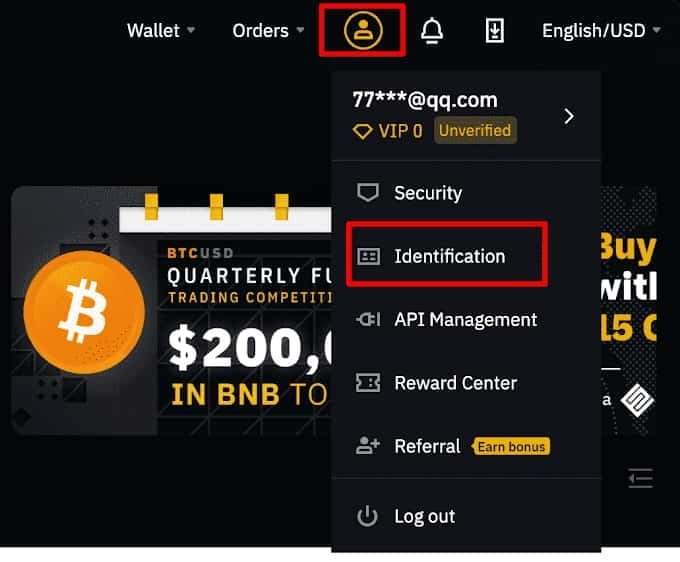
Create, verify and activate a Binance account
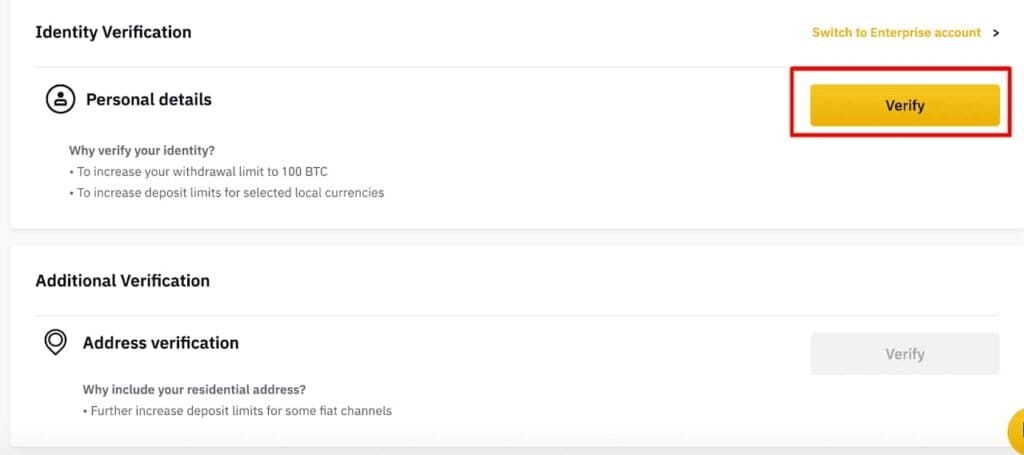
Click on verify, in front of personal details as shown in the picture.
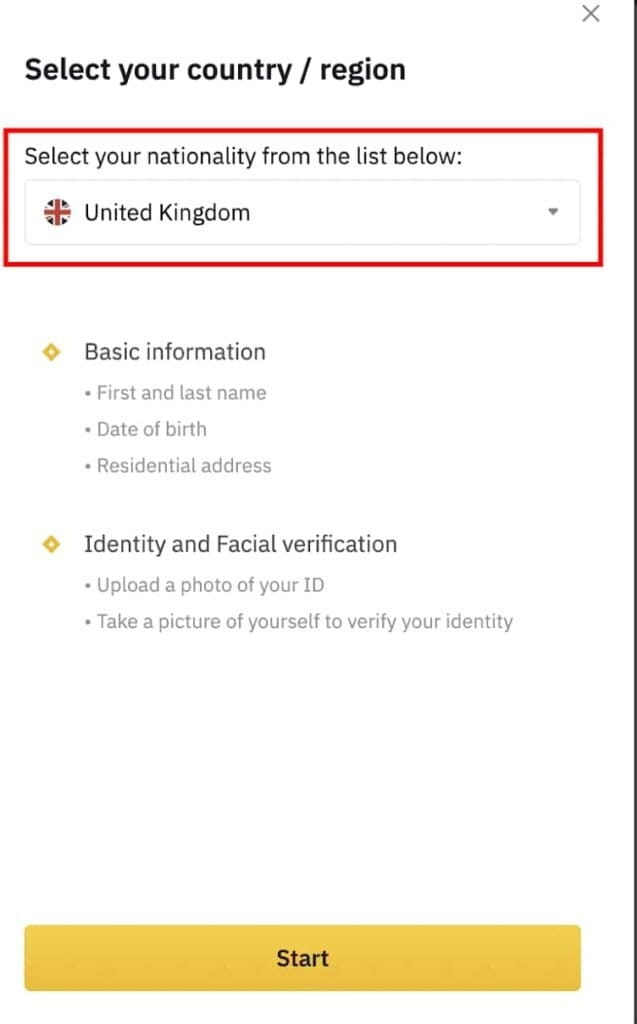
You will be asked to choose your nationality, as shown in the image below, then click on start.
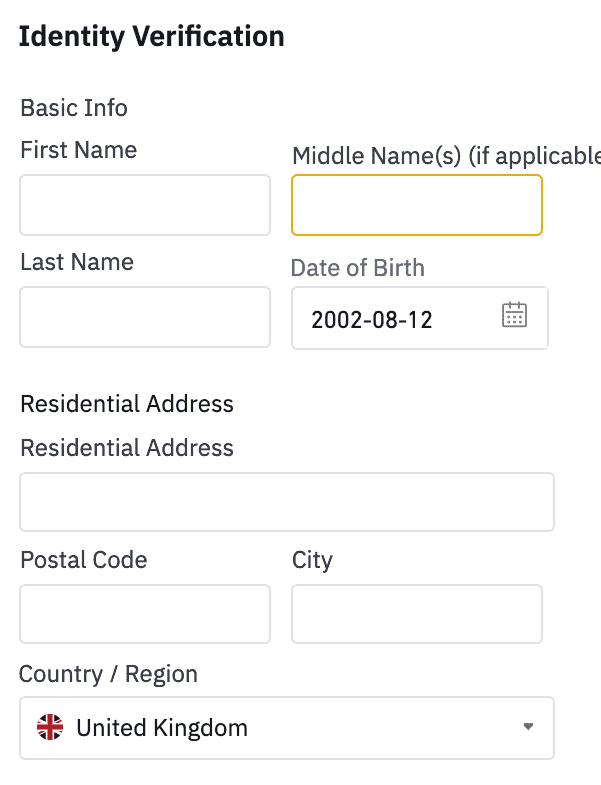
Make sure all your Binance account information is correct and matches your ID information.
Enter your personal information where it appears on your ID card, then click the Continue button.
How to register in Binance and activate the account
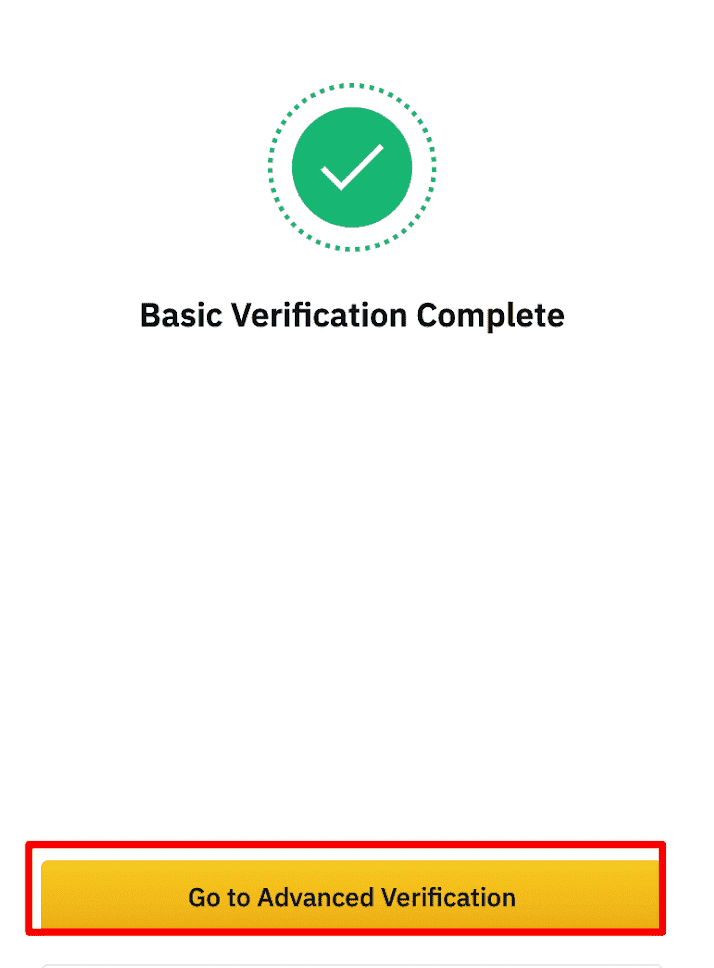
After saving your information initially, click on the “Go to advanced verification” button as shown in the image below.
After completing the basic verification, click [Go to Advanced Verification] to continue.
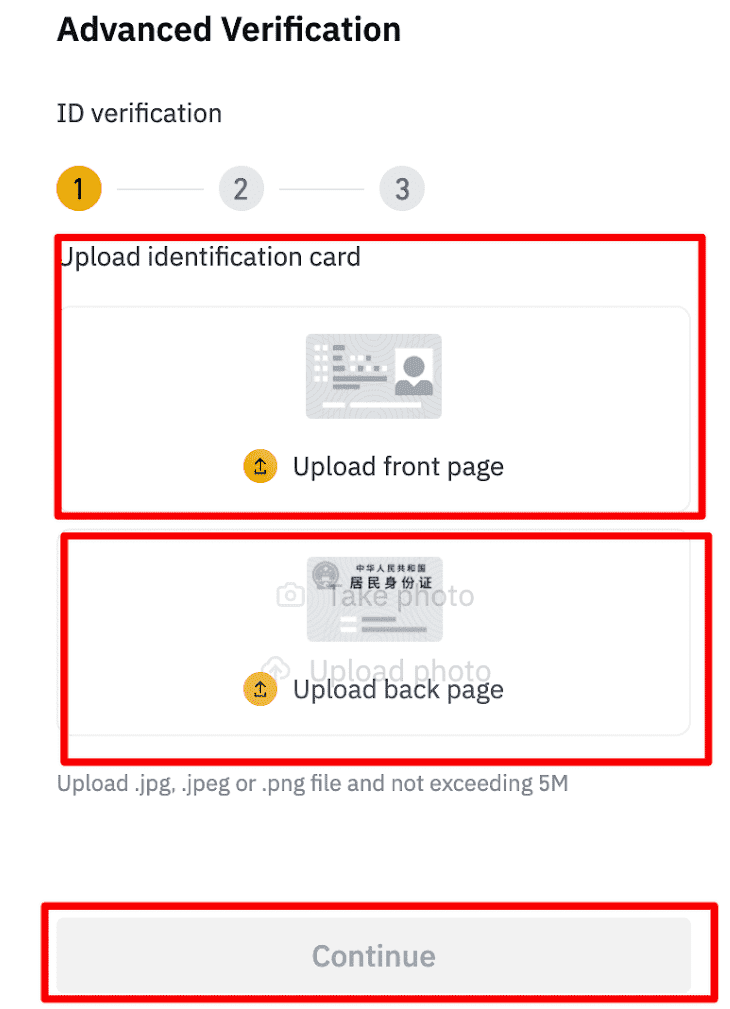
Now the site will ask you to enter a photo of the front side and a photo of the back side of one of the documents that proves the validity of the personal information you entered. It is best to use photos of your national card, driver’s license, or passport. Then click on continue, as shown in the picture.
Register on Binance
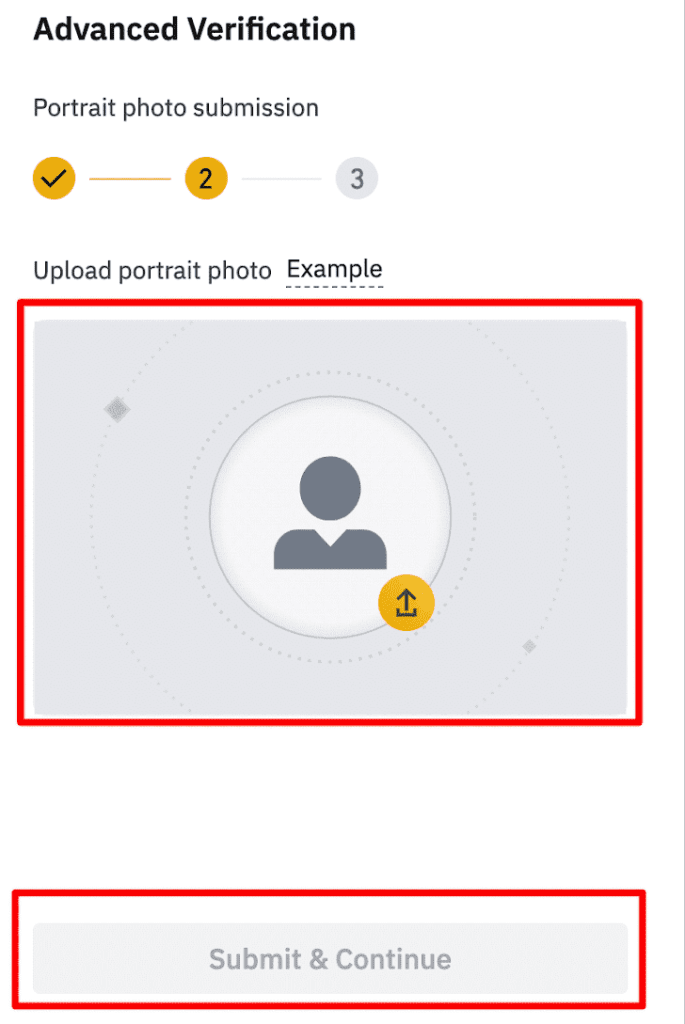
Now the site will ask you to upload a photo of your face, then click on submit & continue, as shown in the image below.
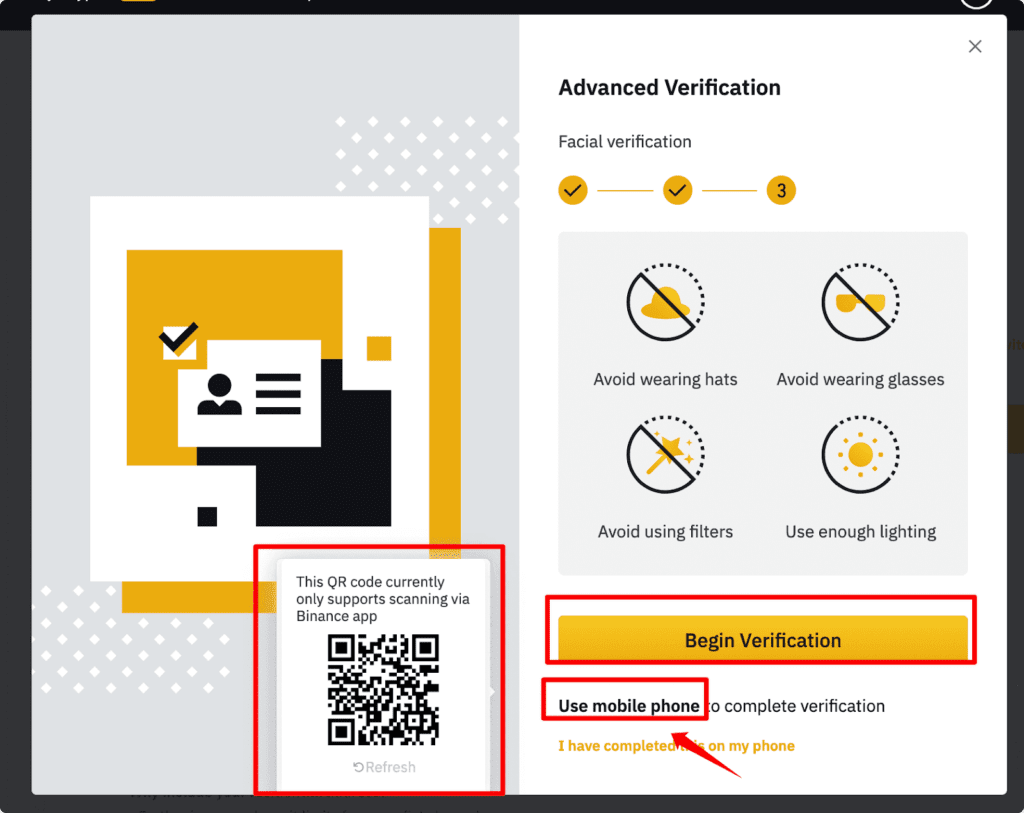
After that, the final verification interface will appear. All you have to do is click on the begin verification button, as shown in the image below.
Your information and documents will be sent for review, and within days you will receive an email informing you that the verification process is complete. Congratulations on your 100% full and activated Binance account.
If you have difficulty activating your account from your computer, log in from the Binance app and complete the verification process on your phone.
After following the previous steps and registering on Binance, you are now ready to take advantage of the platform’s features. Registering on Binance is an important step towards entering the world of trading and investing in digital currencies. Through your Binance account, you can buy and sell a wide range of digital currencies and access the tools and resources available on the platform to help you make the right investment decisions.
Feel free to explore and learn more about trading and using additional features on Binance. You can head over to Binance’s Education section for tutorials, articles, and videos on crypto trading and using the platform.
Always practice good security practices, such as not sharing your account information or password with anyone else, using double-checking on your account, and monitoring your account regularly for unusual activity.
Enjoy trading cryptocurrencies and take advantage of the investment opportunities available on Binance. Good luck on your trading journey!