

Article reprinted from: Machine Heart
Original source: Machine Heart

Image source: Generated by Unbounded AI
At the developer conference a few days ago, OpenAI said that as long as you buy a membership, you can develop your own applications based on the new version of the GPT-4 large model, and everyone is eager to try it.
Early this morning, this feature called GPTs was officially launched.

All ChatGPT Plus subscribers can customize GPT from head to toe, without any coding knowledge, and can build their own GPT for different tasks such as teaching, games or creative design.
For example, OpenAI CEO Sam Altman personally demonstrated how to develop a new GPT application, which has the same name as Musk's "Grok":

By the way, a message from afar: Use GPTs, (Musk) you don’t have to go through so much trouble.
With the leading technology, it seems that we can do whatever we want.
After this function was opened, a large number of users quickly poured in. These GPTs can also be accessed on mobile devices, and coupled with the multimodal functions provided by GPT-4V and DALLE, they show great application potential.
For example, this user created more than a dozen custom GPTs in one go, covering applications such as data analysis and academic papers. There is also a GPT for photographers that can provide feedback on how to take better photos:

Some people may ask, can I use the custom GPT created by others directly? The answer is yes, as long as there is a link.
At the OpenAI Developer Day event a few days ago, Altman also demonstrated how to use GPTs to create and share, and said that later, OpenAI will also launch the GPT store, which is a platform where users can share GPTs with the public.
Some say that the GPT store will be an important step for OpenAI to build an Apple-like ecosystem. For developers, this provides a low-cost, low-threshold path to publish their own GPT applications, which can also increase revenue if everything goes well; for the majority of ChatGPT users, this means a richer and more diverse choice of scenario-based applications.
Interestingly, we found that some developers have quickly created a "third-party GPT store" and currently have collected more than 1,000 user-defined GPTs.

Address: https://www.gptshunter.com/
When you open it, you will find everything you need. For example, “PaperPilot” is a paper assistant that can help users extract the core ideas of a paper, find the latest papers in the field, compare two studies, etc.:
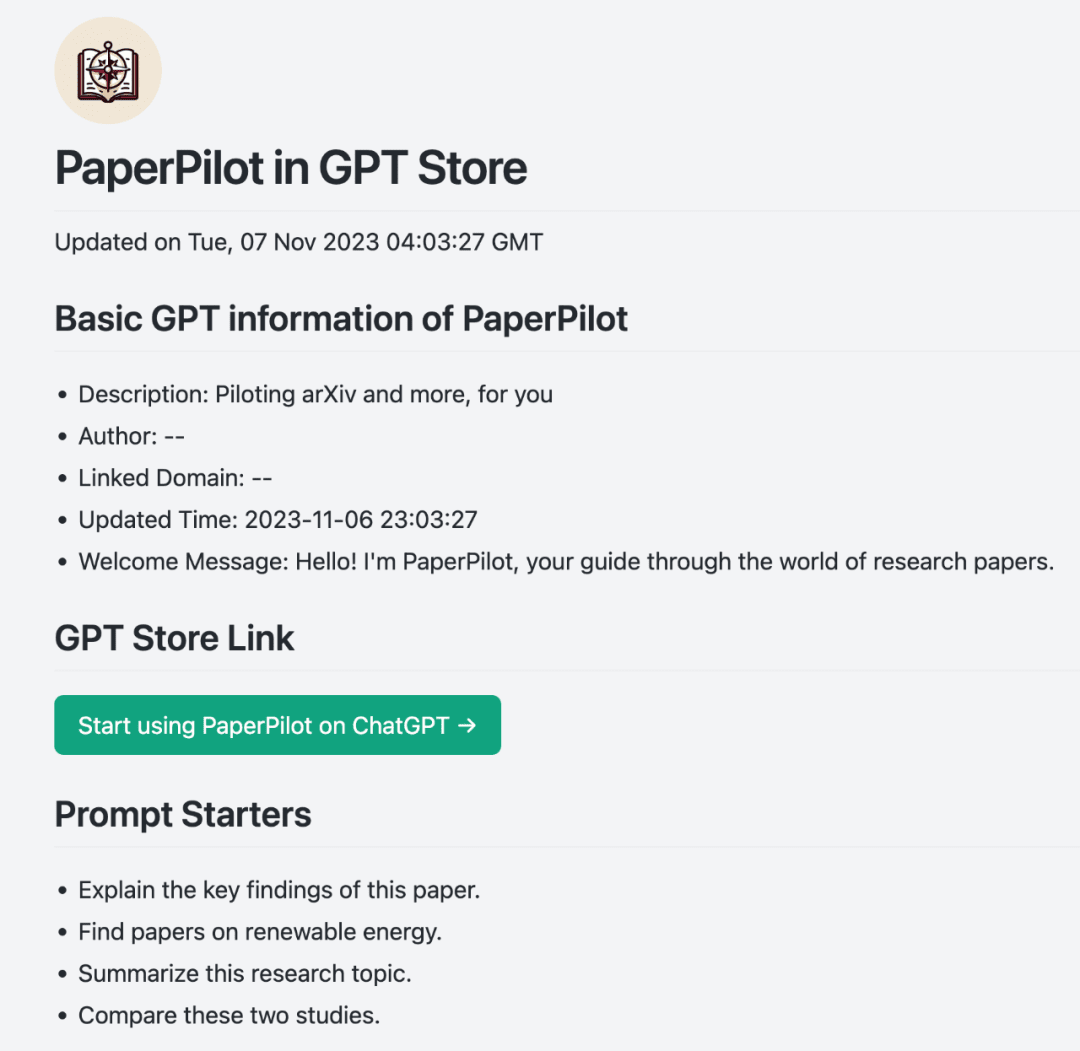
The user's "Data Analysis" is also included, and its main function is to help users analyze and visualize data:

Perhaps one day in the future, we will see the "GPT Store", "Bard Store" and various third-party platforms roll up again.
How to get started with GPTs, this is a simple tutorial
If you want to experiment yourself, just click the "Explore" option in the upper left corner, and then select "Create a GPT" on the right to create your own GPTs.

First, we want it to generate cute pictures for the article. GPT Builder suggests that we name this GPT Pic Pal:

We took this advice and the following conversation ensued:

GPT Builder began to refine how users interact with Pic Pal in emerging conversations, such as what are the most important qualities users want in Pic Pal?

We gave a few keywords, and GPT Builder asked more detailed questions about some vague details:

After some back and forth conversations, Pic Pal was finally built:

Users can click Configure to view Pic Pal related information:

You can also check other options, such as uploading files, web browsing, etc.:

After confirming the information is correct, click Save. Users can choose to make it private or publicly accessible, among other options:

After that, you can see the Pic Pal you just built on the homepage. If you are not satisfied with the Pic Pal you just built, you can click "Explore" to edit it again or delete the Pic Pal in the corresponding position:

The above is the simple process of building your own GPT. You don’t need to master programming skills. It will be built during the chat. During the process, if GPT Builder does not understand the questions, it will ask the user, and the user can answer the questions. Even a novice can get started.
We then tested Pic Pal by asking it to generate an image. We entered a bunch of prompt words, and in the blink of an eye, an image matching the prompt words was generated:

After that, we created a dedicated GPT called CodeGPT, hoping that this GPT can help us complete simple programming tasks. This time, we configure the relevant information directly from "Configure":

After entering text in the blank field, a CodeGPT is also obtained:

We asked CodeGPT to write a Python program to print out the even numbers. Here is the code given by CodeGPT:

Friends who haven’t experienced it yet can try it out and explore more advanced gameplay.
However, I have to say that ChatGPT is very slow now. There are too many people using it, and it seems that OpenAI's server is on the verge of collapse again.