


Main points
Scammers can steal users' sensitive information and digital assets through fake mobile apps that imitate the genuine Binance App.
The way criminals try to steal funds is by manipulating QR codes or wallet addresses during withdrawals and deposits.
Users should always download the Binance App from official channels to avoid installing fake apps.
Fake mobile app fraud has always been a major hidden danger in the field of digital assets. It’s not just new users who have trouble distinguishing legitimate apps from fake ones. Even experienced users may fall into the same trap if they use unofficial channels to update cryptocurrency apps.
Criminals who perpetrate this type of scam hope that users will accidentally download apps from unofficial and untrusted sources and then withdraw funds to wallet addresses without verifying their authenticity.
This article will focus on cryptocurrency fake apps: what they are, how they work, and most importantly, what you can do to avoid falling into a fake app scam.
What is a fake app?
Fake apps have a similar appearance to legitimate apps such as the genuine Binance App that you see in the official store. The purpose of scammers creating such fake software is to deceive users into thinking it is a real app and download it. These scammers are essentially trying to trick users into installing malware on their devices by exploiting their trust in the publisher or service provider of the real app. For cryptocurrency or financial services apps, installing such software on personal devices puts users’ assets at serious risk.
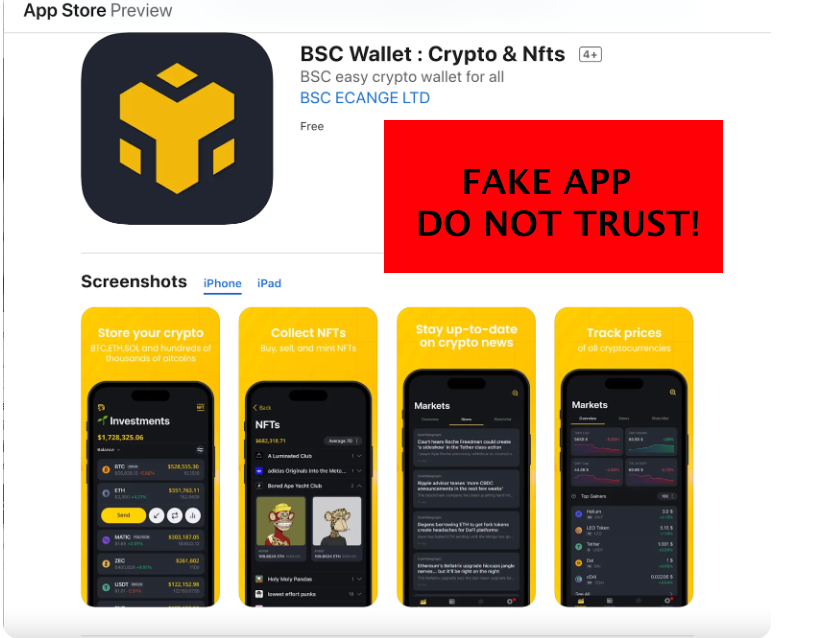
Since the design and appearance of the fake App is very similar to the genuine App, users cannot easily identify it just by looking at it. Once installed, malicious apps can monitor your phone activity, steal your personal information, and even steal your crypto assets without your knowledge. If you did not download the Binance App from the official Binance source, you may have fallen into a fake App scam without even knowing it.
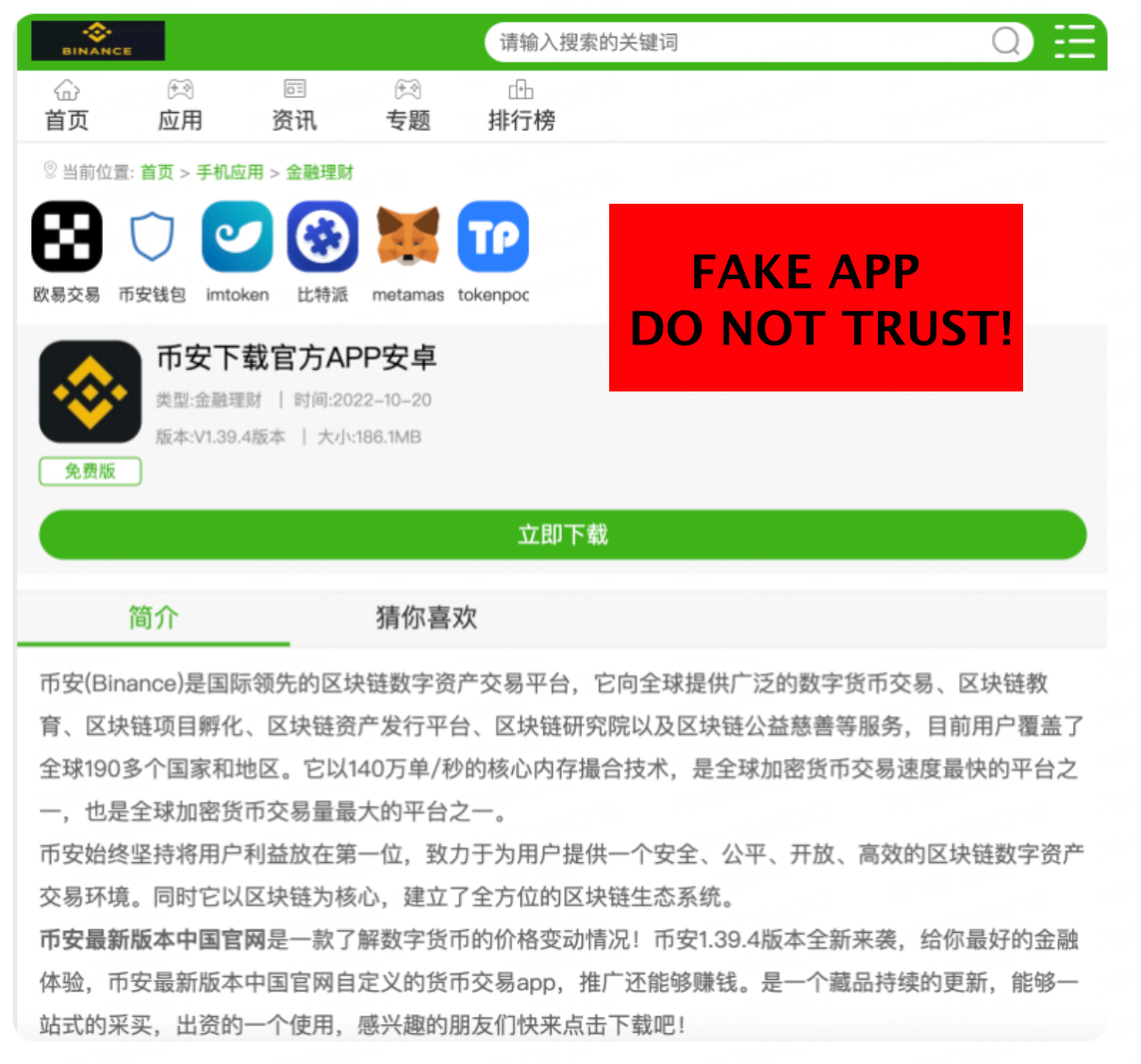
The dangers of fake apps
Fake app scams are more common than most users think and can have serious consequences if you install malware on your device. Here are some things that might happen after installing a fake app.
data theft
Some fake apps are made by debugging the original code of the genuine Binance App. These modified apps can secretly send your personal passwords and login details to others without your knowledge. They can send all kinds of personal data: text messages, phone calls, your contact list, pictures, search history, location data, cryptocurrency wallet addresses, and even mnemonic phrases. Once an attacker obtains a user's credentials and/or mnemonic phrase, they can easily steal the user's funds. Additionally, criminals can share a victim's personal information with other scammers, who may target the victim for further attacks.
asset loss
Scammers take advantage of the fact that cryptocurrency wallet addresses are difficult to remember. The most common fraud method is that fake apps can generate cryptocurrency wallet addresses that are similar to real wallet addresses, causing cryptocurrency users to lose their assets. The scammer can then replace the real address displayed on the deposit and withdrawal pages of the user interface. Unless the user performs a character-by-character comparison, there will be virtually no difference in appearance between the user's real wallet address and the fake wallet address.
Another common fraud method is that when users copy and paste the deposit or withdrawal address, the fake app will manipulate the user's clipboard. In this case, when the user pastes the address to transfer, the wallet address forged by the scammer is pasted, and eventually, the user's funds will also enter the scammer's pocket.
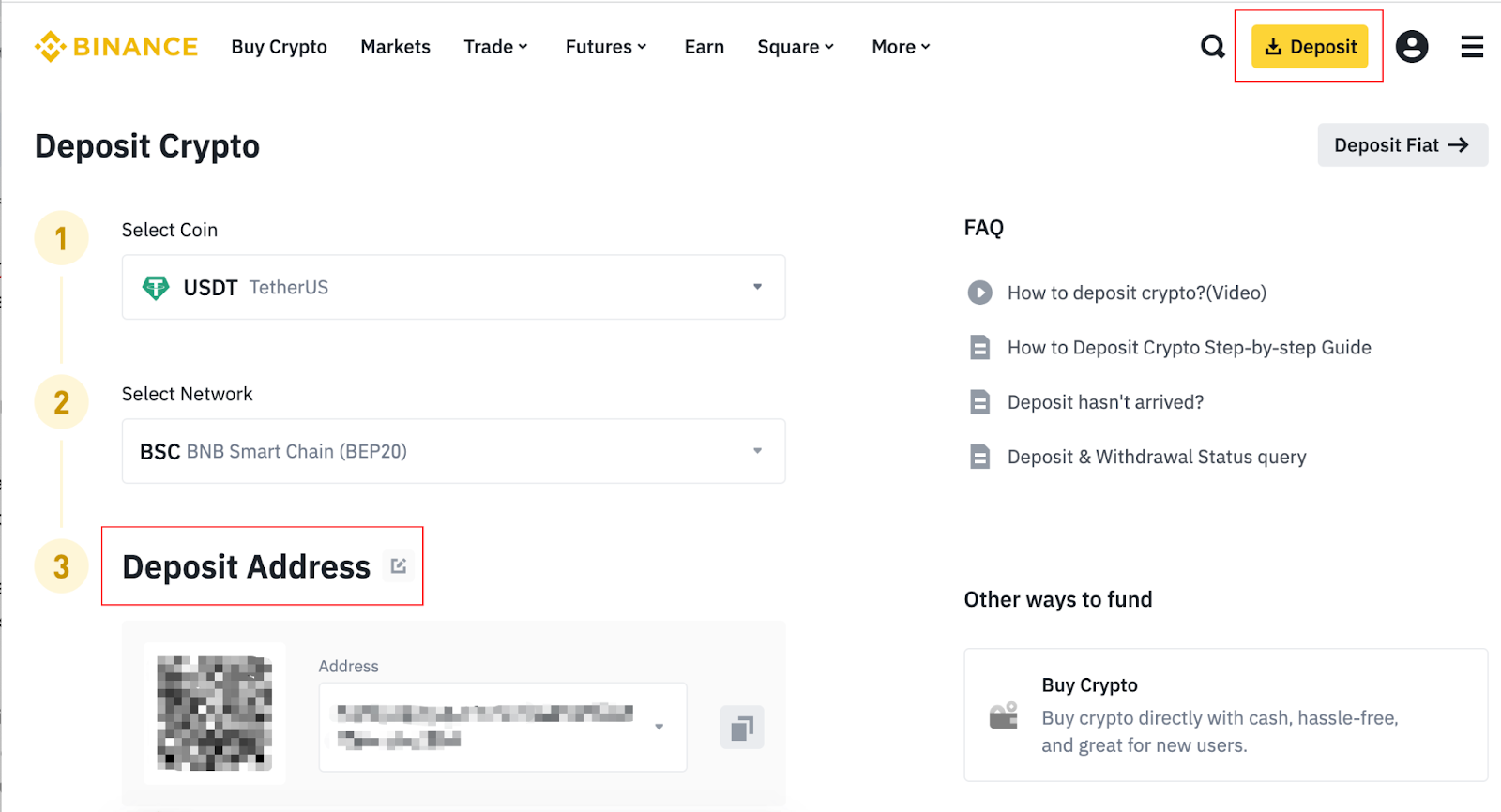
In addition to the clipboard, scammers can also replace the QR code encoding the withdrawal address. The screenshot below shows the “Deposit USDT” page on the Binance App, with three highlighted sections that could be replaced by fake app designers.
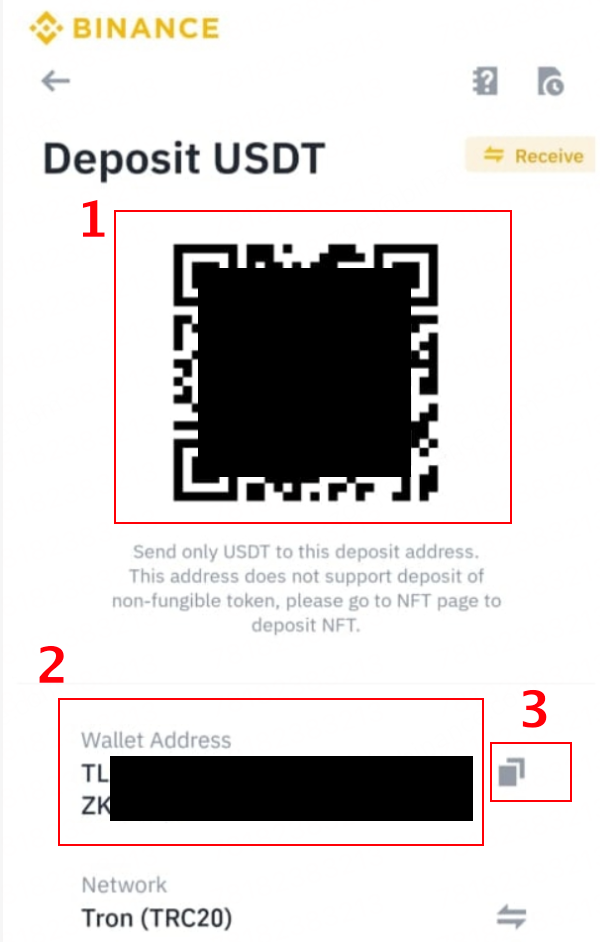
1. Scammers can replace the QR code. From the appearance, it is almost impossible to tell whether the QR code is genuine or fake.
2. Wallet addresses can also be tampered with. Even if you remember the first and last digits of an address, a fake app can change the numbers in between. Unless you remember all the numbers, it's hard to tell the difference at first glance.
3. The "copy" function of the fake App cannot truly copy your actual address. Instead, its purpose is to trick you into pasting the scammer’s address when transferring money.
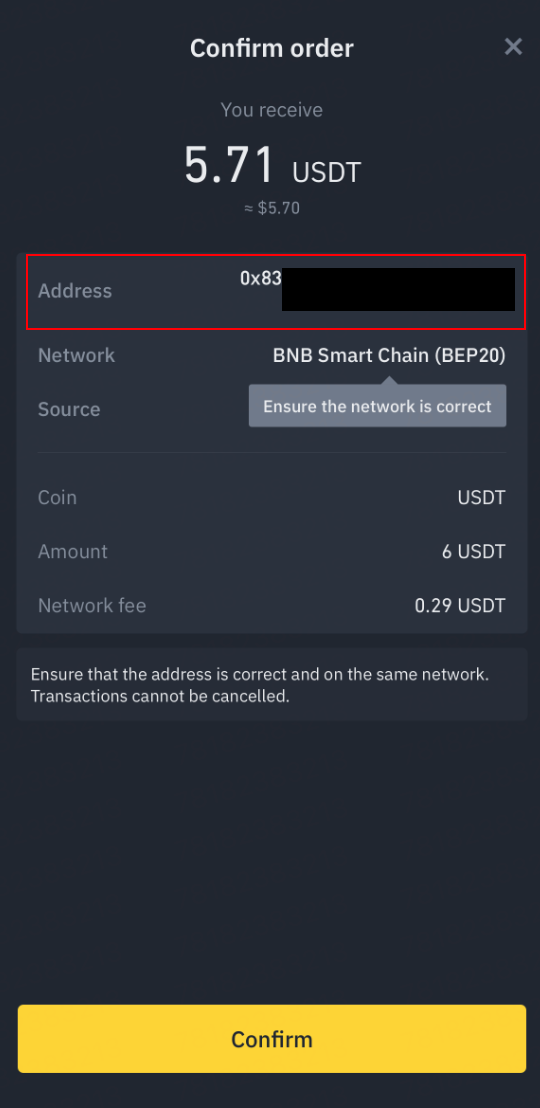
Similarly, during the withdrawal process, the fake App can replace the address on the "Confirm Order" page with the scammer's address. Therefore, even if you entered the correct withdrawal address in the previous step, your funds may end up in someone else's pocket.
How to protect yourself
Fortunately, there is a simple way to avoid falling into a fake app scam, that is, be sure to download the Binance App from official Binance channels.
Binance official website
Google Play App Store
Apple App Store
Additionally, you can email download@binance.com to get the latest version of the official Binance App, which includes Apple and Android versions.
Please note that before downloading and installing an app similar to the Binance App, it is the user's responsibility to conduct due diligence and take general security measures to ensure its legality. Binance is not responsible for any losses caused by the use of fake or illegal Apps.
Deposit via Binance App: Before you start transferring money, there are some extra steps you can take to increase the security of your deposit. Open a new incognito window in your browser, log in via the official Binance website, then go to "Deposits" and find your deposit address. Compare the deposit address on your phone with the deposit address on the Binance website.
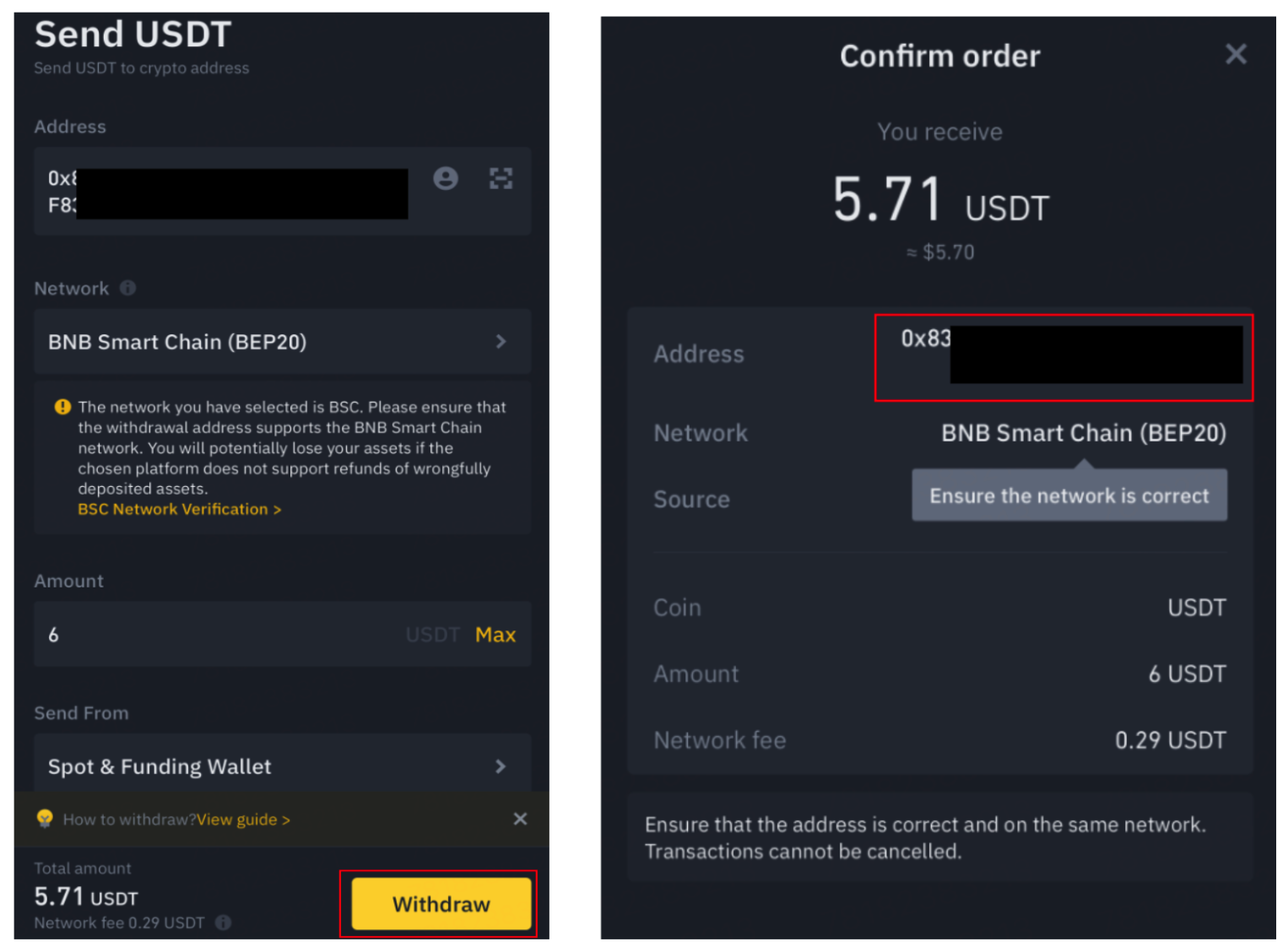
After withdrawal: After entering the withdrawal address on the "Send Cryptocurrency" page, please verify the address again on the "Confirm Order" page to ensure authenticity and prevent fake apps from manipulating your address in this step.
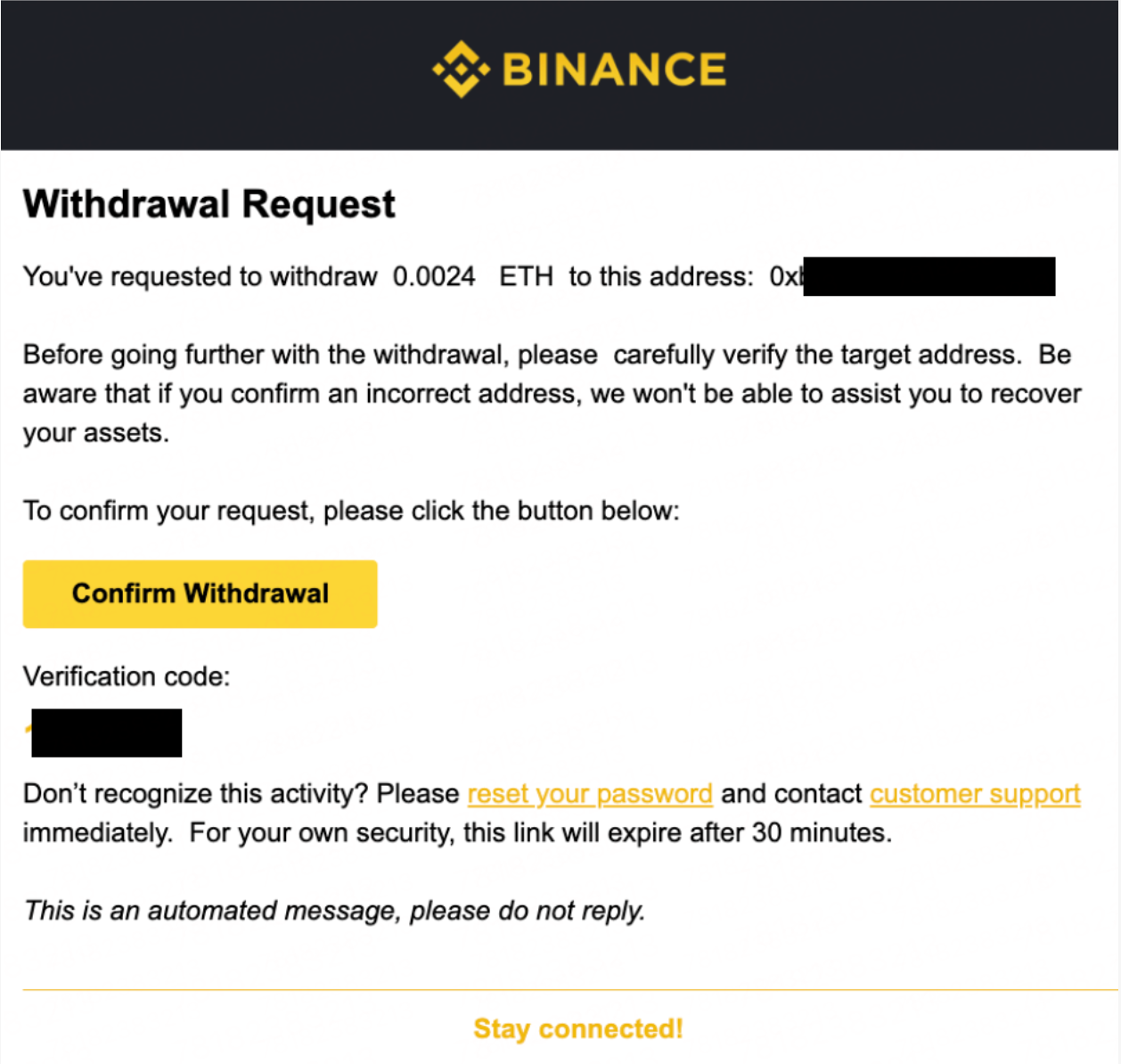
Also, compare this address with the address in the email notification Binance sent you to confirm whether the two addresses match.
Transfer a small amount first
Generally speaking, when making cryptocurrency transfers, we recommend depositing or withdrawing a small amount first as a trial. This helps confirm that your transfer address is correct so you can make higher-value transactions with peace of mind.
However, please remember that successfully receiving a small transfer does not mean that the App you are using is always and 100% authentic. Some scammers design complex fake apps in order to allow small transactions/recharges or withdrawals to successfully reach the intended account, thereby gaining the trust of users. Later, when larger amounts are involved, the funds are again transferred to the scammer's account.
When you transfer money, be sure to verify the transfer address (using the steps provided) to ensure its authenticity, and always be vigilant to avoid falling into a scam with a fake app!
What if a fake app is already installed?
If you suspect a fake Binance app is installed on your phone, please take the following steps:
Uninstall the suspicious app immediately and download the Binance APP from one of the official sources listed above.
Change Binance account password.
Contact customer service to report this fraud.
Further reading
Today’s topic: Anti-phishing codes and how to protect yourself
Fake App Guide: How to Identify and Prevent Fake Apps | Binance Blog
7 simple measures to protect your personal Binance account