

Author | Mu Mu Produced by | Vernacular Blockchain (ID: hellobtc)
Asset security has always been an important topic in the crypto industry. However, according to the observation of the Plain Language Blockchain, although security science is often popularized, not many people really pay attention to security issues, because many people generally think: "This is a completely probabilistic event, it is not my turn to win the lottery with a lower probability than this", but often think that it will be their turn to win the lottery. In fact, with the mainstreaming of crypto assets, security incidents targeting personal user assets have occurred frequently, and whether it is large or retail investors, these incidents often happen around us, and they are no longer low-probability events. So starting from the most common personal user asset security incidents in recent years, let's sort out the security issues that are closely related to us. The first thing to bear the brunt is: how to ensure that the platform and wallet APP you are using are safe?
01 Are “official channels” necessarily safe?
Most people think that ensuring the security of platforms and wallet apps is simple. Isn’t it enough to just look for “official channels”? In fact, it may not be the case… 1. An “official website” that looks more like an official website than an official website Everyone knows how to find the “official website”, but taking the common mainstream wallets as an example, can you immediately list their accurate official website addresses? Do the test right away:
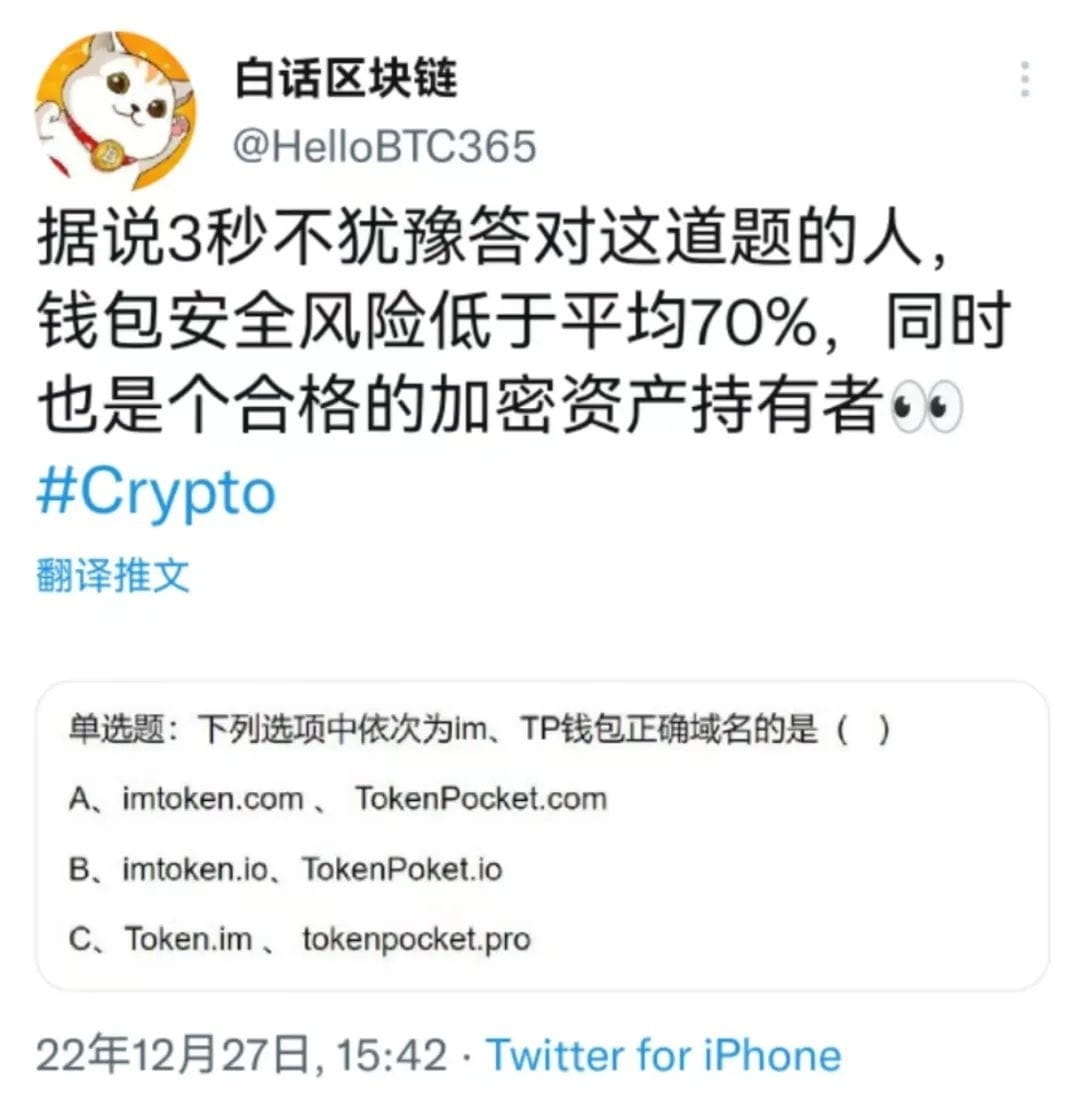
Most people may choose A and B. According to daily practice, many people think that the brand name + .com or io suffix is the official website with "brand strength", but in fact, many teams started out as small entrepreneurial teams in the early days, and the official website domain name registered at that time was very "sloppy". The correct answer is actually C.
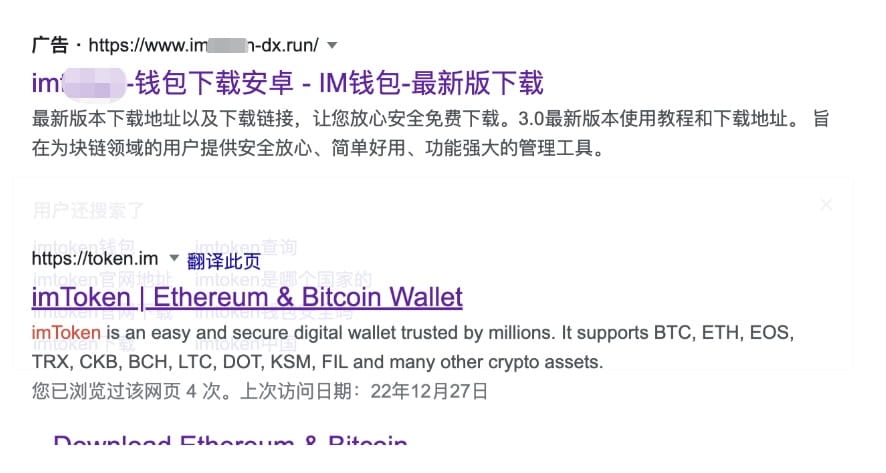
For the same reason, when the official teams of these wallets started, they may not even consider registering trademarks... Then the brand trademarks were registered by others, and then others could use the trademarks to buy brand protection services on certain search engines, put "brand official" certification labels on search results, or buy promotion services, and always rank at the top, which is extremely confusing. This happened in the past two years. So far, the first few pages of results for searching "xxx wallet official website" on some mainstream search engines are likely to be fakes. These "official websites" that are more official than official websites have really "pitted" many people, because for hackers, it is also one of the ways with lower costs and higher success rates. 2. What if you know the official website address? Many people think that if you make sure to enter the correct official domain name, the downloaded app must be safe. However, things will still go wrong. In the recent Bitkeep wallet security incident, BitKeep issued an announcement stating that after the team's preliminary investigation, it is suspected that some APK package downloads were hijacked by hackers and installed packages with codes implanted by hackers.
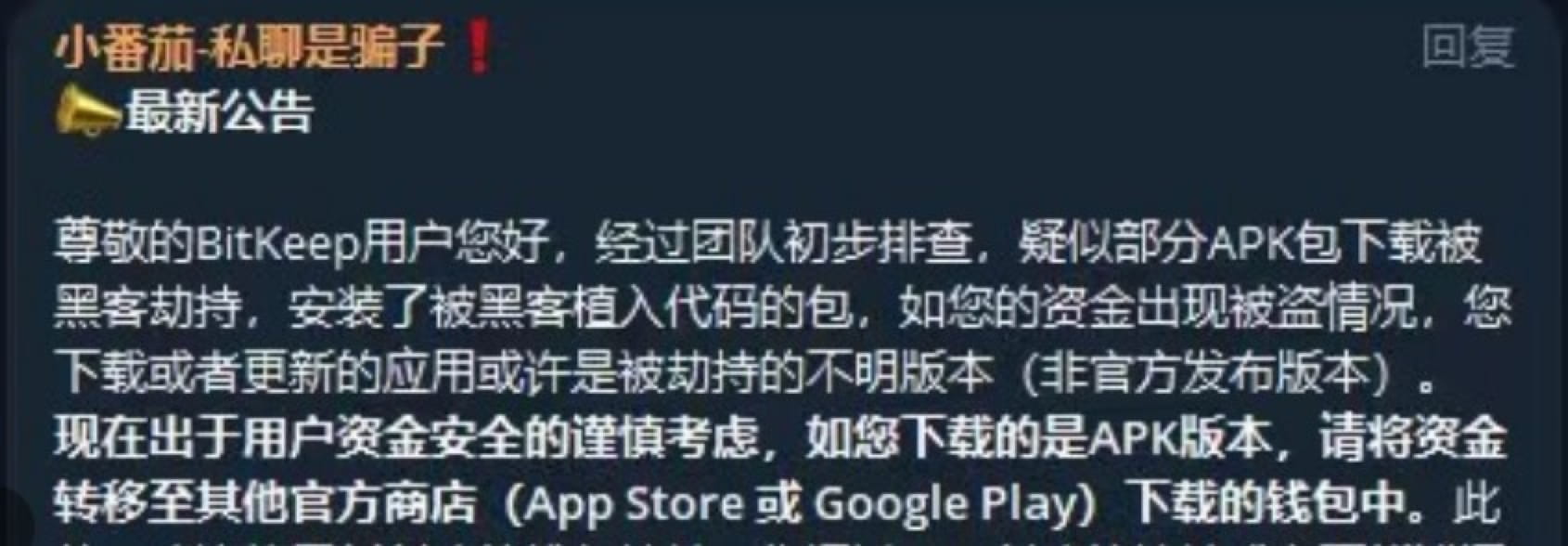
Simply put, some users' APK packages were hijacked by hackers during downloading, and they downloaded a specially processed "wallet" for installation. Let's put it in the category of unofficial "fake wallets" for the time being. The main reason mentioned in the announcement is "hijacking". Due to the many methods and links of "hijacking", it is not clear at present what link went wrong, but we can talk about how hackers usually make a user enter the "official website" domain name but download a fake wallet:
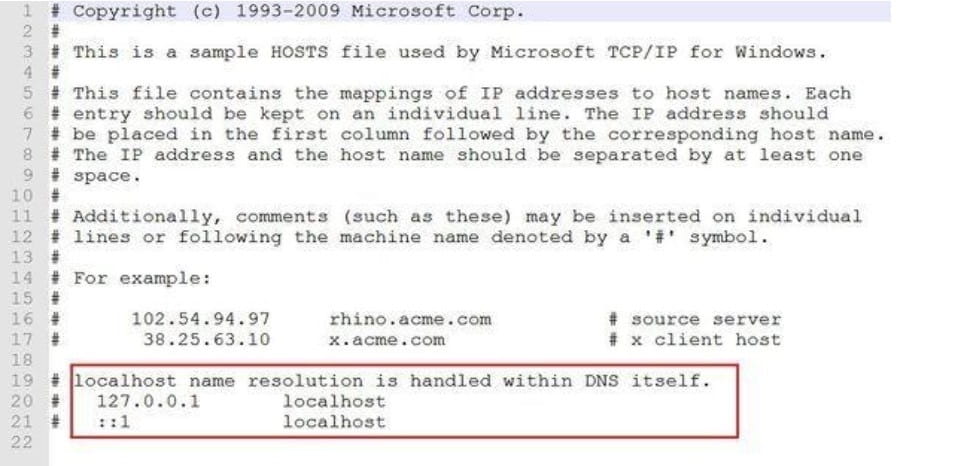
The first method is to tamper with the local Localhost file. After the local PC device is induced or malware or virus is installed through a vulnerability, the local host Localhost file is modified. This method can directly point the specified domain name to the IP of an unofficial server (such as the "official" page prepared by hackers). In other words, after the browser is opened and the exact domain name is entered, the website visited is the website provided by the hacker, and the downloaded app is also a fake app.
The second method is to tamper with the page opened by the local browser or App directly. When you open certain platform websites or wallet webpages, you can directly modify the content displayed on a specific webpage through a browser plug-in, such as replacing the APP download link address pointed to by the APP download button with the address prepared by the hacker, replacing the asset charge and withdrawal address with the hacker's, and reading and modifying the wallet address or private key in the clipboard. As for whether the browser plug-in has the authority to modify the webpage, don't worry about it, because almost most browser plug-ins have such authority. If you observe carefully, you will find that even the Little Fox Wallet we often use has such authority... Not long ago, there was also an incident in which assets were lost due to the replacement of the charge and withdrawal addresses caused by downloading the head CEX.
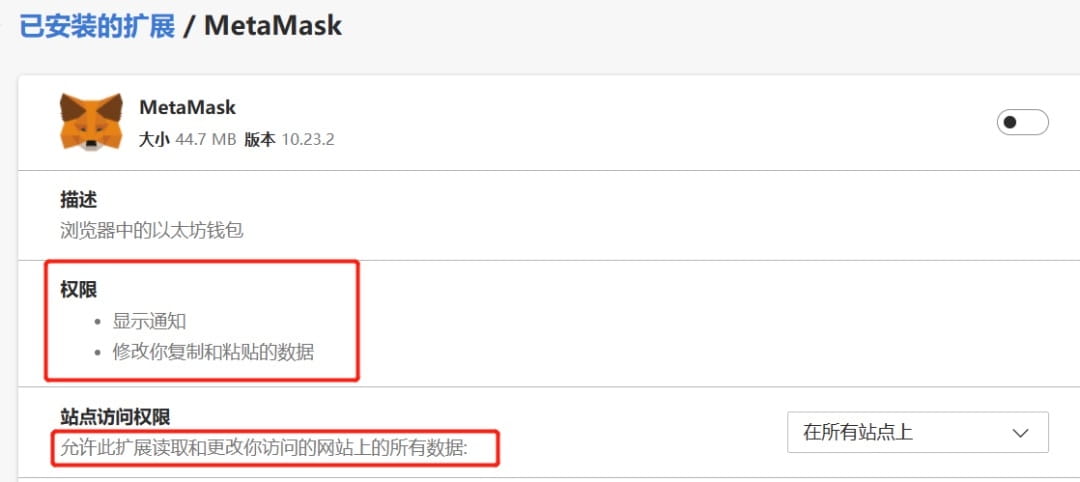
The third type is remote DNS hijacking, domain name resolution record modification, and APP manufacturer server hacking. This is a problem of remote Internet service providers. It rarely occurs, and the cost and difficulty coefficient are also very high, but it has indeed occurred. It is also through a similar "poisoning" method to make the domain name you visit resolve to the hacker's address. In addition, the service provider's own domain name service provider account is stolen, resulting in the modification of domain name resolution, which may cause the official website to be entered, but enter the hacker's website. In addition, if the APP manufacturer itself is hacked, there is nothing to say, these are all situations that we cannot control.
02 Security tips for blockchain in vernacular
After learning that hackers can hijack even official websites, we have to sigh that "it is impossible to prevent it". What should we do? In fact, these security issues are not only in the field of encryption. In the digital age, any APP has security issues, including banks and third-party payment APPs. There are many fake "APPs". Therefore, we have summarized some corresponding security precautions for your reference based on past experience:
1. Use HTTPS to prevent hijacking
When entering the correct official domain name, be sure to add https:// at the beginning of the domain name. It is very useful. When opening the URL, if there is a risk of local hijacking or remote DNS hijacking, there will usually be a red "unsafe" warning above the browser address bar and various warnings such as page security risks. The specific principle will not be expanded. Simply put, this is also one of the widespread applications of asymmetric encryption, which is used to prevent hijacking and ensure that the web page visited is officially provided through asymmetric verification of encrypted signatures.
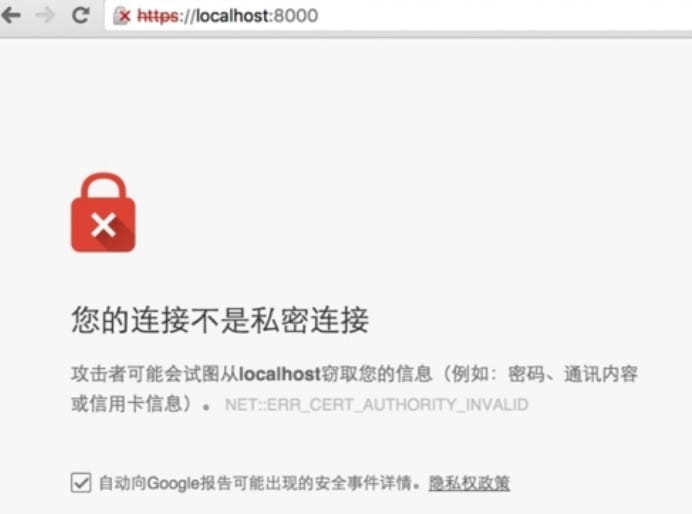
As a side note, in fact, many project websites, even DeFi websites, do not use or are forced to use Https to deploy websites. This is totally unacceptable and it is difficult to feel the team's dedicated attitude and professionalism.
2. Check the APK file hash
Due to some special reasons, domestic Android phone users cannot download APPs directly through Google Play, and can only download APK installation packages. Most fake APP security incidents occur due to the problem of APK being replaced or fake APK being downloaded. Therefore, we must ensure that the APK is provided by the official.
First, use HTTPS to open the official website and enter the download page. Careful students may see that some download pages usually have a link with words such as "Verify application security" or SHA256. It is estimated that 80% of people will not read the security tips, and 90% of people will not click on the verification link to check the content and verify it...
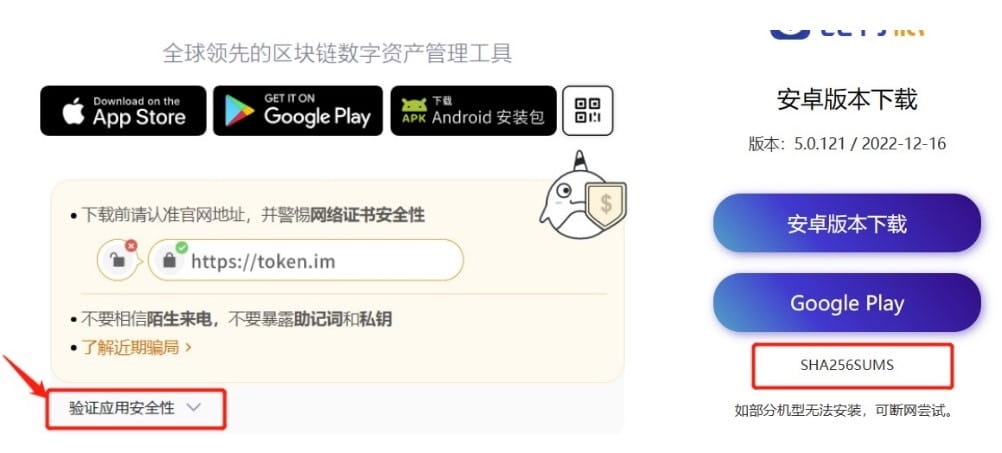
After clicking the security verification link or SHA256 link, we will see the hash value corresponding to the officially released APK installation package file (if the file is modified in any way, the hash value will change completely). After downloading the APK file, we calculate its hash value and if it is consistent with the official one, it means that the file has not been replaced.
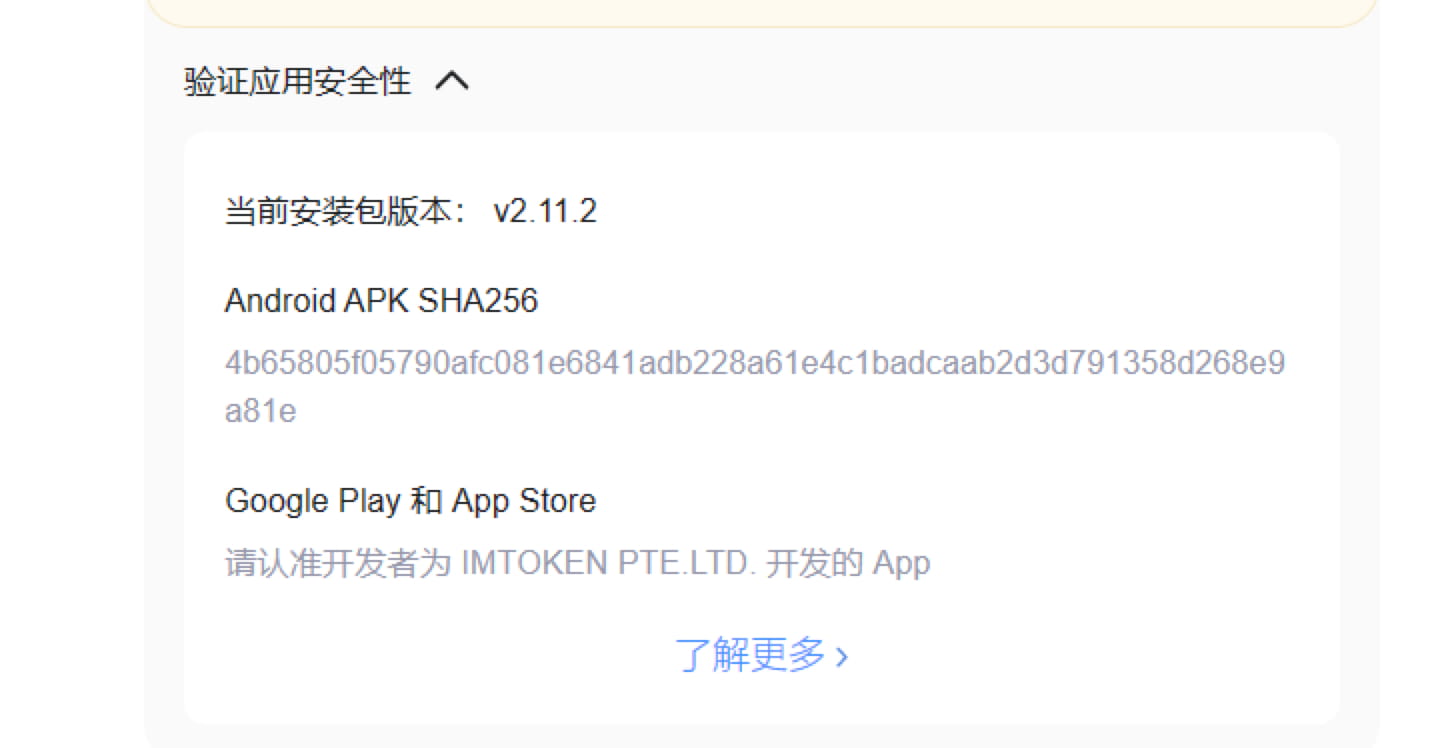
After downloading the APK, the key step is to open Google's virustotal.com virus checking website and upload the APK file you just downloaded. We can get the hash value of this file for comparison and search through dozens of virus databases to see if this file carries malicious code. It can be said to be a magic weapon that kills two birds with one stone.
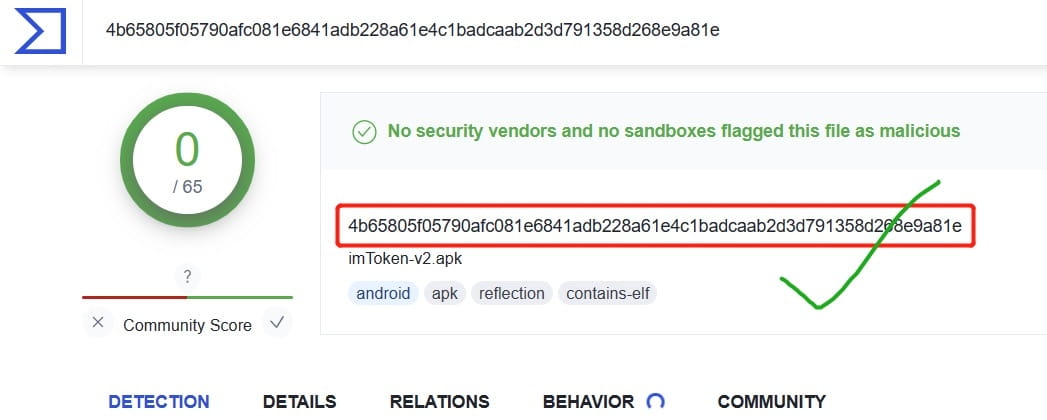
Finally, if you want to be more rigorous, you should also pay attention to the concern that the hash value and download link may be tampered with by local viruses and plug-ins when opening the official website download page. You can confirm whether the hash value is consistent through browsers in different environments such as mobile phones. If the official website download page of the wallet you are going to download does not support Https, you should first doubt whether it is the real official website. In addition, if the APK file hash value is not provided for verification, you can also doubt the rigorous attitude of the wallet team towards security. Such omissions are very inappropriate and irresponsible. Please carefully consider whether to use the APP.
3. How to check whether the currently installed platform or wallet app is safe?
In fact, the best way is to download and install the APP from the Android Google Play and IOS AppStore through the download page of the official website, because in theory, the security factor of Google and Apple App Store is much higher than that of the official wallet. Their platforms have the world's top-level security hardware and software and talent reserves, and the wallet or platform is completely different from them. Therefore, open the Google Play and AppStore pages through the wallet and platform official website download page, and confirm again that the developer's company name, download volume, and comment volume (mainstream wallets have a large volume) are not a problem. At this time, we can think that the downloaded APP is safe. If you are not sure whether the apk package installation application currently being used by the device is safe, you can follow the previous two security tips to confirm the official and verify the hash, then download it to the mobile phone to overwrite and install it. However, don't forget to back up the mnemonic first to prevent errors in the overwriting process that lead to data loss and inability to restore the wallet (but generally overwriting or updating the application will not cause data loss).
4. Other suggestions on wallet security
If you don't use cold wallets or hardware wallets, and you like hot wallets, the safest way is to install it on an iPhone. First, you only need an overseas ID and don't need to worry about Android. Second, after the iPhone is locked, the encrypted data cannot be unlocked without a key. Many mainstream overseas apps (such as Metamask) do not support APK download and installation alone because there are too many security issues. However, many manufacturers are forced to open APK downloads in order to attract new users and because the number of Android users is too large. If Android wants to bypass the APK problem, it needs Google Service Framework (including Google Play) and Google Password Authenticator, which are essential software. At this stage, it is very difficult to install for some reasons. The third-party solutions that many people find are unofficial and may not be safe or rigorous. Of course, you must use an Android phone. You can choose some manufacturers that currently support the Google family bucket framework, such as Samsung. In addition, installing the wallet on a device that supports secure chip isolation in a secure folder can be a second layer of security, which can achieve the same additional security effect as Apple phones that cannot be unlocked to obtain sensitive data after being lost.
5. Suggestions on platform APP
Since most CEX platforms use multiple verifications, they are not easily affected by fake apps (which makes it more difficult for hackers). However, you should also pay attention to whether the deposit and withdrawal addresses in the app are consistent with those provided on the official website. In addition, you must enable the "whitelist" function in the platform, and only withdraw assets to safe whitelist addresses.
In addition, the biggest risk that the platform CEX faces, in addition to the two local hijackings to modify the deposit and withdrawal addresses mentioned above, is phishing, because most people's APP, SMS, and Google Authenticator are actually installed on the same device. This means that hackers can control these three pieces of information with a high probability and then manipulate your platform assets as long as they control or monitor one device. Therefore, for safety reasons, it is not highly recommended to operate multiple authentications on one device at the same time. You can install the Google Authenticator on another secure phone, or you can operate the platform account on a PC or PC web page instead of installing the app on the phone. This can prevent single-point "explosion" and maximize asset security.
03 Summary
Security is no small matter. Plain Blockchain believes that security issues are worth talking about every day and at all times. In daily operations, perhaps you only need to pay attention to these details for one more second to increase the possibility of asset security by 99%. Why not do it?
END