

Main
Account takeover attacks (ATO) can lead to leakage of confidential information, loss of money, and theft of personal data.
In this article, we will look at methods to protect against such attacks that will be useful to both individuals and organizations. We'll also tell you what to do if you suspect your account has been hacked.
Both companies and individuals can become victims of account takeover attacks (ATO). They may face financial losses, reputational damage and other consequences.
Do you suspect that your cryptocurrency account has been hacked? Follow the tips below to reduce the damage from an account takeover attack.
If you suspect that your account has been hacked
Change your password
If you think your account has been hacked, change your password immediately. Create a strong, unique password that you do not use for other accounts. This will increase the level of security and minimize the likelihood of unauthorized access.
We also suggest enabling two-factor authentication (2FA) to create another barrier for attackers. Learn more in the 2FA FAQ on Binance.
How to change your password on Binance
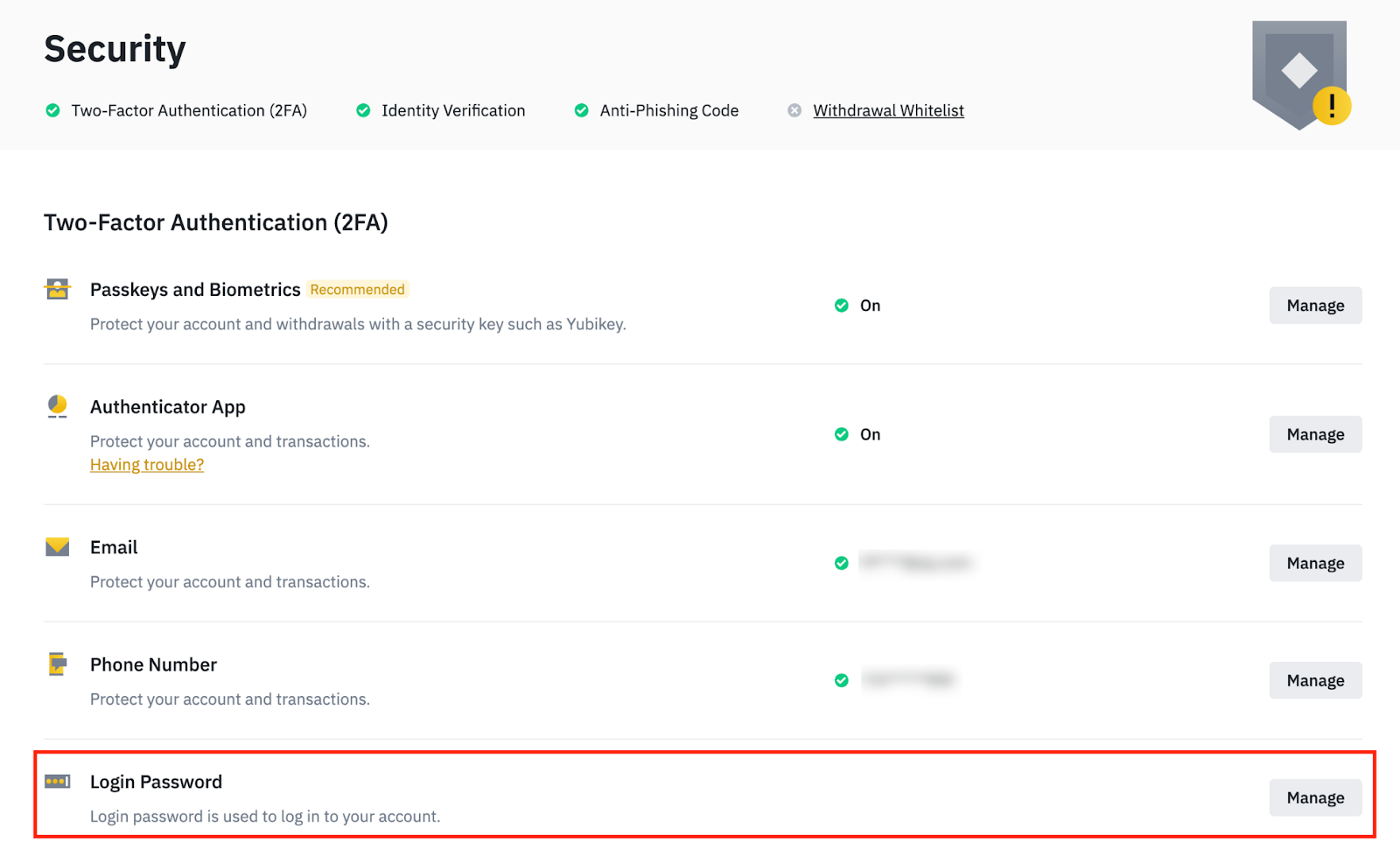
Log in to your account and go to the Security section.
To change your password, find the Login Password menu and click Manage.
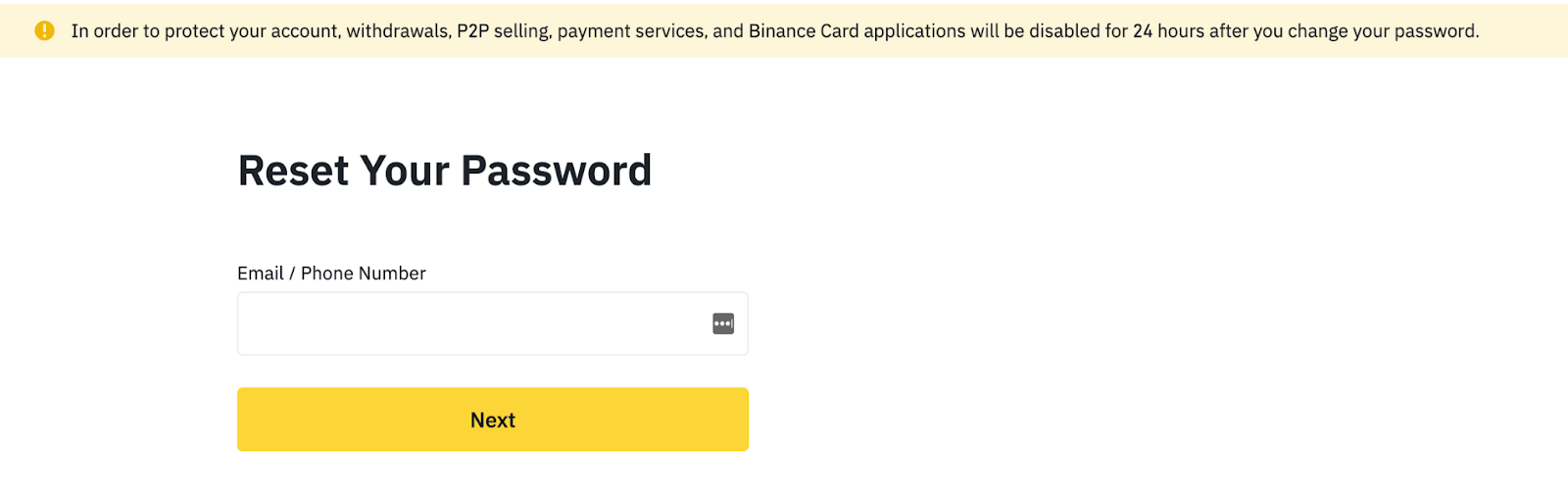
Having trouble logging into your Binance account?
Reset your password on the self-service page.
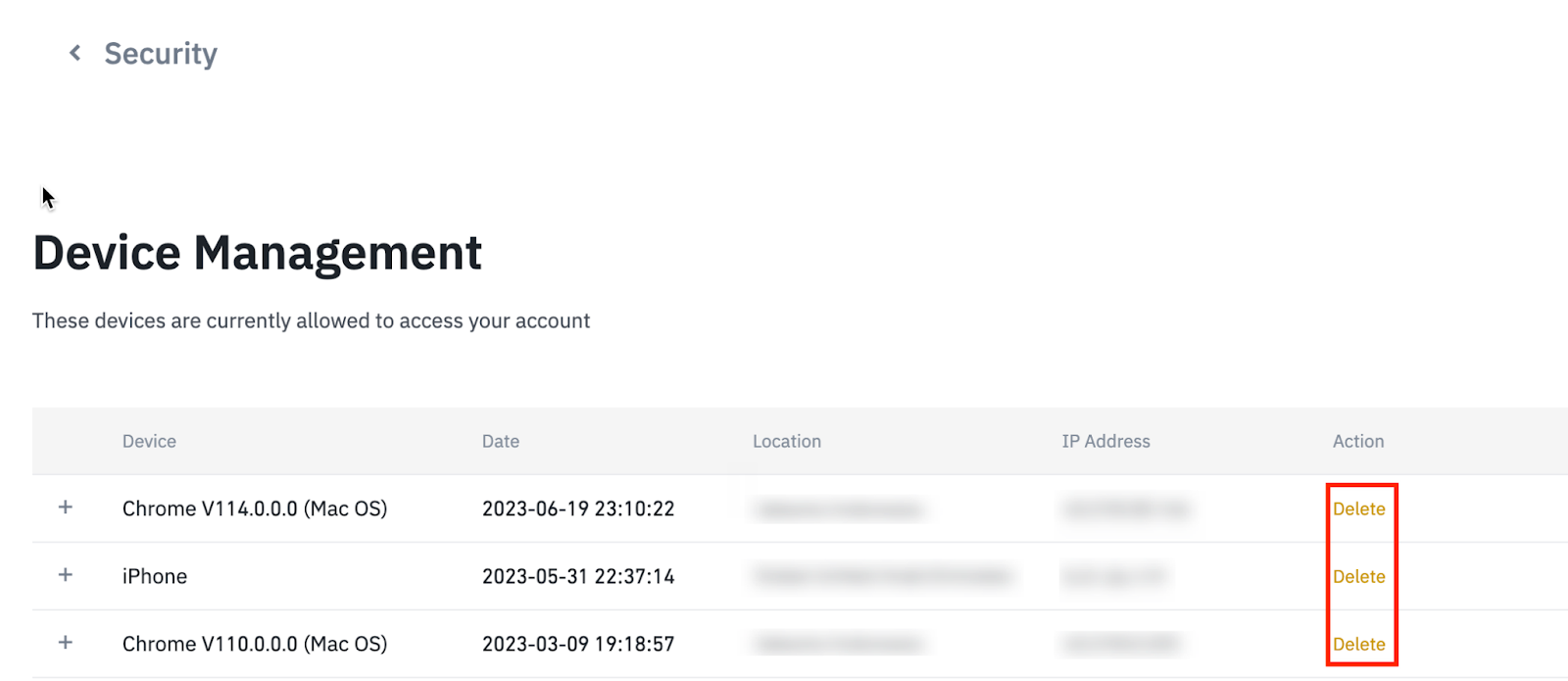
Manage the devices that are allowed to access your account
Log in to your account and go to the Security section.
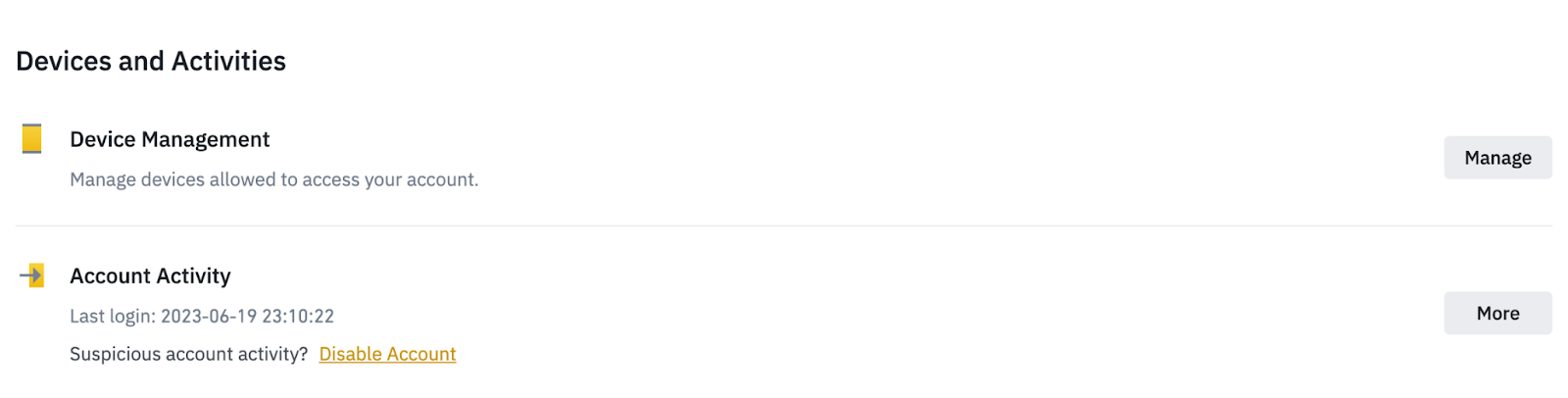
To remove unused devices, find the Devices & Activity menu and click Manage Devices.
Check account activity
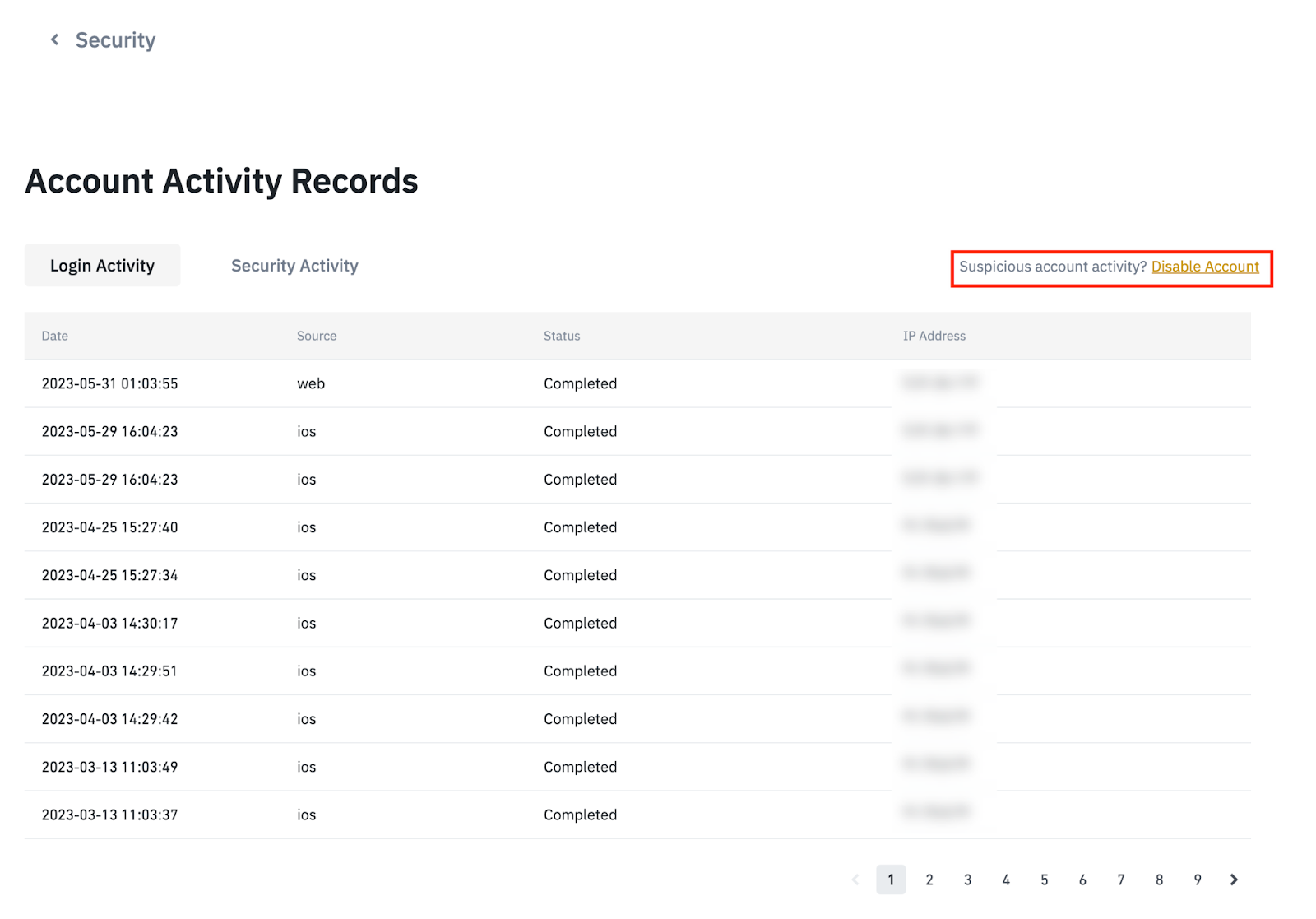
Check your account activity log and transaction history for unauthorized access or unusual transactions. Record any suspicious activity or changes. This will allow you to assess the extent of the hack and will be useful in further investigation.
How to Check Account Activity on Binance
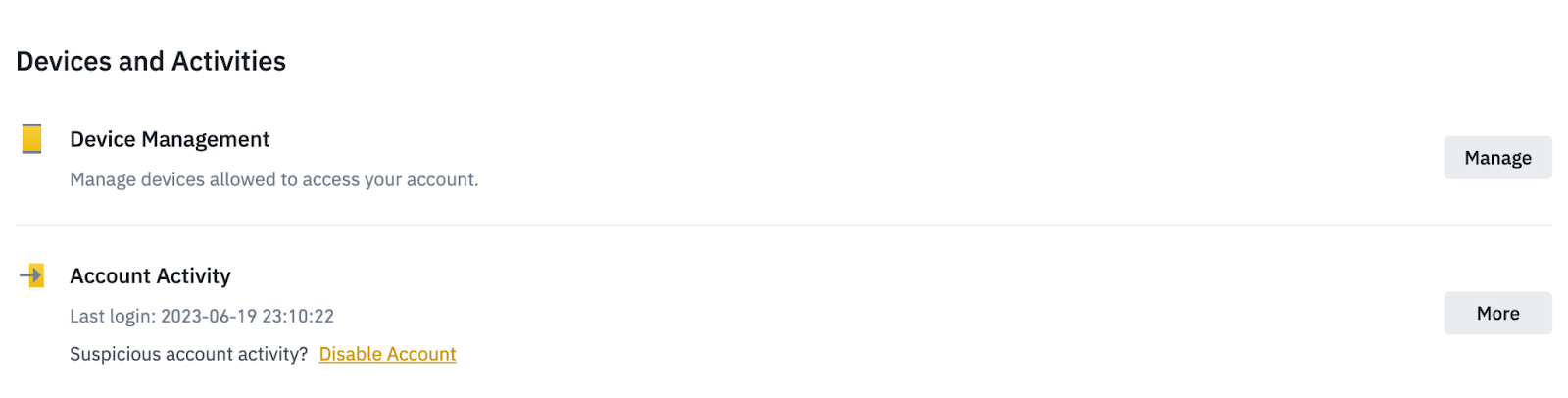
Log in to your account and go to the Security section.
Information about your last login can be checked in the “Account Activity” section, as well as in the “Recent Account Activity Records” tab.
What to do if your account is hacked
Contact your service provider
If you are unable to log into your hacked account or notice suspicious activity, report it to your service provider as soon as possible. Explain that your account was hacked and include all related information, including the time you first noticed suspicious activity or other oddities. Provide evidence or data that will be helpful in the investigation, including suspicious emails, login attempts, or transaction history.
How to Contact Binance Support
If you notice any suspicious activity on your Binance account, please contact support for further investigation.
Consider suspending or blocking your account
If the hacked account had a credit card associated with it, you can freeze it to prevent further losses. You can also disable the account itself to further protect your personal information and assets.
Monitor accounts and update security settings
Closely monitor any suspicious activity in your financial and online accounts, especially if you use the same passwords across multiple services. Set up notifications to stay informed about all changes and transactions, respond to potential security breaches in a timely manner, and protect your data.
Check out our list of best practices for protecting against attacks on other accounts.
How to protect your account from possible attacks in the future
Increase your account security
To increase account security, you should change your passwords every 60-90 days: try to come up with complex, unique passwords for each account. Enable two-factor authentication for an additional layer of protection against unauthorized access.
Read about protection methods in the article How to protect yourself: tips for preventing account takeover attacks.
Pay attention to warning signs
Some tips to prevent account takeover attacks:
Be wary of suspicious emails and do not share confidential information with anyone.
Please check the authenticity of links and organizations before visiting any sites or downloading files.
Beware of phishing attempts and do not open suspicious attachments.
If you need to open or download an attachment, but you are not sure about the sender of the email, check the information on the official website or support team.
Regularly update software and antivirus programs, and use spam filters to reduce risks.
Learn the signs of account takeover and how to avoid it in the article How to Protect Yourself: Detecting Account Takeover Attacks.
Account protection should be a priority
Taking the time to improve your security can save you from trouble and potential losses in the future. Taking the time to put in place strong security measures such as creating a strong password, enabling two-factor authentication, and being wary of phishing attempts will greatly reduce the risk of unauthorized access.
Additional Information
How to protect yourself: what are account takeover attacks?
How to protect yourself: tips for preventing account takeover attacks
How to protect yourself: detecting account takeover attacks
Risk Warning and Disclaimer. The following materials are provided “as is” without warranty of any kind for general reference and educational purposes only. This information should not be considered financial advice or a recommendation to purchase any specific product or service. The value of digital assets may be volatile, increasing the risk of loss of investment. You are solely responsible for your investment decisions. Binance is not responsible for your possible losses. This information does not constitute financial advice. Please see Terms of Use and Disclaimer for details.