Hello friends!
Today I will tell you about margin trading on Binance. I’ll just explain everything step by step and show you how to conduct transactions, what nuances should be taken into account and what opportunities the exchange provides us with.
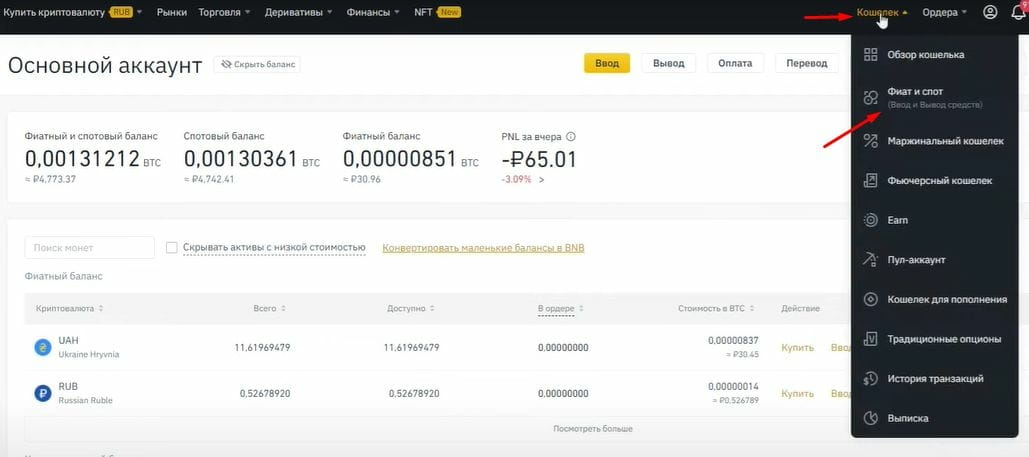
Go to Binance in the “Wallet” ⇒ “Fiat and Spot” section. Here we will see the balance of all our cryptocurrencies.
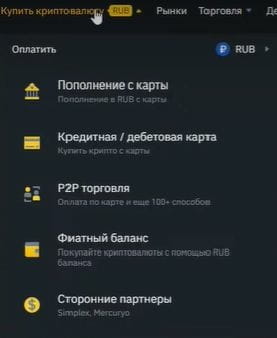
If you have not yet purchased coins, then in the “Buy Cryptocurrency” section you can top up your wallet using a bank card or P2P trading. After replenishing your account, you will be able to use your funds to purchase cryptocurrency and other activities on the exchange.
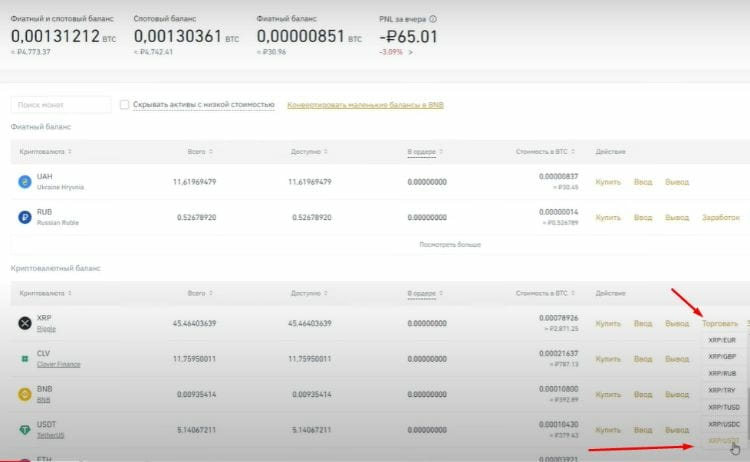
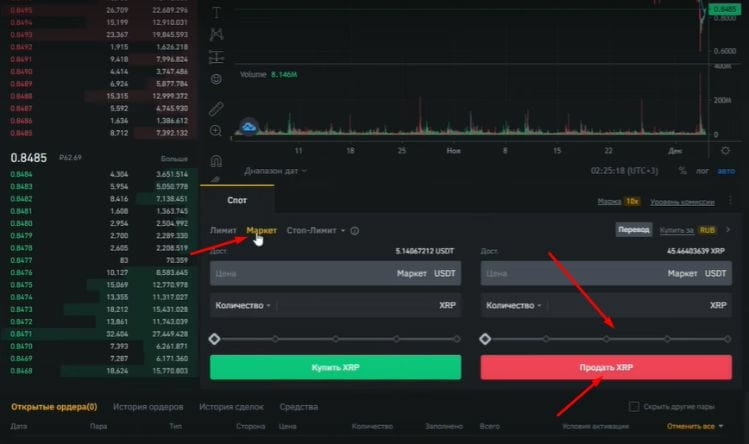
Let's convert everything to USDT for convenience. I will tell you how to do this using the example of the XRP token. Click “Trade”, find the XRP\USDT pair and we are transferred to the trading screen. We select “Market” to buy at the market price, that is, the purchase will take place at the current price.
By selecting “Limit”, we can manually set the desired price. We’ll buy from the market – it’s easier and faster. Using the slider, we will select 100% and sell all our XRP for USDT. The order is executed instantly and you can return to “Wallet” ⇒ “Fiat and Spot”. Now we have 43 USDT, which we will trade with.
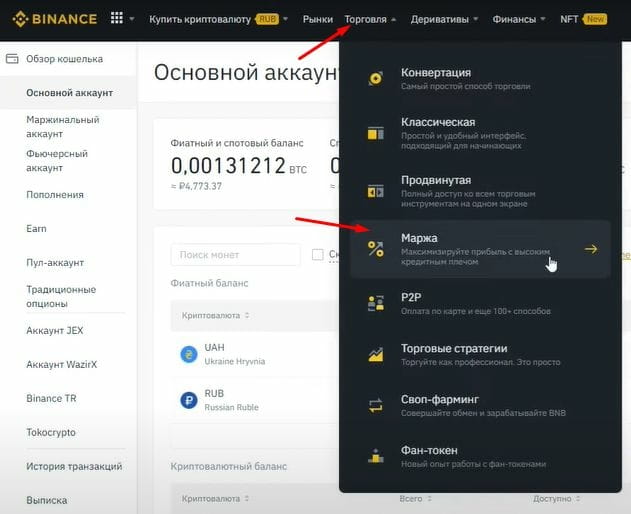
Go to the “Trade” tab and select the “Margin” section. Here we can trade up and down, borrow money from the exchange, etc.
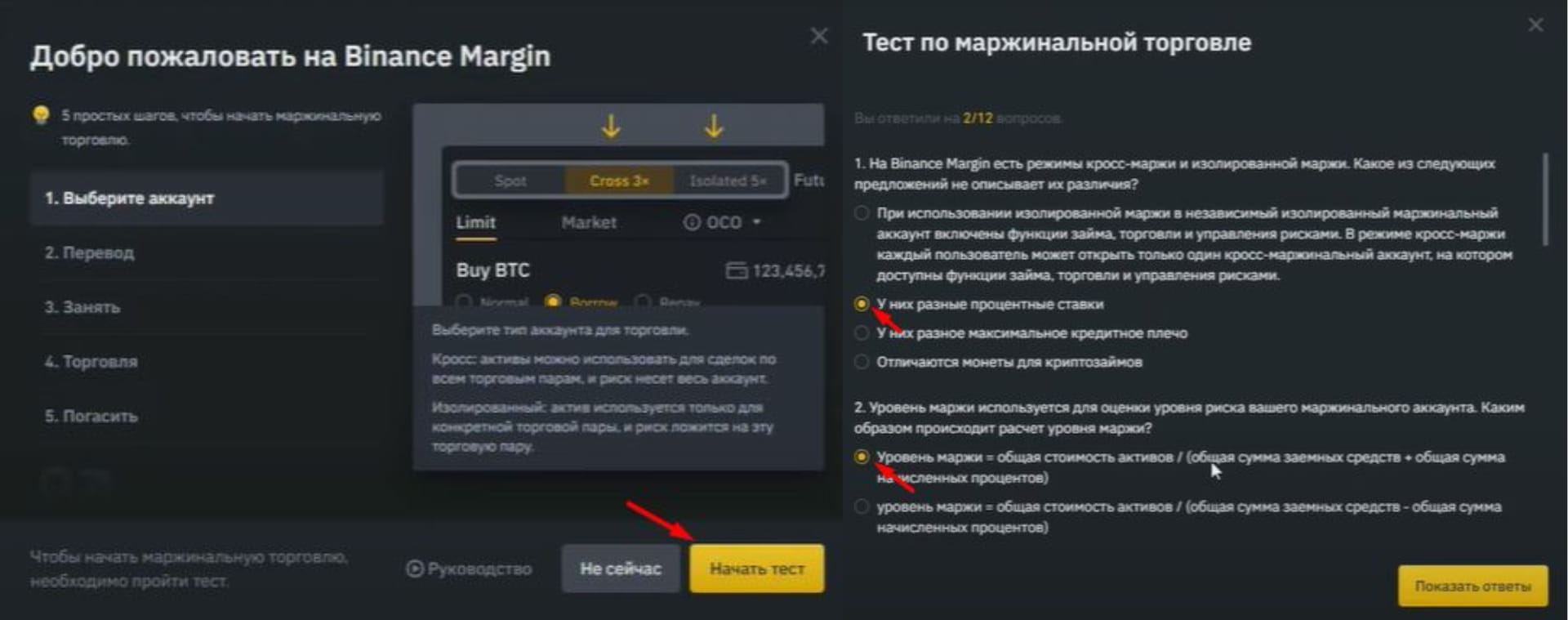
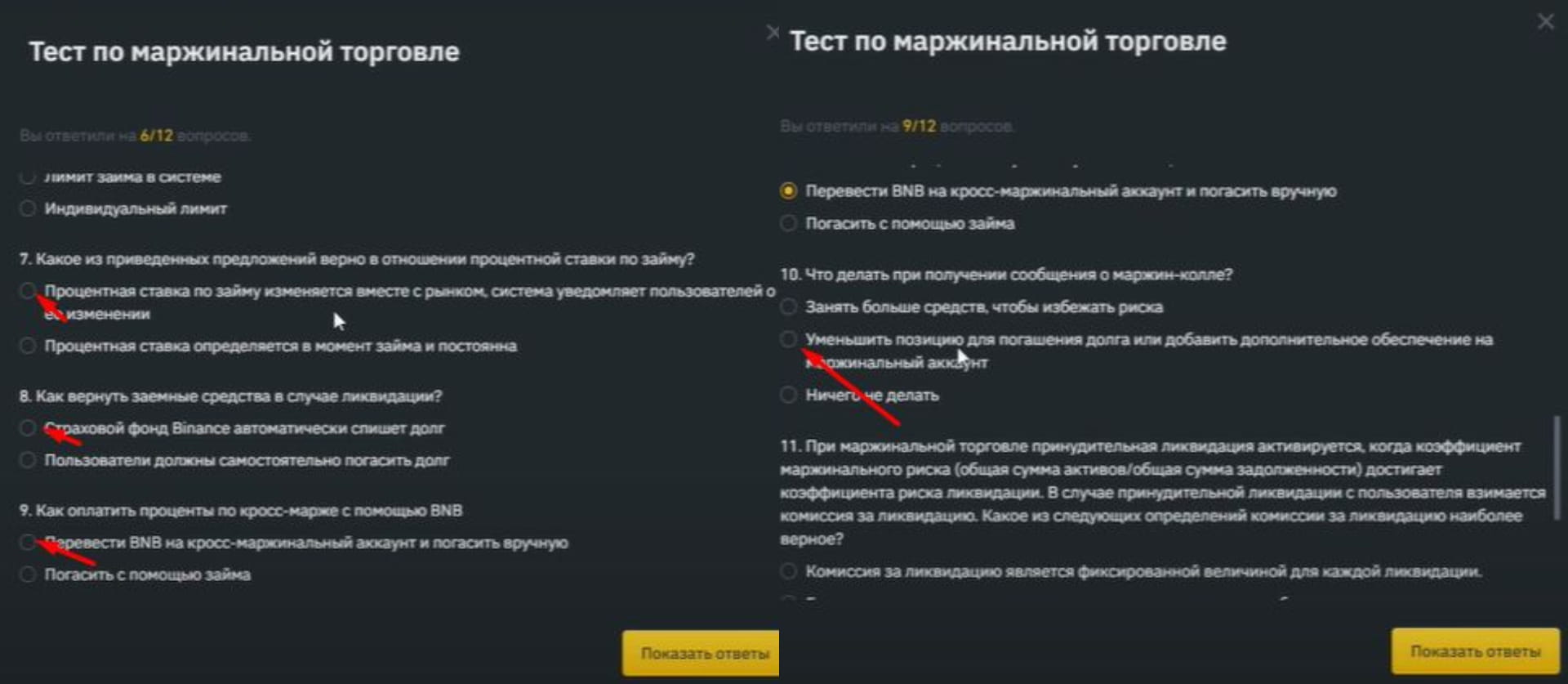
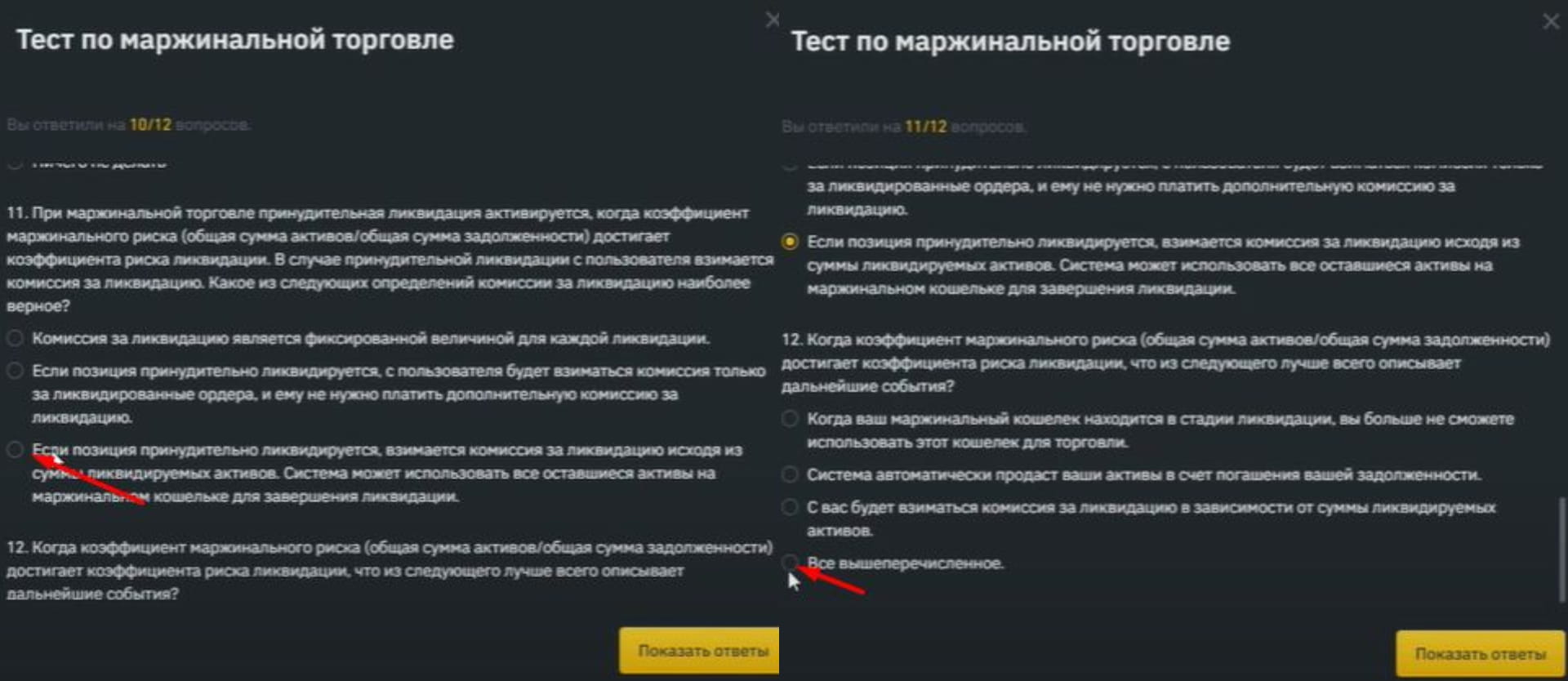
First you need to pass the test. Click the “Take Test” button. There are only 12 questions. I'll show you how to answer them. We agree to the terms of margin service and proceed to the test. I indicated the correct answers with arrows.
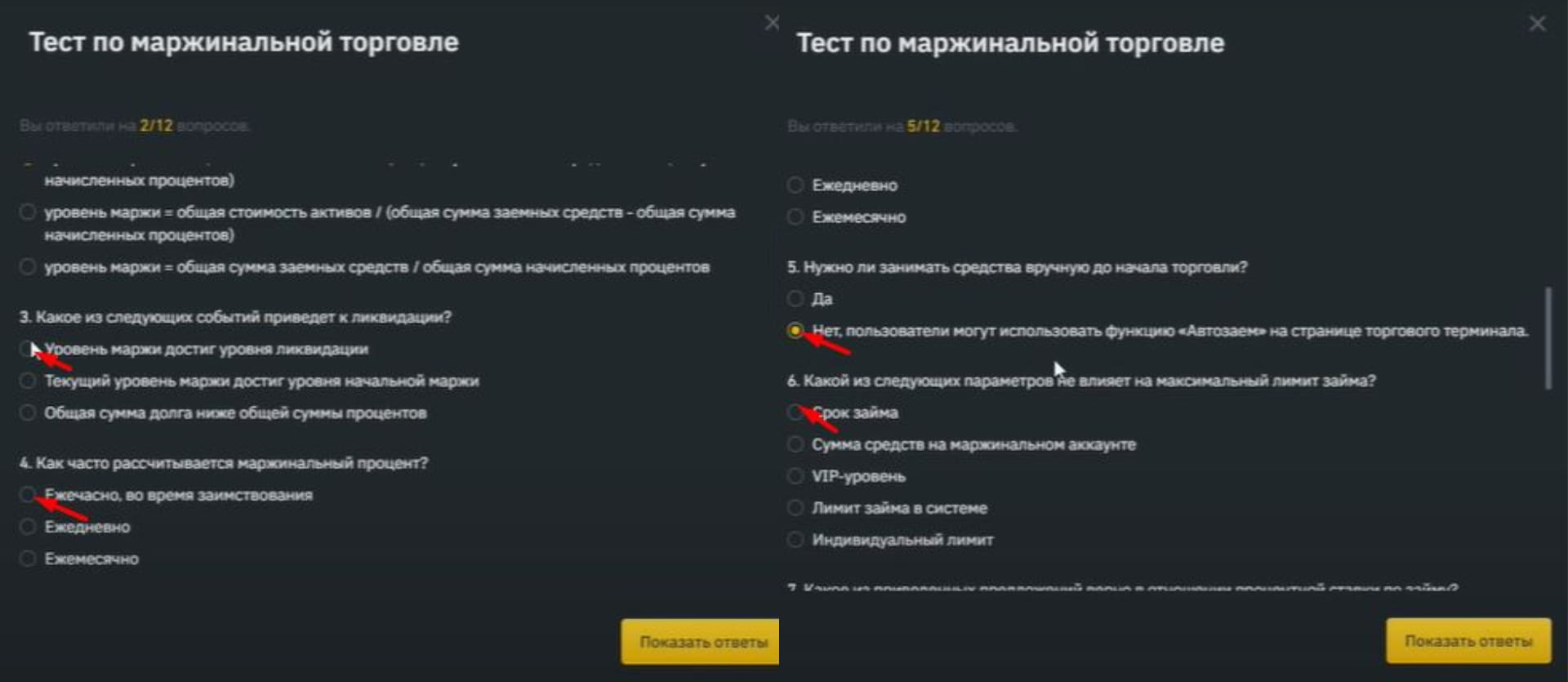
Now you can proceed directly to margin trading.
First, let's select the type of margin with which we will trade. How are they different? When choosing cross margin we use and risk all the money in our balance. If we choose isolated margin, then we risk the money that we have directly in the open transaction.
For beginners, I recommend using isolated margin.
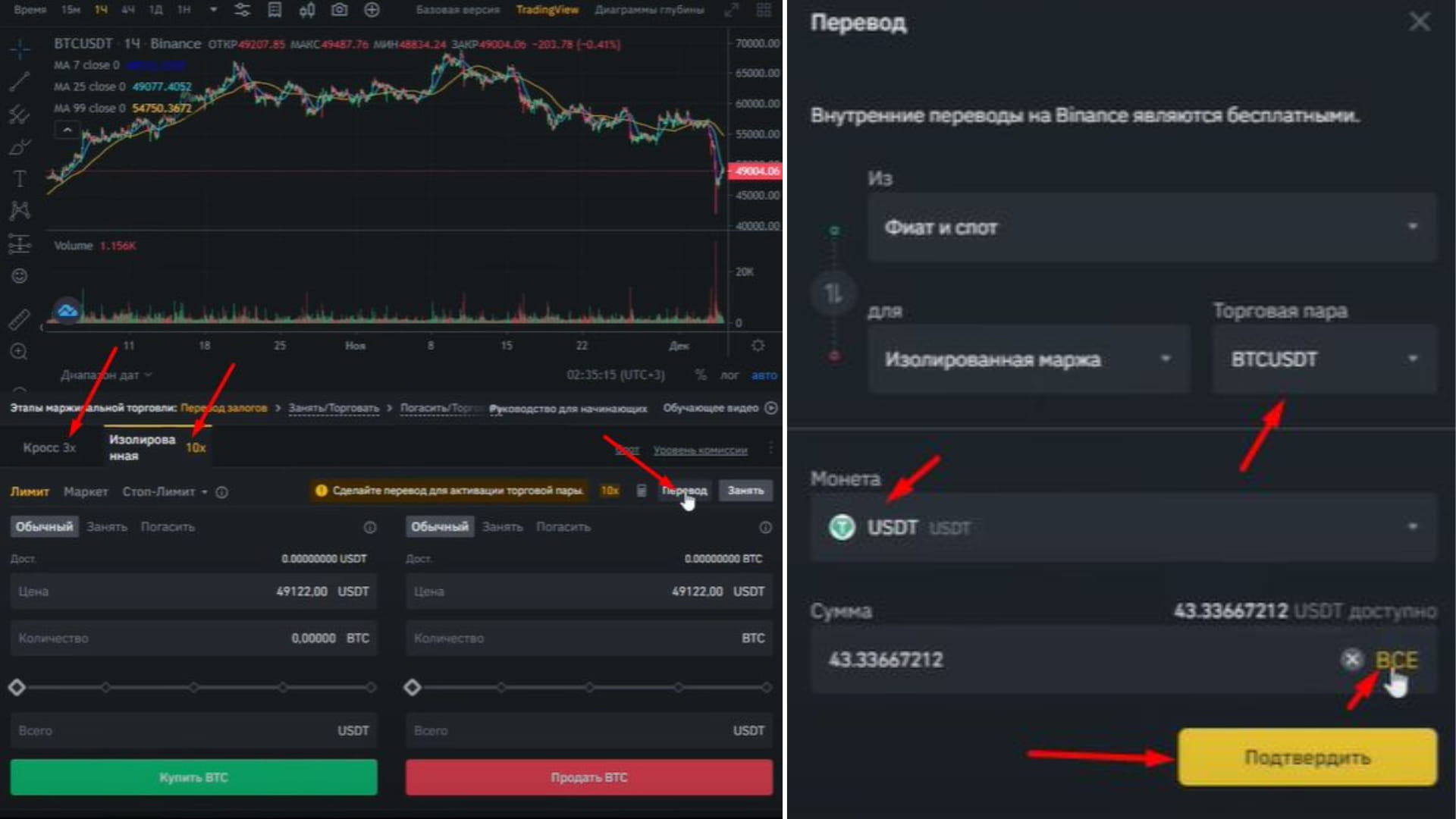
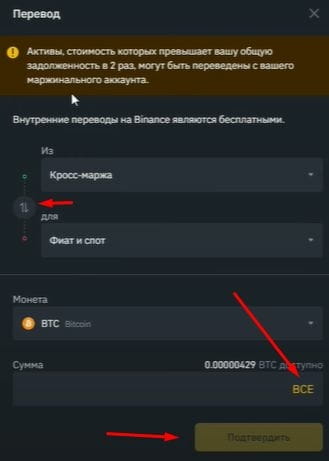
To activate a trading pair, we need to transfer money via internal transfer from the “Fiat and Spot” section to the isolated margin. You can choose a trading pair, or you can simply transfer to cross margin and then choose what exactly you want to buy. Let's do so.
Select the USDT coin, its quantity, or “All” and click “Confirm”.
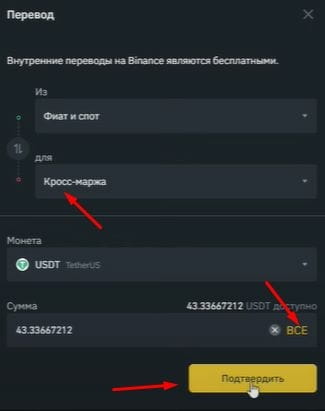
Let's choose the cross-margin mode as an example. If you don't want to do something wrong, then choose an isolated margin.
I’ll explain using the BTC\USDT pair as an example. First, let's look at the purchase. Let's select a market price to buy Bitcoin at the current price. In normal trading, if we have, for example, $10, we can buy a certain amount of bitcoins with it. When using margin trading, the exchange allows us to borrow more money from it.
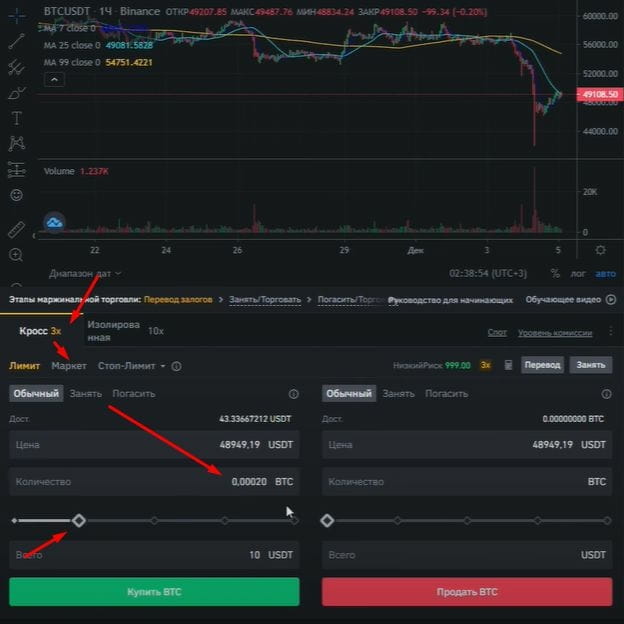
In our example, we can select the “x3” mode and multiply our balance by 3 times. Now we have the opportunity to buy for $30, and 10 of them are ours, and we borrowed 20 from the exchange. Then, when we sell our bitcoins, we will need to give them back and pay a small commission. This tool will allow us to earn much more than if we used only our own funds.
For example: we bought a coin for $30, of which ours was $10. Then the token doubled. We sold it for $60, returned $20 to the exchange and left us with $40. With a cost of $10, the profit is $30. If we use only our own funds, we get only $10 in profit. But this carries corresponding risks. If all our income increases by 3 times, then our losses also increase by 3 times.
We also have a liquidation price. With margin trading, the exchange will not allow the price to fall more than our balance can cover, and the position will be liquidated. To calculate the liquidation price, there is a special calculator.
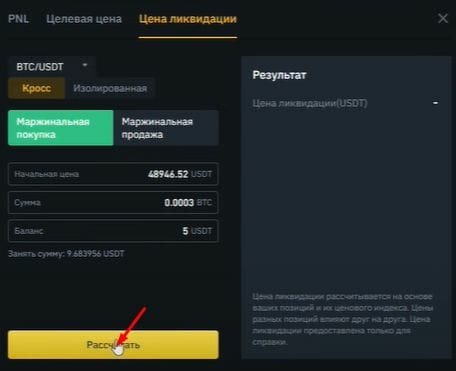
Select the “Liquidation Price” tab. Let's enter the initial purchase price - the amount for which we will buy. We may not have enough money for the purchase, so we will enter the amount we have and borrow the rest from the exchange.
We click the “Calculate” button and in the “Result” window we will see the price of the coin, upon reaching which our position will be liquidated and we will lose our invested money. The stock exchange will never remain in the red. We will still pay a small commission on the profits. In the event of our losses, the exchange will take the money and we will still have to pay a small percentage for the use of borrowed funds.
Therefore, margin trading is always beneficial for the exchange and not always for us. However, this tool allows you to make big profits if you are confident in the price movement. Leverage trading is also used in futures. This carries high risks, since you can use large leverage and increase funds by 10-100 times and, accordingly, incur losses just as quickly.
Let's move on directly to trading. Click the “Borrow” button.
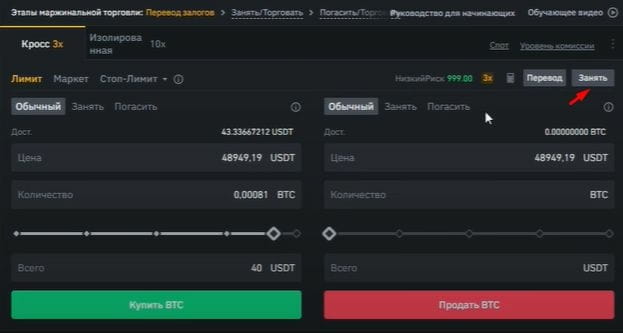
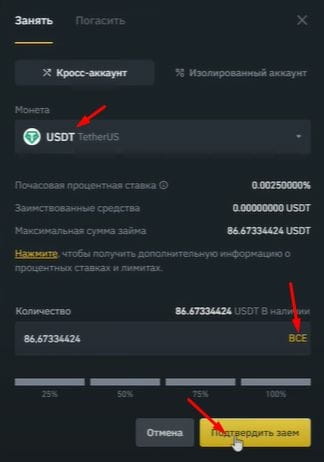
Let's choose which coin we will borrow in. In the window you can see the hourly interest rate and the maximum loan amount, which is calculated based on our balance. The more money we have of our own, the more we can borrow. Select the amount and click “Confirm loan.”
Now we can shop. Select “Market”, “Quantity” and click “Buy”.
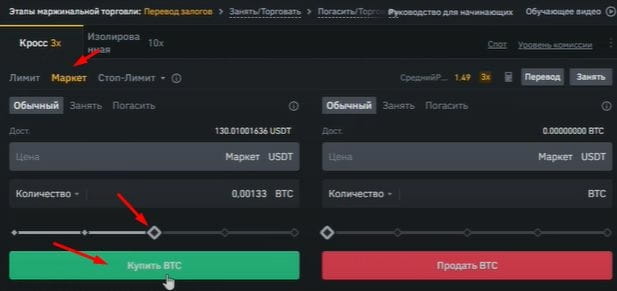
At the bottom you can view your buy or sell order history, depending on what you have selected.
In order to sell our position, you need to select the quantity and click the “Sell” button. The executed order can be seen in the order history.
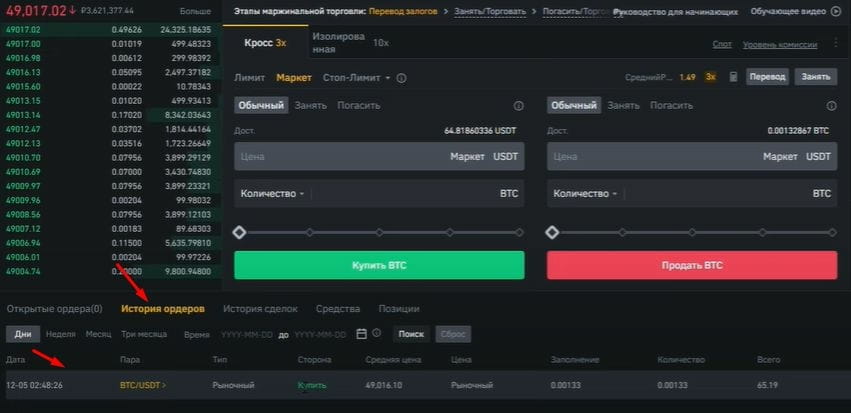
The next step is to return the borrowed money to the exchange.
Click the “Borrow” button, select the “Repay” tab, the repayment coin, quantity and click “Confirm debt repayment.”
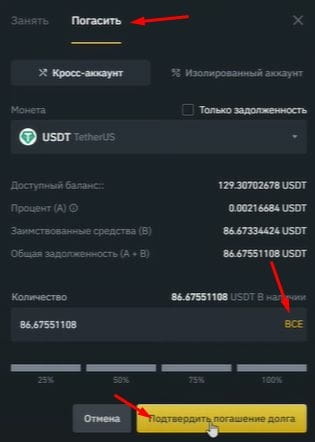
Now let's figure out how to sell. For example, you borrow 1 bitcoin, the coin falls in price, and you give the exchange 1 bitcoin back, but since it has fallen in price, you get the difference. This will be your profit.
All actions are similar, only now we first need to borrow coins from the exchange. Click the “Borrow” button, select BTC, quantity and click “Confirm loan”. Now we sell the borrowed bitcoins by selecting the amount and clicking “Sell BTC”.
In order to return the taken coins to the exchange, they now need to be redeemed. We sold Bitcoin and received USDT for it. Accordingly, if Bitcoin falls in price, we will buy it back by spending less USDT than we received for selling it. The difference in price will be our profit.
In order not to get confused about money (your own and the exchange’s), you can view the borrowed funds in the “Borrow” tab.
We buy the required amount and in the “Repay” section we close our debt.
It is imperative to make sure that the debt is fully repaid and in the repay section there is the inscription “You have not borrowed BTC yet.”
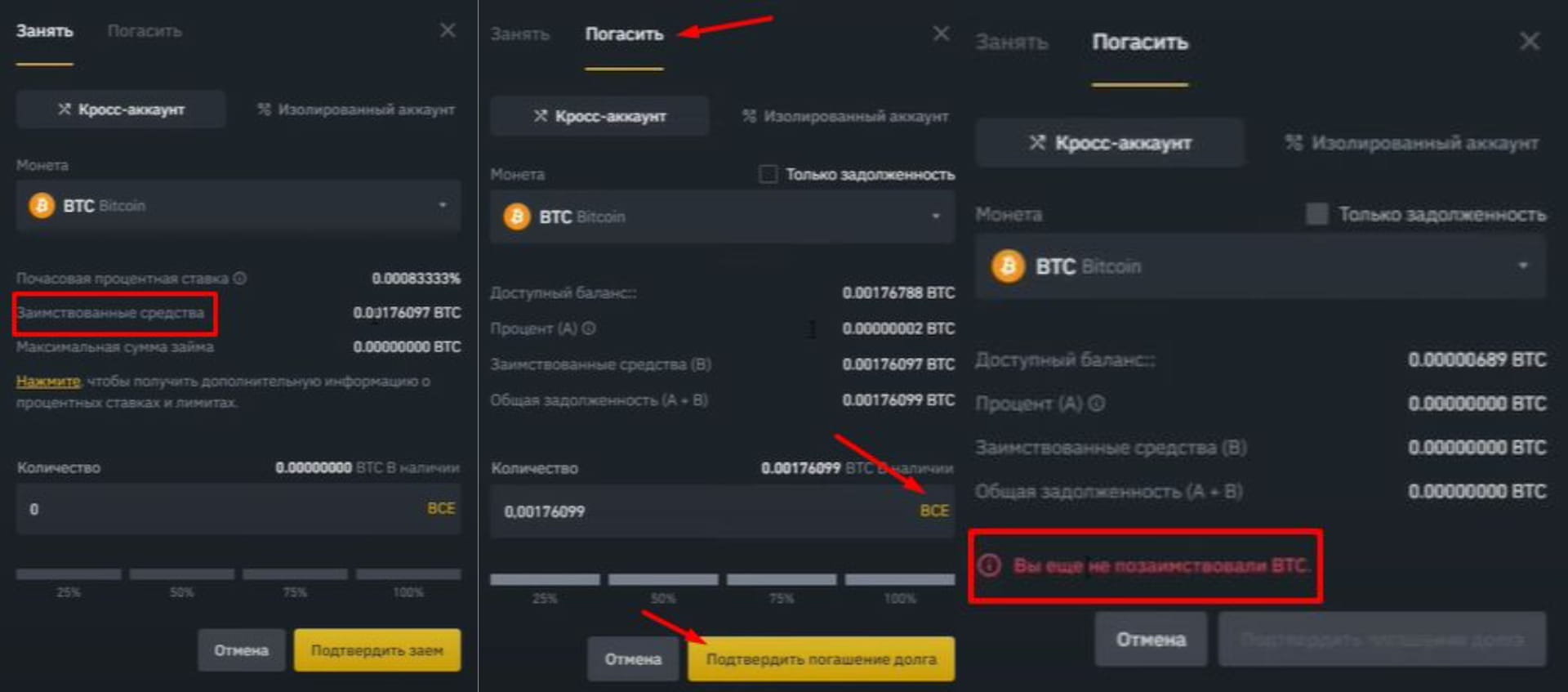
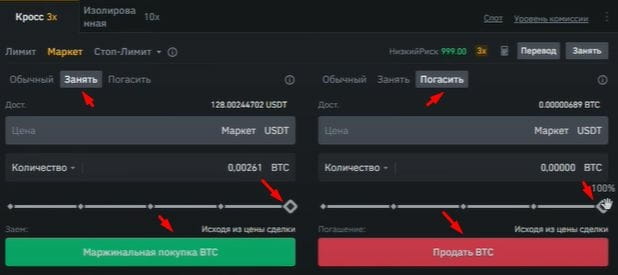
You can borrow and repay directly from the trading window for more convenience. The main thing is not to get confused. To do this, use the “Borrow” and “Repay” buttons. When choosing the number of borrowed coins, our funds will be used along with the exchange money.
After receiving profit from margin trading, you can transfer it to your spot wallet by clicking the “Transfer” button. We select from “Cross Margin” to “Fiat and Spot” the coin that we will transfer, the amount and click “Confirm”. The received funds are located in the “Wallet” ⇒ “Fiat and Spot” section on the Binance home page.