💸 Do you buy and sell cryptocurrencies on Binance? Be careful: fees can reduce your returns without you noticing.
Every trade executed on the Spot market may incur a fee. Understanding how this cost works helps you keep better track of your trades.
📚 Three key points worth knowing:
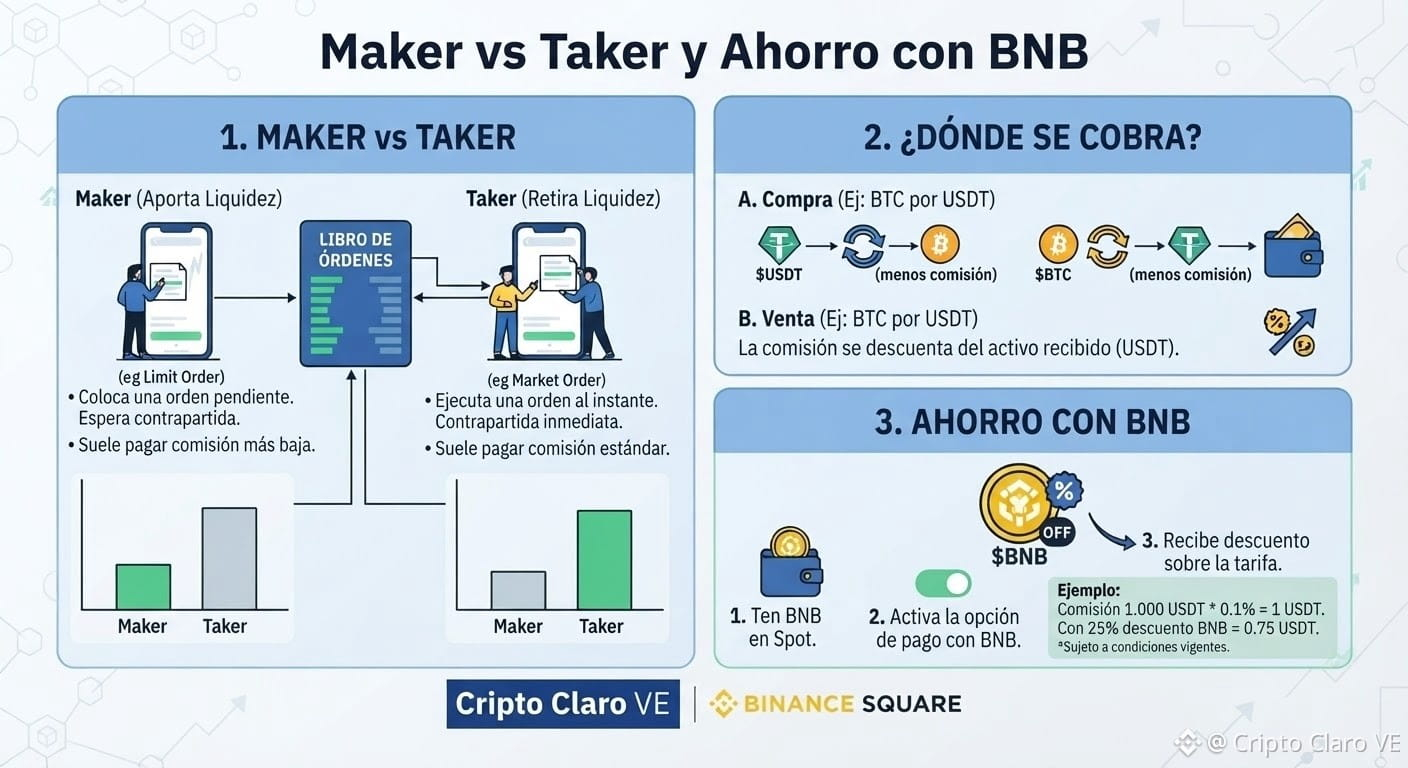
🔹 1. Maker vs. Taker: what’s the difference?
Both pay fees, but they differ based on whether they add or remove liquidity from the order book:
Maker: Adds liquidity to the order book (for example, by placing a Limit order that remains pending while waiting for a counterparty).
Taker: Takes existing liquidity by executing against orders already available in the order book. Market orders typically act as Takers.
⚠️ Important: A Limit order can also act as a Taker if it crosses the order book and executes immediately.
🔹 2. What currency is the fee charged in?
By default, Binance usually deducts the fee from the asset you receive in the trade.
If you buy a cryptocurrency using USDT, the fee is usually deducted from the cryptocurrency you receive.
If you sell that cryptocurrency for USDT, the fee is usually deducted from the USDT you receive.
🔹 3. How can you save by using BNB?
Binance lets you enable fee payments in BNB for Spot trading to get a discount on the standard fee when the relevant conditions apply:
Keep enough BNB in your Spot wallet.
Enable the option to pay fees with BNB.
Check that the trading pair and trade are eligible for the discount.
📌 Key point: Don’t just look at the entry and exit prices; you should also factor in the fees for both sides of the trade to calculate your actual net result.
📖 Tip: Check your Binance trade history to see exactly how much you paid in fees.
Did you already know the difference between Maker and Taker, or is this the first time you’ve come across these terms? 👇
#CriptoClaroVE #BinanceSquare #BinanceSpot #trading #EducaciónCripto