

Cryptodog Compilation Airdrop Part 81: Nibiru Chain 2nd Public Beta Interactive Tutorial
Nibiru is a decentralized exchange for crypto derivatives on COSMOS and its functionality is similar to DYDX.
Nibiru is a POS-based blockchain, an open source platform and a member of the family of interconnected blockchains that make up the Cosmos ecosystem.
Nibiru is a new cryptocurrency derivatives protocol co-founded by Arjun Sethi, CEO of Tribe Capital GP
Investment: Raises $8.5M in seed round at $100M valuation
Investors: Tribe Capital, Republic Capital and Kraken Exchange.
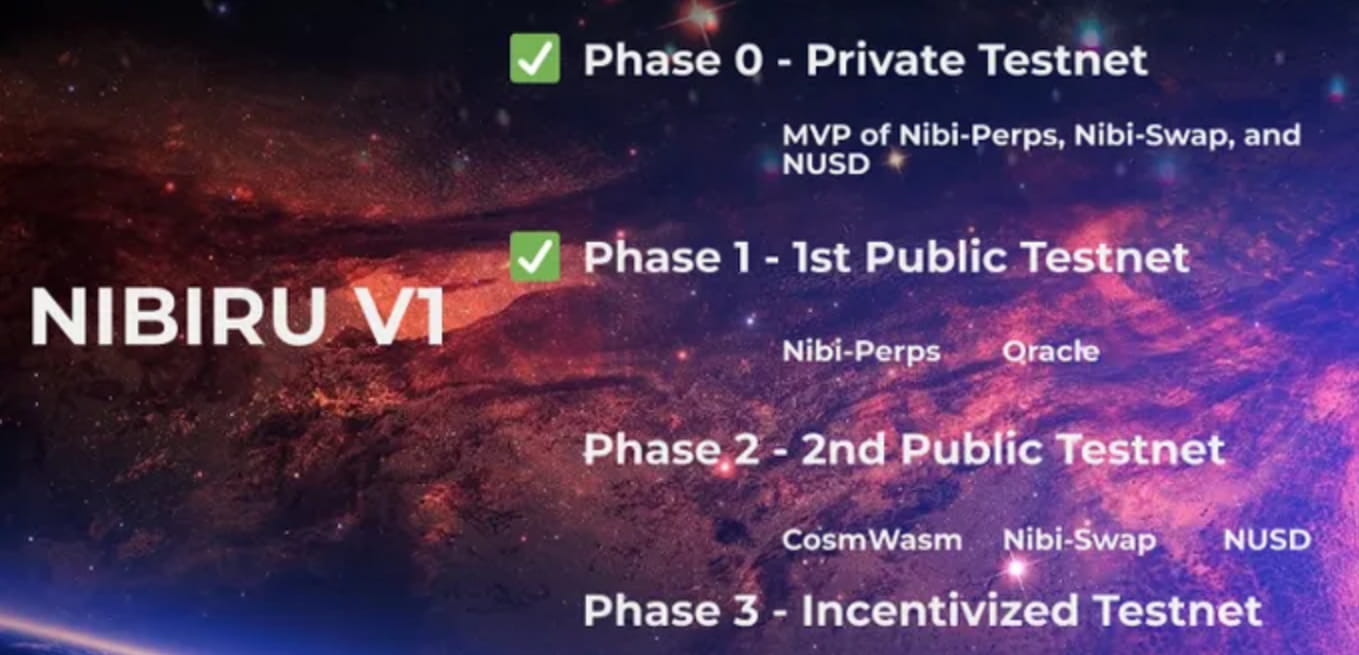
Currently, a second public testnet (Phase 2) is underway and it is already possible to test the functionality of the application.
Phase 3 of the project is the incentive plan, there are no details yet, but we’d better prepare for it.
Awards:
60% is allocated to the community!
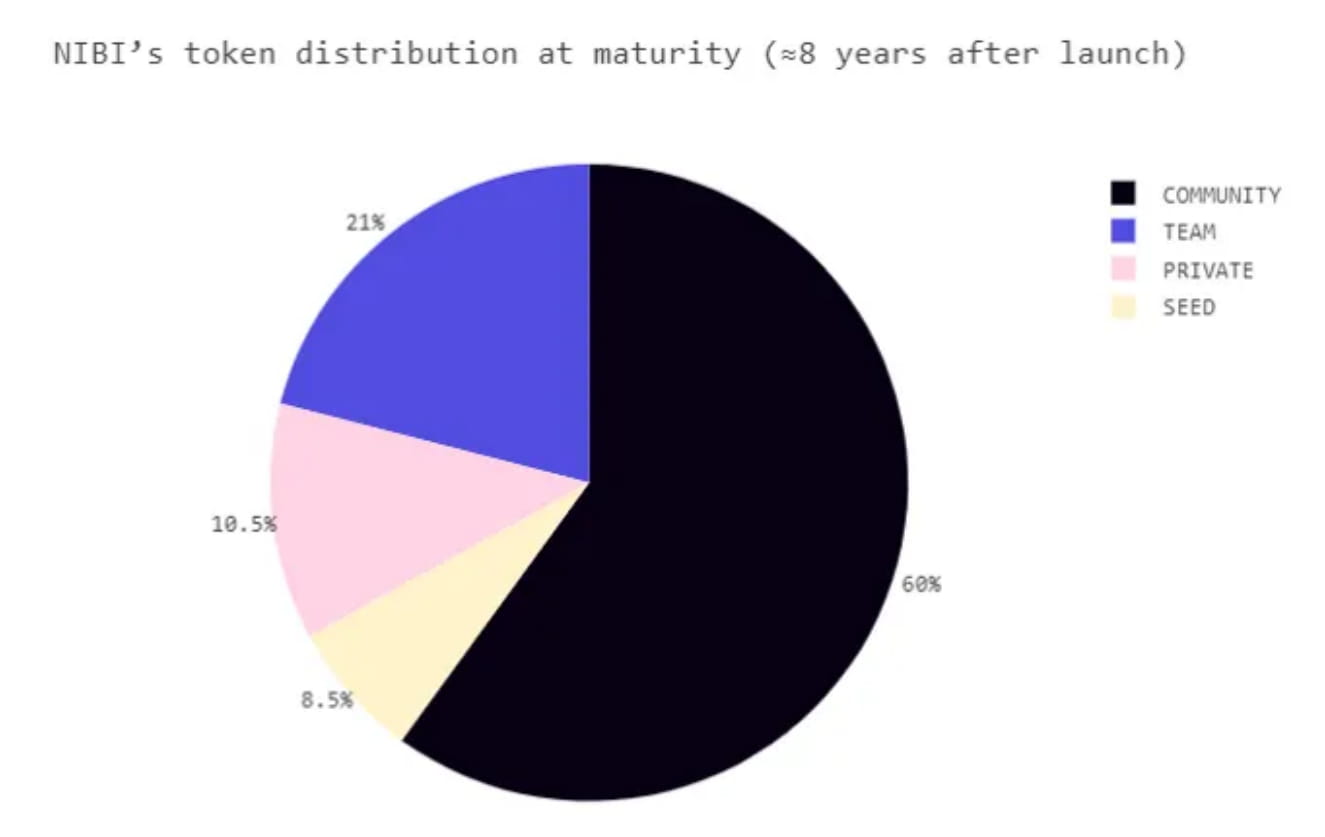
Official documents indicate that 60% is allocated to:
Rewards for traders;
Liquidity provider rewards;
verifiers and delegators;
The vault guarantees the stability of the protocol.
In addition, the official also announced a testnet incentive plan and where to get the money. Let’s take a look at how to interact with this today.
First you need to install the Keplr wallet, related link: https://chrome.google.com/webstore/detail/keplr/dmkamcknogkgcdfhhbddcghachkejeap?hl=fr
1. Obtain test tokens
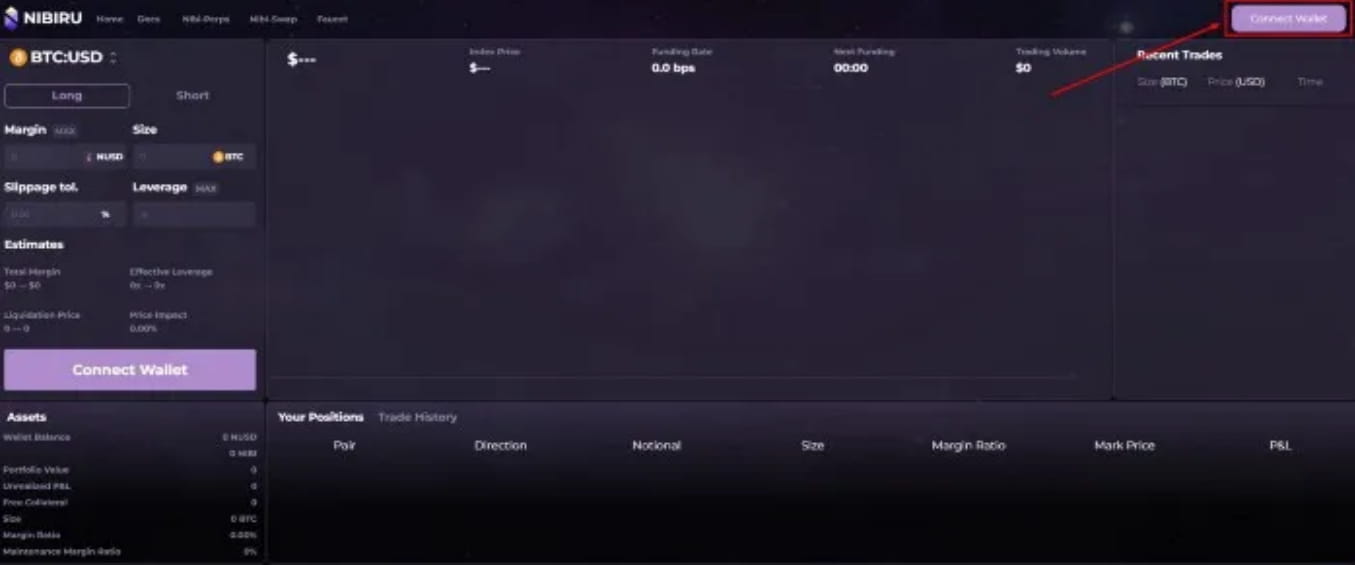
Log in: https://app.nibiru.fi/, connect to wallet
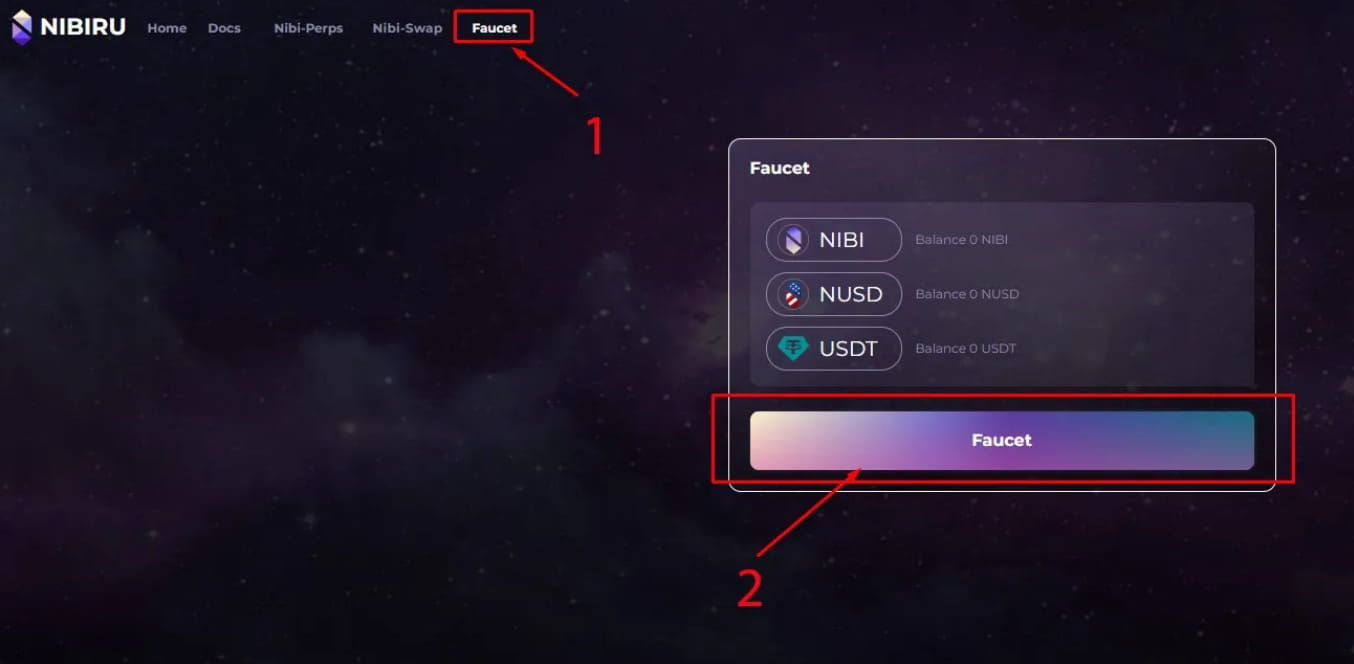
Select Faucet (annotation 1) and click Faucet (annotation 2).
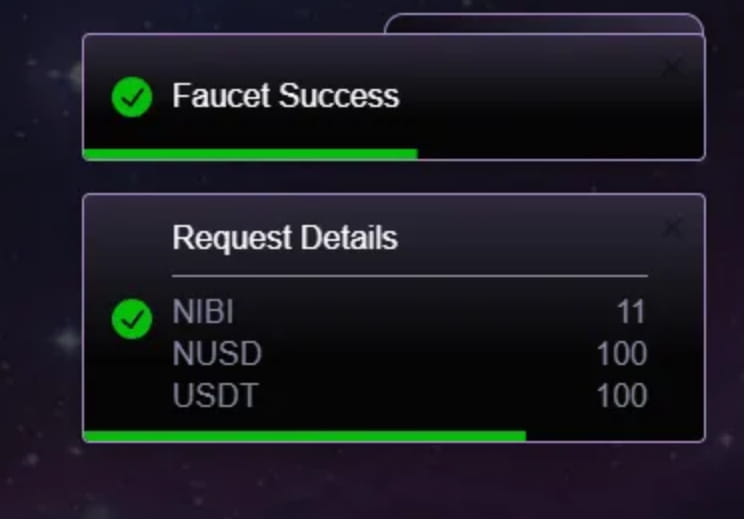
Receiving this message indicates success
However, if you get zeros on the page after refreshing, please copy the nibi address and then report back to the project's Discord.
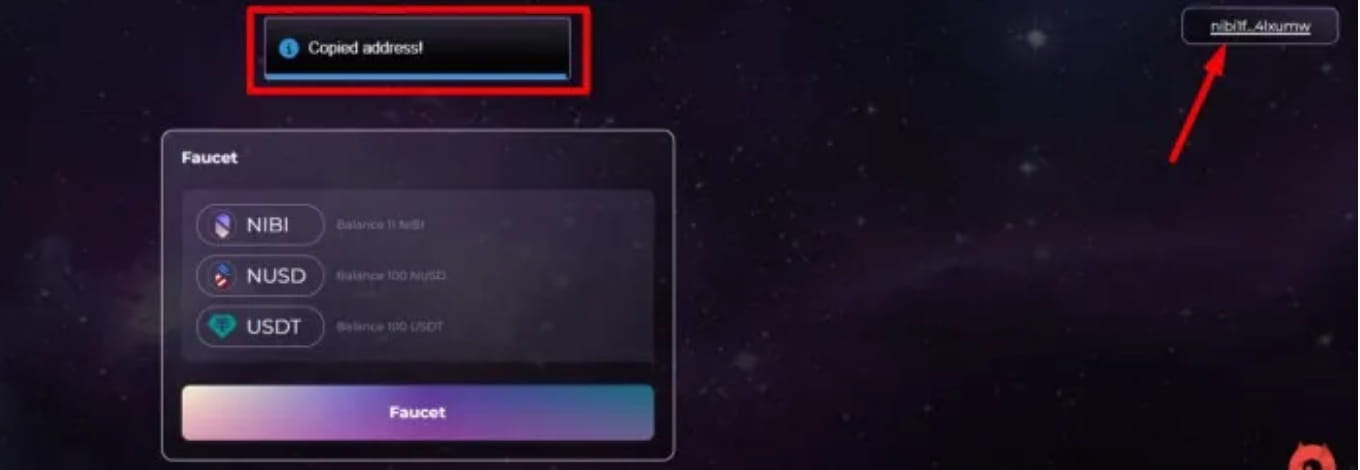
Enter#faucet(1), $request, and insert your nibi wallet (2).
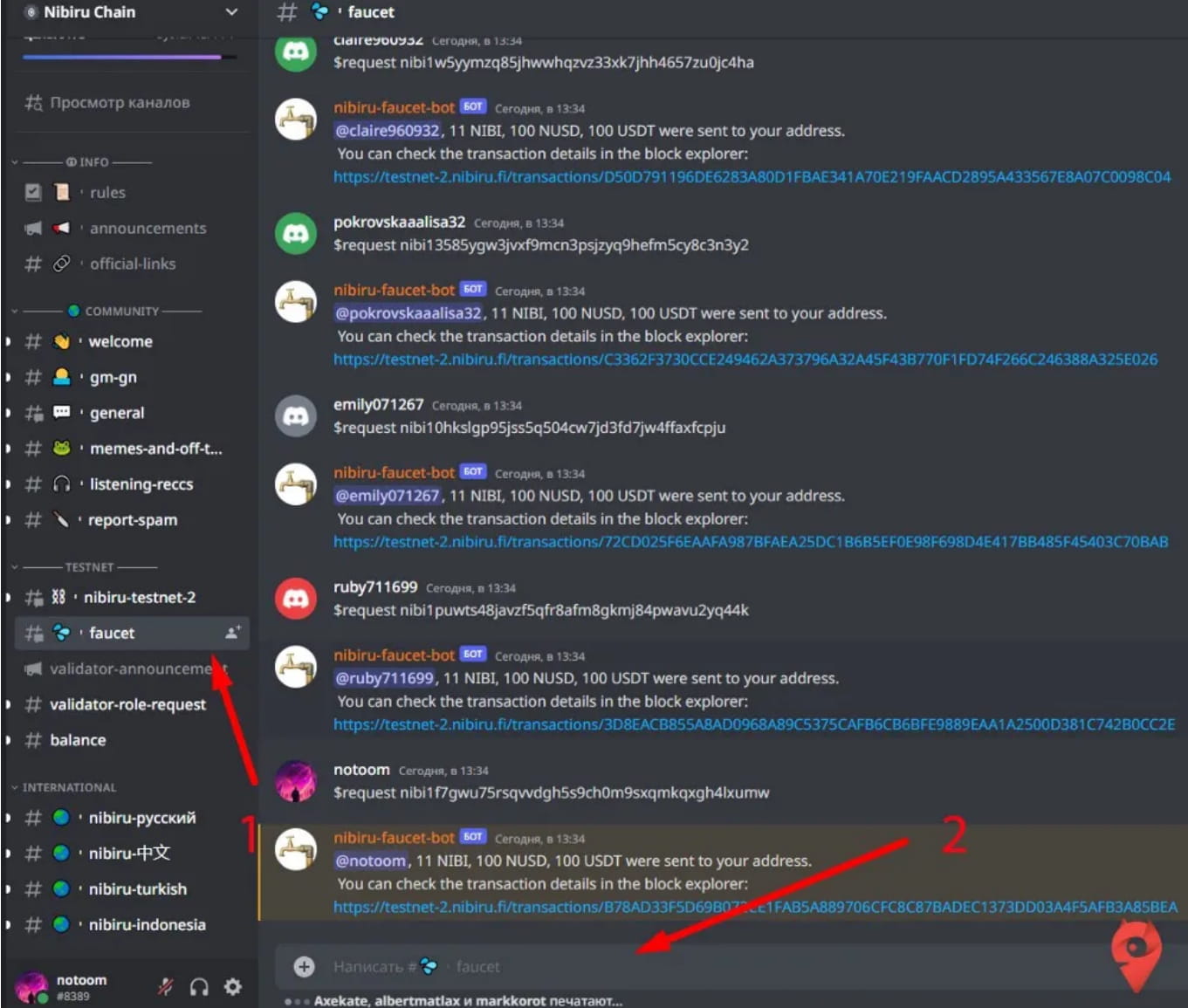
2. Use Swap and create a pool
In the Nibi -swap section of the official website, select Swap
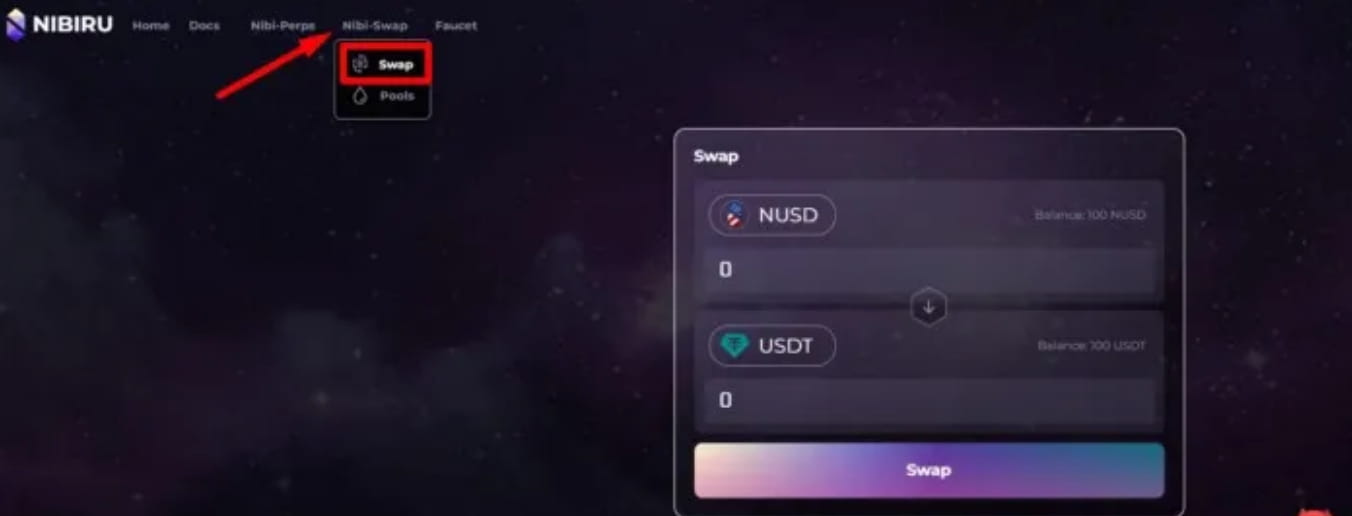
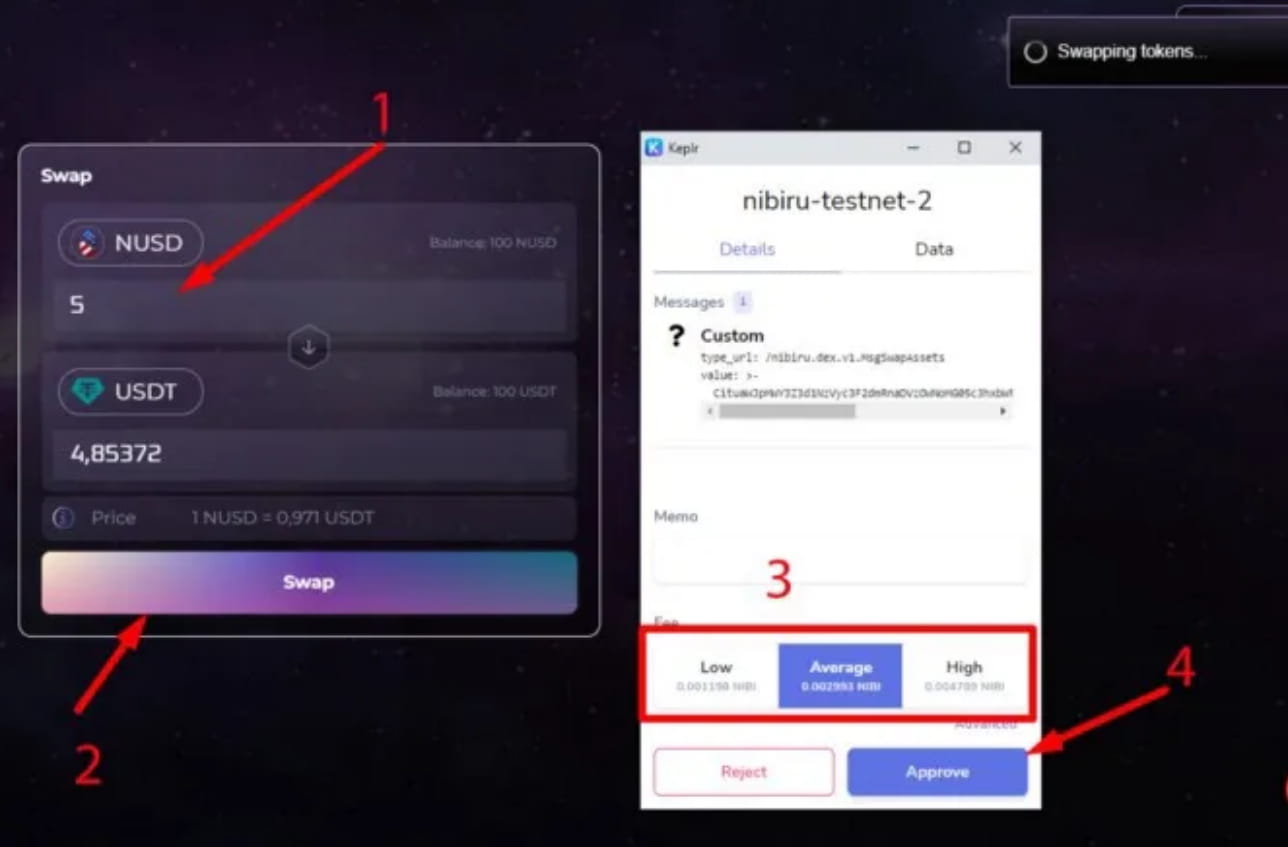
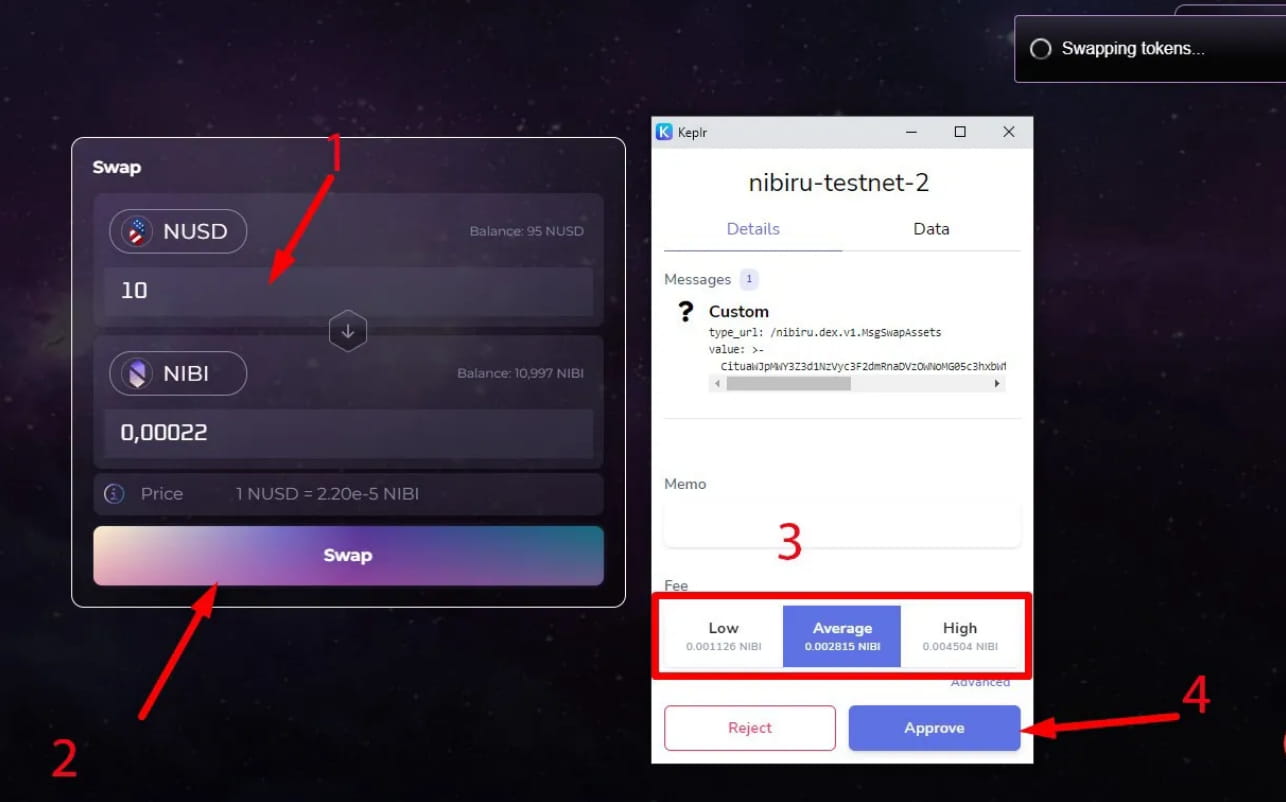
Exchange NUSD tokens for USDT:
Enter quantity (1)
exchange (2)
In the opened wallet, set the gas parameters (3)
Confirm transaction (4)
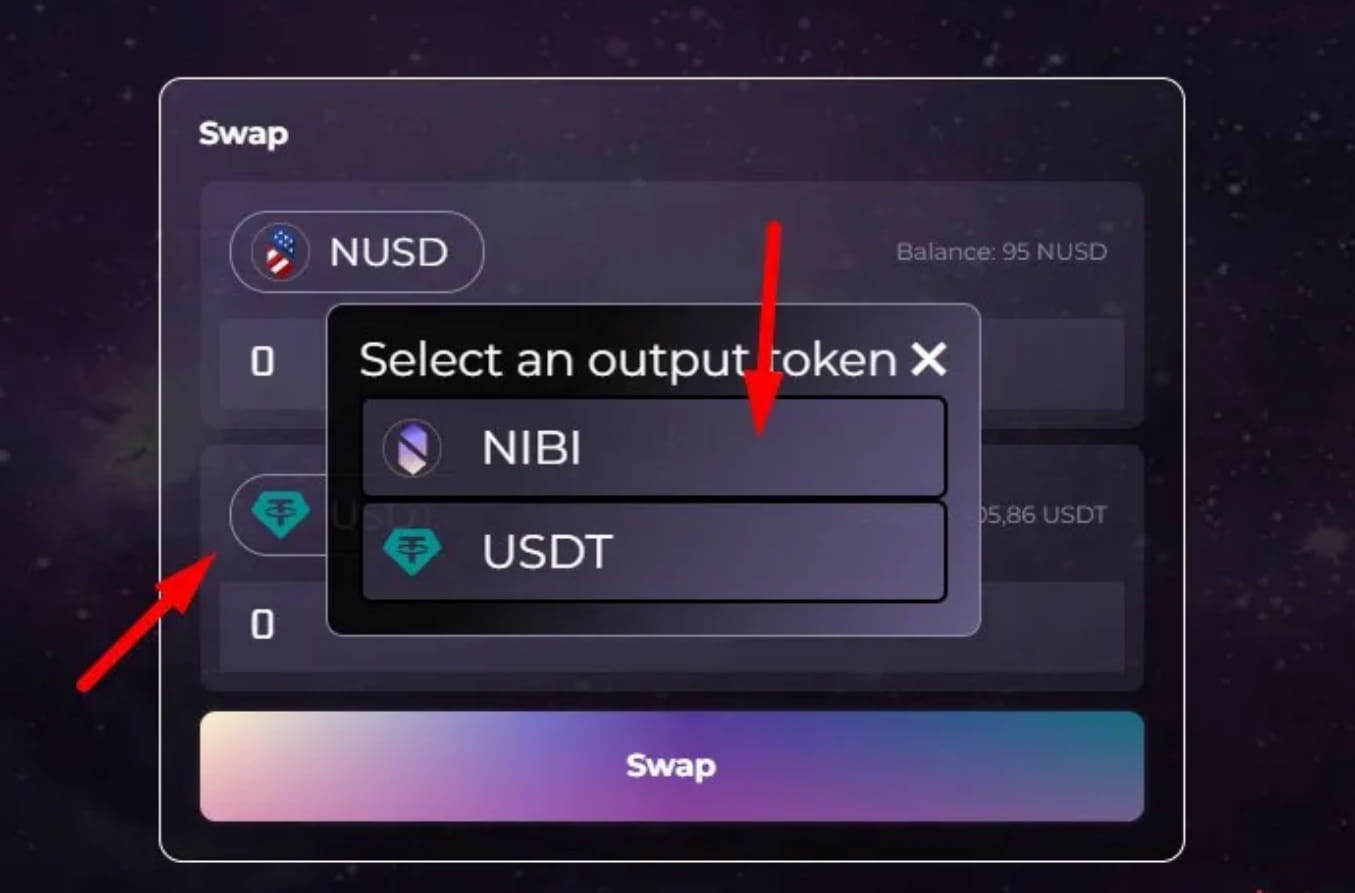
Exchange NUSD tokens for NIBI
Click USDT and select NIBI token
Enter quantity (1)
Swap (2)
In the opened wallet, set the gas parameters (3)
Confirm transaction (4)
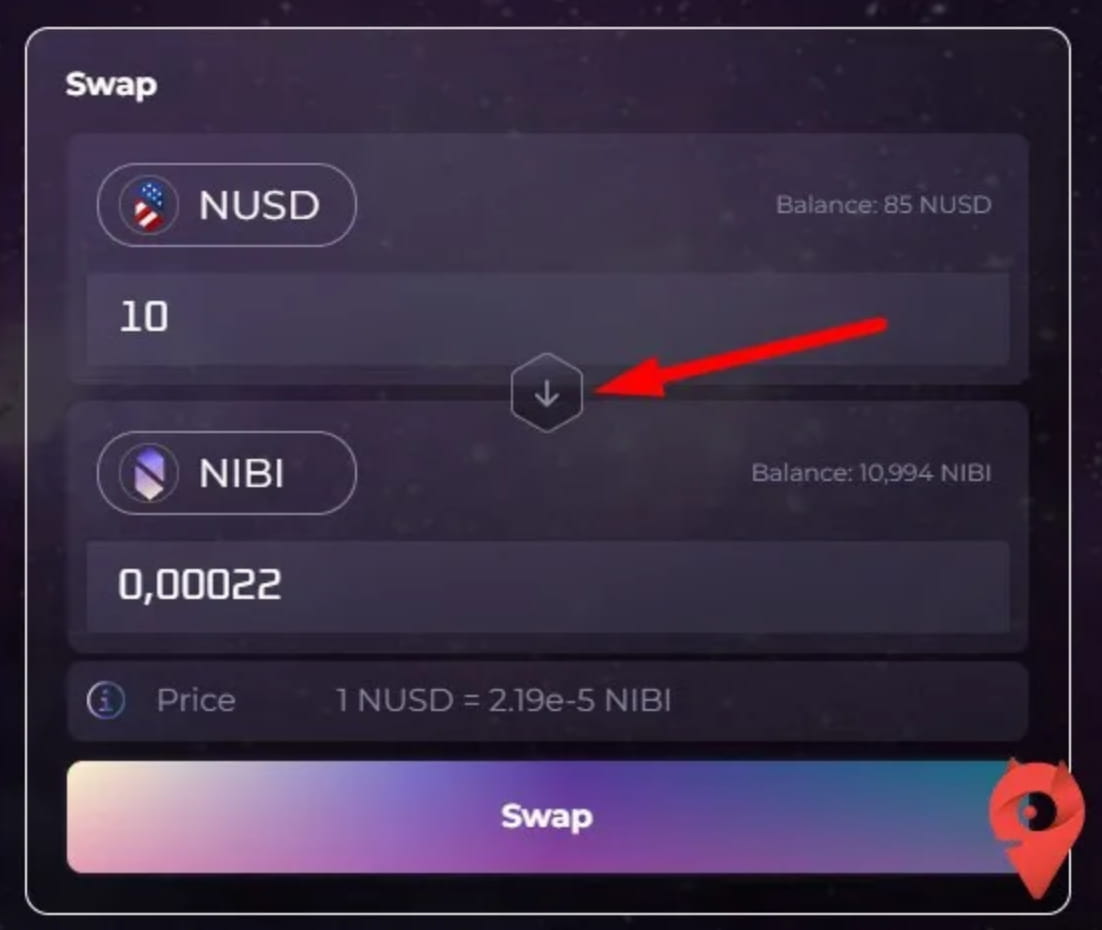
Click the middle arrow and do it in reverse direction
Exchange NIBI tokens for NUSD
Exchange USDT tokens to NUSD
Create and cancel pools
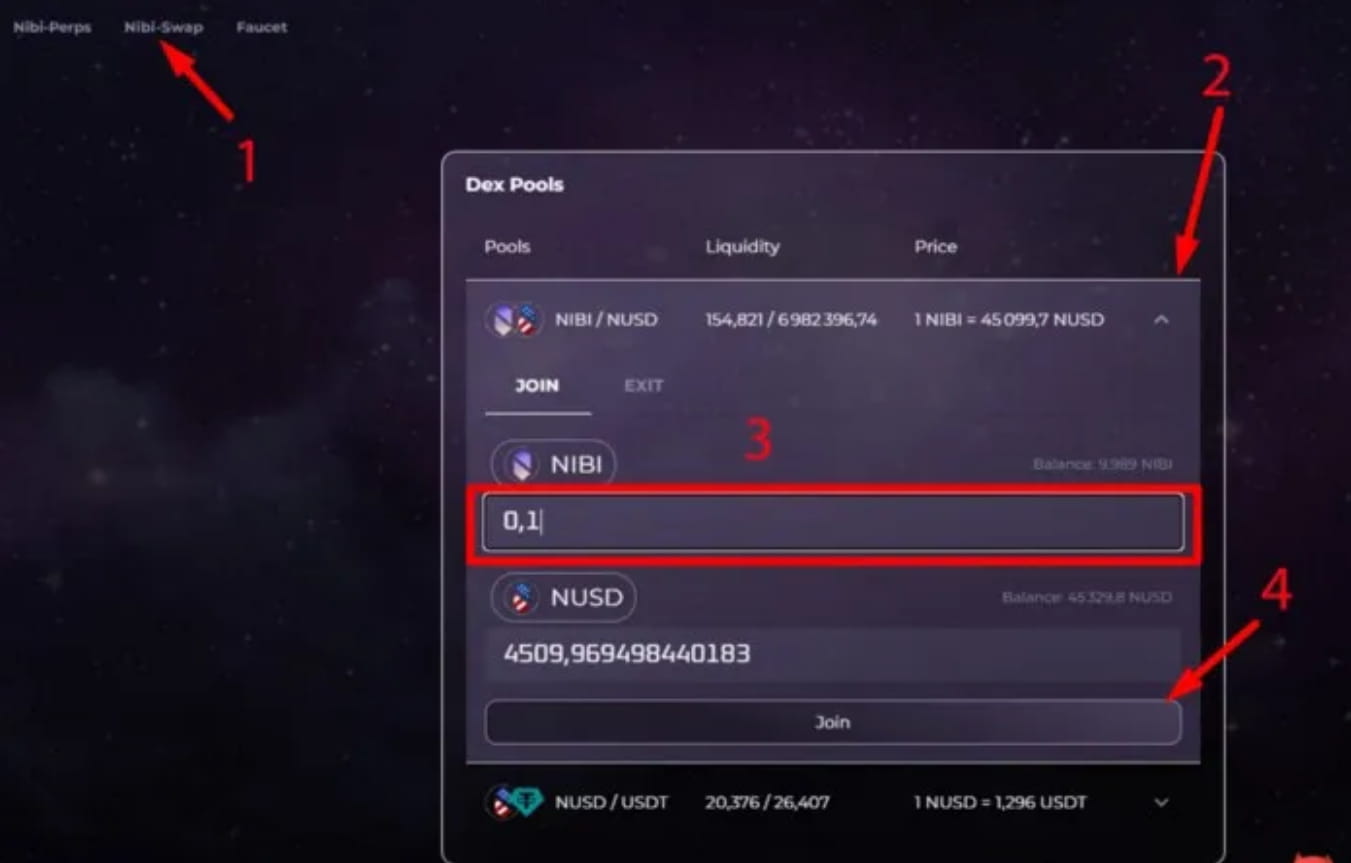
Click on the Nibi -swap section of the official website
Select Pools (1)
In the NIBI\NUSD pair, click (2)
In the expanded window, enter the number (3)
Click Join(4)
confirm
Cancel the pool
Click Exit(1)
If you click on balance you can withdraw everything (2)
We only enter the shares we want to withdraw (3)
Press Exit(4)
confirm

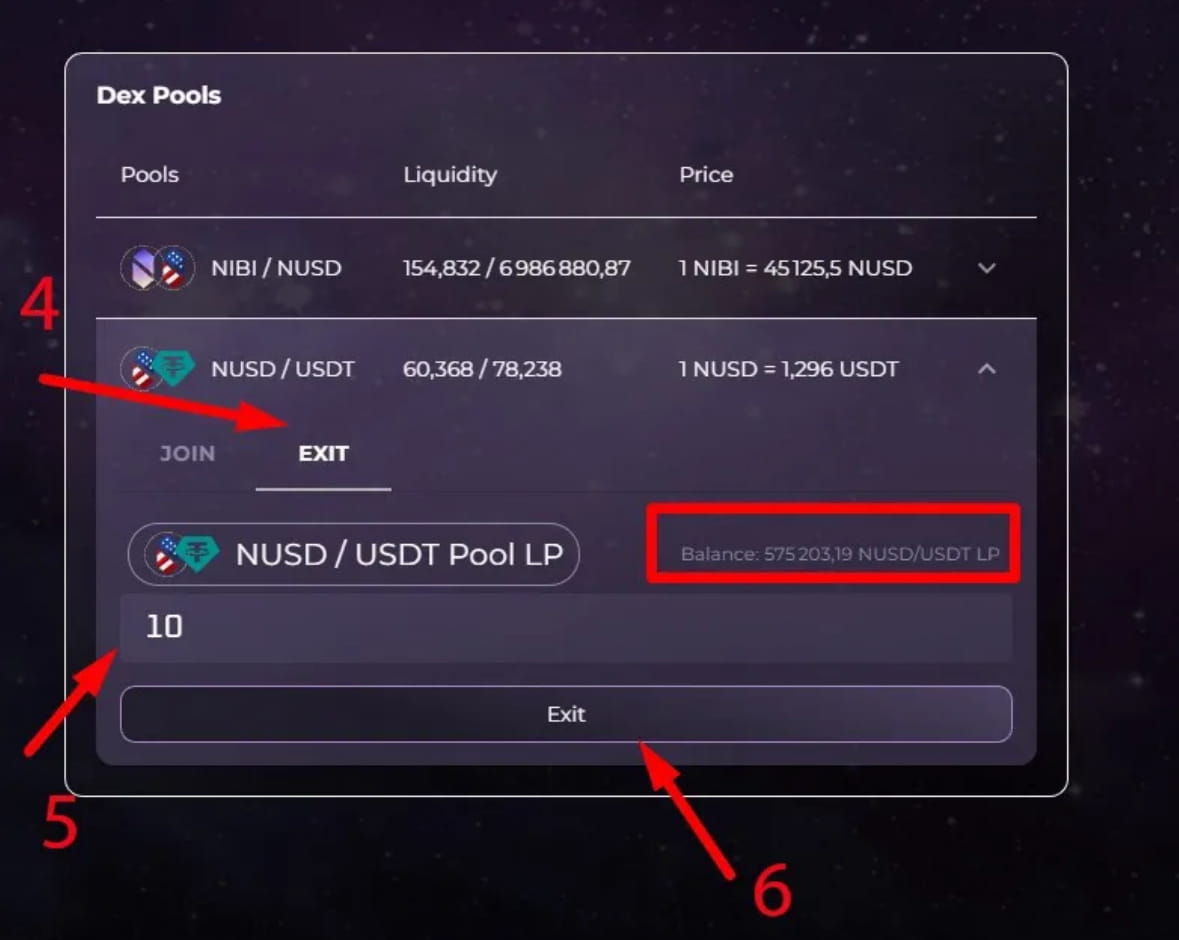
NUSD\USDT trading pair
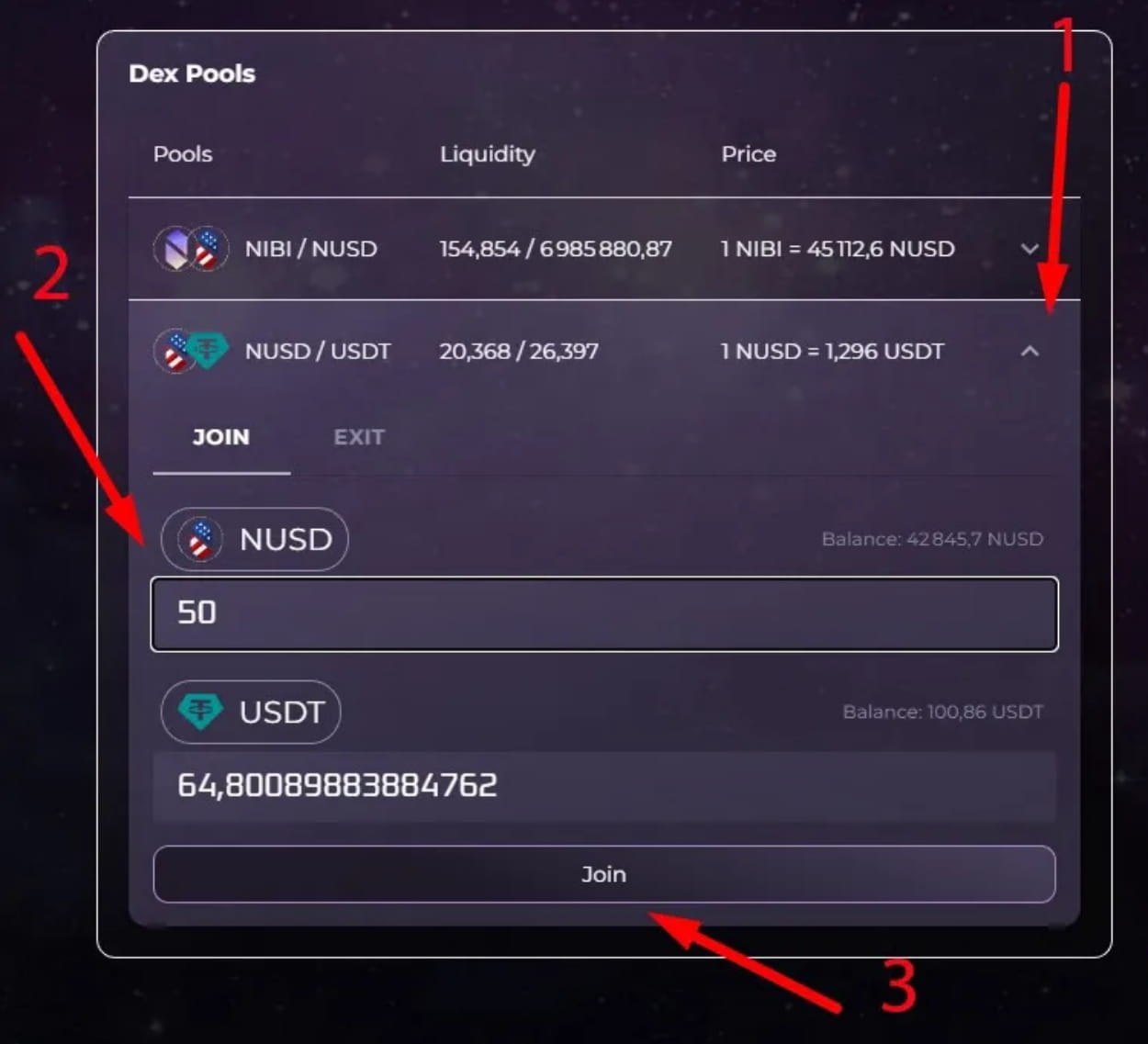
In the NUSD\USDT pair, click (1)
In the expanded window, enter the number (2)
Click to join (3)
Sign transaction
Go to the "Exit" option (4)
We only enter the shares we want to withdraw (5)
Press Exit (6)
confirm
3. Trading Cryptocurrency Derivatives
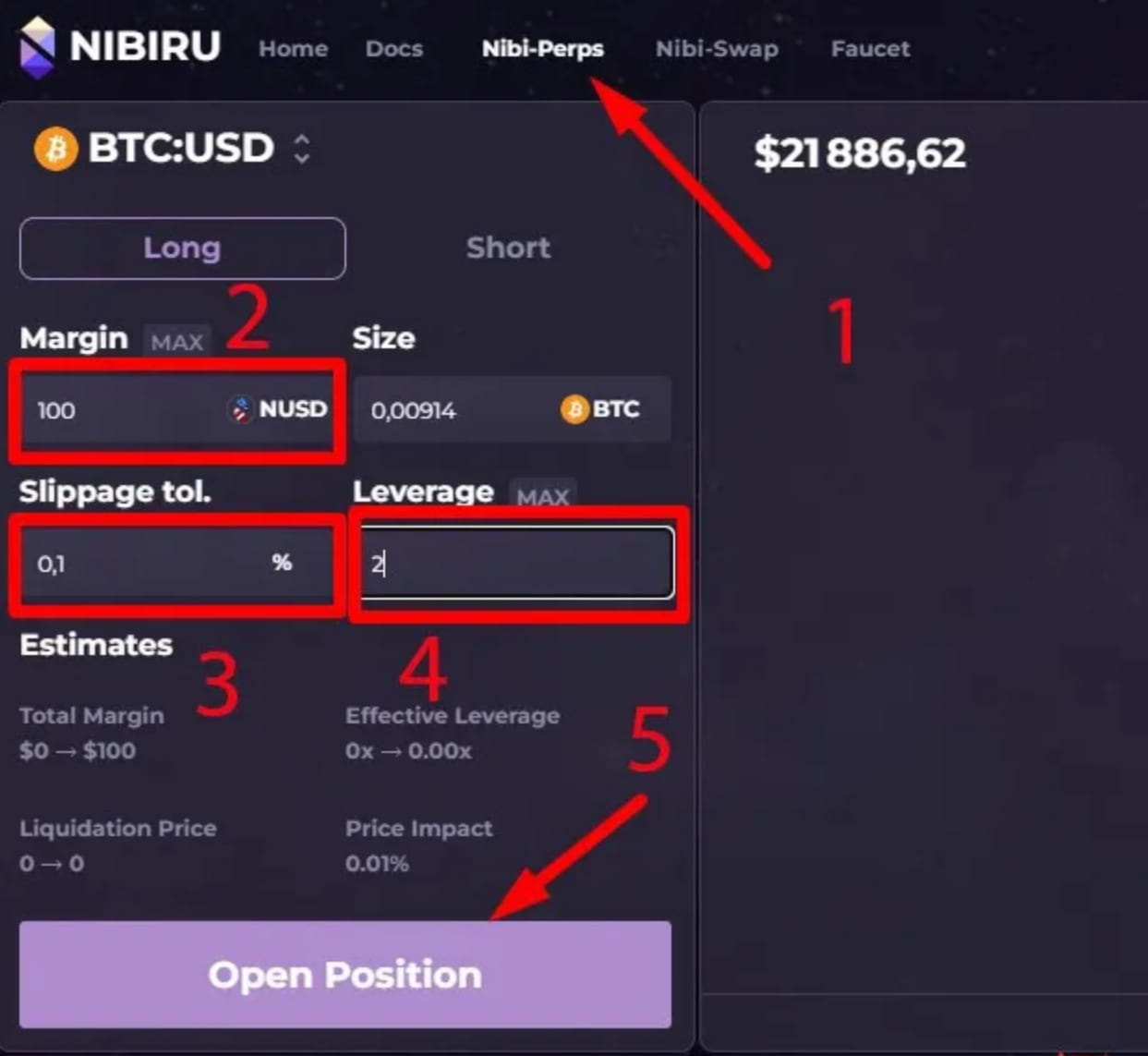
Go to the official website and select the Nibi-Perps section (1)
BTC:USD open long
Set quantity (2)
Set slippage (3)
Set the lever from 1 to 10 (4)
Click to open a position (5)
confirm
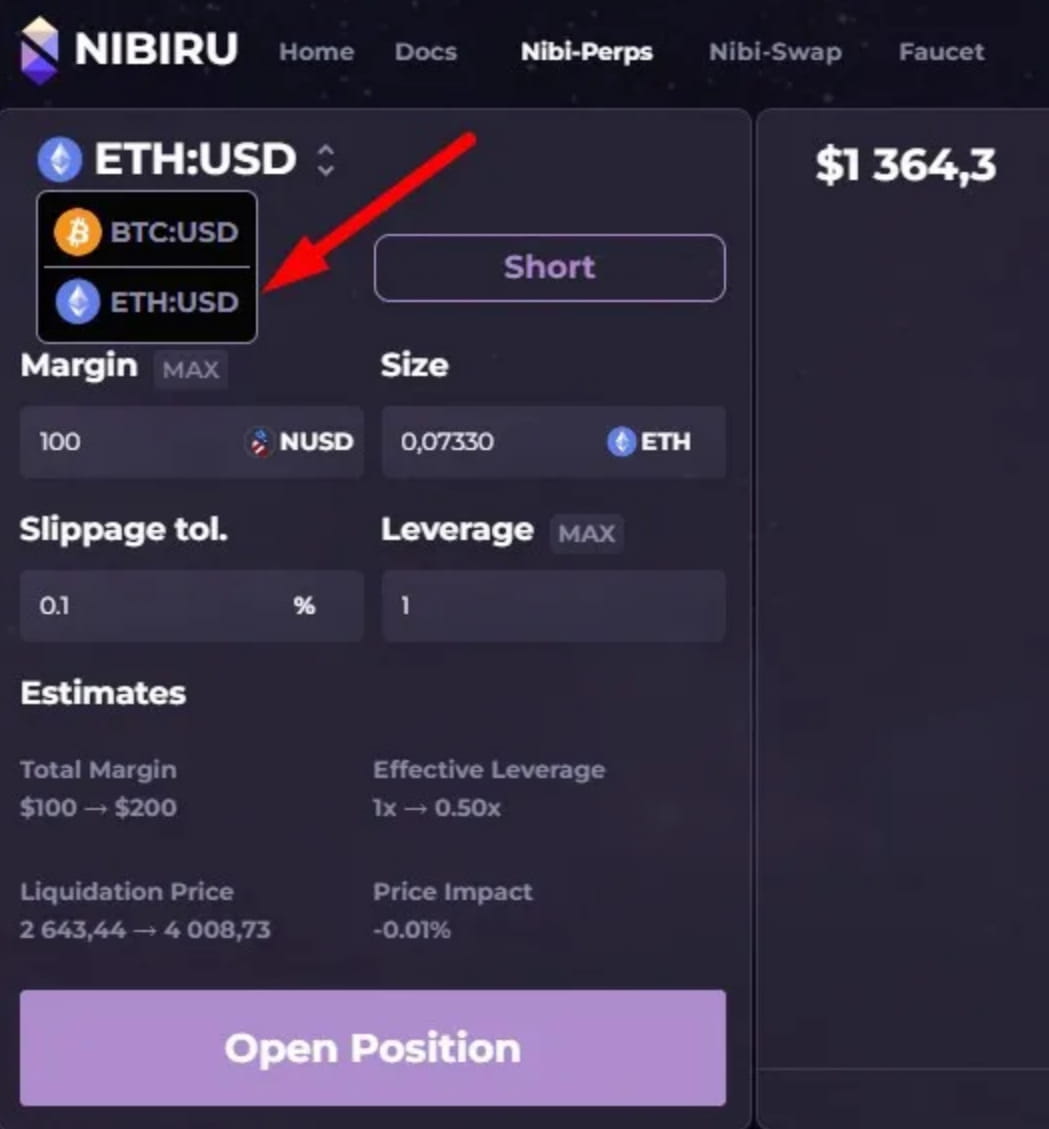
ETH:USD open long
Click on the BTC:USD currency pair and select ETH:USD
Analog BTC:USD Repeat the above steps
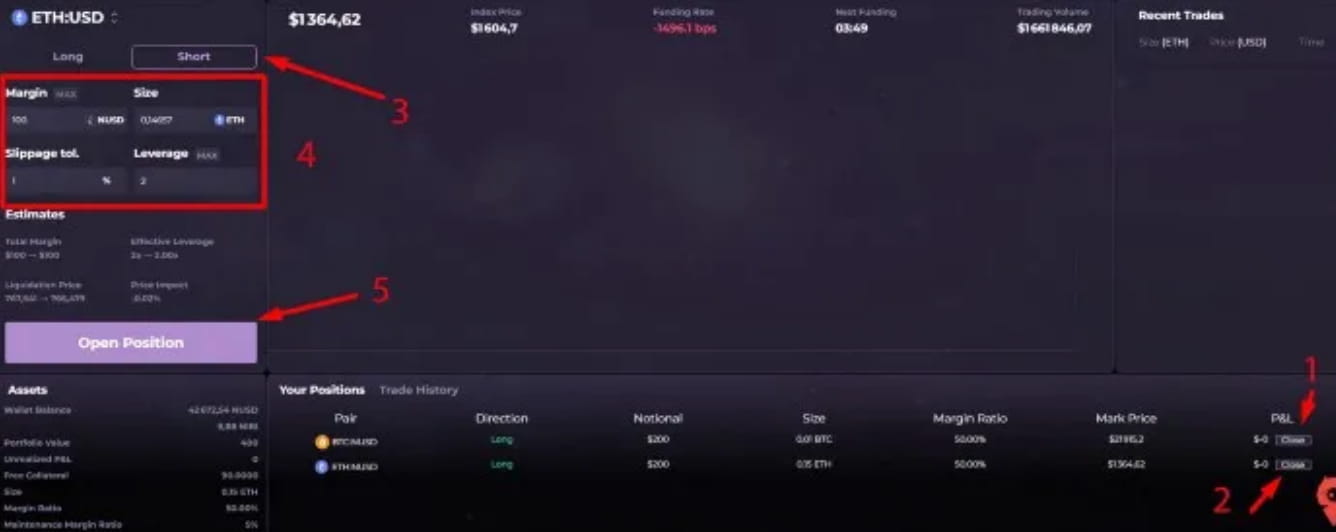
Open short
Since we have opened long positions, we need to close them before opening short positions
In Your Positions, click Close BTC:USD pair (1) to confirm the transaction, click Close ETH:USD pair (2) to close the transaction
In the left menu, select Shart (3)
Fill in the parameters (4)
Click to open a position (5)
Sign transaction
Repeat the above steps for the second pair of interactions.
The above is the entire interaction process of Nibiru test network.
Nibiru website: https://nibiru.fi/
The above is the entire content of this article.