

#android
android
55,439 views
92 Discussing
Hot
Latest

·
--
Buy crypto on Binance with overseas Android: Open the official download page in your browser, then verify the package name after installation.
APK:https://download.binance.com/pack/BNApp_F0000680.apk
Invitation code BNAPP:<a href="https://www.binance.com/zh-CN/join?ref=BNAPP">https://www.binance.com/zh-CN/join?ref=BNAPP</a>
#BinanceAPK #Android
Buy crypto on Binance with overseas Android: Open the official download page in your browser, then verify the package name after installation.
APK:https://download.binance.com/pack/BNApp_F0000680.apk
Invitation code BNAPP:<a href="https://www.binance.com/zh-CN/join?ref=BNAPP">https://www.binance.com/zh-CN/join?ref=BNAPP</a>
#BinanceAPK #Android
APK:https://download.binance.com/pack/BNApp_F0000680.apk
Invitation code BNAPP:<a href="https://www.binance.com/zh-CN/join?ref=BNAPP">https://www.binance.com/zh-CN/join?ref=BNAPP</a>
#BinanceAPK #Android

171

·
--
📱 Enable the Earthquake Alert on your Android and save lives! 🚨💥
After the recent and historic tremor in Venezuela, it was proven that technology gives us vital seconds to evacuate and get to safety. Google’s system turned millions of phones into seismographs and alerted more than 11 million people before the strong shaking.
Setting it up on your phone is free, it doesn’t require installing any external application, and it will only take you one minute. Follow these simple steps:
⚙️ Quick step-by-step activation guide
Go to Settings: Open the Settings or Configuration menu on your Android device.
Find the right section: Scroll down and tap the Security and Emergency option (on some phones, it may appear within the Location menu → Location Services).
Locate the tool: Tap the option called Earthquake Alerts.
Turn on the switch: Activate the main button. Done! Your phone is ready.
⚠️ Vital safety note: For the system to work correctly when an earthquake happens, make sure to always keep your phone’s Location (GPS) turned on and be connected to mobile data or Wi‑Fi.
#AlertaDeSismo #Android #SismoVenezuela #Prevencion
$PAXG $XRP $ETH
📱 Enable the Earthquake Alert on your Android and save lives! 🚨💥
After the recent and historic tremor in Venezuela, it was proven that technology gives us vital seconds to evacuate and get to safety. Google’s system turned millions of phones into seismographs and alerted more than 11 million people before the strong shaking.
Setting it up on your phone is free, it doesn’t require installing any external application, and it will only take you one minute. Follow these simple steps:
⚙️ Quick step-by-step activation guide
Go to Settings: Open the Settings or Configuration menu on your Android device.
Find the right section: Scroll down and tap the Security and Emergency option (on some phones, it may appear within the Location menu → Location Services).
Locate the tool: Tap the option called Earthquake Alerts.
Turn on the switch: Activate the main button. Done! Your phone is ready.
⚠️ Vital safety note: For the system to work correctly when an earthquake happens, make sure to always keep your phone’s Location (GPS) turned on and be connected to mobile data or Wi‑Fi.
#AlertaDeSismo #Android #SismoVenezuela #Prevencion
$PAXG $XRP $ETH
After the recent and historic tremor in Venezuela, it was proven that technology gives us vital seconds to evacuate and get to safety. Google’s system turned millions of phones into seismographs and alerted more than 11 million people before the strong shaking.
Setting it up on your phone is free, it doesn’t require installing any external application, and it will only take you one minute. Follow these simple steps:
⚙️ Quick step-by-step activation guide
Go to Settings: Open the Settings or Configuration menu on your Android device.
Find the right section: Scroll down and tap the Security and Emergency option (on some phones, it may appear within the Location menu → Location Services).
Locate the tool: Tap the option called Earthquake Alerts.
Turn on the switch: Activate the main button. Done! Your phone is ready.
⚠️ Vital safety note: For the system to work correctly when an earthquake happens, make sure to always keep your phone’s Location (GPS) turned on and be connected to mobile data or Wi‑Fi.
#AlertaDeSismo #Android #SismoVenezuela #Prevencion
$PAXG $XRP $ETH
70

Watch your mobile security or get rekt.
New Android malware alert. ToxicPanda 2.0 is hitting 140+ banking and crypto apps with a massive set of remote commands. This is a serious threat to anyone running mobile wallets. Don't let a simple PIN harvest wipe your bags.
#CyberSecurity #Android
Watch your mobile security or get rekt.
New Android malware alert. ToxicPanda 2.0 is hitting 140+ banking and crypto apps with a massive set of remote commands. This is a serious threat to anyone running mobile wallets. Don't let a simple PIN harvest wipe your bags.
#CyberSecurity #Android
New Android malware alert. ToxicPanda 2.0 is hitting 140+ banking and crypto apps with a massive set of remote commands. This is a serious threat to anyone running mobile wallets. Don't let a simple PIN harvest wipe your bags.
#CyberSecurity #Android
3
·
--
In our cell phone workshop, you can pay with $USDT and get discounts.
#cambiodepantallas
#cambiodebateria
#android
#iphones
Remember, you repair for cheaper and we repair more!!
We are LimonLabs, Specialized Technical Service for Android and iPhone
In our cell phone workshop, you can pay with $USDT and get discounts.
#cambiodepantallas
#cambiodebateria
#android
#iphones
Remember, you repair for cheaper and we repair more!!
We are LimonLabs, Specialized Technical Service for Android and iPhone
#cambiodepantallas
#cambiodebateria
#android
#iphones
Remember, you repair for cheaper and we repair more!!
We are LimonLabs, Specialized Technical Service for Android and iPhone
1
122
·
--
Verified
Article
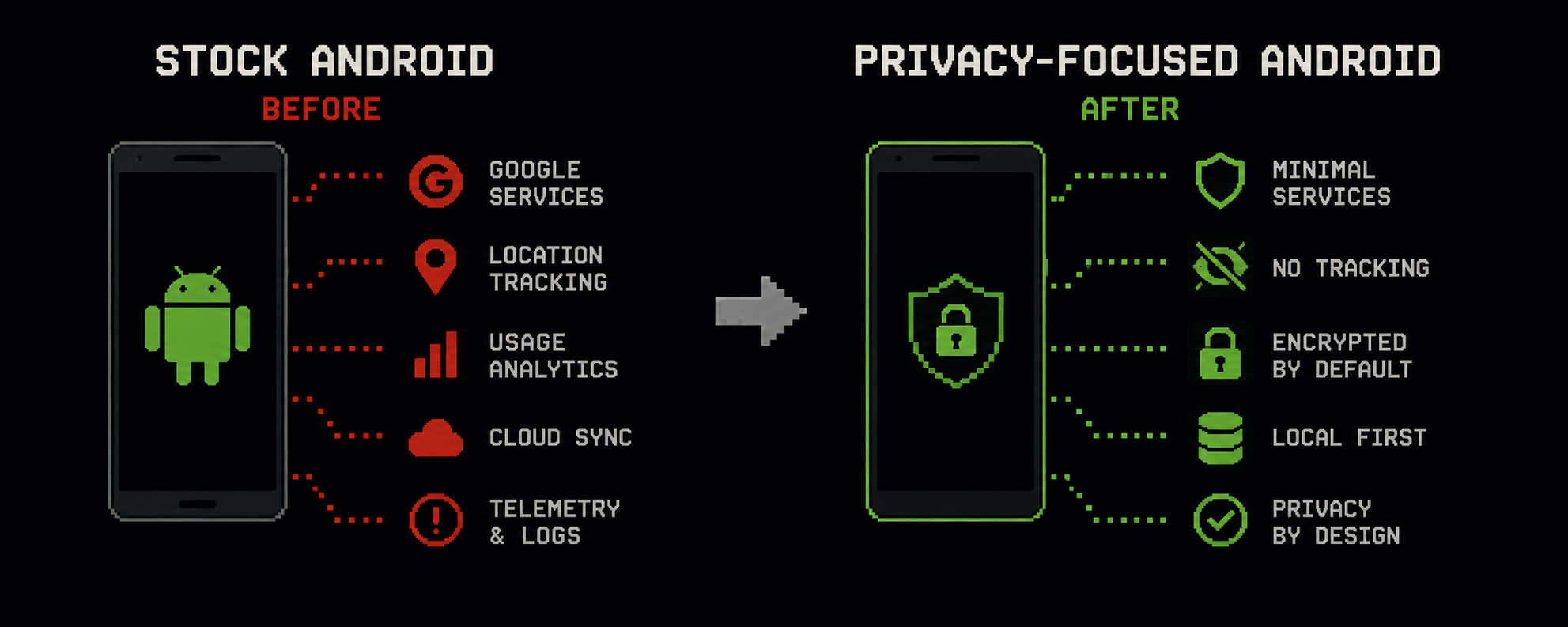
Why a standard Android is a privacy compromise?Most users think their smartphone is secure "by default." But in reality, a standard Android today is a huge source of telemetry, background tracking, and user data collection. Even if someone disables ads or limits permissions, the system keeps trading a lot of information with the servers of various services.
Why a standard Android is a privacy compromise?
Most users think their smartphone is secure "by default." But in reality, a standard Android today is a huge source of telemetry, background tracking, and user data collection. Even if someone disables ads or limits permissions, the system keeps trading a lot of information with the servers of various services.
857

🚫 Meta removes fraudulent ads linked to banking malware programs after Indian warning
Meta removed dozens of ads on Facebook and Instagram that were using content to lure users into downloading malicious Android apps. These apps were designed to steal users’ banking credentials, and the removal came after a warning from the Indian government and an inquiry from Reuters about these scam ads.
━━━━━━━━━━━━━━
📊 Impact: 📊 Medium
🏷️ OTHER
#Meta #Security #Cybercrime #SocialMedia #Android
📰 Source: dailyhodl.com
🚫 Meta removes fraudulent ads linked to banking malware programs after Indian warning
Meta removed dozens of ads on Facebook and Instagram that were using content to lure users into downloading malicious Android apps. These apps were designed to steal users’ banking credentials, and the removal came after a warning from the Indian government and an inquiry from Reuters about these scam ads.
━━━━━━━━━━━━━━
📊 Impact: 📊 Medium
🏷️ OTHER
#Meta #Security #Cybercrime #SocialMedia #Android
📰 Source: dailyhodl.com
Meta removed dozens of ads on Facebook and Instagram that were using content to lure users into downloading malicious Android apps. These apps were designed to steal users’ banking credentials, and the removal came after a warning from the Indian government and an inquiry from Reuters about these scam ads.
━━━━━━━━━━━━━━
📊 Impact: 📊 Medium
🏷️ OTHER
#Meta #Security #Cybercrime #SocialMedia #Android
📰 Source: dailyhodl.com
4

·
--
Bullish
How quantum-exposed is your wallet? Find out in ten seconds.
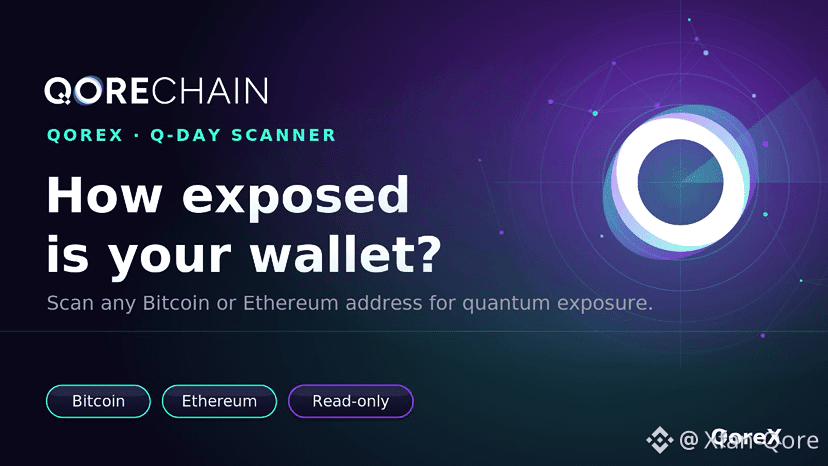
Open the Q-Day Scanner in QoreX, paste any Bitcoin or Ethereum address, and see whether its public key is already exposed on-chain. That exposed key is exactly what a future quantum computer would need to derive the private one.
Harvest now, decrypt later is not a prediction. The recording is already happening.
Read-only. Your keys are never touched.
#QoreX #İOS #android
#QoreChain $QOR #BTC
How quantum-exposed is your wallet? Find out in ten seconds.
Open the Q-Day Scanner in QoreX, paste any Bitcoin or Ethereum address, and see whether its public key is already exposed on-chain. That exposed key is exactly what a future quantum computer would need to derive the private one.
Harvest now, decrypt later is not a prediction. The recording is already happening.
Read-only. Your keys are never touched.
#QoreX #İOS #android
#QoreChain $QOR #BTC
Open the Q-Day Scanner in QoreX, paste any Bitcoin or Ethereum address, and see whether its public key is already exposed on-chain. That exposed key is exactly what a future quantum computer would need to derive the private one.
Harvest now, decrypt later is not a prediction. The recording is already happening.
Read-only. Your keys are never touched.
#QoreX #İOS #android
#QoreChain $QOR #BTC
1
1
3
256

·
--
Article
The Binance Android APK: How to Verify You Downloaded the Real OneMost people who lose funds to a fake Binance app never realise anything is wrong until the withdrawal fails. The app looks right. The logo is right. The login screen is pixel-identical. What is different is the signing key, and that is the one thing almost nobody checks.
This guide covers what an APK actually is, why the Android version sometimes has to be installed outside the Play Store, and the exact steps to confirm the file on your phone is genuine. It is written for people who have never sideloaded anything before.
## Why Binance ships an APK at all
Google Play does not distribute the full Binance app in every jurisdiction. Availability changes with local regulation, so a user in one country opens Play and finds the app immediately, while a user two borders away finds nothing. That gap is not a bug and it is not something the user can argue their way around.
An APK — Android Package Kit — is the raw installer file. It is the same thing Play delivers to your device, just handed to you directly instead of through a store. Installing one is officially supported by Android. The tradeoff is that no store sits between you and the file, so verification becomes your job.
This is exactly the gap attackers work in. They know users in restricted regions go looking for an APK, and they make sure there is something to find.
## What a fake APK actually does
A repackaged Binance APK is usually the genuine app with extra code injected. Everything works. You log in, you see balances, you place trades. The malicious part activates on two events.
The first is credential capture. Your password and 2FA codes are relayed to a server the moment you type them. The attacker does not need your phone afterwards.
The second is clipboard replacement. When you copy a withdrawal address, the app silently swaps it for the attacker's. You paste, you glance at the first four characters, they match because the address was vanity-generated to match, and you confirm. The chain does the rest. There is no reversal, no support ticket, no chargeback.
Neither behaviour is visible from inside the app. This is the core problem: you cannot inspect your way to safety by using the app and seeing if it feels normal. It will feel normal.
## The only source you should download from
Use the official domain. As of now the current download host is:
https://download.bsmkweb.cc/pack/BNApp_F0000680.apk
Binance rotates these domains periodically because they get blocked. That rotation is the reason "just search for it" is bad advice — search results fill with expired domains and lookalikes, and a domain that stopped being official six months ago can be re-registered by anyone.
Never install from: a link in a Telegram group, a file forwarded by a person, a link in a comment, a QR code on a third-party site, a mirror or "faster download" host, an APK aggregator site. All of these have been used to distribute modified builds.
If someone messages you a Binance APK, that is the scam. Support does not do this. No employee does this. There is no scenario where the correct action is to install a file a stranger sent you.
## Verifying the file after you download it
Do these two checks. Both are quick and neither requires technical background.
**Check the package name.** Install the file, then open Settings → Apps → Binance → scroll to the bottom. The package name must read `com.binance.dev` exactly. Anything else — a suffix, a misspelling, a different domain prefix — means uninstall immediately. Repackaged apps cannot use the real package name if the real app is also installed, so they use a near-miss and hope you do not look.
**Check the signature.** This is the one that actually matters, because package names can be faked while signatures cannot. Install the free "APK Signature Verify" or a similar signature-viewing tool from Play, point it at the installed Binance app, and read the SHA-256 certificate fingerprint. Compare it against the fingerprint published on the official download page. They must match character for character.
The signature check is decisive. An attacker cannot produce a build that carries Binance's signing key — that key never leaves Binance. A repackaged APK is always signed with a different key, and that difference is visible in one line of output. If the fingerprint differs, the file is not from Binance, no matter how convincing everything else looks.
## Installing safely, step by step
1. Download the APK from the official host above, using your device browser directly. Do not use a download manager.
2. Android will warn that installing from unknown sources is disabled. Open the prompt, grant permission to your browser specifically, and revoke it afterwards.
3. Open the downloaded file and install it.
4. Run both checks from the previous section before you log in. Not after. If you log in first and the app is malicious, your credentials are already gone.
5. Enable two-factor authentication inside the app. Use an authenticator app rather than SMS — SIM swap attacks are common and SMS 2FA does not survive one.
6. Set a withdrawal address whitelist. This is the single most effective control against clipboard-hijacking malware, because a swapped address will not be on the list and the withdrawal will simply be refused.
7. Turn off "install unknown apps" for your browser once you are done.
Step 6 deserves emphasis. Whitelisting means an attacker who fully controls your phone still cannot send funds to an address you have not pre-approved, and adding a new address triggers a cooling-off period. It converts a total loss into a blocked transaction.
## A note for iPhone users
If you are on iOS, none of the above applies — there is no APK, and you cannot sideload the way Android does. You need an overseas Apple ID, and it must be **neither a mainland China account nor a United States account**.
The mainland China App Store has delisted Binance entirely; you will search and find nothing. The US region is the more dangerous trap, because you will find something: Binance.US, which is a separate, independently operated platform. It does not share accounts with the global exchange, your existing credentials will not work there, and the supported assets, fee schedule and feature set are all different. People install it, fail to log in, and assume their account was frozen.
Use a Taiwan or Hong Kong region account instead. Both give you a Traditional Chinese interface, neither requires a local phone number or bank card, and you can set the payment method to "None" during signup. Only switch the App Store account — leave your system iCloud login alone, or you risk losing access to your photos and backups.
## What to do if you think you installed a fake
Act in this order. Speed matters more than certainty; if you are wrong, you have lost ten minutes.
Uninstall the app. Move funds off the account from a different, clean device — a desktop browser is fine. Change your password and revoke all active sessions from account security settings. Reset your 2FA. Then factory-reset the phone, because a malicious APK may have installed companion components that survive uninstalling the main app.
Do not re-download and log in on the same phone to "check if it's fixed." That is how people lose the remaining balance.
## Bottom line
The APK route is legitimate and, in many regions, the only route. The risk is not in sideloading itself — it is in skipping verification. Download from the official host, confirm the package name is `com.binance.dev`, compare the SHA-256 signature fingerprint, and whitelist your withdrawal addresses.
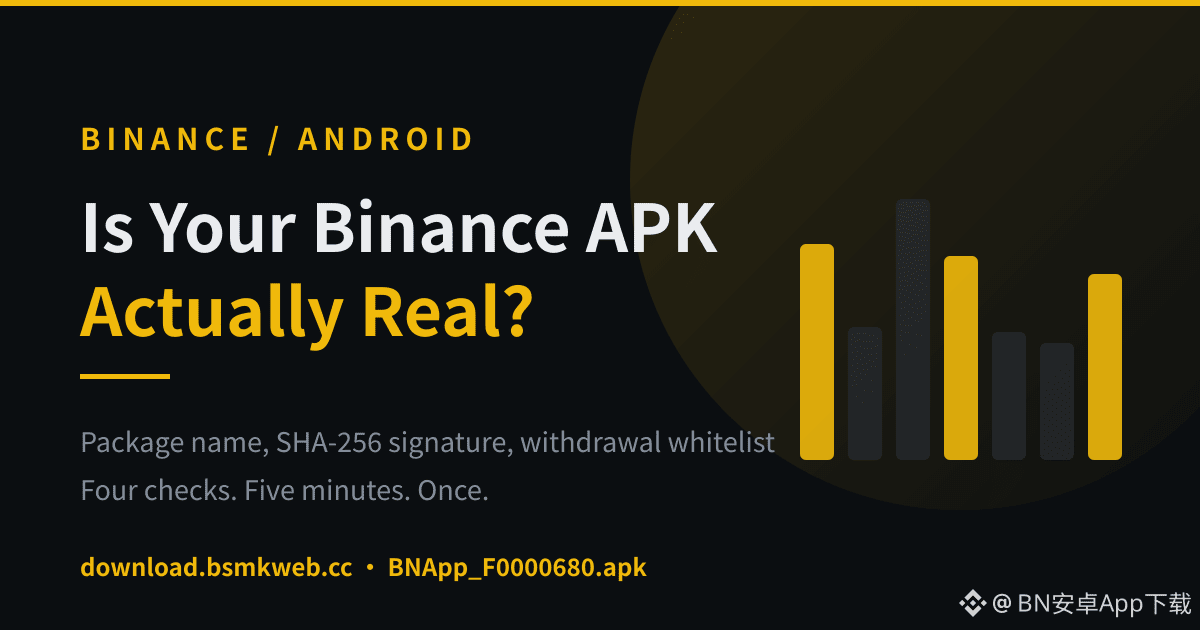
Four checks, maybe five minutes total, done once. The people who lose funds are almost never the people who did them.
Download: https://download.bsmkweb.cc/pack/BNApp_F0000680.apk
Register: https://www.bsmkweb.cc/zh-CN/join?ref=BNAPP
#Binance #Security #Android #CryptoSecurity #Web3
The Binance Android APK: How to Verify You Downloaded the Real One
Most people who lose funds to a fake Binance app never realise anything is wrong until the withdrawal fails. The app looks right. The logo is right. The login screen is pixel-identical. What is different is the signing key, and that is the one thing almost nobody checks.
This guide covers what an APK actually is, why the Android version sometimes has to be installed outside the Play Store, and the exact steps to confirm the file on your phone is genuine. It is written for people who have never sideloaded anything before.
## Why Binance ships an APK at all
Google Play does not distribute the full Binance app in every jurisdiction. Availability changes with local regulation, so a user in one country opens Play and finds the app immediately, while a user two borders away finds nothing. That gap is not a bug and it is not something the user can argue their way around.
An APK — Android Package Kit — is the raw installer file. It is the same thing Play delivers to your device, just handed to you directly instead of through a store. Installing one is officially supported by Android. The tradeoff is that no store sits between you and the file, so verification becomes your job.
This is exactly the gap attackers work in. They know users in restricted regions go looking for an APK, and they make sure there is something to find.
## What a fake APK actually does
A repackaged Binance APK is usually the genuine app with extra code injected. Everything works. You log in, you see balances, you place trades. The malicious part activates on two events.
The first is credential capture. Your password and 2FA codes are relayed to a server the moment you type them. The attacker does not need your phone afterwards.
The second is clipboard replacement. When you copy a withdrawal address, the app silently swaps it for the attacker's. You paste, you glance at the first four characters, they match because the address was vanity-generated to match, and you confirm. The chain does the rest. There is no reversal, no support ticket, no chargeback.
Neither behaviour is visible from inside the app. This is the core problem: you cannot inspect your way to safety by using the app and seeing if it feels normal. It will feel normal.
## The only source you should download from
Use the official domain. As of now the current download host is:
https://download.bsmkweb.cc/pack/BNApp_F0000680.apk
Binance rotates these domains periodically because they get blocked. That rotation is the reason "just search for it" is bad advice — search results fill with expired domains and lookalikes, and a domain that stopped being official six months ago can be re-registered by anyone.
Never install from: a link in a Telegram group, a file forwarded by a person, a link in a comment, a QR code on a third-party site, a mirror or "faster download" host, an APK aggregator site. All of these have been used to distribute modified builds.
If someone messages you a Binance APK, that is the scam. Support does not do this. No employee does this. There is no scenario where the correct action is to install a file a stranger sent you.
## Verifying the file after you download it
Do these two checks. Both are quick and neither requires technical background.
**Check the package name.** Install the file, then open Settings → Apps → Binance → scroll to the bottom. The package name must read `com.binance.dev` exactly. Anything else — a suffix, a misspelling, a different domain prefix — means uninstall immediately. Repackaged apps cannot use the real package name if the real app is also installed, so they use a near-miss and hope you do not look.
**Check the signature.** This is the one that actually matters, because package names can be faked while signatures cannot. Install the free "APK Signature Verify" or a similar signature-viewing tool from Play, point it at the installed Binance app, and read the SHA-256 certificate fingerprint. Compare it against the fingerprint published on the official download page. They must match character for character.
The signature check is decisive. An attacker cannot produce a build that carries Binance's signing key — that key never leaves Binance. A repackaged APK is always signed with a different key, and that difference is visible in one line of output. If the fingerprint differs, the file is not from Binance, no matter how convincing everything else looks.
## Installing safely, step by step
1. Download the APK from the official host above, using your device browser directly. Do not use a download manager.
2. Android will warn that installing from unknown sources is disabled. Open the prompt, grant permission to your browser specifically, and revoke it afterwards.
3. Open the downloaded file and install it.
4. Run both checks from the previous section before you log in. Not after. If you log in first and the app is malicious, your credentials are already gone.
5. Enable two-factor authentication inside the app. Use an authenticator app rather than SMS — SIM swap attacks are common and SMS 2FA does not survive one.
6. Set a withdrawal address whitelist. This is the single most effective control against clipboard-hijacking malware, because a swapped address will not be on the list and the withdrawal will simply be refused.
7. Turn off "install unknown apps" for your browser once you are done.
Step 6 deserves emphasis. Whitelisting means an attacker who fully controls your phone still cannot send funds to an address you have not pre-approved, and adding a new address triggers a cooling-off period. It converts a total loss into a blocked transaction.
## A note for iPhone users
If you are on iOS, none of the above applies — there is no APK, and you cannot sideload the way Android does. You need an overseas Apple ID, and it must be **neither a mainland China account nor a United States account**.
The mainland China App Store has delisted Binance entirely; you will search and find nothing. The US region is the more dangerous trap, because you will find something: Binance.US, which is a separate, independently operated platform. It does not share accounts with the global exchange, your existing credentials will not work there, and the supported assets, fee schedule and feature set are all different. People install it, fail to log in, and assume their account was frozen.
Use a Taiwan or Hong Kong region account instead. Both give you a Traditional Chinese interface, neither requires a local phone number or bank card, and you can set the payment method to "None" during signup. Only switch the App Store account — leave your system iCloud login alone, or you risk losing access to your photos and backups.
## What to do if you think you installed a fake
Act in this order. Speed matters more than certainty; if you are wrong, you have lost ten minutes.
Uninstall the app. Move funds off the account from a different, clean device — a desktop browser is fine. Change your password and revoke all active sessions from account security settings. Reset your 2FA. Then factory-reset the phone, because a malicious APK may have installed companion components that survive uninstalling the main app.
Do not re-download and log in on the same phone to "check if it's fixed." That is how people lose the remaining balance.
## Bottom line
The APK route is legitimate and, in many regions, the only route. The risk is not in sideloading itself — it is in skipping verification. Download from the official host, confirm the package name is `com.binance.dev`, compare the SHA-256 signature fingerprint, and whitelist your withdrawal addresses.
Four checks, maybe five minutes total, done once. The people who lose funds are almost never the people who did them.
Download: https://download.bsmkweb.cc/pack/BNApp_F0000680.apk
Register: https://www.bsmkweb.cc/zh-CN/join?ref=BNAPP
#Binance #Security #Android #CryptoSecurity #Web3
This guide covers what an APK actually is, why the Android version sometimes has to be installed outside the Play Store, and the exact steps to confirm the file on your phone is genuine. It is written for people who have never sideloaded anything before.
## Why Binance ships an APK at all
Google Play does not distribute the full Binance app in every jurisdiction. Availability changes with local regulation, so a user in one country opens Play and finds the app immediately, while a user two borders away finds nothing. That gap is not a bug and it is not something the user can argue their way around.
An APK — Android Package Kit — is the raw installer file. It is the same thing Play delivers to your device, just handed to you directly instead of through a store. Installing one is officially supported by Android. The tradeoff is that no store sits between you and the file, so verification becomes your job.
This is exactly the gap attackers work in. They know users in restricted regions go looking for an APK, and they make sure there is something to find.
## What a fake APK actually does
A repackaged Binance APK is usually the genuine app with extra code injected. Everything works. You log in, you see balances, you place trades. The malicious part activates on two events.
The first is credential capture. Your password and 2FA codes are relayed to a server the moment you type them. The attacker does not need your phone afterwards.
The second is clipboard replacement. When you copy a withdrawal address, the app silently swaps it for the attacker's. You paste, you glance at the first four characters, they match because the address was vanity-generated to match, and you confirm. The chain does the rest. There is no reversal, no support ticket, no chargeback.
Neither behaviour is visible from inside the app. This is the core problem: you cannot inspect your way to safety by using the app and seeing if it feels normal. It will feel normal.
## The only source you should download from
Use the official domain. As of now the current download host is:
https://download.bsmkweb.cc/pack/BNApp_F0000680.apk
Binance rotates these domains periodically because they get blocked. That rotation is the reason "just search for it" is bad advice — search results fill with expired domains and lookalikes, and a domain that stopped being official six months ago can be re-registered by anyone.
Never install from: a link in a Telegram group, a file forwarded by a person, a link in a comment, a QR code on a third-party site, a mirror or "faster download" host, an APK aggregator site. All of these have been used to distribute modified builds.
If someone messages you a Binance APK, that is the scam. Support does not do this. No employee does this. There is no scenario where the correct action is to install a file a stranger sent you.
## Verifying the file after you download it
Do these two checks. Both are quick and neither requires technical background.
**Check the package name.** Install the file, then open Settings → Apps → Binance → scroll to the bottom. The package name must read `com.binance.dev` exactly. Anything else — a suffix, a misspelling, a different domain prefix — means uninstall immediately. Repackaged apps cannot use the real package name if the real app is also installed, so they use a near-miss and hope you do not look.
**Check the signature.** This is the one that actually matters, because package names can be faked while signatures cannot. Install the free "APK Signature Verify" or a similar signature-viewing tool from Play, point it at the installed Binance app, and read the SHA-256 certificate fingerprint. Compare it against the fingerprint published on the official download page. They must match character for character.
The signature check is decisive. An attacker cannot produce a build that carries Binance's signing key — that key never leaves Binance. A repackaged APK is always signed with a different key, and that difference is visible in one line of output. If the fingerprint differs, the file is not from Binance, no matter how convincing everything else looks.
## Installing safely, step by step
1. Download the APK from the official host above, using your device browser directly. Do not use a download manager.
2. Android will warn that installing from unknown sources is disabled. Open the prompt, grant permission to your browser specifically, and revoke it afterwards.
3. Open the downloaded file and install it.
4. Run both checks from the previous section before you log in. Not after. If you log in first and the app is malicious, your credentials are already gone.
5. Enable two-factor authentication inside the app. Use an authenticator app rather than SMS — SIM swap attacks are common and SMS 2FA does not survive one.
6. Set a withdrawal address whitelist. This is the single most effective control against clipboard-hijacking malware, because a swapped address will not be on the list and the withdrawal will simply be refused.
7. Turn off "install unknown apps" for your browser once you are done.
Step 6 deserves emphasis. Whitelisting means an attacker who fully controls your phone still cannot send funds to an address you have not pre-approved, and adding a new address triggers a cooling-off period. It converts a total loss into a blocked transaction.
## A note for iPhone users
If you are on iOS, none of the above applies — there is no APK, and you cannot sideload the way Android does. You need an overseas Apple ID, and it must be **neither a mainland China account nor a United States account**.
The mainland China App Store has delisted Binance entirely; you will search and find nothing. The US region is the more dangerous trap, because you will find something: Binance.US, which is a separate, independently operated platform. It does not share accounts with the global exchange, your existing credentials will not work there, and the supported assets, fee schedule and feature set are all different. People install it, fail to log in, and assume their account was frozen.
Use a Taiwan or Hong Kong region account instead. Both give you a Traditional Chinese interface, neither requires a local phone number or bank card, and you can set the payment method to "None" during signup. Only switch the App Store account — leave your system iCloud login alone, or you risk losing access to your photos and backups.
## What to do if you think you installed a fake
Act in this order. Speed matters more than certainty; if you are wrong, you have lost ten minutes.
Uninstall the app. Move funds off the account from a different, clean device — a desktop browser is fine. Change your password and revoke all active sessions from account security settings. Reset your 2FA. Then factory-reset the phone, because a malicious APK may have installed companion components that survive uninstalling the main app.
Do not re-download and log in on the same phone to "check if it's fixed." That is how people lose the remaining balance.
## Bottom line
The APK route is legitimate and, in many regions, the only route. The risk is not in sideloading itself — it is in skipping verification. Download from the official host, confirm the package name is `com.binance.dev`, compare the SHA-256 signature fingerprint, and whitelist your withdrawal addresses.
Four checks, maybe five minutes total, done once. The people who lose funds are almost never the people who did them.
Download: https://download.bsmkweb.cc/pack/BNApp_F0000680.apk
Register: https://www.bsmkweb.cc/zh-CN/join?ref=BNAPP
#Binance #Security #Android #CryptoSecurity #Web3
29

·
--
📲 Maiga Markets, now one tap away on your phone. Takes 30 seconds. No download needed. Android ✅ iOS ✅ Watch. Set it up. Never miss your favourite market. 👇 #MaigaMarkets #predictionmarket $MAIGA #iOS #Android
📲 Maiga Markets, now one tap away on your phone. Takes 30 seconds. No download needed. Android ✅ iOS ✅ Watch. Set it up. Never miss your favourite market. 👇 #MaigaMarkets #predictionmarket $MAIGA #iOS #Android
5
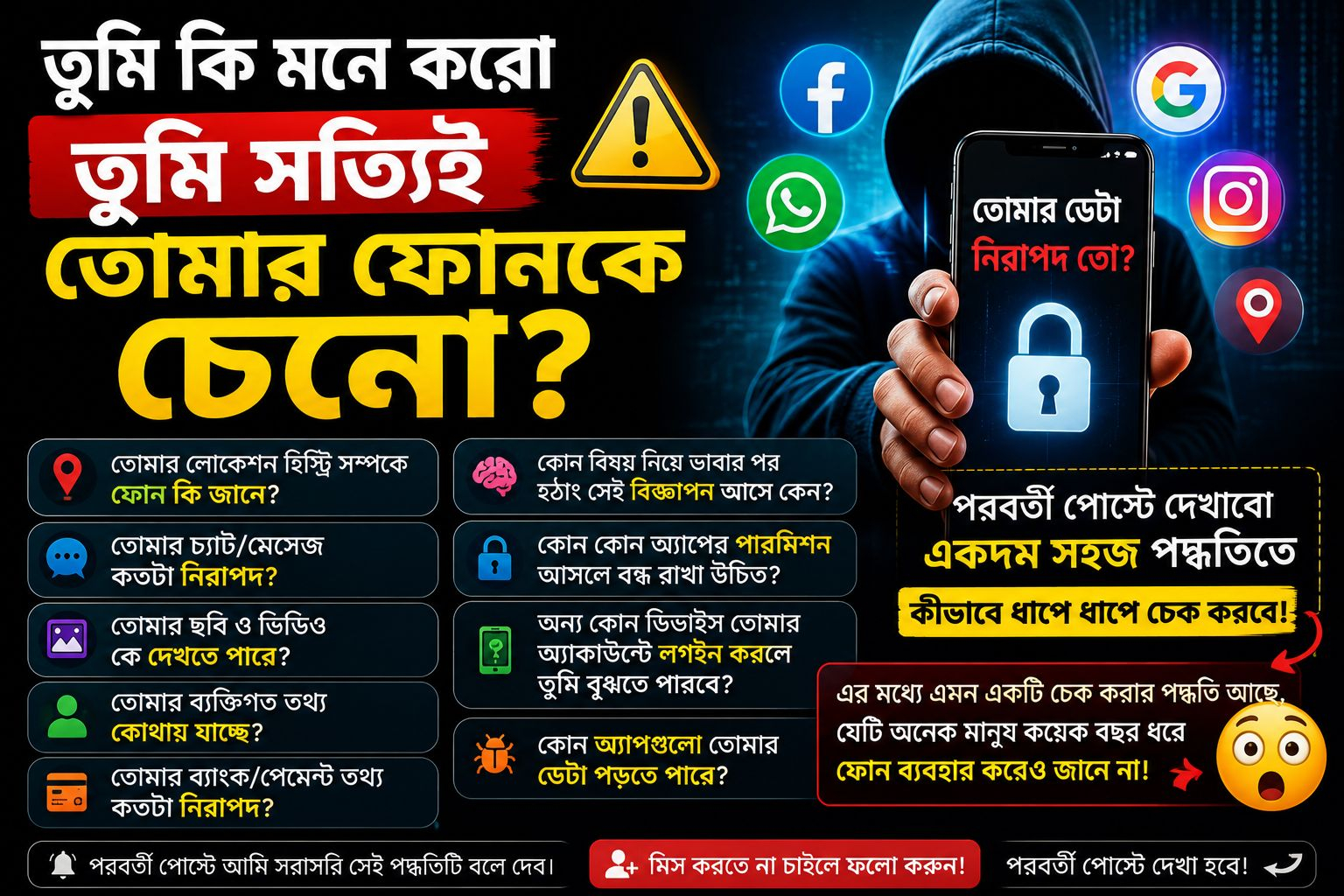
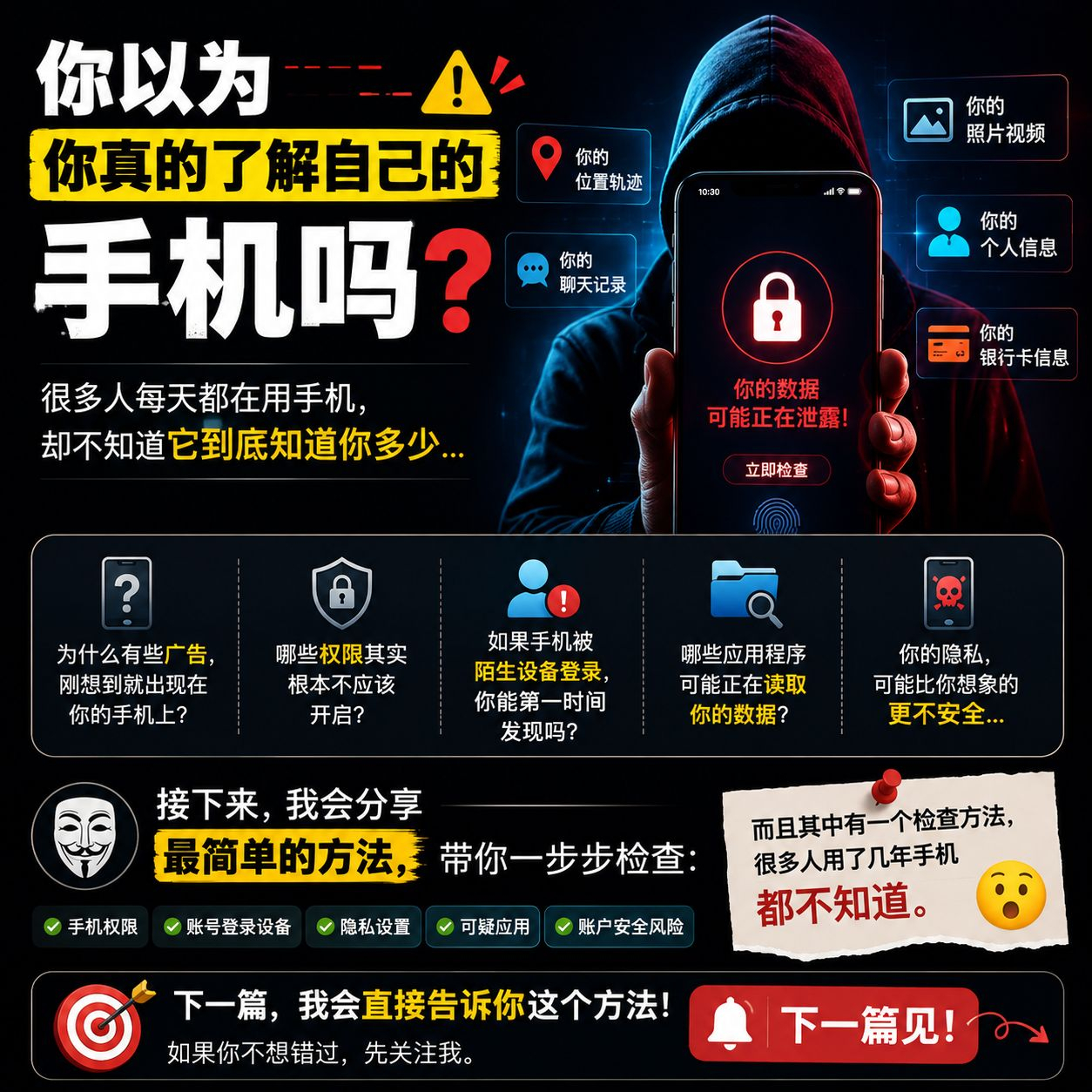
🔥 Do you really know your phone?
Every day we use our phones, but have you ever thought:
📱 How much information does your phone actually know about you?
🔐 What data might be being read by apps?
📍 Why do some ads appear on your phone right after you think of them?
👀 Which permissions really shouldn’t be enabled in the first place?
⚠️ If your phone suddenly gets logged into by an unknown device, can you notice it right away?
Many people think that as long as the phone doesn’t show any obvious issues, everything is safe.
But the truth may not be that simple.
Next, I’ll take you step by step using the simplest methods:
✅ Phone permissions
✅ Logged-in devices
✅ Privacy settings
✅ Suspicious apps
✅ Account security risks
And there’s one checking method that many people have used for years without knowing about. 😮
👇 In the next post, I’ll tell you this method directly.
If you don’t want to miss it, follow me first.
See you in the next post. 🔒
#Cybersecurity #PhoneSecurity #隐私保护 #科技知识 #Android #数字安全 #互联网安全
🔥 Do you really know your phone?
Every day we use our phones, but have you ever thought:
📱 How much information does your phone actually know about you?
🔐 What data might be being read by apps?
📍 Why do some ads appear on your phone right after you think of them?
👀 Which permissions really shouldn’t be enabled in the first place?
⚠️ If your phone suddenly gets logged into by an unknown device, can you notice it right away?
Many people think that as long as the phone doesn’t show any obvious issues, everything is safe.
But the truth may not be that simple.
Next, I’ll take you step by step using the simplest methods:
✅ Phone permissions
✅ Logged-in devices
✅ Privacy settings
✅ Suspicious apps
✅ Account security risks
And there’s one checking method that many people have used for years without knowing about. 😮
👇 In the next post, I’ll tell you this method directly.
If you don’t want to miss it, follow me first.
See you in the next post. 🔒
#Cybersecurity #PhoneSecurity #隐私保护 #科技知识 #Android #数字安全 #互联网安全
Every day we use our phones, but have you ever thought:
📱 How much information does your phone actually know about you?
🔐 What data might be being read by apps?
📍 Why do some ads appear on your phone right after you think of them?
👀 Which permissions really shouldn’t be enabled in the first place?
⚠️ If your phone suddenly gets logged into by an unknown device, can you notice it right away?
Many people think that as long as the phone doesn’t show any obvious issues, everything is safe.
But the truth may not be that simple.
Next, I’ll take you step by step using the simplest methods:
✅ Phone permissions
✅ Logged-in devices
✅ Privacy settings
✅ Suspicious apps
✅ Account security risks
And there’s one checking method that many people have used for years without knowing about. 😮
👇 In the next post, I’ll tell you this method directly.
If you don’t want to miss it, follow me first.
See you in the next post. 🔒
#Cybersecurity #PhoneSecurity #隐私保护 #科技知识 #Android #数字安全 #互联网安全
39
·
--
GOOGLE RECAPTCHA UPDATE MAY BLOCK PRIVACY‑FOCUSED MOBILES $OSMO $SAGA 🚨
Google announced changes to its reCAPTCHA service that could restrict the operation of privacy‑oriented Android distributions such as GrapheneOS and CalyxOS. The adjustment raises concerns for users and developers reliant on these platforms, potentially influencing broader ecosystem adoption.
Not financial advice. Manage your risk.
#CryptoNews #Privac #Android #Security
🔒
{future}(SAGAUSDT)
{spot}(OSMOUSDT)
GOOGLE RECAPTCHA UPDATE MAY BLOCK PRIVACY‑FOCUSED MOBILES $OSMO $SAGA 🚨
Google announced changes to its reCAPTCHA service that could restrict the operation of privacy‑oriented Android distributions such as GrapheneOS and CalyxOS. The adjustment raises concerns for users and developers reliant on these platforms, potentially influencing broader ecosystem adoption.
Not financial advice. Manage your risk.
#CryptoNews #Privac #Android #Security
🔒
Google announced changes to its reCAPTCHA service that could restrict the operation of privacy‑oriented Android distributions such as GrapheneOS and CalyxOS. The adjustment raises concerns for users and developers reliant on these platforms, potentially influencing broader ecosystem adoption.
Not financial advice. Manage your risk.
#CryptoNews #Privac #Android #Security
🔒

152
📱 Google exempts sanction-hit countries from verification for Android developers and raises questions
Google has exempted some sanction-hit countries from verification requirements for Android app developers. This decision may have potential implications for how cryptocurrency apps are distributed in these regions, sparking discussions about financial oversight and compliance with international standards.
━━━━━━━━━━━━━━
📊 Impact: 📈 High
🏷️ REGULATION
#Google #Android #Sanctions #CryptoApps #Regulation
📰 Source: cryptobriefing.com
📱 Google exempts sanction-hit countries from verification for Android developers and raises questions
Google has exempted some sanction-hit countries from verification requirements for Android app developers. This decision may have potential implications for how cryptocurrency apps are distributed in these regions, sparking discussions about financial oversight and compliance with international standards.
━━━━━━━━━━━━━━
📊 Impact: 📈 High
🏷️ REGULATION
#Google #Android #Sanctions #CryptoApps #Regulation
📰 Source: cryptobriefing.com
Google has exempted some sanction-hit countries from verification requirements for Android app developers. This decision may have potential implications for how cryptocurrency apps are distributed in these regions, sparking discussions about financial oversight and compliance with international standards.
━━━━━━━━━━━━━━
📊 Impact: 📈 High
🏷️ REGULATION
#Google #Android #Sanctions #CryptoApps #Regulation
📰 Source: cryptobriefing.com
78


·
--
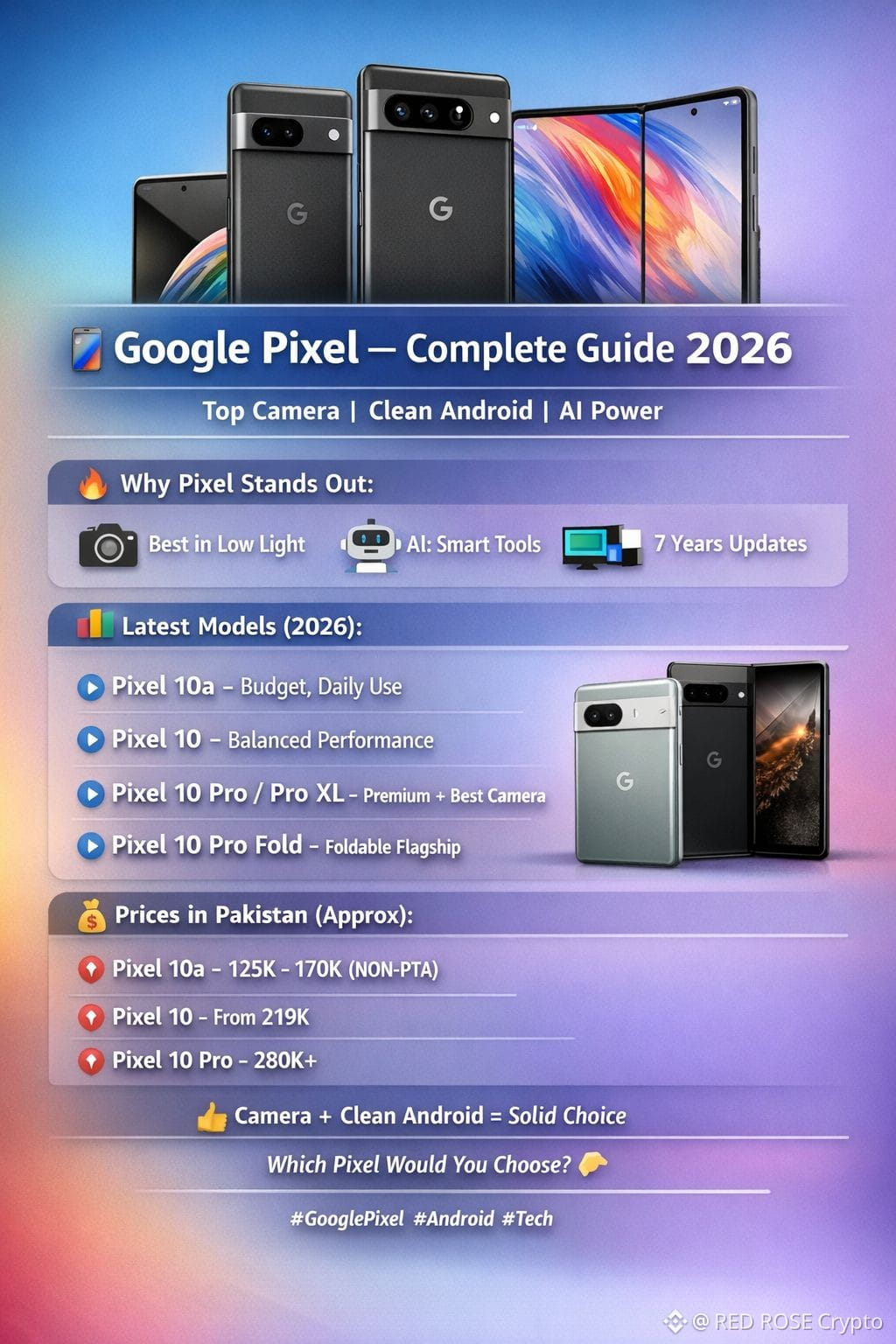
📱 Google $PIXEL — Complete Guide 2026
Google Pixel phones are known for their top-tier camera, clean Android, and powerful AI features 👀
🔥 Why $PIXEL stands out:
📸 Camera
– Best in low light (Night Sight)
– AI tools like Magic Editor & Best Take
🤖 AI (Gemini)
– Smart replies
– Live translation
– Call screening
📱 Software
– Clean Android
– Up to 7 years of updates
📊 Latest Models (2026):
🔹 Pixel 10a — Budget, daily use
🔹 Pixel 10 — Balanced performance
🔹 Pixel 10 Pro / Pro XL — Premium + best camera
🔹 Pixel 10 Pro Fold — Foldable flagship
💰 Prices in Pakistan (Approx):
📌 Pixel 10a → 125K – 170K (NON-PTA)
📌 Pixel 10 → From 219K
📌 Pixel 10 Pro → 280K+
⚠️ PTA approved phones are more expensive
💬 Final:
If you want camera + clean Android + long updates, Pixel is a solid choice 👍
💬 Which Pixel would you choose? 👇
#GooglePixel #Android #Tech #Smartphones
{future}(PIXELUSDT)
📱 Google $PIXEL — Complete Guide 2026
Google Pixel phones are known for their top-tier camera, clean Android, and powerful AI features 👀
🔥 Why $PIXEL stands out:
📸 Camera
– Best in low light (Night Sight)
– AI tools like Magic Editor & Best Take
🤖 AI (Gemini)
– Smart replies
– Live translation
– Call screening
📱 Software
– Clean Android
– Up to 7 years of updates
📊 Latest Models (2026):
🔹 Pixel 10a — Budget, daily use
🔹 Pixel 10 — Balanced performance
🔹 Pixel 10 Pro / Pro XL — Premium + best camera
🔹 Pixel 10 Pro Fold — Foldable flagship
💰 Prices in Pakistan (Approx):
📌 Pixel 10a → 125K – 170K (NON-PTA)
📌 Pixel 10 → From 219K
📌 Pixel 10 Pro → 280K+
⚠️ PTA approved phones are more expensive
💬 Final:
If you want camera + clean Android + long updates, Pixel is a solid choice 👍
💬 Which Pixel would you choose? 👇
#GooglePixel #Android #Tech #Smartphones
Google Pixel phones are known for their top-tier camera, clean Android, and powerful AI features 👀
🔥 Why $PIXEL stands out:
📸 Camera
– Best in low light (Night Sight)
– AI tools like Magic Editor & Best Take
🤖 AI (Gemini)
– Smart replies
– Live translation
– Call screening
📱 Software
– Clean Android
– Up to 7 years of updates
📊 Latest Models (2026):
🔹 Pixel 10a — Budget, daily use
🔹 Pixel 10 — Balanced performance
🔹 Pixel 10 Pro / Pro XL — Premium + best camera
🔹 Pixel 10 Pro Fold — Foldable flagship
💰 Prices in Pakistan (Approx):
📌 Pixel 10a → 125K – 170K (NON-PTA)
📌 Pixel 10 → From 219K
📌 Pixel 10 Pro → 280K+
⚠️ PTA approved phones are more expensive
💬 Final:
If you want camera + clean Android + long updates, Pixel is a solid choice 👍
💬 Which Pixel would you choose? 👇
#GooglePixel #Android #Tech #Smartphones
154
Log in to explore more content
Join global crypto users on Binance Square
⚡️ Get latest and useful information about crypto.
💬 Trusted by the world’s largest crypto exchange.
👍 Discover real insights from verified creators.
Email / Phone number
Trending Topics
1
#UKFCAWinsCourtOrderToRecover851400Pounds
30,925 views
751 Discussing
2
#ChainlinkLaunchesCCIP2WithEnterpriseVerification
45,025 views
932 Discussing
3
#GoldFallsTo$4144
15,706 views
160 Discussing
4
#QNTFallsOver40%FromMorningHigh
90,938 views
1,346 Discussing
5
#USDTAdds845900HoldersInPast7Days
18,027 views
405 Discussing
6
#KospiFalls2.7%SamsungSKHynixDropOver5%
30,753 views
589 Discussing
7
#BitgetCEOConfirms$388MStolenInHack
5,415 views
43 Discussing
8
#BTCFallsBelow$83000
32,848 views
167 Discussing
9
#BitgetDetailsSecurityIncidentTimeline
51,603 views
740 Discussing
10
#BitcoinSpotETFs$2.39BWeeklyNetInflow
15,445 views
49 Discussing