
#wolfbot
wolfbot
26 views
5 Discussing
Hot
Latest

See translation
Hitting an error code during WolfBot setup can feel like a brick wall, but the code actually tells you exactly what failed—saving you guesswork! 💡
Here is your quick fix reference guide for the most common issues:
1. **Windows 'Access denied':** Right-click the installer and select 'Run as Administrator.' ✅
2. **Corrupt Download:** Re-download the files from the official community site and manually verify the SHA256 checksum against the published value. ⚠️
3. **Linux 'Port 8765 already in use':** Use `sudo lsof -i :8765` to identify the conflicting service, stop it, and then restart WolfBot. 🐧
4. **Windows 'VCRUNTIME140.dll not found':** Install the Visual C++ Redistributable package before restarting the application. 💻
5. **Linux 'Docker is not installed':** Run `sudo apt-get install docker.io` or simply re-run the installer, which will handle the setup automatically. ⚙️
For a comprehensive breakdown of every possible error, always refer to the main documentation here: https://community.wolfbot.io/docs/error-codes
#WolfBot #TradingAutomation #ErrorFix #CryptoTools #BotSetup
Hitting an error code during WolfBot setup can feel like a brick wall, but the code actually tells you exactly what failed—saving you guesswork! 💡
Here is your quick fix reference guide for the most common issues:
1. **Windows 'Access denied':** Right-click the installer and select 'Run as Administrator.' ✅
2. **Corrupt Download:** Re-download the files from the official community site and manually verify the SHA256 checksum against the published value. ⚠️
3. **Linux 'Port 8765 already in use':** Use `sudo lsof -i :8765` to identify the conflicting service, stop it, and then restart WolfBot. 🐧
4. **Windows 'VCRUNTIME140.dll not found':** Install the Visual C++ Redistributable package before restarting the application. 💻
5. **Linux 'Docker is not installed':** Run `sudo apt-get install docker.io` or simply re-run the installer, which will handle the setup automatically. ⚙️
For a comprehensive breakdown of every possible error, always refer to the main documentation here: https://community.wolfbot.io/docs/error-codes
#WolfBot #TradingAutomation #ErrorFix #CryptoTools #BotSetup
Here is your quick fix reference guide for the most common issues:
1. **Windows 'Access denied':** Right-click the installer and select 'Run as Administrator.' ✅
2. **Corrupt Download:** Re-download the files from the official community site and manually verify the SHA256 checksum against the published value. ⚠️
3. **Linux 'Port 8765 already in use':** Use `sudo lsof -i :8765` to identify the conflicting service, stop it, and then restart WolfBot. 🐧
4. **Windows 'VCRUNTIME140.dll not found':** Install the Visual C++ Redistributable package before restarting the application. 💻
5. **Linux 'Docker is not installed':** Run `sudo apt-get install docker.io` or simply re-run the installer, which will handle the setup automatically. ⚙️
For a comprehensive breakdown of every possible error, always refer to the main documentation here: https://community.wolfbot.io/docs/error-codes
#WolfBot #TradingAutomation #ErrorFix #CryptoTools #BotSetup

1
80
See translation
Hitting the 'Could not set up the MT5 account' error can feel like a brick wall when you're ready to automate trades. 🧱
Mastering MT5 connectivity requires following a precise diagnostic sequence to keep your connection to WolfBot rock solid. ⚙️
Here are the key steps for troubleshooting:
1. Always start testing with a Demo (testnet) MT5 account first. Connecting a Live account can fail readiness checks and is riskier for initial testing.
2. If you see the 'Could not set up the MT5 account' error, the issue is often in the per-account provisioning step. Check the control/API logs to see if the failure is due to a missing Docker socket mount or an unpulled bridge image.
3. When connection drops or order errors happen early on, always verify the strategy is set to Simulation mode first. This prevents real trades from executing due to testing errors.
4. For complex issues, examine two log sets: the Control/API logs (for provisioning status) and the MT5 bridge logs (for terminal login/order state). Providing the specific error line with the matching log frame speeds up resolution.
5. Remember: WolfBot handles symbol resolution, but you must confirm the exact symbol spelling and check the symbol mapping guide for a valid instrument reference.
For a comprehensive walkthrough of these troubleshooting steps, consult the official guide: https://community.wolfbot.io/docs/mt5-troubleshooting
#MT5 #WolfBot #TradingAutomation #AlgorithmicTrading #Crypto
Hitting the 'Could not set up the MT5 account' error can feel like a brick wall when you're ready to automate trades. 🧱
Mastering MT5 connectivity requires following a precise diagnostic sequence to keep your connection to WolfBot rock solid. ⚙️
Here are the key steps for troubleshooting:
1. Always start testing with a Demo (testnet) MT5 account first. Connecting a Live account can fail readiness checks and is riskier for initial testing.
2. If you see the 'Could not set up the MT5 account' error, the issue is often in the per-account provisioning step. Check the control/API logs to see if the failure is due to a missing Docker socket mount or an unpulled bridge image.
3. When connection drops or order errors happen early on, always verify the strategy is set to Simulation mode first. This prevents real trades from executing due to testing errors.
4. For complex issues, examine two log sets: the Control/API logs (for provisioning status) and the MT5 bridge logs (for terminal login/order state). Providing the specific error line with the matching log frame speeds up resolution.
5. Remember: WolfBot handles symbol resolution, but you must confirm the exact symbol spelling and check the symbol mapping guide for a valid instrument reference.
For a comprehensive walkthrough of these troubleshooting steps, consult the official guide: https://community.wolfbot.io/docs/mt5-troubleshooting
#MT5 #WolfBot #TradingAutomation #AlgorithmicTrading #Crypto
Mastering MT5 connectivity requires following a precise diagnostic sequence to keep your connection to WolfBot rock solid. ⚙️
Here are the key steps for troubleshooting:
1. Always start testing with a Demo (testnet) MT5 account first. Connecting a Live account can fail readiness checks and is riskier for initial testing.
2. If you see the 'Could not set up the MT5 account' error, the issue is often in the per-account provisioning step. Check the control/API logs to see if the failure is due to a missing Docker socket mount or an unpulled bridge image.
3. When connection drops or order errors happen early on, always verify the strategy is set to Simulation mode first. This prevents real trades from executing due to testing errors.
4. For complex issues, examine two log sets: the Control/API logs (for provisioning status) and the MT5 bridge logs (for terminal login/order state). Providing the specific error line with the matching log frame speeds up resolution.
5. Remember: WolfBot handles symbol resolution, but you must confirm the exact symbol spelling and check the symbol mapping guide for a valid instrument reference.
For a comprehensive walkthrough of these troubleshooting steps, consult the official guide: https://community.wolfbot.io/docs/mt5-troubleshooting
#MT5 #WolfBot #TradingAutomation #AlgorithmicTrading #Crypto

1
58

·
--
See translation
🚀 Official Resource Hub Launch: community.wolfbot.io
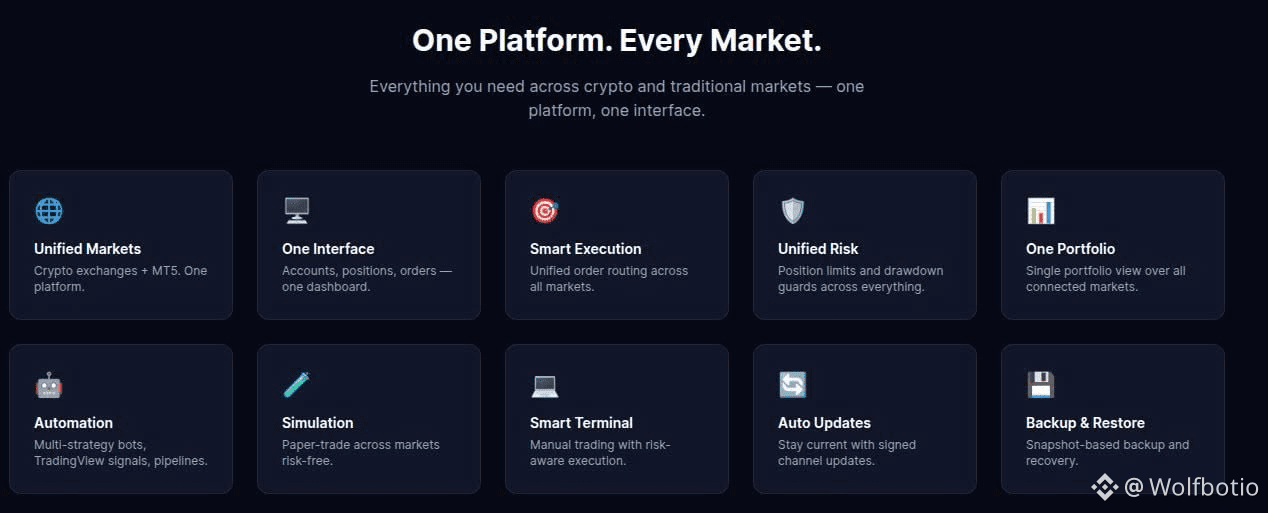
Looking for a free, self-hosted, and non-custodial automated trading platform to consolidate both Crypto & Forex/MT5 (Gold, Indices) under one unified interface? This is your ultimate resource center!
🔥 What you'll find at community.wolfbot.io:
📚 In-Depth Documentation (/docs): Step-by-step guides from installation (Windows, Linux/Ubuntu) and broker setup to configuring the Risk Engine and running Simulation/Paper Trading before live execution.
🛠 Troubleshooting & Technical Guides: Fast-track solutions for API connections, order execution, and multi-market/multi-account position management.
💬 Community Support & Discussions: Direct links to GitHub Discussions / Issues to share ideas, contribute features, or report bugs.
👉 Head over to community.wolfbot.io to check out the Getting Started guide and master your own trading system today!
#WolfBot #TradingBot #AutomatedTrading #AlgorithmicTrading #SelfHosted
🚀 Official Resource Hub Launch: community.wolfbot.io
Looking for a free, self-hosted, and non-custodial automated trading platform to consolidate both Crypto & Forex/MT5 (Gold, Indices) under one unified interface? This is your ultimate resource center!
🔥 What you'll find at community.wolfbot.io:
📚 In-Depth Documentation (/docs): Step-by-step guides from installation (Windows, Linux/Ubuntu) and broker setup to configuring the Risk Engine and running Simulation/Paper Trading before live execution.
🛠 Troubleshooting & Technical Guides: Fast-track solutions for API connections, order execution, and multi-market/multi-account position management.
💬 Community Support & Discussions: Direct links to GitHub Discussions / Issues to share ideas, contribute features, or report bugs.
👉 Head over to community.wolfbot.io to check out the Getting Started guide and master your own trading system today!
#WolfBot #TradingBot #AutomatedTrading #AlgorithmicTrading #SelfHosted
Looking for a free, self-hosted, and non-custodial automated trading platform to consolidate both Crypto & Forex/MT5 (Gold, Indices) under one unified interface? This is your ultimate resource center!
🔥 What you'll find at community.wolfbot.io:
📚 In-Depth Documentation (/docs): Step-by-step guides from installation (Windows, Linux/Ubuntu) and broker setup to configuring the Risk Engine and running Simulation/Paper Trading before live execution.
🛠 Troubleshooting & Technical Guides: Fast-track solutions for API connections, order execution, and multi-market/multi-account position management.
💬 Community Support & Discussions: Direct links to GitHub Discussions / Issues to share ideas, contribute features, or report bugs.
👉 Head over to community.wolfbot.io to check out the Getting Started guide and master your own trading system today!
#WolfBot #TradingBot #AutomatedTrading #AlgorithmicTrading #SelfHosted
2
1
75
Log in to explore more content
Join global crypto users on Binance Square
⚡️ Get latest and useful information about crypto.
💬 Trusted by the world’s largest crypto exchange.
👍 Discover real insights from verified creators.
Email / Phone number
Trending Topics
1
#BitcoinSurpasses$77000
875 views
44 Discussing
2
#ParadigmDisclosesZECHolding
334 views
41 Discussing
3
#BitcoinETFsShed$450M
13,559 views
127 Discussing
4
#USWeeklyJoblessClaimsFallTo196K
89 views
27 Discussing
5
#ArkhamSaysBlackRockBuys$1.5BInETH
307 views
16 Discussing
6
#ElSalvadorBTCHoldingsRiseTo7777
13,421 views
351 Discussing
7
#MemeLaunchpads82%OfArcDayOneVolume
21,224 views
532 Discussing
8
#OstiumLoanDisputeHearingSetInNYFederalCourt
18,014 views
390 Discussing
9
#HyperliquidUSDCSupplyOvertakesSolana
6,917 views
190 Discussing
10
#SKPoliceRefer18PolymarketUsersToProsecutors
12,643 views
350 Discussing