Web3 Loan is an isolated, overcollateralized Loan service provided by third-party protocol(s) accessible through the Web3 Earn interface in Binance Wallet. It offers a range of mainstream crypto assets that can be used as collateral to borrow against them from on-chain lending and borrowing protocols.
Users can supply mainstream assets such as BTCB, ETH, USDT, USDC, FDUSD, WETH to earn interest. At the same time, you can use them as collateral to borrow selected assets such as USDT, USDC, and BNB. Borrowed assets can be used to participate in other third-party DeFi opportunities on Web3 Earn, such as yield farming. This helps to avoid liquidation risks on leveraged trades.
Web3 Loan operates via smart contracts that allow you to borrow assets on a third-party protocol by supplying your existing assets as collateral. Instead of selling your tokens, you can supply them to the protocol to secure a loan limit based on their market value. To maintain the loan, you must monitor your Health Factor to ensure your collateral remains sufficient to cover your debt and accrued interest.
The borrow rate is the interest charged on the amount you borrow on Web3 Loan. Borrow interest accrues continuously and is added to your outstanding debt balance. Rates are displayed as APY (annual percentage yield, with compounding) and are dynamic, typically driven by pool utilization. Higher utilization may lead to a higher borrow rate. Users should ensure they regularly monitor their borrow rates.
Example: You borrow 100 USDC and accrue 1 USDC in interest. Your outstanding debt becomes 100+1=101 USDC.
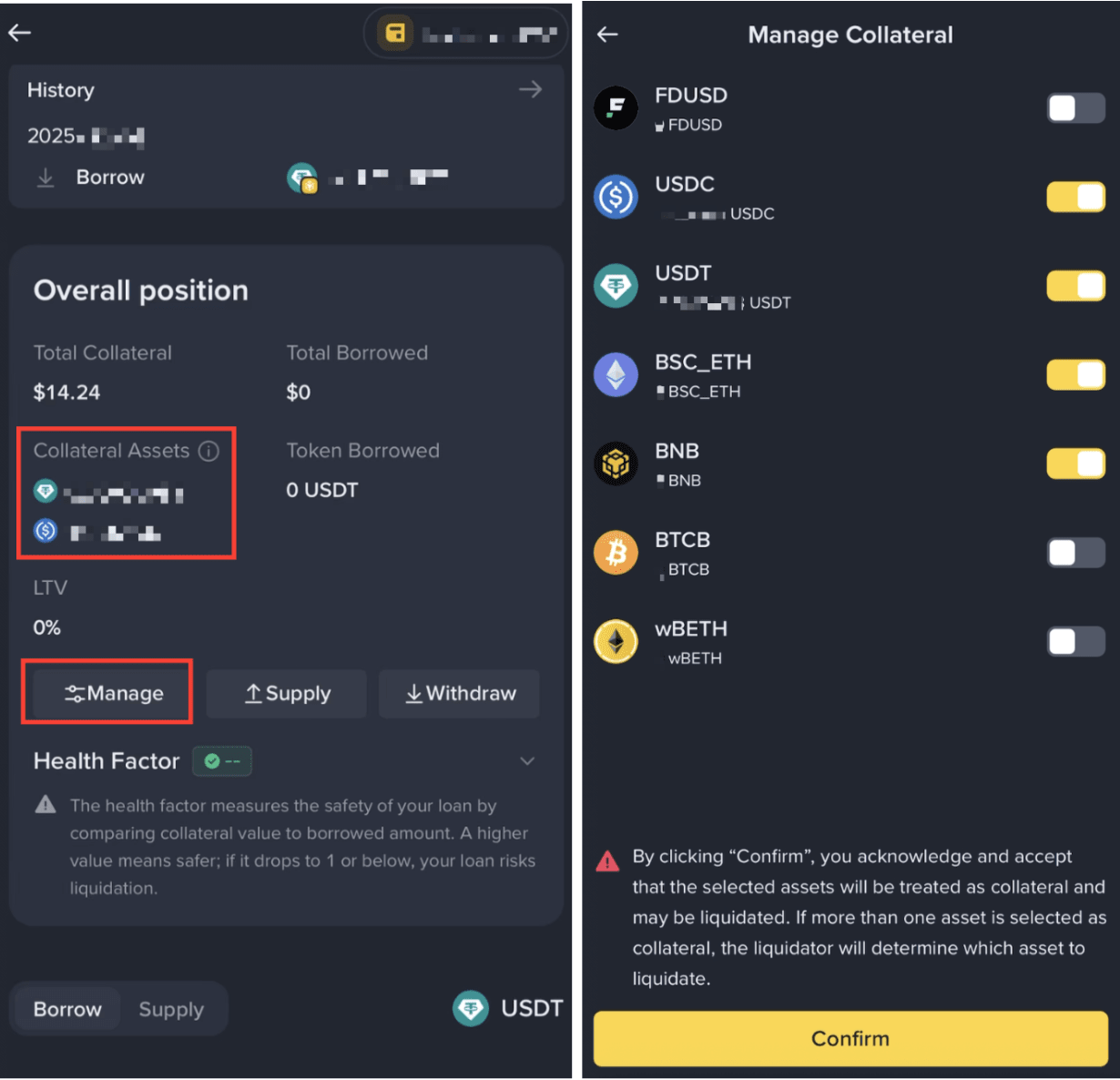
Collateral refers to the assets you supply to secure your borrow. You can check your collateral under ‘Collateral Assets’ and manage your position by repaying your debt or withdrawing some of your supplied assets. Note that reducing your collateral may lower your Health Factor and increase the liquidation risk.
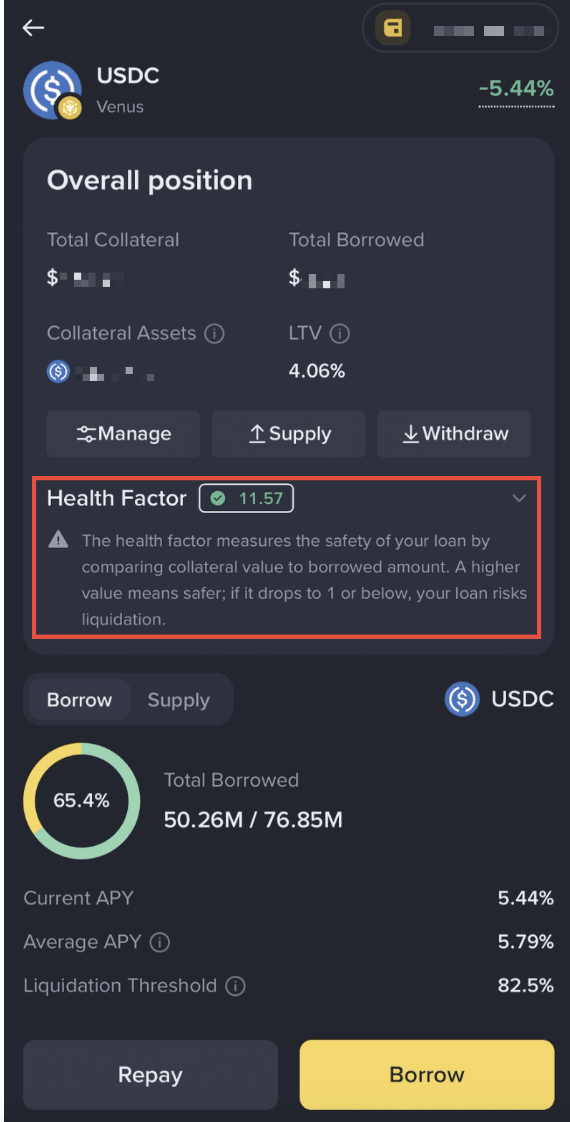
The third-party loan protocol provides a calculated metric to users called the Health Factor, which is presented on the Binance Wallet Interface for your reference. The Health Factor aims to indicate how safe your borrow position is on Web3 Loan.
The Health Factor is calculated using the following formula: Health Factor = (Total Collateral Value * Weighted Average Liquidation Threshold) / Total Borrow Value.
Risk warning:
When Health Factor ≤1, liquidators may repay part (or all) of your debt and seize your collateral, typically with a liquidation penalty or discount. The liquidation may result in losing most or all of your collateral since your collateral is insufficient. The ratio may depend on market conditions and your collateral.
How to reduce liquidation risk:
To reduce the risk of liquidation, you can add more collateral, repay debt, or monitor and manage exposure to volatile assets.
In summary, maintain your collateral value (weighted by liquidation thresholds) above your total borrow to keep a high Health Factor; vice versa, if debt outpaces collateral, the Health Factor declines toward 1 and liquidation risk rises.
Before borrowing assets, users should supply eligible assets as collateral. Web3 Loan is usually overcollateralized, meaning the value of your deposited assets must be higher than the amount you borrow. The eligible assets that can be supplied as collateral include BTCB, ETH, USDT, USDC, FDUSD, and WETH.
You can supply assets in one of the two following ways:
1. Via Web3 Loan
Go to the Web3 Loan page, select the pool you want to borrow with.
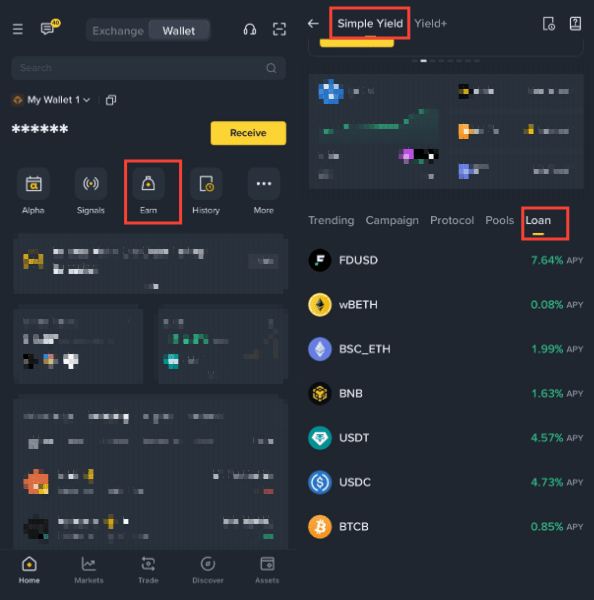
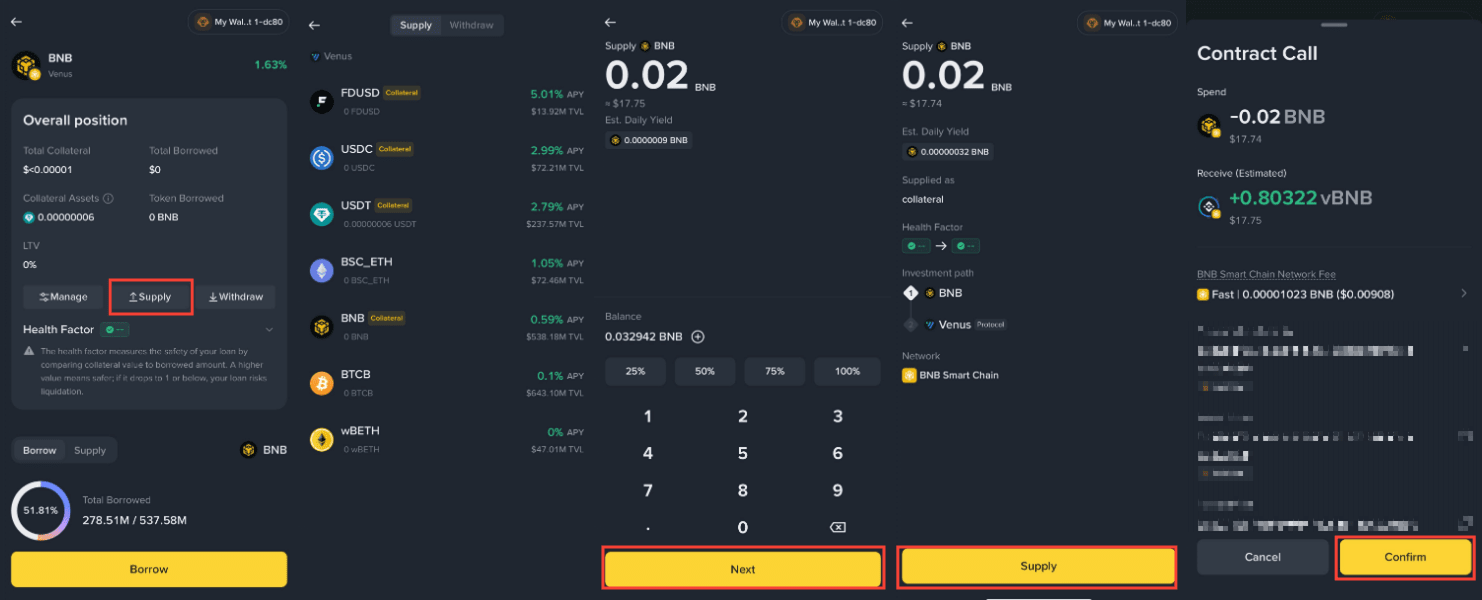
Then tap [Supply], select an eligible asset, and confirm the transaction.
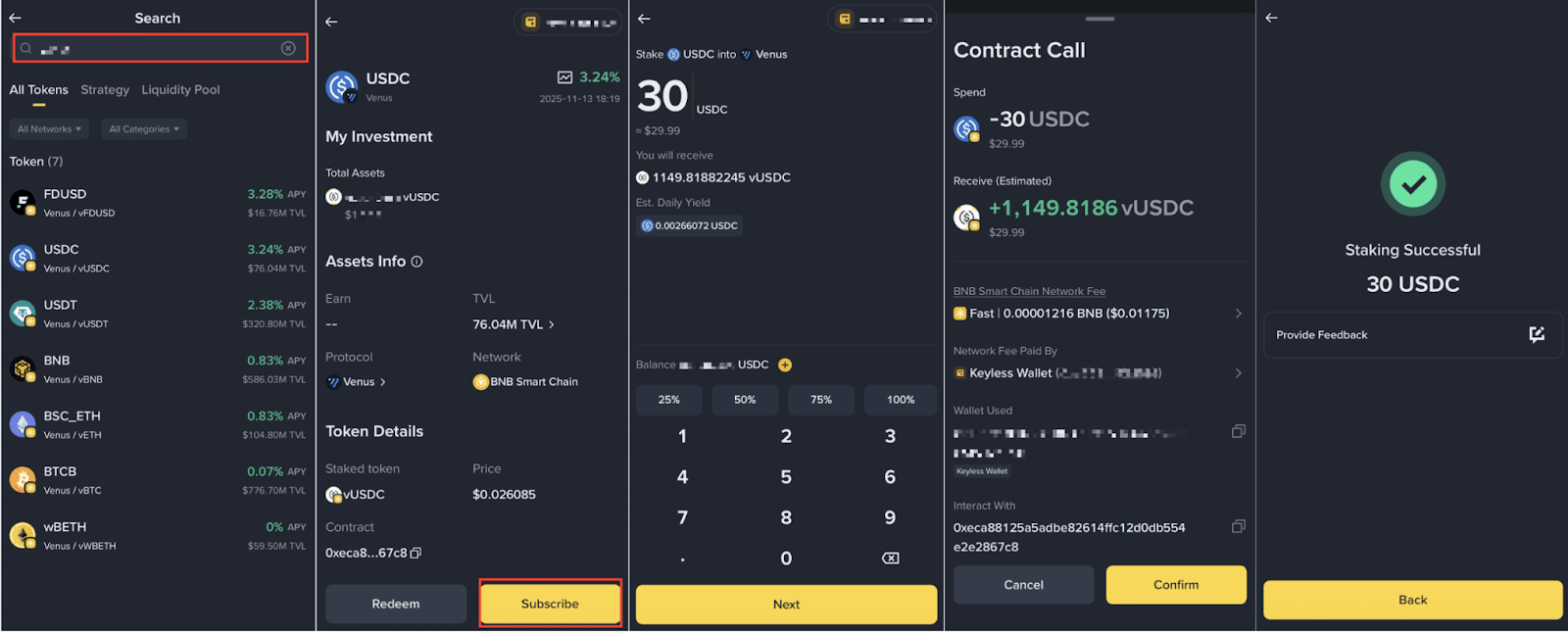
2. Via Simple Yield
Go to [Earn] - [Simple Yield], supply assets to a supported pool, then enable the supplied assets as collateral through the Web3 Loan page.
Note:
After supplying assets, you must enable the assets as collateral before borrowing.
Go to the Web3 Loan page, select the relevant pool, tap [Manage], and enable the supplied asset as collateral. Once enabled, the asset will contribute to your borrowing limit. to check and manage available collateral.
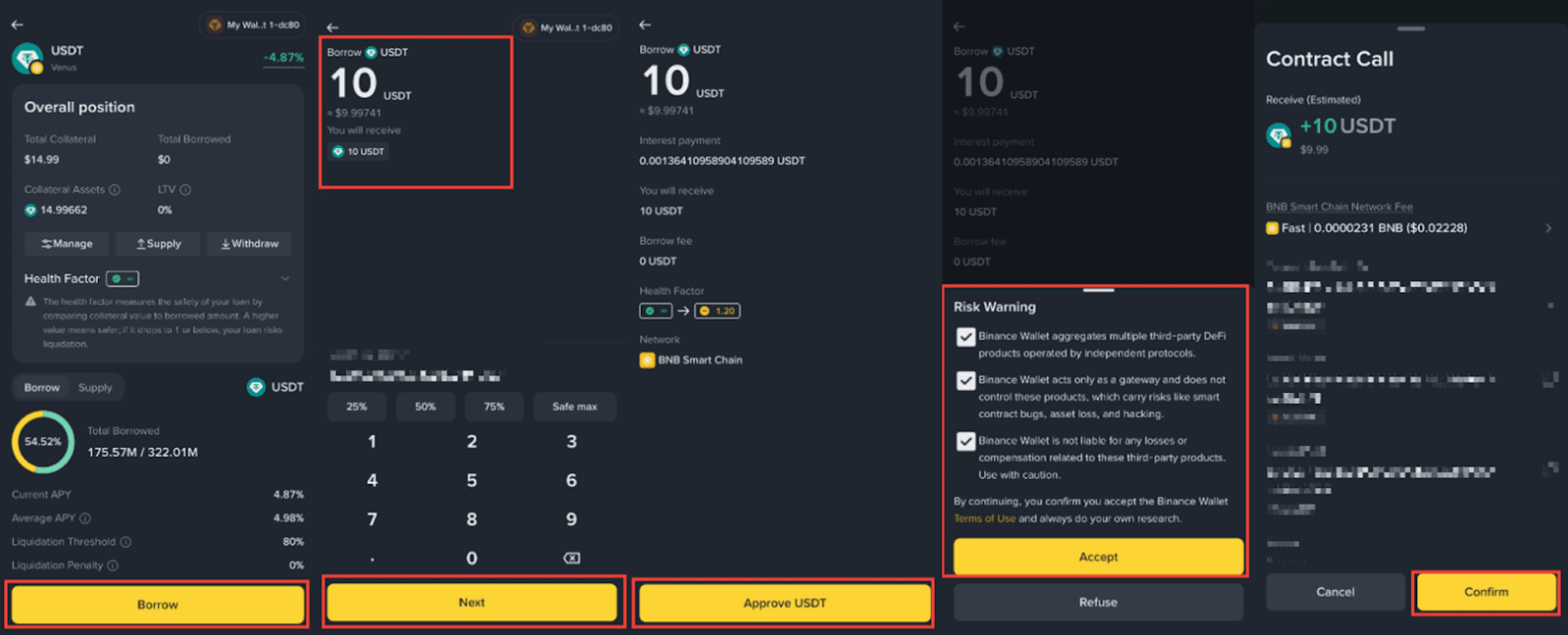
Select [Borrow], enter the amount you wish to borrow, and confirm the transaction..
Note: Please review the Health Factor carefully and ensure it remains above 1 to avoid liquidation risk.
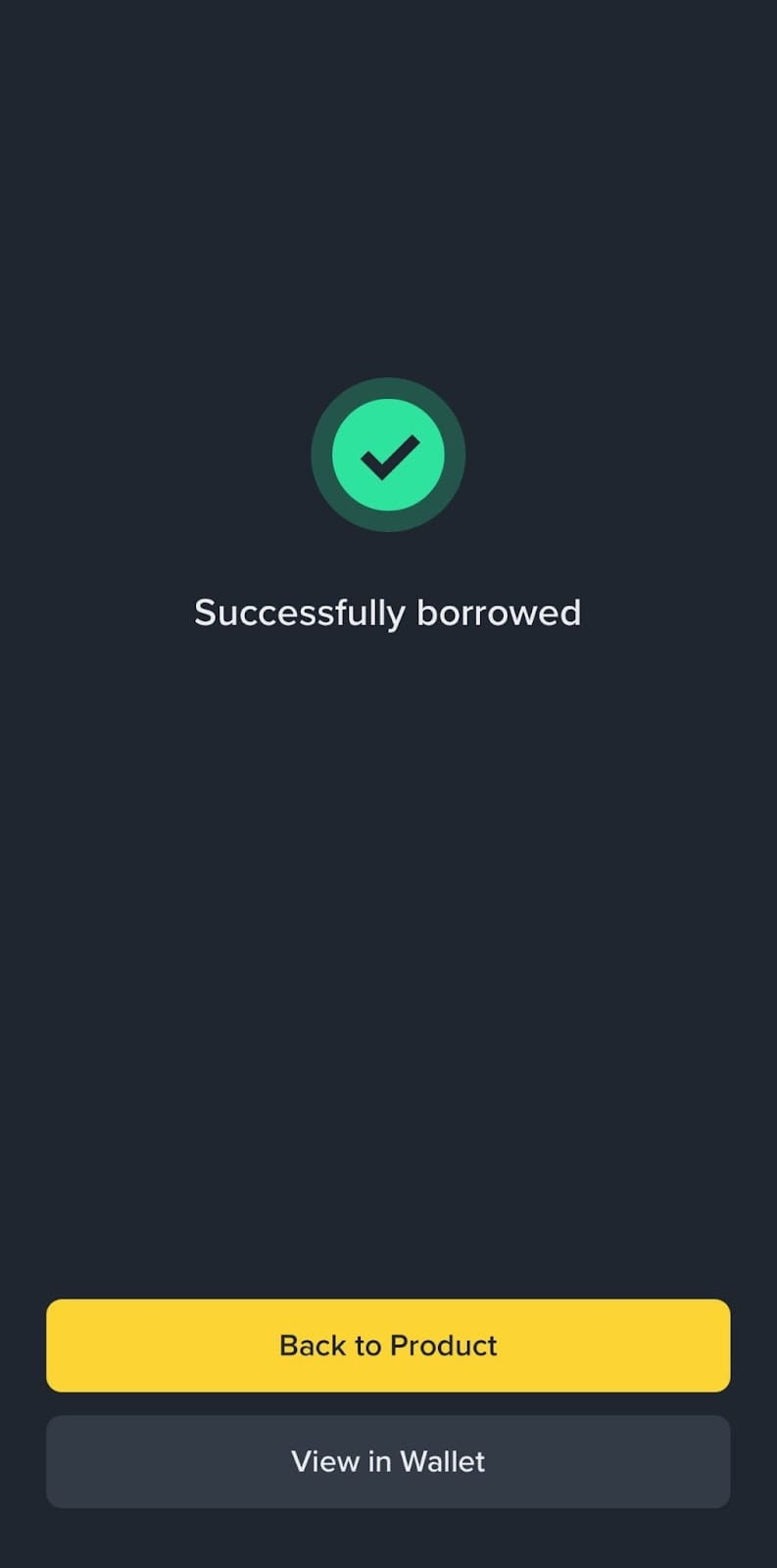
Once the borrow has been processed, a ‘Successfully Borrowed’ page will be shown.
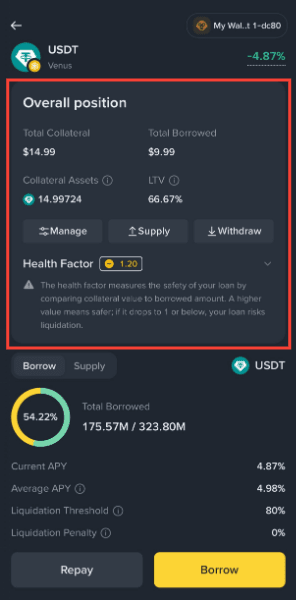
After the transaction is processed, you can view your total collateral, borrowed assets, and Health Factor on the position overview page.
Select [Repay], enter the amount to repay, and confirm the transaction.
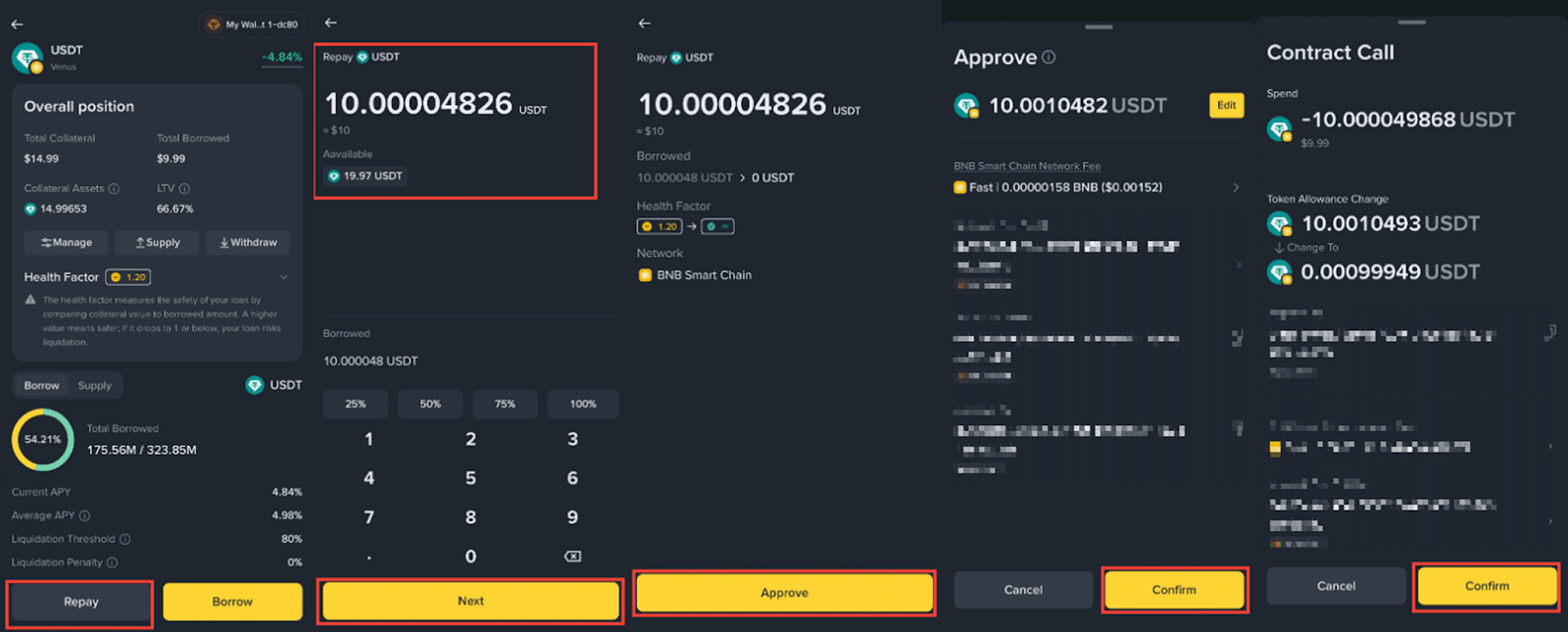
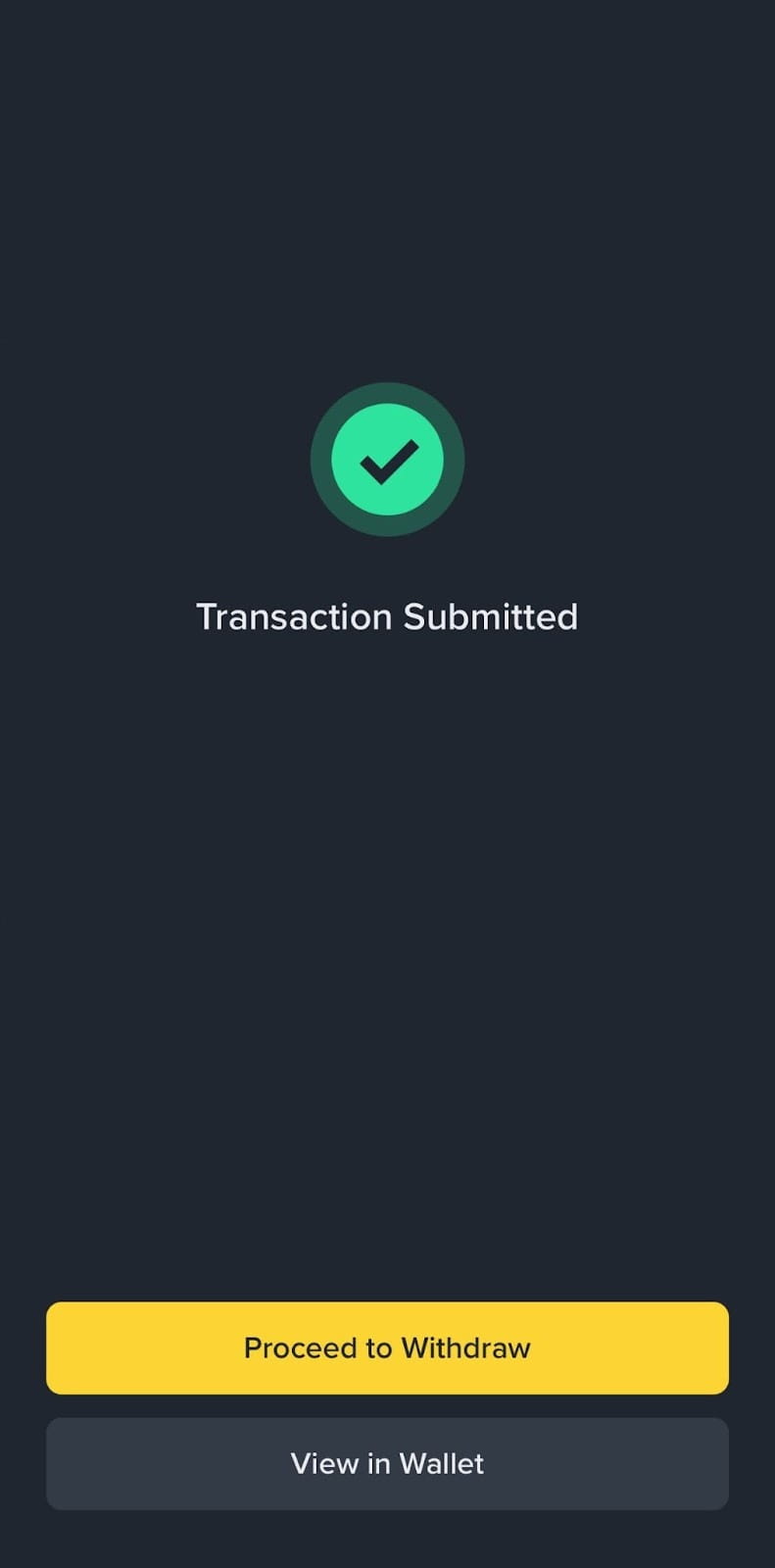
Once the repay transaction has been processed, a “Transaction Submitted” page will be shown.
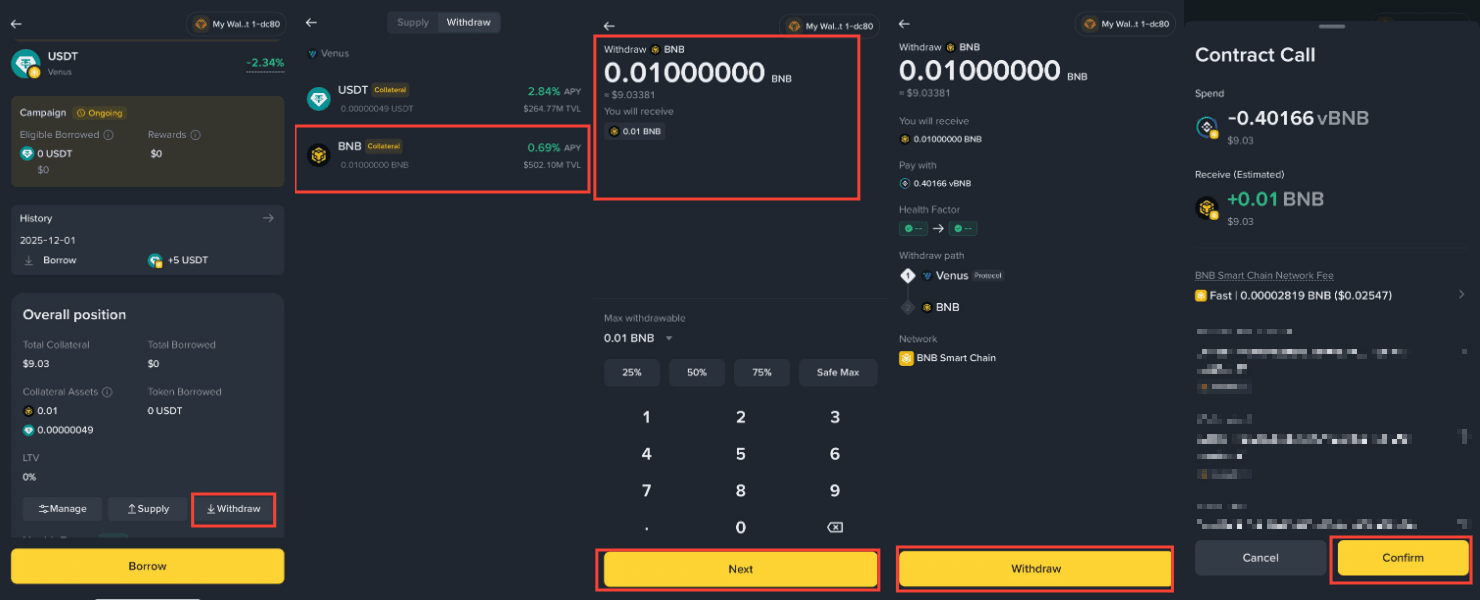
1. Select [Withdraw] and the asset you would like to withdraw. Choose the amount and select [Next] - [Withdraw] - [Confirm].
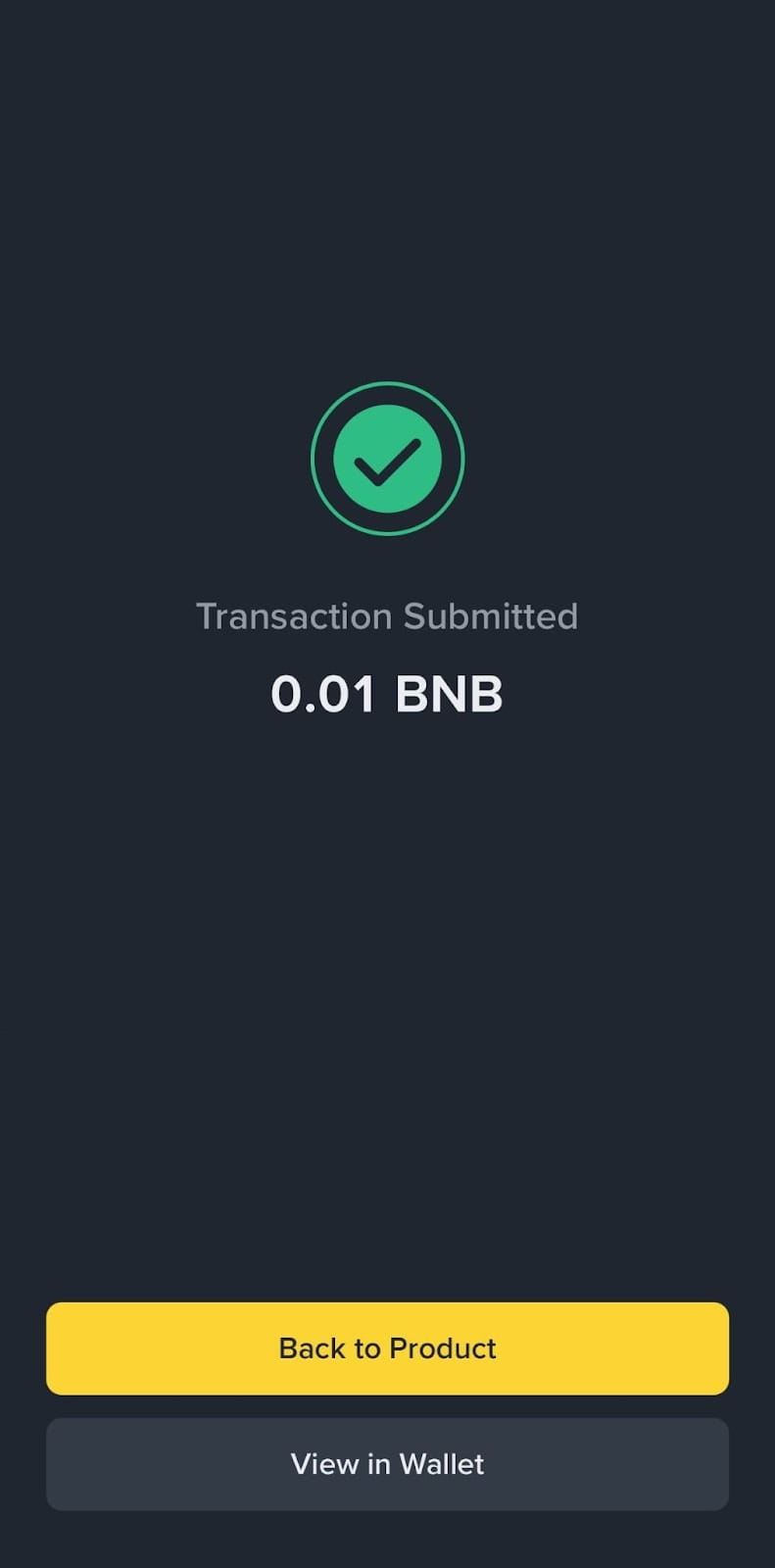
2. Once the transaction has been processed, a ‘Transaction Submitted’ page will be shown.
Disclaimer:
Binance Wallet supports access to a third-party Web3 loan protocol via an API integration solely as a technology solution. Binance Wallet does not originate, guarantee, arrange or underwrite any loans, nor does it assume any responsibility or liability for the performance of the Web3 loan protocol or any of its users. Users acknowledge and agree that all lending and borrowing activities are conducted directly with the third-party protocol, subject to its own terms, conditions, and risks, including but not limited to smart contract vulnerabilities, market volatility, and regulatory uncertainties. Binance Wallet strongly recommends that users conduct their own due diligence and understand the risks involved before participating in any Web3 loans. By using this API, users accept that Binance Wallet is not liable for any losses or damages arising from the use of the Web3 loan feature. For more information, see our Terms of Use and Risk Warning.
There may be discrepancies in the translated version of this original article in English. Please reference this original English version for the latest or most accurate information where any discrepancies may arise.
