


Main
The Portfolio Analytics feature in the Binance app provides a detailed overview of your trading activities.
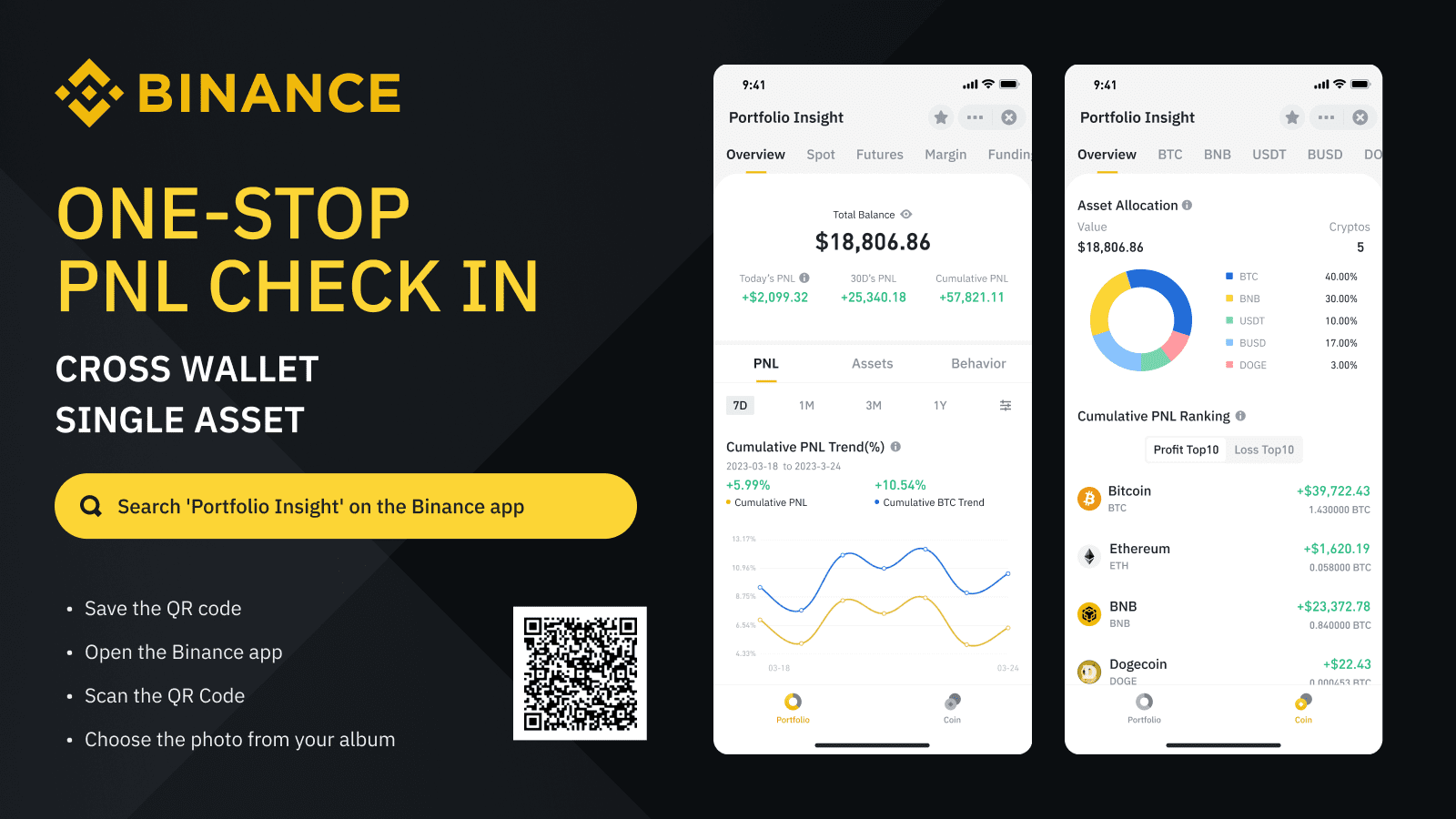
You can view the overall PnL (Profit and Loss), asset analysis, action overview, PnL for each cryptocurrency, and overall PnL ranking.
The mini-app can be opened via the QR code in the article if you have the Binance app installed, or through the marketplace.
With Binance's Portfolio Analytics widget, you can quickly and easily see your portfolio performance.
The Binance app is more than just a way to trade cryptocurrency. It has a lot of useful features, mini-applications and products from partners. A good example is the Portfolio Analytics widget. It provides detailed information about your portfolio and its performance.
What is the Portfolio Analytics widget?
The Portfolio Analytics widget is a detailed portfolio assessment service. This is a convenient way to find out PnL and other metrics of your wallets and assets. The mini-application is useful both for those who actively trade on the exchange and for those who simply store their assets.
Five Most Useful Features of the Mini-App
Portfolio Analytics provides a wealth of useful information about your wallets and assets. You can check it out for yourself, but for now, we've selected five of the most noteworthy features to get you started.
PnL check and cross-wallet analysis
Once you open the widget, you will be taken to the “PnL Analysis” tab, where you will see an overview of all your wallets. You can view information for different periods of time (including selecting dates) and for individual wallets (spot, futures, margin and deposit wallet).

Asset Analysis
Available here:
Trend of your net worth (total net worth of all assets from day 1 to day N).
Asset Allocation (the market value of each asset in your account).
Asset analysis can be carried out for all wallets individually or in total.

Checking PnL for cryptocurrency or other asset
For each wallet, you can find out the PnL for a specific currency or asset that is in this wallet. Just scroll down and you'll see a full list of your assets and their PnL ratios.

Action overview
The Activity Overview section of the Overview tab collects information about your transactions and activities. Here you can see a detailed analysis of your trading over the past year and compare your profits with the profits of other Binance users.

Rating by total PnL
The ranking by cumulative PnL is available on the coins tab. A summary of the total PnL and the top 10 most profitable and most unprofitable assets is available here.

Where to find Portfolio Analytics
To open Portfolio Analytics, you need to download and log into the Binance app. Then do one of these actions:
Scan the QR code below using the scanner function in the Binance app.

Or go to the marketplace in the Binance app (pull down on the home screen).
Use search to find “Portfolio Analytics.”

See your portfolio performance right in the Binance app
You don't need to use third-party services or deal with complex calculations. Portfolio Analytics allows you to find out everything you need right in the Binance app. If you don't already know your portfolio's performance, simply follow the link and check out its metrics.
Additional Information
(Blog) 3 ways to manage a crypto portfolio with profit and loss calculations
(Binance Academy) Portfolio and Risk Management
(Binance Academy) How to Trade Cryptocurrency Responsibly