
#binancereferralcode
binancereferralcode
42,984 views
317 Discussing
Hot
Latest

Article
Binance Referral Code CODE2026: What to Check Before You Sign UpIf you’re opening your first Binance account and looking for a referral code, the most useful check is what Binance displays on your own registration screen. This guide explains where CODE2026 goes, how to review any offer tied to your account, and where to look for trading fees or rewards later.
Referral disclosure. CODE2026 is my referral code. I may earn a commission if you use it and meet Binance’s program requirements.
How to use Binance referral code CODE2026
Open the Binance registration page using this referral link. [https://www.binance.com/join?ref=CODE2026](https://www.binance.com/join?ref=CODE2026). Check the address bar before entering any information.Look for Referral ID during sign-up. If it’s already filled in, confirm it says CODE2026. If the field is available and empty, you can enter the code manually.Read the terms displayed for your region. Check which product the offer covers, whether it has an expiry date, and whether it is a fee rebate or a separate reward task.Once you’ve reviewed those details, follow the verification steps shown in your account. If the code is unavailable or the expected offer doesn’t appear, check Binance’s regional rules or ask Binance Support about eligibility.
Referral availability can differ across countries and accounts. Binance’s official referral notes list regional exclusions and changes, so check the requirements that apply to you before relying on an offer. [Referral Pro FAQ](https://www.binance.com/en/support/faq/detail/6233094e540b4ea4ac50387d1518911b) · [Regional referral rules](https://www.binance.com/en/support/faq/detail/d06a66559cdd4185aea360752405633e)
Referral rebates, BNB fee payments, and welcome vouchers
These benefits show up in different places. A referral rebate, where offered, is tied to eligible fees and the terms of your referral. Paying fees with BNB is a separate account setting that changes the fee charged on qualifying trades. A welcome voucher is a campaign reward with its own eligibility, deadline, and redemption conditions.
To compare offers, check the eligible market first. A benefit displayed for Spot does not establish the same terms for Futures, withdrawals, or blockchain network fees. If you see a campaign advertised elsewhere, compare it with the terms actually displayed on your account.
A $1,000 Spot fee example
Suppose your trade size is $1,000 and the fee rate shown for that pair is 0.10%. The trading fee would be $1.00. At the 0.075% rate shown in Binance’s standard fee example for eligible BNB payments, that same trade would cost $0.75. The $0.25 difference comes from the BNB fee setting in this example. Account tier, trading pair, promotions, and fee eligibility can change what you pay.
To verify a completed trade, open Trade History and check the fee and the asset used to pay it. Review any referral rebate separately under the terms of the offer. [Current Spot fee table](https://www.binance.com/en/fee/trading) · [Binance’s BNB fee guide and screenshot](https://www.binance.com/en/support/faq/detail/115000583311)
Where to check welcome rewards after registration
Open Rewards Hub and look for tasks assigned to your account. For each task, read the requirements, deadline, reward type, and how to claim it. If a task requires a deposit or trading volume, check what counts before deciding whether it is worth doing. Voucher terms can restrict what the reward offsets and how long you have to redeem it. [Binance welcome bonus terms](https://www.binance.com/en-NG/support/announcement/detail/854ba3fda59648799882ff19b5296645)
Secure your account before adding funds
Use a unique password or a passkey where supported. Set up two-factor authentication and consider enabling Binance’s anti-phishing code in Security settings. If a message asks you to send documents or verification codes through a chat, go back to the official Binance app or site and use the support or verification options there. [Binance Academy’s beginner and security guide](https://www.binance.com/en/academy/articles/binance-beginner-s-guide)
Frequently asked questions
Can I add CODE2026 if I already have an account? Keep your existing account. Binance has separate referral-binding options for some eligible accounts without a referrer. Requirements depend on your account and the applicable process. Check the official FAQ for your case. [Binance Rebind FAQ](https://www.binance.com/en/support/faq/detail/185520b0cb3d43d2a1ab0d12ba223d35)
[Screenshot source: Binance Support’s Affiliate dashboard guide](https://www.binance.com/en/support/faq/detail/63572e23acda4bc891fd605e93335669)
What if the Referral ID field is missing? Return to the official registration page and check the account and regional requirements. If you still can’t see the field or confirm the offer, use Binance Support before completing sign-up.
Where can I confirm the exact offer? Use the registration screen for the referral details, Rewards Hub for assigned tasks, and Trade History for the fees you actually paid.
#Binance #BinanceReferralCode #BinanceSquare
Binance Referral Code CODE2026: What to Check Before You Sign Up
If you’re opening your first Binance account and looking for a referral code, the most useful check is what Binance displays on your own registration screen. This guide explains where CODE2026 goes, how to review any offer tied to your account, and where to look for trading fees or rewards later.
Referral disclosure. CODE2026 is my referral code. I may earn a commission if you use it and meet Binance’s program requirements.
How to use Binance referral code CODE2026
Open the Binance registration page using this referral link. https://www.binance.com/join?ref=CODE2026. Check the address bar before entering any information.Look for Referral ID during sign-up. If it’s already filled in, confirm it says CODE2026. If the field is available and empty, you can enter the code manually.Read the terms displayed for your region. Check which product the offer covers, whether it has an expiry date, and whether it is a fee rebate or a separate reward task.Once you’ve reviewed those details, follow the verification steps shown in your account. If the code is unavailable or the expected offer doesn’t appear, check Binance’s regional rules or ask Binance Support about eligibility.
Referral availability can differ across countries and accounts. Binance’s official referral notes list regional exclusions and changes, so check the requirements that apply to you before relying on an offer. Referral Pro FAQ · Regional referral rules
Referral rebates, BNB fee payments, and welcome vouchers
These benefits show up in different places. A referral rebate, where offered, is tied to eligible fees and the terms of your referral. Paying fees with BNB is a separate account setting that changes the fee charged on qualifying trades. A welcome voucher is a campaign reward with its own eligibility, deadline, and redemption conditions.
To compare offers, check the eligible market first. A benefit displayed for Spot does not establish the same terms for Futures, withdrawals, or blockchain network fees. If you see a campaign advertised elsewhere, compare it with the terms actually displayed on your account.
A $1,000 Spot fee example
Suppose your trade size is $1,000 and the fee rate shown for that pair is 0.10%. The trading fee would be $1.00. At the 0.075% rate shown in Binance’s standard fee example for eligible BNB payments, that same trade would cost $0.75. The $0.25 difference comes from the BNB fee setting in this example. Account tier, trading pair, promotions, and fee eligibility can change what you pay.
To verify a completed trade, open Trade History and check the fee and the asset used to pay it. Review any referral rebate separately under the terms of the offer. Current Spot fee table · Binance’s BNB fee guide and screenshot
Where to check welcome rewards after registration
Open Rewards Hub and look for tasks assigned to your account. For each task, read the requirements, deadline, reward type, and how to claim it. If a task requires a deposit or trading volume, check what counts before deciding whether it is worth doing. Voucher terms can restrict what the reward offsets and how long you have to redeem it. Binance welcome bonus terms
Secure your account before adding funds
Use a unique password or a passkey where supported. Set up two-factor authentication and consider enabling Binance’s anti-phishing code in Security settings. If a message asks you to send documents or verification codes through a chat, go back to the official Binance app or site and use the support or verification options there. Binance Academy’s beginner and security guide
Frequently asked questions
Can I add CODE2026 if I already have an account? Keep your existing account. Binance has separate referral-binding options for some eligible accounts without a referrer. Requirements depend on your account and the applicable process. Check the official FAQ for your case. Binance Rebind FAQ
Screenshot source: Binance Support’s Affiliate dashboard guide
What if the Referral ID field is missing? Return to the official registration page and check the account and regional requirements. If you still can’t see the field or confirm the offer, use Binance Support before completing sign-up.
Where can I confirm the exact offer? Use the registration screen for the referral details, Rewards Hub for assigned tasks, and Trade History for the fees you actually paid.
#Binance #BinanceReferralCode #BinanceSquare
165

Article
Binance Referral Code BTC2026: How the $19,800 Welcome Rewards WorkThe Binance sign-up page opened with referral code BTC2026 says you can unlock up to $19,800 in welcome rewards. This short guide shows where that number comes from, using the page as it looked on November 23, 2026.
Where the welcome rewards are shown
[Open the BTC2026 sign-up page](https://www.binance.com/join?ref=BTC2026). The left panel shows Code: BTC2026, a 'New user bonus' badge with a See How link, and the line 'Complete tasks. Unlock up to $19,800 in welcome rewards.'
The task tiers
See How opens the Affiliate-Boosted Welcome Bonus table. Each tier asks for a net deposit and a trade volume within a task period:
Tier 1: 100 USD net deposit, 3K trade volume, 100 USD reward, 7 daysTier 3: 500 USD deposit, 30K volume, 400 USD reward, 7 daysTier 7: 20K USD deposit, 50M volume, 10K USD reward, 30 days
What to know before you start
Rewards depend on completing the tasks in time, your region and eligibilityThe page notes a limited number of rewards per 30-day cycleDon't trade more than you planned just to reach a tierThe code has to be on the account from sign-up
How to claim, step by step
Register through the BTC2026 link and verify your identityOpen the rewards or tasks area in the appComplete the deposit and trading tasks of the tier you choose before the deadlineCheck the reward status in the Rewards Hub
Ready to start? [Binance referral code BTC2026 sign-up link](https://www.binance.com/join?ref=BTC2026).
Disclosure: BTC2026 is my referral code, and I may earn commission from qualifying activity. This is an independent guide, not an official Binance post. Benefits depend on Binance's terms, your region and your eligibility. Crypto trading carries risk, and leveraged Futures trading can lose more than you expect. Not financial advice. DYOR.
#BinanceReferralCode #BTC2026 #Binance #CryptoTips
Binance Referral Code BTC2026: How the $19,800 Welcome Rewards Work
The Binance sign-up page opened with referral code BTC2026 says you can unlock up to $19,800 in welcome rewards. This short guide shows where that number comes from, using the page as it looked on November 23, 2026.
Where the welcome rewards are shown
Open the BTC2026 sign-up page. The left panel shows Code: BTC2026, a 'New user bonus' badge with a See How link, and the line 'Complete tasks. Unlock up to $19,800 in welcome rewards.'
The task tiers
See How opens the Affiliate-Boosted Welcome Bonus table. Each tier asks for a net deposit and a trade volume within a task period:
Tier 1: 100 USD net deposit, 3K trade volume, 100 USD reward, 7 daysTier 3: 500 USD deposit, 30K volume, 400 USD reward, 7 daysTier 7: 20K USD deposit, 50M volume, 10K USD reward, 30 days
What to know before you start
Rewards depend on completing the tasks in time, your region and eligibilityThe page notes a limited number of rewards per 30-day cycleDon't trade more than you planned just to reach a tierThe code has to be on the account from sign-up
How to claim, step by step
Register through the BTC2026 link and verify your identityOpen the rewards or tasks area in the appComplete the deposit and trading tasks of the tier you choose before the deadlineCheck the reward status in the Rewards Hub
Ready to start? Binance referral code BTC2026 sign-up link.
Disclosure: BTC2026 is my referral code, and I may earn commission from qualifying activity. This is an independent guide, not an official Binance post. Benefits depend on Binance's terms, your region and your eligibility. Crypto trading carries risk, and leveraged Futures trading can lose more than you expect. Not financial advice. DYOR.
#BinanceReferralCode #BTC2026 #Binance #CryptoTips
103
Article
Binance Referral Code BTC2026: 2026 Tutorial from Sign-Up to FuturesThe Binance referral code in this guide is BTC2026. This tutorial walks a new user through the whole path on Binance in 2026: creating the account with the code, depositing, placing Spot limit, market and stop-loss orders, withdrawing, then moving USDT to Futures, setting leverage and opening a position with TP/SL. Every screenshot below was taken on Binance on November 23, 2026.
Quick answer: Binance referral code 2026
Referral code: BTC2026Sign-up link: [Binance referral code BTC2026 sign-up link](https://www.binance.com/join?ref=BTC2026)What the sign-up page shows (checked November 23, 2026): up to $19,800 in welcome rewards for completing tasks, and trading fee rebatesThe code is entered once, at registration. A referral can't be changed later
Step 1: Create your Binance account with code BTC2026
[Open the BTC2026 sign-up page](https://www.binance.com/join?ref=BTC2026). The left side of the page shows Code: BTC2026, so you don't have to type it. Enter your email or phone number, tick the Privacy Notice box and click Register. Binance sends a verification code; enter it and set a strong password.
Step 2: Verify your identity and secure the account
Identity verification (KYC): name, date of birth, address, an ID document and a short face checkTurn on 2FA with an authenticator app or a passkeySet an anti-phishing code so real Binance emails show itAdd a withdrawal whitelist once you know which addresses you use
Step 3: How to deposit crypto on Binance
Go to Wallet → Deposit → Deposit Crypto. Pick the coin (USDT in this example), then the network. The network you choose on Binance must match the network you send from. For USDT the list shows BSC (BEP20), TRX (TRC20), ETH (ERC20) and others, with the expected time and confirmations.
Example: if your other wallet sends USDT on BEP20, select BSC here, copy the address Binance shows, and send a small test amount first. A wrong network can mean lost funds.
Step 4: Spot limit order on Binance
Open Trade → Spot and search BTC/USDT. In the order form choose Limit. A limit order fills only at your price or better.
Example: BTC was about 61,300 USDT when we checked. To buy only if it dips, set Price 60,000 and Amount 0.001 BTC. The order sits in Open Orders until the market reaches 60,000. Total = 60,000 × 0.001 = 60 USDT (plus the trading fee).
Step 5: Spot market order on Binance
Choose Market to buy right now at the best available price. Here you can type a Total in USDT; the minimum shown was 5 USDT.
Example: Total 50 USDT buys about 0.00081 BTC at 61,300. In a fast market the fill price can differ slightly; the optional Slippage Tolerance box caps that.
Step 6: How to set a stop-loss on Binance Spot
Open the third tab and pick Stop Limit. The Stop is the trigger price; the Price is the limit order placed once the stop is hit.
Example: you bought 0.001 BTC at 61,300. On the Sell side set Stop 58,000 and Price 57,900, Amount 0.001. If BTC trades at 58,000, a sell limit at 57,900 is placed. Setting the price a little under the stop helps it fill in a fast drop.
The same menu also lists Stop Market, Trailing Stop, OCO (take profit and stop-loss together), TWAP, POV and Scaled Order.
Step 7: How to withdraw from Binance
Go to Wallet → Withdraw. Pick the coin, paste the destination address (or use the Binance user tab for an internal transfer), choose the same network the receiving wallet uses, enter the amount and confirm with your 2FA.
Check the network fee shown before you confirmSend a small test first to a new addressInternal transfers to another Binance user use the Binance user tab
Step 8: Transfer USDT from Spot to Futures
Futures uses its own wallet. In the Futures order panel, click the ⇆ icon next to Avbl. Set From: Spot, To: USDⓈ-M Futures, coin USDT, type an amount and click Confirm.
Example: transfer 100 USDT. Move only what you are ready to risk; the rest stays in Spot.
Step 9: How to set leverage on Binance Futures
Click the leverage button (it showed 125x by default for BTCUSDT) and drag the slider or type a number. The panel shows the maximum position at the current leverage and warns that higher leverage raises liquidation risk.
Example: with 100 USDT margin at 5x you control a 500 USDT position. A 1% move in BTC changes your PnL by about 5 USDT (5% of margin). At 20x the same move is about 20 USDT. Beginners usually start between 2x and 5x.
Step 10: Open a Futures position with TP/SL
Choose Cross or Isolated, then Limit or Market. Enter the size, tick TP/SL and fill in Take Profit and Stop Loss before you click Buy/Long or Sell/Short.
Example (long): BTC at 61,300, 5x, size 500 USDT. Take Profit 63,000, Stop Loss 60,000. If the stop hits, the loss is roughly (61,300 − 60,000) / 61,300 × 500 ≈ 10.6 USDT plus fees. Check the Liq Price line before confirming; your stop should trigger well before it.
FAQ
Can I add BTC2026 after I register?
Only in limited cases: Binance allows adding a code within a short window after registration, if the account has no referral yet and meets its conditions. The simplest way is to use the link at sign-up.
Does the referral code change how Binance works?
No. The account, the order types and the wallets are the same. The code only links your account to the referral.
Is Futures trading required?
No. Many users only use Spot. Futures uses leverage and can liquidate your margin, so learn Spot first.
Start with Binance referral code BTC2026
Ready? [Binance referral code BTC2026 sign-up link](https://www.binance.com/join?ref=BTC2026). Keep the order: secure the account, deposit a small amount, practise Spot orders, and only then try Futures with low leverage.
Disclosure: BTC2026 is my referral code, and I may earn commission from qualifying activity. This is an independent guide, not an official Binance post. Benefits depend on Binance's terms, your region and your eligibility. Crypto trading carries risk, and leveraged Futures trading can lose more than you expect. Not financial advice. DYOR.
#BinanceReferralCode #BTC2026 #Binance #CryptoTips
Binance Referral Code BTC2026: 2026 Tutorial from Sign-Up to Futures
The Binance referral code in this guide is BTC2026. This tutorial walks a new user through the whole path on Binance in 2026: creating the account with the code, depositing, placing Spot limit, market and stop-loss orders, withdrawing, then moving USDT to Futures, setting leverage and opening a position with TP/SL. Every screenshot below was taken on Binance on November 23, 2026.
Quick answer: Binance referral code 2026
Referral code: BTC2026Sign-up link: Binance referral code BTC2026 sign-up linkWhat the sign-up page shows (checked November 23, 2026): up to $19,800 in welcome rewards for completing tasks, and trading fee rebatesThe code is entered once, at registration. A referral can't be changed later
Step 1: Create your Binance account with code BTC2026
Open the BTC2026 sign-up page. The left side of the page shows Code: BTC2026, so you don't have to type it. Enter your email or phone number, tick the Privacy Notice box and click Register. Binance sends a verification code; enter it and set a strong password.
Step 2: Verify your identity and secure the account
Identity verification (KYC): name, date of birth, address, an ID document and a short face checkTurn on 2FA with an authenticator app or a passkeySet an anti-phishing code so real Binance emails show itAdd a withdrawal whitelist once you know which addresses you use
Step 3: How to deposit crypto on Binance
Go to Wallet → Deposit → Deposit Crypto. Pick the coin (USDT in this example), then the network. The network you choose on Binance must match the network you send from. For USDT the list shows BSC (BEP20), TRX (TRC20), ETH (ERC20) and others, with the expected time and confirmations.
Example: if your other wallet sends USDT on BEP20, select BSC here, copy the address Binance shows, and send a small test amount first. A wrong network can mean lost funds.
Step 4: Spot limit order on Binance
Open Trade → Spot and search BTC/USDT. In the order form choose Limit. A limit order fills only at your price or better.
Example: BTC was about 61,300 USDT when we checked. To buy only if it dips, set Price 60,000 and Amount 0.001 BTC. The order sits in Open Orders until the market reaches 60,000. Total = 60,000 × 0.001 = 60 USDT (plus the trading fee).
Step 5: Spot market order on Binance
Choose Market to buy right now at the best available price. Here you can type a Total in USDT; the minimum shown was 5 USDT.
Example: Total 50 USDT buys about 0.00081 BTC at 61,300. In a fast market the fill price can differ slightly; the optional Slippage Tolerance box caps that.
Step 6: How to set a stop-loss on Binance Spot
Open the third tab and pick Stop Limit. The Stop is the trigger price; the Price is the limit order placed once the stop is hit.
Example: you bought 0.001 BTC at 61,300. On the Sell side set Stop 58,000 and Price 57,900, Amount 0.001. If BTC trades at 58,000, a sell limit at 57,900 is placed. Setting the price a little under the stop helps it fill in a fast drop.
The same menu also lists Stop Market, Trailing Stop, OCO (take profit and stop-loss together), TWAP, POV and Scaled Order.
Step 7: How to withdraw from Binance
Go to Wallet → Withdraw. Pick the coin, paste the destination address (or use the Binance user tab for an internal transfer), choose the same network the receiving wallet uses, enter the amount and confirm with your 2FA.
Check the network fee shown before you confirmSend a small test first to a new addressInternal transfers to another Binance user use the Binance user tab
Step 8: Transfer USDT from Spot to Futures
Futures uses its own wallet. In the Futures order panel, click the ⇆ icon next to Avbl. Set From: Spot, To: USDⓈ-M Futures, coin USDT, type an amount and click Confirm.
Example: transfer 100 USDT. Move only what you are ready to risk; the rest stays in Spot.
Step 9: How to set leverage on Binance Futures
Click the leverage button (it showed 125x by default for BTCUSDT) and drag the slider or type a number. The panel shows the maximum position at the current leverage and warns that higher leverage raises liquidation risk.
Example: with 100 USDT margin at 5x you control a 500 USDT position. A 1% move in BTC changes your PnL by about 5 USDT (5% of margin). At 20x the same move is about 20 USDT. Beginners usually start between 2x and 5x.
Step 10: Open a Futures position with TP/SL
Choose Cross or Isolated, then Limit or Market. Enter the size, tick TP/SL and fill in Take Profit and Stop Loss before you click Buy/Long or Sell/Short.
Example (long): BTC at 61,300, 5x, size 500 USDT. Take Profit 63,000, Stop Loss 60,000. If the stop hits, the loss is roughly (61,300 − 60,000) / 61,300 × 500 ≈ 10.6 USDT plus fees. Check the Liq Price line before confirming; your stop should trigger well before it.
FAQ
Can I add BTC2026 after I register?
Only in limited cases: Binance allows adding a code within a short window after registration, if the account has no referral yet and meets its conditions. The simplest way is to use the link at sign-up.
Does the referral code change how Binance works?
No. The account, the order types and the wallets are the same. The code only links your account to the referral.
Is Futures trading required?
No. Many users only use Spot. Futures uses leverage and can liquidate your margin, so learn Spot first.
Start with Binance referral code BTC2026
Ready? Binance referral code BTC2026 sign-up link. Keep the order: secure the account, deposit a small amount, practise Spot orders, and only then try Futures with low leverage.
Disclosure: BTC2026 is my referral code, and I may earn commission from qualifying activity. This is an independent guide, not an official Binance post. Benefits depend on Binance's terms, your region and your eligibility. Crypto trading carries risk, and leveraged Futures trading can lose more than you expect. Not financial advice. DYOR.
#BinanceReferralCode #BTC2026 #Binance #CryptoTips
67
Article
Binance Referral Code CODE2026: Full Step-by-Step Guide for 2026This guide walks a new user through Binance in the order you actually need it: create the account, add funds, place your first Spot orders, protect them with a stop-loss, move to Futures with low leverage, and withdraw. Every screenshot was taken on Binance on November 22, 2026, around 11:00 (UTC+3), with BNB/USDT near 540 and XRPUSDT near 0.915.
Start by opening the account with the Binance referral code CODE2026. [Binance referral code CODE2026 sign-up link](https://www.binance.com/join?ref=CODE2026)
Binance Referral Code CODE2026: Quick Facts
Referral code: CODE2026Sign-up link: [https://www.binance.com/join?ref=CODE2026](https://www.binance.com/join?ref=CODE2026)What the sign-up page shows: up to 20% trade rebates on Spot and Futures fees, kept for the life of the accountNew user rewards: up to $19,800, unlocked step by step through tasksChecked: November 22, 2026
Step 1: Create Your Binance Account
Open the [CODE2026 registration page](https://www.binance.com/join?ref=CODE2026). Before you type anything, look at the top left: it must read Code: CODE2026. That line tells you the code is attached, so you don't need to type it anywhere.
Enter your email or phone number.Tick the box to accept the Privacy Notice and click Register.Type the 6-digit code Binance sends you.Set a strong password you use nowhere else.
Step 2: Verify Your Identity and Secure the Account
Binance asks for identity verification before you can deposit, trade and withdraw freely. Have your ID card or passport ready and finish the face check in good light.
Then turn on an authenticator app or passkey and set an Anti-Phishing Code. If you skip it, Binance warns you on the withdraw page: the code is added to every real Binance email, so fake emails stand out.
Step 3: How to Deposit USDT on Binance
Go to Wallet, then Deposit, then Deposit Crypto. Select USDT, then open Select Network. Binance shows a warning that only the listed networks are supported and that a deposit on another network may be lost.
BSC (BEP20): about 1 minute, 1 confirmationTRX (TRC20): about 1 minute, 1 confirmationETH (ERC20): about 2 minutes, 6 confirmationsPlasma: about 1 minute
Example: you hold 100 USDT on BEP20 in another wallet. Pick BSC here, copy the address Binance shows, paste it into the sending wallet, choose BEP20 there as well, and send. It lands in your Spot wallet in about a minute.
Step 4: Place a Limit Order on Binance Spot
A limit order buys or sells only at the price you set. Open Trade, then Spot, and search BNB/USDT. Under the chart pick Limit.
Example from the screenshot: BNB traded at 540.72. We set the buy price to 525 USDT and the amount to 0.1 BNB. Total fills in by itself: 525 x 0.1 = 52.50 USDT. The order waits in the book until BNB drops to 525, and the estimated fee shown was 0.000075 BNB.
Step 5: Place a Market Order on Binance
A market order fills at once at the best price in the book. Click Market. The price box shows Market Price, so you only enter how much USDT to spend. In our example we typed 20 USDT. The minimum order is 5 USDT.
Use a market order when speed matters more than the exact price. Use a limit order when the price matters more than speed.
Step 6: How to Set a Stop-Loss on Binance Spot
A stop-loss sells if the price falls to a level you choose, so one bad move doesn't become a big loss. On Spot you build it with a Stop Limit order on the Sell side.
Stop: 515. When BNB trades at 515, the order wakes up.Price: 512. It then places a sell limit at 512.Amount: 0.1 BNB. Total: 51.20 USDT, estimated fee 0.0384 USDT.
Keep the limit price a little under the stop. In a very fast drop the price can jump past both and the order may not fill; that is the cost of controlling the price.
Step 7: Transfer USDT from Spot to Futures
Futures uses its own wallet. On the Futures page, click the two-arrow icon next to Avbl. Set From to your Spot account and To to USDⓈ-M Futures, pick USDT, type the amount (50 USDT in our example) and confirm. Transfers between your own wallets are instant.
Step 8: How to Change Leverage on Binance Futures
Open XRPUSDT Perpetual. At the top of the order panel you see Cross, the leverage button and S. The default here was 20x. Click it to open Adjust Leverage, which has a slider from 1x to 100x.
For a first trade we typed 3x. The window itself warns that higher leverage increases your liquidation risk, and that a leverage change also applies to open positions and orders.
Step 9: Open a Futures Trade with Take Profit and Stop Loss
Choose Limit, set the price and size, tick TP/SL, then fill both boxes before you click Buy/Long or Sell/Short.
Price: 0.9100 USDT, size: 60 USDTTake Profit: 0.9600, about +5.5% from entry, roughly +3.30 USDTStop Loss: 0.8900, about -2.2% from entry, roughly -1.32 USDTAt 3x leverage the margin for 60 USDT is about 20 USDT; at 20x it would be about 3 USDT
Buy/Long profits if XRP rises; Sell/Short profits if it falls. The TP/SL boxes close the position for you at either level, so decide both before you enter.
Step 10: How to Withdraw from Binance
Go to Wallet, then Withdraw. Pick USDT, paste the receiving address, then choose the network the receiving wallet supports. Binance lists the fee next to each network:
BSC (BEP20): fee 0.01 USDT, about 1 minuteopBNB: fee 0.015 USDT, about 2 minutesTRX (TRC20): fee 2 USDT, about 1 minute
Sending to someone who also uses Binance? Open the Binance user tab and send by email, phone or Binance ID; no network is needed. For a new address, send a small test amount first.
FAQ: Binance Referral Code CODE2026
What is the Binance referral code for 2026?
Use CODE2026. Open [https://www.binance.com/join?ref=CODE2026](https://www.binance.com/join?ref=CODE2026) and the code is filled in for you.
Can I add the referral code after I register?
Only in limited cases, so the safe way is to use the link when you first sign up and check that Code: CODE2026 is shown.
Which leverage should a beginner use on Binance Futures?
No leverage is safe, but low leverage such as 2x to 3x with a stop loss keeps the liquidation price far away and the loss small.
Is a stop limit the same as a stop-loss?
A stop limit is the Spot order type you use to build a stop-loss. On Futures you set the stop loss directly in the TP/SL box.
Start with Binance Referral Code CODE2026
Follow the steps in order, keep your first trades small and put a stop-loss on every position. [Open the CODE2026 sign-up page](https://www.binance.com/join?ref=CODE2026), check that Code: CODE2026 is visible, and create your account.
Disclosure: CODE2026 is my referral code, and I may earn commission from qualifying activity. This is an independent guide, not an official Binance post. Rewards depend on Binance's terms, your region and your eligibility. Crypto and Futures trading carry high risk, and leverage can wipe out your margin. Not financial advice. DYOR.
#BinanceReferralCode #CODE2026 #Binance #CryptoTips
Binance Referral Code CODE2026: Full Step-by-Step Guide for 2026
This guide walks a new user through Binance in the order you actually need it: create the account, add funds, place your first Spot orders, protect them with a stop-loss, move to Futures with low leverage, and withdraw. Every screenshot was taken on Binance on November 22, 2026, around 11:00 (UTC+3), with BNB/USDT near 540 and XRPUSDT near 0.915.
Start by opening the account with the Binance referral code CODE2026. Binance referral code CODE2026 sign-up link
Binance Referral Code CODE2026: Quick Facts
Referral code: CODE2026Sign-up link: https://www.binance.com/join?ref=CODE2026What the sign-up page shows: up to 20% trade rebates on Spot and Futures fees, kept for the life of the accountNew user rewards: up to $19,800, unlocked step by step through tasksChecked: November 22, 2026
Step 1: Create Your Binance Account
Open the CODE2026 registration page. Before you type anything, look at the top left: it must read Code: CODE2026. That line tells you the code is attached, so you don't need to type it anywhere.
Enter your email or phone number.Tick the box to accept the Privacy Notice and click Register.Type the 6-digit code Binance sends you.Set a strong password you use nowhere else.
Step 2: Verify Your Identity and Secure the Account
Binance asks for identity verification before you can deposit, trade and withdraw freely. Have your ID card or passport ready and finish the face check in good light.
Then turn on an authenticator app or passkey and set an Anti-Phishing Code. If you skip it, Binance warns you on the withdraw page: the code is added to every real Binance email, so fake emails stand out.
Step 3: How to Deposit USDT on Binance
Go to Wallet, then Deposit, then Deposit Crypto. Select USDT, then open Select Network. Binance shows a warning that only the listed networks are supported and that a deposit on another network may be lost.
BSC (BEP20): about 1 minute, 1 confirmationTRX (TRC20): about 1 minute, 1 confirmationETH (ERC20): about 2 minutes, 6 confirmationsPlasma: about 1 minute
Example: you hold 100 USDT on BEP20 in another wallet. Pick BSC here, copy the address Binance shows, paste it into the sending wallet, choose BEP20 there as well, and send. It lands in your Spot wallet in about a minute.
Step 4: Place a Limit Order on Binance Spot
A limit order buys or sells only at the price you set. Open Trade, then Spot, and search BNB/USDT. Under the chart pick Limit.
Example from the screenshot: BNB traded at 540.72. We set the buy price to 525 USDT and the amount to 0.1 BNB. Total fills in by itself: 525 x 0.1 = 52.50 USDT. The order waits in the book until BNB drops to 525, and the estimated fee shown was 0.000075 BNB.
Step 5: Place a Market Order on Binance
A market order fills at once at the best price in the book. Click Market. The price box shows Market Price, so you only enter how much USDT to spend. In our example we typed 20 USDT. The minimum order is 5 USDT.
Use a market order when speed matters more than the exact price. Use a limit order when the price matters more than speed.
Step 6: How to Set a Stop-Loss on Binance Spot
A stop-loss sells if the price falls to a level you choose, so one bad move doesn't become a big loss. On Spot you build it with a Stop Limit order on the Sell side.
Stop: 515. When BNB trades at 515, the order wakes up.Price: 512. It then places a sell limit at 512.Amount: 0.1 BNB. Total: 51.20 USDT, estimated fee 0.0384 USDT.
Keep the limit price a little under the stop. In a very fast drop the price can jump past both and the order may not fill; that is the cost of controlling the price.
Step 7: Transfer USDT from Spot to Futures
Futures uses its own wallet. On the Futures page, click the two-arrow icon next to Avbl. Set From to your Spot account and To to USDⓈ-M Futures, pick USDT, type the amount (50 USDT in our example) and confirm. Transfers between your own wallets are instant.
Step 8: How to Change Leverage on Binance Futures
Open XRPUSDT Perpetual. At the top of the order panel you see Cross, the leverage button and S. The default here was 20x. Click it to open Adjust Leverage, which has a slider from 1x to 100x.
For a first trade we typed 3x. The window itself warns that higher leverage increases your liquidation risk, and that a leverage change also applies to open positions and orders.
Step 9: Open a Futures Trade with Take Profit and Stop Loss
Choose Limit, set the price and size, tick TP/SL, then fill both boxes before you click Buy/Long or Sell/Short.
Price: 0.9100 USDT, size: 60 USDTTake Profit: 0.9600, about +5.5% from entry, roughly +3.30 USDTStop Loss: 0.8900, about -2.2% from entry, roughly -1.32 USDTAt 3x leverage the margin for 60 USDT is about 20 USDT; at 20x it would be about 3 USDT
Buy/Long profits if XRP rises; Sell/Short profits if it falls. The TP/SL boxes close the position for you at either level, so decide both before you enter.
Step 10: How to Withdraw from Binance
Go to Wallet, then Withdraw. Pick USDT, paste the receiving address, then choose the network the receiving wallet supports. Binance lists the fee next to each network:
BSC (BEP20): fee 0.01 USDT, about 1 minuteopBNB: fee 0.015 USDT, about 2 minutesTRX (TRC20): fee 2 USDT, about 1 minute
Sending to someone who also uses Binance? Open the Binance user tab and send by email, phone or Binance ID; no network is needed. For a new address, send a small test amount first.
FAQ: Binance Referral Code CODE2026
What is the Binance referral code for 2026?
Use CODE2026. Open https://www.binance.com/join?ref=CODE2026 and the code is filled in for you.
Can I add the referral code after I register?
Only in limited cases, so the safe way is to use the link when you first sign up and check that Code: CODE2026 is shown.
Which leverage should a beginner use on Binance Futures?
No leverage is safe, but low leverage such as 2x to 3x with a stop loss keeps the liquidation price far away and the loss small.
Is a stop limit the same as a stop-loss?
A stop limit is the Spot order type you use to build a stop-loss. On Futures you set the stop loss directly in the TP/SL box.
Start with Binance Referral Code CODE2026
Follow the steps in order, keep your first trades small and put a stop-loss on every position. Open the CODE2026 sign-up page, check that Code: CODE2026 is visible, and create your account.
Disclosure: CODE2026 is my referral code, and I may earn commission from qualifying activity. This is an independent guide, not an official Binance post. Rewards depend on Binance's terms, your region and your eligibility. Crypto and Futures trading carry high risk, and leverage can wipe out your margin. Not financial advice. DYOR.
#BinanceReferralCode #CODE2026 #Binance #CryptoTips
Farzanahameed01:
👍
3
281

Article
Registro en Binance con código de referido BINANCEBRO: checklist, casos y glosario (2026)Actualizado: 22 de noviembre de 2026 · Son of Nakamoto, usuario de Binance desde 2019
✔️ Última comprobación con las páginas oficiales de Binance: 22 de noviembre de 2026, 19:28 UTC
Aviso de transparencia: BINANCEBRO es mi código personal del programa Referral Pro de Binance. Por cada persona que se registra con él, Binance me paga una comisión, y yo le devuelvo una parte. A ti no te cuesta nada: las tarifas de trading son las mismas. Esto no es asesoramiento financiero.
Resumen rápido: para usar un código de referido en Binance solo tienes que escribirlo en el campo «ID de referido (opcional)» antes de terminar el registro. El código de esta guía es BINANCEBRO. Si ya creaste la cuenta, todavía puedes añadirlo durante 30 días, siempre que cumplas las condiciones de Binance que explico más abajo.
Checklist antes de registrarte
Abre binance.com escribiendo tú mismo la dirección, o usa la app oficial.Ten a mano un correo o un número de teléfono que uses de verdad.Prepara un documento de identidad para la verificación (KYC).Escribe BINANCEBRO en «ID de referido (opcional)» antes de pulsar el último botón.Comprueba que el campo sigue mostrando el código.Termina la verificación por correo o por SMS.Completa el KYC para desbloquear las funciones y las tareas de bienvenida.Después del registro, revisa Perfil › Referidos › «Referral Relationship».
Qué cambia y qué no cuando usas un código
Cambia una cosa: tu cuenta queda vinculada para siempre a quien te invitó y, en Referral Pro, recibes de vuelta una parte de las comisiones que pagas. No cambian tus tarifas, tus límites ni la seguridad de tu cuenta. El reembolso llega en USDC a la billetera Spot; Binance lo calcula cada hora y suele abonarlo en menos de seis horas.
Tu caso concreto
«Todavía no tengo cuenta»
Escribe BINANCEBRO durante el registro, en la web o en la app. Es el momento más sencillo, porque no hay condiciones adicionales.
«Ya me registré, pero sin código»
Binance permite vincular un código más tarde con la opción enlazada en su FAQ oficial de Referral Pro, pero solo si han pasado menos de 30 días, no has depositado ni operado, no tienes referidor, es una cuenta principal, tu KYC no se ha usado en otra cuenta en los últimos 180 días y la cuenta no está marcada por wash trading.
«Ya deposité u operé»
Entonces ya no se puede añadir un código. Abrir una cuenta nueva para conseguirlo no es buena idea: Binance puede reconocer la identidad repetida y anular las comisiones y los reembolsos de la cuenta nueva.
«Quiero operar con Futuros»
El mismo código cubre Futuros. Necesitas abrir la cuenta de Futuros; el reembolso dura 12 meses desde esa apertura y se aplica mientras tu nivel esté entre usuario normal y VIP 2. Si quien te invitó sube de nivel en el programa de comisiones de Futuros de Binance, ese límite de 12 meses desaparece.
«Uso subcuentas»
Las subcuentas no pueden invitar a nadie, y sus comisiones de trading se asignan al referidor de la cuenta principal.
«Mi cuenta llegó a VIP 3»
Desde VIP 3, el reembolso de Spot y Margin se detiene.
«Hago operaciones sin comisión»
Las operaciones que no pagan comisión no generan ningún reembolso.
Glosario rápido
ID de referido: el campo del registro donde se escribe el código; también se le llama código de invitación.Referral Pro: el modo en el que quien invita recibe una comisión continua y puede compartir una parte contigo.Referral Lite: el modo de recompensas puntuales, por ejemplo vales, por tareas concretas; cada usuario nuevo solo entra por uno de los dos modos.Reembolso: la parte de tu comisión que vuelve a ti, en USDC.KYC: la verificación de identidad que pide Binance.Nivel VIP: el nivel de tu cuenta según el volumen de 30 días y el saldo de BNB; influye en tus tarifas y en el reembolso.Rewards Hub: la sección con las tareas y los vales para usuarios nuevos; en la app también aparece como Task Center.
Respuestas rápidas
¿Puedo poner el código después de crear la cuenta?
Sí, durante 30 días y solo si cumples las condiciones del apartado «Ya me registré, pero sin código».
¿Puedo tener dos referidores?
No. Cada cuenta tiene uno solo.
¿Se puede cambiar el referidor más tarde?
No. El vínculo es permanente.
¿El código funciona en la app?
Sí. El campo «ID de referido (opcional)» también aparece al registrarte desde la app.
¿En qué moneda llega el reembolso?
En USDC, a tu billetera Spot.
¿Cada cuánto se paga?
Se calcula cada hora y normalmente llega en menos de seis horas.
¿Dónde veo qué parte me devuelve el código?
En Perfil › Referidos, dentro de «Referral Relationship».
¿Los vales de bienvenida son dinero?
Son vales con condiciones y fecha de caducidad: algunos descuentan comisiones y otros se canjean por tokens.
¿Las recompensas de bienvenida son iguales en todos los países?
No. Las tareas y los importes cambian según el país y la fecha.
¿Los códigos de referido son oficiales de Binance?
No. Son de usuarios. Binance fija las reglas del programa, y cada creador decide qué parte de su comisión comparte.
¿Funciona en Estados Unidos?
No. Los residentes en EE. UU. usan Binance.US, que tiene su propio programa.
¿Puedo crear mi propio código?
Sí, hasta 50 en Perfil › Referidos › Referral Pro. La parte que compartes se fija al crear cada código y después no se puede cambiar.
Seguridad
Antes de escribir tus datos, mira la barra de direcciones: tiene que ser binance.com.Nadie de Binance te pedirá tu contraseña ni tus códigos 2FA.Desconfía de mensajes privados con promesas de ganancias o peticiones de enviar cripto.
Fuentes
FAQ de Binance Referral Pro, actualizada el 5 de agosto de 2026: [https://www.binance.com/en/support/faq/detail/6233094e540b4ea4ac50387d1518911b](https://www.binance.com/en/support/faq/detail/6233094e540b4ea4ac50387d1518911b)Tabla de comisiones de Binance: [https://www.binance.com/en/fee/schedule](https://www.binance.com/en/fee/schedule)
🔑 Código para el campo «ID de referido»: BINANCEBRO
Aviso: esto no es asesoramiento financiero. BINANCEBRO es mi código de referido personal: Binance me paga una comisión por los usuarios que invito y yo comparto una parte con ellos. Operar con criptomonedas, y en especial con Futuros, conlleva un alto riesgo de pérdidas. Última comprobación de este contenido: 22 de noviembre de 2026, 19:28 UTC.
#BinanceReferralCode #Binance $BNB
Registro en Binance con código de referido BINANCEBRO: checklist, casos y glosario (2026)
Actualizado: 22 de noviembre de 2026 · Son of Nakamoto, usuario de Binance desde 2019
✔️ Última comprobación con las páginas oficiales de Binance: 22 de noviembre de 2026, 19:28 UTC
Aviso de transparencia: BINANCEBRO es mi código personal del programa Referral Pro de Binance. Por cada persona que se registra con él, Binance me paga una comisión, y yo le devuelvo una parte. A ti no te cuesta nada: las tarifas de trading son las mismas. Esto no es asesoramiento financiero.
Resumen rápido: para usar un código de referido en Binance solo tienes que escribirlo en el campo «ID de referido (opcional)» antes de terminar el registro. El código de esta guía es BINANCEBRO. Si ya creaste la cuenta, todavía puedes añadirlo durante 30 días, siempre que cumplas las condiciones de Binance que explico más abajo.
Checklist antes de registrarte
Abre binance.com escribiendo tú mismo la dirección, o usa la app oficial.Ten a mano un correo o un número de teléfono que uses de verdad.Prepara un documento de identidad para la verificación (KYC).Escribe BINANCEBRO en «ID de referido (opcional)» antes de pulsar el último botón.Comprueba que el campo sigue mostrando el código.Termina la verificación por correo o por SMS.Completa el KYC para desbloquear las funciones y las tareas de bienvenida.Después del registro, revisa Perfil › Referidos › «Referral Relationship».
Qué cambia y qué no cuando usas un código
Cambia una cosa: tu cuenta queda vinculada para siempre a quien te invitó y, en Referral Pro, recibes de vuelta una parte de las comisiones que pagas. No cambian tus tarifas, tus límites ni la seguridad de tu cuenta. El reembolso llega en USDC a la billetera Spot; Binance lo calcula cada hora y suele abonarlo en menos de seis horas.
Tu caso concreto
«Todavía no tengo cuenta»
Escribe BINANCEBRO durante el registro, en la web o en la app. Es el momento más sencillo, porque no hay condiciones adicionales.
«Ya me registré, pero sin código»
Binance permite vincular un código más tarde con la opción enlazada en su FAQ oficial de Referral Pro, pero solo si han pasado menos de 30 días, no has depositado ni operado, no tienes referidor, es una cuenta principal, tu KYC no se ha usado en otra cuenta en los últimos 180 días y la cuenta no está marcada por wash trading.
«Ya deposité u operé»
Entonces ya no se puede añadir un código. Abrir una cuenta nueva para conseguirlo no es buena idea: Binance puede reconocer la identidad repetida y anular las comisiones y los reembolsos de la cuenta nueva.
«Quiero operar con Futuros»
El mismo código cubre Futuros. Necesitas abrir la cuenta de Futuros; el reembolso dura 12 meses desde esa apertura y se aplica mientras tu nivel esté entre usuario normal y VIP 2. Si quien te invitó sube de nivel en el programa de comisiones de Futuros de Binance, ese límite de 12 meses desaparece.
«Uso subcuentas»
Las subcuentas no pueden invitar a nadie, y sus comisiones de trading se asignan al referidor de la cuenta principal.
«Mi cuenta llegó a VIP 3»
Desde VIP 3, el reembolso de Spot y Margin se detiene.
«Hago operaciones sin comisión»
Las operaciones que no pagan comisión no generan ningún reembolso.
Glosario rápido
ID de referido: el campo del registro donde se escribe el código; también se le llama código de invitación.Referral Pro: el modo en el que quien invita recibe una comisión continua y puede compartir una parte contigo.Referral Lite: el modo de recompensas puntuales, por ejemplo vales, por tareas concretas; cada usuario nuevo solo entra por uno de los dos modos.Reembolso: la parte de tu comisión que vuelve a ti, en USDC.KYC: la verificación de identidad que pide Binance.Nivel VIP: el nivel de tu cuenta según el volumen de 30 días y el saldo de BNB; influye en tus tarifas y en el reembolso.Rewards Hub: la sección con las tareas y los vales para usuarios nuevos; en la app también aparece como Task Center.
Respuestas rápidas
¿Puedo poner el código después de crear la cuenta?
Sí, durante 30 días y solo si cumples las condiciones del apartado «Ya me registré, pero sin código».
¿Puedo tener dos referidores?
No. Cada cuenta tiene uno solo.
¿Se puede cambiar el referidor más tarde?
No. El vínculo es permanente.
¿El código funciona en la app?
Sí. El campo «ID de referido (opcional)» también aparece al registrarte desde la app.
¿En qué moneda llega el reembolso?
En USDC, a tu billetera Spot.
¿Cada cuánto se paga?
Se calcula cada hora y normalmente llega en menos de seis horas.
¿Dónde veo qué parte me devuelve el código?
En Perfil › Referidos, dentro de «Referral Relationship».
¿Los vales de bienvenida son dinero?
Son vales con condiciones y fecha de caducidad: algunos descuentan comisiones y otros se canjean por tokens.
¿Las recompensas de bienvenida son iguales en todos los países?
No. Las tareas y los importes cambian según el país y la fecha.
¿Los códigos de referido son oficiales de Binance?
No. Son de usuarios. Binance fija las reglas del programa, y cada creador decide qué parte de su comisión comparte.
¿Funciona en Estados Unidos?
No. Los residentes en EE. UU. usan Binance.US, que tiene su propio programa.
¿Puedo crear mi propio código?
Sí, hasta 50 en Perfil › Referidos › Referral Pro. La parte que compartes se fija al crear cada código y después no se puede cambiar.
Seguridad
Antes de escribir tus datos, mira la barra de direcciones: tiene que ser binance.com.Nadie de Binance te pedirá tu contraseña ni tus códigos 2FA.Desconfía de mensajes privados con promesas de ganancias o peticiones de enviar cripto.
Fuentes
FAQ de Binance Referral Pro, actualizada el 5 de agosto de 2026: https://www.binance.com/en/support/faq/detail/6233094e540b4ea4ac50387d1518911bTabla de comisiones de Binance: https://www.binance.com/en/fee/schedule
🔑 Código para el campo «ID de referido»: BINANCEBRO
Aviso: esto no es asesoramiento financiero. BINANCEBRO es mi código de referido personal: Binance me paga una comisión por los usuarios que invito y yo comparto una parte con ellos. Operar con criptomonedas, y en especial con Futuros, conlleva un alto riesgo de pérdidas. Última comprobación de este contenido: 22 de noviembre de 2026, 19:28 UTC.
#BinanceReferralCode #Binance $BNB
90
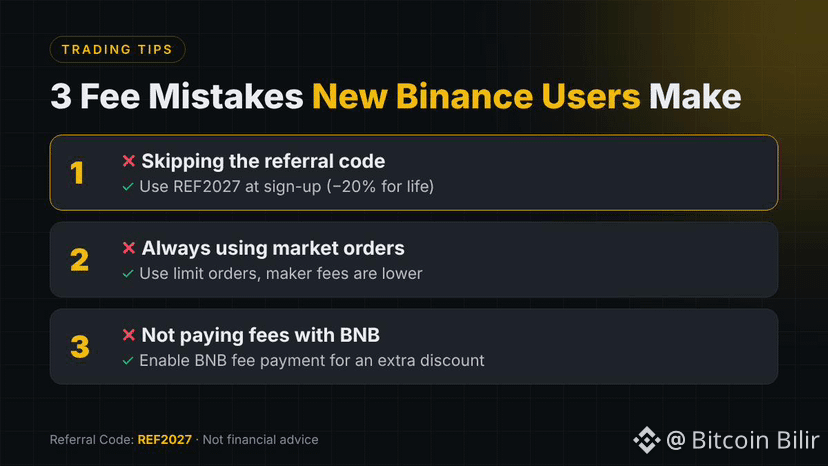
Fee Mistakes New Binance Users Make
Most new traders lose money on fees without even noticing. Avoid these:
❌ Mistake 1: Skipping the referral code
The referral code can only be added at sign-up. Miss it and you pay full fees forever.
✅ Fix: Use REF2027 for a lifetime 20% discount on Spot & Futures.
❌ Mistake 2: Always using market orders
Market (taker) orders cost more. On Futures, taker fees are 2.5x maker fees.
✅ Fix: Use limit orders whenever you can.
❌ Mistake 3: Not paying fees with BNB
Binance gives an extra discount when you pay fees with BNB.
✅ Fix: Turn on BNB fee payment in your settings.
Small fees add up fast. Fix all three and keep more of your profits. 💰
🔑 Binance Referral Code: REF2027
⚠️ Not financial advice. DYOR.
#Binance #REF2027 #BinanceReferralCode
THE_PUNCHER:
Compré un poquito de BNB para pagar comisiones y configuré la app para pagar con BNB.
4
41
6.8k
Article
Binance Referral Code BTC2026: Sign-Up Guide and FAQ (2026)The Binance referral code in this guide is BTC2026. Below: how to enter it at sign-up, what to check if you want to add it later, and short answers to common questions. Last checked against Binance's pages on November 21, 2026.
What is a Binance referral code?
A referral code links your new Binance account to the person who invited you. You enter it once, when you create the account. Using a code costs nothing, and it does not change how Binance works for you.
How to sign up on Binance with code BTC2026
Open the [BTC2026 sign-up link](https://www.binance.com/join?ref=BTC2026). The code BTC2026 is filled in for you.Register with your email or phone number and set a strong password.Before you finish, check that the referral field shows BTC2026.Complete identity verification (KYC) so you can deposit and trade.
Identity verification (KYC): what to prepare
Basic details: Full name, date of birth and addressA valid ID document: Passport, national ID card or driving licenceFace check: A short selfie or video checkClear photos, real data: Blurry photos or wrong details slow it down
Secure your new account first
Turn on 2FA: Use an authenticator app, not only SMSAdd a passkey: Sign in with your device instead of typing a passwordSet an anti-phishing code: It appears in genuine Binance emailsUse a withdrawal whitelist: Withdraw only to addresses you saved
How to make your first deposit
You can fund the account with crypto from another wallet, or with local currency where Binance supports it in your country.
Click Deposit: Choose crypto or your local currencyPick the coin: For example USDTMatch the network: Use the same network as the sending walletWait for confirmations: Then the balance shows in your account
Your first Spot trade, step by step
Open Trade, then Spot: From the top menuSearch for a pair: For example BTC/USDTChoose Limit or Market: Limit sets your price, Market fills nowEnter the amount: In BTC or in USDTCheck your order: Open Orders and Trade History
What the code means for Spot trading
Binance's referral sign-up page lists up to 20% trade rebates on qualifying Spot trading fees for users who register with a code (checked November 21, 2026). Welcome rewards are separate and depend on tasks, your region and eligibility. Since April 29, 2026, Spot referral amounts are calculated on net fees, so they can be lower. Choose an exchange for its security, its coins and its tools, not for a rebate.
Can I add BTC2026 after I sign up?
Sometimes. Binance lets you add a code later only if all of these are true:
Your account is less than 30 days old.It has no referral code yet.You have not deposited or traded yet.You meet any other conditions on Binance's referral page.
A referral code cannot be changed or removed once it is linked. Closing an account to register again can end referral benefits.
Binance referral code BTC2026: FAQ
Is BTC2026 free to use?
Yes. Entering a referral code costs nothing.
Can I change my referral code later?
No. Once a code is linked to your account, it stays.
Does the code work in every country?
Only where Binance offers its services. Check that Binance is available in your country before you register.
Do I need to verify my identity?
Yes. Binance requires identity verification before you can deposit and trade.
I already have a Binance account. Can I use BTC2026?
Only if your account meets the conditions above. Otherwise the code cannot be added.
Is this an official Binance article?
No. It is an independent guide written by a Binance user.
Does a referral code reduce trading risk?
No. Crypto prices can move fast. Only use money you can afford to lose.
What is a Spot trade?
You buy or sell a coin at the current price and own it straight away. No borrowing is involved.
Market or Limit order: which should I use first?
A Market order fills right away at the best available price. A Limit order waits until the price you set is reached.
Which network should I choose for a deposit?
The same network the sending wallet uses. Sending on the wrong network can lose the funds.
What is 2FA?
A second check at sign-in and withdrawal, usually a code from an authenticator app.
What is an anti-phishing code?
A word you choose that Binance adds to its real emails, so you can spot fake ones.
Is the welcome reward guaranteed?
No. It depends on tasks, your region and eligibility, as shown on Binance's page.
Where can I read the official rules?
On binance.com: the referral FAQ and the fee pages.
Summary
Binance referral code: BTC2026. To use it, [open the BTC2026 sign-up page](https://www.binance.com/join?ref=BTC2026) and check that the code shows before you finish registering.
Disclosure: BTC2026 is my referral code, and I may earn commission from qualifying activity. This is an independent guide, not an official Binance post. Benefits depend on Binance's terms, your region and your eligibility. Crypto trading carries risk. Not financial advice. DYOR.
#BinanceReferralCode #BTC2026 #Binance #CryptoTips
Binance Referral Code BTC2026: Sign-Up Guide and FAQ (2026)
The Binance referral code in this guide is BTC2026. Below: how to enter it at sign-up, what to check if you want to add it later, and short answers to common questions. Last checked against Binance's pages on November 21, 2026.
What is a Binance referral code?
A referral code links your new Binance account to the person who invited you. You enter it once, when you create the account. Using a code costs nothing, and it does not change how Binance works for you.
How to sign up on Binance with code BTC2026
Open the BTC2026 sign-up link. The code BTC2026 is filled in for you.Register with your email or phone number and set a strong password.Before you finish, check that the referral field shows BTC2026.Complete identity verification (KYC) so you can deposit and trade.
Identity verification (KYC): what to prepare
Basic details: Full name, date of birth and addressA valid ID document: Passport, national ID card or driving licenceFace check: A short selfie or video checkClear photos, real data: Blurry photos or wrong details slow it down
Secure your new account first
Turn on 2FA: Use an authenticator app, not only SMSAdd a passkey: Sign in with your device instead of typing a passwordSet an anti-phishing code: It appears in genuine Binance emailsUse a withdrawal whitelist: Withdraw only to addresses you saved
How to make your first deposit
You can fund the account with crypto from another wallet, or with local currency where Binance supports it in your country.
Click Deposit: Choose crypto or your local currencyPick the coin: For example USDTMatch the network: Use the same network as the sending walletWait for confirmations: Then the balance shows in your account
Your first Spot trade, step by step
Open Trade, then Spot: From the top menuSearch for a pair: For example BTC/USDTChoose Limit or Market: Limit sets your price, Market fills nowEnter the amount: In BTC or in USDTCheck your order: Open Orders and Trade History
What the code means for Spot trading
Binance's referral sign-up page lists up to 20% trade rebates on qualifying Spot trading fees for users who register with a code (checked November 21, 2026). Welcome rewards are separate and depend on tasks, your region and eligibility. Since April 29, 2026, Spot referral amounts are calculated on net fees, so they can be lower. Choose an exchange for its security, its coins and its tools, not for a rebate.
Can I add BTC2026 after I sign up?
Sometimes. Binance lets you add a code later only if all of these are true:
Your account is less than 30 days old.It has no referral code yet.You have not deposited or traded yet.You meet any other conditions on Binance's referral page.
A referral code cannot be changed or removed once it is linked. Closing an account to register again can end referral benefits.
Binance referral code BTC2026: FAQ
Is BTC2026 free to use?
Yes. Entering a referral code costs nothing.
Can I change my referral code later?
No. Once a code is linked to your account, it stays.
Does the code work in every country?
Only where Binance offers its services. Check that Binance is available in your country before you register.
Do I need to verify my identity?
Yes. Binance requires identity verification before you can deposit and trade.
I already have a Binance account. Can I use BTC2026?
Only if your account meets the conditions above. Otherwise the code cannot be added.
Is this an official Binance article?
No. It is an independent guide written by a Binance user.
Does a referral code reduce trading risk?
No. Crypto prices can move fast. Only use money you can afford to lose.
What is a Spot trade?
You buy or sell a coin at the current price and own it straight away. No borrowing is involved.
Market or Limit order: which should I use first?
A Market order fills right away at the best available price. A Limit order waits until the price you set is reached.
Which network should I choose for a deposit?
The same network the sending wallet uses. Sending on the wrong network can lose the funds.
What is 2FA?
A second check at sign-in and withdrawal, usually a code from an authenticator app.
What is an anti-phishing code?
A word you choose that Binance adds to its real emails, so you can spot fake ones.
Is the welcome reward guaranteed?
No. It depends on tasks, your region and eligibility, as shown on Binance's page.
Where can I read the official rules?
On binance.com: the referral FAQ and the fee pages.
Summary
Binance referral code: BTC2026. To use it, open the BTC2026 sign-up page and check that the code shows before you finish registering.
Disclosure: BTC2026 is my referral code, and I may earn commission from qualifying activity. This is an independent guide, not an official Binance post. Benefits depend on Binance's terms, your region and your eligibility. Crypto trading carries risk. Not financial advice. DYOR.
#BinanceReferralCode #BTC2026 #Binance #CryptoTips
135
Article
바이낸스 추천 코드 BTC2026: 가입 가이드와 자주 묻는 질문 (2026)이 가이드의 바이낸스(Binance) 추천 코드는 BTC2026입니다. 가입할 때 코드를 넣는 방법, 나중에 추가하려면 무엇을 확인해야 하는지, 자주 묻는 질문에 대한 짧은 답변을 정리했습니다. 바이낸스 페이지 기준 마지막 확인일: 2026년 11월 21일.
바이낸스 추천 코드란?
추천 코드는 새 바이낸스 계정을 나를 초대한 사람과 연결합니다. 계정을 만들 때 한 번만 입력합니다. 코드 사용은 무료이며, 바이낸스 이용 방식은 달라지지 않습니다.
BTC2026 코드로 바이낸스 가입하는 방법
[BTC2026 가입 링크](https://www.binance.com/join?ref=BTC2026)를 엽니다. BTC2026 코드가 자동으로 입력됩니다.이메일 또는 휴대폰 번호로 가입하고 강력한 비밀번호를 설정합니다.완료하기 전에 추천 코드 칸에 BTC2026이 보이는지 확인합니다.입금과 거래를 하려면 신원 인증(KYC)을 완료합니다.
신원 인증(KYC): 준비할 것
기본 정보: 이름, 생년월일, 주소유효한 신분증: 여권, 신분증 또는 운전면허증얼굴 인증: 짧은 셀카 또는 영상선명한 사진, 정확한 정보: 흐린 사진이나 오류는 인증을 늦춥니다
새 계정 보안부터 설정하세요
2FA 켜기: SMS만이 아니라 인증 앱 사용패스키 추가: 비밀번호 입력 없이 기기로 로그인피싱 방지 코드 설정: 진짜 바이낸스 이메일에 표시됩니다출금 화이트리스트: 저장한 주소로만 출금
첫 입금하는 방법
다른 지갑에서 암호화폐를 보내거나, 바이낸스가 지원하는 국가라면 현지 통화로 입금할 수 있습니다.
입금 클릭: 암호화폐 또는 현지 통화 선택코인 선택: 예: USDT네트워크 일치: 보내는 지갑과 같은 네트워크컨펌 대기: 이후 잔액이 계정에 표시됩니다
첫 현물(Spot) 거래, 단계별 안내
거래 → 현물 열기: 상단 메뉴에서거래쌍 검색: 예: BTC/USDT지정가 또는 시장가: 지정가는 가격 지정, 시장가는 즉시 체결수량 입력: BTC 또는 USDT 기준주문 확인: 미체결 주문과 거래 내역
현물(Spot) 거래에서 코드의 의미
바이낸스 추천 가입 페이지에는 코드로 가입한 사용자에게 조건을 충족하는 현물 거래 수수료의 최대 20%를 리베이트로 준다고 나와 있습니다(2026년 11월 21일 확인). 웰컴 리워드는 별도이며 과제, 지역, 자격 요건에 따라 달라집니다. 2026년 4월 29일부터 현물 추천 금액은 순수수료 기준으로 계산되므로 더 적을 수 있습니다. 거래소는 리베이트가 아니라 보안, 코인, 도구를 보고 고르세요.
가입 후에 BTC2026을 추가할 수 있나요?
경우에 따라 가능합니다. 바이낸스는 아래 조건을 모두 충족할 때만 나중에 코드를 추가할 수 있게 합니다:
계정 생성 후 30일이 지나지 않았습니다.아직 연결된 추천 코드가 없습니다.아직 입금하거나 거래한 적이 없습니다.바이낸스 추천 페이지의 기타 조건을 충족합니다.
추천 코드는 한 번 연결되면 변경하거나 삭제할 수 없습니다. 다시 가입하려고 계정을 해지하면 추천 혜택이 종료될 수 있습니다.
바이낸스 추천 코드 BTC2026: 자주 묻는 질문
BTC2026은 무료로 쓸 수 있나요?
네. 추천 코드 입력에는 비용이 들지 않습니다.
나중에 추천 코드를 바꿀 수 있나요?
아니요. 계정에 연결된 코드는 그대로 유지됩니다.
모든 국가에서 코드를 쓸 수 있나요?
바이낸스가 서비스를 제공하는 곳에서만 가능합니다. 가입 전에 내 국가에서 바이낸스를 이용할 수 있는지 확인하세요.
신원 인증이 필요한가요?
네. 바이낸스는 입금과 거래 전에 신원 인증을 요구합니다.
이미 바이낸스 계정이 있어요. BTC2026을 쓸 수 있나요?
계정이 위 조건을 충족할 때만 가능합니다. 그렇지 않으면 코드를 추가할 수 없습니다.
바이낸스 공식 글인가요?
아니요. 바이낸스 사용자가 쓴 독립적인 가이드입니다.
추천 코드가 거래 위험을 줄여 주나요?
아니요. 암호화폐 가격은 빠르게 움직일 수 있습니다. 잃어도 괜찮은 돈만 사용하세요.
현물 거래란?
현재 가격으로 코인을 사고팔며, 바로 내 소유가 됩니다. 빌리는 돈은 없습니다.
시장가와 지정가 중 무엇부터?
시장가 주문은 가능한 최적 가격에 바로 체결됩니다. 지정가 주문은 정한 가격에 도달할 때까지 기다립니다.
입금할 때 어떤 네트워크를 고르나요?
보내는 지갑이 쓰는 것과 같은 네트워크입니다. 잘못된 네트워크로 보내면 자금을 잃을 수 있습니다.
2FA란?
로그인과 출금 시 두 번째 확인으로, 보통 인증 앱의 코드입니다.
피싱 방지 코드란?
직접 정한 단어로, 바이낸스가 진짜 이메일에 넣어 가짜 이메일을 구분하게 해 줍니다.
웰컴 리워드는 보장되나요?
아니요. 바이낸스 페이지 안내대로 과제, 지역, 자격 요건에 따라 달라집니다.
공식 규정은 어디서 보나요?
binance.com의 추천 FAQ와 수수료 페이지에서 확인할 수 있습니다.
요약
바이낸스 추천 코드: BTC2026. 사용하려면 [BTC2026 가입 페이지를 열고](https://www.binance.com/join?ref=BTC2026) 가입을 마치기 전에 코드가 표시되는지 확인하세요.
고지: BTC2026은 제 추천 코드이며, 조건을 충족하는 활동에 대해 수수료를 받을 수 있습니다. 이 글은 독립적인 가이드이며 바이낸스 공식 게시물이 아닙니다. 혜택은 바이낸스 약관, 지역, 자격 요건에 따라 달라집니다. 암호화폐 거래에는 위험이 따릅니다. 투자 조언이 아닙니다. DYOR.
#BinanceReferralCode #BTC2026 #Binance #바이낸스
바이낸스 추천 코드 BTC2026: 가입 가이드와 자주 묻는 질문 (2026)
이 가이드의 바이낸스(Binance) 추천 코드는 BTC2026입니다. 가입할 때 코드를 넣는 방법, 나중에 추가하려면 무엇을 확인해야 하는지, 자주 묻는 질문에 대한 짧은 답변을 정리했습니다. 바이낸스 페이지 기준 마지막 확인일: 2026년 11월 21일.
바이낸스 추천 코드란?
추천 코드는 새 바이낸스 계정을 나를 초대한 사람과 연결합니다. 계정을 만들 때 한 번만 입력합니다. 코드 사용은 무료이며, 바이낸스 이용 방식은 달라지지 않습니다.
BTC2026 코드로 바이낸스 가입하는 방법
BTC2026 가입 링크를 엽니다. BTC2026 코드가 자동으로 입력됩니다.이메일 또는 휴대폰 번호로 가입하고 강력한 비밀번호를 설정합니다.완료하기 전에 추천 코드 칸에 BTC2026이 보이는지 확인합니다.입금과 거래를 하려면 신원 인증(KYC)을 완료합니다.
신원 인증(KYC): 준비할 것
기본 정보: 이름, 생년월일, 주소유효한 신분증: 여권, 신분증 또는 운전면허증얼굴 인증: 짧은 셀카 또는 영상선명한 사진, 정확한 정보: 흐린 사진이나 오류는 인증을 늦춥니다
새 계정 보안부터 설정하세요
2FA 켜기: SMS만이 아니라 인증 앱 사용패스키 추가: 비밀번호 입력 없이 기기로 로그인피싱 방지 코드 설정: 진짜 바이낸스 이메일에 표시됩니다출금 화이트리스트: 저장한 주소로만 출금
첫 입금하는 방법
다른 지갑에서 암호화폐를 보내거나, 바이낸스가 지원하는 국가라면 현지 통화로 입금할 수 있습니다.
입금 클릭: 암호화폐 또는 현지 통화 선택코인 선택: 예: USDT네트워크 일치: 보내는 지갑과 같은 네트워크컨펌 대기: 이후 잔액이 계정에 표시됩니다
첫 현물(Spot) 거래, 단계별 안내
거래 → 현물 열기: 상단 메뉴에서거래쌍 검색: 예: BTC/USDT지정가 또는 시장가: 지정가는 가격 지정, 시장가는 즉시 체결수량 입력: BTC 또는 USDT 기준주문 확인: 미체결 주문과 거래 내역
현물(Spot) 거래에서 코드의 의미
바이낸스 추천 가입 페이지에는 코드로 가입한 사용자에게 조건을 충족하는 현물 거래 수수료의 최대 20%를 리베이트로 준다고 나와 있습니다(2026년 11월 21일 확인). 웰컴 리워드는 별도이며 과제, 지역, 자격 요건에 따라 달라집니다. 2026년 4월 29일부터 현물 추천 금액은 순수수료 기준으로 계산되므로 더 적을 수 있습니다. 거래소는 리베이트가 아니라 보안, 코인, 도구를 보고 고르세요.
가입 후에 BTC2026을 추가할 수 있나요?
경우에 따라 가능합니다. 바이낸스는 아래 조건을 모두 충족할 때만 나중에 코드를 추가할 수 있게 합니다:
계정 생성 후 30일이 지나지 않았습니다.아직 연결된 추천 코드가 없습니다.아직 입금하거나 거래한 적이 없습니다.바이낸스 추천 페이지의 기타 조건을 충족합니다.
추천 코드는 한 번 연결되면 변경하거나 삭제할 수 없습니다. 다시 가입하려고 계정을 해지하면 추천 혜택이 종료될 수 있습니다.
바이낸스 추천 코드 BTC2026: 자주 묻는 질문
BTC2026은 무료로 쓸 수 있나요?
네. 추천 코드 입력에는 비용이 들지 않습니다.
나중에 추천 코드를 바꿀 수 있나요?
아니요. 계정에 연결된 코드는 그대로 유지됩니다.
모든 국가에서 코드를 쓸 수 있나요?
바이낸스가 서비스를 제공하는 곳에서만 가능합니다. 가입 전에 내 국가에서 바이낸스를 이용할 수 있는지 확인하세요.
신원 인증이 필요한가요?
네. 바이낸스는 입금과 거래 전에 신원 인증을 요구합니다.
이미 바이낸스 계정이 있어요. BTC2026을 쓸 수 있나요?
계정이 위 조건을 충족할 때만 가능합니다. 그렇지 않으면 코드를 추가할 수 없습니다.
바이낸스 공식 글인가요?
아니요. 바이낸스 사용자가 쓴 독립적인 가이드입니다.
추천 코드가 거래 위험을 줄여 주나요?
아니요. 암호화폐 가격은 빠르게 움직일 수 있습니다. 잃어도 괜찮은 돈만 사용하세요.
현물 거래란?
현재 가격으로 코인을 사고팔며, 바로 내 소유가 됩니다. 빌리는 돈은 없습니다.
시장가와 지정가 중 무엇부터?
시장가 주문은 가능한 최적 가격에 바로 체결됩니다. 지정가 주문은 정한 가격에 도달할 때까지 기다립니다.
입금할 때 어떤 네트워크를 고르나요?
보내는 지갑이 쓰는 것과 같은 네트워크입니다. 잘못된 네트워크로 보내면 자금을 잃을 수 있습니다.
2FA란?
로그인과 출금 시 두 번째 확인으로, 보통 인증 앱의 코드입니다.
피싱 방지 코드란?
직접 정한 단어로, 바이낸스가 진짜 이메일에 넣어 가짜 이메일을 구분하게 해 줍니다.
웰컴 리워드는 보장되나요?
아니요. 바이낸스 페이지 안내대로 과제, 지역, 자격 요건에 따라 달라집니다.
공식 규정은 어디서 보나요?
binance.com의 추천 FAQ와 수수료 페이지에서 확인할 수 있습니다.
요약
바이낸스 추천 코드: BTC2026. 사용하려면 BTC2026 가입 페이지를 열고 가입을 마치기 전에 코드가 표시되는지 확인하세요.
고지: BTC2026은 제 추천 코드이며, 조건을 충족하는 활동에 대해 수수료를 받을 수 있습니다. 이 글은 독립적인 가이드이며 바이낸스 공식 게시물이 아닙니다. 혜택은 바이낸스 약관, 지역, 자격 요건에 따라 달라집니다. 암호화폐 거래에는 위험이 따릅니다. 투자 조언이 아닙니다. DYOR.
#BinanceReferralCode #BTC2026 #Binance #바이낸스
68
Article
Mã giới thiệu Binance BTC2026: hướng dẫn đăng ký và hỏi đápMã giới thiệu Binance trong bài này là BTC2026. Dưới đây là cách nhập mã khi đăng ký, những điều cần kiểm tra nếu muốn thêm mã sau, và câu trả lời ngắn cho các câu hỏi thường gặp. Kiểm tra lần cuối trên các trang của Binance: 21/11/2026.
Mã giới thiệu Binance là gì?
Mã giới thiệu liên kết tài khoản Binance mới của bạn với người đã mời bạn. Mã chỉ nhập một lần, khi tạo tài khoản. Dùng mã không mất phí và không thay đổi cách Binance hoạt động với bạn.
Cách đăng ký Binance với mã BTC2026
Mở [liên kết đăng ký BTC2026](https://www.binance.com/join?ref=BTC2026). Mã BTC2026 đã được điền sẵn.Đăng ký bằng email hoặc số điện thoại và đặt mật khẩu mạnh.Trước khi hoàn tất, kiểm tra ô mã giới thiệu hiển thị BTC2026.Hoàn tất xác minh danh tính (KYC) để có thể nạp tiền và giao dịch.
Xác minh danh tính (KYC): cần chuẩn bị gì
Thông tin cơ bản: Họ tên, ngày sinh và địa chỉGiấy tờ hợp lệ: Hộ chiếu, CCCD hoặc bằng láiXác minh khuôn mặt: Ảnh selfie hoặc video ngắnẢnh rõ, thông tin đúng: Ảnh mờ hoặc sai thông tin làm chậm quá trình
Bảo mật tài khoản mới trước tiên
Bật 2FA: Dùng ứng dụng xác thực, không chỉ SMSThêm passkey: Đăng nhập bằng thiết bị, không cần gõ mật khẩuĐặt mã chống lừa đảo: Mã hiện trong email thật của BinanceDùng danh sách rút tiền: Chỉ rút về địa chỉ đã lưu
Cách nạp tiền lần đầu
Bạn có thể nạp crypto từ ví khác, hoặc nạp bằng tiền tệ địa phương nếu Binance hỗ trợ ở quốc gia của bạn.
Bấm Nạp tiền: Chọn crypto hoặc tiền địa phươngChọn coin: Ví dụ USDTChọn đúng mạng: Cùng mạng với ví gửiChờ xác nhận: Sau đó số dư hiện trong tài khoản
Giao dịch Spot đầu tiên, từng bước
Mở Giao dịch rồi Spot: Từ menu trên cùngTìm cặp: Ví dụ BTC/USDTChọn Limit hoặc Market: Limit đặt giá, Market khớp ngayNhập số lượng: Theo BTC hoặc USDTKiểm tra lệnh: Lệnh mở và lịch sử giao dịch
Mã này có ý nghĩa gì với giao dịch Spot
Trang đăng ký giới thiệu của Binance ghi hoàn phí giao dịch lên đến 20% trên phí giao dịch Spot đủ điều kiện cho người dùng đăng ký bằng mã (kiểm tra ngày 21/11/2026). Phần thưởng chào mừng là riêng và phụ thuộc vào nhiệm vụ, khu vực và điều kiện. Từ 29/04/2026, số tiền giới thiệu Spot được tính trên phí ròng nên có thể thấp hơn. Hãy chọn sàn vì độ an toàn, danh sách coin và công cụ, không phải vì khoản hoàn phí.
Có thể thêm BTC2026 sau khi đăng ký không?
Đôi khi có. Binance chỉ cho thêm mã sau nếu đáp ứng tất cả các điều sau:
Tài khoản của bạn chưa đủ 30 ngày.Tài khoản chưa có mã giới thiệu.Bạn chưa nạp tiền hay giao dịch.Bạn đáp ứng các điều kiện khác trên trang giới thiệu của Binance.
Sau khi liên kết, mã giới thiệu không thể thay đổi hoặc xóa. Đóng tài khoản để đăng ký lại có thể làm mất quyền lợi giới thiệu.
Mã giới thiệu Binance BTC2026: hỏi đáp
Dùng BTC2026 có mất phí không?
Không. Nhập mã giới thiệu là miễn phí.
Tôi có thể đổi mã giới thiệu sau không?
Không. Khi đã liên kết với tài khoản, mã sẽ giữ nguyên.
Mã có dùng được ở mọi quốc gia không?
Chỉ ở nơi Binance cung cấp dịch vụ. Hãy kiểm tra Binance có hoạt động ở quốc gia của bạn trước khi đăng ký.
Tôi có cần xác minh danh tính không?
Có. Binance yêu cầu xác minh danh tính trước khi nạp tiền và giao dịch.
Tôi đã có tài khoản Binance. Có dùng được BTC2026 không?
Chỉ khi tài khoản đáp ứng các điều kiện ở trên. Nếu không, mã không thể được thêm.
Đây có phải bài viết chính thức của Binance không?
Không. Đây là hướng dẫn độc lập do một người dùng Binance viết.
Mã giới thiệu có giảm rủi ro giao dịch không?
Không. Giá crypto có thể biến động nhanh. Chỉ dùng số tiền bạn chấp nhận mất.
Giao dịch Spot là gì?
Bạn mua hoặc bán coin theo giá hiện tại và sở hữu ngay. Không vay mượn.
Lệnh Market hay Limit: nên dùng cái nào trước?
Lệnh Market khớp ngay ở giá tốt nhất hiện có. Lệnh Limit chờ đến khi giá đạt mức bạn đặt.
Nạp tiền nên chọn mạng nào?
Cùng mạng mà ví gửi sử dụng. Gửi sai mạng có thể làm mất tiền.
2FA là gì?
Bước kiểm tra thứ hai khi đăng nhập và rút tiền, thường là mã từ ứng dụng xác thực.
Mã chống lừa đảo là gì?
Một từ bạn tự chọn, Binance thêm vào email thật để bạn nhận ra email giả.
Phần thưởng chào mừng có chắc chắn không?
Không. Phụ thuộc vào nhiệm vụ, khu vực và điều kiện của bạn, như trang Binance ghi.
Đọc quy định chính thức ở đâu?
Trên binance.com: câu hỏi thường gặp về giới thiệu và các trang phí.
Tóm tắt
Mã giới thiệu Binance: BTC2026. Để sử dụng, hãy [mở trang đăng ký BTC2026](https://www.binance.com/join?ref=BTC2026) và kiểm tra mã hiển thị trước khi hoàn tất đăng ký.
Công bố: BTC2026 là mã giới thiệu của tôi và tôi có thể nhận hoa hồng từ hoạt động đủ điều kiện. Đây là hướng dẫn độc lập, không phải bài đăng chính thức của Binance. Quyền lợi phụ thuộc vào điều khoản của Binance, khu vực và điều kiện của bạn. Giao dịch crypto có rủi ro. Không phải lời khuyên tài chính. DYOR.
#BinanceReferralCode #BTC2026 #Binance #BinanceVietnamSquare
Mã giới thiệu Binance BTC2026: hướng dẫn đăng ký và hỏi đáp
Mã giới thiệu Binance trong bài này là BTC2026. Dưới đây là cách nhập mã khi đăng ký, những điều cần kiểm tra nếu muốn thêm mã sau, và câu trả lời ngắn cho các câu hỏi thường gặp. Kiểm tra lần cuối trên các trang của Binance: 21/11/2026.
Mã giới thiệu Binance là gì?
Mã giới thiệu liên kết tài khoản Binance mới của bạn với người đã mời bạn. Mã chỉ nhập một lần, khi tạo tài khoản. Dùng mã không mất phí và không thay đổi cách Binance hoạt động với bạn.
Cách đăng ký Binance với mã BTC2026
Mở liên kết đăng ký BTC2026. Mã BTC2026 đã được điền sẵn.Đăng ký bằng email hoặc số điện thoại và đặt mật khẩu mạnh.Trước khi hoàn tất, kiểm tra ô mã giới thiệu hiển thị BTC2026.Hoàn tất xác minh danh tính (KYC) để có thể nạp tiền và giao dịch.
Xác minh danh tính (KYC): cần chuẩn bị gì
Thông tin cơ bản: Họ tên, ngày sinh và địa chỉGiấy tờ hợp lệ: Hộ chiếu, CCCD hoặc bằng láiXác minh khuôn mặt: Ảnh selfie hoặc video ngắnẢnh rõ, thông tin đúng: Ảnh mờ hoặc sai thông tin làm chậm quá trình
Bảo mật tài khoản mới trước tiên
Bật 2FA: Dùng ứng dụng xác thực, không chỉ SMSThêm passkey: Đăng nhập bằng thiết bị, không cần gõ mật khẩuĐặt mã chống lừa đảo: Mã hiện trong email thật của BinanceDùng danh sách rút tiền: Chỉ rút về địa chỉ đã lưu
Cách nạp tiền lần đầu
Bạn có thể nạp crypto từ ví khác, hoặc nạp bằng tiền tệ địa phương nếu Binance hỗ trợ ở quốc gia của bạn.
Bấm Nạp tiền: Chọn crypto hoặc tiền địa phươngChọn coin: Ví dụ USDTChọn đúng mạng: Cùng mạng với ví gửiChờ xác nhận: Sau đó số dư hiện trong tài khoản
Giao dịch Spot đầu tiên, từng bước
Mở Giao dịch rồi Spot: Từ menu trên cùngTìm cặp: Ví dụ BTC/USDTChọn Limit hoặc Market: Limit đặt giá, Market khớp ngayNhập số lượng: Theo BTC hoặc USDTKiểm tra lệnh: Lệnh mở và lịch sử giao dịch
Mã này có ý nghĩa gì với giao dịch Spot
Trang đăng ký giới thiệu của Binance ghi hoàn phí giao dịch lên đến 20% trên phí giao dịch Spot đủ điều kiện cho người dùng đăng ký bằng mã (kiểm tra ngày 21/11/2026). Phần thưởng chào mừng là riêng và phụ thuộc vào nhiệm vụ, khu vực và điều kiện. Từ 29/04/2026, số tiền giới thiệu Spot được tính trên phí ròng nên có thể thấp hơn. Hãy chọn sàn vì độ an toàn, danh sách coin và công cụ, không phải vì khoản hoàn phí.
Có thể thêm BTC2026 sau khi đăng ký không?
Đôi khi có. Binance chỉ cho thêm mã sau nếu đáp ứng tất cả các điều sau:
Tài khoản của bạn chưa đủ 30 ngày.Tài khoản chưa có mã giới thiệu.Bạn chưa nạp tiền hay giao dịch.Bạn đáp ứng các điều kiện khác trên trang giới thiệu của Binance.
Sau khi liên kết, mã giới thiệu không thể thay đổi hoặc xóa. Đóng tài khoản để đăng ký lại có thể làm mất quyền lợi giới thiệu.
Mã giới thiệu Binance BTC2026: hỏi đáp
Dùng BTC2026 có mất phí không?
Không. Nhập mã giới thiệu là miễn phí.
Tôi có thể đổi mã giới thiệu sau không?
Không. Khi đã liên kết với tài khoản, mã sẽ giữ nguyên.
Mã có dùng được ở mọi quốc gia không?
Chỉ ở nơi Binance cung cấp dịch vụ. Hãy kiểm tra Binance có hoạt động ở quốc gia của bạn trước khi đăng ký.
Tôi có cần xác minh danh tính không?
Có. Binance yêu cầu xác minh danh tính trước khi nạp tiền và giao dịch.
Tôi đã có tài khoản Binance. Có dùng được BTC2026 không?
Chỉ khi tài khoản đáp ứng các điều kiện ở trên. Nếu không, mã không thể được thêm.
Đây có phải bài viết chính thức của Binance không?
Không. Đây là hướng dẫn độc lập do một người dùng Binance viết.
Mã giới thiệu có giảm rủi ro giao dịch không?
Không. Giá crypto có thể biến động nhanh. Chỉ dùng số tiền bạn chấp nhận mất.
Giao dịch Spot là gì?
Bạn mua hoặc bán coin theo giá hiện tại và sở hữu ngay. Không vay mượn.
Lệnh Market hay Limit: nên dùng cái nào trước?
Lệnh Market khớp ngay ở giá tốt nhất hiện có. Lệnh Limit chờ đến khi giá đạt mức bạn đặt.
Nạp tiền nên chọn mạng nào?
Cùng mạng mà ví gửi sử dụng. Gửi sai mạng có thể làm mất tiền.
2FA là gì?
Bước kiểm tra thứ hai khi đăng nhập và rút tiền, thường là mã từ ứng dụng xác thực.
Mã chống lừa đảo là gì?
Một từ bạn tự chọn, Binance thêm vào email thật để bạn nhận ra email giả.
Phần thưởng chào mừng có chắc chắn không?
Không. Phụ thuộc vào nhiệm vụ, khu vực và điều kiện của bạn, như trang Binance ghi.
Đọc quy định chính thức ở đâu?
Trên binance.com: câu hỏi thường gặp về giới thiệu và các trang phí.
Tóm tắt
Mã giới thiệu Binance: BTC2026. Để sử dụng, hãy mở trang đăng ký BTC2026 và kiểm tra mã hiển thị trước khi hoàn tất đăng ký.
Công bố: BTC2026 là mã giới thiệu của tôi và tôi có thể nhận hoa hồng từ hoạt động đủ điều kiện. Đây là hướng dẫn độc lập, không phải bài đăng chính thức của Binance. Quyền lợi phụ thuộc vào điều khoản của Binance, khu vực và điều kiện của bạn. Giao dịch crypto có rủi ro. Không phải lời khuyên tài chính. DYOR.
#BinanceReferralCode #BTC2026 #Binance #BinanceVietnamSquare
69
Article
Kode Referral Binance BTC2026: Panduan Daftar dan FAQ (2026)Kode referral Binance dalam panduan ini adalah BTC2026. Di bawah ini: cara memasukkannya saat daftar, apa yang perlu dicek jika ingin menambahkannya nanti, dan jawaban singkat untuk pertanyaan umum. Terakhir dicek di halaman Binance: 21 November 2026.
Apa itu kode referral Binance?
Kode referral menghubungkan akun Binance baru Anda dengan orang yang mengundang Anda. Kode dimasukkan sekali saja, saat membuat akun. Menggunakan kode tidak dipungut biaya dan tidak mengubah cara kerja Binance untuk Anda.
Cara daftar di Binance dengan kode BTC2026
Buka [link pendaftaran BTC2026](https://www.binance.com/join?ref=BTC2026). Kode BTC2026 sudah terisi otomatis.Daftar dengan email atau nomor ponsel dan buat kata sandi yang kuat.Sebelum selesai, pastikan kolom referral menampilkan BTC2026.Selesaikan verifikasi identitas (KYC) agar bisa deposit dan trading.
Verifikasi identitas (KYC): apa yang perlu disiapkan
Data dasar: Nama lengkap, tanggal lahir, dan alamatDokumen identitas sah: Paspor, KTP, atau SIMVerifikasi wajah: Selfie atau video singkatFoto jelas, data benar: Foto buram atau data salah memperlambat proses
Amankan akun baru Anda lebih dulu
Aktifkan 2FA: Pakai aplikasi autentikator, bukan hanya SMSTambahkan passkey: Masuk dengan perangkat tanpa mengetik kata sandiAtur kode anti-phishing: Muncul di email asli dari BinancePakai whitelist penarikan: Tarik dana hanya ke alamat tersimpan
Cara melakukan deposit pertama
Anda bisa mengisi akun dengan kripto dari dompet lain, atau dengan mata uang lokal jika Binance mendukungnya di negara Anda.
Klik Deposit: Pilih kripto atau mata uang lokalPilih koin: Misalnya USDTSamakan jaringan: Jaringan yang sama dengan dompet pengirimTunggu konfirmasi: Lalu saldo muncul di akun Anda
Trading Spot pertama, langkah demi langkah
Buka Trade lalu Spot: Dari menu atasCari pasangan: Misalnya BTC/USDTPilih Limit atau Market: Limit atur harga, Market langsungMasukkan jumlah: Dalam BTC atau USDTCek order Anda: Open Orders dan Trade History
Arti kode ini untuk trading Spot
Halaman pendaftaran referral Binance mencantumkan trade rebate hingga 20% atas biaya trading Spot yang memenuhi syarat bagi pengguna yang mendaftar dengan kode (dicek 21 November 2026). Hadiah sambutan terpisah dan bergantung pada tugas, wilayah, dan kelayakan. Sejak 29 April 2026, jumlah referral Spot dihitung dari biaya bersih, jadi bisa lebih kecil. Pilih exchange karena keamanan, koin, dan fiturnya, bukan karena rebate.
Bisakah menambahkan BTC2026 setelah daftar?
Kadang bisa. Binance hanya mengizinkan penambahan kode belakangan jika semua ini terpenuhi:
Akun Anda berumur kurang dari 30 hari.Akun belum memiliki kode referral.Anda belum melakukan deposit atau trading.Anda memenuhi syarat lain di halaman referral Binance.
Kode referral tidak bisa diubah atau dihapus setelah terhubung. Menutup akun untuk mendaftar ulang bisa menghilangkan manfaat referral.
Kode referral Binance BTC2026: FAQ
Apakah BTC2026 gratis digunakan?
Ya. Memasukkan kode referral tidak dipungut biaya.
Bisakah saya mengganti kode referral nanti?
Tidak. Setelah terhubung ke akun Anda, kode tetap sama.
Apakah kode berlaku di semua negara?
Hanya di negara tempat Binance menyediakan layanannya. Pastikan Binance tersedia di negara Anda sebelum mendaftar.
Apakah perlu verifikasi identitas?
Ya. Binance mewajibkan verifikasi identitas sebelum deposit dan trading.
Saya sudah punya akun Binance. Bisakah memakai BTC2026?
Hanya jika akun Anda memenuhi syarat di atas. Jika tidak, kode tidak bisa ditambahkan.
Apakah ini artikel resmi Binance?
Bukan. Ini panduan independen yang ditulis oleh pengguna Binance.
Apakah kode referral mengurangi risiko trading?
Tidak. Harga kripto bisa bergerak cepat. Gunakan hanya dana yang siap Anda tanggung kerugiannya.
Apa itu trading Spot?
Anda membeli atau menjual koin pada harga saat ini dan langsung memilikinya. Tidak ada pinjaman.
Order Market atau Limit: mana dulu?
Order Market langsung terisi di harga terbaik yang tersedia. Order Limit menunggu sampai harga yang Anda tetapkan tercapai.
Jaringan apa yang dipilih untuk deposit?
Jaringan yang sama dengan dompet pengirim. Mengirim lewat jaringan yang salah bisa membuat dana hilang.
Apa itu 2FA?
Pemeriksaan kedua saat masuk dan menarik dana, biasanya kode dari aplikasi autentikator.
Apa itu kode anti-phishing?
Kata pilihan Anda yang ditambahkan Binance ke email aslinya agar Anda bisa mengenali email palsu.
Apakah hadiah sambutan dijamin?
Tidak. Tergantung tugas, wilayah, dan kelayakan Anda, sesuai halaman Binance.
Di mana membaca aturan resmi?
Di binance.com: FAQ referral dan halaman biaya.
Ringkasan
Kode referral Binance: BTC2026. Untuk memakainya, [buka halaman pendaftaran BTC2026](https://www.binance.com/join?ref=BTC2026) dan pastikan kode tampil sebelum menyelesaikan pendaftaran.
Pengungkapan: BTC2026 adalah kode referral saya, dan saya bisa mendapat komisi dari aktivitas yang memenuhi syarat. Ini panduan independen, bukan postingan resmi Binance. Manfaat bergantung pada ketentuan Binance, wilayah, dan kelayakan Anda. Trading kripto berisiko. Bukan nasihat keuangan. DYOR.
#BinanceReferralCode #BTC2026 #Binance #BinanceIndonesian
Kode Referral Binance BTC2026: Panduan Daftar dan FAQ (2026)
Kode referral Binance dalam panduan ini adalah BTC2026. Di bawah ini: cara memasukkannya saat daftar, apa yang perlu dicek jika ingin menambahkannya nanti, dan jawaban singkat untuk pertanyaan umum. Terakhir dicek di halaman Binance: 21 November 2026.
Apa itu kode referral Binance?
Kode referral menghubungkan akun Binance baru Anda dengan orang yang mengundang Anda. Kode dimasukkan sekali saja, saat membuat akun. Menggunakan kode tidak dipungut biaya dan tidak mengubah cara kerja Binance untuk Anda.
Cara daftar di Binance dengan kode BTC2026
Buka link pendaftaran BTC2026. Kode BTC2026 sudah terisi otomatis.Daftar dengan email atau nomor ponsel dan buat kata sandi yang kuat.Sebelum selesai, pastikan kolom referral menampilkan BTC2026.Selesaikan verifikasi identitas (KYC) agar bisa deposit dan trading.
Verifikasi identitas (KYC): apa yang perlu disiapkan
Data dasar: Nama lengkap, tanggal lahir, dan alamatDokumen identitas sah: Paspor, KTP, atau SIMVerifikasi wajah: Selfie atau video singkatFoto jelas, data benar: Foto buram atau data salah memperlambat proses
Amankan akun baru Anda lebih dulu
Aktifkan 2FA: Pakai aplikasi autentikator, bukan hanya SMSTambahkan passkey: Masuk dengan perangkat tanpa mengetik kata sandiAtur kode anti-phishing: Muncul di email asli dari BinancePakai whitelist penarikan: Tarik dana hanya ke alamat tersimpan
Cara melakukan deposit pertama
Anda bisa mengisi akun dengan kripto dari dompet lain, atau dengan mata uang lokal jika Binance mendukungnya di negara Anda.
Klik Deposit: Pilih kripto atau mata uang lokalPilih koin: Misalnya USDTSamakan jaringan: Jaringan yang sama dengan dompet pengirimTunggu konfirmasi: Lalu saldo muncul di akun Anda
Trading Spot pertama, langkah demi langkah
Buka Trade lalu Spot: Dari menu atasCari pasangan: Misalnya BTC/USDTPilih Limit atau Market: Limit atur harga, Market langsungMasukkan jumlah: Dalam BTC atau USDTCek order Anda: Open Orders dan Trade History
Arti kode ini untuk trading Spot
Halaman pendaftaran referral Binance mencantumkan trade rebate hingga 20% atas biaya trading Spot yang memenuhi syarat bagi pengguna yang mendaftar dengan kode (dicek 21 November 2026). Hadiah sambutan terpisah dan bergantung pada tugas, wilayah, dan kelayakan. Sejak 29 April 2026, jumlah referral Spot dihitung dari biaya bersih, jadi bisa lebih kecil. Pilih exchange karena keamanan, koin, dan fiturnya, bukan karena rebate.
Bisakah menambahkan BTC2026 setelah daftar?
Kadang bisa. Binance hanya mengizinkan penambahan kode belakangan jika semua ini terpenuhi:
Akun Anda berumur kurang dari 30 hari.Akun belum memiliki kode referral.Anda belum melakukan deposit atau trading.Anda memenuhi syarat lain di halaman referral Binance.
Kode referral tidak bisa diubah atau dihapus setelah terhubung. Menutup akun untuk mendaftar ulang bisa menghilangkan manfaat referral.
Kode referral Binance BTC2026: FAQ
Apakah BTC2026 gratis digunakan?
Ya. Memasukkan kode referral tidak dipungut biaya.
Bisakah saya mengganti kode referral nanti?
Tidak. Setelah terhubung ke akun Anda, kode tetap sama.
Apakah kode berlaku di semua negara?
Hanya di negara tempat Binance menyediakan layanannya. Pastikan Binance tersedia di negara Anda sebelum mendaftar.
Apakah perlu verifikasi identitas?
Ya. Binance mewajibkan verifikasi identitas sebelum deposit dan trading.
Saya sudah punya akun Binance. Bisakah memakai BTC2026?
Hanya jika akun Anda memenuhi syarat di atas. Jika tidak, kode tidak bisa ditambahkan.
Apakah ini artikel resmi Binance?
Bukan. Ini panduan independen yang ditulis oleh pengguna Binance.
Apakah kode referral mengurangi risiko trading?
Tidak. Harga kripto bisa bergerak cepat. Gunakan hanya dana yang siap Anda tanggung kerugiannya.
Apa itu trading Spot?
Anda membeli atau menjual koin pada harga saat ini dan langsung memilikinya. Tidak ada pinjaman.
Order Market atau Limit: mana dulu?
Order Market langsung terisi di harga terbaik yang tersedia. Order Limit menunggu sampai harga yang Anda tetapkan tercapai.
Jaringan apa yang dipilih untuk deposit?
Jaringan yang sama dengan dompet pengirim. Mengirim lewat jaringan yang salah bisa membuat dana hilang.
Apa itu 2FA?
Pemeriksaan kedua saat masuk dan menarik dana, biasanya kode dari aplikasi autentikator.
Apa itu kode anti-phishing?
Kata pilihan Anda yang ditambahkan Binance ke email aslinya agar Anda bisa mengenali email palsu.
Apakah hadiah sambutan dijamin?
Tidak. Tergantung tugas, wilayah, dan kelayakan Anda, sesuai halaman Binance.
Di mana membaca aturan resmi?
Di binance.com: FAQ referral dan halaman biaya.
Ringkasan
Kode referral Binance: BTC2026. Untuk memakainya, buka halaman pendaftaran BTC2026 dan pastikan kode tampil sebelum menyelesaikan pendaftaran.
Pengungkapan: BTC2026 adalah kode referral saya, dan saya bisa mendapat komisi dari aktivitas yang memenuhi syarat. Ini panduan independen, bukan postingan resmi Binance. Manfaat bergantung pada ketentuan Binance, wilayah, dan kelayakan Anda. Trading kripto berisiko. Bukan nasihat keuangan. DYOR.
#BinanceReferralCode #BTC2026 #Binance #BinanceIndonesian
73
Article
Binance रेफरल कोड BTC2026: साइन-अप गाइड और सवाल-जवाबइस गाइड में Binance रेफरल कोड BTC2026 है। नीचे बताया गया है कि साइन-अप के समय इसे कैसे डालें, बाद में जोड़ना हो तो क्या जांचें, और आम सवालों के छोटे जवाब। Binance के पेजों से आखिरी जांच: 21 नवंबर 2026।
Binance रेफरल कोड क्या है?
रेफरल कोड आपके नए Binance अकाउंट को उस व्यक्ति से जोड़ता है जिसने आपको आमंत्रित किया। यह सिर्फ एक बार, अकाउंट बनाते समय डाला जाता है। कोड का इस्तेमाल मुफ्त है और इससे Binance के काम करने का तरीका नहीं बदलता।
कोड BTC2026 के साथ Binance पर साइन-अप कैसे करें
[BTC2026 साइन-अप लिंक](https://www.binance.com/join?ref=BTC2026) खोलें। कोड BTC2026 पहले से भरा होता है।अपने ईमेल या फोन नंबर से रजिस्टर करें और मजबूत पासवर्ड रखें।पूरा करने से पहले जांचें कि रेफरल फील्ड में BTC2026 दिख रहा है।डिपॉजिट और ट्रेड करने के लिए पहचान सत्यापन (KYC) पूरा करें।
पहचान सत्यापन (KYC): क्या तैयार रखें
बुनियादी जानकारी: पूरा नाम, जन्मतिथि और पतावैध पहचान पत्र: पासपोर्ट, पहचान पत्र या ड्राइविंग लाइसेंसचेहरे की जांच: छोटी सेल्फी या वीडियोसाफ फोटो, सही जानकारी: धुंधली फोटो या गलत जानकारी से देरी होती है
सबसे पहले नया अकाउंट सुरक्षित करें
2FA चालू करें: सिर्फ SMS नहीं, ऑथेंटिकेटर ऐप सेपासकी जोड़ें: पासवर्ड टाइप किए बिना डिवाइस से लॉगिनएंटी-फिशिंग कोड सेट करें: यह Binance के असली ईमेल में दिखता हैविदड्रॉल व्हाइटलिस्ट: सिर्फ सेव किए गए पतों पर निकासी
पहला डिपॉजिट कैसे करें
आप दूसरे वॉलेट से क्रिप्टो भेजकर, या जहां Binance आपके देश में सपोर्ट करता है वहां लोकल करेंसी से अकाउंट में पैसे डाल सकते हैं।
Deposit पर क्लिक करें: क्रिप्टो या लोकल करेंसी चुनेंकॉइन चुनें: जैसे USDTनेटवर्क मिलाएं: भेजने वाले वॉलेट वाला ही नेटवर्ककन्फर्मेशन का इंतज़ार: फिर बैलेंस अकाउंट में दिखेगा
पहला Spot ट्रेड, स्टेप बाय स्टेप
Trade फिर Spot खोलें: ऊपर के मेन्यू सेपेयर खोजें: जैसे BTC/USDTLimit या Market चुनें: Limit में आपकी कीमत, Market तुरंतराशि डालें: BTC या USDT मेंऑर्डर जांचें: Open Orders और Trade History
Spot ट्रेडिंग के लिए कोड का क्या मतलब है
Binance के रेफरल साइन-अप पेज पर लिखा है कि कोड से रजिस्टर करने वाले यूज़र्स को योग्य Spot ट्रेडिंग फीस पर 20% तक ट्रेड रिबेट मिल सकता है (21 नवंबर 2026 को जांचा गया)। वेलकम रिवॉर्ड्स अलग हैं और टास्क, आपके क्षेत्र और पात्रता पर निर्भर करते हैं। 29 अप्रैल 2026 से Spot रेफरल राशि नेट फीस पर गिनी जाती है, इसलिए यह कम हो सकती है। एक्सचेंज उसकी सुरक्षा, कॉइन्स और टूल्स देखकर चुनें, रिबेट देखकर नहीं।
क्या साइन-अप के बाद BTC2026 जोड़ सकते हैं?
कभी-कभी। Binance बाद में कोड जोड़ने की अनुमति तभी देता है जब ये सभी बातें सही हों:
आपका अकाउंट 30 दिन से कम पुराना है।उसमें अभी कोई रेफरल कोड नहीं है।आपने अभी तक कोई डिपॉजिट या ट्रेड नहीं किया है।आप Binance के रेफरल पेज की बाकी शर्तें पूरी करते हैं।
रेफरल कोड एक बार जुड़ जाने के बाद बदला या हटाया नहीं जा सकता। दोबारा रजिस्टर करने के लिए अकाउंट बंद करने से रेफरल लाभ खत्म हो सकते हैं।
Binance रेफरल कोड BTC2026: सवाल-जवाब
क्या BTC2026 का इस्तेमाल मुफ्त है?
हां। रेफरल कोड डालने का कोई शुल्क नहीं है।
क्या मैं बाद में रेफरल कोड बदल सकता हूं?
नहीं। अकाउंट से जुड़ने के बाद कोड वही रहता है।
क्या कोड हर देश में काम करता है?
सिर्फ वहां जहां Binance अपनी सेवाएं देता है। रजिस्टर करने से पहले देखें कि Binance आपके देश में उपलब्ध है या नहीं।
क्या पहचान सत्यापन ज़रूरी है?
हां। डिपॉजिट और ट्रेड से पहले Binance पहचान सत्यापन मांगता है।
मेरे पास पहले से Binance अकाउंट है। क्या मैं BTC2026 इस्तेमाल कर सकता हूं?
सिर्फ तभी जब आपका अकाउंट ऊपर दी गई शर्तें पूरी करता हो। वरना कोड नहीं जोड़ा जा सकता।
क्या यह Binance का आधिकारिक लेख है?
नहीं। यह एक Binance यूज़र की लिखी स्वतंत्र गाइड है।
क्या रेफरल कोड ट्रेडिंग का जोखिम कम करता है?
नहीं। क्रिप्टो की कीमतें तेज़ी से बदल सकती हैं। सिर्फ उतना पैसा लगाएं जितना खोने का जोखिम उठा सकें।
Spot ट्रेड क्या है?
आप मौजूदा कीमत पर कॉइन खरीदते या बेचते हैं और वह तुरंत आपका हो जाता है। इसमें कोई उधार नहीं होता।
Market या Limit ऑर्डर: पहले कौन-सा?
Market ऑर्डर तुरंत सबसे अच्छी उपलब्ध कीमत पर पूरा होता है। Limit ऑर्डर आपकी तय कीमत आने तक रुकता है।
डिपॉजिट के लिए कौन-सा नेटवर्क चुनें?
वही नेटवर्क जो भेजने वाला वॉलेट इस्तेमाल करता है। गलत नेटवर्क पर भेजने से फंड खो सकते हैं।
2FA क्या है?
लॉगिन और निकासी पर दूसरी जांच, आमतौर पर ऑथेंटिकेटर ऐप का कोड।
एंटी-फिशिंग कोड क्या है?
आपका चुना हुआ शब्द, जिसे Binance अपने असली ईमेल में जोड़ता है ताकि आप नकली ईमेल पहचान सकें।
क्या वेलकम रिवॉर्ड पक्का है?
नहीं। यह टास्क, आपके क्षेत्र और पात्रता पर निर्भर है, जैसा Binance के पेज पर लिखा है।
आधिकारिक नियम कहां पढ़ें?
binance.com पर: रेफरल FAQ और फीस पेज।
सारांश
Binance रेफरल कोड: BTC2026। इसे इस्तेमाल करने के लिए [BTC2026 साइन-अप पेज खोलें](https://www.binance.com/join?ref=BTC2026) और रजिस्ट्रेशन पूरा करने से पहले जांचें कि कोड दिख रहा है।
डिस्क्लोज़र: BTC2026 मेरा रेफरल कोड है, और योग्य गतिविधि पर मुझे कमीशन मिल सकता है। यह एक स्वतंत्र गाइड है, Binance की आधिकारिक पोस्ट नहीं। लाभ Binance की शर्तों, आपके क्षेत्र और पात्रता पर निर्भर करते हैं। क्रिप्टो ट्रेडिंग में जोखिम है। यह वित्तीय सलाह नहीं है। DYOR.
#BinanceReferralCode #BTC2026 #Binance #cryptoindia
Binance रेफरल कोड BTC2026: साइन-अप गाइड और सवाल-जवाब
इस गाइड में Binance रेफरल कोड BTC2026 है। नीचे बताया गया है कि साइन-अप के समय इसे कैसे डालें, बाद में जोड़ना हो तो क्या जांचें, और आम सवालों के छोटे जवाब। Binance के पेजों से आखिरी जांच: 21 नवंबर 2026।
Binance रेफरल कोड क्या है?
रेफरल कोड आपके नए Binance अकाउंट को उस व्यक्ति से जोड़ता है जिसने आपको आमंत्रित किया। यह सिर्फ एक बार, अकाउंट बनाते समय डाला जाता है। कोड का इस्तेमाल मुफ्त है और इससे Binance के काम करने का तरीका नहीं बदलता।
कोड BTC2026 के साथ Binance पर साइन-अप कैसे करें
BTC2026 साइन-अप लिंक खोलें। कोड BTC2026 पहले से भरा होता है।अपने ईमेल या फोन नंबर से रजिस्टर करें और मजबूत पासवर्ड रखें।पूरा करने से पहले जांचें कि रेफरल फील्ड में BTC2026 दिख रहा है।डिपॉजिट और ट्रेड करने के लिए पहचान सत्यापन (KYC) पूरा करें।
पहचान सत्यापन (KYC): क्या तैयार रखें
बुनियादी जानकारी: पूरा नाम, जन्मतिथि और पतावैध पहचान पत्र: पासपोर्ट, पहचान पत्र या ड्राइविंग लाइसेंसचेहरे की जांच: छोटी सेल्फी या वीडियोसाफ फोटो, सही जानकारी: धुंधली फोटो या गलत जानकारी से देरी होती है
सबसे पहले नया अकाउंट सुरक्षित करें
2FA चालू करें: सिर्फ SMS नहीं, ऑथेंटिकेटर ऐप सेपासकी जोड़ें: पासवर्ड टाइप किए बिना डिवाइस से लॉगिनएंटी-फिशिंग कोड सेट करें: यह Binance के असली ईमेल में दिखता हैविदड्रॉल व्हाइटलिस्ट: सिर्फ सेव किए गए पतों पर निकासी
पहला डिपॉजिट कैसे करें
आप दूसरे वॉलेट से क्रिप्टो भेजकर, या जहां Binance आपके देश में सपोर्ट करता है वहां लोकल करेंसी से अकाउंट में पैसे डाल सकते हैं।
Deposit पर क्लिक करें: क्रिप्टो या लोकल करेंसी चुनेंकॉइन चुनें: जैसे USDTनेटवर्क मिलाएं: भेजने वाले वॉलेट वाला ही नेटवर्ककन्फर्मेशन का इंतज़ार: फिर बैलेंस अकाउंट में दिखेगा
पहला Spot ट्रेड, स्टेप बाय स्टेप
Trade फिर Spot खोलें: ऊपर के मेन्यू सेपेयर खोजें: जैसे BTC/USDTLimit या Market चुनें: Limit में आपकी कीमत, Market तुरंतराशि डालें: BTC या USDT मेंऑर्डर जांचें: Open Orders और Trade History
Spot ट्रेडिंग के लिए कोड का क्या मतलब है
Binance के रेफरल साइन-अप पेज पर लिखा है कि कोड से रजिस्टर करने वाले यूज़र्स को योग्य Spot ट्रेडिंग फीस पर 20% तक ट्रेड रिबेट मिल सकता है (21 नवंबर 2026 को जांचा गया)। वेलकम रिवॉर्ड्स अलग हैं और टास्क, आपके क्षेत्र और पात्रता पर निर्भर करते हैं। 29 अप्रैल 2026 से Spot रेफरल राशि नेट फीस पर गिनी जाती है, इसलिए यह कम हो सकती है। एक्सचेंज उसकी सुरक्षा, कॉइन्स और टूल्स देखकर चुनें, रिबेट देखकर नहीं।
क्या साइन-अप के बाद BTC2026 जोड़ सकते हैं?
कभी-कभी। Binance बाद में कोड जोड़ने की अनुमति तभी देता है जब ये सभी बातें सही हों:
आपका अकाउंट 30 दिन से कम पुराना है।उसमें अभी कोई रेफरल कोड नहीं है।आपने अभी तक कोई डिपॉजिट या ट्रेड नहीं किया है।आप Binance के रेफरल पेज की बाकी शर्तें पूरी करते हैं।
रेफरल कोड एक बार जुड़ जाने के बाद बदला या हटाया नहीं जा सकता। दोबारा रजिस्टर करने के लिए अकाउंट बंद करने से रेफरल लाभ खत्म हो सकते हैं।
Binance रेफरल कोड BTC2026: सवाल-जवाब
क्या BTC2026 का इस्तेमाल मुफ्त है?
हां। रेफरल कोड डालने का कोई शुल्क नहीं है।
क्या मैं बाद में रेफरल कोड बदल सकता हूं?
नहीं। अकाउंट से जुड़ने के बाद कोड वही रहता है।
क्या कोड हर देश में काम करता है?
सिर्फ वहां जहां Binance अपनी सेवाएं देता है। रजिस्टर करने से पहले देखें कि Binance आपके देश में उपलब्ध है या नहीं।
क्या पहचान सत्यापन ज़रूरी है?
हां। डिपॉजिट और ट्रेड से पहले Binance पहचान सत्यापन मांगता है।
मेरे पास पहले से Binance अकाउंट है। क्या मैं BTC2026 इस्तेमाल कर सकता हूं?
सिर्फ तभी जब आपका अकाउंट ऊपर दी गई शर्तें पूरी करता हो। वरना कोड नहीं जोड़ा जा सकता।
क्या यह Binance का आधिकारिक लेख है?
नहीं। यह एक Binance यूज़र की लिखी स्वतंत्र गाइड है।
क्या रेफरल कोड ट्रेडिंग का जोखिम कम करता है?
नहीं। क्रिप्टो की कीमतें तेज़ी से बदल सकती हैं। सिर्फ उतना पैसा लगाएं जितना खोने का जोखिम उठा सकें।
Spot ट्रेड क्या है?
आप मौजूदा कीमत पर कॉइन खरीदते या बेचते हैं और वह तुरंत आपका हो जाता है। इसमें कोई उधार नहीं होता।
Market या Limit ऑर्डर: पहले कौन-सा?
Market ऑर्डर तुरंत सबसे अच्छी उपलब्ध कीमत पर पूरा होता है। Limit ऑर्डर आपकी तय कीमत आने तक रुकता है।
डिपॉजिट के लिए कौन-सा नेटवर्क चुनें?
वही नेटवर्क जो भेजने वाला वॉलेट इस्तेमाल करता है। गलत नेटवर्क पर भेजने से फंड खो सकते हैं।
2FA क्या है?
लॉगिन और निकासी पर दूसरी जांच, आमतौर पर ऑथेंटिकेटर ऐप का कोड।
एंटी-फिशिंग कोड क्या है?
आपका चुना हुआ शब्द, जिसे Binance अपने असली ईमेल में जोड़ता है ताकि आप नकली ईमेल पहचान सकें।
क्या वेलकम रिवॉर्ड पक्का है?
नहीं। यह टास्क, आपके क्षेत्र और पात्रता पर निर्भर है, जैसा Binance के पेज पर लिखा है।
आधिकारिक नियम कहां पढ़ें?
binance.com पर: रेफरल FAQ और फीस पेज।
सारांश
Binance रेफरल कोड: BTC2026। इसे इस्तेमाल करने के लिए BTC2026 साइन-अप पेज खोलें और रजिस्ट्रेशन पूरा करने से पहले जांचें कि कोड दिख रहा है।
डिस्क्लोज़र: BTC2026 मेरा रेफरल कोड है, और योग्य गतिविधि पर मुझे कमीशन मिल सकता है। यह एक स्वतंत्र गाइड है, Binance की आधिकारिक पोस्ट नहीं। लाभ Binance की शर्तों, आपके क्षेत्र और पात्रता पर निर्भर करते हैं। क्रिप्टो ट्रेडिंग में जोखिम है। यह वित्तीय सलाह नहीं है। DYOR.
#BinanceReferralCode #BTC2026 #Binance #cryptoindia
39
Article
كود إحالة Binance BTC2026: دليل التسجيل وأسئلة شائعةكود إحالة Binance في هذا الدليل هو BTC2026. ستجد هنا طريقة إدخاله عند التسجيل، وما يجب التحقق منه إذا أردت إضافته لاحقًا، وإجابات قصيرة عن الأسئلة الشائعة. آخر مراجعة لصفحات Binance: 21 نوفمبر 2026.
ما هو كود إحالة Binance؟
يربط كود الإحالة حسابك الجديد في Binance بالشخص الذي دعاك. يُدخل مرة واحدة فقط عند إنشاء الحساب. استخدام الكود مجاني، ولا يغيّر طريقة عمل Binance بالنسبة لك.
كيف تسجّل في Binance بكود BTC2026
افتح [رابط التسجيل بكود BTC2026](https://www.binance.com/join?ref=BTC2026). يكون الكود BTC2026 مكتوبًا تلقائيًا.سجّل ببريدك الإلكتروني أو رقم هاتفك واختر كلمة مرور قوية.قبل الإنهاء، تأكد أن خانة الإحالة تعرض BTC2026.أكمل التحقق من الهوية (KYC) حتى تتمكن من الإيداع والتداول.
التحقق من الهوية (KYC): ما الذي تجهّزه
البيانات الأساسية: الاسم الكامل وتاريخ الميلاد والعنوانوثيقة هوية سارية: جواز سفر أو بطاقة هوية أو رخصة قيادةالتحقق من الوجه: صورة سيلفي أو فيديو قصيرصور واضحة وبيانات صحيحة: الصور غير الواضحة أو الأخطاء تؤخر التحقق
أمّن حسابك الجديد أولًا
فعّل المصادقة الثنائية 2FA: بتطبيق مصادقة وليس الرسائل النصية فقطأضف مفتاح مرور Passkey: سجّل الدخول بجهازك دون كتابة كلمة مروراضبط كود مكافحة التصيّد: يظهر في رسائل Binance الحقيقيةاستخدم القائمة البيضاء للسحب: اسحب فقط إلى عناوين محفوظة
كيف تقوم بأول إيداع
يمكنك تمويل الحساب بعملات رقمية من محفظة أخرى، أو بالعملة المحلية حيث تدعم Binance ذلك في بلدك.
اضغط إيداع: اختر عملة رقمية أو عملتك المحليةاختر العملة: مثل USDTطابق الشبكة: نفس شبكة المحفظة المرسِلةانتظر التأكيدات: ثم يظهر الرصيد في حسابك
أول صفقة Spot خطوة بخطوة
افتح تداول ثم Spot: من القائمة العلويةابحث عن زوج: مثل BTC/USDTاختر Limit أو Market: Limit تحدد سعرك و Market ينفَّذ فورًاأدخل الكمية: بعملة BTC أو USDTراجع أمرك: الأوامر المفتوحة وسجل التداول
ماذا يعني الكود لتداول Spot
تذكر صفحة التسجيل بالإحالة في Binance استرداد ما يصل إلى 20% من رسوم تداول Spot المؤهلة للمستخدمين الذين يسجلون بكود (تمت المراجعة في 21 نوفمبر 2026). مكافآت الترحيب منفصلة وتعتمد على المهام والمنطقة والأهلية. منذ 29 أبريل 2026 تُحسب مبالغ الإحالة في Spot على صافي الرسوم، لذلك قد تكون أقل. اختر منصة التداول بسبب أمانها وعملاتها وأدواتها، لا بسبب الاسترداد.
هل يمكنني إضافة BTC2026 بعد التسجيل؟
أحيانًا. تسمح Binance بإضافة كود لاحقًا فقط إذا تحققت كل الشروط التالية:
عمر حسابك أقل من 30 يومًا.لا يوجد كود إحالة مرتبط بالحساب بعد.لم تقم بأي إيداع أو تداول بعد.تستوفي باقي الشروط في صفحة الإحالة لدى Binance.
لا يمكن تغيير كود الإحالة أو حذفه بعد ربطه. وإغلاق الحساب لإعادة التسجيل قد يُنهي مزايا الإحالة.
كود إحالة Binance BTC2026: أسئلة شائعة
هل استخدام BTC2026 مجاني؟
نعم. إدخال كود الإحالة لا يكلف شيئًا.
هل يمكنني تغيير كود الإحالة لاحقًا؟
لا. بعد ربط الكود بحسابك يبقى كما هو.
هل يعمل الكود في كل الدول؟
فقط حيث تقدم Binance خدماتها. تحقق من توفر Binance في بلدك قبل التسجيل.
هل أحتاج إلى التحقق من هويتي؟
نعم. تطلب Binance التحقق من الهوية قبل الإيداع والتداول.
لدي حساب Binance بالفعل. هل يمكنني استخدام BTC2026؟
فقط إذا كان حسابك يستوفي الشروط أعلاه. وإلا فلا يمكن إضافة الكود.
هل هذا مقال رسمي من Binance؟
لا. هذا دليل مستقل كتبه أحد مستخدمي Binance.
هل يقلل كود الإحالة من مخاطر التداول؟
لا. أسعار العملات الرقمية قد تتحرك بسرعة. استخدم فقط المال الذي يمكنك تحمّل خسارته.
ما هي صفقة Spot؟
تشتري أو تبيع عملة بالسعر الحالي وتصبح ملكك فورًا، دون أي اقتراض.
أمر Market أم Limit: أيهما أستخدم أولًا؟
أمر Market يُنفَّذ فورًا بأفضل سعر متاح، أما Limit فينتظر حتى يصل السعر الذي حددته.
أي شبكة أختار للإيداع؟
نفس الشبكة التي تستخدمها المحفظة المرسِلة. الإرسال على شبكة خاطئة قد يؤدي إلى فقدان الأموال.
ما هي المصادقة الثنائية 2FA؟
تحقق ثانٍ عند تسجيل الدخول والسحب، غالبًا رمز من تطبيق مصادقة.
ما هو كود مكافحة التصيّد؟
كلمة تختارها وتضيفها Binance إلى رسائلها الحقيقية لتكشف الرسائل المزيفة.
هل مكافأة الترحيب مضمونة؟
لا. تعتمد على المهام ومنطقتك وأهليتك كما توضح صفحة Binance.
أين أقرأ القواعد الرسمية؟
على binance.com: الأسئلة الشائعة للإحالة وصفحات الرسوم.
الخلاصة
كود إحالة Binance: BTC2026. لاستخدامه، [افتح صفحة التسجيل بكود BTC2026](https://www.binance.com/join?ref=BTC2026) وتأكد من ظهور الكود قبل إنهاء التسجيل.
إفصاح: BTC2026 هو كود الإحالة الخاص بي، وقد أحصل على عمولة من النشاط المؤهل. هذا دليل مستقل وليس منشورًا رسميًا من Binance. تعتمد المزايا على شروط Binance ومنطقتك وأهليتك. تداول العملات الرقمية ينطوي على مخاطر. ليست نصيحة مالية. DYOR.
#BinanceReferralCode #BTC2026 #Binance #بينانس
كود إحالة Binance BTC2026: دليل التسجيل وأسئلة شائعة
كود إحالة Binance في هذا الدليل هو BTC2026. ستجد هنا طريقة إدخاله عند التسجيل، وما يجب التحقق منه إذا أردت إضافته لاحقًا، وإجابات قصيرة عن الأسئلة الشائعة. آخر مراجعة لصفحات Binance: 21 نوفمبر 2026.
ما هو كود إحالة Binance؟
يربط كود الإحالة حسابك الجديد في Binance بالشخص الذي دعاك. يُدخل مرة واحدة فقط عند إنشاء الحساب. استخدام الكود مجاني، ولا يغيّر طريقة عمل Binance بالنسبة لك.
كيف تسجّل في Binance بكود BTC2026
افتح رابط التسجيل بكود BTC2026. يكون الكود BTC2026 مكتوبًا تلقائيًا.سجّل ببريدك الإلكتروني أو رقم هاتفك واختر كلمة مرور قوية.قبل الإنهاء، تأكد أن خانة الإحالة تعرض BTC2026.أكمل التحقق من الهوية (KYC) حتى تتمكن من الإيداع والتداول.
التحقق من الهوية (KYC): ما الذي تجهّزه
البيانات الأساسية: الاسم الكامل وتاريخ الميلاد والعنوانوثيقة هوية سارية: جواز سفر أو بطاقة هوية أو رخصة قيادةالتحقق من الوجه: صورة سيلفي أو فيديو قصيرصور واضحة وبيانات صحيحة: الصور غير الواضحة أو الأخطاء تؤخر التحقق
أمّن حسابك الجديد أولًا
فعّل المصادقة الثنائية 2FA: بتطبيق مصادقة وليس الرسائل النصية فقطأضف مفتاح مرور Passkey: سجّل الدخول بجهازك دون كتابة كلمة مروراضبط كود مكافحة التصيّد: يظهر في رسائل Binance الحقيقيةاستخدم القائمة البيضاء للسحب: اسحب فقط إلى عناوين محفوظة
كيف تقوم بأول إيداع
يمكنك تمويل الحساب بعملات رقمية من محفظة أخرى، أو بالعملة المحلية حيث تدعم Binance ذلك في بلدك.
اضغط إيداع: اختر عملة رقمية أو عملتك المحليةاختر العملة: مثل USDTطابق الشبكة: نفس شبكة المحفظة المرسِلةانتظر التأكيدات: ثم يظهر الرصيد في حسابك
أول صفقة Spot خطوة بخطوة
افتح تداول ثم Spot: من القائمة العلويةابحث عن زوج: مثل BTC/USDTاختر Limit أو Market: Limit تحدد سعرك و Market ينفَّذ فورًاأدخل الكمية: بعملة BTC أو USDTراجع أمرك: الأوامر المفتوحة وسجل التداول
ماذا يعني الكود لتداول Spot
تذكر صفحة التسجيل بالإحالة في Binance استرداد ما يصل إلى 20% من رسوم تداول Spot المؤهلة للمستخدمين الذين يسجلون بكود (تمت المراجعة في 21 نوفمبر 2026). مكافآت الترحيب منفصلة وتعتمد على المهام والمنطقة والأهلية. منذ 29 أبريل 2026 تُحسب مبالغ الإحالة في Spot على صافي الرسوم، لذلك قد تكون أقل. اختر منصة التداول بسبب أمانها وعملاتها وأدواتها، لا بسبب الاسترداد.
هل يمكنني إضافة BTC2026 بعد التسجيل؟
أحيانًا. تسمح Binance بإضافة كود لاحقًا فقط إذا تحققت كل الشروط التالية:
عمر حسابك أقل من 30 يومًا.لا يوجد كود إحالة مرتبط بالحساب بعد.لم تقم بأي إيداع أو تداول بعد.تستوفي باقي الشروط في صفحة الإحالة لدى Binance.
لا يمكن تغيير كود الإحالة أو حذفه بعد ربطه. وإغلاق الحساب لإعادة التسجيل قد يُنهي مزايا الإحالة.
كود إحالة Binance BTC2026: أسئلة شائعة
هل استخدام BTC2026 مجاني؟
نعم. إدخال كود الإحالة لا يكلف شيئًا.
هل يمكنني تغيير كود الإحالة لاحقًا؟
لا. بعد ربط الكود بحسابك يبقى كما هو.
هل يعمل الكود في كل الدول؟
فقط حيث تقدم Binance خدماتها. تحقق من توفر Binance في بلدك قبل التسجيل.
هل أحتاج إلى التحقق من هويتي؟
نعم. تطلب Binance التحقق من الهوية قبل الإيداع والتداول.
لدي حساب Binance بالفعل. هل يمكنني استخدام BTC2026؟
فقط إذا كان حسابك يستوفي الشروط أعلاه. وإلا فلا يمكن إضافة الكود.
هل هذا مقال رسمي من Binance؟
لا. هذا دليل مستقل كتبه أحد مستخدمي Binance.
هل يقلل كود الإحالة من مخاطر التداول؟
لا. أسعار العملات الرقمية قد تتحرك بسرعة. استخدم فقط المال الذي يمكنك تحمّل خسارته.
ما هي صفقة Spot؟
تشتري أو تبيع عملة بالسعر الحالي وتصبح ملكك فورًا، دون أي اقتراض.
أمر Market أم Limit: أيهما أستخدم أولًا؟
أمر Market يُنفَّذ فورًا بأفضل سعر متاح، أما Limit فينتظر حتى يصل السعر الذي حددته.
أي شبكة أختار للإيداع؟
نفس الشبكة التي تستخدمها المحفظة المرسِلة. الإرسال على شبكة خاطئة قد يؤدي إلى فقدان الأموال.
ما هي المصادقة الثنائية 2FA؟
تحقق ثانٍ عند تسجيل الدخول والسحب، غالبًا رمز من تطبيق مصادقة.
ما هو كود مكافحة التصيّد؟
كلمة تختارها وتضيفها Binance إلى رسائلها الحقيقية لتكشف الرسائل المزيفة.
هل مكافأة الترحيب مضمونة؟
لا. تعتمد على المهام ومنطقتك وأهليتك كما توضح صفحة Binance.
أين أقرأ القواعد الرسمية؟
على binance.com: الأسئلة الشائعة للإحالة وصفحات الرسوم.
الخلاصة
كود إحالة Binance: BTC2026. لاستخدامه، افتح صفحة التسجيل بكود BTC2026 وتأكد من ظهور الكود قبل إنهاء التسجيل.
إفصاح: BTC2026 هو كود الإحالة الخاص بي، وقد أحصل على عمولة من النشاط المؤهل. هذا دليل مستقل وليس منشورًا رسميًا من Binance. تعتمد المزايا على شروط Binance ومنطقتك وأهليتك. تداول العملات الرقمية ينطوي على مخاطر. ليست نصيحة مالية. DYOR.
#BinanceReferralCode #BTC2026 #Binance #بينانس
1
49
Article
Реферальный код Binance BTC2026: регистрация и ответы на вопросыРеферальный код Binance в этом руководстве — BTC2026. Ниже: как ввести его при регистрации, что проверить, если хотите добавить его позже, и короткие ответы на частые вопросы. Последняя проверка по страницам Binance: 21 ноября 2026 года.
Что такое реферальный код Binance?
Реферальный код связывает ваш новый аккаунт Binance с человеком, который вас пригласил. Код вводится один раз, при создании аккаунта. Это бесплатно и никак не меняет работу Binance для вас.
Как зарегистрироваться на Binance с кодом BTC2026
Перейдите по [ссылке для регистрации с BTC2026](https://www.binance.com/join?ref=BTC2026). Код BTC2026 уже подставлен.Зарегистрируйтесь по e-mail или номеру телефона и придумайте надёжный пароль.Перед завершением проверьте, что в поле реферального кода указан BTC2026.Пройдите верификацию личности (KYC), чтобы пополнять счёт и торговать.
Верификация личности (KYC): что подготовить
Основные данные: ФИО, дата рождения и адресДействующий документ: Паспорт, ID-карта или праваПроверка лица: Короткое селфи или видеоЧёткие фото, верные данные: Размытые фото и ошибки замедляют проверку
Сначала защитите новый аккаунт
Включите 2FA: Через приложение-аутентификатор, а не только SMSДобавьте passkey: Вход с устройства без ввода пароляЗадайте антифишинговый код: Он виден в настоящих письмах BinanceБелый список адресов: Вывод только на сохранённые адреса
Как сделать первое пополнение
Пополнить счёт можно криптовалютой с другого кошелька или в местной валюте, если Binance поддерживает это в вашей стране.
Нажмите «Пополнить»: Выберите криптовалюту или местную валютуВыберите монету: Например, USDTТа же сеть: Сеть должна совпадать с кошельком-отправителемДождитесь подтверждений: Затем баланс появится в аккаунте
Первая спотовая сделка: пошагово
Откройте Торговля → Спот: В верхнем менюНайдите пару: Например, BTC/USDTВыберите Limit или Market: Limit — ваша цена, Market — сразуВведите сумму: В BTC или в USDTПроверьте ордер: Открытые ордера и история сделок
Что код даёт при спотовой торговле
На странице регистрации по реферальной ссылке Binance указаны возвраты до 20% с подходящих спотовых комиссий для пользователей, зарегистрированных с кодом (проверено 21 ноября 2026 года). Приветственные награды начисляются отдельно и зависят от заданий, региона и соответствия условиям. С 29 апреля 2026 года реферальные суммы по Spot считаются от чистых комиссий, поэтому они могут быть меньше. Выбирайте биржу по безопасности, списку монет и инструментам, а не из-за возврата.
Можно ли добавить BTC2026 после регистрации?
Иногда. Binance позволяет добавить код позже, только если выполнены все условия:
Аккаунту меньше 30 дней.К нему ещё не привязан реферальный код.Вы ещё не пополняли счёт и не торговали.Вы выполняете остальные условия реферальной страницы Binance.
После привязки реферальный код нельзя изменить или удалить. Если закрыть аккаунт и зарегистрироваться заново, реферальные преимущества могут быть потеряны.
Реферальный код Binance BTC2026: частые вопросы
Использовать BTC2026 бесплатно?
Да. Ввод реферального кода ничего не стоит.
Можно ли потом сменить реферальный код?
Нет. После привязки к аккаунту код остаётся.
Код работает во всех странах?
Только там, где Binance оказывает услуги. Перед регистрацией проверьте, доступна ли Binance в вашей стране.
Нужно ли проходить верификацию?
Да. Binance требует подтвердить личность перед пополнением и торговлей.
У меня уже есть аккаунт Binance. Могу ли я использовать BTC2026?
Только если аккаунт соответствует условиям выше. Иначе код добавить нельзя.
Это официальная статья Binance?
Нет. Это независимое руководство от пользователя Binance.
Снижает ли реферальный код торговый риск?
Нет. Цены криптовалют могут быстро меняться. Используйте только те деньги, которые готовы потерять.
Что такое спотовая сделка?
Вы покупаете или продаёте монету по текущей цене и сразу становитесь её владельцем. Без заёмных средств.
Ордер Market или Limit: с чего начать?
Market исполняется сразу по лучшей доступной цене. Limit ждёт, пока цена дойдёт до заданной вами.
Какую сеть выбрать для пополнения?
Ту же, что использует кошелёк-отправитель. Перевод по неверной сети может привести к потере средств.
Что такое 2FA?
Вторая проверка при входе и выводе, обычно код из приложения-аутентификатора.
Что такое антифишинговый код?
Слово, которое вы задаёте сами; Binance добавляет его в настоящие письма, чтобы вы отличали подделки.
Приветственная награда гарантирована?
Нет. Она зависит от заданий, региона и соответствия условиям, как указано на странице Binance.
Где прочитать официальные правила?
На binance.com: FAQ по реферальной программе и страницы комиссий.
Итог
Реферальный код Binance: BTC2026. Чтобы использовать его, [откройте страницу регистрации с BTC2026](https://www.binance.com/join?ref=BTC2026) и проверьте, что код отображается, прежде чем завершить регистрацию.
Раскрытие информации: BTC2026 — мой реферальный код, и я могу получать комиссию за подходящую активность. Это независимое руководство, а не официальная публикация Binance. Условия зависят от правил Binance, вашего региона и соответствия требованиям. Торговля криптовалютой связана с риском. Не является финансовой рекомендацией. DYOR.
#BinanceReferralCode #BTC2026 #Binance #криптовалюта
Реферальный код Binance BTC2026: регистрация и ответы на вопросы
Реферальный код Binance в этом руководстве — BTC2026. Ниже: как ввести его при регистрации, что проверить, если хотите добавить его позже, и короткие ответы на частые вопросы. Последняя проверка по страницам Binance: 21 ноября 2026 года.
Что такое реферальный код Binance?
Реферальный код связывает ваш новый аккаунт Binance с человеком, который вас пригласил. Код вводится один раз, при создании аккаунта. Это бесплатно и никак не меняет работу Binance для вас.
Как зарегистрироваться на Binance с кодом BTC2026
Перейдите по ссылке для регистрации с BTC2026. Код BTC2026 уже подставлен.Зарегистрируйтесь по e-mail или номеру телефона и придумайте надёжный пароль.Перед завершением проверьте, что в поле реферального кода указан BTC2026.Пройдите верификацию личности (KYC), чтобы пополнять счёт и торговать.
Верификация личности (KYC): что подготовить
Основные данные: ФИО, дата рождения и адресДействующий документ: Паспорт, ID-карта или праваПроверка лица: Короткое селфи или видеоЧёткие фото, верные данные: Размытые фото и ошибки замедляют проверку
Сначала защитите новый аккаунт
Включите 2FA: Через приложение-аутентификатор, а не только SMSДобавьте passkey: Вход с устройства без ввода пароляЗадайте антифишинговый код: Он виден в настоящих письмах BinanceБелый список адресов: Вывод только на сохранённые адреса
Как сделать первое пополнение
Пополнить счёт можно криптовалютой с другого кошелька или в местной валюте, если Binance поддерживает это в вашей стране.
Нажмите «Пополнить»: Выберите криптовалюту или местную валютуВыберите монету: Например, USDTТа же сеть: Сеть должна совпадать с кошельком-отправителемДождитесь подтверждений: Затем баланс появится в аккаунте
Первая спотовая сделка: пошагово
Откройте Торговля → Спот: В верхнем менюНайдите пару: Например, BTC/USDTВыберите Limit или Market: Limit — ваша цена, Market — сразуВведите сумму: В BTC или в USDTПроверьте ордер: Открытые ордера и история сделок
Что код даёт при спотовой торговле
На странице регистрации по реферальной ссылке Binance указаны возвраты до 20% с подходящих спотовых комиссий для пользователей, зарегистрированных с кодом (проверено 21 ноября 2026 года). Приветственные награды начисляются отдельно и зависят от заданий, региона и соответствия условиям. С 29 апреля 2026 года реферальные суммы по Spot считаются от чистых комиссий, поэтому они могут быть меньше. Выбирайте биржу по безопасности, списку монет и инструментам, а не из-за возврата.
Можно ли добавить BTC2026 после регистрации?
Иногда. Binance позволяет добавить код позже, только если выполнены все условия:
Аккаунту меньше 30 дней.К нему ещё не привязан реферальный код.Вы ещё не пополняли счёт и не торговали.Вы выполняете остальные условия реферальной страницы Binance.
После привязки реферальный код нельзя изменить или удалить. Если закрыть аккаунт и зарегистрироваться заново, реферальные преимущества могут быть потеряны.
Реферальный код Binance BTC2026: частые вопросы
Использовать BTC2026 бесплатно?
Да. Ввод реферального кода ничего не стоит.
Можно ли потом сменить реферальный код?
Нет. После привязки к аккаунту код остаётся.
Код работает во всех странах?
Только там, где Binance оказывает услуги. Перед регистрацией проверьте, доступна ли Binance в вашей стране.
Нужно ли проходить верификацию?
Да. Binance требует подтвердить личность перед пополнением и торговлей.
У меня уже есть аккаунт Binance. Могу ли я использовать BTC2026?
Только если аккаунт соответствует условиям выше. Иначе код добавить нельзя.
Это официальная статья Binance?
Нет. Это независимое руководство от пользователя Binance.
Снижает ли реферальный код торговый риск?
Нет. Цены криптовалют могут быстро меняться. Используйте только те деньги, которые готовы потерять.
Что такое спотовая сделка?
Вы покупаете или продаёте монету по текущей цене и сразу становитесь её владельцем. Без заёмных средств.
Ордер Market или Limit: с чего начать?
Market исполняется сразу по лучшей доступной цене. Limit ждёт, пока цена дойдёт до заданной вами.
Какую сеть выбрать для пополнения?
Ту же, что использует кошелёк-отправитель. Перевод по неверной сети может привести к потере средств.
Что такое 2FA?
Вторая проверка при входе и выводе, обычно код из приложения-аутентификатора.
Что такое антифишинговый код?
Слово, которое вы задаёте сами; Binance добавляет его в настоящие письма, чтобы вы отличали подделки.
Приветственная награда гарантирована?
Нет. Она зависит от заданий, региона и соответствия условиям, как указано на странице Binance.
Где прочитать официальные правила?
На binance.com: FAQ по реферальной программе и страницы комиссий.
Итог
Реферальный код Binance: BTC2026. Чтобы использовать его, откройте страницу регистрации с BTC2026 и проверьте, что код отображается, прежде чем завершить регистрацию.
Раскрытие информации: BTC2026 — мой реферальный код, и я могу получать комиссию за подходящую активность. Это независимое руководство, а не официальная публикация Binance. Условия зависят от правил Binance, вашего региона и соответствия требованиям. Торговля криптовалютой связана с риском. Не является финансовой рекомендацией. DYOR.
#BinanceReferralCode #BTC2026 #Binance #криптовалюта
52
Article
Código de referido de Binance BTC2026: guía de registro y FAQEl código de referido de Binance de esta guía es BTC2026. Aquí verás cómo introducirlo al registrarte, qué revisar si quieres añadirlo después y respuestas breves a las dudas más comunes. Última revisión con las páginas de Binance: 21 de noviembre de 2026.
¿Qué es un código de referido de Binance?
Un código de referido vincula tu nueva cuenta de Binance con la persona que te invitó. Se introduce una sola vez, al crear la cuenta. Usarlo no cuesta nada y no cambia cómo funciona Binance para ti.
Cómo registrarte en Binance con el código BTC2026
Abre el [enlace de registro con BTC2026](https://www.binance.com/join?ref=BTC2026). El código BTC2026 ya aparece rellenado.Regístrate con tu correo o número de teléfono y crea una contraseña segura.Antes de terminar, comprueba que el campo de referido muestra BTC2026.Completa la verificación de identidad (KYC) para poder depositar y operar.
Verificación de identidad (KYC): qué preparar
Datos básicos: Nombre completo, fecha de nacimiento y direcciónDocumento válido: Pasaporte, DNI o permiso de conducirControl facial: Un selfi o vídeo cortoFotos claras, datos reales: Las fotos borrosas o datos erróneos lo retrasan
Protege primero tu nueva cuenta
Activa el 2FA: Usa una app de autenticación, no solo SMSAñade una passkey: Inicia sesión con tu dispositivo sin escribir contraseñaCrea un código antiphishing: Aparece en los correos reales de BinanceUsa una lista blanca de retiros: Retira solo a direcciones guardadas
Cómo hacer tu primer depósito
Puedes fondear la cuenta con cripto desde otra billetera, o con moneda local donde Binance lo permita en tu país.
Pulsa Depositar: Elige cripto o tu moneda localElige la moneda: Por ejemplo USDTUsa la misma red: La misma red que la billetera de envíoEspera las confirmaciones: Después el saldo aparece en tu cuenta
Tu primera operación Spot, paso a paso
Abre Trade y luego Spot: Desde el menú superiorBusca un par: Por ejemplo BTC/USDTElige Limit o Market: Limit fija tu precio, Market ejecuta yaIntroduce la cantidad: En BTC o en USDTRevisa tu orden: Órdenes abiertas e historial
Qué significa el código para el trading Spot
La página de registro con referido de Binance indica reembolsos de hasta el 20% en las comisiones Spot que cumplan los requisitos para quienes se registran con un código (revisado el 21 de noviembre de 2026). Las recompensas de bienvenida son aparte y dependen de tareas, región y elegibilidad. Desde el 29 de abril de 2026, los importes de referido Spot se calculan sobre comisiones netas, por lo que pueden ser menores. Elige un exchange por su seguridad, sus monedas y sus herramientas, no por un reembolso.
¿Puedo añadir BTC2026 después de registrarme?
A veces. Binance solo permite añadir un código más tarde si se cumple todo lo siguiente:
Tu cuenta tiene menos de 30 días.Todavía no tiene ningún código de referido.Aún no has depositado ni operado.Cumples las demás condiciones de la página de referidos de Binance.
Un código de referido no se puede cambiar ni eliminar una vez vinculado. Cerrar una cuenta para registrarte de nuevo puede hacer que pierdas los beneficios de referido.
Código de referido de Binance BTC2026: preguntas frecuentes
¿Usar BTC2026 es gratis?
Sí. Introducir un código de referido no cuesta nada.
¿Puedo cambiar mi código de referido más tarde?
No. Una vez vinculado a tu cuenta, se queda.
¿El código funciona en todos los países?
Solo donde Binance ofrece sus servicios. Comprueba que Binance está disponible en tu país antes de registrarte.
¿Tengo que verificar mi identidad?
Sí. Binance exige la verificación de identidad antes de depositar y operar.
Ya tengo cuenta en Binance. ¿Puedo usar BTC2026?
Solo si tu cuenta cumple las condiciones de arriba. Si no, el código no se puede añadir.
¿Es un artículo oficial de Binance?
No. Es una guía independiente escrita por un usuario de Binance.
¿Un código de referido reduce el riesgo de operar?
No. Los precios de las criptomonedas pueden moverse rápido. Usa solo dinero que puedas permitirte perder.
¿Qué es una operación Spot?
Compras o vendes una moneda al precio actual y pasa a ser tuya al momento. No hay préstamo de por medio.
¿Orden Market o Limit: cuál uso primero?
Una orden Market se ejecuta al instante al mejor precio disponible. Una Limit espera a que se alcance el precio que fijas.
¿Qué red elijo para un depósito?
La misma que usa la billetera de envío. Enviar por una red equivocada puede hacer que pierdas los fondos.
¿Qué es el 2FA?
Una segunda comprobación al iniciar sesión y al retirar, normalmente un código de una app de autenticación.
¿Qué es un código antiphishing?
Una palabra que eliges y que Binance añade a sus correos reales para que detectes los falsos.
¿La recompensa de bienvenida está garantizada?
No. Depende de tareas, tu región y tu elegibilidad, según la página de Binance.
¿Dónde leo las reglas oficiales?
En binance.com: las preguntas frecuentes de referidos y las páginas de comisiones.
Resumen
Código de referido de Binance: BTC2026. Para usarlo, [abre la página de registro con BTC2026](https://www.binance.com/join?ref=BTC2026) y comprueba que el código aparece antes de terminar el registro.
Aviso: BTC2026 es mi código de referido y puedo recibir una comisión por la actividad que cumpla los requisitos. Esta es una guía independiente, no una publicación oficial de Binance. Los beneficios dependen de los términos de Binance, tu región y tu elegibilidad. Operar con criptomonedas conlleva riesgos. No es asesoramiento financiero. DYOR.
#BinanceReferralCode #BTC2026 #Binance #BinanceLatam
Código de referido de Binance BTC2026: guía de registro y FAQ
El código de referido de Binance de esta guía es BTC2026. Aquí verás cómo introducirlo al registrarte, qué revisar si quieres añadirlo después y respuestas breves a las dudas más comunes. Última revisión con las páginas de Binance: 21 de noviembre de 2026.
¿Qué es un código de referido de Binance?
Un código de referido vincula tu nueva cuenta de Binance con la persona que te invitó. Se introduce una sola vez, al crear la cuenta. Usarlo no cuesta nada y no cambia cómo funciona Binance para ti.
Cómo registrarte en Binance con el código BTC2026
Abre el enlace de registro con BTC2026. El código BTC2026 ya aparece rellenado.Regístrate con tu correo o número de teléfono y crea una contraseña segura.Antes de terminar, comprueba que el campo de referido muestra BTC2026.Completa la verificación de identidad (KYC) para poder depositar y operar.
Verificación de identidad (KYC): qué preparar
Datos básicos: Nombre completo, fecha de nacimiento y direcciónDocumento válido: Pasaporte, DNI o permiso de conducirControl facial: Un selfi o vídeo cortoFotos claras, datos reales: Las fotos borrosas o datos erróneos lo retrasan
Protege primero tu nueva cuenta
Activa el 2FA: Usa una app de autenticación, no solo SMSAñade una passkey: Inicia sesión con tu dispositivo sin escribir contraseñaCrea un código antiphishing: Aparece en los correos reales de BinanceUsa una lista blanca de retiros: Retira solo a direcciones guardadas
Cómo hacer tu primer depósito
Puedes fondear la cuenta con cripto desde otra billetera, o con moneda local donde Binance lo permita en tu país.
Pulsa Depositar: Elige cripto o tu moneda localElige la moneda: Por ejemplo USDTUsa la misma red: La misma red que la billetera de envíoEspera las confirmaciones: Después el saldo aparece en tu cuenta
Tu primera operación Spot, paso a paso
Abre Trade y luego Spot: Desde el menú superiorBusca un par: Por ejemplo BTC/USDTElige Limit o Market: Limit fija tu precio, Market ejecuta yaIntroduce la cantidad: En BTC o en USDTRevisa tu orden: Órdenes abiertas e historial
Qué significa el código para el trading Spot
La página de registro con referido de Binance indica reembolsos de hasta el 20% en las comisiones Spot que cumplan los requisitos para quienes se registran con un código (revisado el 21 de noviembre de 2026). Las recompensas de bienvenida son aparte y dependen de tareas, región y elegibilidad. Desde el 29 de abril de 2026, los importes de referido Spot se calculan sobre comisiones netas, por lo que pueden ser menores. Elige un exchange por su seguridad, sus monedas y sus herramientas, no por un reembolso.
¿Puedo añadir BTC2026 después de registrarme?
A veces. Binance solo permite añadir un código más tarde si se cumple todo lo siguiente:
Tu cuenta tiene menos de 30 días.Todavía no tiene ningún código de referido.Aún no has depositado ni operado.Cumples las demás condiciones de la página de referidos de Binance.
Un código de referido no se puede cambiar ni eliminar una vez vinculado. Cerrar una cuenta para registrarte de nuevo puede hacer que pierdas los beneficios de referido.
Código de referido de Binance BTC2026: preguntas frecuentes
¿Usar BTC2026 es gratis?
Sí. Introducir un código de referido no cuesta nada.
¿Puedo cambiar mi código de referido más tarde?
No. Una vez vinculado a tu cuenta, se queda.
¿El código funciona en todos los países?
Solo donde Binance ofrece sus servicios. Comprueba que Binance está disponible en tu país antes de registrarte.
¿Tengo que verificar mi identidad?
Sí. Binance exige la verificación de identidad antes de depositar y operar.
Ya tengo cuenta en Binance. ¿Puedo usar BTC2026?
Solo si tu cuenta cumple las condiciones de arriba. Si no, el código no se puede añadir.
¿Es un artículo oficial de Binance?
No. Es una guía independiente escrita por un usuario de Binance.
¿Un código de referido reduce el riesgo de operar?
No. Los precios de las criptomonedas pueden moverse rápido. Usa solo dinero que puedas permitirte perder.
¿Qué es una operación Spot?
Compras o vendes una moneda al precio actual y pasa a ser tuya al momento. No hay préstamo de por medio.
¿Orden Market o Limit: cuál uso primero?
Una orden Market se ejecuta al instante al mejor precio disponible. Una Limit espera a que se alcance el precio que fijas.
¿Qué red elijo para un depósito?
La misma que usa la billetera de envío. Enviar por una red equivocada puede hacer que pierdas los fondos.
¿Qué es el 2FA?
Una segunda comprobación al iniciar sesión y al retirar, normalmente un código de una app de autenticación.
¿Qué es un código antiphishing?
Una palabra que eliges y que Binance añade a sus correos reales para que detectes los falsos.
¿La recompensa de bienvenida está garantizada?
No. Depende de tareas, tu región y tu elegibilidad, según la página de Binance.
¿Dónde leo las reglas oficiales?
En binance.com: las preguntas frecuentes de referidos y las páginas de comisiones.
Resumen
Código de referido de Binance: BTC2026. Para usarlo, abre la página de registro con BTC2026 y comprueba que el código aparece antes de terminar el registro.
Aviso: BTC2026 es mi código de referido y puedo recibir una comisión por la actividad que cumpla los requisitos. Esta es una guía independiente, no una publicación oficial de Binance. Los beneficios dependen de los términos de Binance, tu región y tu elegibilidad. Operar con criptomonedas conlleva riesgos. No es asesoramiento financiero. DYOR.
#BinanceReferralCode #BTC2026 #Binance #BinanceLatam
81
Article
Binance Futures Fees Explained: Maker, Taker, Funding and SIGNUP2027Futures traders pay two kinds of costs on Binance: trading fees and funding. This guide explains both with real numbers from November 20, 2026, and shows what the Binance referral code SIGNUP2027 changes. [Binance referral code SIGNUP2027 sign-up link](https://www.binance.com/join?ref=SIGNUP2027)
Binance Futures Trading Fees for Regular Users
USDT-margined contracts: 0.0200% maker / 0.0500% takerPaying with BNB (10% off): 0.0180% / 0.0450%USDC and USD1 contracts during the current promotion: 0.0000% maker / 0.0400% taker
These rates are from the [USDⓈ-M Futures fee page](https://www.binance.com/en/fee/futureFee), checked November 20, 2026.
Maker vs Taker in One Sentence
A maker order waits in the order book (a limit order that does not fill at once); a taker order fills immediately (a market order). Makers pay less.
Example: One 1,000 USDT SOLUSDT Trade
Open with a market order (taker): 1,000 x 0.05% = 0.50 USDTClose with a limit order (maker): 1,000 x 0.02% = 0.20 USDTTotal: 0.70 USDTWith SIGNUP2027 (20% off): 0.56 USDT, so you save 0.14 USDT on this trade
Do that 100 times a month and the saving is 14 USDT, every month, for life.
What Is the Funding Rate?
Perpetual contracts have no expiry, so Binance uses funding to keep the price close to the spot index. It is paid between long and short traders every 8 hours. The SOLUSDT header showed Funding (8h) 0.00415% with a countdown to the next payment.
When funding is positive, longs pay shorts. On a 1,000 USDT long, 0.00415% means about 0.04 USDT per 8 hours. Funding is paid between traders, while the referral discount applies to your trading fees.
4 Ways to Cut Your Futures Costs
Sign up with SIGNUP2027 for 20% off every trading fee.Use limit orders to pay maker instead of taker fees.Hold BNB to pay fees for an extra 10% off.Check funding before holding a position for days.
Start Trading Futures with SIGNUP2027
[Open the SIGNUP2027 sign-up page](https://www.binance.com/join?ref=SIGNUP2027) and keep 20% of every Futures fee in your account.
Disclosure: SIGNUP2027 is my referral code, and I may earn commission from qualifying activity. This is an independent guide, not an official Binance post. Rewards depend on Binance's terms, your region and your eligibility. Crypto and Futures trading carry high risk, and leverage can wipe out your margin. Not financial advice. DYOR.
#BinanceReferralCode #SIGNUP2027 #BİNANCEFUTURES #Binance
Binance Futures Fees Explained: Maker, Taker, Funding and SIGNUP2027
Futures traders pay two kinds of costs on Binance: trading fees and funding. This guide explains both with real numbers from November 20, 2026, and shows what the Binance referral code SIGNUP2027 changes. Binance referral code SIGNUP2027 sign-up link
Binance Futures Trading Fees for Regular Users
USDT-margined contracts: 0.0200% maker / 0.0500% takerPaying with BNB (10% off): 0.0180% / 0.0450%USDC and USD1 contracts during the current promotion: 0.0000% maker / 0.0400% taker
These rates are from the USDⓈ-M Futures fee page, checked November 20, 2026.
Maker vs Taker in One Sentence
A maker order waits in the order book (a limit order that does not fill at once); a taker order fills immediately (a market order). Makers pay less.
Example: One 1,000 USDT SOLUSDT Trade
Open with a market order (taker): 1,000 x 0.05% = 0.50 USDTClose with a limit order (maker): 1,000 x 0.02% = 0.20 USDTTotal: 0.70 USDTWith SIGNUP2027 (20% off): 0.56 USDT, so you save 0.14 USDT on this trade
Do that 100 times a month and the saving is 14 USDT, every month, for life.
What Is the Funding Rate?
Perpetual contracts have no expiry, so Binance uses funding to keep the price close to the spot index. It is paid between long and short traders every 8 hours. The SOLUSDT header showed Funding (8h) 0.00415% with a countdown to the next payment.
When funding is positive, longs pay shorts. On a 1,000 USDT long, 0.00415% means about 0.04 USDT per 8 hours. Funding is paid between traders, while the referral discount applies to your trading fees.
4 Ways to Cut Your Futures Costs
Sign up with SIGNUP2027 for 20% off every trading fee.Use limit orders to pay maker instead of taker fees.Hold BNB to pay fees for an extra 10% off.Check funding before holding a position for days.
Start Trading Futures with SIGNUP2027
Open the SIGNUP2027 sign-up page and keep 20% of every Futures fee in your account.
Disclosure: SIGNUP2027 is my referral code, and I may earn commission from qualifying activity. This is an independent guide, not an official Binance post. Rewards depend on Binance's terms, your region and your eligibility. Crypto and Futures trading carry high risk, and leverage can wipe out your margin. Not financial advice. DYOR.
#BinanceReferralCode #SIGNUP2027 #BİNANCEFUTURES #Binance
162
Article
Binance Referral Code SIGNUP2027 FAQ: 12 Questions New Users AskNew users ask the same questions about the Binance referral code SIGNUP2027 again and again. Here are short, clear answers to the twelve most common ones, checked on November 20, 2026. [Binance referral code SIGNUP2027 sign-up link](https://www.binance.com/join?ref=SIGNUP2027)
1. What is the Binance referral code for 2027?
The code is SIGNUP2027. It gives a lifetime 20% commission discount on Spot and Futures trading fees, and new users can unlock up to $19,800 in welcome bonus rewards.
2. Where do I enter SIGNUP2027?
You don't have to type it. Open [https://www.binance.com/join?ref=SIGNUP2027](https://www.binance.com/join?ref=SIGNUP2027) and the code is filled in for you. The sign-up page shows Code: SIGNUP2027 at the top left.
3. Is the 20% discount for Spot only?
No. With SIGNUP2027 the discount covers both Spot and Futures trading fees.
4. How long does the discount last?
For the lifetime of the account. You don't need to renew it.
5. What are the normal Binance fees?
On the [Spot fee page](https://www.binance.com/en/fee/trading) a Regular user pays 0.100% maker and 0.100% taker, or 0.075% when paying with BNB. On [USDⓈ-M Futures](https://www.binance.com/en/fee/futureFee) it is 0.0200% maker and 0.0500% taker.
6. How much will I actually save?
Spot: 5,000 USDT traded = 5 USDT fee, you save 1 USDT.Futures: 20,000 USDT taker volume = 10 USDT fee, you save 2 USDT.Active traders save more, because the discount repeats on every trade.
7. How does the $19,800 bonus work?
It is the maximum of a welcome task ladder. You unlock rewards step by step by completing deposit and trading tasks within the time shown in the Rewards Hub.
8. Do I need to verify my identity?
Yes. Identity verification is needed to deposit, trade and claim rewards. Prepare an ID card or passport before you start.
9. Can I add the code after I sign up?
Only in limited cases, so it is much safer to use the link when you first register.
10. Can I use the code on the mobile app?
Yes. Open the link on your phone, finish the sign-up, then log in to the app with the same account. The discount stays on the account.
11. Does the code change my trading limits or prices?
No. You trade the same markets at the same prices. Only the fee you pay is lower.
12. What is the most common mistake?
Signing up first and looking for a code later. Always check that Code: SIGNUP2027 is visible before you click Register.
Get Binance Referral Code SIGNUP2027
[Open the SIGNUP2027 sign-up page](https://www.binance.com/join?ref=SIGNUP2027) and keep the 20% discount on every Spot and Futures trade you make.
Disclosure: SIGNUP2027 is my referral code, and I may earn commission from qualifying activity. This is an independent guide, not an official Binance post. Rewards depend on Binance's terms, your region and your eligibility. Crypto and Futures trading carry high risk, and leverage can wipe out your margin. Not financial advice. DYOR.
#BinanceReferralCode #SIGNUP2027 #Binance #CryptoTips
Binance Referral Code SIGNUP2027 FAQ: 12 Questions New Users Ask
New users ask the same questions about the Binance referral code SIGNUP2027 again and again. Here are short, clear answers to the twelve most common ones, checked on November 20, 2026. Binance referral code SIGNUP2027 sign-up link
1. What is the Binance referral code for 2027?
The code is SIGNUP2027. It gives a lifetime 20% commission discount on Spot and Futures trading fees, and new users can unlock up to $19,800 in welcome bonus rewards.
2. Where do I enter SIGNUP2027?
You don't have to type it. Open https://www.binance.com/join?ref=SIGNUP2027 and the code is filled in for you. The sign-up page shows Code: SIGNUP2027 at the top left.
3. Is the 20% discount for Spot only?
No. With SIGNUP2027 the discount covers both Spot and Futures trading fees.
4. How long does the discount last?
For the lifetime of the account. You don't need to renew it.
5. What are the normal Binance fees?
On the Spot fee page a Regular user pays 0.100% maker and 0.100% taker, or 0.075% when paying with BNB. On USDⓈ-M Futures it is 0.0200% maker and 0.0500% taker.
6. How much will I actually save?
Spot: 5,000 USDT traded = 5 USDT fee, you save 1 USDT.Futures: 20,000 USDT taker volume = 10 USDT fee, you save 2 USDT.Active traders save more, because the discount repeats on every trade.
7. How does the $19,800 bonus work?
It is the maximum of a welcome task ladder. You unlock rewards step by step by completing deposit and trading tasks within the time shown in the Rewards Hub.
8. Do I need to verify my identity?
Yes. Identity verification is needed to deposit, trade and claim rewards. Prepare an ID card or passport before you start.
9. Can I add the code after I sign up?
Only in limited cases, so it is much safer to use the link when you first register.
10. Can I use the code on the mobile app?
Yes. Open the link on your phone, finish the sign-up, then log in to the app with the same account. The discount stays on the account.
11. Does the code change my trading limits or prices?
No. You trade the same markets at the same prices. Only the fee you pay is lower.
12. What is the most common mistake?
Signing up first and looking for a code later. Always check that Code: SIGNUP2027 is visible before you click Register.
Get Binance Referral Code SIGNUP2027
Open the SIGNUP2027 sign-up page and keep the 20% discount on every Spot and Futures trade you make.
Disclosure: SIGNUP2027 is my referral code, and I may earn commission from qualifying activity. This is an independent guide, not an official Binance post. Rewards depend on Binance's terms, your region and your eligibility. Crypto and Futures trading carry high risk, and leverage can wipe out your margin. Not financial advice. DYOR.
#BinanceReferralCode #SIGNUP2027 #Binance #CryptoTips
5
982

Binance Invite Code vs Referral Code vs Referral Link: What’s the Difference? 🔑
New users often get confused by these terms. Here’s the simple answer: they all do the same job.
🔹 Referral Code / Referral ID
A short code you type during sign-up. Example: BONUSMAX
🔹 Invite Code / Inviter Code
Just another name for the referral code. Same field, same result.
🔹 Referral Link
A sign-up link with the code already inside. Open it and the Referral ID field is filled in for you.
Whichever you use, the result is the same: your account is linked to the code and you get 20% of your trading fees back on Spot & Futures with BONUSMAX.
✅ Option 1: Type BONUSMAX in the Referral ID field
✅ Option 2: Use the link below (code added automatically)
👉[https://www.binance.com/join?ref=BONUSMAX](https://www.binance.com/join?ref=BONUSMAX)
💡 Tip: Before you tap “Create Account”, check that the field shows BONUSMAX.
#BinanceInviteCode #BinanceReferralCode #BONUSMAX
Binance Invite Code vs Referral Code vs Referral Link: What’s the Difference? 🔑
New users often get confused by these terms. Here’s the simple answer: they all do the same job.
🔹 Referral Code / Referral ID
A short code you type during sign-up. Example: BONUSMAX
🔹 Invite Code / Inviter Code
Just another name for the referral code. Same field, same result.
🔹 Referral Link
A sign-up link with the code already inside. Open it and the Referral ID field is filled in for you.
Whichever you use, the result is the same: your account is linked to the code and you get 20% of your trading fees back on Spot & Futures with BONUSMAX.
✅ Option 1: Type BONUSMAX in the Referral ID field
✅ Option 2: Use the link below (code added automatically)
👉https://www.binance.com/join?ref=BONUSMAX
💡 Tip: Before you tap “Create Account”, check that the field shows BONUSMAX.
#BinanceInviteCode #BinanceReferralCode #BONUSMAX
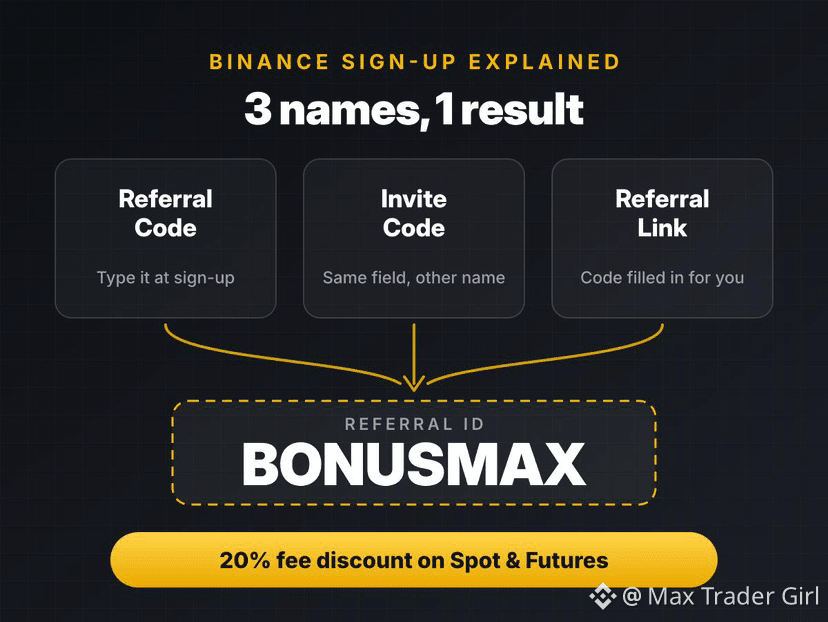
1
92
Article
Binance Beginner Handbook 2027: Referral Code SIGNUP2027 WalkthroughThis handbook shows a new user how to use Binance from the first click to the first Futures trade. Every screenshot was taken on Binance on November 20, 2026, and every example uses real prices from that morning: ETH/USDT near 1,754 on Spot and SOLUSDT near 72.50 on Futures.
Before anything else, register with the Binance referral code SIGNUP2027. It gives you a lifetime 20% commission discount on both Spot and Futures trading fees, and new users can unlock up to $19,800 in welcome bonus rewards. [Binance referral code SIGNUP2027 sign-up link](https://www.binance.com/join?ref=SIGNUP2027)
Binance Referral Code SIGNUP2027 at a Glance
Referral code: SIGNUP2027Fee discount: 20% on Spot and Futures trading fees, for lifeNew user bonus: up to $19,800 through welcome tasksSign-up link: [https://www.binance.com/join?ref=SIGNUP2027](https://www.binance.com/join?ref=SIGNUP2027)Checked: November 20, 2026
Step 1: Register on Binance with SIGNUP2027
Open the [SIGNUP2027 registration page](https://www.binance.com/join?ref=SIGNUP2027). The top left must say Code: SIGNUP2027. Under it you will see two boxes: "Up to 20% trade rebates" and "Up to $19,800 new user bonus". If you see them, the code is already attached, so you don't need to type it anywhere.
Enter your email or phone number.Tick the box to accept the Privacy Notice and click Register.Type the 6-digit code Binance sends you.Create a strong password that you use nowhere else.
Step 2: Verify Your Identity
Binance asks for identity verification before you can deposit, trade and withdraw freely. Have your ID card or passport ready, take the photos in good light, and finish the face check in one go. Most accounts are approved within minutes.
Turn on two-factor authentication and set an anti-phishing code right after. Both take two minutes and protect your account from fake emails.
Step 3: How to Deposit USDT on Binance
Go to Wallet, then Deposit, then Deposit Crypto. Pick USDT as the asset, then choose the network. The network must be the same one your sending wallet uses, or the funds can be lost.
BSC (BEP20): about 1 minute, 1 confirmationTRX (TRC20): about 1 minute, 1 confirmationETH (ERC20): about 2 minutes, 6 confirmations
Example: you have 200 USDT on another wallet on BEP20. Choose BSC here, copy the address Binance shows, paste it in the sending wallet, select BEP20 there too, and send. The USDT arrives in your Spot wallet in about a minute.
Step 4: Place a Limit Order on Binance Spot
A limit order buys or sells only at the price you choose. Open Trade, then Spot, and search ETH/USDT. In the order panel pick Limit.
Example from the screenshot: ETH was trading at 1,753.64. We set the buy price to 1,740 USDT and the amount to 0.05 ETH. The Total field fills in by itself: 1,740 x 0.05 = 87 USDT. The order waits in the book until ETH drops to 1,740.
Fee math: the Regular user Spot fee is 0.100% ([Binance fee page](https://www.binance.com/en/fee/trading), checked November 20, 2026). On 87 USDT that is 0.087 USDT. With the 20% discount from SIGNUP2027, you pay about 0.0696 USDT. Small on one order, but it adds up over hundreds of trades.
Step 5: Place a Market Order on Binance
A market order fills at once at the best available price. Click Market. The price field shows "Market Price", so you only enter how much you want to spend in USDT (Total) or how much ETH you want to sell (Amount). The minimum is 5 USDT.
Use market orders when speed matters more than the exact price. Use limit orders when you want control over the price.
Step 6: Other Binance Order Types
Open the arrow next to Stop Limit to see the full list: Stop Limit, Stop Market, Trailing Stop, OCO, TWAP and POV. For a beginner, Stop Limit and OCO are the two worth learning first.
Step 7: How to Set a Stop-Loss on Binance (Stop Limit)
A stop-loss sells your coins if the price falls to a level you pick, so one bad move doesn't turn into a big loss. On Spot you build it with a Stop Limit order on the Sell side.
Stop: 1,700. When ETH trades at 1,700, the order wakes up.Price: 1,695. It then places a sell limit at 1,695.Amount: 0.05 ETH. Total: 84.75 USDT.
Keep the limit price a little under the stop price. If the market falls fast through both, a stop limit may not fill; that is the trade-off for price control.
Step 8: Transfer USDT from Spot to Futures
Futures uses its own wallet. On the Futures page click the two-arrow icon next to "Avbl". Set From to your Spot account and To to USDⓈ-M Futures, pick USDT, type the amount (100 in our example) and confirm. The transfer is instant and free.
Step 9: How to Change Leverage on Binance Futures
Open SOLUSDT Perpetual. At the top of the order panel you will see Cross and a leverage button. The default here was 20x. Click it and the Adjust Leverage window opens with a slider from 1x to 100x.
For a first trade, type 5 and confirm. Lower leverage means a liquidation price further away from your entry. The window itself warns that higher leverage increases liquidation risk.
Step 10: Open a Futures Trade with Take Profit and Stop Loss
Pick Limit, set the price, enter the size, and tick TP/SL before you click Buy/Long. Example from the screenshot:
Price: 72.52 USDT, size: 100 USDT (about 1.38 SOL)Take Profit: 76, about +4.8%, a gain of about 4.80 USDTStop Loss: 70, about -3.5%, a loss of about 3.47 USDTAt 5x leverage, the margin used is only 20 USDT
Futures fees for Regular users are 0.0200% maker and 0.0500% taker on USDT pairs ([Futures fee page](https://www.binance.com/en/fee/futureFee), checked November 20, 2026). Opening this 100 USDT trade as a taker costs 0.05 USDT; with SIGNUP2027 you save 20% of it on every trade.
Step 11: How to Withdraw from Binance
Go to Wallet, then Withdraw. Pick USDT, paste the receiving address, then choose the network. The list shows the fee for each one, and this is where the right choice saves money:
BSC (BEP20): fee 0.01 USDTopBNB: fee 0.015 USDTTRX (TRC20): fee 2 USDT
The receiving wallet must support the same network. Send a small test amount first if you are using a new address.
How Much SIGNUP2027 Saves You: Two Examples
Spot: 10,000 USDT traded in a month x 0.100% = 10 USDT in fees. 20% off saves 2 USDT a month.Futures: 50,000 USDT taker volume x 0.050% = 25 USDT. 20% off saves 5 USDT a month.Because the discount is lifetime, the saving repeats every month you trade.
FAQ: Binance Referral Code SIGNUP2027
What is the Binance referral code for 2027?
Use SIGNUP2027. It gives a lifetime 20% discount on Spot and Futures fees and access to up to $19,800 in new user bonus rewards.
Can I add the code after I register?
Binance allows it only in limited cases. The safe way is to sign up through the link so the code is attached from day one.
What is the safest leverage for beginners?
There is no safe leverage, but low leverage like 2x to 5x with a stop loss keeps the liquidation price far away and the loss small.
Is a stop limit the same as a stop loss?
A stop limit is the order type you use to build a stop loss on Spot. On Futures you can set the stop loss directly with the TP/SL box.
Start with Binance Referral Code SIGNUP2027
[Open the SIGNUP2027 sign-up page](https://www.binance.com/join?ref=SIGNUP2027), check that Code: SIGNUP2027 is shown, and follow the steps above in order. Start small, use a stop loss on every trade, and keep leverage low until you know how Futures moves.
Disclosure: SIGNUP2027 is my referral code, and I may earn commission from qualifying activity. This is an independent guide, not an official Binance post. Rewards depend on Binance's terms, your region and your eligibility. Crypto and Futures trading carry high risk, and leverage can wipe out your margin. Not financial advice. DYOR.
#BinanceReferralCode #SIGNUP2027 #Binance #BİNANCEFUTURES
Binance Beginner Handbook 2027: Referral Code SIGNUP2027 Walkthrough
This handbook shows a new user how to use Binance from the first click to the first Futures trade. Every screenshot was taken on Binance on November 20, 2026, and every example uses real prices from that morning: ETH/USDT near 1,754 on Spot and SOLUSDT near 72.50 on Futures.
Before anything else, register with the Binance referral code SIGNUP2027. It gives you a lifetime 20% commission discount on both Spot and Futures trading fees, and new users can unlock up to $19,800 in welcome bonus rewards. Binance referral code SIGNUP2027 sign-up link
Binance Referral Code SIGNUP2027 at a Glance
Referral code: SIGNUP2027Fee discount: 20% on Spot and Futures trading fees, for lifeNew user bonus: up to $19,800 through welcome tasksSign-up link: https://www.binance.com/join?ref=SIGNUP2027Checked: November 20, 2026
Step 1: Register on Binance with SIGNUP2027
Open the SIGNUP2027 registration page. The top left must say Code: SIGNUP2027. Under it you will see two boxes: "Up to 20% trade rebates" and "Up to $19,800 new user bonus". If you see them, the code is already attached, so you don't need to type it anywhere.
Enter your email or phone number.Tick the box to accept the Privacy Notice and click Register.Type the 6-digit code Binance sends you.Create a strong password that you use nowhere else.
Step 2: Verify Your Identity
Binance asks for identity verification before you can deposit, trade and withdraw freely. Have your ID card or passport ready, take the photos in good light, and finish the face check in one go. Most accounts are approved within minutes.
Turn on two-factor authentication and set an anti-phishing code right after. Both take two minutes and protect your account from fake emails.
Step 3: How to Deposit USDT on Binance
Go to Wallet, then Deposit, then Deposit Crypto. Pick USDT as the asset, then choose the network. The network must be the same one your sending wallet uses, or the funds can be lost.
BSC (BEP20): about 1 minute, 1 confirmationTRX (TRC20): about 1 minute, 1 confirmationETH (ERC20): about 2 minutes, 6 confirmations
Example: you have 200 USDT on another wallet on BEP20. Choose BSC here, copy the address Binance shows, paste it in the sending wallet, select BEP20 there too, and send. The USDT arrives in your Spot wallet in about a minute.
Step 4: Place a Limit Order on Binance Spot
A limit order buys or sells only at the price you choose. Open Trade, then Spot, and search ETH/USDT. In the order panel pick Limit.
Example from the screenshot: ETH was trading at 1,753.64. We set the buy price to 1,740 USDT and the amount to 0.05 ETH. The Total field fills in by itself: 1,740 x 0.05 = 87 USDT. The order waits in the book until ETH drops to 1,740.
Fee math: the Regular user Spot fee is 0.100% (Binance fee page, checked November 20, 2026). On 87 USDT that is 0.087 USDT. With the 20% discount from SIGNUP2027, you pay about 0.0696 USDT. Small on one order, but it adds up over hundreds of trades.
Step 5: Place a Market Order on Binance
A market order fills at once at the best available price. Click Market. The price field shows "Market Price", so you only enter how much you want to spend in USDT (Total) or how much ETH you want to sell (Amount). The minimum is 5 USDT.
Use market orders when speed matters more than the exact price. Use limit orders when you want control over the price.
Step 6: Other Binance Order Types
Open the arrow next to Stop Limit to see the full list: Stop Limit, Stop Market, Trailing Stop, OCO, TWAP and POV. For a beginner, Stop Limit and OCO are the two worth learning first.
Step 7: How to Set a Stop-Loss on Binance (Stop Limit)
A stop-loss sells your coins if the price falls to a level you pick, so one bad move doesn't turn into a big loss. On Spot you build it with a Stop Limit order on the Sell side.
Stop: 1,700. When ETH trades at 1,700, the order wakes up.Price: 1,695. It then places a sell limit at 1,695.Amount: 0.05 ETH. Total: 84.75 USDT.
Keep the limit price a little under the stop price. If the market falls fast through both, a stop limit may not fill; that is the trade-off for price control.
Step 8: Transfer USDT from Spot to Futures
Futures uses its own wallet. On the Futures page click the two-arrow icon next to "Avbl". Set From to your Spot account and To to USDⓈ-M Futures, pick USDT, type the amount (100 in our example) and confirm. The transfer is instant and free.
Step 9: How to Change Leverage on Binance Futures
Open SOLUSDT Perpetual. At the top of the order panel you will see Cross and a leverage button. The default here was 20x. Click it and the Adjust Leverage window opens with a slider from 1x to 100x.
For a first trade, type 5 and confirm. Lower leverage means a liquidation price further away from your entry. The window itself warns that higher leverage increases liquidation risk.
Step 10: Open a Futures Trade with Take Profit and Stop Loss
Pick Limit, set the price, enter the size, and tick TP/SL before you click Buy/Long. Example from the screenshot:
Price: 72.52 USDT, size: 100 USDT (about 1.38 SOL)Take Profit: 76, about +4.8%, a gain of about 4.80 USDTStop Loss: 70, about -3.5%, a loss of about 3.47 USDTAt 5x leverage, the margin used is only 20 USDT
Futures fees for Regular users are 0.0200% maker and 0.0500% taker on USDT pairs (Futures fee page, checked November 20, 2026). Opening this 100 USDT trade as a taker costs 0.05 USDT; with SIGNUP2027 you save 20% of it on every trade.
Step 11: How to Withdraw from Binance
Go to Wallet, then Withdraw. Pick USDT, paste the receiving address, then choose the network. The list shows the fee for each one, and this is where the right choice saves money:
BSC (BEP20): fee 0.01 USDTopBNB: fee 0.015 USDTTRX (TRC20): fee 2 USDT
The receiving wallet must support the same network. Send a small test amount first if you are using a new address.
How Much SIGNUP2027 Saves You: Two Examples
Spot: 10,000 USDT traded in a month x 0.100% = 10 USDT in fees. 20% off saves 2 USDT a month.Futures: 50,000 USDT taker volume x 0.050% = 25 USDT. 20% off saves 5 USDT a month.Because the discount is lifetime, the saving repeats every month you trade.
FAQ: Binance Referral Code SIGNUP2027
What is the Binance referral code for 2027?
Use SIGNUP2027. It gives a lifetime 20% discount on Spot and Futures fees and access to up to $19,800 in new user bonus rewards.
Can I add the code after I register?
Binance allows it only in limited cases. The safe way is to sign up through the link so the code is attached from day one.
What is the safest leverage for beginners?
There is no safe leverage, but low leverage like 2x to 5x with a stop loss keeps the liquidation price far away and the loss small.
Is a stop limit the same as a stop loss?
A stop limit is the order type you use to build a stop loss on Spot. On Futures you can set the stop loss directly with the TP/SL box.
Start with Binance Referral Code SIGNUP2027
Open the SIGNUP2027 sign-up page, check that Code: SIGNUP2027 is shown, and follow the steps above in order. Start small, use a stop loss on every trade, and keep leverage low until you know how Futures moves.
Disclosure: SIGNUP2027 is my referral code, and I may earn commission from qualifying activity. This is an independent guide, not an official Binance post. Rewards depend on Binance's terms, your region and your eligibility. Crypto and Futures trading carry high risk, and leverage can wipe out your margin. Not financial advice. DYOR.
#BinanceReferralCode #SIGNUP2027 #Binance #BİNANCEFUTURES
134
How Much Can a Binance Referral Code Save You? 📊
A 20% fee rebate sounds small, until you see it over a year. Here's what Binance referral code BTC2026 returns at the standard 0.10% Spot fee:
💰 Monthly Spot volume → Yearly savings
• 10,000 USDT → 24 USDT
• 50,000 USDT → 120 USDT
• 100,000 USDT → 240 USDT
• 500,000 USDT → 1,200 USDT
📈 Futures (taker, 0.05% fee):
• 100,000 USDT/month → 120 USDT a year
• 1,000,000 USDT/month → 1,200 USDT a year
The math is simple: fee paid × 20% = what comes back to you, on every trade, automatically.
The only catch? You need to enter the code when you sign up.
👉 [https://www.binance.com/join?ref=BTC2026](https://www.binance.com/join?ref=BTC2026)
Already have an account with no referrer? You may still be eligible to rebind. Check Binance's rebind rules.
#BinanceReferralCode #BinanceFees
How Much Can a Binance Referral Code Save You? 📊
A 20% fee rebate sounds small, until you see it over a year. Here's what Binance referral code BTC2026 returns at the standard 0.10% Spot fee:
💰 Monthly Spot volume → Yearly savings
• 10,000 USDT → 24 USDT
• 50,000 USDT → 120 USDT
• 100,000 USDT → 240 USDT
• 500,000 USDT → 1,200 USDT
📈 Futures (taker, 0.05% fee):
• 100,000 USDT/month → 120 USDT a year
• 1,000,000 USDT/month → 1,200 USDT a year
The math is simple: fee paid × 20% = what comes back to you, on every trade, automatically.
The only catch? You need to enter the code when you sign up.
👉 https://www.binance.com/join?ref=BTC2026
Already have an account with no referrer? You may still be eligible to rebind. Check Binance's rebind rules.
#BinanceReferralCode #BinanceFees
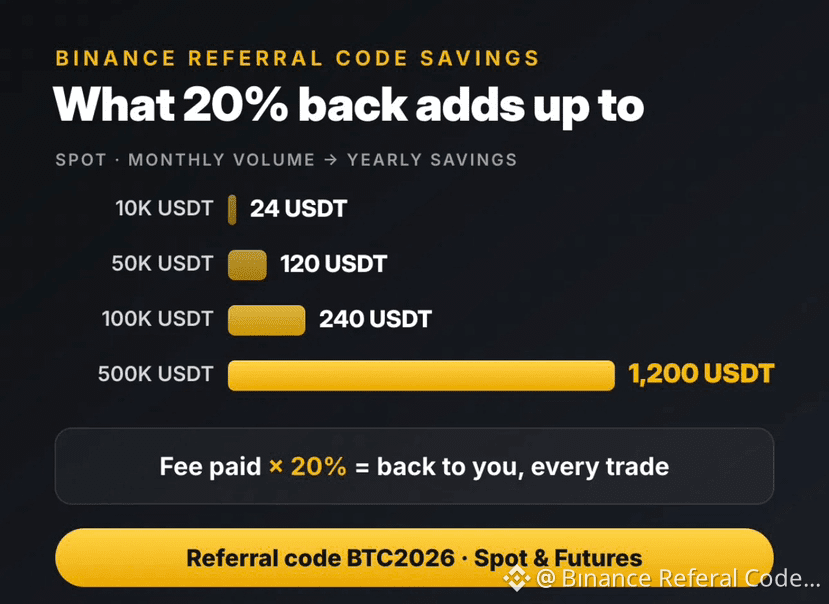
159
Article
Binance Referral Code Bonus 2027: How the $19,800 Rewards WorkNew users who sign up with the Binance referral code SIGNUP2027 get two things: a lifetime 20% discount on Spot and Futures fees, and access to a welcome bonus of up to $19,800. This guide shows how that bonus is actually paid, using the real task table on the sign-up page, checked on November 18, 2026.
[Binance referral code SIGNUP2027 sign-up link](https://www.binance.com/join?ref=SIGNUP2027)
Where to See the Bonus on the Binance Sign-Up Page
Open the [SIGNUP2027 link](https://www.binance.com/join?ref=SIGNUP2027). The left side shows Code: SIGNUP2027, "Up to 20% trade rebates" and "Up to $19,800 new user bonus", plus a "See How" link under the bonus.
The Binance Welcome Bonus Task Table
"See How" opens the Affiliate-Boosted Welcome Bonus. It has seven tiers. Each tier asks for a net deposit and a trading volume inside a set number of days.
Tier 1: $100 net deposit, $3K volume, 7 days, $100 reward.Tier 2: $200 net deposit, $10K volume, 7 days, $200 reward.Tier 3: $500 net deposit, $30K volume, 7 days, $400 reward.Tier 4: $2K net deposit, $500K volume, 14 days, $1K reward.Tier 5: $5K net deposit, $5M volume, 14 days, $3K reward.Tier 6: $10K net deposit, $20M volume, 30 days, $5K reward.Tier 7: $20K net deposit, $50M volume, 30 days, $10K reward.
What "Net Deposit" and "Trade Vol" Mean
Net deposit is what you deposit minus what you withdraw in the period. Trade volume is the total value of your trades. A tier only counts if both targets are hit within its task period.
The top of the table also says 1,000 rewards are available each cycle for new invitees, and the cycle resets every 30 days. Rewards are limited, so finish your sign-up and KYC early.
The Part That Never Runs Out: 20% Off Fees
The bonus is task-based. The fee discount is not. Every Spot and Futures trade you make on the account gets the 20% discount, for life.
Spot 0.075% with BNB: 10,000 USDT a month costs 7.50 USDT, 1.50 USDT comes back.Futures taker 0.045% with BNB: 100,000 USDT a month costs 45 USDT, 9 USDT comes back.
How to Get the Bonus and the Discount
Open [https://www.binance.com/join?ref=SIGNUP2027](https://www.binance.com/join?ref=SIGNUP2027).Check the code line: Code: SIGNUP2027.Register and complete KYC.Open the Rewards Hub and pick the tier that fits your plans.
FAQ
Is the $19,800 paid at once?
No. It is the top of a task ladder. Each tier pays when you meet its deposit and volume targets in time.
Do I keep the 20% discount if I skip the tasks?
Yes. The fee discount is linked to the account through the referral code, not to the tasks.
Claim Your Binance Bonus with SIGNUP2027
[Open the SIGNUP2027 sign-up page](https://www.binance.com/join?ref=SIGNUP2027) and start with the discount on your very first trade.
Disclosure: SIGNUP2027 is my referral code, and I may earn commission from qualifying activity. This is an independent guide, not an official Binance post. Rewards depend on Binance's terms, your region and your eligibility. Crypto and Futures trading carry high risk, and leverage can wipe out your margin. Not financial advice. DYOR.
#BinanceReferralCode #SIGNUP2027 #Binance #BinanceFees
Binance Referral Code Bonus 2027: How the $19,800 Rewards Work
New users who sign up with the Binance referral code SIGNUP2027 get two things: a lifetime 20% discount on Spot and Futures fees, and access to a welcome bonus of up to $19,800. This guide shows how that bonus is actually paid, using the real task table on the sign-up page, checked on November 18, 2026.
Binance referral code SIGNUP2027 sign-up link
Where to See the Bonus on the Binance Sign-Up Page
Open the SIGNUP2027 link. The left side shows Code: SIGNUP2027, "Up to 20% trade rebates" and "Up to $19,800 new user bonus", plus a "See How" link under the bonus.
The Binance Welcome Bonus Task Table
"See How" opens the Affiliate-Boosted Welcome Bonus. It has seven tiers. Each tier asks for a net deposit and a trading volume inside a set number of days.
Tier 1: $100 net deposit, $3K volume, 7 days, $100 reward.Tier 2: $200 net deposit, $10K volume, 7 days, $200 reward.Tier 3: $500 net deposit, $30K volume, 7 days, $400 reward.Tier 4: $2K net deposit, $500K volume, 14 days, $1K reward.Tier 5: $5K net deposit, $5M volume, 14 days, $3K reward.Tier 6: $10K net deposit, $20M volume, 30 days, $5K reward.Tier 7: $20K net deposit, $50M volume, 30 days, $10K reward.
What "Net Deposit" and "Trade Vol" Mean
Net deposit is what you deposit minus what you withdraw in the period. Trade volume is the total value of your trades. A tier only counts if both targets are hit within its task period.
The top of the table also says 1,000 rewards are available each cycle for new invitees, and the cycle resets every 30 days. Rewards are limited, so finish your sign-up and KYC early.
The Part That Never Runs Out: 20% Off Fees
The bonus is task-based. The fee discount is not. Every Spot and Futures trade you make on the account gets the 20% discount, for life.
Spot 0.075% with BNB: 10,000 USDT a month costs 7.50 USDT, 1.50 USDT comes back.Futures taker 0.045% with BNB: 100,000 USDT a month costs 45 USDT, 9 USDT comes back.
How to Get the Bonus and the Discount
Open https://www.binance.com/join?ref=SIGNUP2027.Check the code line: Code: SIGNUP2027.Register and complete KYC.Open the Rewards Hub and pick the tier that fits your plans.
FAQ
Is the $19,800 paid at once?
No. It is the top of a task ladder. Each tier pays when you meet its deposit and volume targets in time.
Do I keep the 20% discount if I skip the tasks?
Yes. The fee discount is linked to the account through the referral code, not to the tasks.
Claim Your Binance Bonus with SIGNUP2027
Open the SIGNUP2027 sign-up page and start with the discount on your very first trade.
Disclosure: SIGNUP2027 is my referral code, and I may earn commission from qualifying activity. This is an independent guide, not an official Binance post. Rewards depend on Binance's terms, your region and your eligibility. Crypto and Futures trading carry high risk, and leverage can wipe out your margin. Not financial advice. DYOR.
#BinanceReferralCode #SIGNUP2027 #Binance #BinanceFees
Trong_Hatachi:
The “up to $19,800” figure really depends on the task table—good call checking what’s actually shown at signup. Follow me back if you share more breakdowns like this!
2
2
17
3.1k
Log in to explore more content
Join global crypto users on Binance Square
⚡️ Get latest and useful information about crypto.
💬 Trusted by the world’s largest crypto exchange.
👍 Discover real insights from verified creators.
Email / Phone number
Trending Topics
1
#BitcoinAndStocksSlipAgainAmidTrump’sTariffPlans
15,025 views
295 Discussing
2
#JensenHuangSaysNvidiaDoesn’tNeedASuccessionPlan
12,906 views
211 Discussing
3
#AnthropicBreaksBelowIPOPriceAmidAISlump
106,258 views
991 Discussing
4
#FidelityCryptoAddsAAVELINKAndUNITrading
2,515 views
68 Discussing
5
#UKToBanExchangesMakingMarketsOnOwnPlatforms
1,917 views
60 Discussing
6
#CFTCApprovesTradeReportingRuleForPredictionMarkets
9,943 views
137 Discussing
7
#Bitcoin'sReboundFadesBelow$60K
166,082 views
452 Discussing
8
#WillMarketsStageAThanksgivingReliefRally?
702,973 views
3,766 Discussing
9
#EthereumFoundationPlansShiftToHashBasedSignaturesBy2028
7,557 views
148 Discussing
10
#ADPWeeklyPrivatePayrollsSlowTo21000
22,743 views
353 Discussing