
#binanceverify
binanceverify
76,876 views
46 Discussing
Hot
Latest

·
--
Verified
Binance Verify Kya Hai?
Binance Verify ek official tool hai jo apko verify karne mein madad karta hai jaise koi Binance website, email address ya social media account genuine Binance source se related hai ya nahi.
🔹 Key Features:
• Binance URLs verify karna
• Binance email addresses check karna
• Binance social media accounts verify karna
• Suspicious links se bachne mein madad karna
🔹 Benefits:
• Fake websites or impersonation se protection
• Phishing scams ko identify karne mein madad
• Binance source ki authenticity check kar saktay hai
🔹 How to Use It:
Binance Verify page pay ja k jis website, email ya social media account ko check karna ho.. uski details enter kare or verification result dekh kar yakeen dehaani karle.
🔹 Important to Know:
Verification k bad be hamesha apni personal information, password or security codes kisi k saath share na kare. Binance support kabhi be apse password ya 2FA codes nahi maangta..
Stay safe, verify first.
#Binance #binanceverify #CryptoSafetyFirst
2
3
97

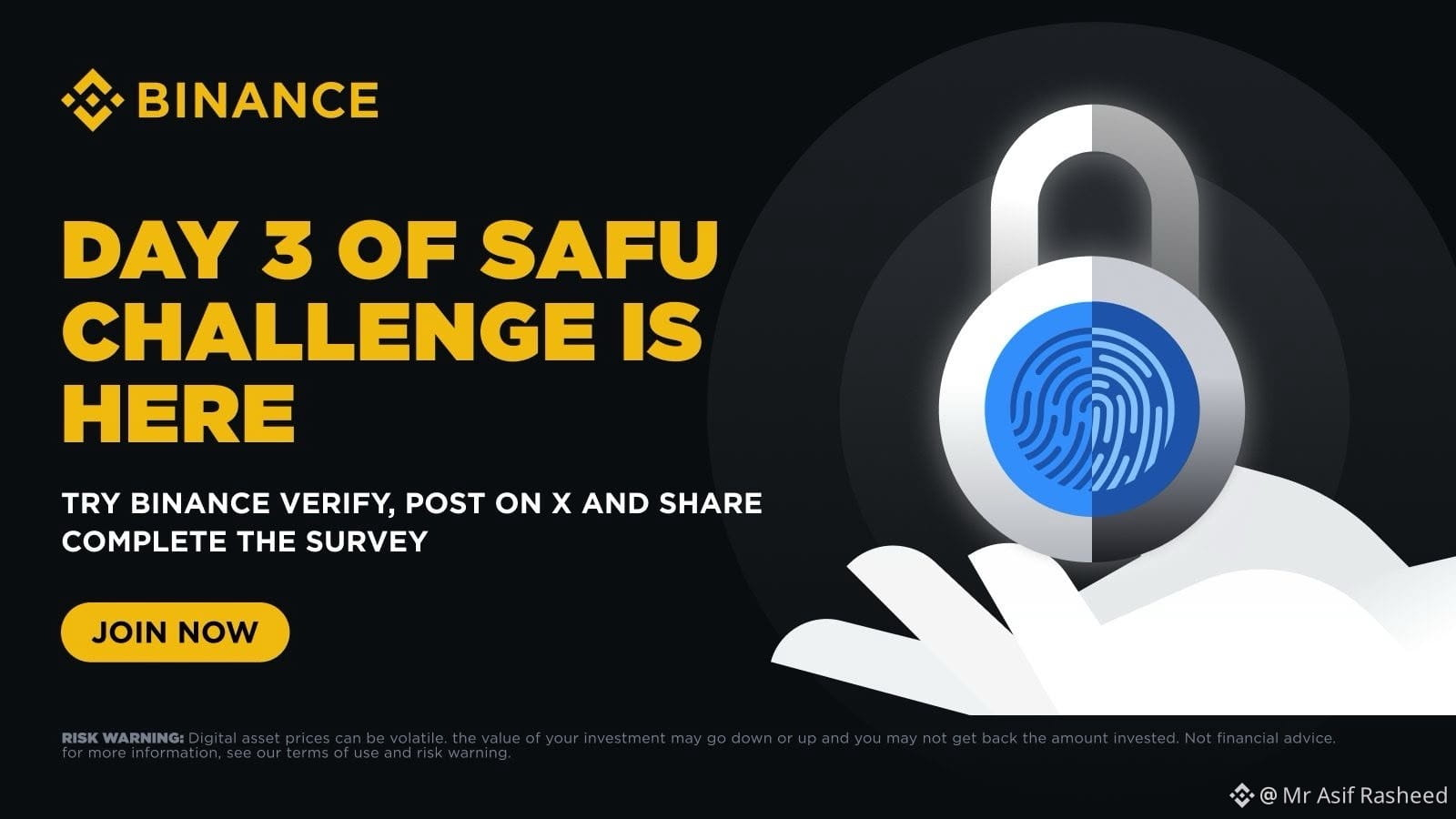
Day 3 SAFU Challenge Done! Tried Binance Verify and completed the survey. Stay Safe, Stay SAFU with @binance #SAFUChallenge #BinanceVerify
Day 3 SAFU Challenge Done! Tried Binance Verify and completed the survey. Stay Safe, Stay SAFU with @binance #SAFUChallenge #BinanceVerify
83

·
--
Protect your assests by avoiding clicking suspicious links. Always use #binanceverify to verify promotional contents and practice the Binance Safety protocols. $BTC, $BNB, $SOL.
Protect your assests by avoiding clicking suspicious links. Always use #binanceverify to verify promotional contents and practice the Binance Safety protocols. $BTC, $BNB, $SOL.
106
Article
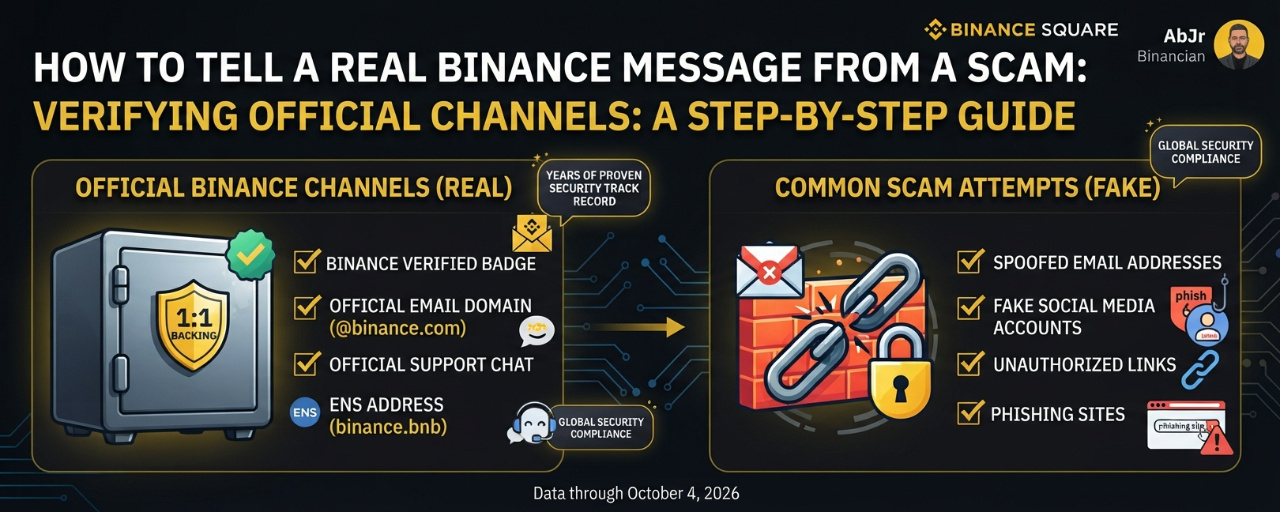
How to Tell a Real Binance Message from a Scam: Verifying Official ChannelsA message can look official, sound professional and still be a scam.
Whenever cryptocurrency security becomes a major topic, scammers often look for opportunities to exploit user concerns.
They may impersonate exchange employees, create fake customer-support accounts, send fraudulent emails or build websites that closely resemble legitimate trading platforms.
Their objective is usually simple: make users reveal passwords, verification codes, wallet credentials or transfer their cryptocurrency.
For Binance users, knowing how to verify official communications is an important part of account security.
Here is how to protect yourself.
1. Start With Binance Verify
One of the most useful tools available to Binance users is Binance Verify.
It allows users to check whether certain official Binance websites, social media accounts, email addresses and other communication channels are recognized as authentic.
Instead of trusting an account because it has a professional profile picture or uses the Binance logo, verify its details through the official tool.
How to use Binance Verify:
Visit the official Binance Verify page.Select the appropriate verification category.Enter the website, social account, email address or other information you want to check.Review the verification result.If the information cannot be verified, do not assume it is legitimate.
Official tool:
[https://www.binance.com/en/official-verification](https://www.binance.com/en/official-verification)
Always access the tool by manually entering Binance's official website address or using a trusted bookmark.
2. How to Identify a Fake Binance Website
Fake websites are among the most common methods used to steal cryptocurrency credentials.
Scammers often register domains that look similar to official websites by changing a few letters, adding extra words or using misleading subdomains.
For example, a fraudulent domain might include additional words such as support, security or verification to appear legitimate.
Watch for these warning signs:
Misspelled or unfamiliar domain names.Unexpected login pages reached through email links.Websites requesting your recovery phrase or private keys.Requests to download unknown applications.Urgent warnings claiming your account will be frozen unless you act immediately.
Best practice: Type the official Binance website address directly into your browser rather than clicking unexpected links.
3. How to Recognize Fake Binance Support Messages
Another common scam involves people pretending to be customer-support representatives.
They may contact users through Telegram, WhatsApp, X, Facebook or other social platforms.
Some may claim to be investigating suspicious activity, helping recover funds or resolving a withdrawal problem.
Be particularly careful if someone:
Requests your password or 2FA verification code.Asks you to reveal your private key or wallet recovery phrase.Requests remote access to your computer or phone.Asks you to transfer funds to a supposedly safe wallet.Promises guaranteed recovery of stolen cryptocurrency in exchange for payment.
Remember: never share your passwords, authentication codes, private keys or recovery phrases with anyone claiming to represent Binance.
If you need assistance, initiate contact through Binance's official customer-support channels.
4. How to Verify a Binance Email
Scammers frequently use email impersonation to create a sense of urgency.
A fraudulent email may claim:
Your account has been compromised.A withdrawal requires immediate approval.Your account will be suspended.You must complete identity verification through a provided link.You have received a suspicious transaction notification.
Before taking action, examine the sender's details and verify the relevant address using Binance Verify.
Also check the anti-phishing code if you have configured one in your Binance account.
The anti-phishing code is a personalized identifier included in genuine Binance notification emails that support the feature.
If the code is missing or incorrect, treat the email as suspicious.
Do not click links or download attachments until you have independently verified the communication.
5. Common Scam Techniques Every Crypto User Should Know
The most dangerous scams often combine multiple techniques.
For example, a fake support representative may first send a phishing link, then use the stolen login information to access an account.
6. What Should You Do If You Receive a Suspicious Message?
If you suspect a message is fraudulent:
Do not click any links.Do not download attachments.Do not share personal or account information.Verify the sender through Binance Verify.Report suspicious accounts or messages through the relevant platform.If you have already shared credentials, immediately secure your account through official Binance channels.
If you believe your account has been compromised, act quickly.
Change your password from a trusted device, review active sessions and devices, check withdrawal settings, and contact official Binance Support.
7. Build Better Security Habits
The best defense against phishing is a combination of awareness and preventive security measures.
Every Binance user should consider:
Enabling two-factor authentication.Setting up an anti-phishing code.Using passkeys or supported security keys.Activating withdrawal address whitelisting.Reviewing account activity regularly.Keeping devices and applications updated.Avoiding links from unknown senders.
Remember that even the strongest exchange security infrastructure cannot protect users from every situation involving voluntarily disclosed credentials or compromised personal devices.
Final Thoughts: Verify Before You Trust
Cryptocurrency security is not just about protecting wallets and exchange infrastructure.
It also involves protecting the communication channels through which users interact with those platforms.
A convincing profile, familiar logo or professional-looking email does not prove authenticity.
Take a few seconds to verify a message before responding, clicking a link or sharing information.
When it comes to cryptocurrency security, hesitation can protect your funds. Verify first. Act second.
Official verification:
[https://www.binance.com/en/official-verification](https://www.binance.com/en/official-verification)
#Binance #binanceverify #CryptoSecurity #AntiPhishingCode #STAYSAFU
How to Tell a Real Binance Message from a Scam: Verifying Official Channels
A message can look official, sound professional and still be a scam.
Whenever cryptocurrency security becomes a major topic, scammers often look for opportunities to exploit user concerns.
They may impersonate exchange employees, create fake customer-support accounts, send fraudulent emails or build websites that closely resemble legitimate trading platforms.
Their objective is usually simple: make users reveal passwords, verification codes, wallet credentials or transfer their cryptocurrency.
For Binance users, knowing how to verify official communications is an important part of account security.
Here is how to protect yourself.
1. Start With Binance Verify
One of the most useful tools available to Binance users is Binance Verify.
It allows users to check whether certain official Binance websites, social media accounts, email addresses and other communication channels are recognized as authentic.
Instead of trusting an account because it has a professional profile picture or uses the Binance logo, verify its details through the official tool.
How to use Binance Verify:
Visit the official Binance Verify page.Select the appropriate verification category.Enter the website, social account, email address or other information you want to check.Review the verification result.If the information cannot be verified, do not assume it is legitimate.
Official tool:
https://www.binance.com/en/official-verification
Always access the tool by manually entering Binance's official website address or using a trusted bookmark.
2. How to Identify a Fake Binance Website
Fake websites are among the most common methods used to steal cryptocurrency credentials.
Scammers often register domains that look similar to official websites by changing a few letters, adding extra words or using misleading subdomains.
For example, a fraudulent domain might include additional words such as support, security or verification to appear legitimate.
Watch for these warning signs:
Misspelled or unfamiliar domain names.Unexpected login pages reached through email links.Websites requesting your recovery phrase or private keys.Requests to download unknown applications.Urgent warnings claiming your account will be frozen unless you act immediately.
Best practice: Type the official Binance website address directly into your browser rather than clicking unexpected links.
3. How to Recognize Fake Binance Support Messages
Another common scam involves people pretending to be customer-support representatives.
They may contact users through Telegram, WhatsApp, X, Facebook or other social platforms.
Some may claim to be investigating suspicious activity, helping recover funds or resolving a withdrawal problem.
Be particularly careful if someone:
Requests your password or 2FA verification code.Asks you to reveal your private key or wallet recovery phrase.Requests remote access to your computer or phone.Asks you to transfer funds to a supposedly safe wallet.Promises guaranteed recovery of stolen cryptocurrency in exchange for payment.
Remember: never share your passwords, authentication codes, private keys or recovery phrases with anyone claiming to represent Binance.
If you need assistance, initiate contact through Binance's official customer-support channels.
4. How to Verify a Binance Email
Scammers frequently use email impersonation to create a sense of urgency.
A fraudulent email may claim:
Your account has been compromised.A withdrawal requires immediate approval.Your account will be suspended.You must complete identity verification through a provided link.You have received a suspicious transaction notification.
Before taking action, examine the sender's details and verify the relevant address using Binance Verify.
Also check the anti-phishing code if you have configured one in your Binance account.
The anti-phishing code is a personalized identifier included in genuine Binance notification emails that support the feature.
If the code is missing or incorrect, treat the email as suspicious.
Do not click links or download attachments until you have independently verified the communication.
5. Common Scam Techniques Every Crypto User Should Know
The most dangerous scams often combine multiple techniques.
For example, a fake support representative may first send a phishing link, then use the stolen login information to access an account.
6. What Should You Do If You Receive a Suspicious Message?
If you suspect a message is fraudulent:
Do not click any links.Do not download attachments.Do not share personal or account information.Verify the sender through Binance Verify.Report suspicious accounts or messages through the relevant platform.If you have already shared credentials, immediately secure your account through official Binance channels.
If you believe your account has been compromised, act quickly.
Change your password from a trusted device, review active sessions and devices, check withdrawal settings, and contact official Binance Support.
7. Build Better Security Habits
The best defense against phishing is a combination of awareness and preventive security measures.
Every Binance user should consider:
Enabling two-factor authentication.Setting up an anti-phishing code.Using passkeys or supported security keys.Activating withdrawal address whitelisting.Reviewing account activity regularly.Keeping devices and applications updated.Avoiding links from unknown senders.
Remember that even the strongest exchange security infrastructure cannot protect users from every situation involving voluntarily disclosed credentials or compromised personal devices.
Final Thoughts: Verify Before You Trust
Cryptocurrency security is not just about protecting wallets and exchange infrastructure.
It also involves protecting the communication channels through which users interact with those platforms.
A convincing profile, familiar logo or professional-looking email does not prove authenticity.
Take a few seconds to verify a message before responding, clicking a link or sharing information.
When it comes to cryptocurrency security, hesitation can protect your funds. Verify first. Act second.
Official verification:
https://www.binance.com/en/official-verification
#Binance #binanceverify #CryptoSecurity #AntiPhishingCode #STAYSAFU
47

Holding $NEAR 4 USDT
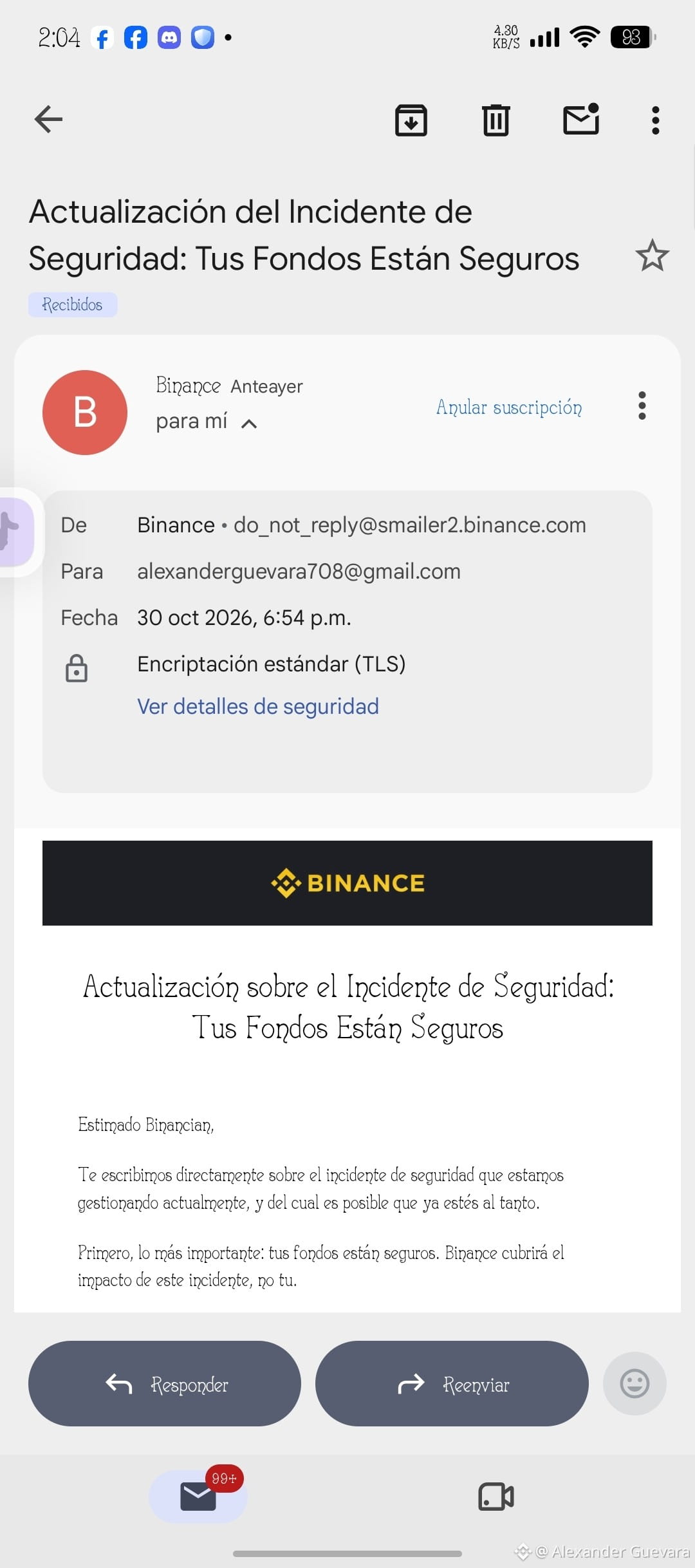
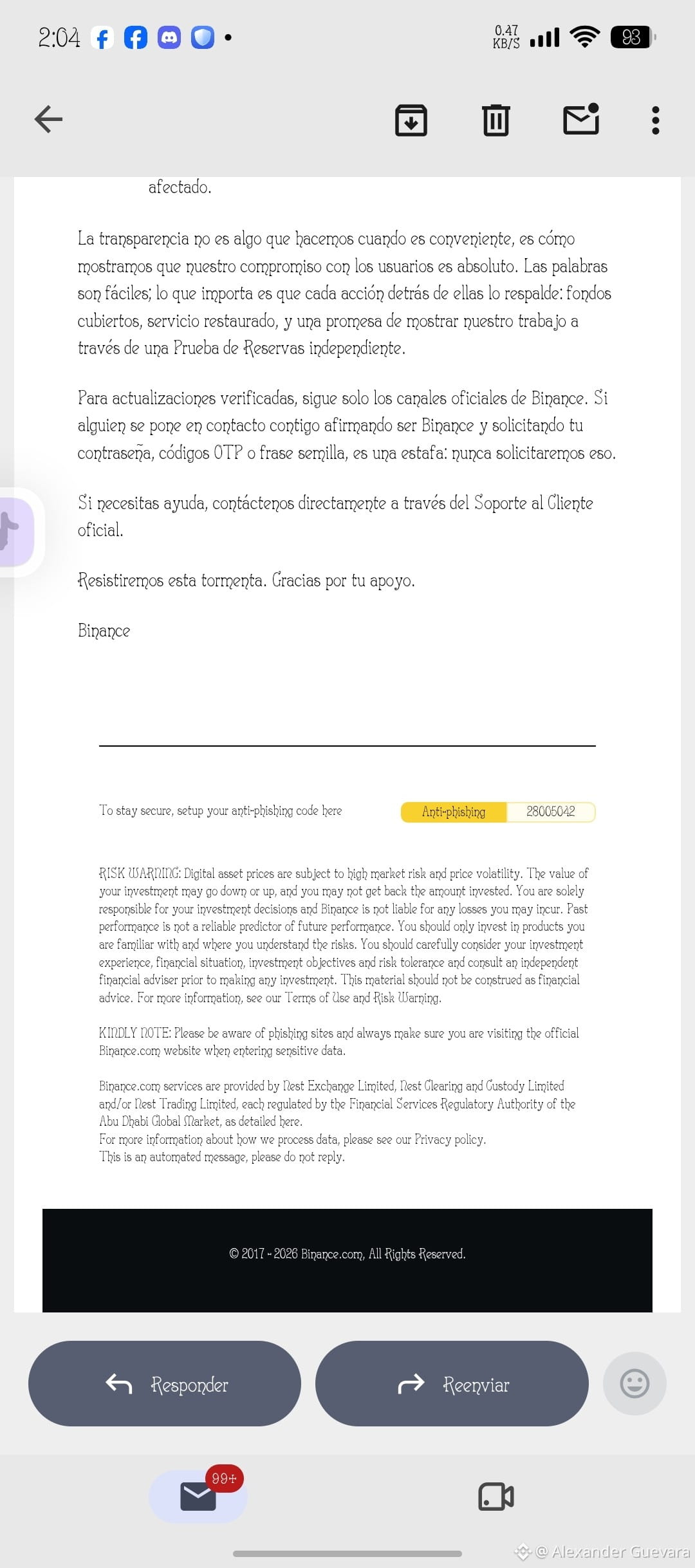
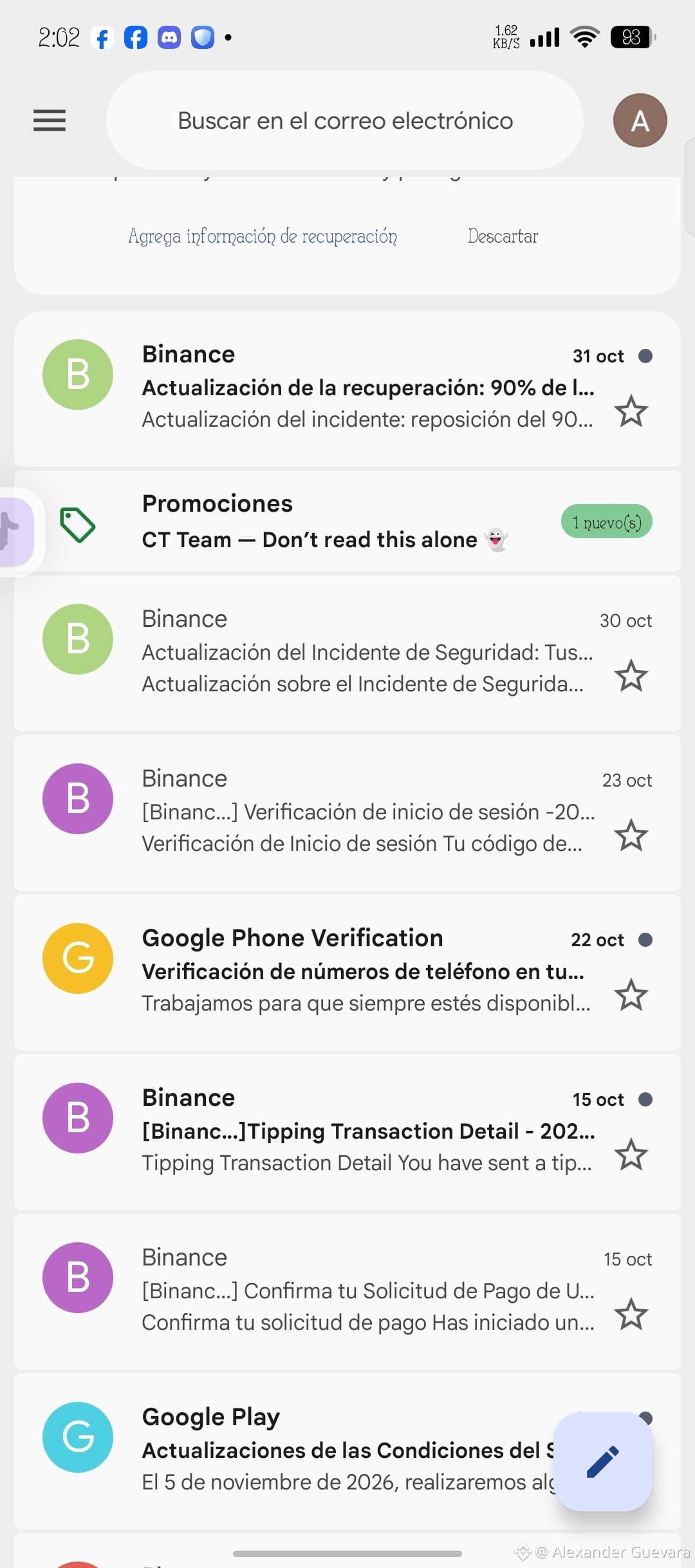
En el ecosistema cripto actual, existe una confusión recurrente donde muchos usuarios tachan de «spam» o «estafa» comunicados que en realidad son oficiales. Este fenómeno no nace de una falla de seguridad, sino de la falta de educación financiera y digital.
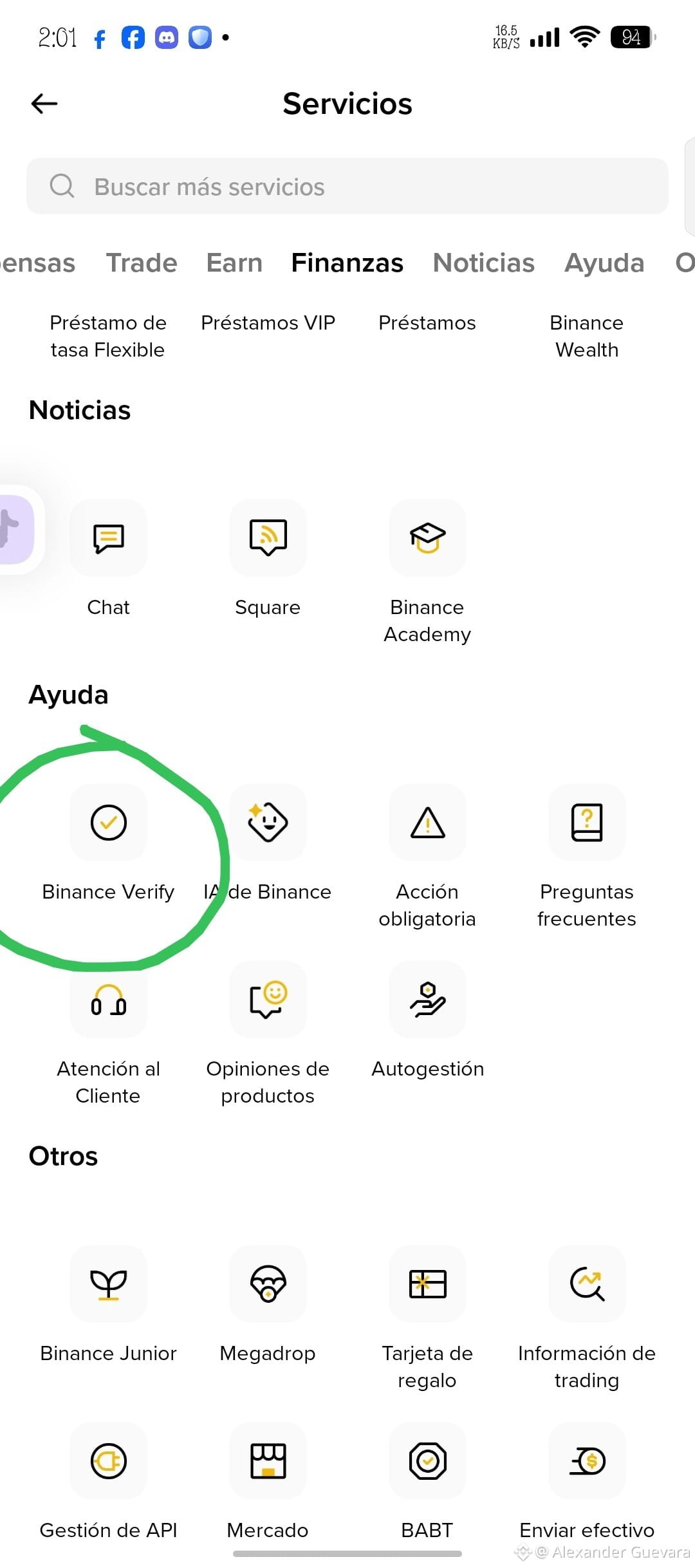
Plataformas líderes como Binance invierten grandes esfuerzos en marketing y ciberseguridad, implementando herramientas fundamentales como la verificación de sitios web, correos electrónicos y redes sociales, además del código anti-phishing personalizado. Asimismo, cualquier actualización crítica o noticia sobre eventos relevantes se notifica de forma interna dentro de la aplicación oficial y mediante sus canales de correo autenticados.
El problema principal radica en no educarse ni utilizar las funciones de comprobación disponibles, como Binance Verify, lo que lleva a desacreditar alertas legítimas o, peor aún, a caer en trampas reales por desconocimiento.
La clave para operar con seguridad en Web3 no es alarmarse ante cada notificación, sino aprender a verificar los canales oficiales antes de emitir juicios erróneos.
#SPAM #Binance #BinanceSquare #BinanceSquareFamily #binanceverify $BNB $MSFTB $NEAR
Quoted content has been removed
146

·
--
Bullish
Finally i have submitted my #AddressProof
for my #binanceverify .
and All Market crushes 😉😘😌🥰😉
. You Know what will next ?
May We Started new but long and Hard Journey✈️✈️✈️ . Be careful Be alert🚨🚨🚨
. also Be Ready 🥸😎🤓
$BTC & $ETH .
#BlackRockPlansMoneyMarketFundsforStablecoinUsers @BTC_Guide @Ethereum_official @BTC- @BTC5566 @Square-Creator-c4f2937335d94 @Square-Creator-15b1bc525d5c2 @Square-Creator-c9aaaf73c2be7 @SamDada #Keral #kahuta
Finally i have submitted my #AddressProof
for my #binanceverify .
and All Market crushes 😉😘😌🥰😉
. You Know what will next ?
May We Started new but long and Hard Journey✈️✈️✈️ . Be careful Be alert🚨🚨🚨
. also Be Ready 🥸😎🤓
$BTC & $ETH .
#BlackRockPlansMoneyMarketFundsforStablecoinUsers @BTC Guide @Ethereum @BTC - @X平台_web4Miko @B_好孕来 @Square-Creator-15b1bc525d5c2 @起愿老祖 @ALISHBA SOZAR #Keral #kahuta

67

·
--
Bullish

Sunshine 🔶
·
--
Your security matters. Always verify first 🔐
Use Binance Verify to check if a URL, email, phone number, Telegram, or social media account is officially from Binance:
Binance Verify
For further checking, you may also reach our support team via live chat:
Binance Customer Support
Stay safe from scammers 💛
Use Binance Verify to check if a URL, email, phone number, Telegram, or social media account is officially from Binance:
Binance Verify
For further checking, you may also reach our support team via live chat:
Binance Customer Support
Stay safe from scammers 💛
2
2
16


📣✨ Introducing Binance Verify - Your Tool to Verify Authenticity.
🔍 Binance Verify helps you quickly check if an account or contact is truly official with 4️⃣ simple steps:
1. Select the right category from the drop-down menu (choosing an incorrect category may affect the verification result)
2. Enter a URL, email, phone number, telegram username, or other social media handle you want to verify
3. Hit the "Search" button
4. View the verification result instantly in the pop-up window
🔗Try [Binance Verify](https://www.binance.com/en/official-verification) today!
For more security tips and updates, follow us!
#binanceverify #CryptoSafety #Binancesecurity 🙏
📣✨ Introducing Binance Verify - Your Tool to Verify Authenticity.
🔍 Binance Verify helps you quickly check if an account or contact is truly official with 4️⃣ simple steps:
1. Select the right category from the drop-down menu (choosing an incorrect category may affect the verification result)
2. Enter a URL, email, phone number, telegram username, or other social media handle you want to verify
3. Hit the "Search" button
4. View the verification result instantly in the pop-up window
🔗Try Binance Verify today!
For more security tips and updates, follow us!
#binanceverify #CryptoSafety #Binancesecurity 🙏
9
17
144
130.4k
Log in to explore more content
Join global crypto users on Binance Square
⚡️ Get latest and useful information about crypto.
💬 Trusted by the world’s largest crypto exchange.
👍 Discover real insights from verified creators.
Email / Phone number
Trending Topics
1
#CanMarketsReboundAfterThanksgiving?
14,622 views
364 Discussing
2
#CouldSpaceX’sOrbitalDataCentersBoostAIChipDemand?
9,386 views
232 Discussing
3
#EvolveAtBinanceBlockchainWeek
655,075 views
6,999 Discussing
4
#CorePCEBeatLiftsFedHikeOdds
162,503 views
1,284 Discussing
5
#BitcoinAndStocksSlipAgainAmidTrump’sTariffPlans
215,336 views
2,063 Discussing
6
#JensenHuangSaysNvidiaDoesn’tNeedASuccessionPlan
102,481 views
1,245 Discussing
7
#NasdaqFuturesSlideMoreThan3%
42,406 views
376 Discussing
8
#USOctoberPCEPriceIndexAt0.3%MoM
48,155 views
384 Discussing
9
#BitcoinETFsPostRecord$4.94BNovemberOutflows
9,394 views
49 Discussing
10
#TetherInvestsInArgentinasLemon
18,370 views
213 Discussing