

#2fa
2fa
169,665 views
441 Discussing
Hot
Latest

·
--
Your crypto is only as safe as your account settings 🔐
Before you think about trading, lock down your account. Five things to do today:
Turn on 2FA with an authenticator app. Avoid SMS where you can, since SIM-swap attacks are real.
Set an anti-phishing code. Binance will include it in every official email, so fake emails stand out immediately.
Enable withdrawal address whitelisting. Funds can only go to addresses you’ve approved.
Check your device management page. Remove any device or login session you don’t recognize.
Use a unique, strong password. Never reuse one from another site.
Bonus: Binance will never ask for your password or 2FA codes through DMs, calls, or “support” links. If someone asks, it’s a scam.
Which of these have you already set up? Tell me in the comments 👇
#BinanceSquareTalks
#2FA
#CryptoSecurity
#Learnwithbianance
Your crypto is only as safe as your account settings 🔐
Before you think about trading, lock down your account. Five things to do today:
Turn on 2FA with an authenticator app. Avoid SMS where you can, since SIM-swap attacks are real.
Set an anti-phishing code. Binance will include it in every official email, so fake emails stand out immediately.
Enable withdrawal address whitelisting. Funds can only go to addresses you’ve approved.
Check your device management page. Remove any device or login session you don’t recognize.
Use a unique, strong password. Never reuse one from another site.
Bonus: Binance will never ask for your password or 2FA codes through DMs, calls, or “support” links. If someone asks, it’s a scam.
Which of these have you already set up? Tell me in the comments 👇
#BinanceSquareTalks
#2FA
#CryptoSecurity
#Learnwithbianance
Before you think about trading, lock down your account. Five things to do today:
Turn on 2FA with an authenticator app. Avoid SMS where you can, since SIM-swap attacks are real.
Set an anti-phishing code. Binance will include it in every official email, so fake emails stand out immediately.
Enable withdrawal address whitelisting. Funds can only go to addresses you’ve approved.
Check your device management page. Remove any device or login session you don’t recognize.
Use a unique, strong password. Never reuse one from another site.
Bonus: Binance will never ask for your password or 2FA codes through DMs, calls, or “support” links. If someone asks, it’s a scam.
Which of these have you already set up? Tell me in the comments 👇
#BinanceSquareTalks
#2FA
#CryptoSecurity
#Learnwithbianance
82

Your crypto security should always come first. Use a strong, unique password, enable two-factor authentication, and avoid suspicious links or messages. Never share your password, verification codes, or API keys. A secure account is an important step toward safer crypto trading.
#CryptoSecurity #2FA
Your crypto security should always come first. Use a strong, unique password, enable two-factor authentication, and avoid suspicious links or messages. Never share your password, verification codes, or API keys. A secure account is an important step toward safer crypto trading.
#CryptoSecurity #2FA
#CryptoSecurity #2FA
1
45
Article
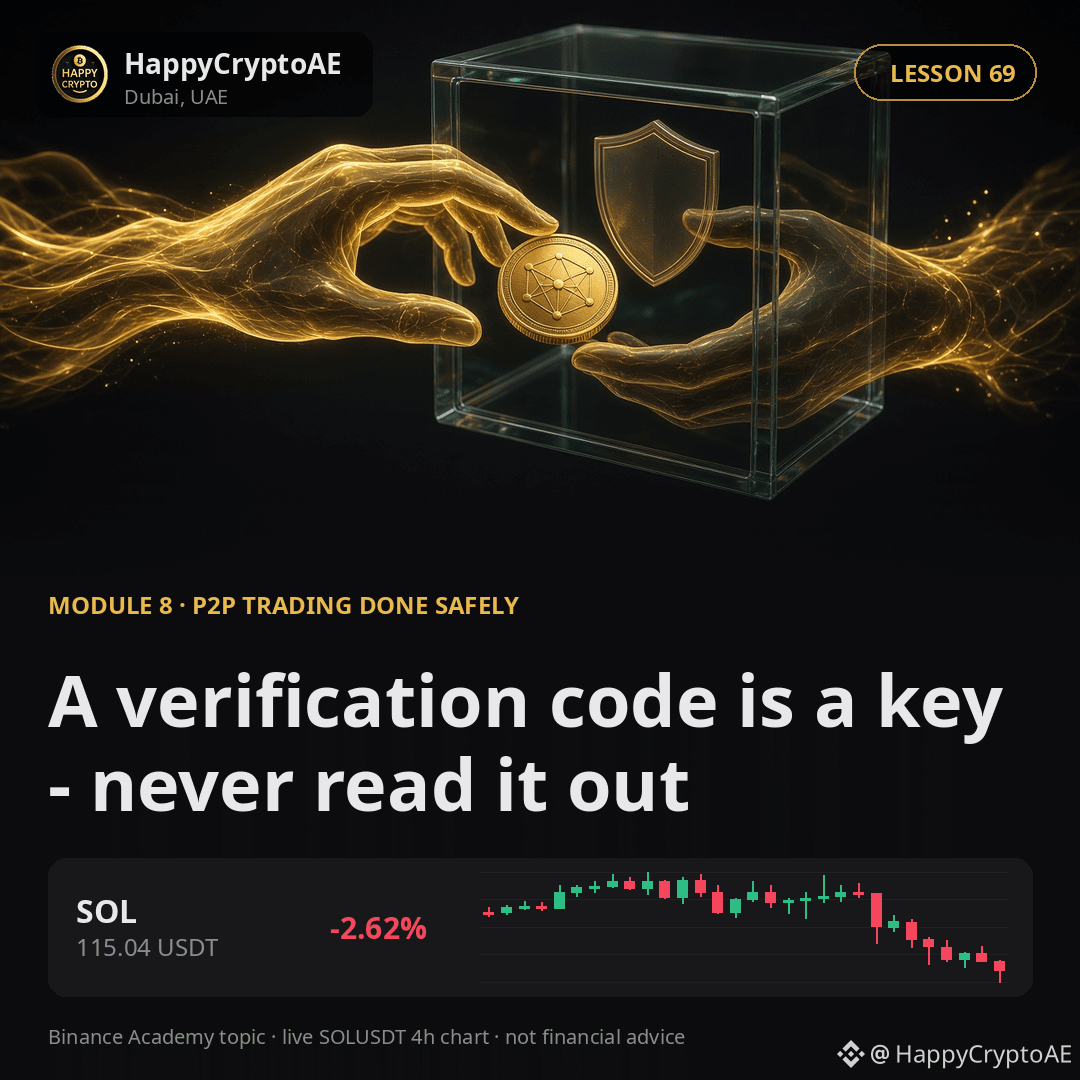
A verification code is a key - never read it outA verification code is the one-time number sent to your phone or generated by an authenticator app when you log in or approve something. It is the second factor in two-factor authentication: even with your password, nobody gets in without it.
That is exactly why scammers ask for it. The story changes - a "support agent", a buyer who "sent you a code by mistake", a warning that your account will be closed - but the goal is the same: get you to read out the one thing that protects you. No legitimate platform or trader will ever ask for it. If someone does, the conversation is over.
💬 Have you ever been asked for a verification code? What was the story?
Binance Academy covers this in more depth: https://www.binance.com/en/academy/glossary/verification-code
Next lesson: Custody: who actually holds your coins?
Trading crypto from Dubai since 2019.
$BNB $USDT $SOL
#2FA #CryptoSecurity #SafeTrading
A verification code is a key - never read it out
A verification code is the one-time number sent to your phone or generated by an authenticator app when you log in or approve something. It is the second factor in two-factor authentication: even with your password, nobody gets in without it.
That is exactly why scammers ask for it. The story changes - a "support agent", a buyer who "sent you a code by mistake", a warning that your account will be closed - but the goal is the same: get you to read out the one thing that protects you. No legitimate platform or trader will ever ask for it. If someone does, the conversation is over.
💬 Have you ever been asked for a verification code? What was the story?
Binance Academy covers this in more depth: https://www.binance.com/en/academy/glossary/verification-code
Next lesson: Custody: who actually holds your coins?
Trading crypto from Dubai since 2019.
$BNB $USDT $SOL
#2FA #CryptoSecurity #SafeTrading
That is exactly why scammers ask for it. The story changes - a "support agent", a buyer who "sent you a code by mistake", a warning that your account will be closed - but the goal is the same: get you to read out the one thing that protects you. No legitimate platform or trader will ever ask for it. If someone does, the conversation is over.
💬 Have you ever been asked for a verification code? What was the story?
Binance Academy covers this in more depth: https://www.binance.com/en/academy/glossary/verification-code
Next lesson: Custody: who actually holds your coins?
Trading crypto from Dubai since 2019.
$BNB $USDT $SOL
#2FA #CryptoSecurity #SafeTrading
143

·
--
🚨 YOUR GOOGLE 2FA MAY NOT BE AS SAFE AS YOU THINK
A reported crypto attack in August 2026 shows how dangerous one hacked Google account can be.
A Bitcoin holder reportedly lost their funds within 12 hours of depositing them on an exchange.
Here’s what happened:
The attacker got access to the Google account 3 months earlier.
Google Authenticator was synced to the cloud.
The attacker reportedly had access to the victim’s email and 2FA codes.
The attacker waited until the victim deposited a large amount of Bitcoin.
Then the attacker made a withdrawal.
2FA is important. But your 2FA is only as safe as the account protecting it.
$BTC
{future}(BTCUSDT)
#CYBER #BTC走势分析 #CryptoSecurity #2FA #scamriskwarning
🚨 YOUR GOOGLE 2FA MAY NOT BE AS SAFE AS YOU THINK
A reported crypto attack in August 2026 shows how dangerous one hacked Google account can be.
A Bitcoin holder reportedly lost their funds within 12 hours of depositing them on an exchange.
Here’s what happened:
The attacker got access to the Google account 3 months earlier.
Google Authenticator was synced to the cloud.
The attacker reportedly had access to the victim’s email and 2FA codes.
The attacker waited until the victim deposited a large amount of Bitcoin.
Then the attacker made a withdrawal.
2FA is important. But your 2FA is only as safe as the account protecting it.
$BTC
#CYBER #BTC走势分析 #CryptoSecurity #2FA #scamriskwarning
A reported crypto attack in August 2026 shows how dangerous one hacked Google account can be.
A Bitcoin holder reportedly lost their funds within 12 hours of depositing them on an exchange.
Here’s what happened:
The attacker got access to the Google account 3 months earlier.
Google Authenticator was synced to the cloud.
The attacker reportedly had access to the victim’s email and 2FA codes.
The attacker waited until the victim deposited a large amount of Bitcoin.
Then the attacker made a withdrawal.
2FA is important. But your 2FA is only as safe as the account protecting it.
$BTC
#CYBER #BTC走势分析 #CryptoSecurity #2FA #scamriskwarning
122

·
--
Bullish
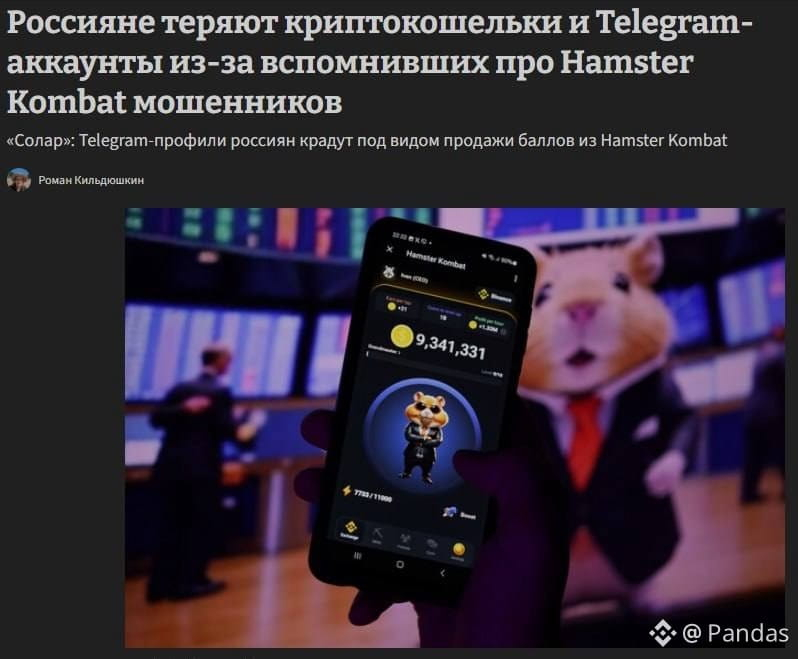
🐹 Crypto scammers are once again leveraging “hamsters”
Scammers use Hamster Kombat to steal Russians’ Telegram accounts and crypto wallets: they offer to sell HMSTR выгодно (profitably), swap tokens without commission, or withdraw the remaining funds from the drop—then they lure Telegram codes, 2FA data, seed phrases, or transaction signatures.
$HMSTR
{spot}(HMSTRUSDT)
#Hamster #Telegram #2FA
🐹 Crypto scammers are once again leveraging “hamsters”
Scammers use Hamster Kombat to steal Russians’ Telegram accounts and crypto wallets: they offer to sell HMSTR выгодно (profitably), swap tokens without commission, or withdraw the remaining funds from the drop—then they lure Telegram codes, 2FA data, seed phrases, or transaction signatures.
$HMSTR
#Hamster #Telegram #2FA
Scammers use Hamster Kombat to steal Russians’ Telegram accounts and crypto wallets: they offer to sell HMSTR выгодно (profitably), swap tokens without commission, or withdraw the remaining funds from the drop—then they lure Telegram codes, 2FA data, seed phrases, or transaction signatures.
$HMSTR
#Hamster #Telegram #2FA
3
1.6k
·
--
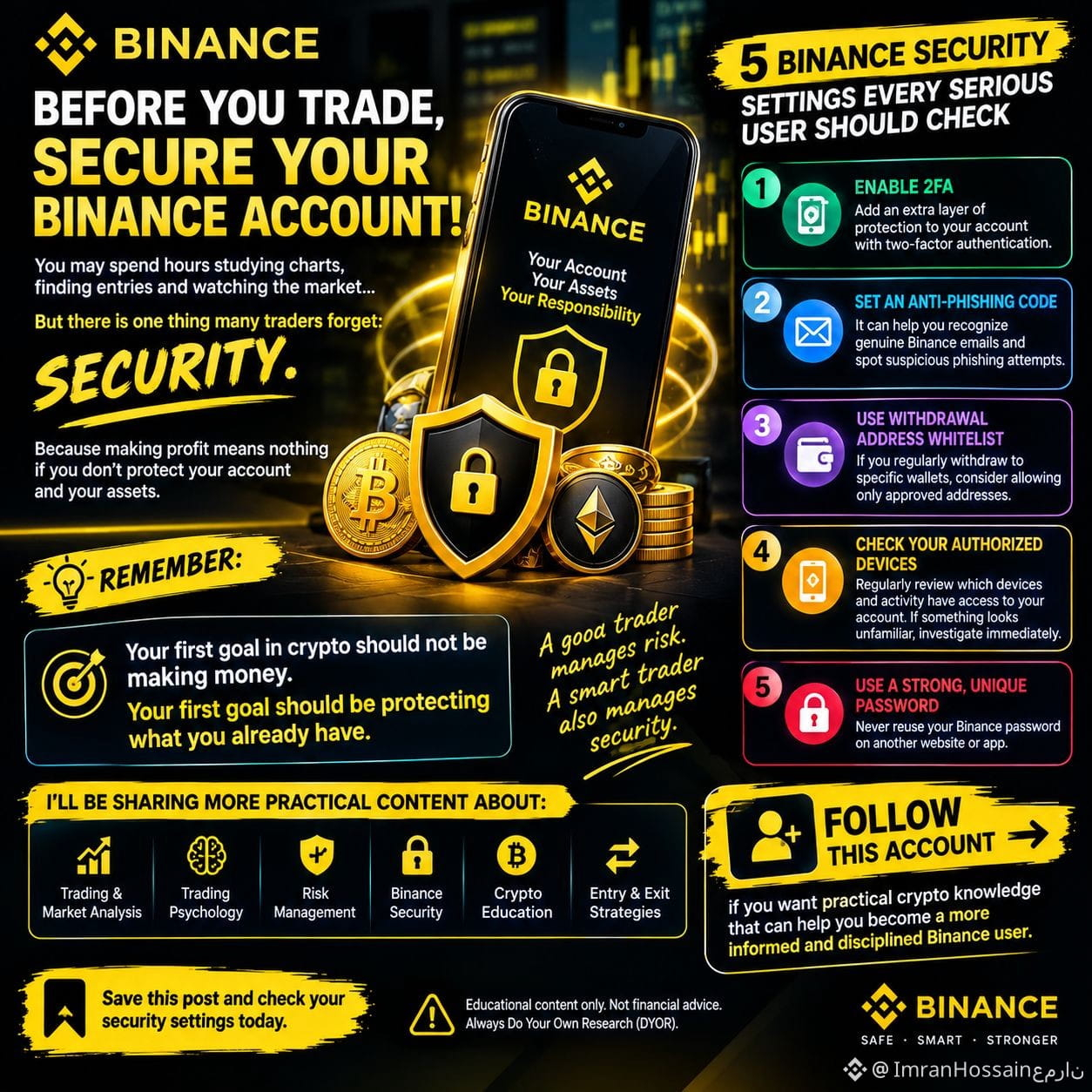
🔐 BEFORE YOU TRADE, SECURE YOUR BINANCE ACCOUNT!
You may spend hours studying charts, finding entries and watching the market…
But there is one thing many traders forget:
SECURITY. ⚠️
$USDC
Because making profit means nothing if you don’t protect your account and your assets.
Here are 5 Binance security settings every serious user should check:
🔒 1. Enable 2FA
Add an extra layer of protection to your account with two-factor authentication.
🛡️ 2. Set an Anti-Phishing Code
It can help you recognize genuine Binance emails and spot suspicious phishing attempts.
💰 3. Use Withdrawal Address Whitelist
If you regularly withdraw to specific wallets, consider allowing only approved addresses.
📱 4. Check Your Authorized Devices
Regularly review which devices and activity have access to your account. If something looks unfamiliar, investigate immediately.
🔑 5. Use a Strong, Unique Password
Never reuse your Binance password on another website or app.
$BTC
🚨 REMEMBER:
Your first goal in crypto should not be making money.
Your first goal should be protecting what you already have.
A good trader manages risk.
A smart trader also manages security. 🧠
I’ll be sharing more practical content about:
📊 Trading & Market Analysis
🧠 Trading Psychology
🛡️ Risk Management
🔐 Binance Security
₿ Crypto Education
📈 Entry & Exit Strategies
👉 FOLLOW this account if you want practical crypto knowledge that can help you become a more informed and disciplined Binance user.
Save this post and check your security settings today.
$BTC
⚠️ Educational content only. Not financial advice. Always Do Your Own Research (DYOR).
#Binance #BinanceSquare #BinanceSecurity #CryptoSecurity #Crypto #Trading #Bitcoin #RiskManagement #TradingTips #CryptoEducation #AntiPhishing #2FA
🔐 BEFORE YOU TRADE, SECURE YOUR BINANCE ACCOUNT!
You may spend hours studying charts, finding entries and watching the market…
But there is one thing many traders forget:
SECURITY. ⚠️
$USDC
Because making profit means nothing if you don’t protect your account and your assets.
Here are 5 Binance security settings every serious user should check:
🔒 1. Enable 2FA
Add an extra layer of protection to your account with two-factor authentication.
🛡️ 2. Set an Anti-Phishing Code
It can help you recognize genuine Binance emails and spot suspicious phishing attempts.
💰 3. Use Withdrawal Address Whitelist
If you regularly withdraw to specific wallets, consider allowing only approved addresses.
📱 4. Check Your Authorized Devices
Regularly review which devices and activity have access to your account. If something looks unfamiliar, investigate immediately.
🔑 5. Use a Strong, Unique Password
Never reuse your Binance password on another website or app.
$BTC
🚨 REMEMBER:
Your first goal in crypto should not be making money.
Your first goal should be protecting what you already have.
A good trader manages risk.
A smart trader also manages security. 🧠
I’ll be sharing more practical content about:
📊 Trading & Market Analysis
🧠 Trading Psychology
🛡️ Risk Management
🔐 Binance Security
₿ Crypto Education
📈 Entry & Exit Strategies
👉 FOLLOW this account if you want practical crypto knowledge that can help you become a more informed and disciplined Binance user.
Save this post and check your security settings today.
$BTC
⚠️ Educational content only. Not financial advice. Always Do Your Own Research (DYOR).
#Binance #BinanceSquare #BinanceSecurity #CryptoSecurity #Crypto #Trading #Bitcoin #RiskManagement #TradingTips #CryptoEducation #AntiPhishing #2FA
You may spend hours studying charts, finding entries and watching the market…
But there is one thing many traders forget:
SECURITY. ⚠️
$USDC
Because making profit means nothing if you don’t protect your account and your assets.
Here are 5 Binance security settings every serious user should check:
🔒 1. Enable 2FA
Add an extra layer of protection to your account with two-factor authentication.
🛡️ 2. Set an Anti-Phishing Code
It can help you recognize genuine Binance emails and spot suspicious phishing attempts.
💰 3. Use Withdrawal Address Whitelist
If you regularly withdraw to specific wallets, consider allowing only approved addresses.
📱 4. Check Your Authorized Devices
Regularly review which devices and activity have access to your account. If something looks unfamiliar, investigate immediately.
🔑 5. Use a Strong, Unique Password
Never reuse your Binance password on another website or app.
$BTC
🚨 REMEMBER:
Your first goal in crypto should not be making money.
Your first goal should be protecting what you already have.
A good trader manages risk.
A smart trader also manages security. 🧠
I’ll be sharing more practical content about:
📊 Trading & Market Analysis
🧠 Trading Psychology
🛡️ Risk Management
🔐 Binance Security
₿ Crypto Education
📈 Entry & Exit Strategies
👉 FOLLOW this account if you want practical crypto knowledge that can help you become a more informed and disciplined Binance user.
Save this post and check your security settings today.
$BTC
⚠️ Educational content only. Not financial advice. Always Do Your Own Research (DYOR).
#Binance #BinanceSquare #BinanceSecurity #CryptoSecurity #Crypto #Trading #Bitcoin #RiskManagement #TradingTips #CryptoEducation #AntiPhishing #2FA
132

Security and Best Practices in Crypto
🔒 Crypto Security: 4 essential reflexes to protect your assets
The security of your funds is the foundation of your journey in the Web3 and Crypto market.
🛡️ Golden rules:
Enable two-factor authentication (2FA): Prefer an authentication app (Google Authenticator, Passkeys) rather than SMS.
Verify addresses and URLs: Save Binance’s official URL in your bookmarks to avoid phishing attempts.
Beware of suspicious links: Never click on unsolicited links received via private message.
Whitelist your withdrawal addresses: Set up the Withdrawal Whitelist feature to allow withdrawals only to your trusted addresses.
Prudence and vigilance are your best security guarantees.
#SecurityFirst #CryptoSafety #PhishingAwareness #2FA #Binance @Square-Creator-ab1773406
Security and Best Practices in Crypto
🔒 Crypto Security: 4 essential reflexes to protect your assets
The security of your funds is the foundation of your journey in the Web3 and Crypto market.
🛡️ Golden rules:
Enable two-factor authentication (2FA): Prefer an authentication app (Google Authenticator, Passkeys) rather than SMS.
Verify addresses and URLs: Save Binance’s official URL in your bookmarks to avoid phishing attempts.
Beware of suspicious links: Never click on unsolicited links received via private message.
Whitelist your withdrawal addresses: Set up the Withdrawal Whitelist feature to allow withdrawals only to your trusted addresses.
Prudence and vigilance are your best security guarantees.
#SecurityFirst #CryptoSafety #PhishingAwareness #2FA #Binance @eden
🔒 Crypto Security: 4 essential reflexes to protect your assets
The security of your funds is the foundation of your journey in the Web3 and Crypto market.
🛡️ Golden rules:
Enable two-factor authentication (2FA): Prefer an authentication app (Google Authenticator, Passkeys) rather than SMS.
Verify addresses and URLs: Save Binance’s official URL in your bookmarks to avoid phishing attempts.
Beware of suspicious links: Never click on unsolicited links received via private message.
Whitelist your withdrawal addresses: Set up the Withdrawal Whitelist feature to allow withdrawals only to your trusted addresses.
Prudence and vigilance are your best security guarantees.
#SecurityFirst #CryptoSafety #PhishingAwareness #2FA #Binance @eden
113

·
--
Binance Security Checklist (step by step on the Pro app)
If you're a newbie (like me), do this before even thinking about 'profits'. Security comes first.
1) Activate 2FA (Google Authenticator)
Profile/Account → Security → Authenticator → Activate
• scan the QR Code in Google Authenticator
• write down the backup key and keep it offline (paper)
2) Create an Anti-Phishing Code (to avoid fake emails)
Profile/Account → Security → Anti-Phishing Code
• create a short phrase that only you recognize
3) Review devices and logins
Profile/Account → Security → Manage Devices / Login History
• remove old/unknown devices
• if you see something weird: change your password right away
4) Lock withdrawals (if available)
Profile/Account → Security → Whitelist/Withdrawal Address List
• only approved addresses can receive withdrawals
5) Protect your phone
• biometrics/password on Android
• no APKs outside of the Play Store
Golden rule: no one from 'support' will ask for your seed phrase, code #2FA A, or verification code.
Have you already activated 2FA with the authenticator or are you still using SMS?
Binance Security Checklist (step by step on the Pro app)
If you're a newbie (like me), do this before even thinking about 'profits'. Security comes first.
1) Activate 2FA (Google Authenticator)
Profile/Account → Security → Authenticator → Activate
• scan the QR Code in Google Authenticator
• write down the backup key and keep it offline (paper)
2) Create an Anti-Phishing Code (to avoid fake emails)
Profile/Account → Security → Anti-Phishing Code
• create a short phrase that only you recognize
3) Review devices and logins
Profile/Account → Security → Manage Devices / Login History
• remove old/unknown devices
• if you see something weird: change your password right away
4) Lock withdrawals (if available)
Profile/Account → Security → Whitelist/Withdrawal Address List
• only approved addresses can receive withdrawals
5) Protect your phone
• biometrics/password on Android
• no APKs outside of the Play Store
Golden rule: no one from 'support' will ask for your seed phrase, code #2FA A, or verification code.
Have you already activated 2FA with the authenticator or are you still using SMS?
If you're a newbie (like me), do this before even thinking about 'profits'. Security comes first.
1) Activate 2FA (Google Authenticator)
Profile/Account → Security → Authenticator → Activate
• scan the QR Code in Google Authenticator
• write down the backup key and keep it offline (paper)
2) Create an Anti-Phishing Code (to avoid fake emails)
Profile/Account → Security → Anti-Phishing Code
• create a short phrase that only you recognize
3) Review devices and logins
Profile/Account → Security → Manage Devices / Login History
• remove old/unknown devices
• if you see something weird: change your password right away
4) Lock withdrawals (if available)
Profile/Account → Security → Whitelist/Withdrawal Address List
• only approved addresses can receive withdrawals
5) Protect your phone
• biometrics/password on Android
• no APKs outside of the Play Store
Golden rule: no one from 'support' will ask for your seed phrase, code #2FA A, or verification code.
Have you already activated 2FA with the authenticator or are you still using SMS?
201
·
--
🔐 One Simple Security Step Could Save Your Crypto
Imagine waking up one morning to find your crypto gone.
- No hack.
- No blockchain failure.
Just someone who got access to your account.
This is exactly why Two-Factor Authentication (2FA) is one of the most important security features every crypto investor should enable.
Here's why it matters:
🛡️ 1. It Adds a Second Layer of Protection
Even if someone discovers your password, they still need your second verification code to access your account.
📱 2. It Protects Against Stolen Passwords
Passwords can be leaked through phishing websites, malware, or reused credentials from other platforms. 2FA helps reduce the risk of unauthorized access.
⚠️ 3. Crypto Transactions Are Irreversible
Unlike traditional banking, blockchain transactions generally can't be reversed once confirmed. Preventing unauthorized access is far easier than trying to recover lost funds.
🔒 4. It Helps Secure Important Account Actions
Many exchanges require 2FA before withdrawals, changing security settings, or accessing sensitive account features—adding another layer of defense.
💡 5. Good Security Is a Habit, Not an Option
Enabling 2FA only takes a few minutes, but it can protect years of investing and hard work.
Don't wait until after a security incident to strengthen your account.
In crypto, prevention is always better than recovery.
💬 Let's discuss!
Besides enabling 2FA, what's the most important crypto security habit you follow? Share your best tip below—you might help protect another investor.
#CryptoSecurity #2FA #STAYSAFU #Write2Earn
📊 POLL
Have you enabled Two-Factor Authentication (2FA) on your crypto accounts?
🔐 One Simple Security Step Could Save Your Crypto
Imagine waking up one morning to find your crypto gone.
- No hack.
- No blockchain failure.
Just someone who got access to your account.
This is exactly why Two-Factor Authentication (2FA) is one of the most important security features every crypto investor should enable.
Here's why it matters:
🛡️ 1. It Adds a Second Layer of Protection
Even if someone discovers your password, they still need your second verification code to access your account.
📱 2. It Protects Against Stolen Passwords
Passwords can be leaked through phishing websites, malware, or reused credentials from other platforms. 2FA helps reduce the risk of unauthorized access.
⚠️ 3. Crypto Transactions Are Irreversible
Unlike traditional banking, blockchain transactions generally can't be reversed once confirmed. Preventing unauthorized access is far easier than trying to recover lost funds.
🔒 4. It Helps Secure Important Account Actions
Many exchanges require 2FA before withdrawals, changing security settings, or accessing sensitive account features—adding another layer of defense.
💡 5. Good Security Is a Habit, Not an Option
Enabling 2FA only takes a few minutes, but it can protect years of investing and hard work.
Don't wait until after a security incident to strengthen your account.
In crypto, prevention is always better than recovery.
💬 Let's discuss!
Besides enabling 2FA, what's the most important crypto security habit you follow? Share your best tip below—you might help protect another investor.
#CryptoSecurity #2FA #STAYSAFU #Write2Earn
📊 POLL
Have you enabled Two-Factor Authentication (2FA) on your crypto accounts?
Imagine waking up one morning to find your crypto gone.
- No hack.
- No blockchain failure.
Just someone who got access to your account.
This is exactly why Two-Factor Authentication (2FA) is one of the most important security features every crypto investor should enable.
Here's why it matters:
🛡️ 1. It Adds a Second Layer of Protection
Even if someone discovers your password, they still need your second verification code to access your account.
📱 2. It Protects Against Stolen Passwords
Passwords can be leaked through phishing websites, malware, or reused credentials from other platforms. 2FA helps reduce the risk of unauthorized access.
⚠️ 3. Crypto Transactions Are Irreversible
Unlike traditional banking, blockchain transactions generally can't be reversed once confirmed. Preventing unauthorized access is far easier than trying to recover lost funds.
🔒 4. It Helps Secure Important Account Actions
Many exchanges require 2FA before withdrawals, changing security settings, or accessing sensitive account features—adding another layer of defense.
💡 5. Good Security Is a Habit, Not an Option
Enabling 2FA only takes a few minutes, but it can protect years of investing and hard work.
Don't wait until after a security incident to strengthen your account.
In crypto, prevention is always better than recovery.
💬 Let's discuss!
Besides enabling 2FA, what's the most important crypto security habit you follow? Share your best tip below—you might help protect another investor.
#CryptoSecurity #2FA #STAYSAFU #Write2Earn
📊 POLL
Have you enabled Two-Factor Authentication (2FA) on your crypto accounts?
Yes, on every account ✅
0%
Yes, but only on some accounts
0%
Not yet, but I will today
0%
What's 2FA?
0%
0 votes • Voting closed
1
148

🛡️ Two-Factor Authentication for Wallets: An Extra Layer of Account Security
On July 23, 2026, securing your crypto accounts requires more than just a strong password. Two-factor authentication adds a second verification step — typically a time-based code from an authenticator app or a hardware security key.
While 2FA protects against password theft, it does not secure on-chain assets controlled by private keys. It primarily guards exchange accounts and wallet application logins against unauthorized access.
For maximum security, combine 2FA with a hardware wallet, use authenticator apps rather than SMS-based codes, and never store backup codes digitally.
📌 Key Takeaway:
Two-factor authentication adds a critical second layer of security for exchange and wallet accounts, protecting against password-based attacks.
#2FA #CryptoSecurity #Educational
#BinanceAlphaAlert
🛡️ Two-Factor Authentication for Wallets: An Extra Layer of Account Security
On July 23, 2026, securing your crypto accounts requires more than just a strong password. Two-factor authentication adds a second verification step — typically a time-based code from an authenticator app or a hardware security key.
While 2FA protects against password theft, it does not secure on-chain assets controlled by private keys. It primarily guards exchange accounts and wallet application logins against unauthorized access.
For maximum security, combine 2FA with a hardware wallet, use authenticator apps rather than SMS-based codes, and never store backup codes digitally.
📌 Key Takeaway:
Two-factor authentication adds a critical second layer of security for exchange and wallet accounts, protecting against password-based attacks.
#2FA #CryptoSecurity #Educational
#BinanceAlphaAlert
On July 23, 2026, securing your crypto accounts requires more than just a strong password. Two-factor authentication adds a second verification step — typically a time-based code from an authenticator app or a hardware security key.
While 2FA protects against password theft, it does not secure on-chain assets controlled by private keys. It primarily guards exchange accounts and wallet application logins against unauthorized access.
For maximum security, combine 2FA with a hardware wallet, use authenticator apps rather than SMS-based codes, and never store backup codes digitally.
📌 Key Takeaway:
Two-factor authentication adds a critical second layer of security for exchange and wallet accounts, protecting against password-based attacks.
#2FA #CryptoSecurity #Educational
#BinanceAlphaAlert
48

·
--
Did you know that a simple password is no longer enough to protect your capital? 🚨 Don’t leave the door to your digital vault ajar.
When you use cryptocurrencies like USDT to hedge against inflation or make frequent trades in the P2P market, the security of your account is your most valuable asset. This is where Two-Factor Authentication (2FA) comes into play.
But how does it work exactly and why is it a must-have measure? 🤔
Think of it as a two-layer security system to access your platform:
🔑 Layer 1 (What you know): Your traditional password. It’s your first line of defense, but it can be vulnerable to attacks.
📱 Layer 2 (What you have): A temporary, unique, and dynamic code generated on your mobile device (like Google Authenticator) or sent to your email/SMS.
Why does Binance require it? Because even if someone manages to crack or steal your password, they will hit a brick wall. Without that second code that changes every 30 seconds exclusively on your phone, it’s impossible for them to access your funds, approve withdrawals, or make transactions. It’s the ultimate lock for you to trade and save with complete peace of mind. 🛡🔐
Have you set up your 2FA with an external app or are you still relying solely on SMS? 👇 Drop your answer in the comments and follow me to keep building a secure and profitable portfolio together! 🚀#Binance
#Crypto
#SeguridadCripto
#2FA
#BinanceP2P
#USDT
Did you know that a simple password is no longer enough to protect your capital? 🚨 Don’t leave the door to your digital vault ajar.
When you use cryptocurrencies like USDT to hedge against inflation or make frequent trades in the P2P market, the security of your account is your most valuable asset. This is where Two-Factor Authentication (2FA) comes into play.
But how does it work exactly and why is it a must-have measure? 🤔
Think of it as a two-layer security system to access your platform:
🔑 Layer 1 (What you know): Your traditional password. It’s your first line of defense, but it can be vulnerable to attacks.
📱 Layer 2 (What you have): A temporary, unique, and dynamic code generated on your mobile device (like Google Authenticator) or sent to your email/SMS.
Why does Binance require it? Because even if someone manages to crack or steal your password, they will hit a brick wall. Without that second code that changes every 30 seconds exclusively on your phone, it’s impossible for them to access your funds, approve withdrawals, or make transactions. It’s the ultimate lock for you to trade and save with complete peace of mind. 🛡🔐
Have you set up your 2FA with an external app or are you still relying solely on SMS? 👇 Drop your answer in the comments and follow me to keep building a secure and profitable portfolio together! 🚀#Binance
#Crypto
#SeguridadCripto
#2FA
#BinanceP2P
#USDT
When you use cryptocurrencies like USDT to hedge against inflation or make frequent trades in the P2P market, the security of your account is your most valuable asset. This is where Two-Factor Authentication (2FA) comes into play.
But how does it work exactly and why is it a must-have measure? 🤔
Think of it as a two-layer security system to access your platform:
🔑 Layer 1 (What you know): Your traditional password. It’s your first line of defense, but it can be vulnerable to attacks.
📱 Layer 2 (What you have): A temporary, unique, and dynamic code generated on your mobile device (like Google Authenticator) or sent to your email/SMS.
Why does Binance require it? Because even if someone manages to crack or steal your password, they will hit a brick wall. Without that second code that changes every 30 seconds exclusively on your phone, it’s impossible for them to access your funds, approve withdrawals, or make transactions. It’s the ultimate lock for you to trade and save with complete peace of mind. 🛡🔐
Have you set up your 2FA with an external app or are you still relying solely on SMS? 👇 Drop your answer in the comments and follow me to keep building a secure and profitable portfolio together! 🚀#Binance
#Crypto
#SeguridadCripto
#2FA
#BinanceP2P
#USDT
227

·
--
Almost lost everything because there was no 2FA
The story is: my old phone was broken. Logging into Binance on a new phone requires 2FA on the old device
After resetting 2FA, the app keeps loading endlessly. I couldn’t contact support because I couldn’t even access the app
If you’re using Binance, check right away:
- Save the Authenticator backup key somewhere safe
- Don’t delete the old Authenticator right after changing phones
- Test whether the new 2FA is working
- If you can’t access it, use the process "Security verification unavaiable"
- Don’t go to X to ask for support and then provide information
Hope this article helps you protect your assets on the exchange when something goes wrong
These are my personal opinions, not investment advice #Binance #2FA $BTC
Almost lost everything because there was no 2FA
The story is: my old phone was broken. Logging into Binance on a new phone requires 2FA on the old device
After resetting 2FA, the app keeps loading endlessly. I couldn’t contact support because I couldn’t even access the app
If you’re using Binance, check right away:
- Save the Authenticator backup key somewhere safe
- Don’t delete the old Authenticator right after changing phones
- Test whether the new 2FA is working
- If you can’t access it, use the process "Security verification unavaiable"
- Don’t go to X to ask for support and then provide information
Hope this article helps you protect your assets on the exchange when something goes wrong
These are my personal opinions, not investment advice #Binance #2FA $BTC
The story is: my old phone was broken. Logging into Binance on a new phone requires 2FA on the old device
After resetting 2FA, the app keeps loading endlessly. I couldn’t contact support because I couldn’t even access the app
If you’re using Binance, check right away:
- Save the Authenticator backup key somewhere safe
- Don’t delete the old Authenticator right after changing phones
- Test whether the new 2FA is working
- If you can’t access it, use the process "Security verification unavaiable"
- Don’t go to X to ask for support and then provide information
Hope this article helps you protect your assets on the exchange when something goes wrong
These are my personal opinions, not investment advice #Binance #2FA $BTC
171
·
--
Bullish
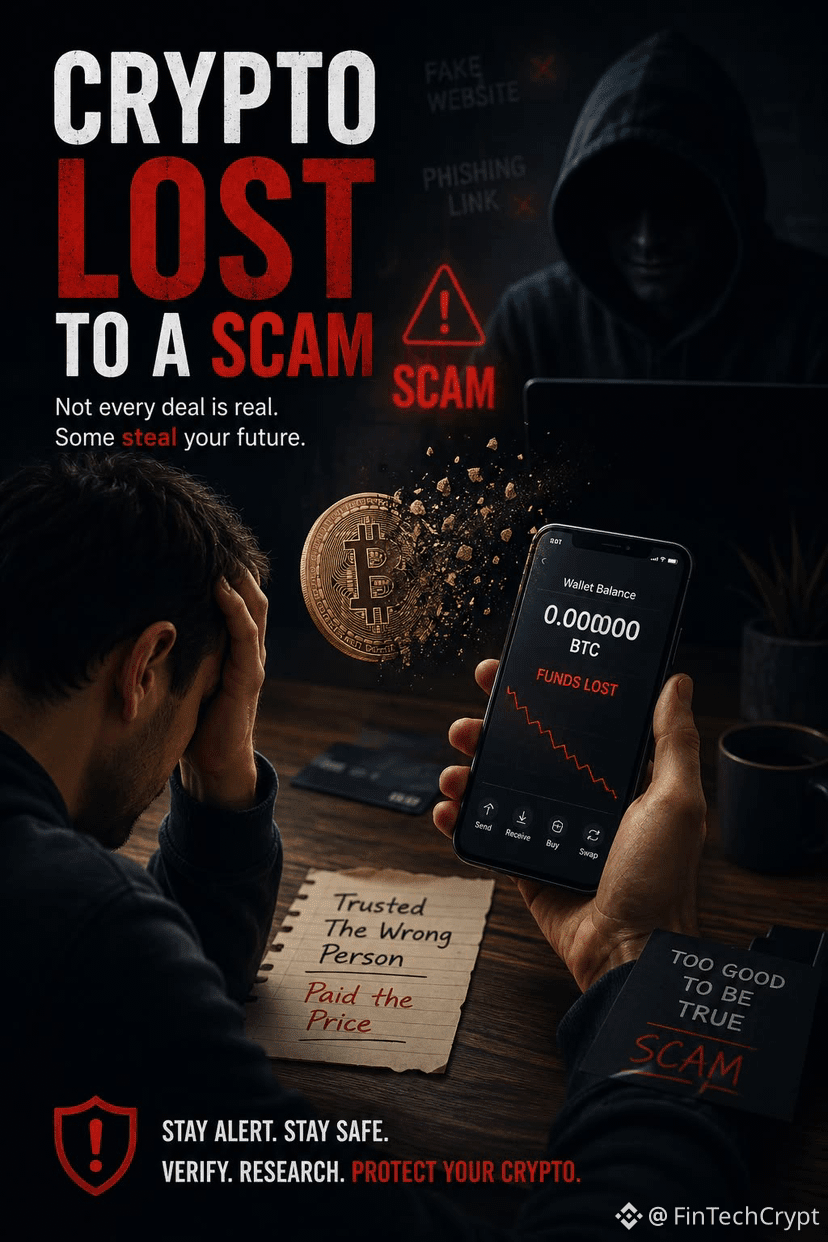
🚨 CRYPTO SCAMS: THE TRAP ISN’T ALWAYS OBVIOUS
“Your Binance account is at risk. Click here immediately.”
The message looks official.
The website looks like Binance.
And yet… it could be a scam.
Scammers aren't always trying to hack their way into your account. Sometimes, they're trying to convince you to give them access yourself.
🎣 Phishing. Fake support agents. Fake airdrops. Deepfakes.
With AI making scams more convincing than ever, staying alert has never been more important.
🛡️ Before taking any action, remember these 4 rules:
🔹 Never act under pressure. Urgency is one of a scammer's favorite weapons.
🔹 Always check the URL before logging in. One letter can make all the difference.
🔹 Never share your password, private key, or seed phrase.
🔹 Enable 2FA and use all available security features on your account.
⚠️ Golden rule: If someone asks you to send crypto to receive more crypto in return, take a step back.
In crypto, confirmed transactions are generally irreversible. Your first line of defense is you.
🔐 Stay alert. Stay #SAFU🙏 #2FA $NVDA.US $AAPLB #SecurityAlert
*This content is for educational and informational purposes only and does not constitute financial advice.*
🚨 CRYPTO SCAMS: THE TRAP ISN’T ALWAYS OBVIOUS
“Your Binance account is at risk. Click here immediately.”
The message looks official.
The website looks like Binance.
And yet… it could be a scam.
Scammers aren't always trying to hack their way into your account. Sometimes, they're trying to convince you to give them access yourself.
🎣 Phishing. Fake support agents. Fake airdrops. Deepfakes.
With AI making scams more convincing than ever, staying alert has never been more important.
🛡️ Before taking any action, remember these 4 rules:
🔹 Never act under pressure. Urgency is one of a scammer's favorite weapons.
🔹 Always check the URL before logging in. One letter can make all the difference.
🔹 Never share your password, private key, or seed phrase.
🔹 Enable 2FA and use all available security features on your account.
⚠️ Golden rule: If someone asks you to send crypto to receive more crypto in return, take a step back.
In crypto, confirmed transactions are generally irreversible. Your first line of defense is you.
🔐 Stay alert. Stay #SAFU🙏 #2FA $NVDA.US $AAPLB #SecurityAlert
*This content is for educational and informational purposes only and does not constitute financial advice.*
“Your Binance account is at risk. Click here immediately.”
The message looks official.
The website looks like Binance.
And yet… it could be a scam.
Scammers aren't always trying to hack their way into your account. Sometimes, they're trying to convince you to give them access yourself.
🎣 Phishing. Fake support agents. Fake airdrops. Deepfakes.
With AI making scams more convincing than ever, staying alert has never been more important.
🛡️ Before taking any action, remember these 4 rules:
🔹 Never act under pressure. Urgency is one of a scammer's favorite weapons.
🔹 Always check the URL before logging in. One letter can make all the difference.
🔹 Never share your password, private key, or seed phrase.
🔹 Enable 2FA and use all available security features on your account.
⚠️ Golden rule: If someone asks you to send crypto to receive more crypto in return, take a step back.
In crypto, confirmed transactions are generally irreversible. Your first line of defense is you.
🔐 Stay alert. Stay #SAFU🙏 #2FA $NVDA.US $AAPLB #SecurityAlert
*This content is for educational and informational purposes only and does not constitute financial advice.*
166
·
--
Verified
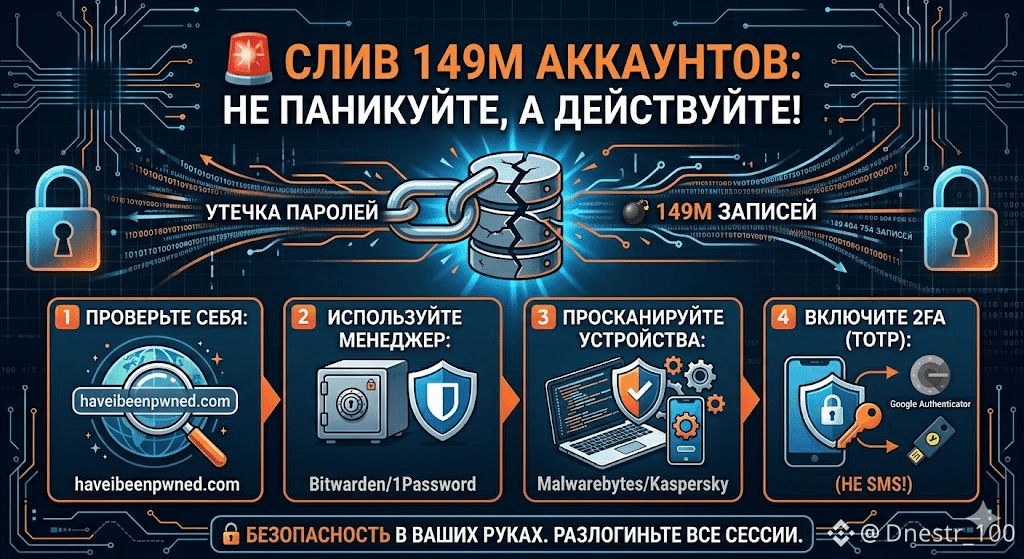
🔥 DUMP OF 149M ACCOUNTS: DON’T PANIC, ACT NOW!
The cyber world was shaken by the news: a database with 149 million passwords has been found in the wild. Among them are 420,000 Binance accounts and social media profiles. The key point is — THE EXCHANGE HAS NOT BEEN HACKED, but your PCs or smartphones may have been infected with trojan stealers (Infostealer) that extract data straight from your browser.
WHAT TO DO?
1️⃣ Check yourself: visit haveibeenpwned.com
2️⃣ DO NOT STORE passwords in your browser — use managers (like Bitwarden, etc.)
3️⃣ Scan your PC/phone with antivirus (Kaspersky, Malwarebytes)
4️⃣ Definitely enable 2FA! Only through an app (Google Authenticator) or a physical key like YubiKey. SMS won’t cut it — they can be intercepted!
AND LASTLY — just in case, log into the exchange and log out of all suspicious sessions.
Security is in your hands! 🛡️
#Binance #DataLeakResponse #CyberSecurity #2FA
🔥 DUMP OF 149M ACCOUNTS: DON’T PANIC, ACT NOW!
The cyber world was shaken by the news: a database with 149 million passwords has been found in the wild. Among them are 420,000 Binance accounts and social media profiles. The key point is — THE EXCHANGE HAS NOT BEEN HACKED, but your PCs or smartphones may have been infected with trojan stealers (Infostealer) that extract data straight from your browser.
WHAT TO DO?
1️⃣ Check yourself: visit haveibeenpwned.com
2️⃣ DO NOT STORE passwords in your browser — use managers (like Bitwarden, etc.)
3️⃣ Scan your PC/phone with antivirus (Kaspersky, Malwarebytes)
4️⃣ Definitely enable 2FA! Only through an app (Google Authenticator) or a physical key like YubiKey. SMS won’t cut it — they can be intercepted!
AND LASTLY — just in case, log into the exchange and log out of all suspicious sessions.
Security is in your hands! 🛡️
#Binance #DataLeakResponse #CyberSecurity #2FA
The cyber world was shaken by the news: a database with 149 million passwords has been found in the wild. Among them are 420,000 Binance accounts and social media profiles. The key point is — THE EXCHANGE HAS NOT BEEN HACKED, but your PCs or smartphones may have been infected with trojan stealers (Infostealer) that extract data straight from your browser.
WHAT TO DO?
1️⃣ Check yourself: visit haveibeenpwned.com
2️⃣ DO NOT STORE passwords in your browser — use managers (like Bitwarden, etc.)
3️⃣ Scan your PC/phone with antivirus (Kaspersky, Malwarebytes)
4️⃣ Definitely enable 2FA! Only through an app (Google Authenticator) or a physical key like YubiKey. SMS won’t cut it — they can be intercepted!
AND LASTLY — just in case, log into the exchange and log out of all suspicious sessions.
Security is in your hands! 🛡️
#Binance #DataLeakResponse #CyberSecurity #2FA
1
1.5k

·
--
Two-factor authentication takes fifteen seconds to set up and has saved more accounts than any market prediction ever has. Boring security wins quietly. #2FA
Two-factor authentication takes fifteen seconds to set up and has saved more accounts than any market prediction ever has. Boring security wins quietly. #2FA
21

·
--


Binance Africa
·
--
[Replay] 🎙️ Security Best Practice: Keeping Your Binance Account Safe
02 h 06 m 05 s · 2.5k listens
68

🔐 Is your Binance account secure?
Make sure you do these 5 things today to keep your Binance account secure:
1. Keep Two-Factor Authentication (2FA) enabled.
2. Use a strong, unique password.
3. Enable the Anti-Phishing Code.
4. Don’t click unfamiliar links.
5. Never share your password or OTP with anyone.
$TSMB $MUB
Caption: 🚨 One small mistake could put your crypto assets at risk. So secure your account before trading.
#BinanceCreator #CryptoSecurity #2FA #AntiPhishing #CryptoEducation💡🚀
🔐 Is your Binance account secure?
Make sure you do these 5 things today to keep your Binance account secure:
1. Keep Two-Factor Authentication (2FA) enabled.
2. Use a strong, unique password.
3. Enable the Anti-Phishing Code.
4. Don’t click unfamiliar links.
5. Never share your password or OTP with anyone.
$TSMB $MUB
Caption: 🚨 One small mistake could put your crypto assets at risk. So secure your account before trading.
#BinanceCreator #CryptoSecurity #2FA #AntiPhishing #CryptoEducation💡🚀
Make sure you do these 5 things today to keep your Binance account secure:
1. Keep Two-Factor Authentication (2FA) enabled.
2. Use a strong, unique password.
3. Enable the Anti-Phishing Code.
4. Don’t click unfamiliar links.
5. Never share your password or OTP with anyone.
$TSMB $MUB
Caption: 🚨 One small mistake could put your crypto assets at risk. So secure your account before trading.
#BinanceCreator #CryptoSecurity #2FA #AntiPhishing #CryptoEducation💡🚀
1
70

·
--
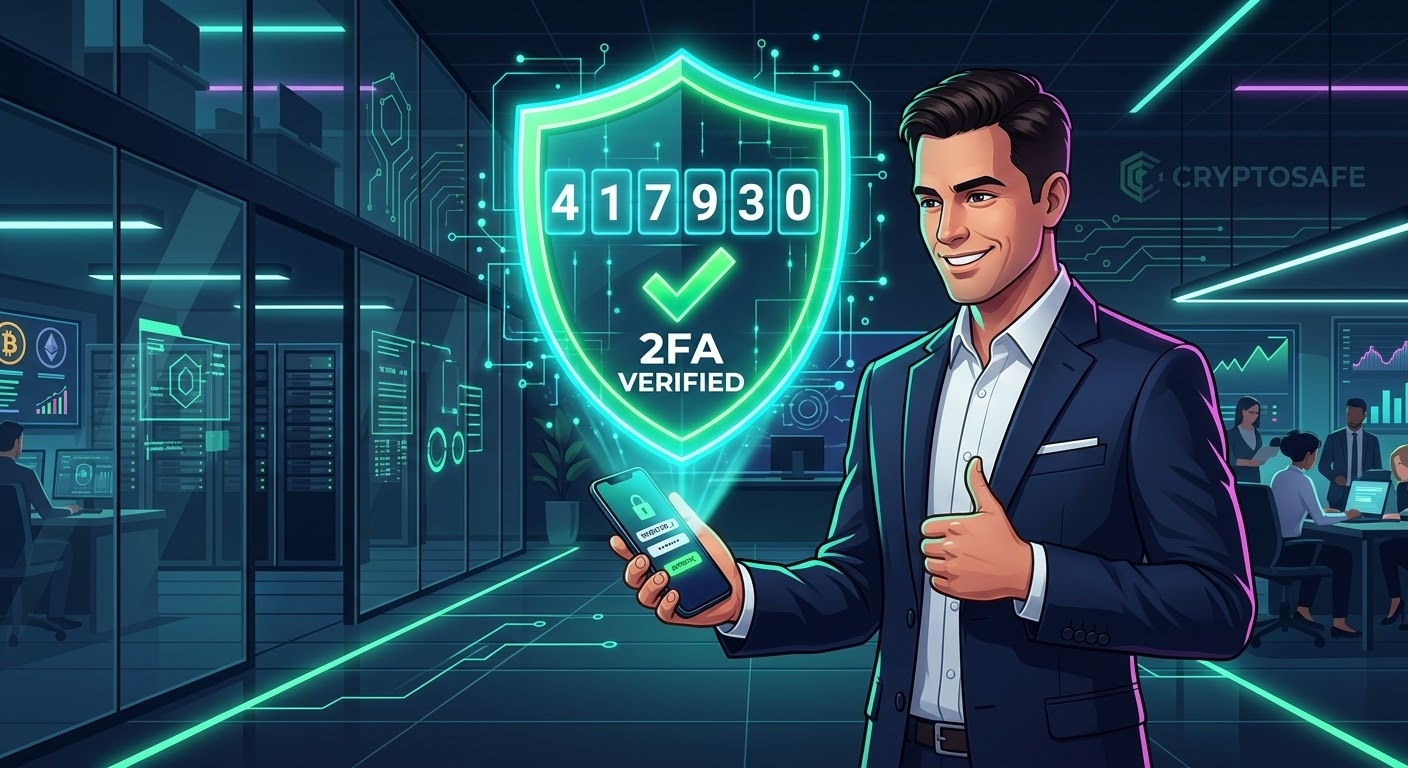
My Crypto Safety Roadmap (Part 4): How I Use 2FA to Make My Binance Account 200% Secure
🎈🎈
📌️Password protection alone is never enough to secure my hard-earned crypto assets on centralized exchanges. In my journey to achieve maximum security, I treat my login password as just the first layer of defense. To make my Binance account virtually impenetrable, I immediately activated advanced Two-Factor Authentication (2FA) using dynamic authenticator apps rather than relying solely on vulnerable SMS verification.🚀
📌️Today, every single login attempt and withdrawal request requires a unique, time-sensitive code generated directly on my offline mobile device. Even if a hacker somehow manages to discover my primary password through phishing or data leaks, they are completely blocked by this second mandatory security wall. Relying on continuous, 30-second rotating codes gives me total peace of mind, knowing that I hold absolute control over my account access at all times.🚀
#CryptoSafety #BinanceSecurity #2FA #AccountProtection #MyJourney $XAUT $BTC $BNB
💥Not Financial Advice
{spot}(XAUTUSDT)
My Crypto Safety Roadmap (Part 4): How I Use 2FA to Make My Binance Account 200% Secure
🎈🎈
📌️Password protection alone is never enough to secure my hard-earned crypto assets on centralized exchanges. In my journey to achieve maximum security, I treat my login password as just the first layer of defense. To make my Binance account virtually impenetrable, I immediately activated advanced Two-Factor Authentication (2FA) using dynamic authenticator apps rather than relying solely on vulnerable SMS verification.🚀
📌️Today, every single login attempt and withdrawal request requires a unique, time-sensitive code generated directly on my offline mobile device. Even if a hacker somehow manages to discover my primary password through phishing or data leaks, they are completely blocked by this second mandatory security wall. Relying on continuous, 30-second rotating codes gives me total peace of mind, knowing that I hold absolute control over my account access at all times.🚀
#CryptoSafety #BinanceSecurity #2FA #AccountProtection #MyJourney $XAUT $BTC $BNB
💥Not Financial Advice
🎈🎈
📌️Password protection alone is never enough to secure my hard-earned crypto assets on centralized exchanges. In my journey to achieve maximum security, I treat my login password as just the first layer of defense. To make my Binance account virtually impenetrable, I immediately activated advanced Two-Factor Authentication (2FA) using dynamic authenticator apps rather than relying solely on vulnerable SMS verification.🚀
📌️Today, every single login attempt and withdrawal request requires a unique, time-sensitive code generated directly on my offline mobile device. Even if a hacker somehow manages to discover my primary password through phishing or data leaks, they are completely blocked by this second mandatory security wall. Relying on continuous, 30-second rotating codes gives me total peace of mind, knowing that I hold absolute control over my account access at all times.🚀
#CryptoSafety #BinanceSecurity #2FA #AccountProtection #MyJourney $XAUT $BTC $BNB
💥Not Financial Advice
150
·
--
🔐 7 Security Tips Every Binance User Should Follow
Scams are getting smarter. Here's how to keep your account safe:
1️⃣ Turn on 2FA: Use an authenticator app or passkey instead of SMS only.
2️⃣ Set an Anti-Phishing Code: It appears in every official Binance email, so fake emails are easy to spot.
3️⃣ Enable Withdrawal Whitelist: Even if someone gets in, they can only withdraw to addresses you approved.
4️⃣ Check the URL: Always type binance.com yourself or use the official app. Never log in from links in DMs, ads, or emails.
5️⃣ Never share OTP, password or seed phrase: Binance support will never ask for them. Anyone who does is a scammer.
6️⃣ Be careful on P2P: Release crypto only after the money shows up in your own bank or wallet app, not from a screenshot.
7️⃣ Review your devices: Check Device Management regularly and remove any you don't recognize.
🚩 Red flags: "Guaranteed profit", "double your crypto", urgent messages, strangers offering "free help" in DMs.
⚠️ This is general information, not financial advice. DYOR.
🎁 New to Binance? Sign up with my referral code GRO_28502_6Q3X4 and check the current Referral Boost rewards (terms apply).
Which scam have you come across most? Share below so others can stay alert 👇
#Binance #CryptoSecurity #ScamAlert #2FA #ETH🔥🔥🔥🔥🔥🔥
{spot}(BTCUSDT)
🔐 7 Security Tips Every Binance User Should Follow
Scams are getting smarter. Here's how to keep your account safe:
1️⃣ Turn on 2FA: Use an authenticator app or passkey instead of SMS only.
2️⃣ Set an Anti-Phishing Code: It appears in every official Binance email, so fake emails are easy to spot.
3️⃣ Enable Withdrawal Whitelist: Even if someone gets in, they can only withdraw to addresses you approved.
4️⃣ Check the URL: Always type binance.com yourself or use the official app. Never log in from links in DMs, ads, or emails.
5️⃣ Never share OTP, password or seed phrase: Binance support will never ask for them. Anyone who does is a scammer.
6️⃣ Be careful on P2P: Release crypto only after the money shows up in your own bank or wallet app, not from a screenshot.
7️⃣ Review your devices: Check Device Management regularly and remove any you don't recognize.
🚩 Red flags: "Guaranteed profit", "double your crypto", urgent messages, strangers offering "free help" in DMs.
⚠️ This is general information, not financial advice. DYOR.
🎁 New to Binance? Sign up with my referral code GRO_28502_6Q3X4 and check the current Referral Boost rewards (terms apply).
Which scam have you come across most? Share below so others can stay alert 👇
#Binance #CryptoSecurity #ScamAlert #2FA #ETH🔥🔥🔥🔥🔥🔥
Scams are getting smarter. Here's how to keep your account safe:
1️⃣ Turn on 2FA: Use an authenticator app or passkey instead of SMS only.
2️⃣ Set an Anti-Phishing Code: It appears in every official Binance email, so fake emails are easy to spot.
3️⃣ Enable Withdrawal Whitelist: Even if someone gets in, they can only withdraw to addresses you approved.
4️⃣ Check the URL: Always type binance.com yourself or use the official app. Never log in from links in DMs, ads, or emails.
5️⃣ Never share OTP, password or seed phrase: Binance support will never ask for them. Anyone who does is a scammer.
6️⃣ Be careful on P2P: Release crypto only after the money shows up in your own bank or wallet app, not from a screenshot.
7️⃣ Review your devices: Check Device Management regularly and remove any you don't recognize.
🚩 Red flags: "Guaranteed profit", "double your crypto", urgent messages, strangers offering "free help" in DMs.
⚠️ This is general information, not financial advice. DYOR.
🎁 New to Binance? Sign up with my referral code GRO_28502_6Q3X4 and check the current Referral Boost rewards (terms apply).
Which scam have you come across most? Share below so others can stay alert 👇
#Binance #CryptoSecurity #ScamAlert #2FA #ETH🔥🔥🔥🔥🔥🔥
96
·
--
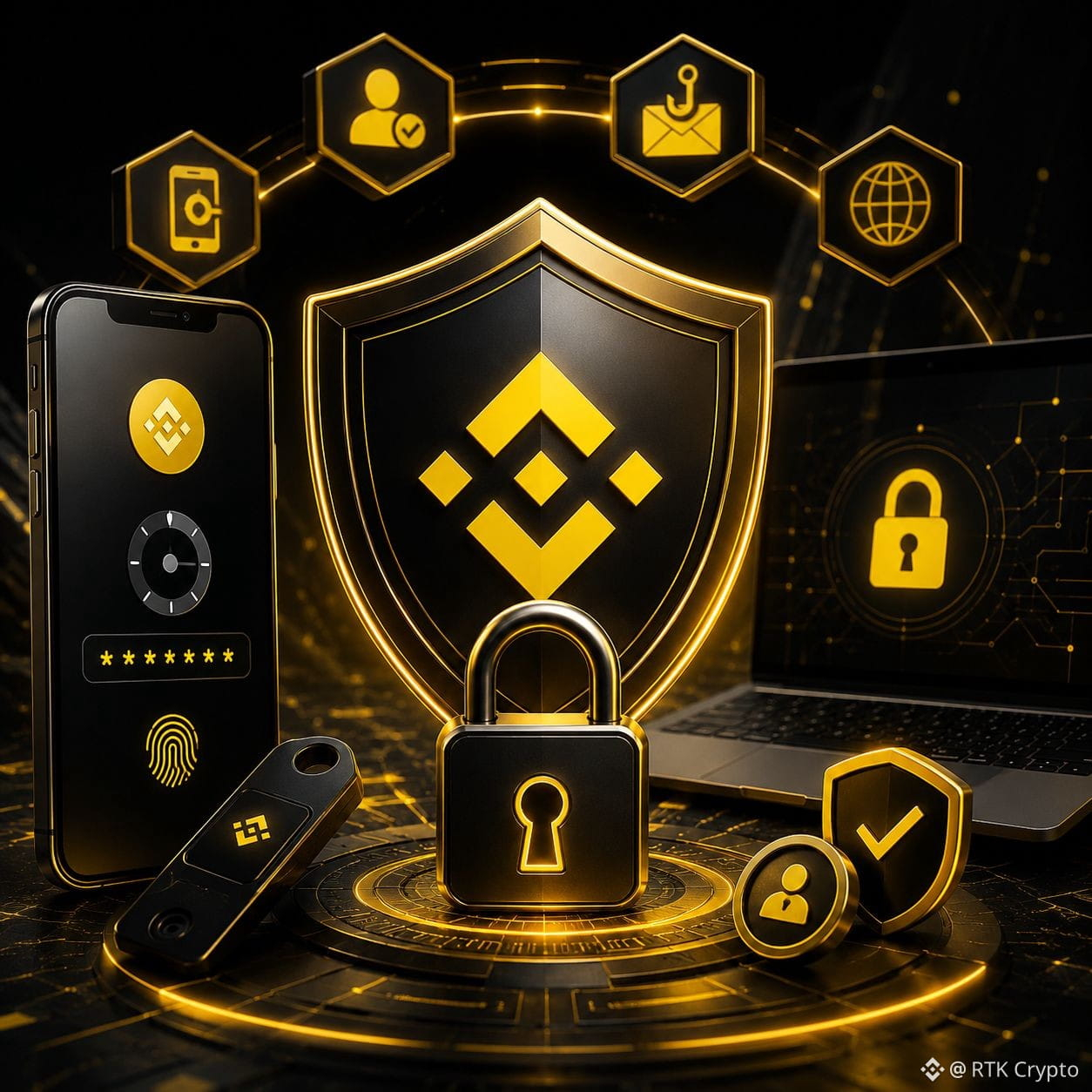
🔐 BINANCE 2FA SECURITY GUIDE: PROTECT YOUR CRYPTO! 🛡️
🚨 Your crypto security starts with YOU!
In the crypto world, protecting your account is just as important as growing your portfolio. Two-Factor Authentication (2FA) adds an extra layer of security to your Binance account.
💡 How to Secure Your Binance Account:
✅ 1. Enable 2FA 🔐
Use an authenticator app or passkey to strengthen your account security.
✅ 2. Use a Strong Password 🔑
Create a unique password and never reuse it across multiple platforms.
✅ 3. Enable Anti-Phishing Code 🛡️
Set up an anti-phishing code to help identify genuine Binance communications.
✅ 4. Protect Your Verification Codes 🚫
Never share your passwords, OTPs, 2FA codes, or recovery keys with anyone.
✅ 5. Check Your Login Activity 👀
Regularly review your authorized devices and remove any you don't recognize.
✅ 6. Enable Withdrawal Address Whitelisting 💰
Restrict withdrawals to trusted wallet addresses whenever possible.
⚠️ IMPORTANT SECURITY RULES:
❌ Never click suspicious links.
❌ Never trust fake Binance support accounts.
❌ Never share your screen with strangers claiming to help.
❌ Never approve an unexpected login or withdrawal request.
🔥 Remember: Even the strongest security settings cannot protect you if you willingly share your credentials with a scammer.
🔒 Take action today. Secure your account before a threat appears!
👁️ Which security feature do you use to protect your Binance account?
A️⃣ Authenticator App
B️⃣ Passkey
C️⃣ Security Key
D️⃣ Multiple Security Layers
👇 Share your answer in the comments!
#Binance #CryptoSecurity #2FA #safu #KeepBuilding
🔐 BINANCE 2FA SECURITY GUIDE: PROTECT YOUR CRYPTO! 🛡️
🚨 Your crypto security starts with YOU!
In the crypto world, protecting your account is just as important as growing your portfolio. Two-Factor Authentication (2FA) adds an extra layer of security to your Binance account.
💡 How to Secure Your Binance Account:
✅ 1. Enable 2FA 🔐
Use an authenticator app or passkey to strengthen your account security.
✅ 2. Use a Strong Password 🔑
Create a unique password and never reuse it across multiple platforms.
✅ 3. Enable Anti-Phishing Code 🛡️
Set up an anti-phishing code to help identify genuine Binance communications.
✅ 4. Protect Your Verification Codes 🚫
Never share your passwords, OTPs, 2FA codes, or recovery keys with anyone.
✅ 5. Check Your Login Activity 👀
Regularly review your authorized devices and remove any you don't recognize.
✅ 6. Enable Withdrawal Address Whitelisting 💰
Restrict withdrawals to trusted wallet addresses whenever possible.
⚠️ IMPORTANT SECURITY RULES:
❌ Never click suspicious links.
❌ Never trust fake Binance support accounts.
❌ Never share your screen with strangers claiming to help.
❌ Never approve an unexpected login or withdrawal request.
🔥 Remember: Even the strongest security settings cannot protect you if you willingly share your credentials with a scammer.
🔒 Take action today. Secure your account before a threat appears!
👁️ Which security feature do you use to protect your Binance account?
A️⃣ Authenticator App
B️⃣ Passkey
C️⃣ Security Key
D️⃣ Multiple Security Layers
👇 Share your answer in the comments!
#Binance #CryptoSecurity #2FA #safu #KeepBuilding
🚨 Your crypto security starts with YOU!
In the crypto world, protecting your account is just as important as growing your portfolio. Two-Factor Authentication (2FA) adds an extra layer of security to your Binance account.
💡 How to Secure Your Binance Account:
✅ 1. Enable 2FA 🔐
Use an authenticator app or passkey to strengthen your account security.
✅ 2. Use a Strong Password 🔑
Create a unique password and never reuse it across multiple platforms.
✅ 3. Enable Anti-Phishing Code 🛡️
Set up an anti-phishing code to help identify genuine Binance communications.
✅ 4. Protect Your Verification Codes 🚫
Never share your passwords, OTPs, 2FA codes, or recovery keys with anyone.
✅ 5. Check Your Login Activity 👀
Regularly review your authorized devices and remove any you don't recognize.
✅ 6. Enable Withdrawal Address Whitelisting 💰
Restrict withdrawals to trusted wallet addresses whenever possible.
⚠️ IMPORTANT SECURITY RULES:
❌ Never click suspicious links.
❌ Never trust fake Binance support accounts.
❌ Never share your screen with strangers claiming to help.
❌ Never approve an unexpected login or withdrawal request.
🔥 Remember: Even the strongest security settings cannot protect you if you willingly share your credentials with a scammer.
🔒 Take action today. Secure your account before a threat appears!
👁️ Which security feature do you use to protect your Binance account?
A️⃣ Authenticator App
B️⃣ Passkey
C️⃣ Security Key
D️⃣ Multiple Security Layers
👇 Share your answer in the comments!
#Binance #CryptoSecurity #2FA #safu #KeepBuilding
84
Log in to explore more content
Join global crypto users on Binance Square
⚡️ Get latest and useful information about crypto.
💬 Trusted by the world’s largest crypto exchange.
👍 Discover real insights from verified creators.
Email / Phone number
Trending Topics
1
#BinancePick
3M views
151,729 Discussing
2
#EarningsSeason
5.2M views
25,792 Discussing
3
#AnthropicTTMRevenueGrewAbout1200%
18,994 views
333 Discussing
4
#AnthropicS1ExpectedToday
20,461 views
296 Discussing
5
#SouthKoreaReportedlyWeighsFourthCryptoTaxDelay
25,433 views
416 Discussing
6
#FranklinTempletonFilesForTwoDividendToBitcoinETFs
33,156 views
511 Discussing
7
#StrategyMSTRSurpassesNasdaqInMarketCap
25,820 views
371 Discussing
8
#CanadaProposesStablecoinRedemptionWithin3BusinessDays
1,177 views
34 Discussing
9
#ElectrumWalletBugLetRogueServersStealFunds
27,339 views
448 Discussing
10
#ArgentineCourtDismissesLIBRACaseAgainstMilei
41,564 views
553 Discussing