Binance Keyless Wallet employs Multi-Party Computation (MPC) to create three key-shares, which are then stored in different locations for added security. These locations include your cloud storage and your device. Additionally, you're mandated to secure these key-shares by encrypting them with a recovery password that's solely known to you, or when using the Quick Back-up feature, you can use face ID detection instead of a recovery password.
For details, please visit What Is a Keyless Wallet and Why Do I Need to Back It Up?.
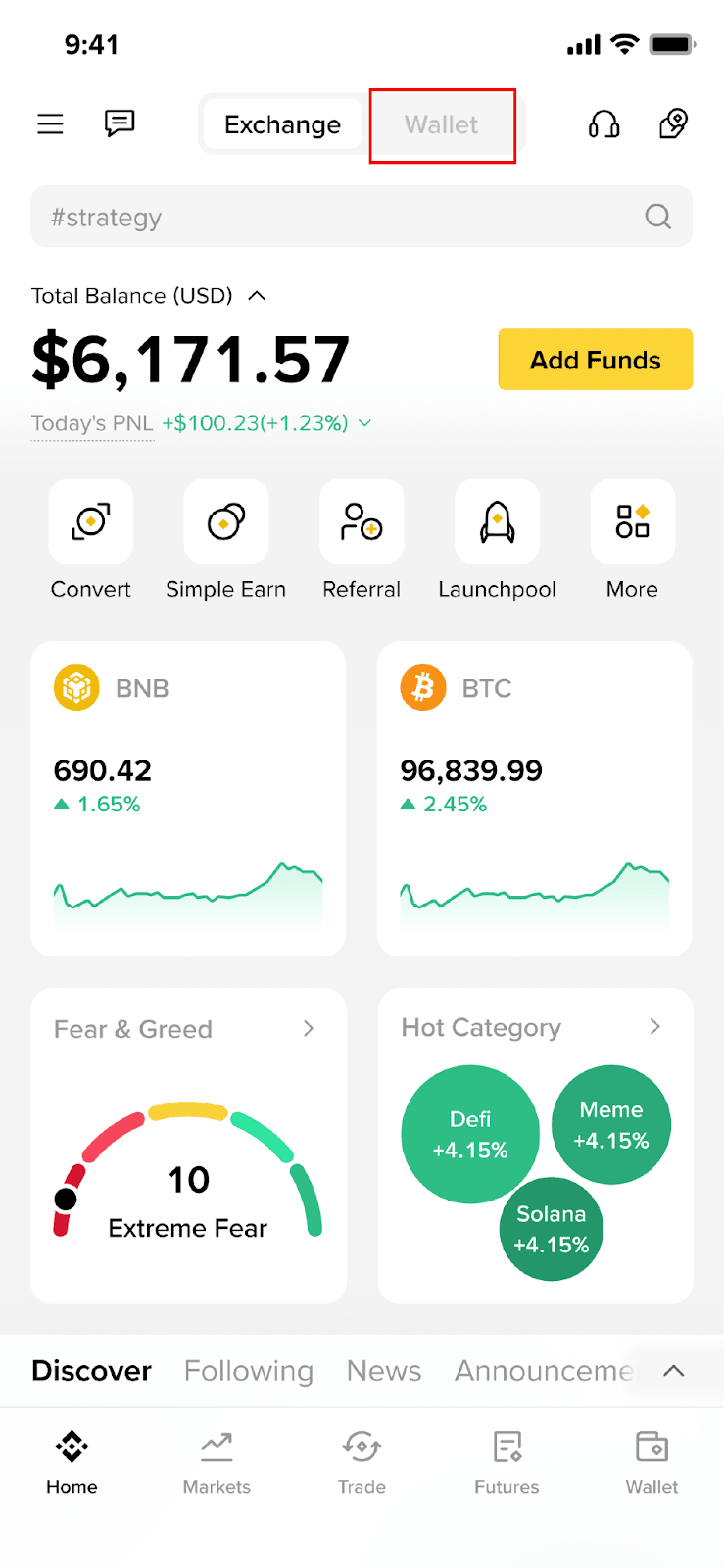
1. Log in to your Binance app and tap [Wallet].
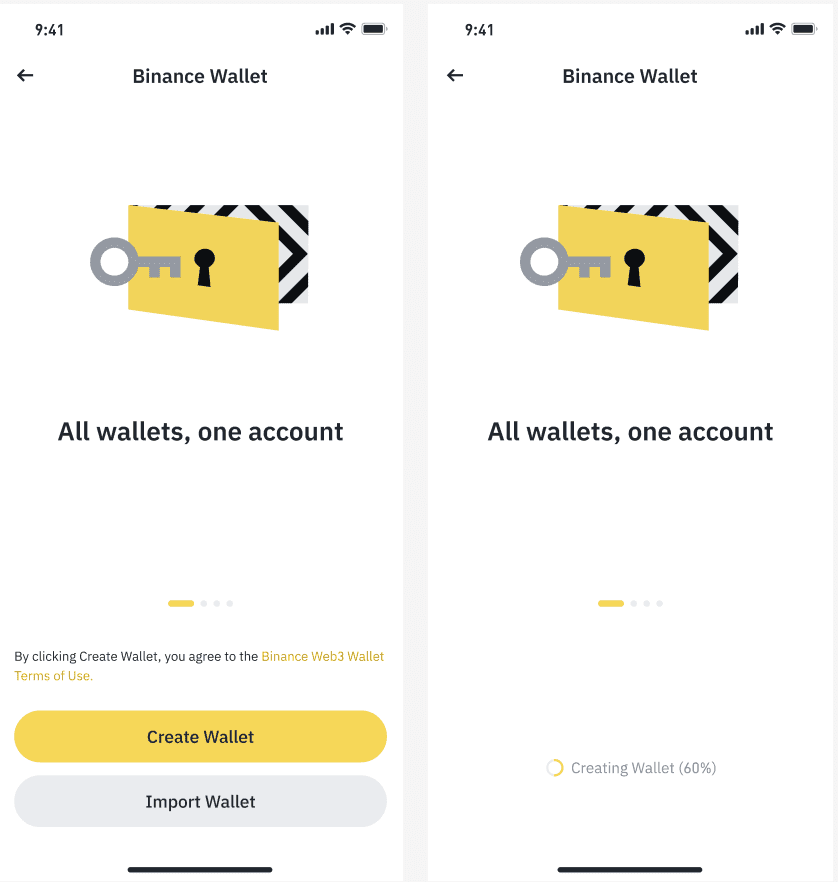
2. Tap [Create Wallet] to create a Binance Keyless Wallet, or tap [Import Wallet] to import a seed phrase or private key of your existing wallet and use it in Binance Wallet.
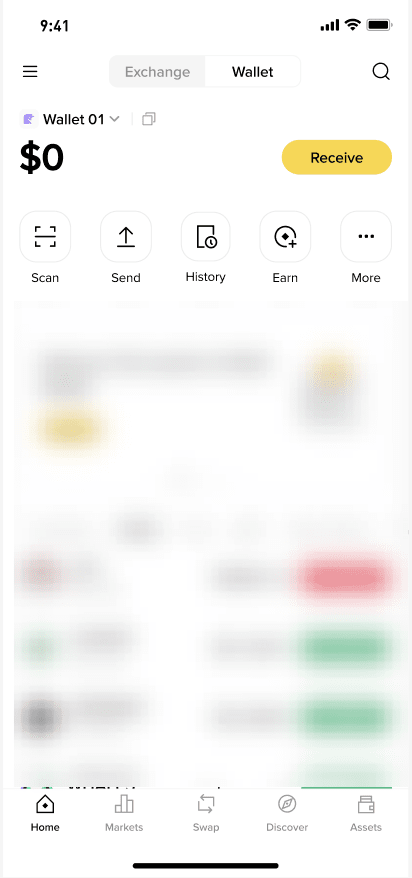
3. Once your wallet has been created, you will be navigated to the homepage. Add funds to your wallet by tapping the [Receive] button. You may receive assets from Binance Exchange seamlessly or receive from another wallet by sharing your receiving QR code.
1. Can I create a Binance Keyless Wallet from Binance Wallet Extension?
No, you can only create a Binance Keyless Wallet in the Binance app. After which you can log in from Binance Wallet Extension.
2. How to use Binance Keyless Wallet in Binance Wallet Extension?
Please visit the following for a detailed guide: What is Binance Wallet Extension and How Does It Work?
Disclaimer: Binance Wallet is an optional product. It is your responsibility to determine if this product is suitable for you. Binance is not responsible for your access or use of third-party applications (including functionality embedded within the Binance Wallet) and shall have no liability whatsoever in connection with your use of such third-party applications, including, without limitation, any transactions you dispute. Please carefully review the Binance Wallet Terms of Use and always do your own research.
