Disclaimer: In compliance with MiCA requirements, unauthorized stablecoins are subject to certain restrictions for EEA users. For more information, please click here.
This FAQ is for general reference only. Certain products may not be available in your jurisdiction. Please refer to your account for the most accurate information.
You can now withdraw USD from your Binance account via bank transfer, powered by BPay Global BSC, a payment service provider licensed by the Central Bank of Bahrain.
Step-by-Step Guide
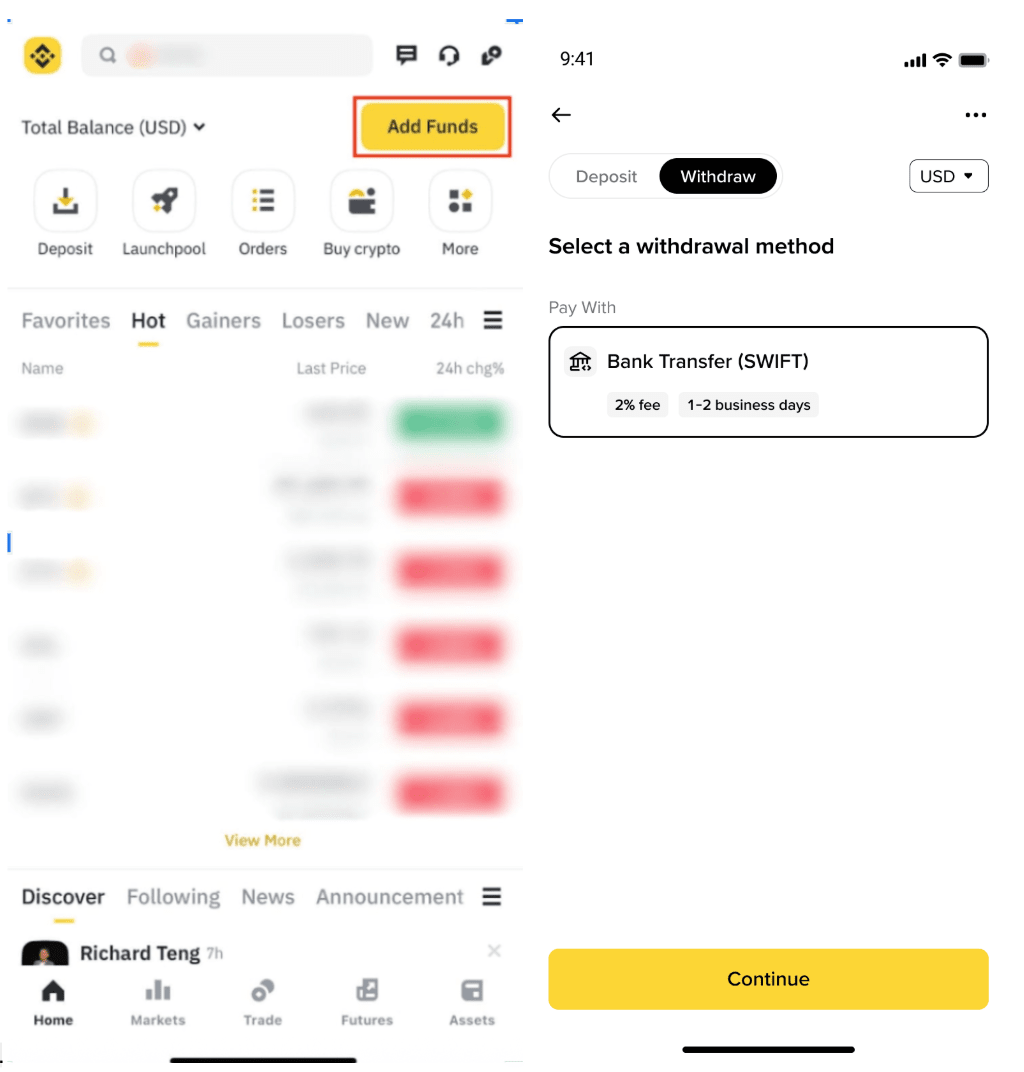
1. Log in to your Binance App and tap [Add Funds] - [Withdraw]. Select the withdrawal method as [Bank Transfer (SWIFT)]. Tap [Continue].
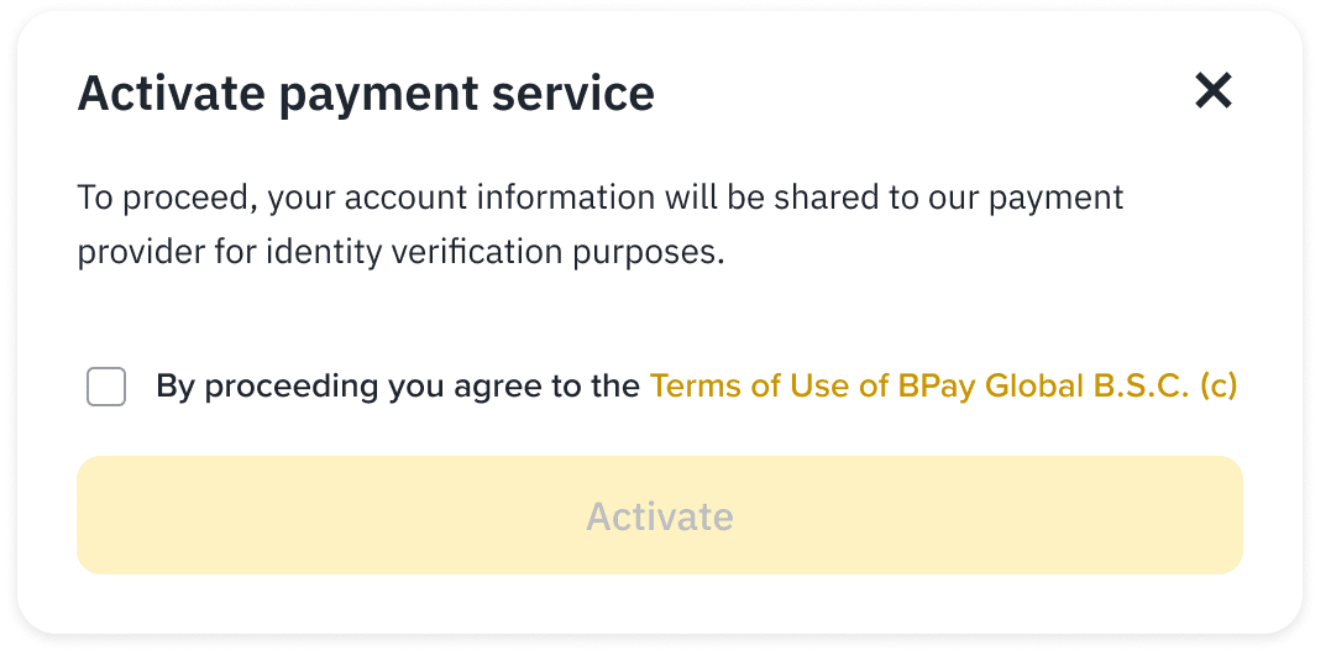
2. If you haven’t previously activated BPay, you’ll be asked to review and accept the Terms & Conditions, then tap [Activate].
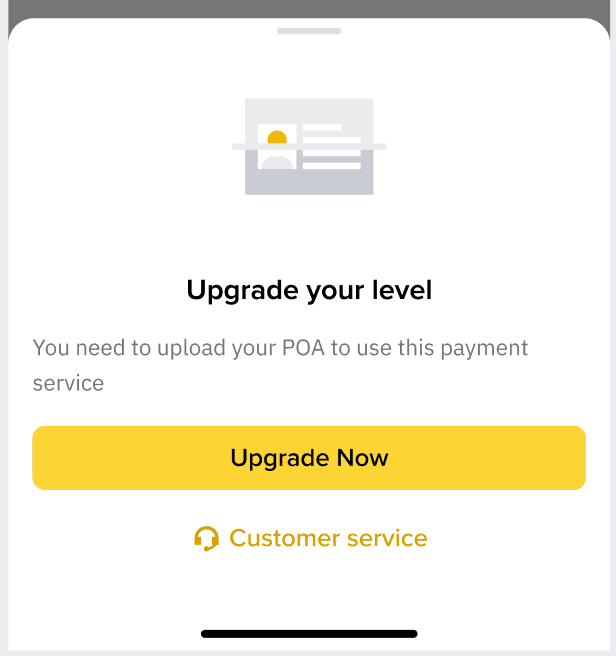
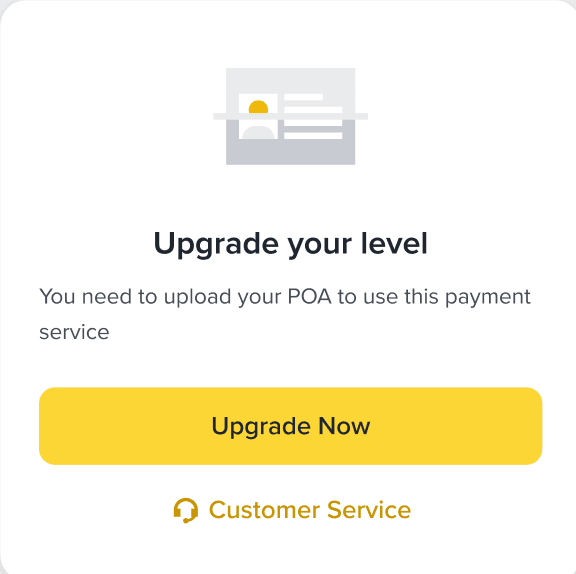
In some cases, you may need to upgrade your BPay KYC level to use this service. Tap [Upgrade Now] and follow the instructions in the app.
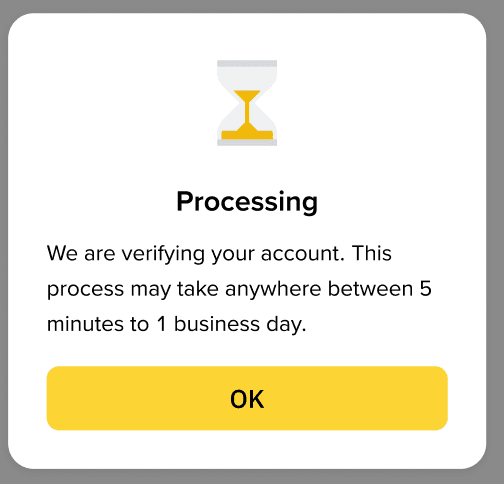
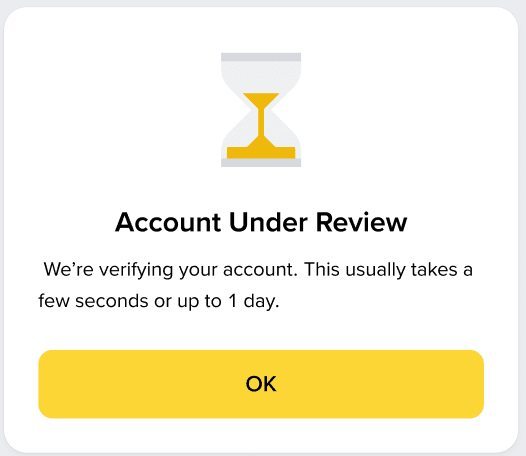
Please allow some time for the verification to be processed. It may take up to 1 business day.
If you’ve already upgraded, you’ll be taken directly to the withdrawal page.
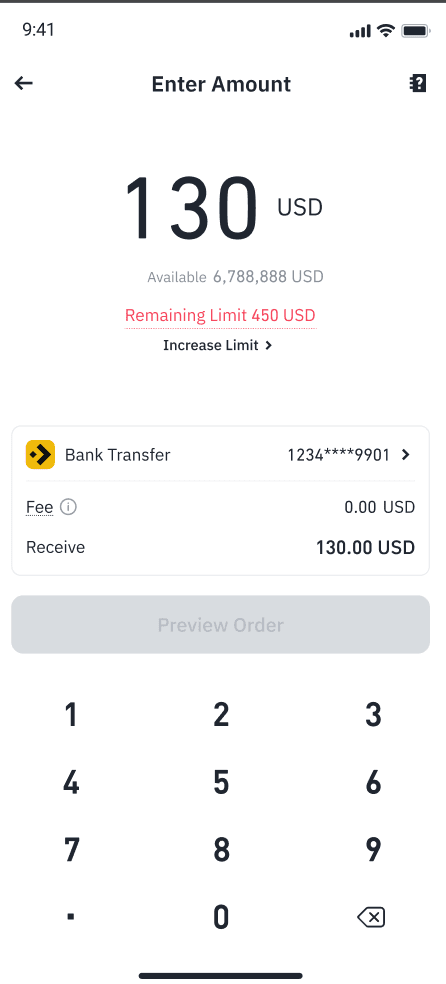
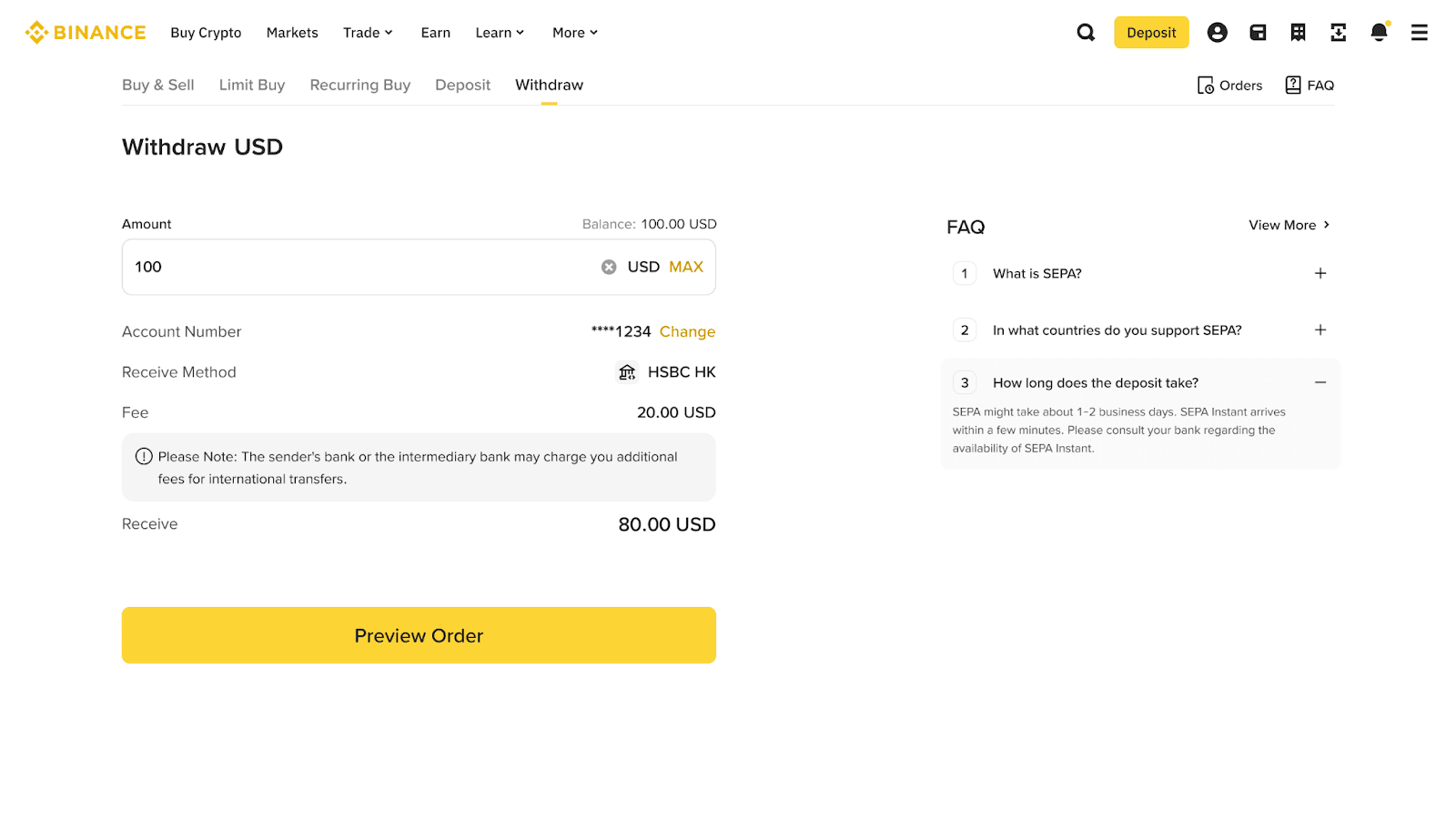
3. Enter the amount you wish to withdraw and tap [Preview Order]
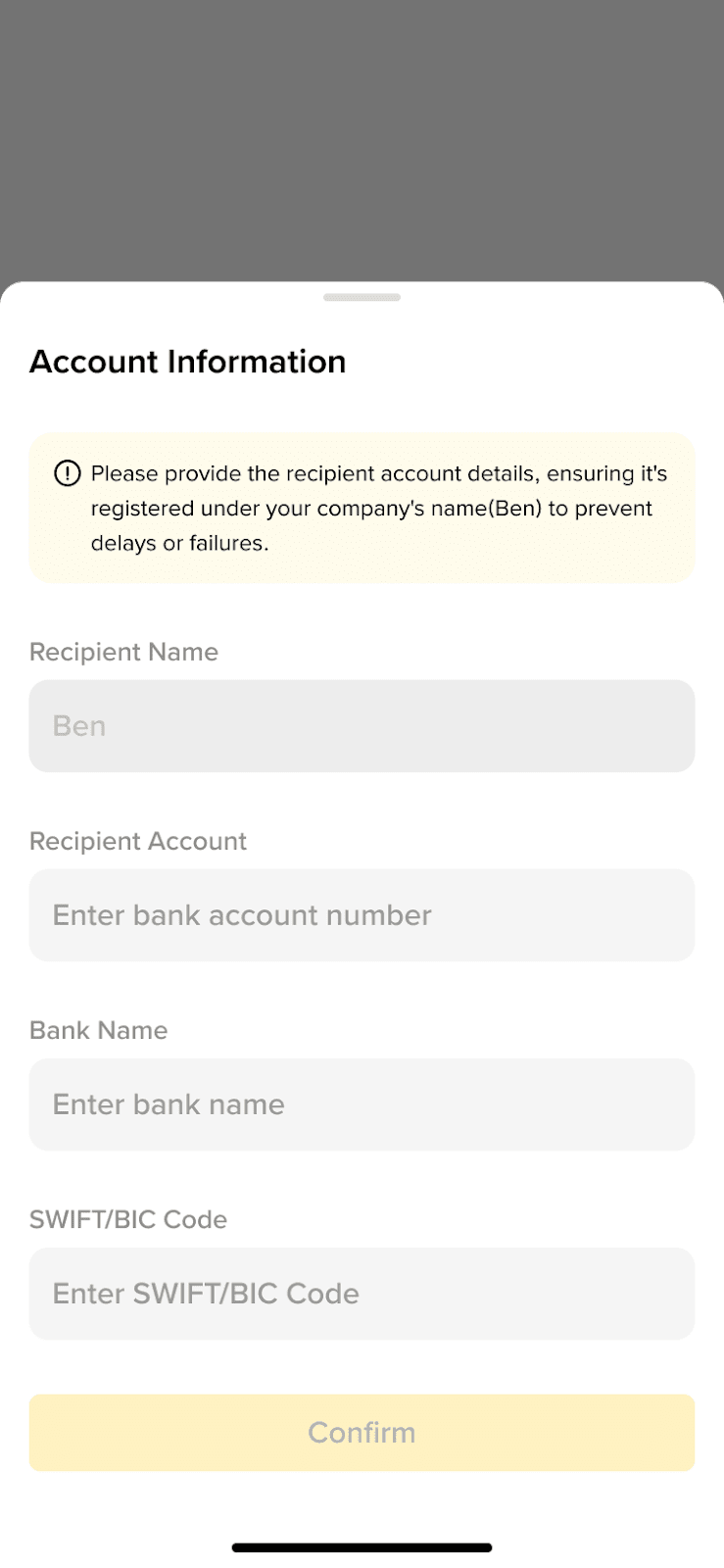
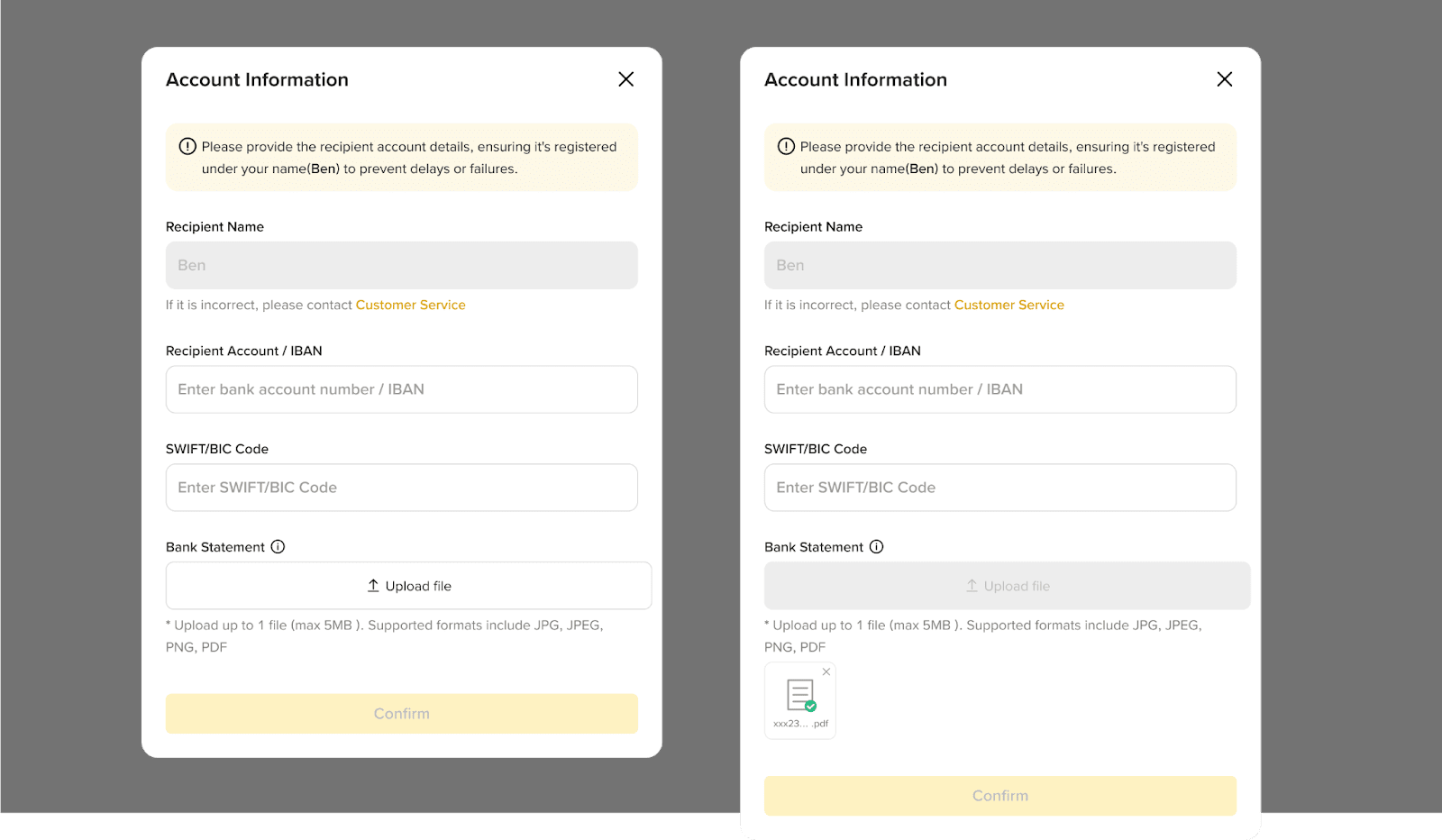
4. Enter your account information. Please make sure all information is accurate to avoid delays or failed transactions.
Please note: The Recipient Name must match your Binance account name. You may need to upload a bank statement for channel review.
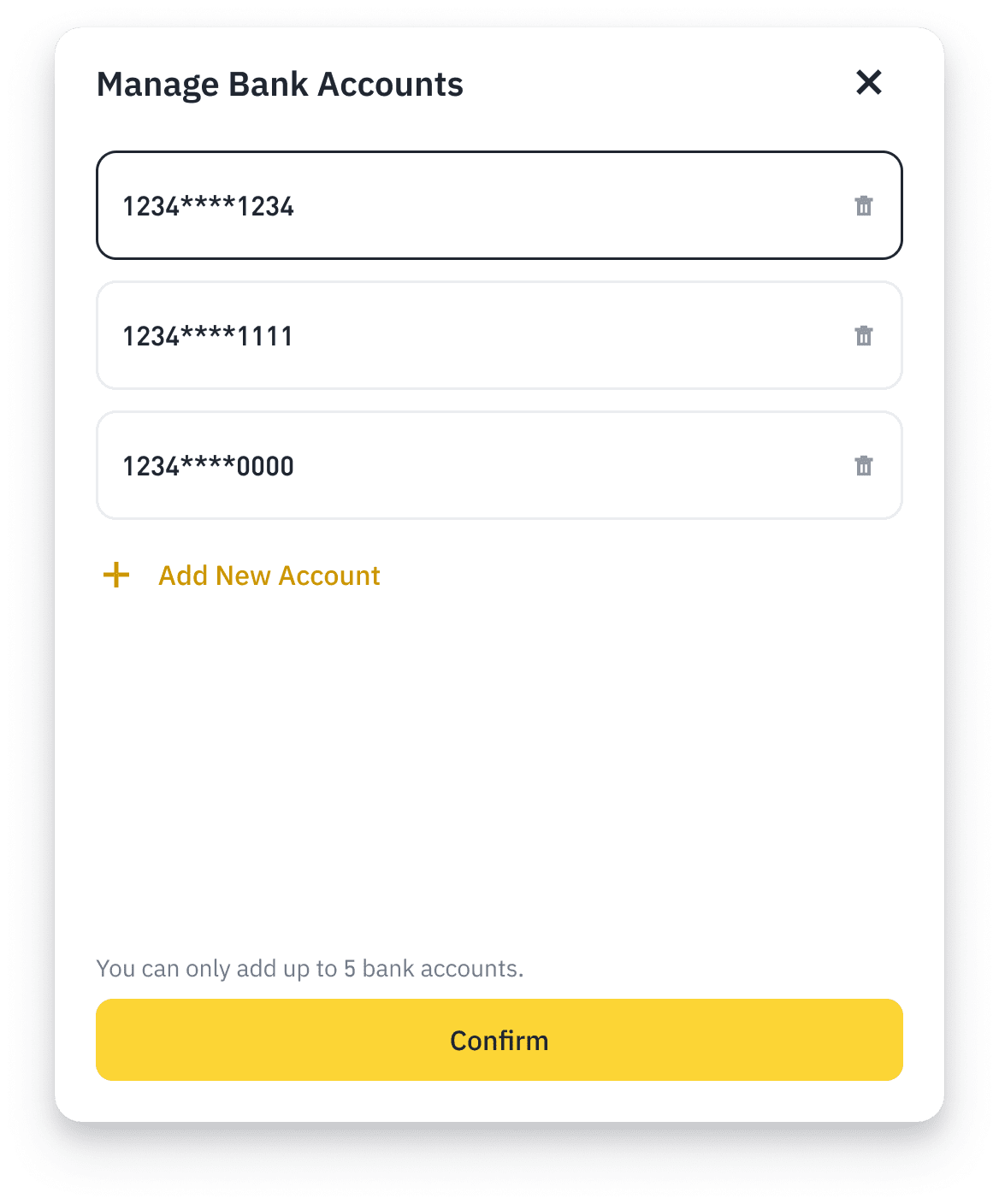
Please note: You can add up to 5 bank accounts on Binance.
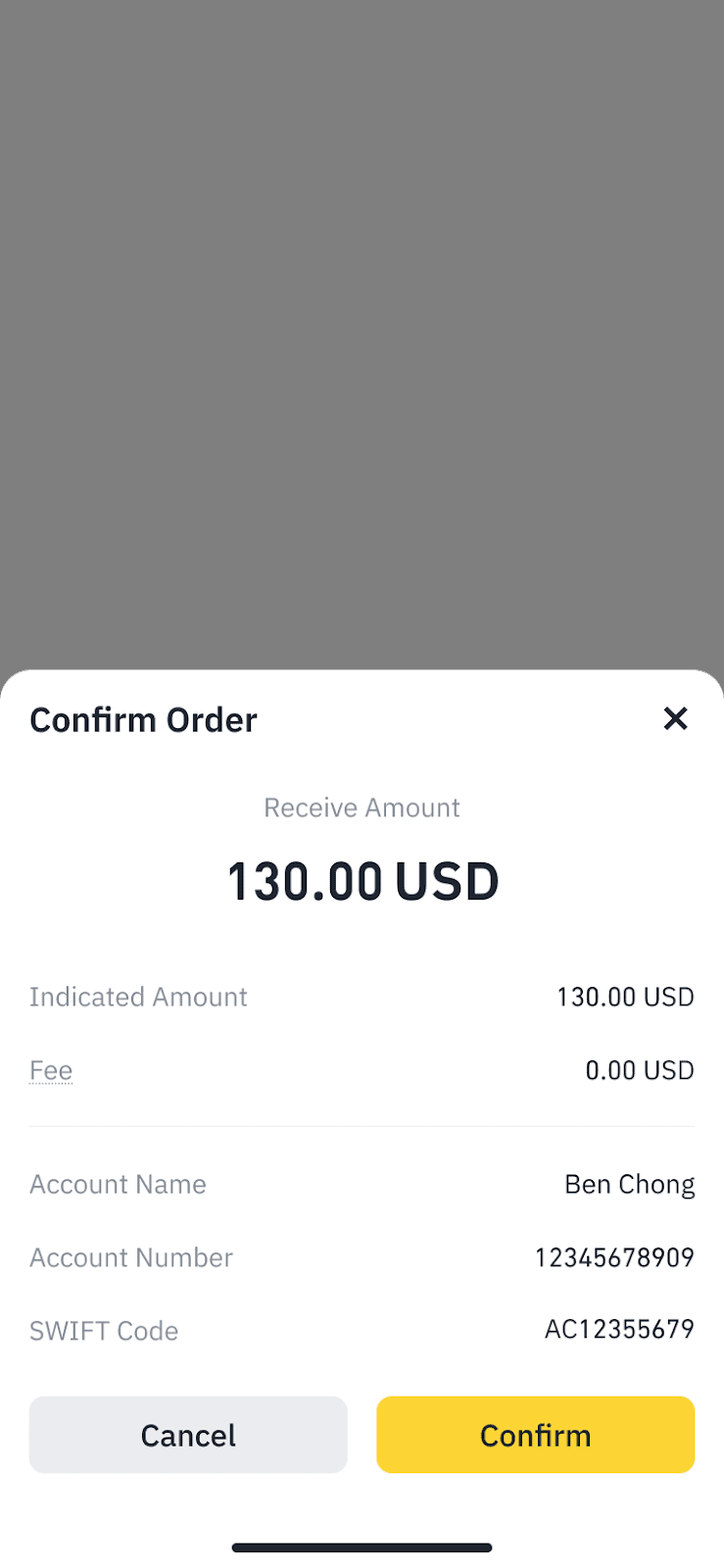
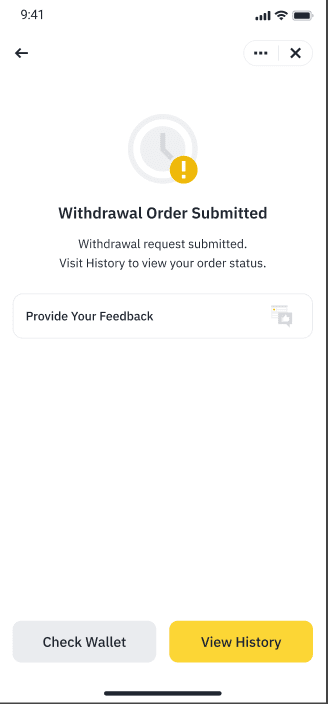
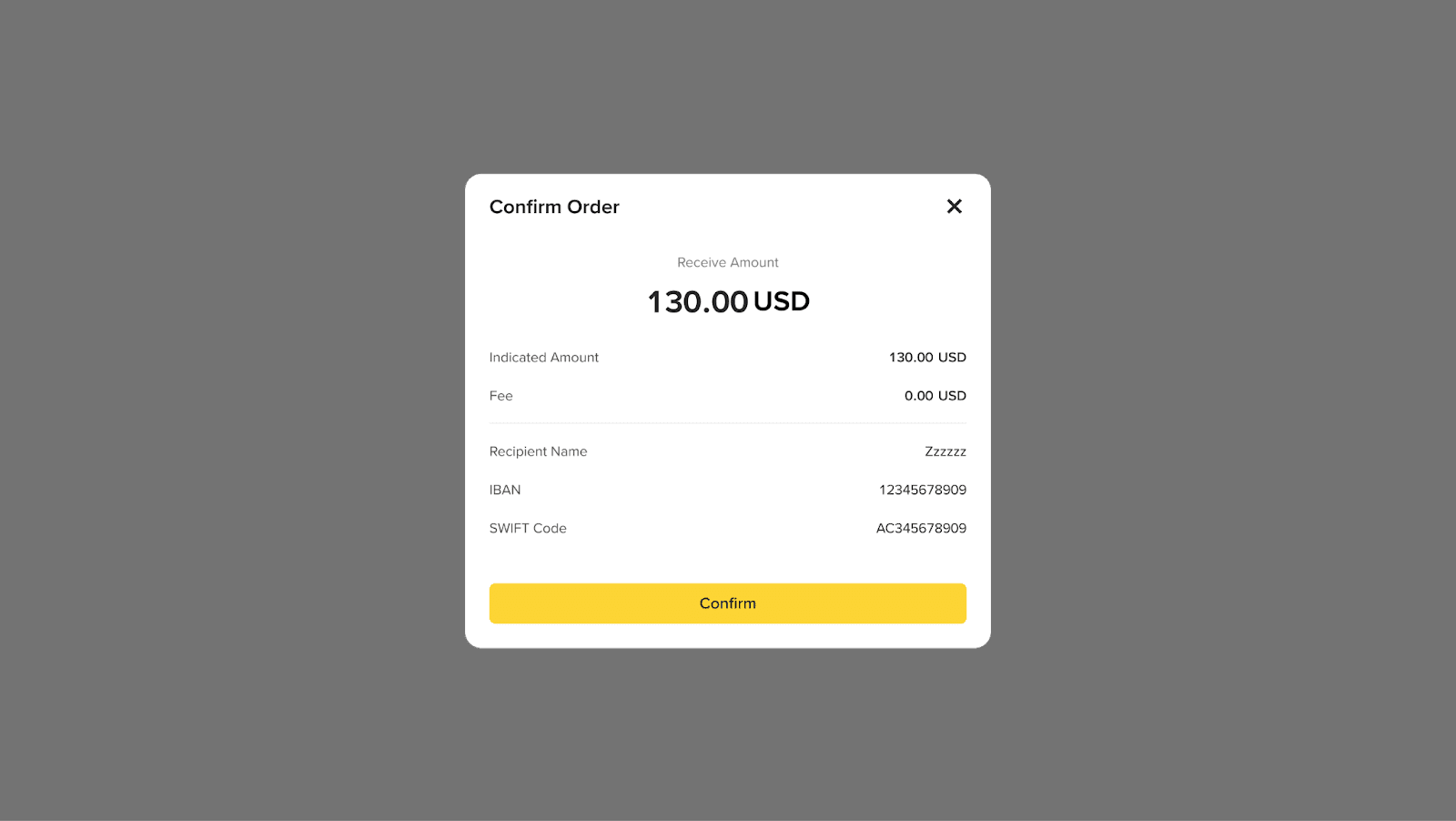
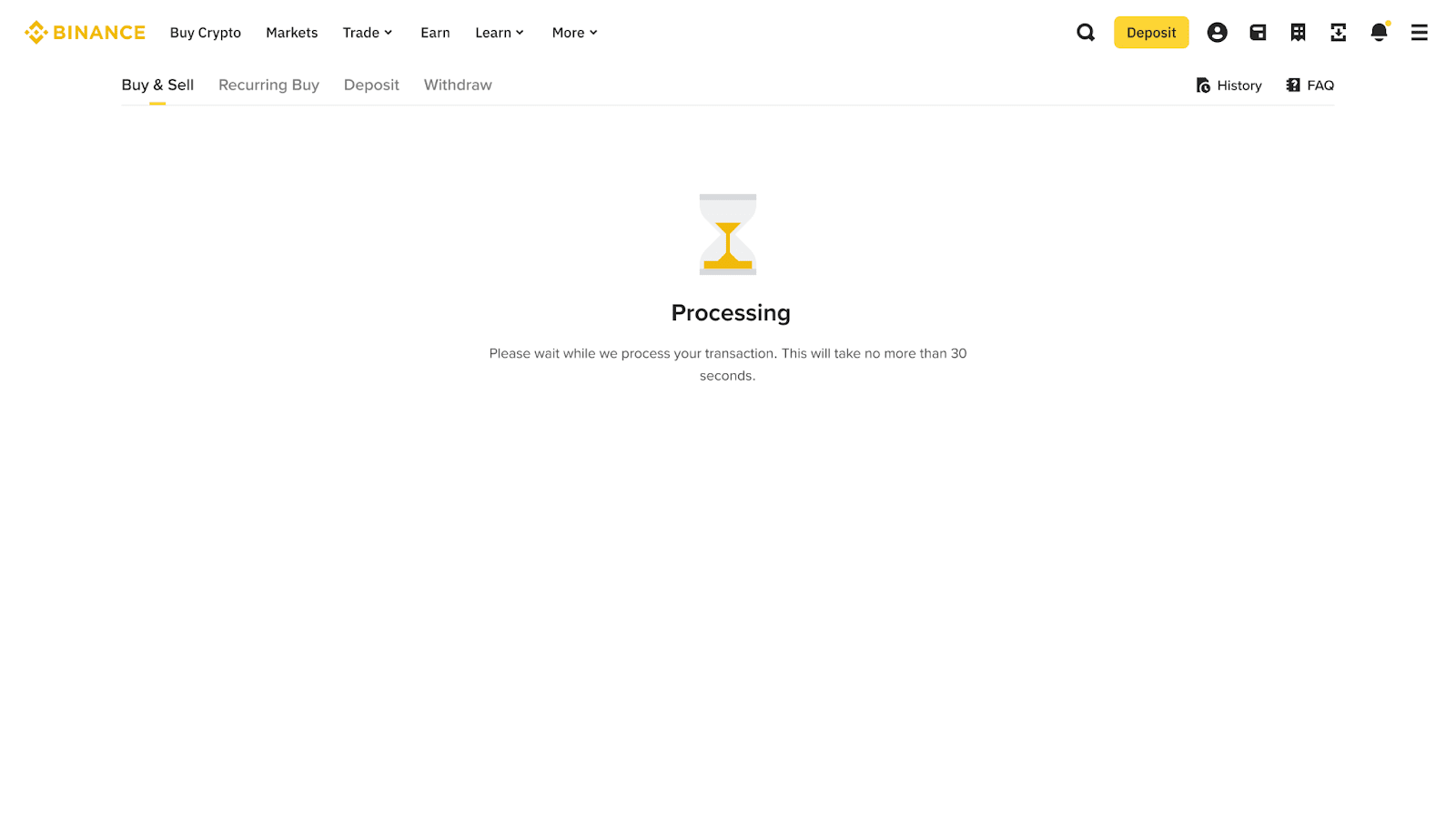
5. Confirm the transfer and wait for the transaction to complete.
6. Once confirmed, please wait patiently for processing. Withdrawals may take up to 5 business days.
Disclaimer: In compliance with MiCA requirements, unauthorized stablecoins are subject to certain restrictions for EEA users. For more information, please click here.
This FAQ is for general reference only. Certain products may not be available in your jurisdiction. Please refer to your device for the most accurate information.
Step-by-Step Guide
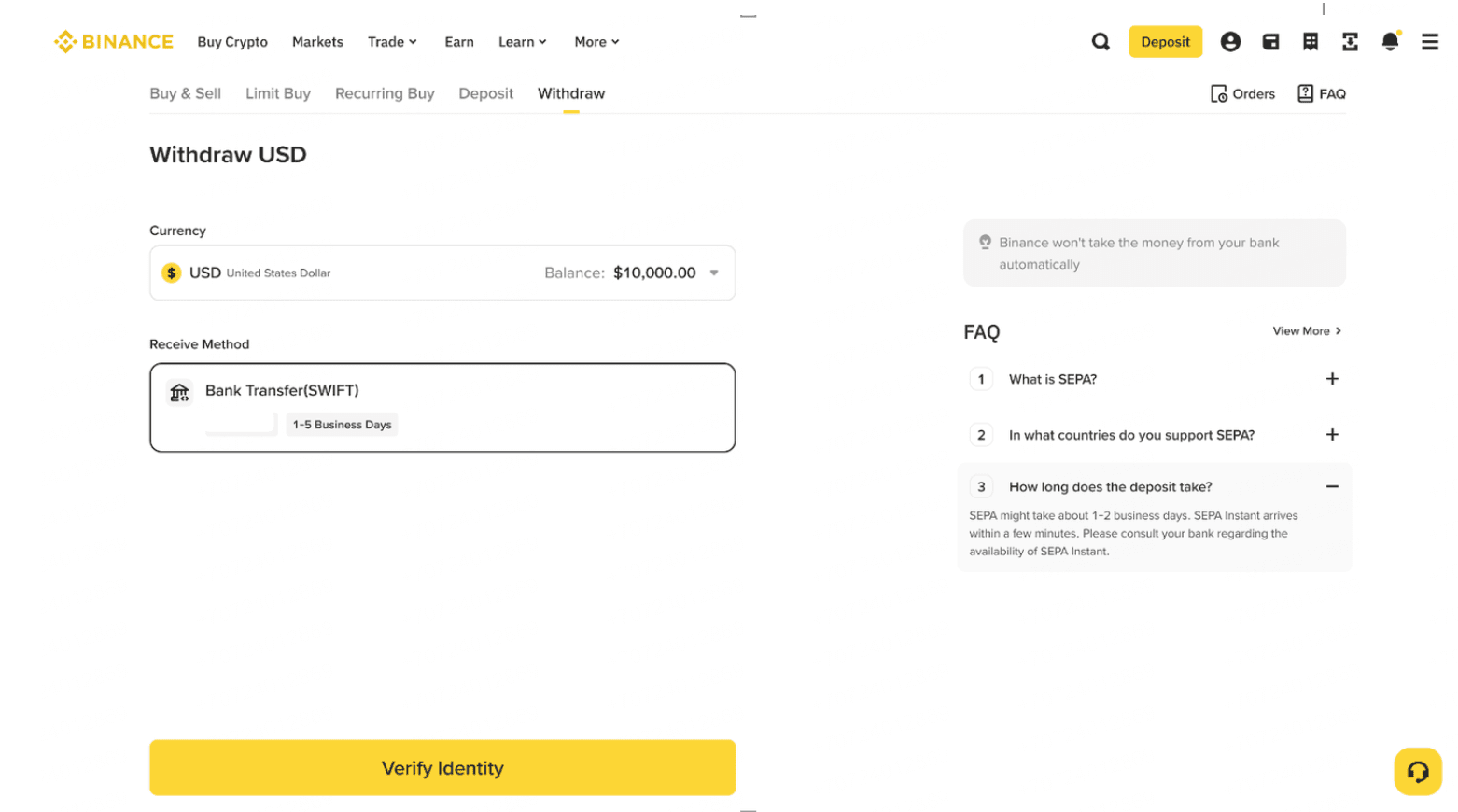
1. Log in to your Binance account and go to [Withdraw]. Select [USD] - [Bank Transfer (SWIFT)]. Click [Verify Identity].
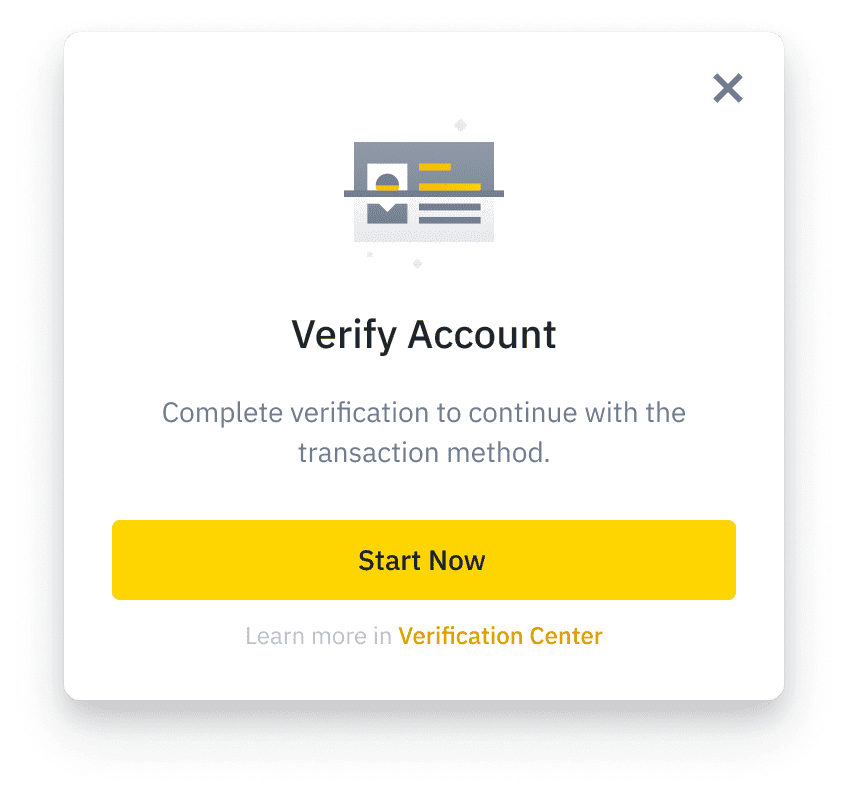
2. If you haven’t completed the identity verification for your Binance account, you’ll be prompted to do so at this step. Click [Start Now] to continue.
3. If you haven’t previously activated BPay, you’ll be asked to review and accept the Terms & Conditions, then click [Activate].
In some cases, you may need to upgrade your BPay KYC level to use this service. Click [Upgrade Now] and follow the instructions on the screen.
Please allow some time for the verification to be processed. It may take up to1 business day.
4. Once verified, If you haven’t deposited via bank transfer before, or want to add another bank account, you need to upload a bank statement and wait for the channel review. The review is usually completed within 1 business day.
5. Upon verification of your bank account, enter the amount you would like to withdraw and click [Preview Order] and [Confirm].
6. Please allow some time for the payment to be processed. Once the transaction is confirmed, the funds will be credited to your bank account.
Disclaimer: In compliance with MiCA requirements, unauthorized stablecoins are subject to certain restrictions for EEA users. For more information, please click here.
This FAQ is for general reference only. Certain products may not be available in your jurisdiction. Please refer to your account for the most accurate information.
1. How long does it take to receive my withdrawal?
Withdrawals may take 1-5 business days to process,depending on your bank.
2. What should I do if I haven’t received the funds?
Please wait a moment while the process completes. If the issue persists, contact Customer Support for assistance.
3. What are the withdrawal fees?
Please be assured that these fees and limits are subject to periodic updates to ensure the best service and security for all users.
We kindly recommend always checking the latest fee and limit information displayed on the platform before making any transactions, as these details are updated regularly.
4. Can I withdraw to a third-party bank account?
No. Withdrawals must be made to a bank account that matches the name on your Binance Account. Third-party withdrawals are not supported.
5. Where can I track the status of my withdrawal?
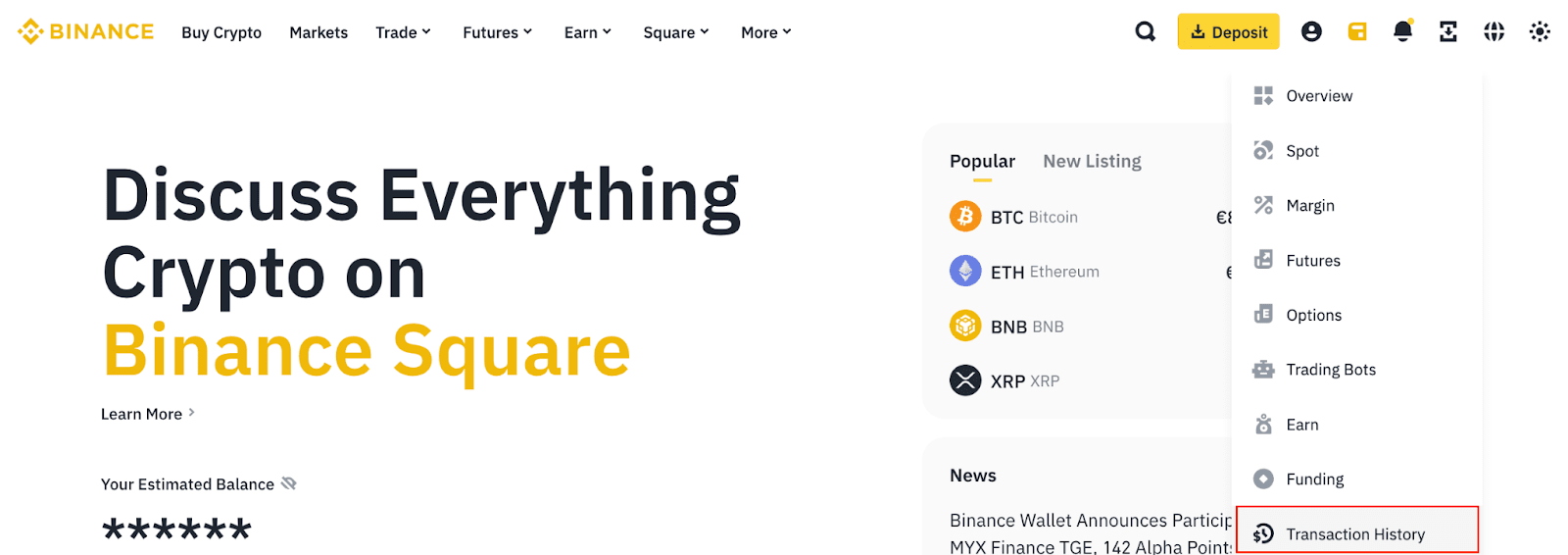
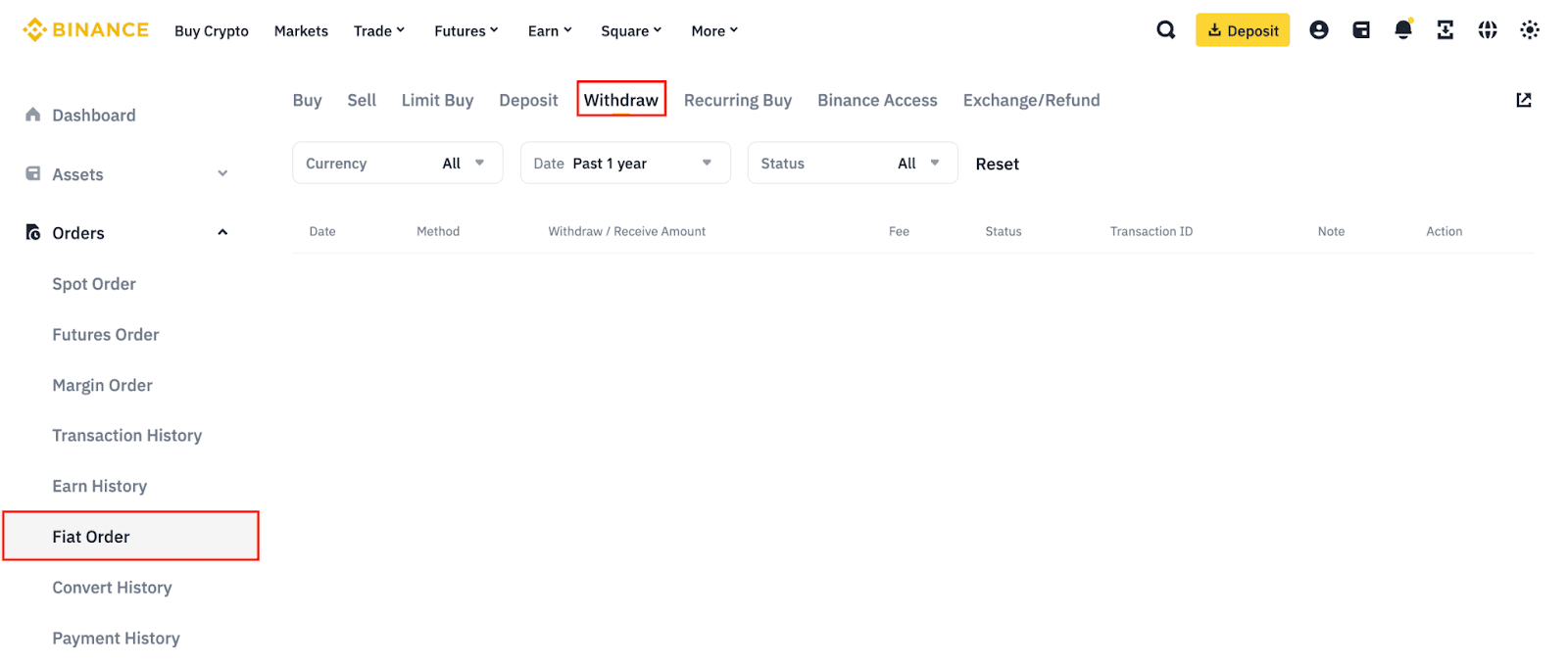
On the Binance website, go to [Wallet] - [Transaction History] - [Fiat Order] - [Withdraw].
6. Will I be notified when the withdrawal is successful?
Yes. You will receive a notification once your withdrawal is processed successfully. You can also enable in-app or SMS alerts for additional updates.
Register to get rewards
Register Now - Get up to 100 USDT in trading fee rebate (for verified users)