In compliance with MiCA requirements, unauthorized stablecoins are subject to certain restrictions for EEA users. For more information, please click here.
Binance has introduced a unified Trading Bots Account to improve the experience for Spot and Futures grid trading users. This new account keeps your funds for trading bots separate from your Spot and Futures accounts. You can easily access and manage all your trading bot activities in one place.
Additionally, grid orders created by trading bots are separated from your spot and futures trading orders. This provides a more streamlined and efficient trading experience, giving you better visibility and control over your trading activities.
Orders migration from Spot and Futures accounts to Trading Bots Account
Log in to your Binance account and go to [Assets] - [Trading Bots]. You’ll see an overview of your assets allocated to the supported trading bots in your Trading Bots Account. To view your running trading bot orders, go to the [Running] tab.
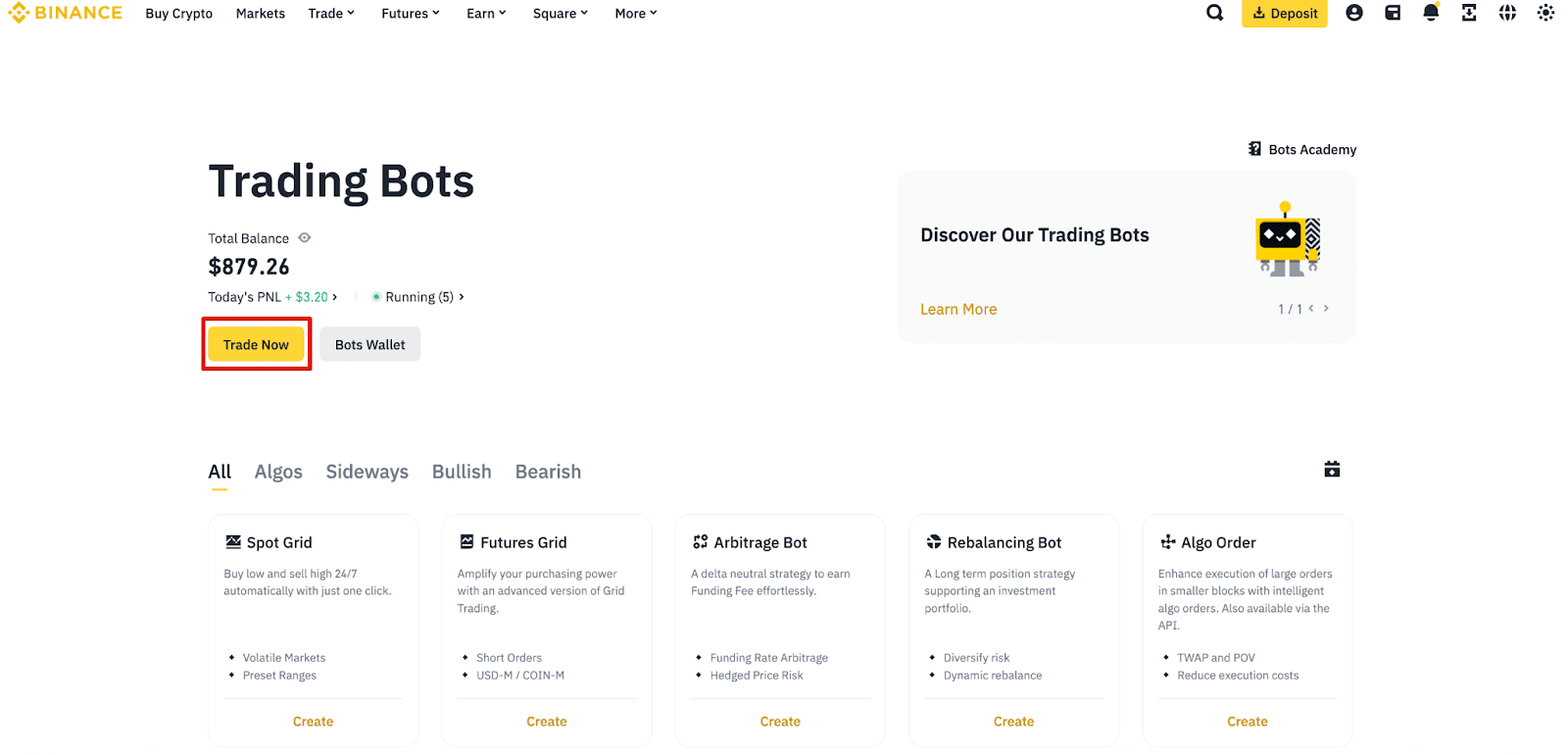
1. To place new trading bot orders, go to the Trading Bots interface and click [Trade Now].
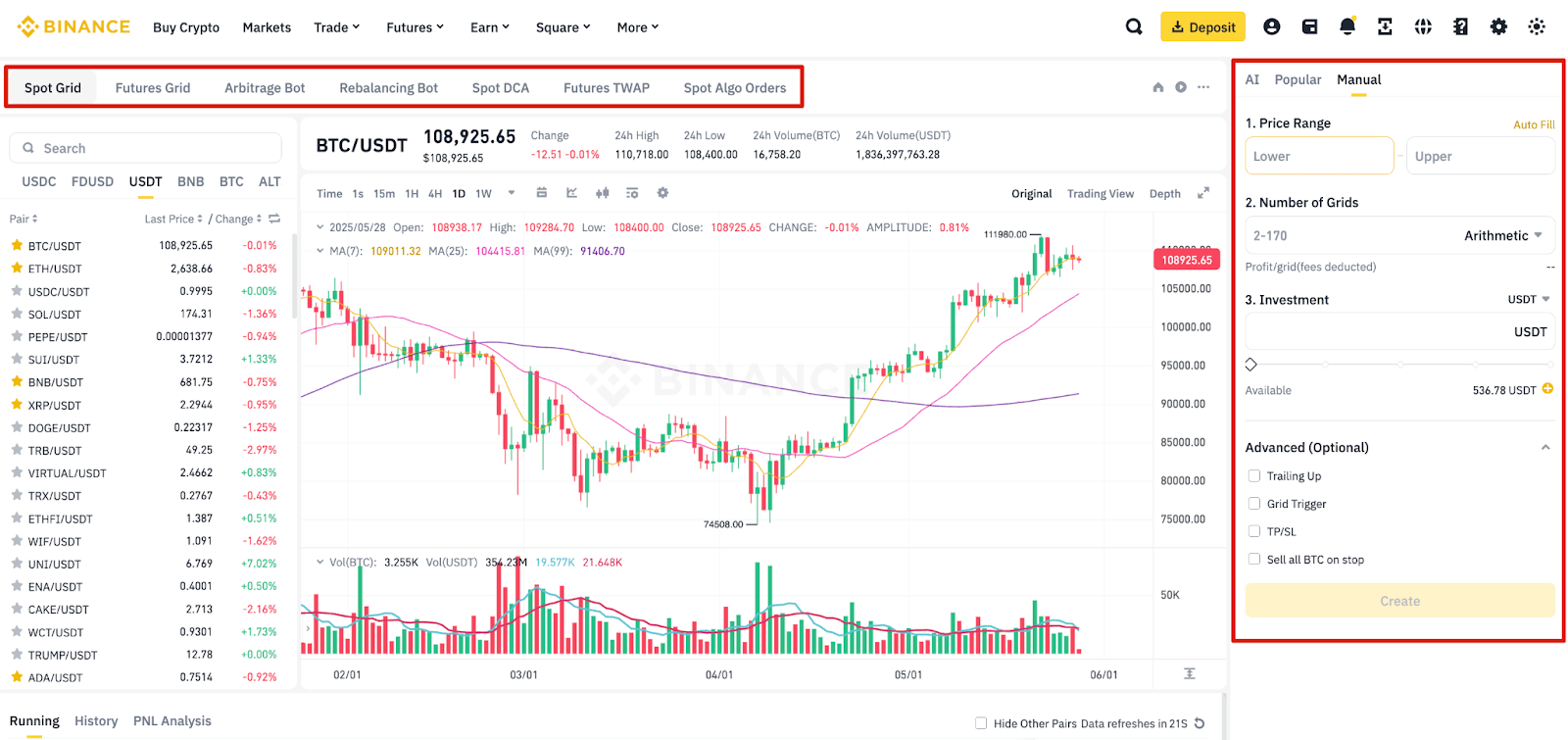
2. Select the trading bot you wish to use and go to [Manual] on the right panel. Enter the parameters and click [Create] to place the order.
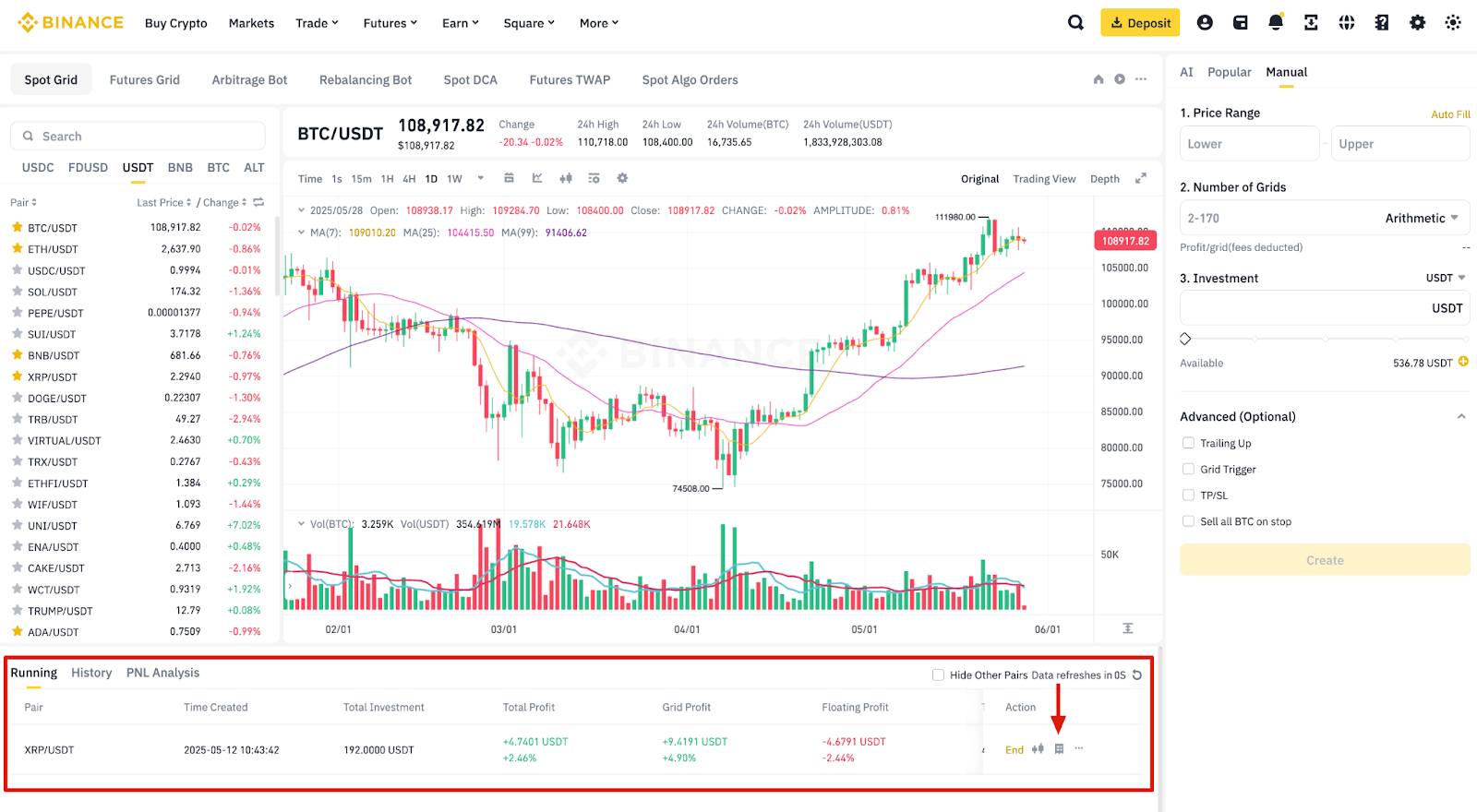
To view your running orders, select a trading bot and go to the [Running] tab located below the candlestick chart.
You can also view your trading bots’ order history by selecting the [History] tab.
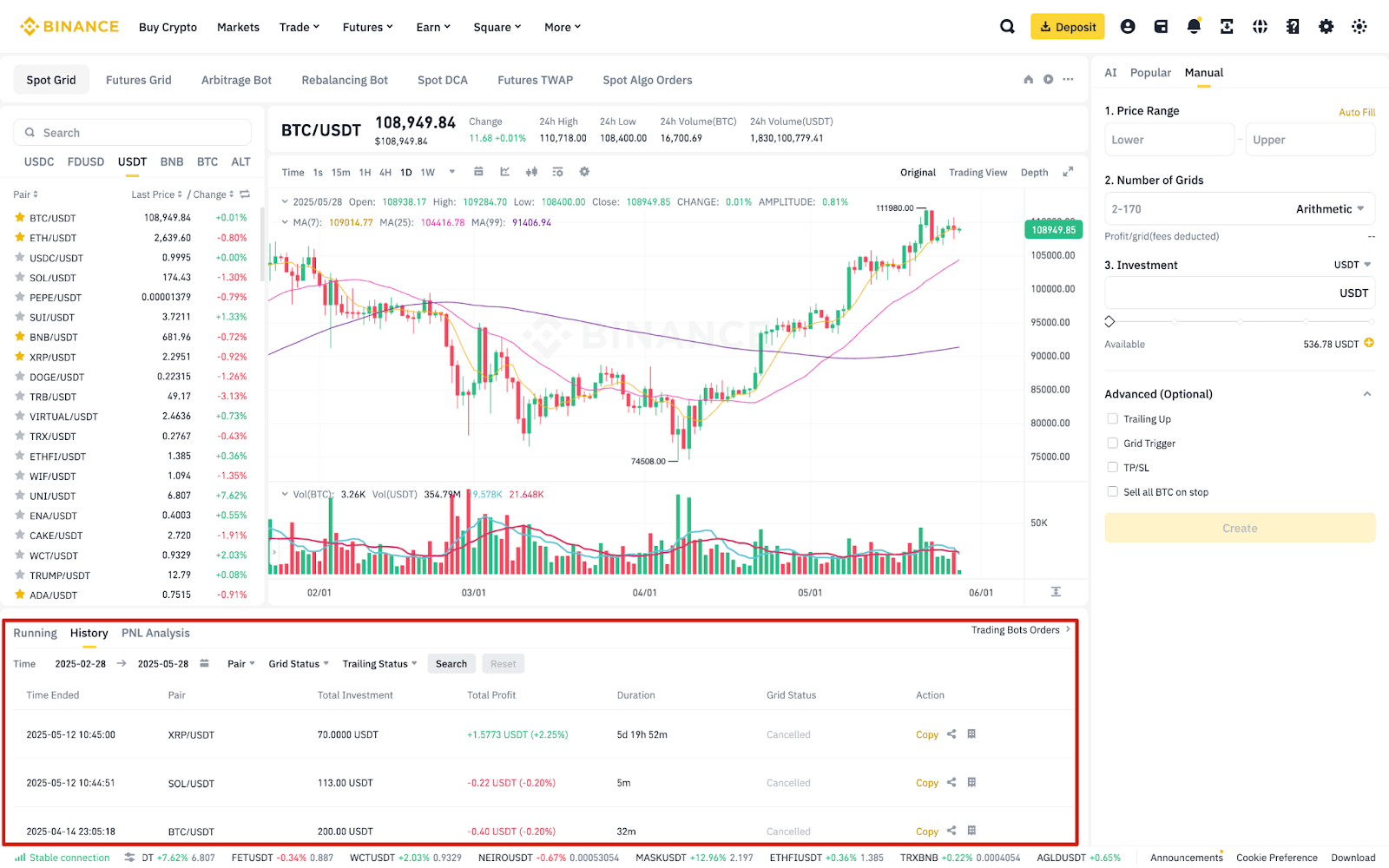
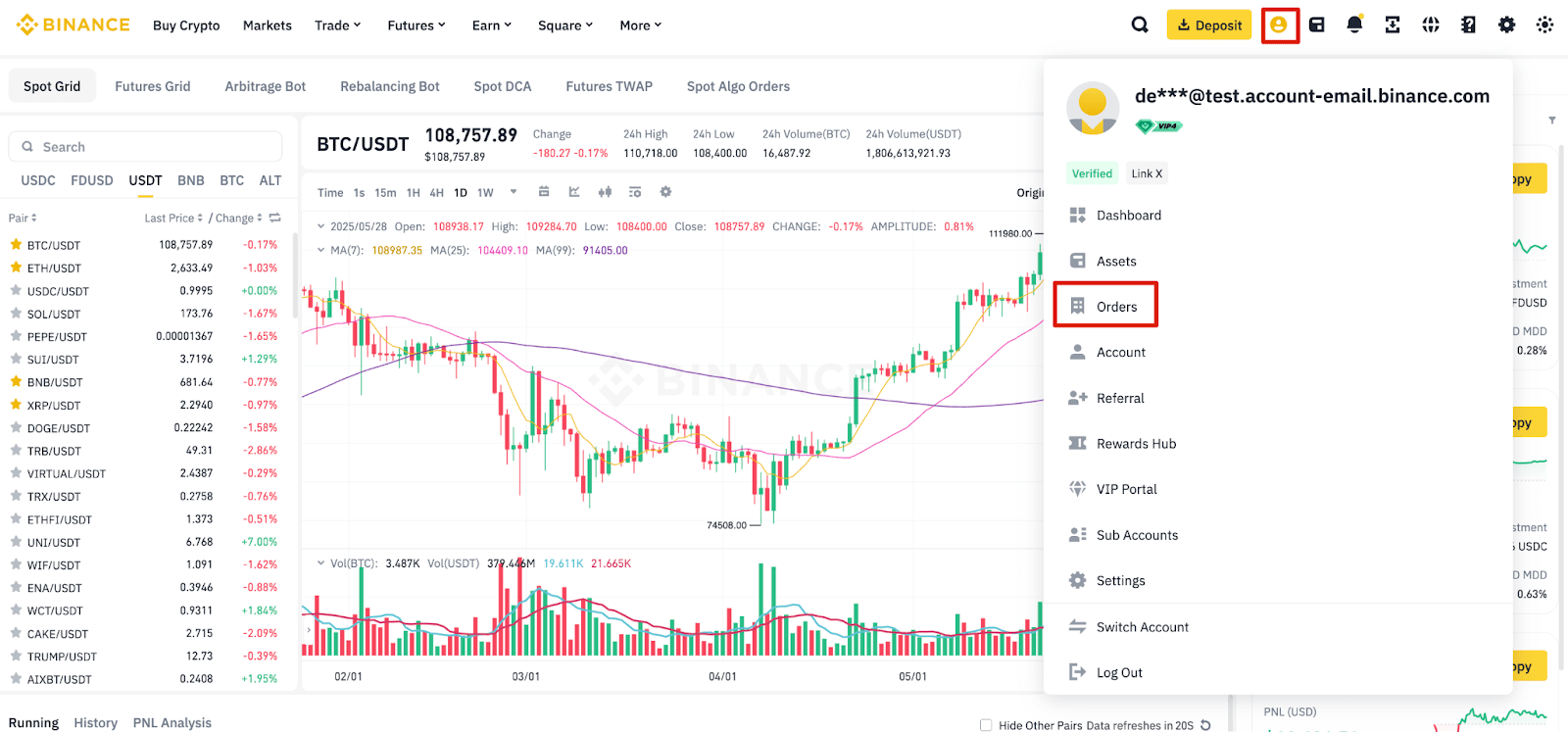
Alternatively, go to [Profile] - [Orders] from the Spot or Futures trading interface. Click [Trading Bots Order] to view your open orders, order history, and trade history generated by the trading bots.
You cannot manually transfer assets between your Spot/Futures Accounts and the Trading Bots Account. When you create a trading bot, such as a Spot Grid bot, the system automatically transfers the required funds from your Spot Account to the Trading Bots Account. Similarly, when you end a Spot Grid bot, the system automatically transfers the funds back to your Spot Account.
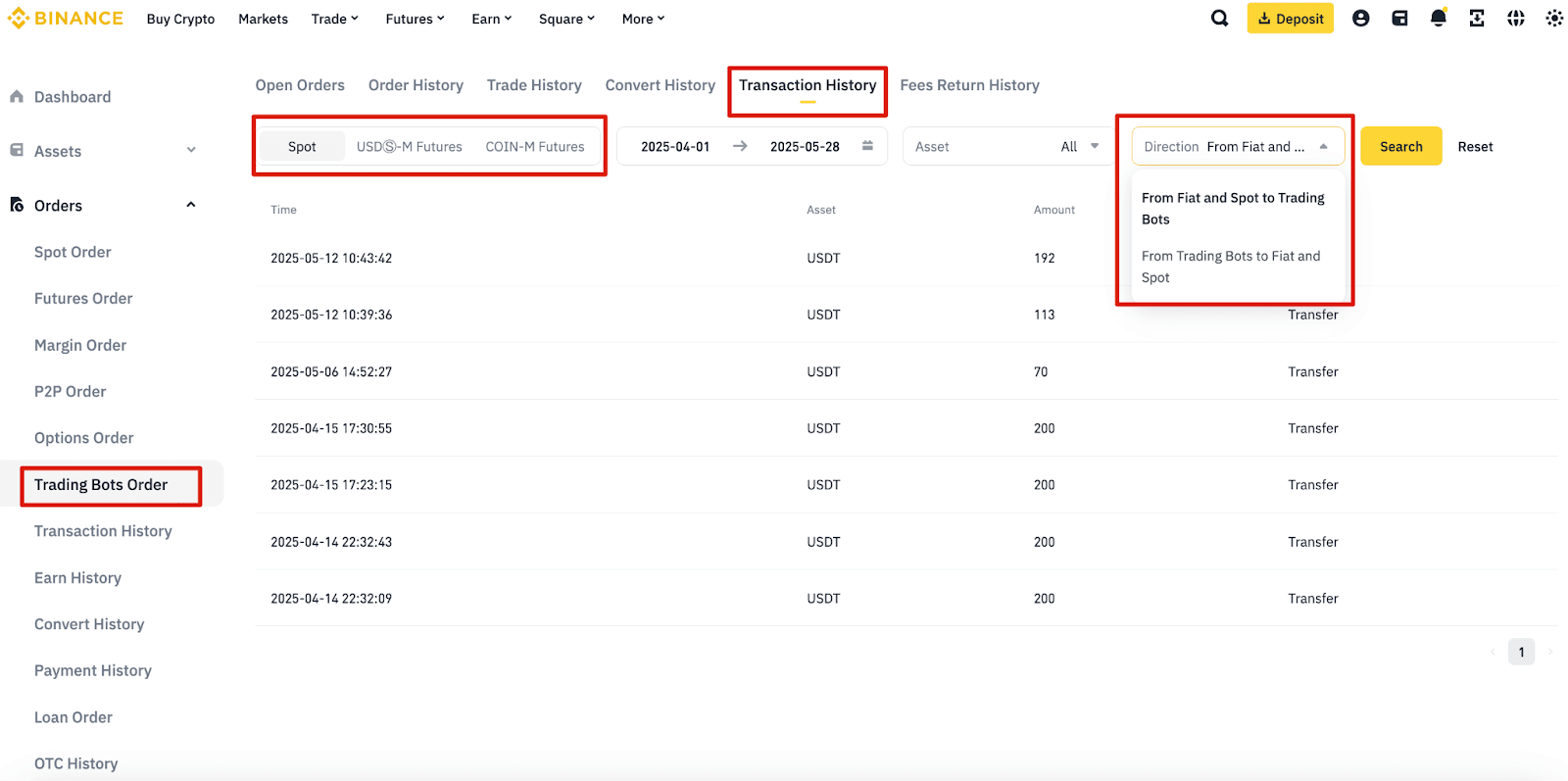
You can view the transaction history by navigating to [Orders] - [Trading Bots Order] - [Transaction History]. Then, select [Spot], [USDⓈ-M Futures], or [COIN-M Futures] to view the transaction history between the corresponding account and the Trading Bots Account.
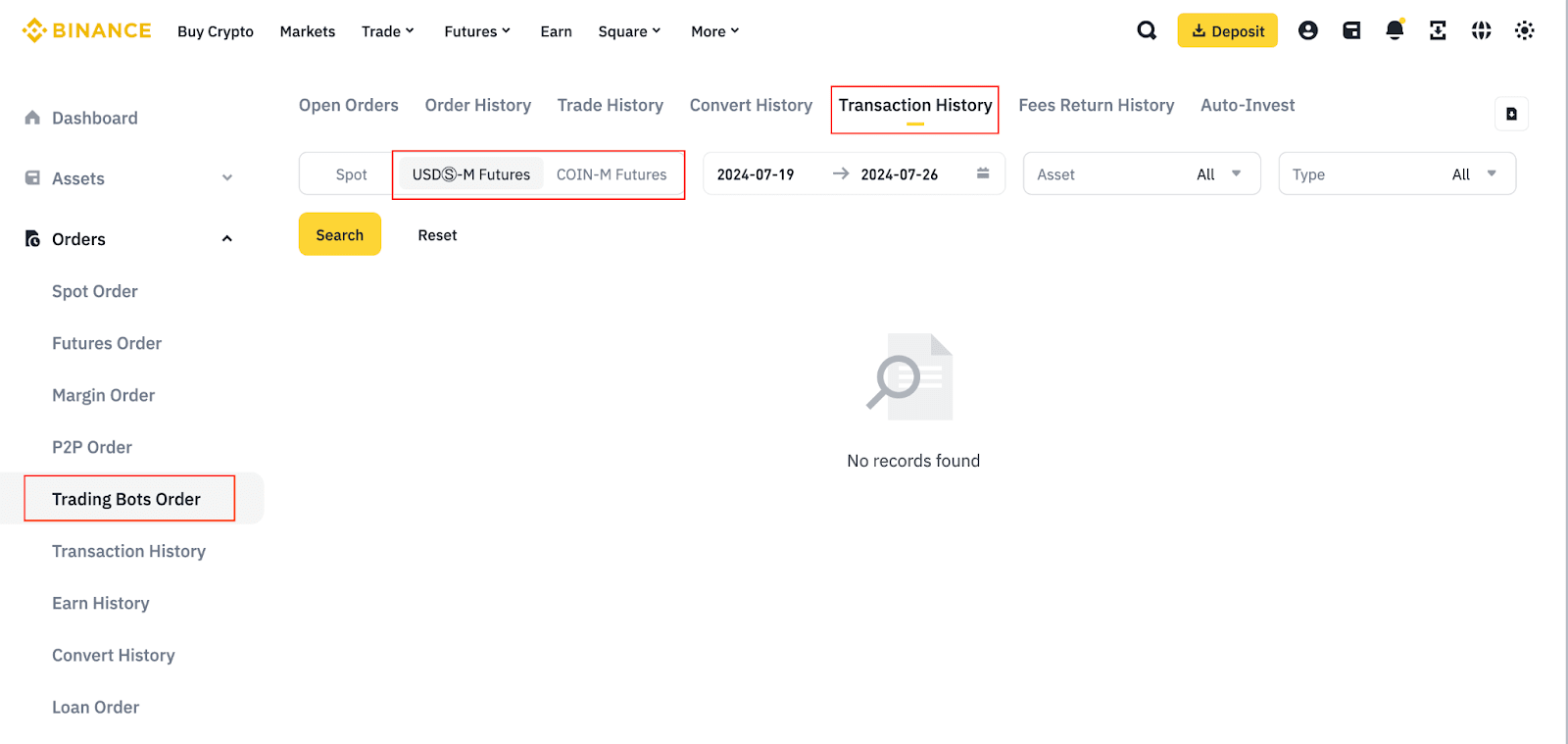
You can view the transfer, funding fee, liquidation clearance, and other transaction histories by navigating to [Orders] - [Trading Bots Order] - [Transaction History] - [USDⓈ-M Futures] or [COIN-M Futures].
1. Calculate your grid PNL for the symbol (symbol_grid_PNL):
2. Determine the transferable amount when the grid ends:
Please note: Profit and loss will be generated when the position is closed, and the amount that can be transferred is subject to the final result.
You can enjoy a 25% discount for Spot bots (including Spot Grid, Rebalancing Bot, and Spot DCA), and a 10% discount for Futures bots (USDⓈ-M Futures Grid and Futures DCA) on standard trading fees when you choose to pay the fees with BNB. For more details, please refer to How to Use BNB to Pay for Fees and Earn 25% Discount?
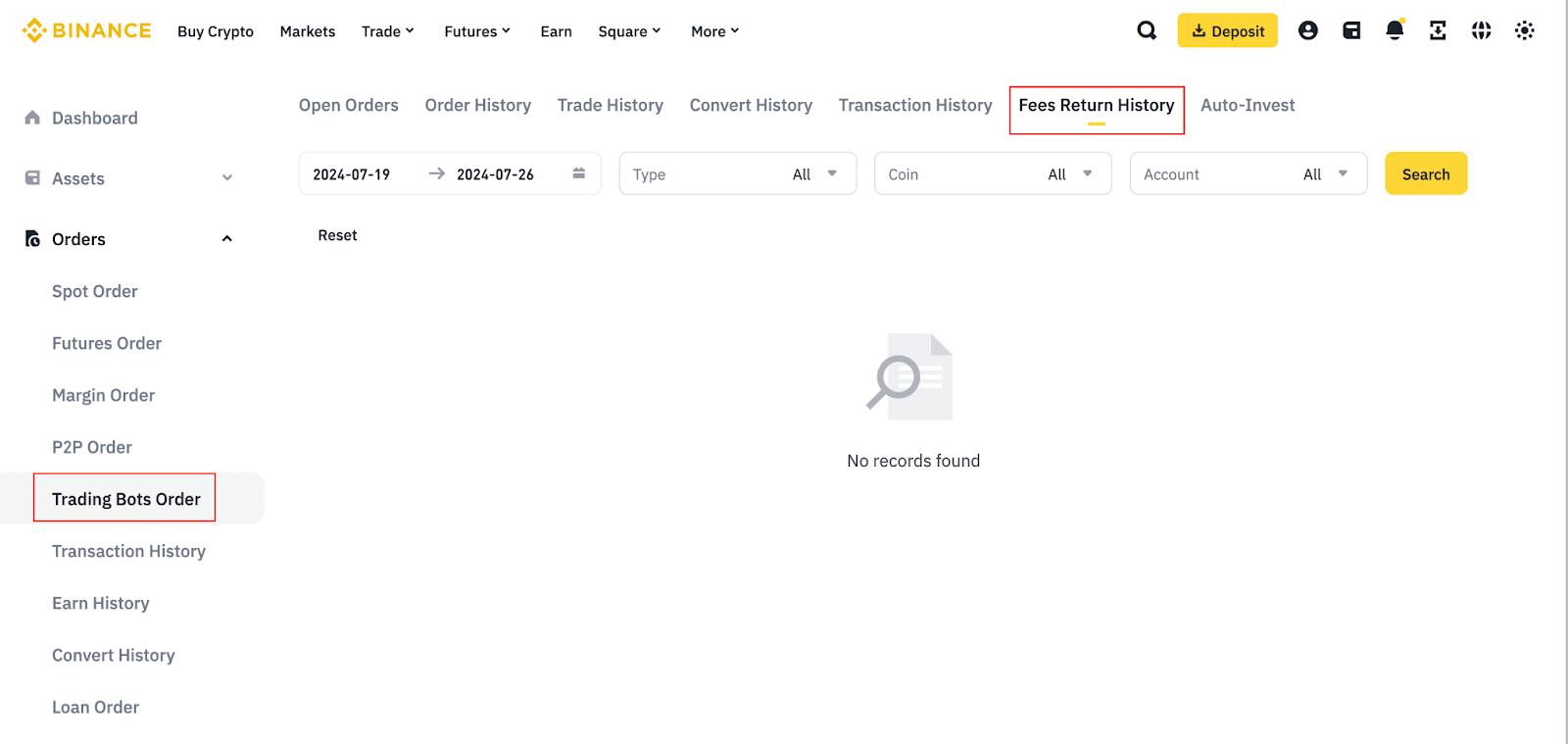
You will first pay for the standard trading fee from the Trading Bots Account and receive the trading fee refunds in your Spot Account (if you use a Spot bot) or USDⓈ-M Futures Account (if you use a Futures bot). To check your BNB fee history, go to [Orders] - [Trading Bots Order] - [Fees Return History].
Please ensure you have enough BNB in your Spot Account (for Spot bot trading) or USDⓈ-M Futures Account (for Futures bot trading) to cover the trading fees. Without sufficient balance, you will not receive the 25% or 10% trading fee rebate. For more details, please refer to How to Use BNB to Pay for Fees and Earn 25% Discount.
In compliance with MiCA requirements, unauthorized stablecoins are subject to certain restrictions for EEA users. For more information, please click here.
Certain trading rules will be affected by the Trading Bots Account migration, particularly for Grid Trading. For comprehensive details, please refer to each trading bot’s FAQs.
Some notable changes include:
Spot grid profit calculation:
Futures Grid
In compliance with MiCA requirements, unauthorized stablecoins are subject to certain restrictions for EEA users. For more information, please click here.
1. Do I need to re-create my existing trading strategies in the Trading Bots Account?
No, the existing trading strategies in your Spot/Futures trading accounts will continue to run until you stop them. You can create new trading strategies from the Trading Bots Account.
2. Can I run both Spot and Futures trading strategies in the Trading Bots Account?
Yes, you can run both Spot and Futures trading strategies at the same time in the Trading Bots Account.
3. What happens to the existing running grids?
Existing running grids will not be affected by the Trading Bots Account migration. After terminating a grid, you can create a new one in the Trading Bots Account.
4. Can I still use the Spot/Futures trading accounts for trading bots?
The Trading Bots Account is designed to provide a more efficient trading experience by optimizing the management and execution of trading bots and strategies. You can only create new trading bot orders in your Trading Bots Account.
5. Is there a cut-off day for my existing trading bot orders?
No, there is no cut-off for existing trading bot orders. The migration will not affect pending trading bot orders and positions initially opened from your Spot or Futures trading accounts.
6. Can I transfer funds between the Spot or Futures trading accounts and the Trading Bots Account?
No, you cannot manually transfer assets between your Spot or Futures trading accounts and the Trading Bots Account. When you create a trading bot, such as a Spot Grid bot, the system will automatically transfer the required funds from your Spot Account to the Trading Bots Account. Similarly, when you end a Spot Grid bot, the system will automatically transfer the funds back to your Spot Account.
7. How are the trading fees calculated?
Spot grid trading follows the spot market trading fee rates, while Futures grid follows the Futures market trading fees and funding fees. Please refer to the Trading Fee page for more details.
8. What are base and quote currencies?
Base and quote currencies are the basic units of a trading pair. The quote currency determines the value of the base currency. For example, in the BTC/USDC trading pair, BTC is the base currency and USDC is the quote currency.
1. How many grid strategies can I run at the same time?
2. Why is my grid trading strategy terminated/canceled?
3. What does the order state represent?
4. Which account balance does Spot Grid trading utilizes?
Spot grid trading uses assets in your Spot Account, while Futures grid trading uses assets in your Futures Account. The system automatically transfers the required funds when the bot starts and returns them when it ends.
You can view the transaction history from [Orders] - [Trading Bots Order] - [Transaction History] - [Spot]. To check the PnL of your running orders, go to [History].
5. How are profits calculated if I manually cancel or close the grid trading strategy?
All profits will be settled immediately at market price when you manually cancel or close the grid strategy.
6. Why can’t I place a dual crypto grid strategy?
You might see the following error message when placing a dual crypto grid strategy:
Error Message: “The parameters entered cannot use BTC. Investments must be USDC only. Adjust to USDC.”
This error occurs when the second-highest grid price is below the trading pair’s current market price. To place a dual crypto spot grid strategy, please adjust the upper price away from the current market price.
For example, in a BNBUSDC Spot grid arithmetic strategy:
The second-highest grid price (500 USDC) is below the current market price (520 USDC), preventing the placement of a dual crypto grid strategy.
However, if you increase your upper limit to 700 USDC, the strategy’s grid price points would become 700, 580, 460, 340, 220, and 100 USDC. The second-highest grid price (580 USDC) will now be higher than the current market price (520 USDC), and you’ll then be able to place a dual crypto investment strategy.
