

We will guide you through the process of creating your own token on the BEP-20 / MATIC / ERC-20 network in just 20 seconds using the token creation and airdrop platform - DexCoyote.

Token Creation in 2 Steps:
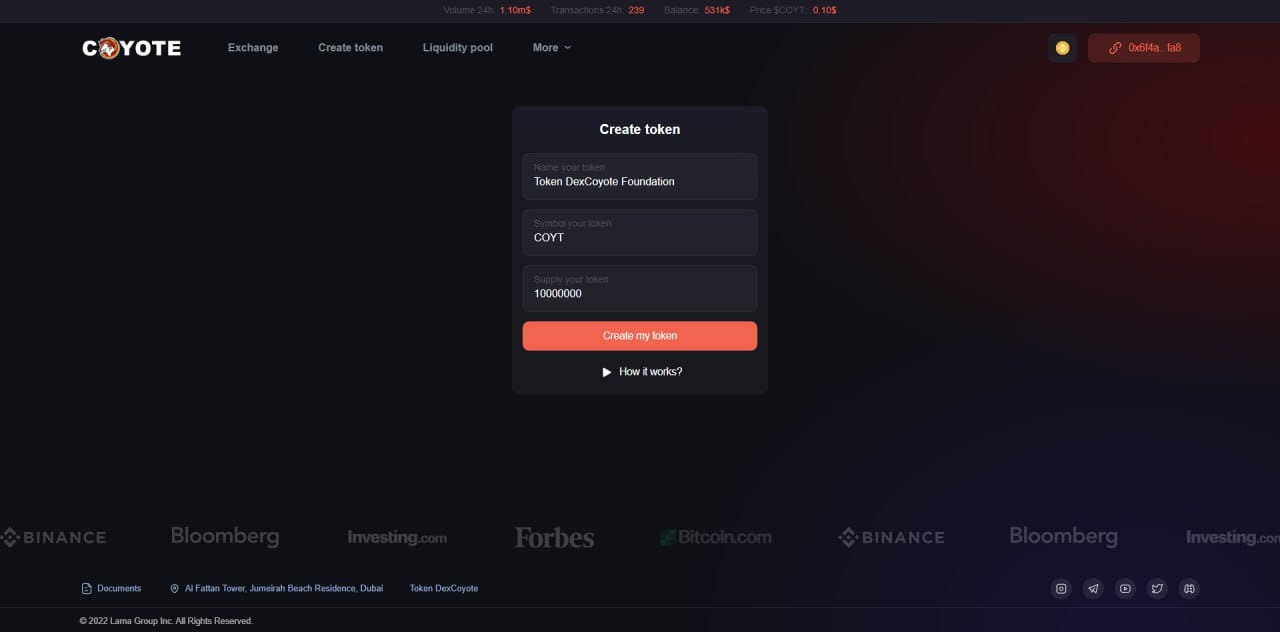
1) Connect your wallet in the top right corner and go to the "Create Token" tab.

2) Choose the network in which you want to create the token, enter the token name, symbol, and the desired quantity of tokens you want to create, then click "Create my token." Confirm the transaction in your wallet to pay the network fee. Congratulations, you have created your token on the BEP-20 network!
Getting Started with Token Sale in 3 Steps:
1) To conduct an airdrop through the DexCoyote platform, go to the "Liquidity pool" tab and click "Add Liquidity pool."

2) Enter the token address (which you can obtain immediately after creating the tokens using the scanner) and click "Approve token." Enter the quantity of tokens you are willing to put up for sale and confirm the transaction.

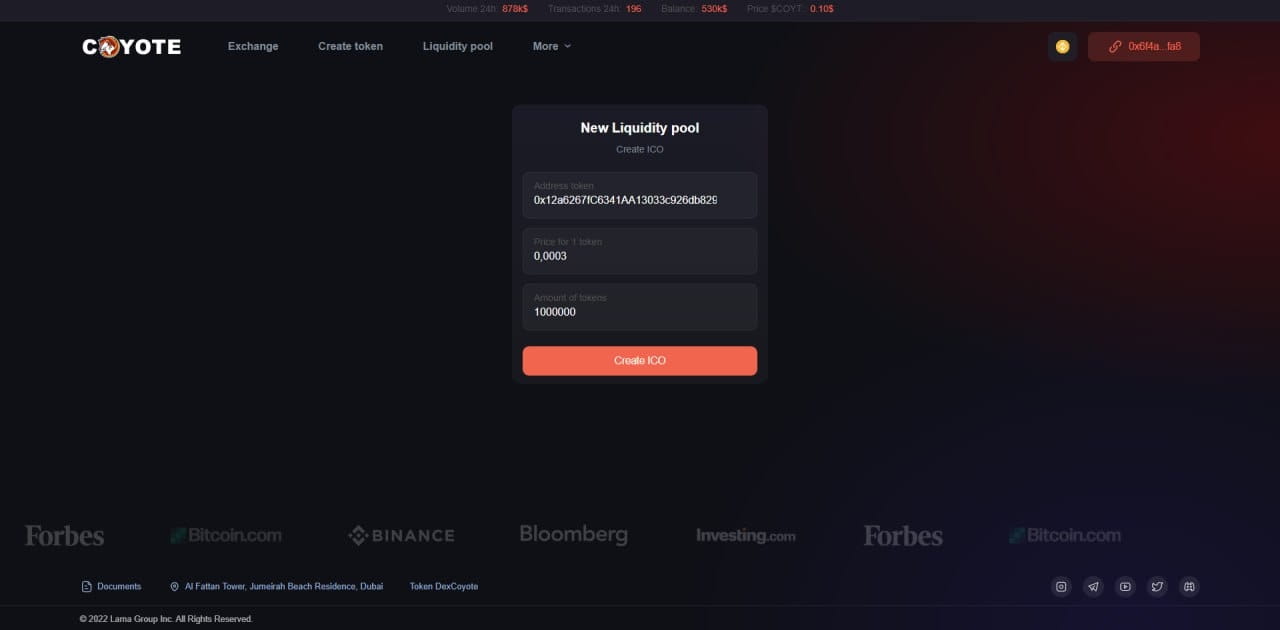
3) You will be redirected to the token listing page on the platform. Enter the token address, the price per unit, and the quantity you want to add to the platform, then click "Create ICO." Your token has successfully passed the listing process and is ready to be sold on the platform!
You can also withdraw all the profits from token sales, change the price, and add more tokens in the "Liquidity pool" tab by clicking "Manage token."
You can add all the project's social media accounts in the "Scan" tab so that other platform users can see them and join your community.