

1. What is a Data Warehouse?
The blockchain is essentially a decentralized ledger. All past transaction transfers and contract calls form a series of transaction record details, including transaction time, transfer-in and transfer-out addresses, transaction amount, call information, contract events, tx_hash and other data.
Dune Analytics stores all the above data in different categories to form a data warehouse for people in need to call, query and analyze using SQL-like languages.
2. What is SQL
SQL stands for "Structured Query Language", which is used for database-related queries and management. In Dune, we use SQL query statements to obtain all the desired data and build corresponding queries. The queries in Dune can be applied according to the following template.
-- Several keywords for SQL execution order
SELECT query desired fields result
FROM Which table to query from
WHERE According to... Condition
GROUP BY Group by...
Filter conditions after HAVING grouping
ORDER BY Sort by... DESC (descending)/ASC (ascending)
LIMIT The number of queries returned
EXCEL explanation

Taking the table above as an example, when you get this table, you can see that the table is composed of rows and columns. Rows can also be called records, and columns can be called fields. A relational database is a database based on the relational database model, which uses concepts and methods such as set algebra to process data in the database.
3. What is Dune Analytics
Dune Analytics is one of the best tools for finding real-time data for free. Users use a SQL-like database query language to retrieve, filter, extract, and aggregate from the Dune cached blockchain data warehouse to form queries, visualize the queried data, and finally summarize them into dashboards. There are thousands of free dashboards (Dashboards) showing different encrypted data. With the DuneV2 engine, the performance has increased by 10 times. Now is the time to learn how to use Dune correctly so that we can be at ease in the crypto market.
4. Introduction to Dune
Official website: https://dune.com/
4.1 Dune Overview
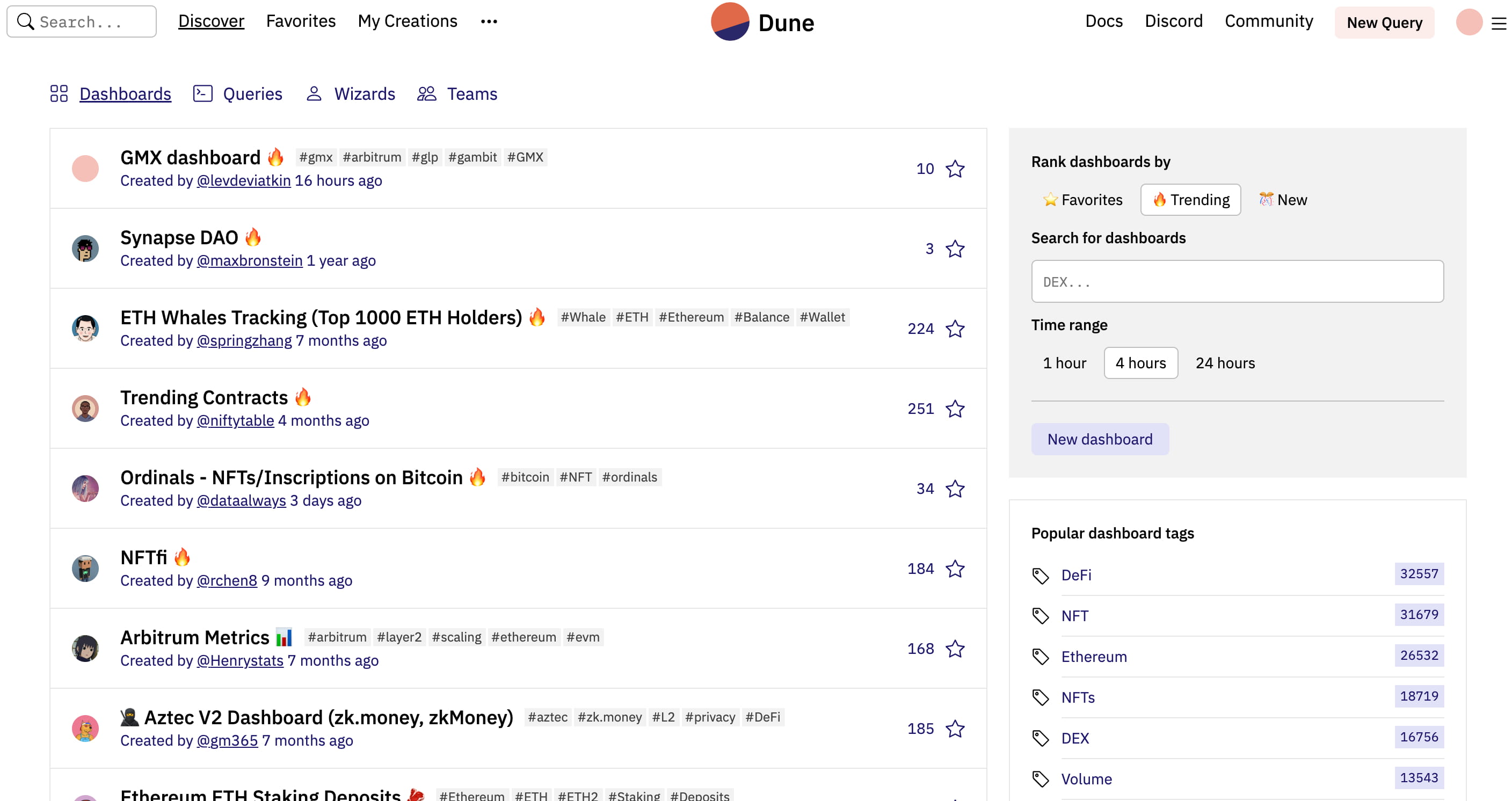
When you use Dune for the first time, you need to register and log in first. After registration and login, enter the homepage of Dune, you can see the page above, and you can see a view switching TAB at the top of the page. You can query some popular examples according to your personal preferences such as Dashboard, Queries, Wizards, and Team. In the lower right corner, you can see the popularity of the tags of the popular queries.
dash board
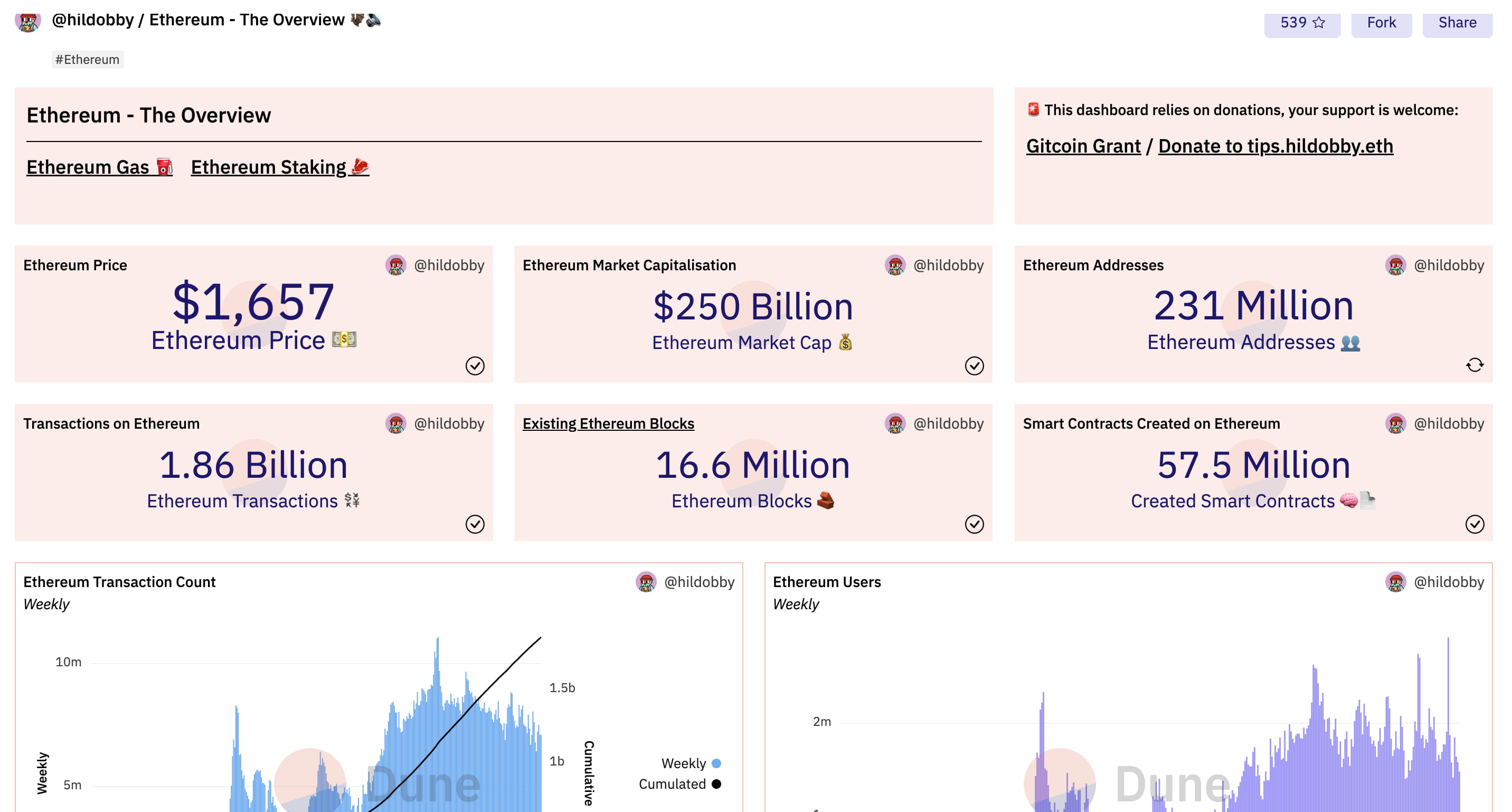
A dashboard is a collection of queries that can be displayed as a series of charts and panels according to your preferences, providing you or others with a better display. Here, taking hildobby [https://dune.com/hildobby/ethereum] as an example, you can see the Ethereum dashboard he designed, such as the price of Ethereum, the market capacity of Ethereum, etc., which are all clear at a glance. In Dune, everyone's dashboard is public, which means that you can copy others' and others can copy yours, which reduces the time and energy of creating your own dashboards. At the same time, you can also learn from many powerful dashboards to optimize your own queries.
Inquire
As mentioned above, a dashboard is a collection of queries. If you click on the title of a dashboard, you can see the SQL query that displays the chart.
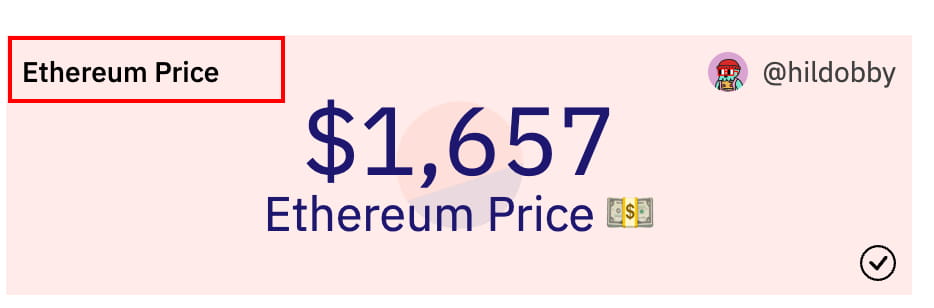
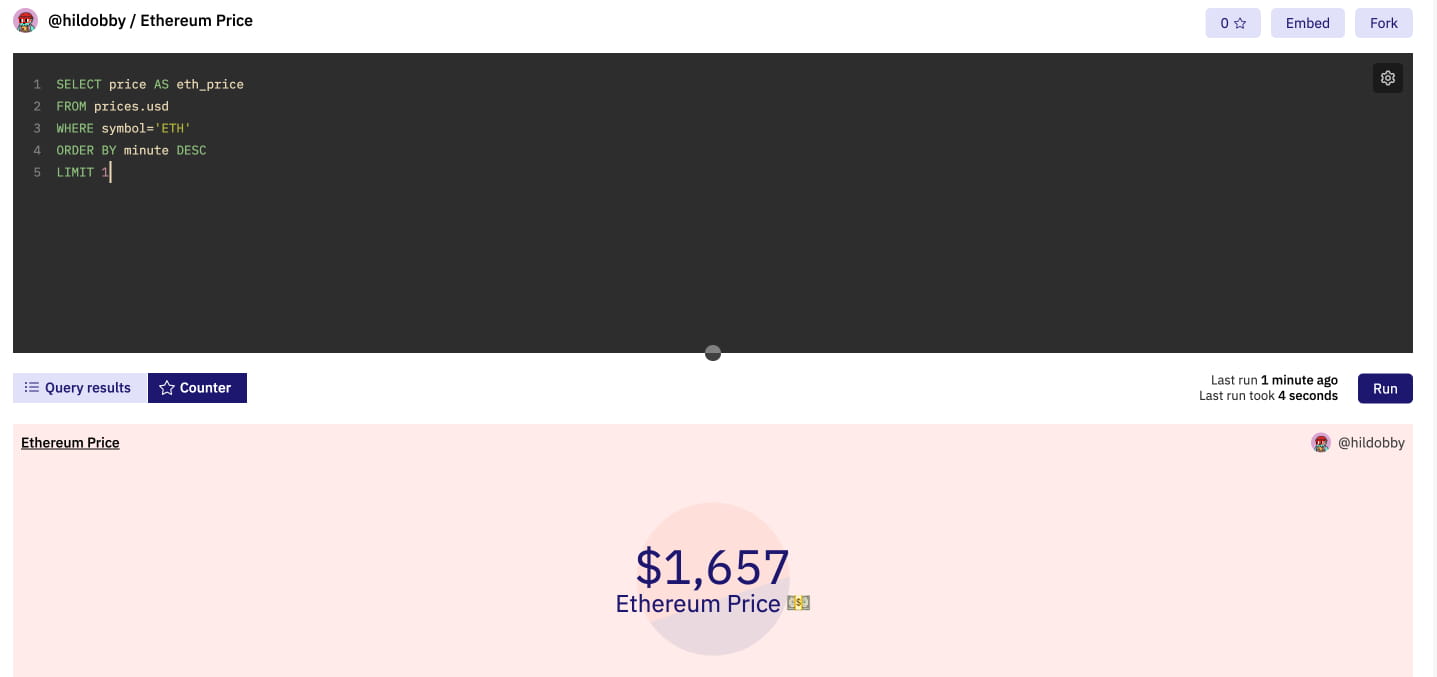
From the above, you can see that the above is divided into two parts, the upper part is the query statement written, and the lower part is the display of the chart based on the query statement. Compare the written statement with the template used for the SQ query introduced above to see if you think you only need to fill in the content.
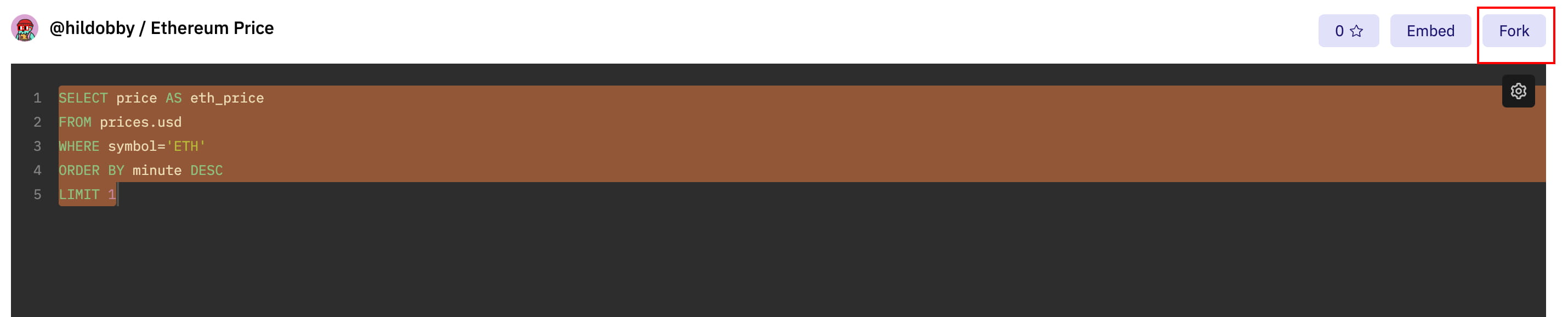
fork
When you see a chart you like but don’t want to waste time writing SQL yourself, you can simply click the fork button in the upper right corner to copy the chart to your own dashboard.
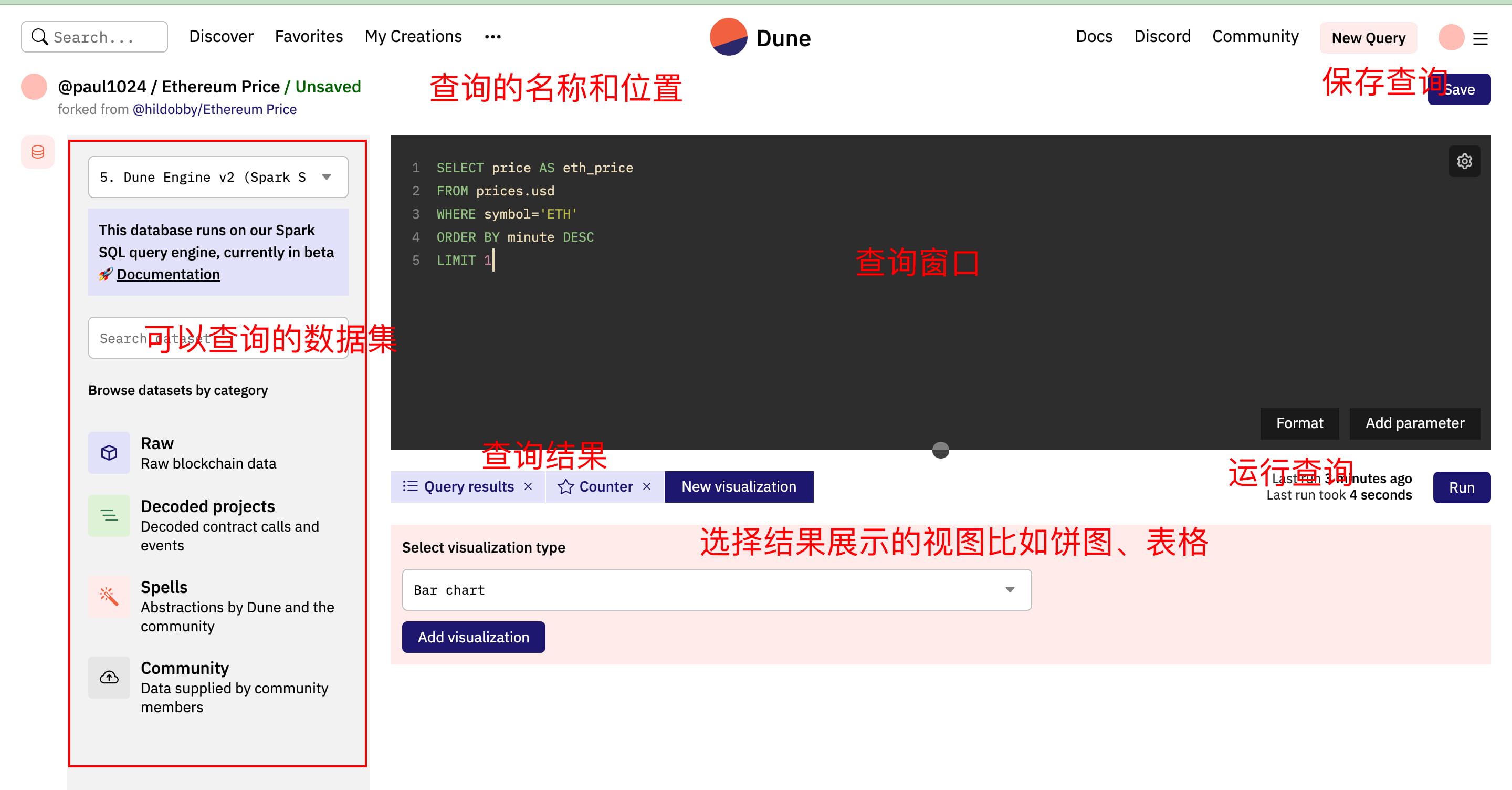
The following is a detailed explanation of the query data set:
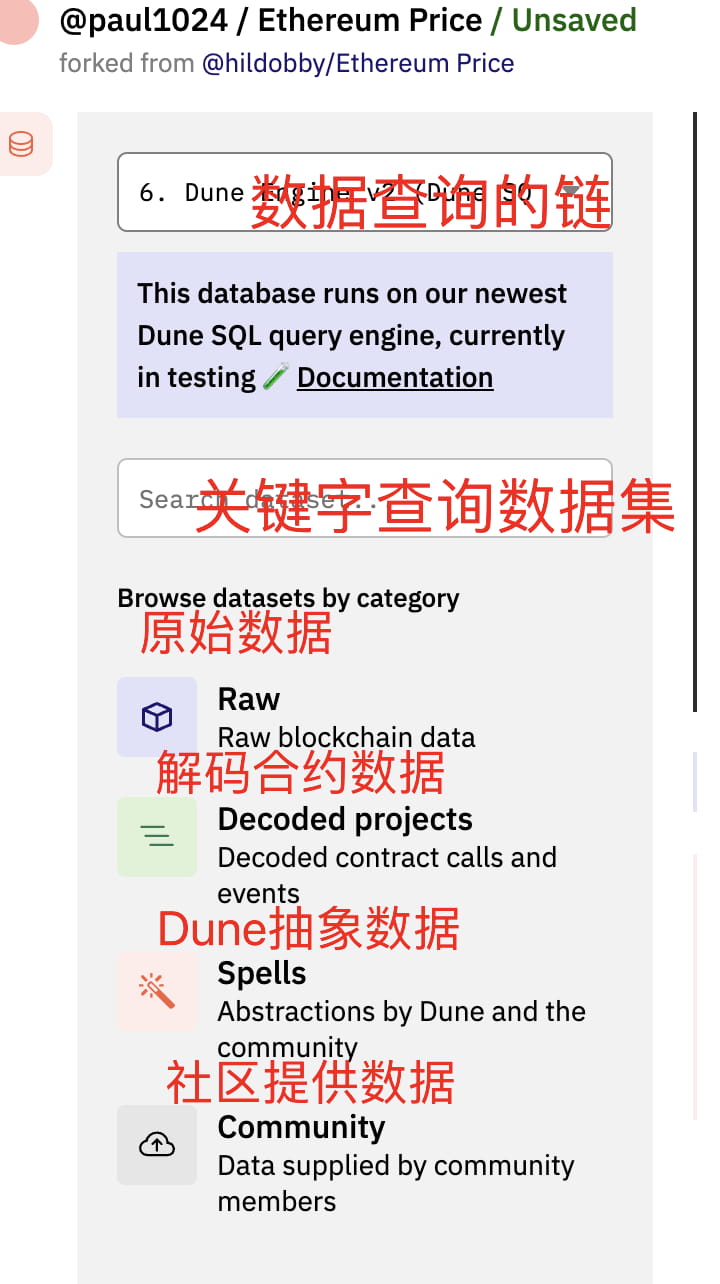
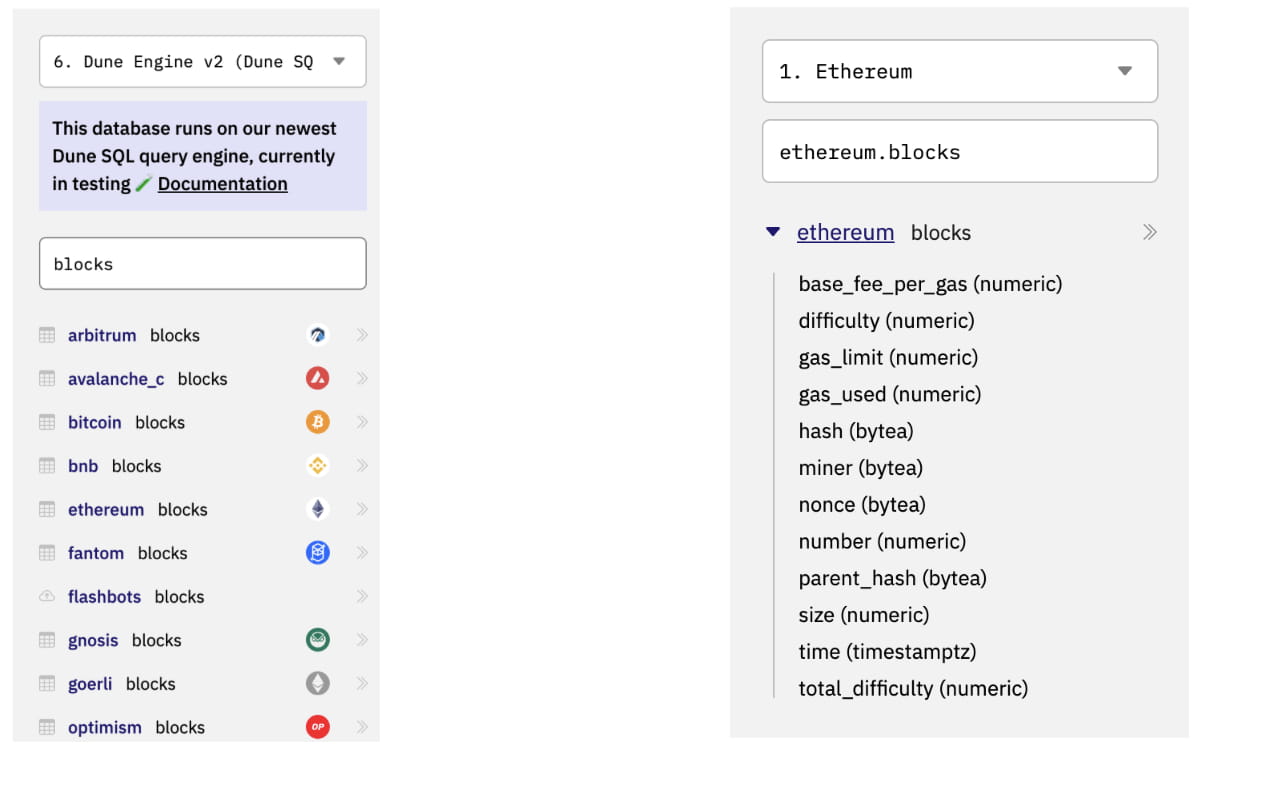
Because Dune has been upgraded to V2 with greatly optimized performance, the following query will directly use the V2 version of the chain. The following is a comparison of the two.
Data decoding project
Decoded projects refer to the Dune team splitting up the projects and attaching corresponding labels to facilitate users to have an easy reference to the data.
abstract
Abstractions can be thought of as customized tables that connect and combine various queries and data fragments to form a unique table. Abstractions help users more easily query the specific data they are looking for without the hassle of manually combining various data fragments.
Generally speaking, abstractions can be divided into two main categories:
Sector abstraction: data in a specific domain
Project abstraction: concrete data for a specific project
Community
The community section can be considered an extension of the abstract section, but the aggregation of data is provided by Dune community members.
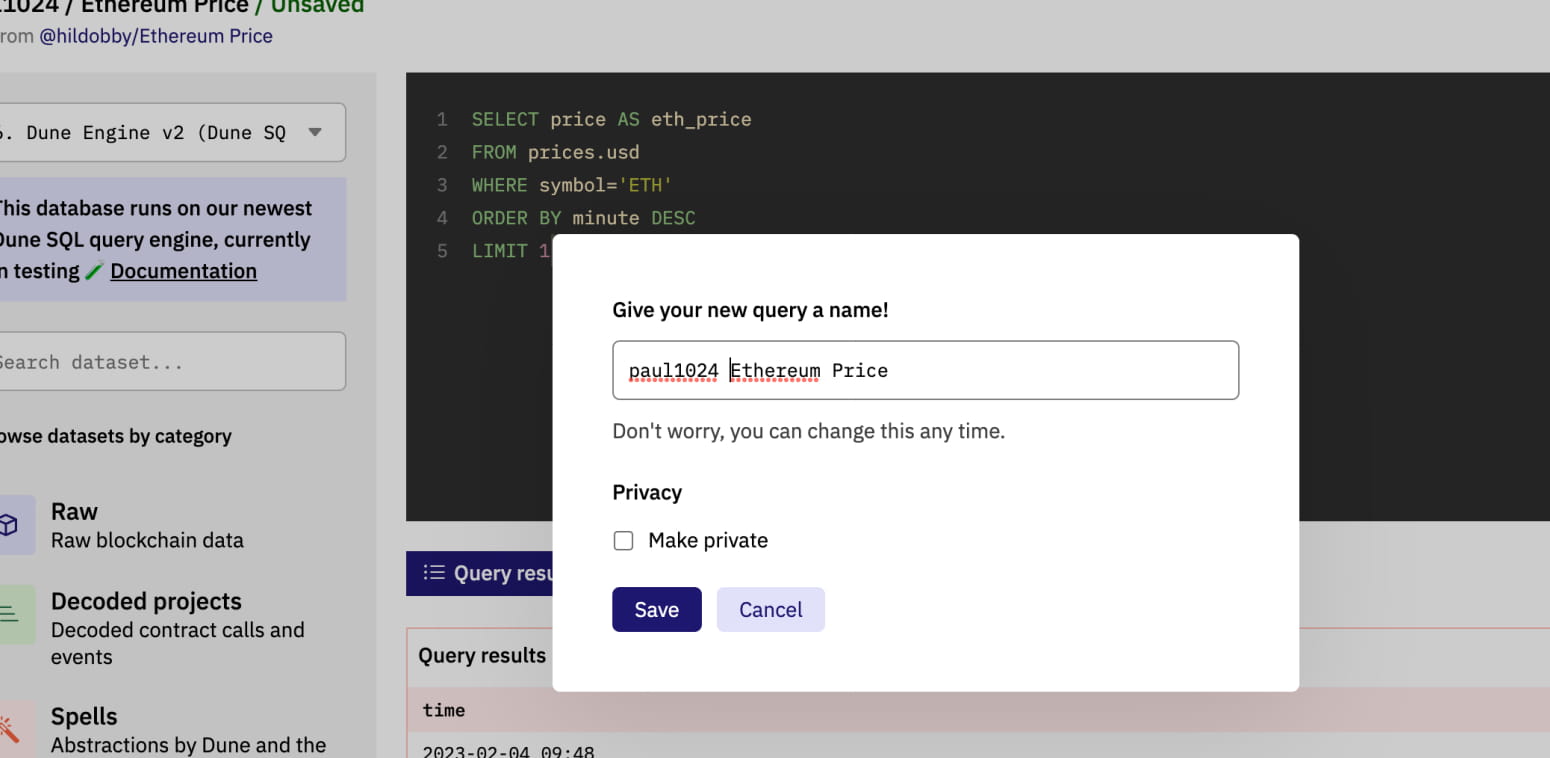
Click the Save button. After saving, you can see that the query name has become the one you just defined. When you click Save, the system will automatically help you query according to the SQL statement you wrote, and you can also save the query to the dashboard.
The above is the first sharing of Dune today. I mainly want to lead everyone to become familiar with this tool. If you want to do your work well, you must first sharpen your tools. I hope you can use it flexibly.