

If you’re opening your first Binance account and looking for a referral code, the most useful check is what Binance displays on your own registration screen. This guide explains where CODE2026 goes, how to review any offer tied to your account, and where to look for trading fees or rewards later.
Referral disclosure. CODE2026 is my referral code. I may earn a commission if you use it and meet Binance’s program requirements.
How to use Binance referral code CODE2026
Open the Binance registration page using this referral link. https://www.binance.com/join?ref=CODE2026. Check the address bar before entering any information.
Look for Referral ID during sign-up. If it’s already filled in, confirm it says CODE2026. If the field is available and empty, you can enter the code manually.
Read the terms displayed for your region. Check which product the offer covers, whether it has an expiry date, and whether it is a fee rebate or a separate reward task.
Once you’ve reviewed those details, follow the verification steps shown in your account. If the code is unavailable or the expected offer doesn’t appear, check Binance’s regional rules or ask Binance Support about eligibility.
Referral availability can differ across countries and accounts. Binance’s official referral notes list regional exclusions and changes, so check the requirements that apply to you before relying on an offer. Referral Pro FAQ · Regional referral rules
Referral rebates, BNB fee payments, and welcome vouchers
These benefits show up in different places. A referral rebate, where offered, is tied to eligible fees and the terms of your referral. Paying fees with BNB is a separate account setting that changes the fee charged on qualifying trades. A welcome voucher is a campaign reward with its own eligibility, deadline, and redemption conditions.
To compare offers, check the eligible market first. A benefit displayed for Spot does not establish the same terms for Futures, withdrawals, or blockchain network fees. If you see a campaign advertised elsewhere, compare it with the terms actually displayed on your account.
A $1,000 Spot fee example
Suppose your trade size is $1,000 and the fee rate shown for that pair is 0.10%. The trading fee would be $1.00. At the 0.075% rate shown in Binance’s standard fee example for eligible BNB payments, that same trade would cost $0.75. The $0.25 difference comes from the BNB fee setting in this example. Account tier, trading pair, promotions, and fee eligibility can change what you pay.
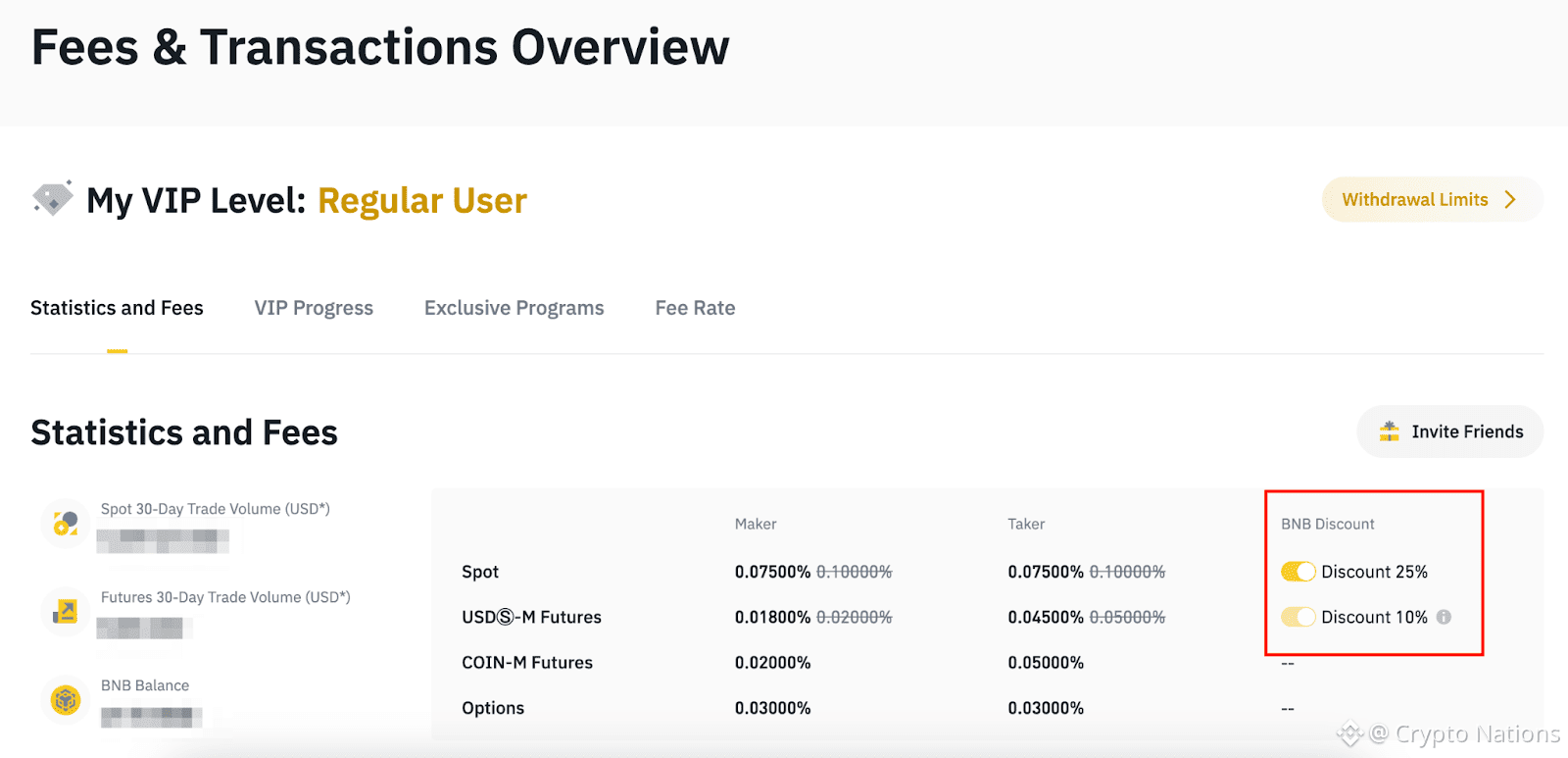
To verify a completed trade, open Trade History and check the fee and the asset used to pay it. Review any referral rebate separately under the terms of the offer. Current Spot fee table · Binance’s BNB fee guide and screenshot
Where to check welcome rewards after registration
Open Rewards Hub and look for tasks assigned to your account. For each task, read the requirements, deadline, reward type, and how to claim it. If a task requires a deposit or trading volume, check what counts before deciding whether it is worth doing. Voucher terms can restrict what the reward offsets and how long you have to redeem it. Binance welcome bonus terms
Secure your account before adding funds
Use a unique password or a passkey where supported. Set up two-factor authentication and consider enabling Binance’s anti-phishing code in Security settings. If a message asks you to send documents or verification codes through a chat, go back to the official Binance app or site and use the support or verification options there. Binance Academy’s beginner and security guide
Frequently asked questions
Can I add CODE2026 if I already have an account? Keep your existing account. Binance has separate referral-binding options for some eligible accounts without a referrer. Requirements depend on your account and the applicable process. Check the official FAQ for your case. Binance Rebind FAQ
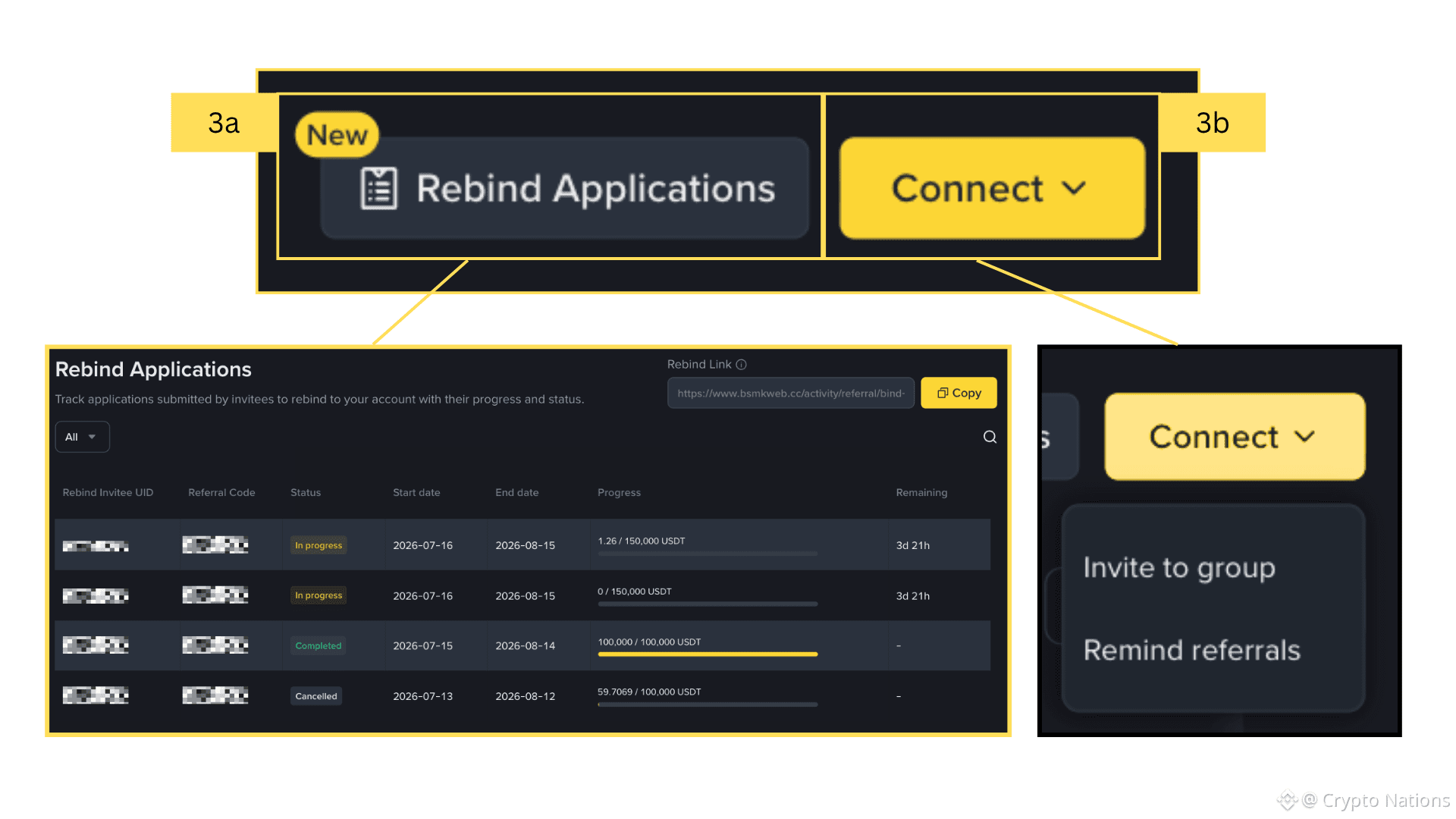
Screenshot source: Binance Support’s Affiliate dashboard guide
What if the Referral ID field is missing? Return to the official registration page and check the account and regional requirements. If you still can’t see the field or confirm the offer, use Binance Support before completing sign-up.
Where can I confirm the exact offer? Use the registration screen for the referral details, Rewards Hub for assigned tasks, and Trade History for the fees you actually paid.