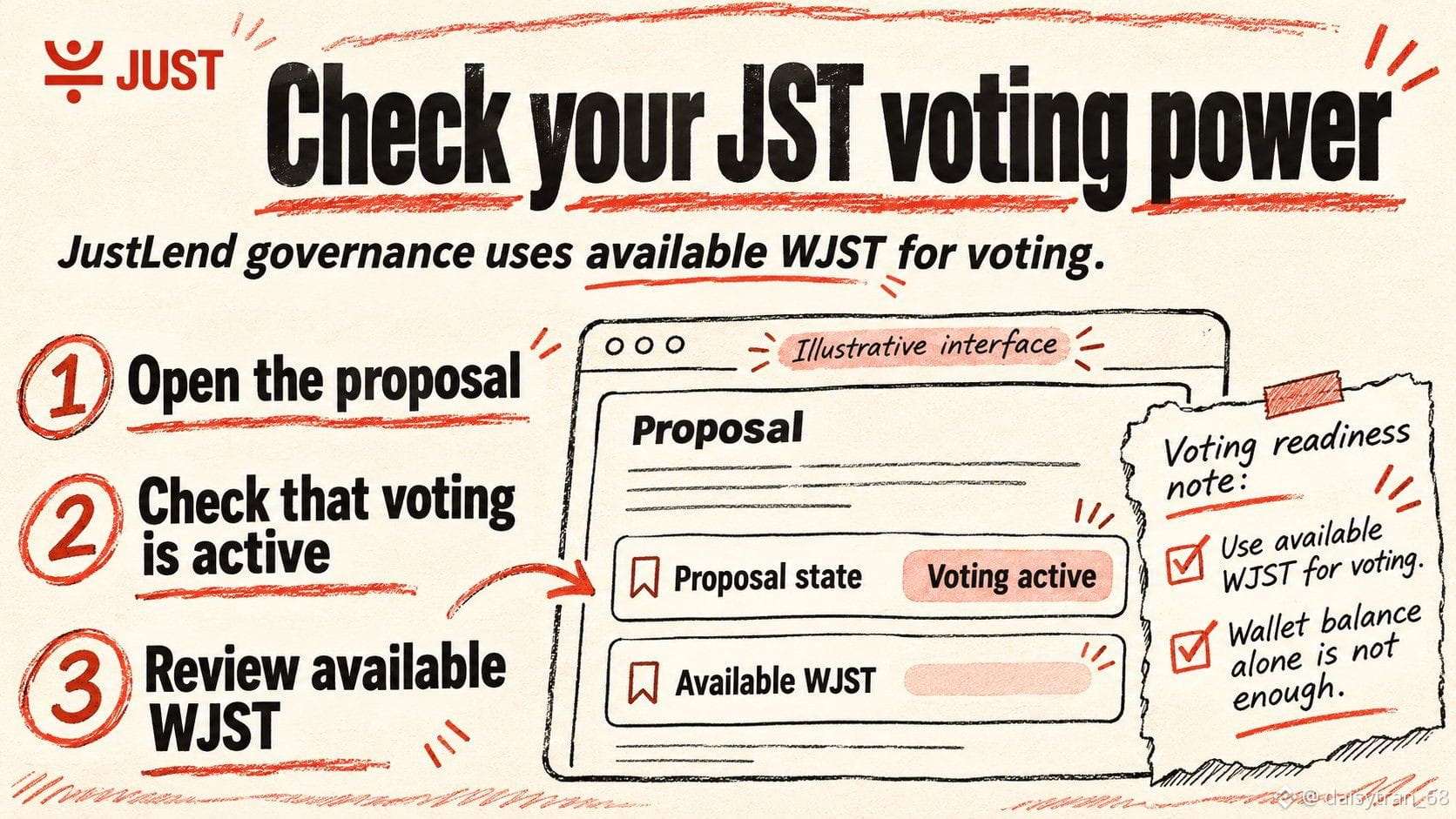
YOUR WALLET SHOWS JST AND A PROPOSAL IS OPEN ON SCREEN. WHAT WILL THE VOTING SYSTEM ACTUALLY COUNT?
Holding JST is the starting point, but governance voting on JustLend uses WJST to determine voting power.
Before casting a vote on a JustLend Improvement Proposal (JIP), there are two important things to understand: the proposal's current status and the voting power available to your account.
Here's how to check:
1️⃣
Check the Proposal Status
→ Open the JIP you want to participate in.
→ If its status is Pending, the proposal has not yet reached the active voting stage.
→ Active means the proposal has entered the stage where eligible holders can cast their votes.
→ Don't assume you can vote simply because a proposal is visible on the governance page.
2️⃣
Understand How JST Becomes Voting Power
→ JustLend's documented governance process uses JST deposited into WJST.
→ WJST represents the voting power used in the governance process.
→ This means your wallet's JST balance and your account's available WJST are not necessarily the same thing.
3️⃣
Check Your Available WJST
→ Connect the account you intend to use for voting.
→ Review how much WJST is available to that account.
→ Make sure you understand the available voting weight before proceeding.
→ If you hold JST but haven't deposited it into WJST, don't assume that your entire JST balance is immediately available for voting.
4️⃣
Understand What Happens After Voting
→ When you cast a vote, the voting weight used is locked for that specific proposal.
→ This is why available voting power can differ from the JST balance you initially saw in your wallet.
→ Consider this restriction before committing your voting weight.
@Justin Sun孙宇晨 #TRONEcoStar @JUST DAO