

The Binance referral code in this guide is BTC2026. This tutorial walks a new user through the whole path on Binance in 2026: creating the account with the code, depositing, placing Spot limit, market and stop-loss orders, withdrawing, then moving USDT to Futures, setting leverage and opening a position with TP/SL. Every screenshot below was taken on Binance on November 23, 2026.
Quick answer: Binance referral code 2026
Referral code: BTC2026
Sign-up link: Binance referral code BTC2026 sign-up link
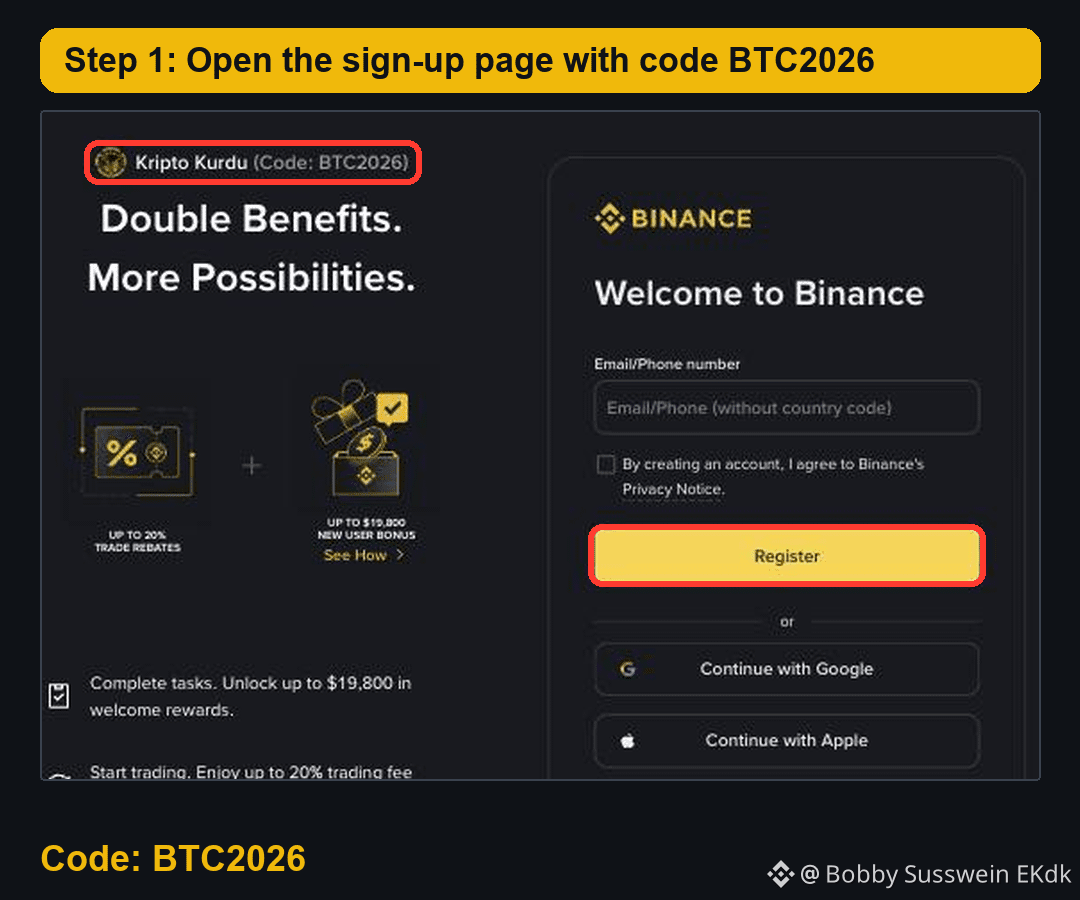
What the sign-up page shows (checked November 23, 2026): up to $19,800 in welcome rewards for completing tasks, and trading fee rebates
The code is entered once, at registration. A referral can't be changed later
Step 1: Create your Binance account with code BTC2026
Open the BTC2026 sign-up page. The left side of the page shows Code: BTC2026, so you don't have to type it. Enter your email or phone number, tick the Privacy Notice box and click Register. Binance sends a verification code; enter it and set a strong password.
Step 2: Verify your identity and secure the account
Identity verification (KYC): name, date of birth, address, an ID document and a short face check
Turn on 2FA with an authenticator app or a passkey
Set an anti-phishing code so real Binance emails show it
Add a withdrawal whitelist once you know which addresses you use
Step 3: How to deposit crypto on Binance
Go to Wallet → Deposit → Deposit Crypto. Pick the coin (USDT in this example), then the network. The network you choose on Binance must match the network you send from. For USDT the list shows BSC (BEP20), TRX (TRC20), ETH (ERC20) and others, with the expected time and confirmations.
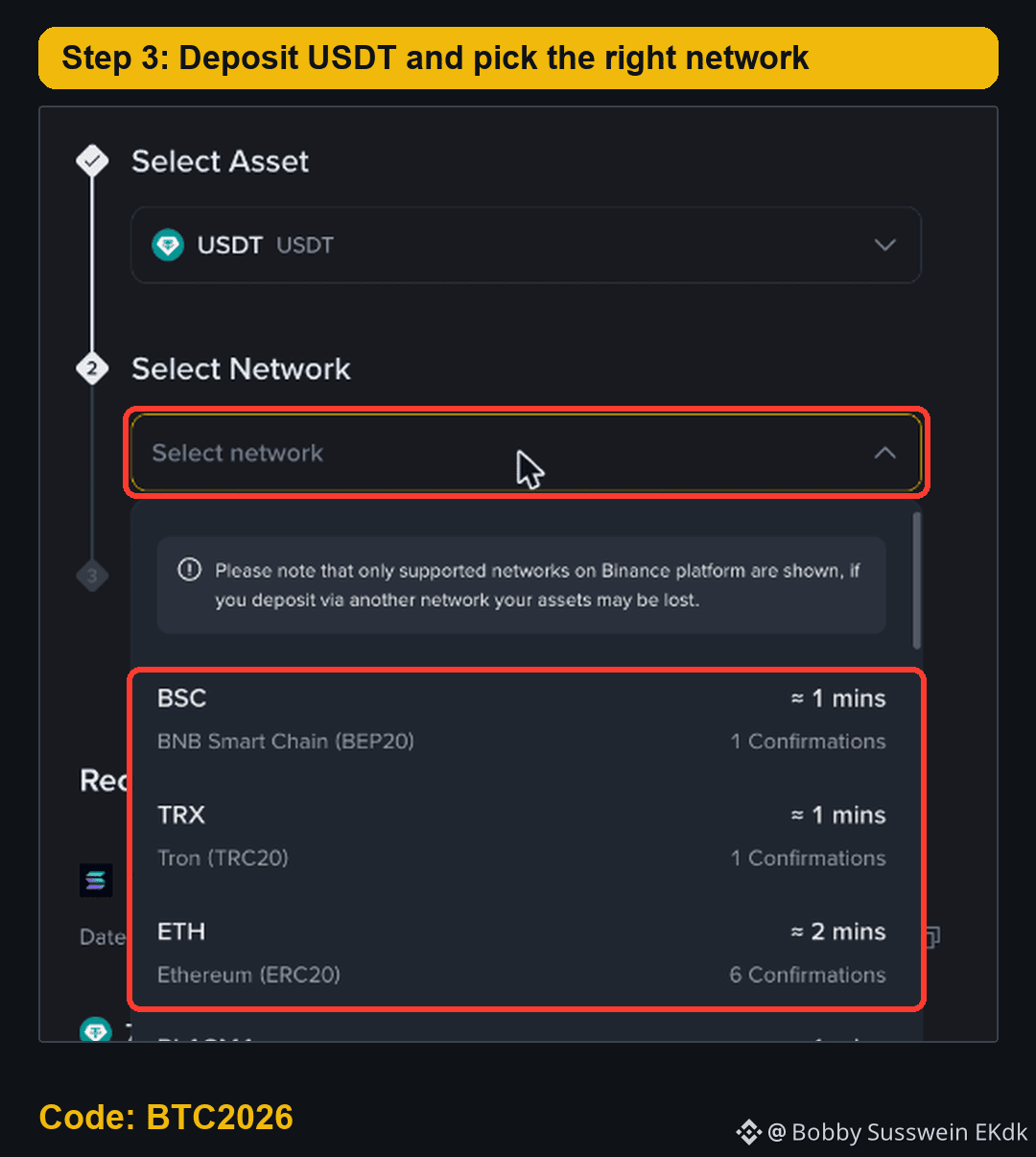
Example: if your other wallet sends USDT on BEP20, select BSC here, copy the address Binance shows, and send a small test amount first. A wrong network can mean lost funds.
Step 4: Spot limit order on Binance
Open Trade → Spot and search BTC/USDT. In the order form choose Limit. A limit order fills only at your price or better.
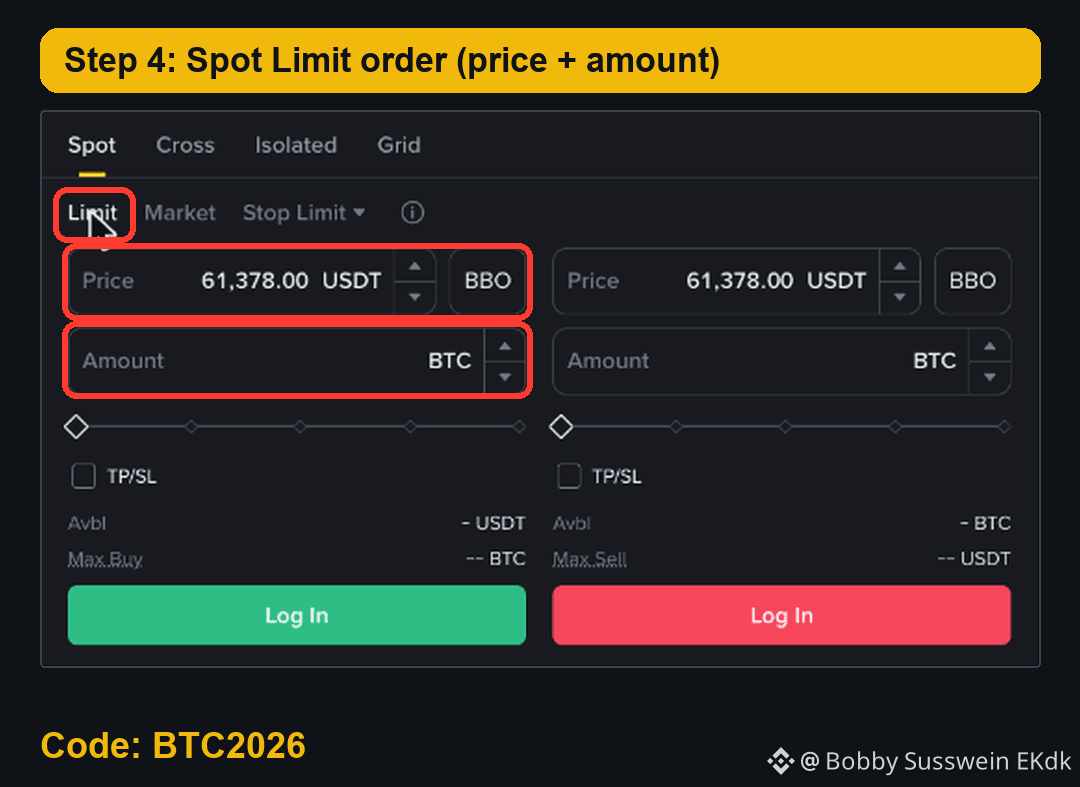
Example: BTC was about 61,300 USDT when we checked. To buy only if it dips, set Price 60,000 and Amount 0.001 BTC. The order sits in Open Orders until the market reaches 60,000. Total = 60,000 × 0.001 = 60 USDT (plus the trading fee).
Step 5: Spot market order on Binance
Choose Market to buy right now at the best available price. Here you can type a Total in USDT; the minimum shown was 5 USDT.
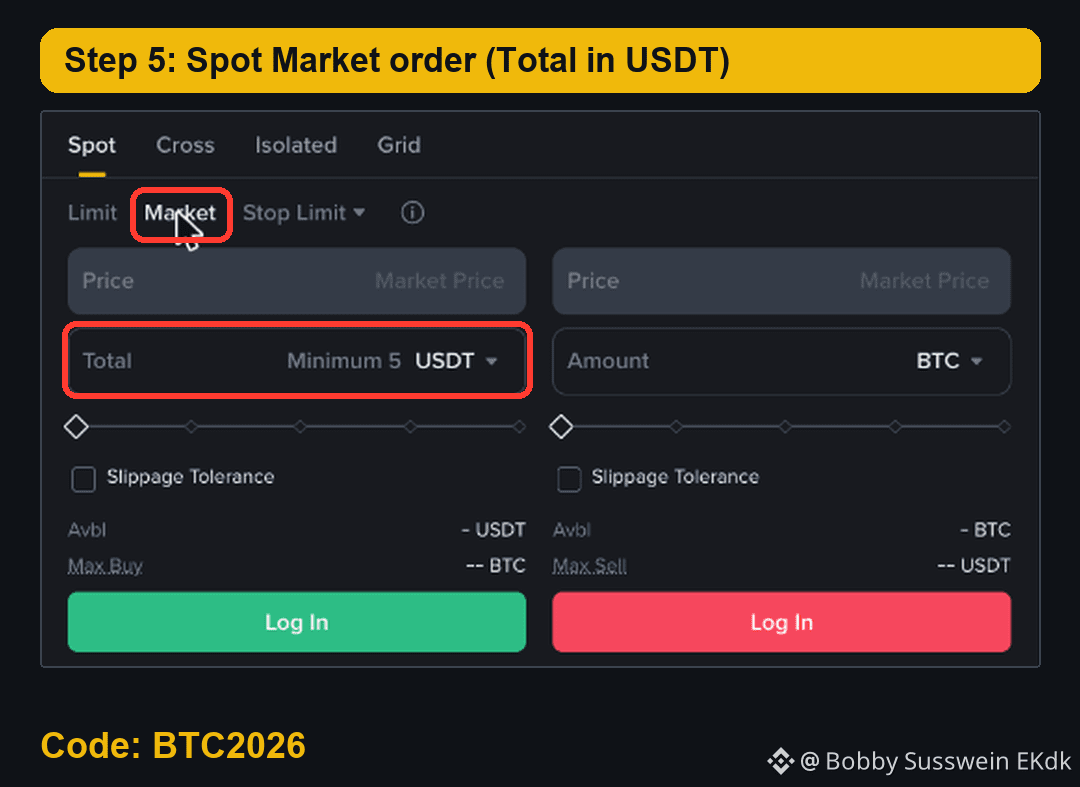
Example: Total 50 USDT buys about 0.00081 BTC at 61,300. In a fast market the fill price can differ slightly; the optional Slippage Tolerance box caps that.
Step 6: How to set a stop-loss on Binance Spot
Open the third tab and pick Stop Limit. The Stop is the trigger price; the Price is the limit order placed once the stop is hit.
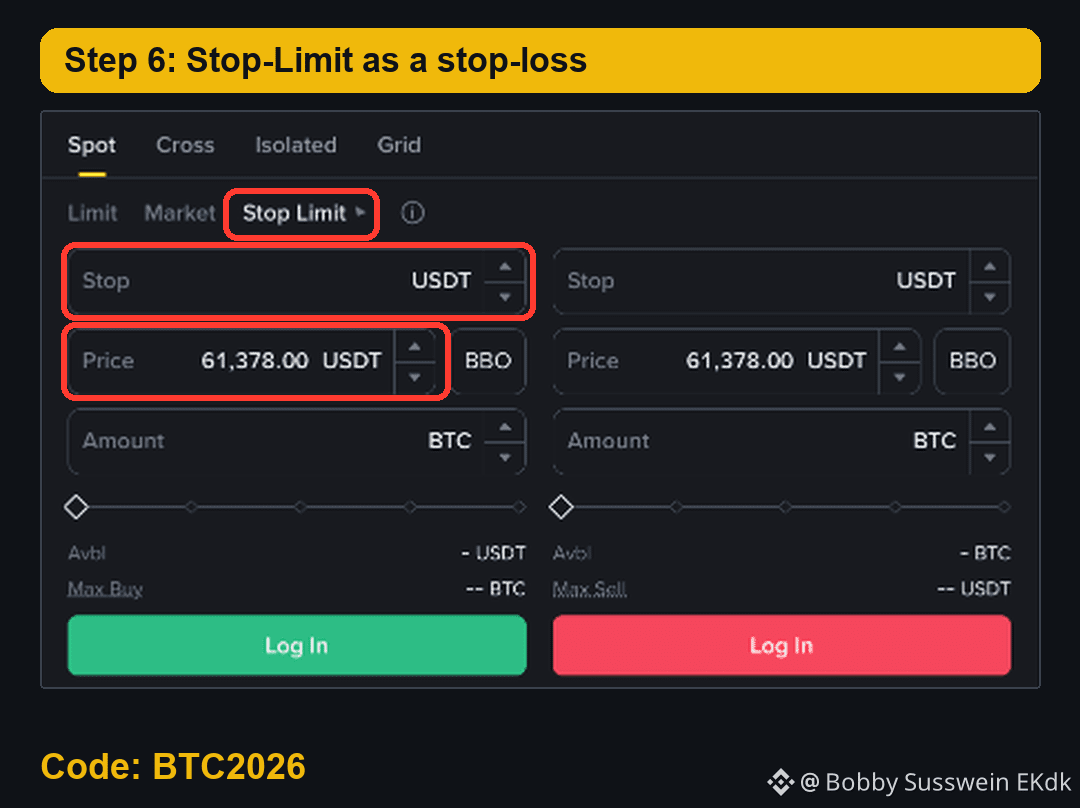
Example: you bought 0.001 BTC at 61,300. On the Sell side set Stop 58,000 and Price 57,900, Amount 0.001. If BTC trades at 58,000, a sell limit at 57,900 is placed. Setting the price a little under the stop helps it fill in a fast drop.
The same menu also lists Stop Market, Trailing Stop, OCO (take profit and stop-loss together), TWAP, POV and Scaled Order.
Step 7: How to withdraw from Binance
Go to Wallet → Withdraw. Pick the coin, paste the destination address (or use the Binance user tab for an internal transfer), choose the same network the receiving wallet uses, enter the amount and confirm with your 2FA.
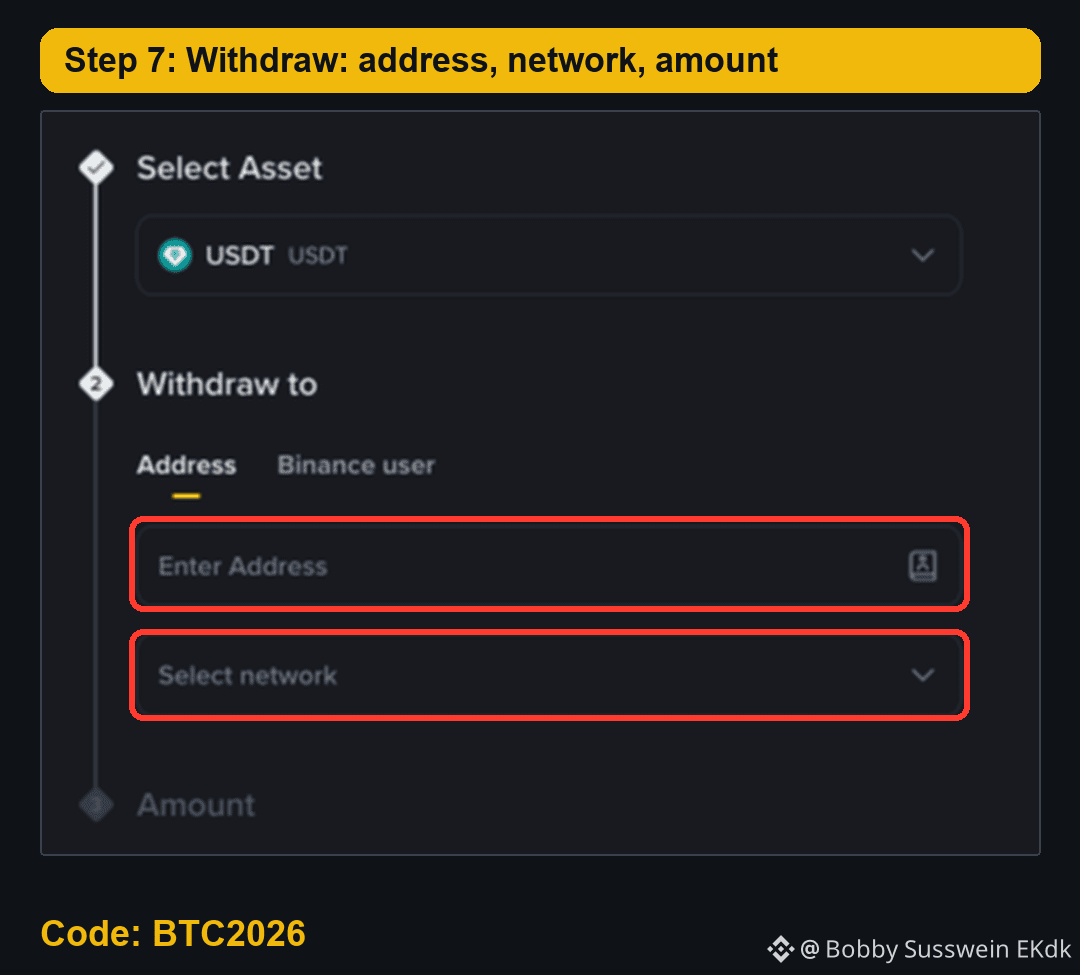
Check the network fee shown before you confirm
Send a small test first to a new address
Internal transfers to another Binance user use the Binance user tab
Step 8: Transfer USDT from Spot to Futures
Futures uses its own wallet. In the Futures order panel, click the ⇆ icon next to Avbl. Set From: Spot, To: USDⓈ-M Futures, coin USDT, type an amount and click Confirm.
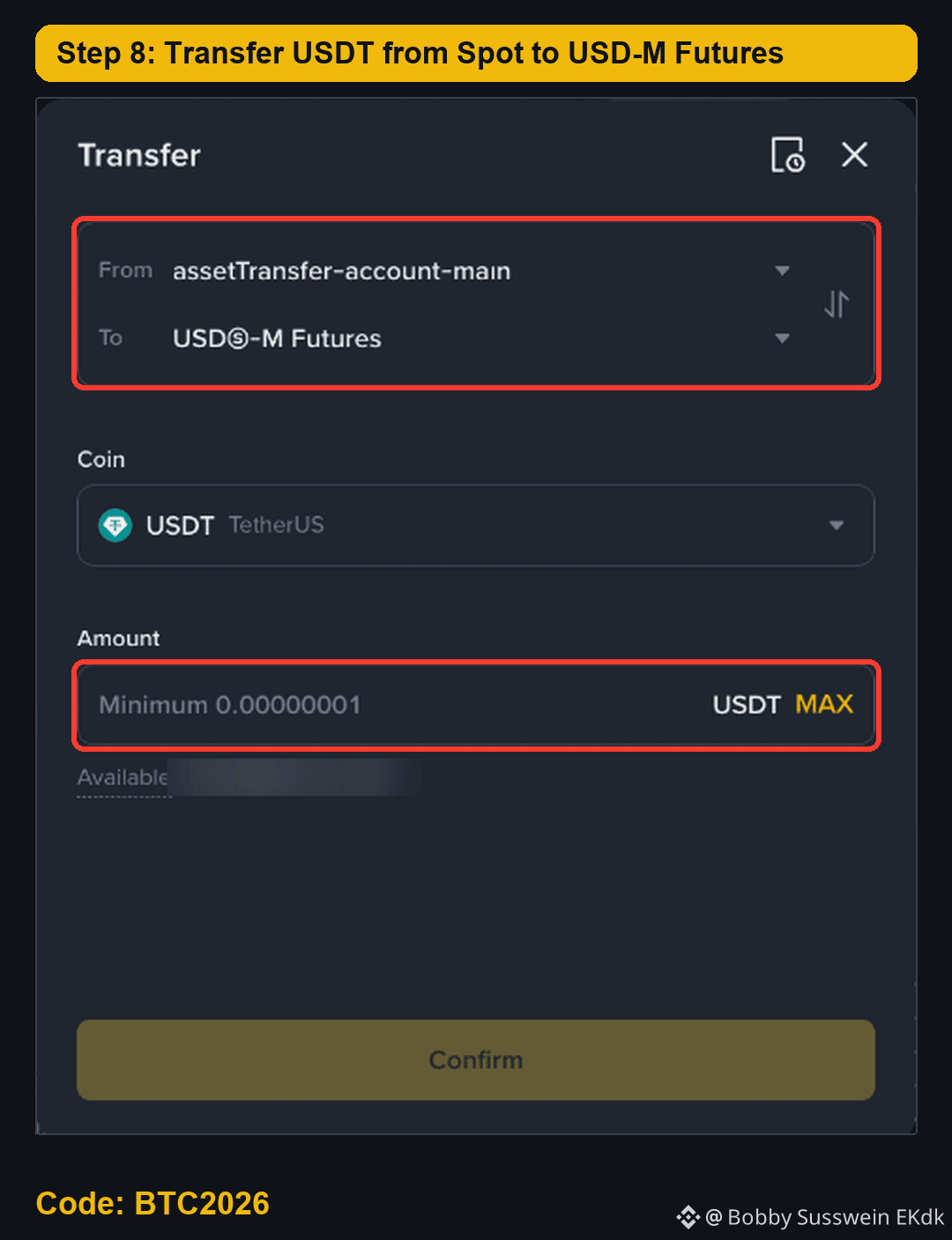
Example: transfer 100 USDT. Move only what you are ready to risk; the rest stays in Spot.
Step 9: How to set leverage on Binance Futures
Click the leverage button (it showed 125x by default for BTCUSDT) and drag the slider or type a number. The panel shows the maximum position at the current leverage and warns that higher leverage raises liquidation risk.
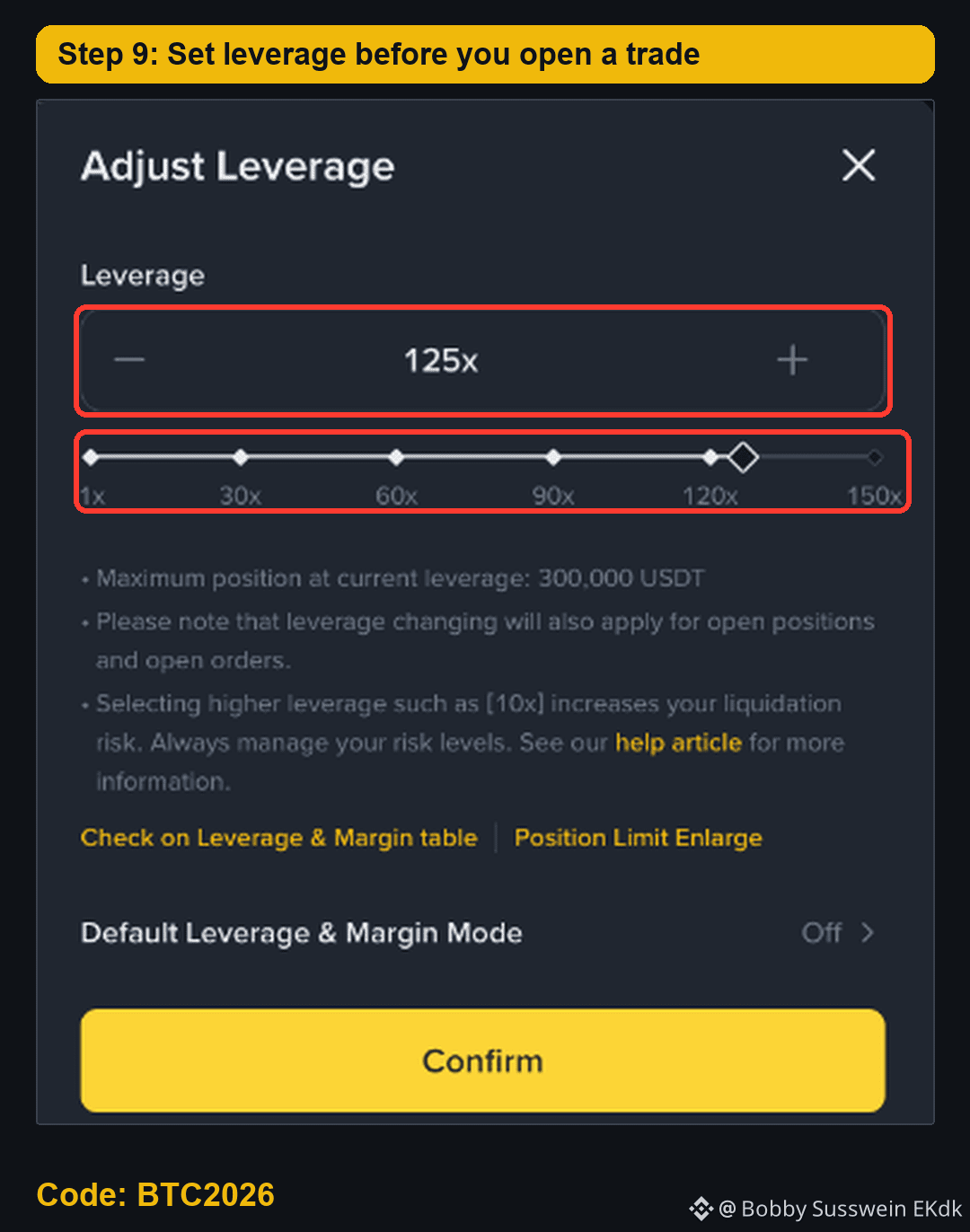
Example: with 100 USDT margin at 5x you control a 500 USDT position. A 1% move in BTC changes your PnL by about 5 USDT (5% of margin). At 20x the same move is about 20 USDT. Beginners usually start between 2x and 5x.
Step 10: Open a Futures position with TP/SL
Choose Cross or Isolated, then Limit or Market. Enter the size, tick TP/SL and fill in Take Profit and Stop Loss before you click Buy/Long or Sell/Short.
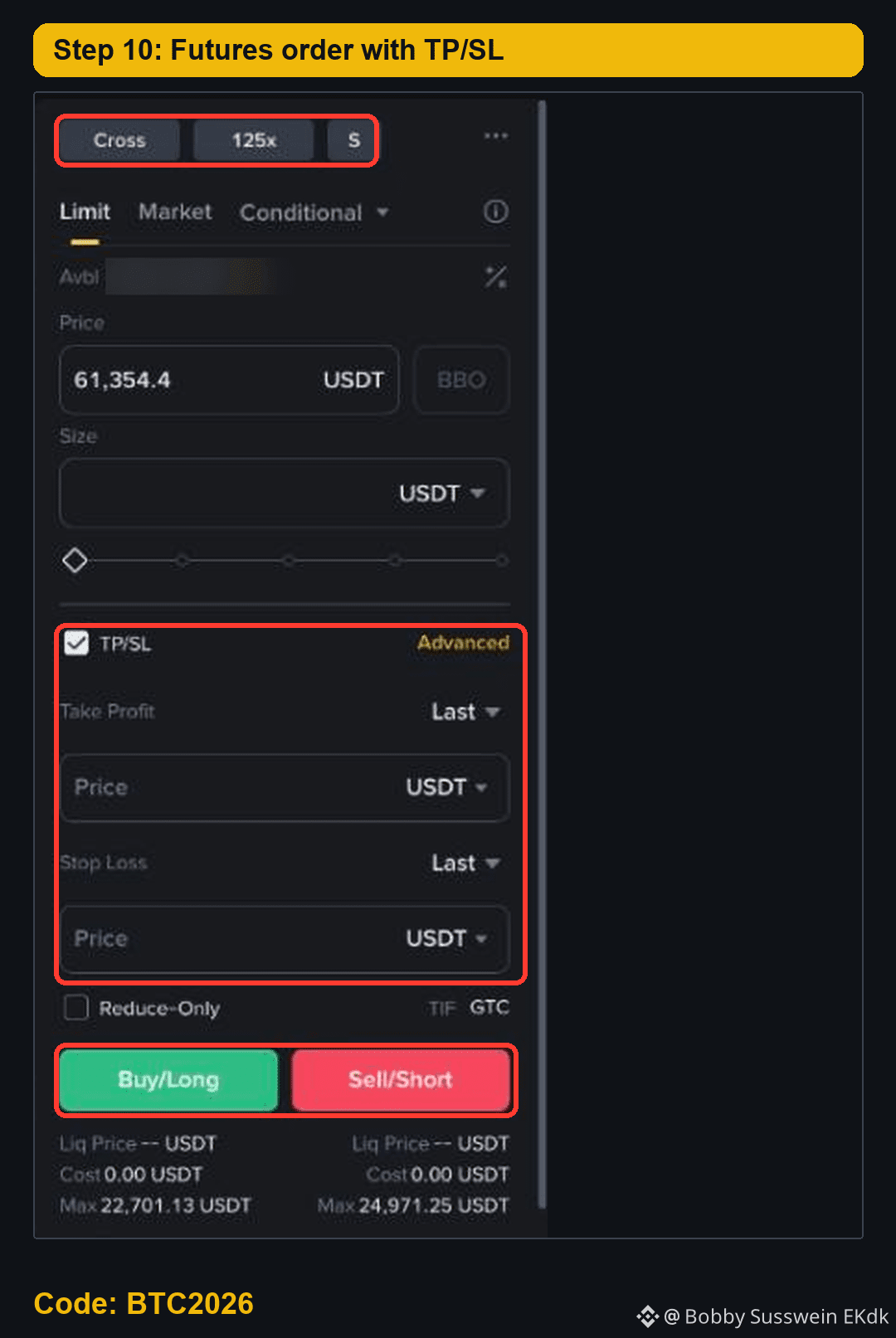
Example (long): BTC at 61,300, 5x, size 500 USDT. Take Profit 63,000, Stop Loss 60,000. If the stop hits, the loss is roughly (61,300 − 60,000) / 61,300 × 500 ≈ 10.6 USDT plus fees. Check the Liq Price line before confirming; your stop should trigger well before it.
FAQ
Can I add BTC2026 after I register?
Only in limited cases: Binance allows adding a code within a short window after registration, if the account has no referral yet and meets its conditions. The simplest way is to use the link at sign-up.
Does the referral code change how Binance works?
No. The account, the order types and the wallets are the same. The code only links your account to the referral.
Is Futures trading required?
No. Many users only use Spot. Futures uses leverage and can liquidate your margin, so learn Spot first.
Start with Binance referral code BTC2026
Ready? Binance referral code BTC2026 sign-up link. Keep the order: secure the account, deposit a small amount, practise Spot orders, and only then try Futures with low leverage.
Disclosure: BTC2026 is my referral code, and I may earn commission from qualifying activity. This is an independent guide, not an official Binance post. Benefits depend on Binance's terms, your region and your eligibility. Crypto trading carries risk, and leveraged Futures trading can lose more than you expect. Not financial advice. DYOR.