


You can change your Binance email in a few minutes. Open Account, go to Security, click Manage next to Email, verify with your passkey or 2FA, then confirm the code sent to your new address. After the change, withdrawals and P2P transactions are paused for 24 hours for security.
👉 New to Binance? Sign up with a welcome bonus here
Why does your Binance email matter so much?
Your email is one of the keys to your account. Binance uses it for login, security codes and notifications about deposits and withdrawals.
If you lose access to that inbox, you also lose an easy way to confirm sensitive actions. That is why it pays to keep it current.
How do you change your email on Binance?
Log in and hover over the Profile icon, then click Account.
Open Security and click Manage next to Email.
Click the Edit icon and read the notes on screen.
Verify the request with your passkey or 2FA device.
Enter the new email address and click Get Code.
Type in the code from your new inbox and click Submit.
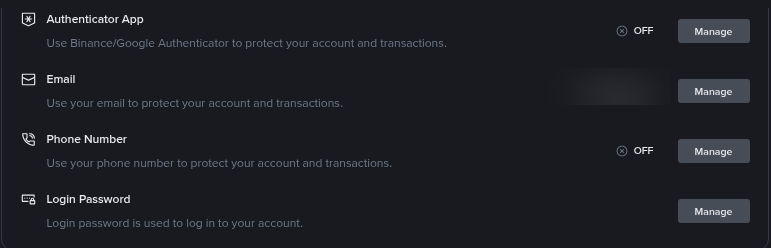
The Security page in your Binance account. The Email row has its own Manage button.
What happens after you change it?
Two rules apply right after the switch.
24-hour hold. Withdrawals and P2P transactions are disabled for 24 hours.
30-day lock on the old address. Your old email can't be used to register a new account for 30 days.
Plan the change for a day when you don't need to withdraw.
What if you can't access your old email or 2FA?
The change has to be verified with a passkey or 2FA. If your authenticator is gone too, fix that first.
Our step-by-step guide on how to reset 2FA on Binance after losing your authenticator covers the recovery flow. Once 2FA works again, the email change takes only a few minutes.
How do you know an email is really from Binance?
Fake "Binance" emails are one of the most common tricks scammers use. Two free tools help.
Anti-Phishing Code. Set a personal code in Advanced Security. Real Binance emails will then show it.
Binance Verify. Paste an email address, website or social account to check whether it is official.
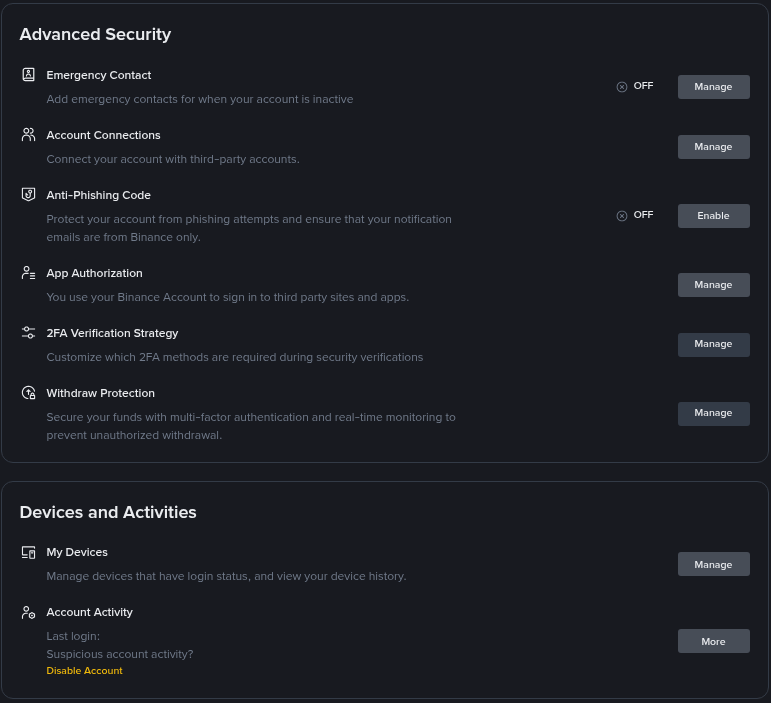
Advanced Security settings, where you can enable your Anti-Phishing Code.
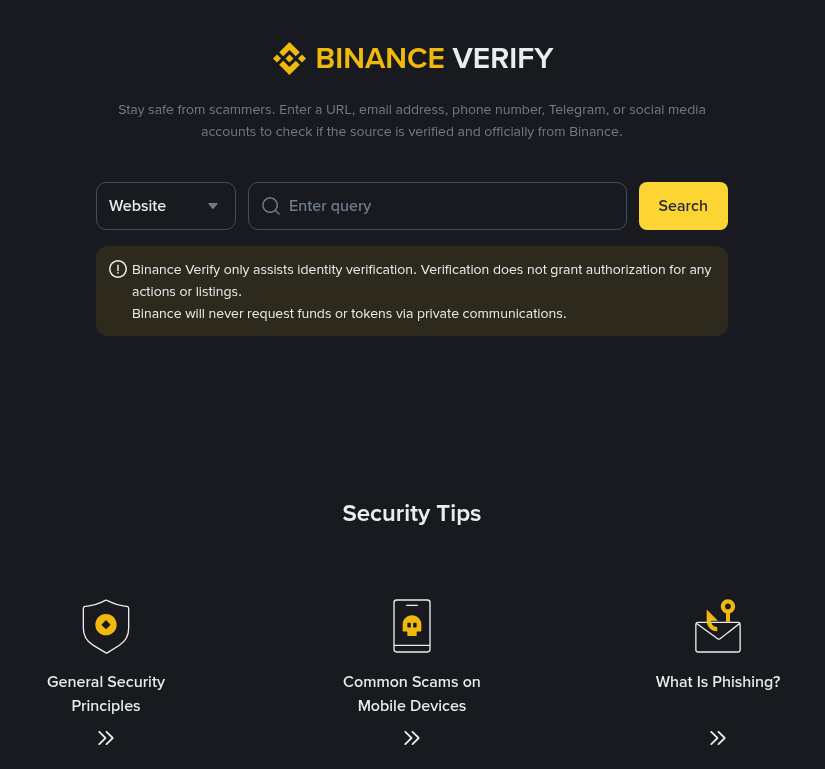
Binance Verify lets you check whether an email address or website really belongs to Binance.
For more warning signs, read our guide to common Binance scams and how to avoid them.
What are good habits for your account email?
Use an address only you control, with its own strong password.
Turn on 2FA for the email account itself.
Never share codes from Binance emails with anyone, including "support" agents.
Getting started? See the latest Binance welcome bonus offer, worth up to $19,800 for eligible users, and register with code GETREWARD.
FAQ
How long does it take to change the email?
Usually a few minutes, as long as your passkey or 2FA works and the new inbox receives the code.
Can I withdraw right after changing my email?
No. Withdrawals and P2P transactions stay disabled for 24 hours after the change.
Can I reuse my old email for a new account?
Not for 30 days after the change.
Will Binance ever ask for my email codes?
No. Never share verification codes with anyone who contacts you.
Disclosure: GETREWARD is my code. If you use it, I may earn a commission from Binance at no extra cost to you. This is not financial advice.