


here are user-friendly instructions on how to become a lead trader on Binance Futures for copy trading:
1. Begin by logging into your Binance account and heading to the [Futures] section, then select [Copy Trading].
2. Click on the option that says [Become a Lead Trader].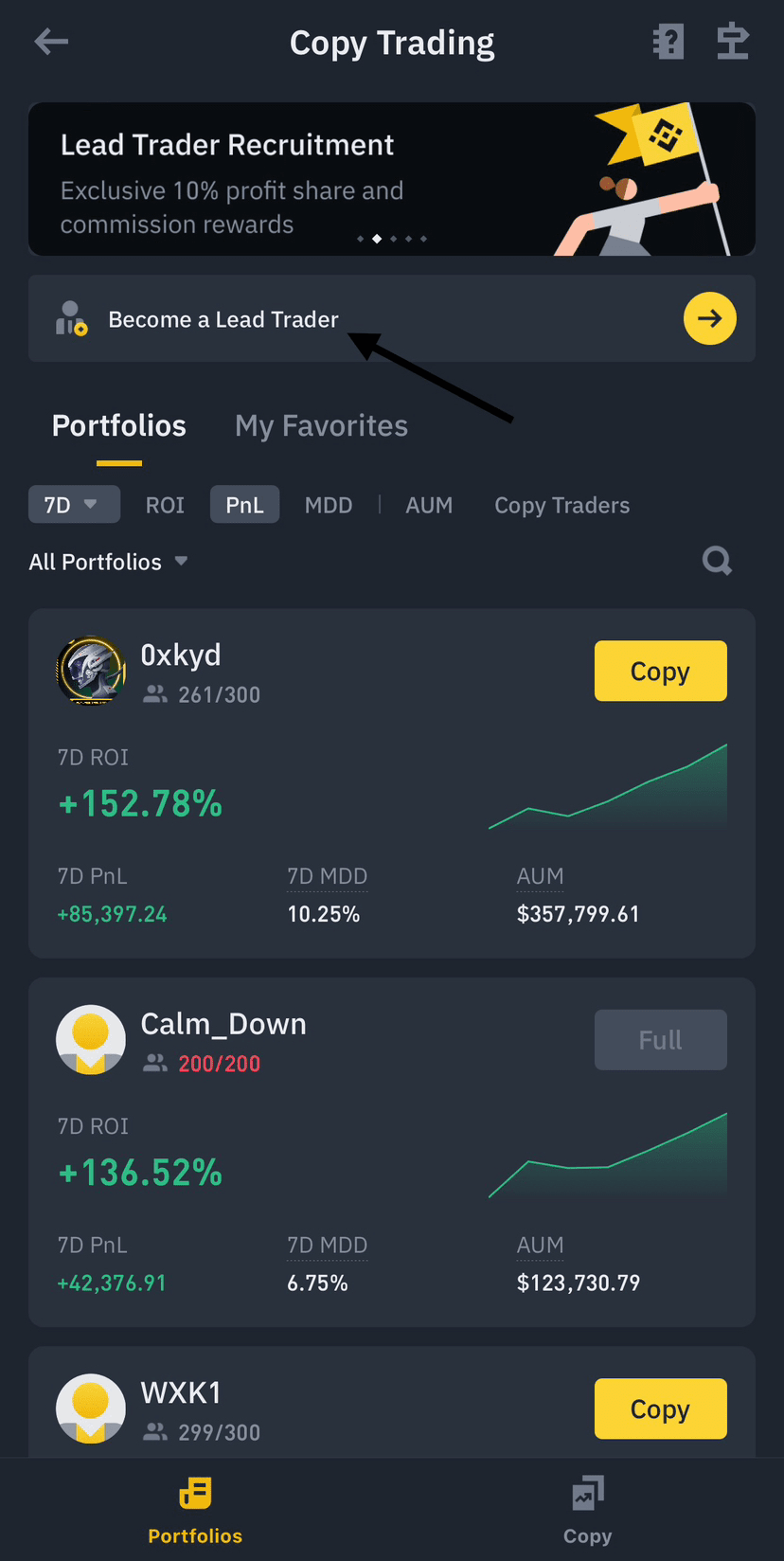
3. Customize your lead trader portfolio with the following details:
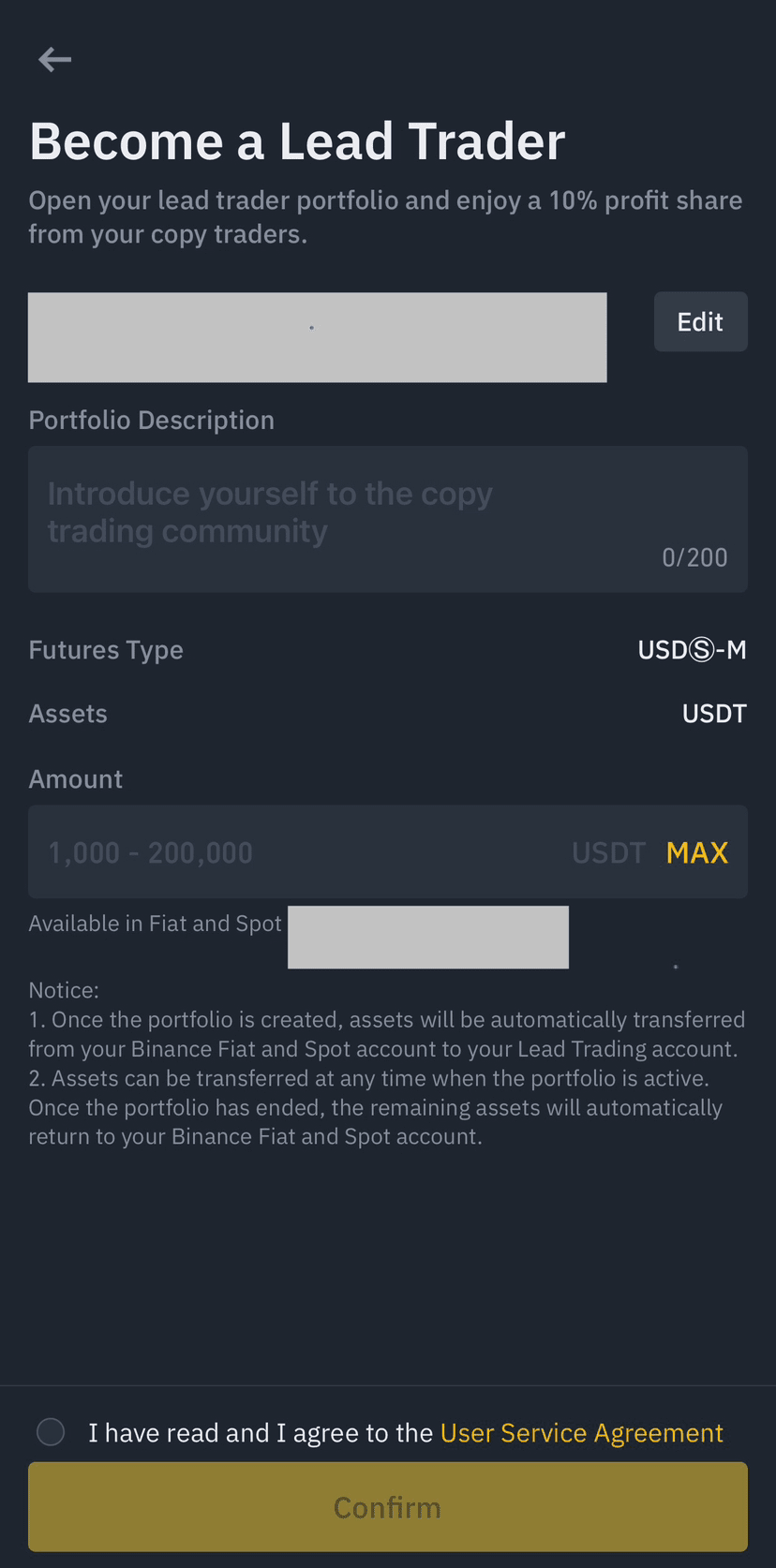 • Name: Choose a name for your portfolio, which will be displayed in the Portfolio Center.
• Portfolio Description: Write a brief description for your portfolio, visible on the Portfolio Details page.
• Amount: Specify the amount you want to use for lead trading (minimum 1,000 USDT). Once your portfolio is created, the funds will be moved from your Spot Wallet to your Lead Trading Account.
• Futures Types: Currently, copy trading is only available for USDⓈ-Margined Futures contracts.
After entering these details, review and agree to the service agreement, then click [Confirm] to create your portfolio.
4. Your portfolio is now created. Click on [Trade] to access the trading interface.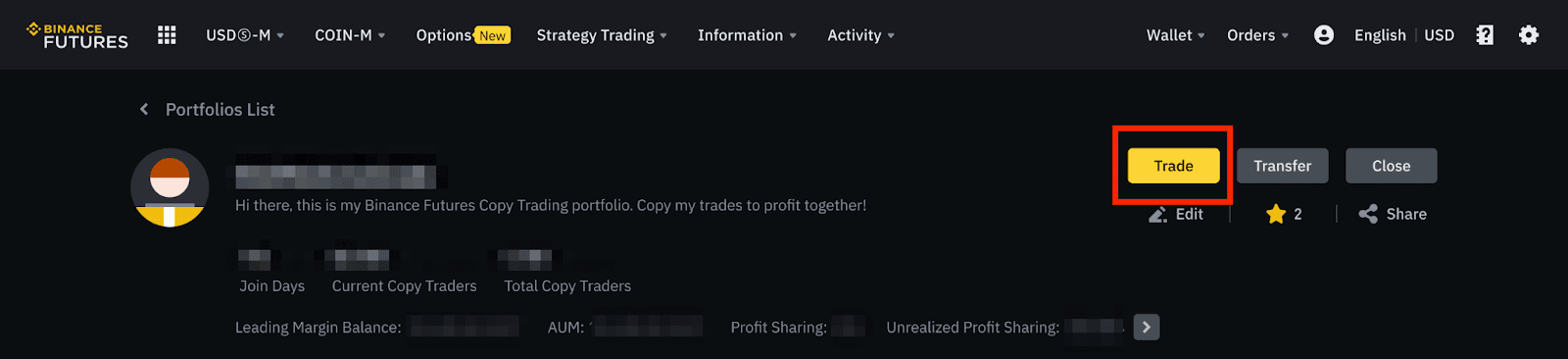
Please keep in mind:
• The trading tools for copy trading are similar to those in the Futures trading interface. For more details, check out the guide on customizing the Binance Futures trading interface.
• Trailing stop orders are not currently available for copy trading.
5. You can check your copy traders’ portfolio details and performance here.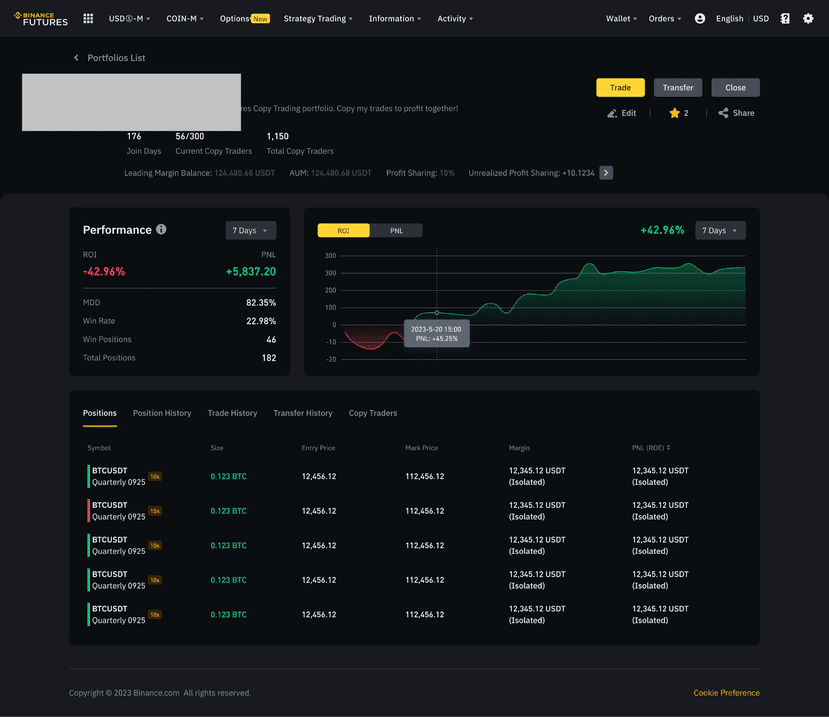
• To add or withdraw funds, click [Transfer]. Please note that the maximum transferable amount is the available balance of the portfolio amount minus 1,000.
• If you want to close the portfolio and have your followers’ portfolios stop copying trades, click [Close]. Please note that you cannot close the portfolio if it still has open positions.
6. The default copy limit for each portfolio is 200. If your portfolio is fully copied, you can apply for more capacity via a provided survey link.
GIVE A TIP IF HELPFUL 🤝