
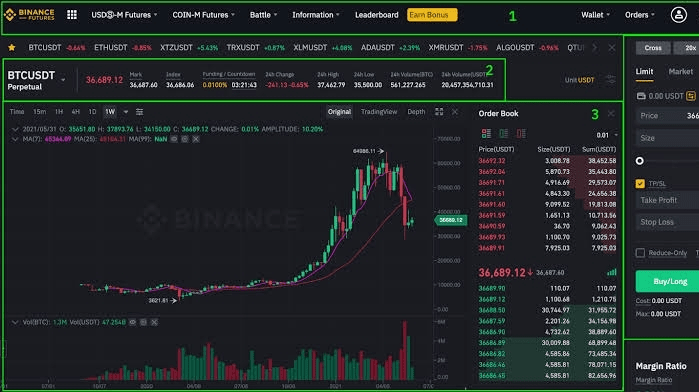
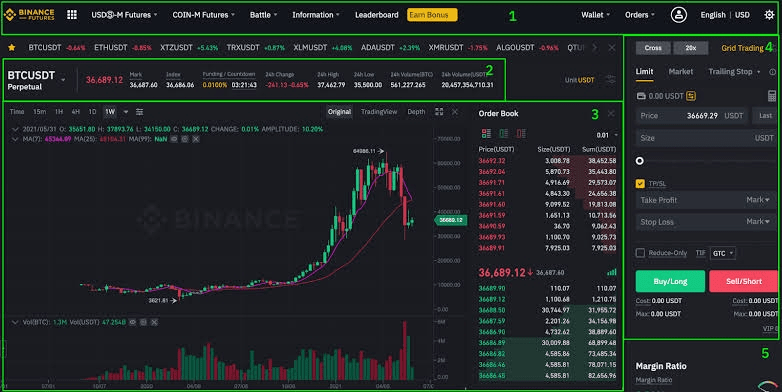
Trading on Binance involves a few steps:
1. Sign Up: Visit the Binance website (binance.com) and create an account by providing the necessary information.
2. Complete Verification: Depending on the level of verification you choose, you may need to provide additional documents such as ID proof or address verification.
3. Secure Your Account: Enable two-factor authentication (2FA) to add an extra layer of security to your account.
4. Deposit Funds: Go to the "Funds" section on the Binance website and choose the cryptocurrency you want to deposit. Generate a deposit address and transfer your funds from another wallet or exchange to your Binance account.
5. Choose a Trading Pair: Once your funds are deposited, select the trading pair you want to trade. For example, if you want to trade Bitcoin for Ethereum, find the BTC/ETH trading pair.
6. Place a Trade: Binance offers various order types such as market orders or limit orders. A market order will buy or sell at the current market price, while a limit order allows you to set a specific buying or selling price.
7. Review and Confirm: Before placing your trade, review the details carefully, including the size and price of the order.
8. Monitor Your Trade: After executing the trade, you can monitor it in the "Open Orders" section. Binance also provides trading charts and tools to help track price movements.
9. Set Stop Loss and Take Profit: It's recommended to set stop loss and take profit levels to manage risk and secure potential profits. These can be set while placing the trade.
10. Close Your Trade: When you're ready to close your trade, go to the "Open Orders" section and select "Close order" or use the sell function to sell your assets.
Remember, trading involves risks, and it's essential to have a good understanding of trading strategies and risk management before engaging in any trading activities.