
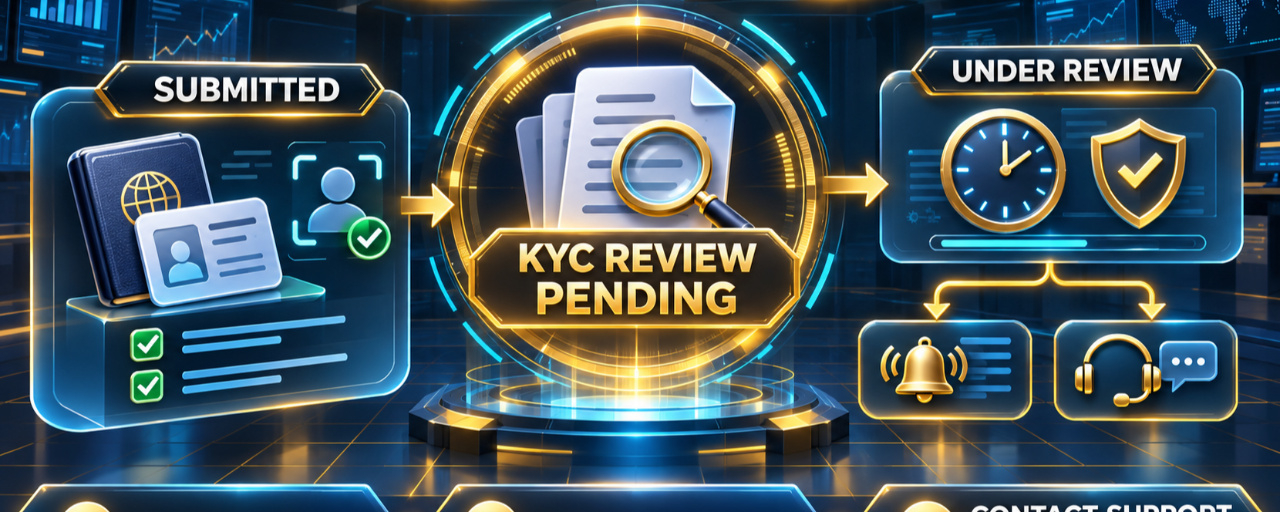

Binance KYC pending? Check the signed-in Identification page first: under review is not rejection, and a new submission may not be needed. Read the exact live status, complete only the action requested, and use official support if the account provides no clear next step.
Read the live verification status first
Open Binance through the official website or app available in your actual country or region. Go to the signed-in Identification or Verification page and read the full status shown there. Do not rely only on an email, a search result, or another user's screenshot because interface labels and requirements can vary.
Distinguish these three situations:
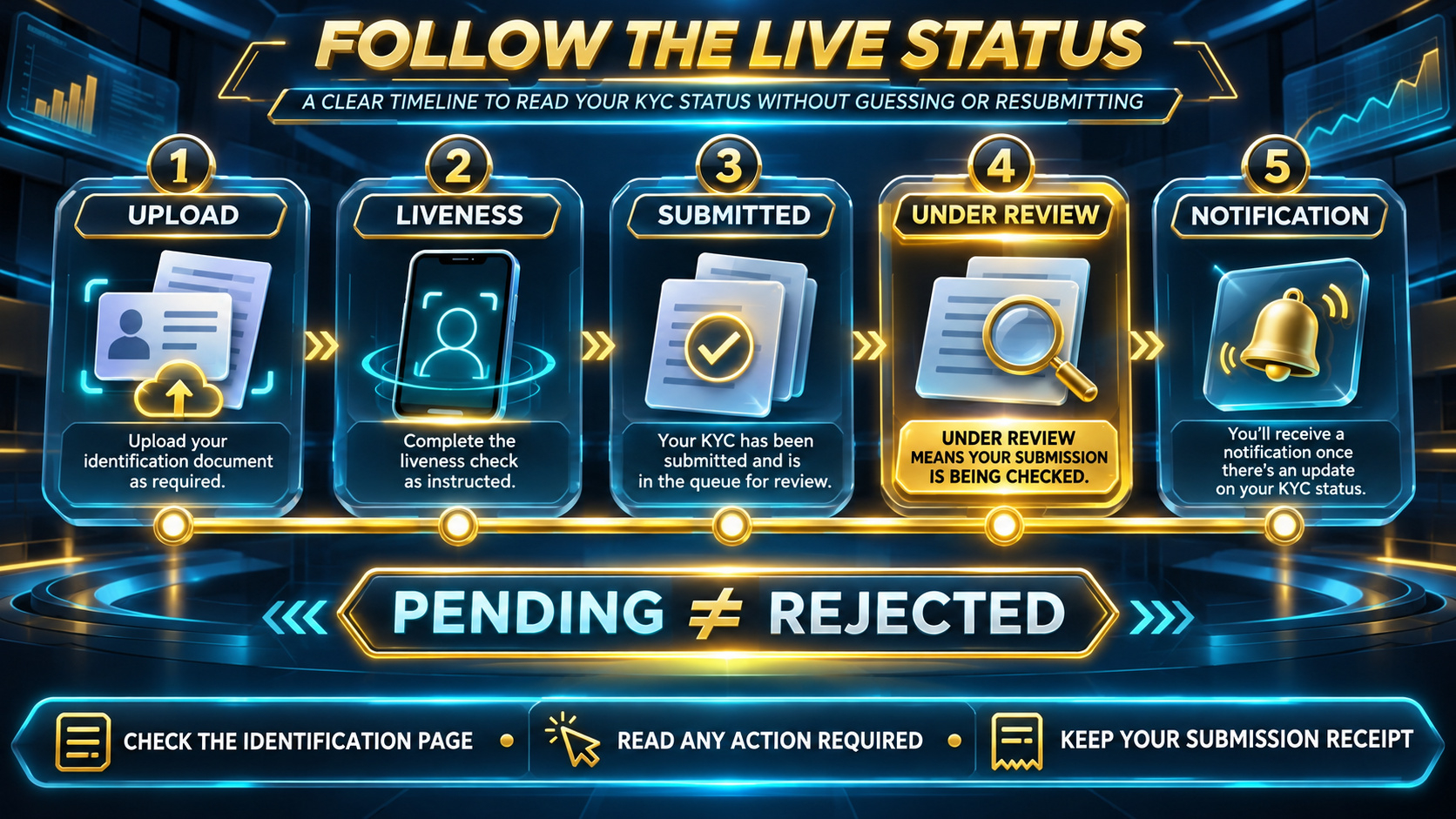
• Under review or pending: the submission has been received and no new action may be required yet. • Action required: follow the specific on-screen request for your account. • Rejected or failed: read the stated reason before correcting and resubmitting through the official flow, if permitted.
VISUAL CHECK 1 — status timeline
Confirm that the submission is complete
A pending screen should be checked against the steps you actually completed. Confirm that the requested identity document, liveness or face check, personal details, and any region-specific evidence were submitted through the authenticated Binance flow. If the screen still shows a step as incomplete, follow that live instruction instead of assuming the review started.
Match legal details before any later retry
Your legal name, date of birth, nationality, country of residence, and document-issuing country must reflect your genuine information and the accepted document. Do not use a nickname, shortened identity, borrowed document, false address, or another person's account details.
If a later prompt asks for a new document, use an original, valid, supported document and keep every required edge and detail readable. Avoid blur, glare, cropping, filters, screenshots, photocopies, or digitally altered files. The document types and capture methods offered on your live screen are the relevant options for your account and jurisdiction.
VISUAL CHECK 2 — submission audit
Do not restart a review without an instruction
Repeatedly editing details, opening another account, or resubmitting the same material may not accelerate a pending review. If the live status says under review, preserve the confirmation or case reference and wait for the stated process. Submit again only when the official screen or support channel asks you to correct something.
Check notifications safely
Review in-app notices and messages reached from the genuine Binance website or app. A sender name alone does not prove that an email or message is authentic. Never send an OTP, password, passkey prompt, recovery code, private key, or complete identity document through Square comments, social media, or an unsolicited message.
Regional rules can change the required steps
Verification levels, accepted documents, proof-of-address requirements, products, and interface labels can differ by country, residence, account, and payment channel. Use your genuine nationality, actual residence, and personal information. Do not use a VPN, false address, borrowed identity, or device-location change to bypass a regional restriction.
When to contact official Binance support
Use official Binance support when the live status provides no clear next action, an action-required request conflicts with your genuine information, the submission reference disappears, or the status and official notification contradict each other. Keep the approximate submission time and any case ID available, but share documents only inside the authenticated support channel when specifically requested.
VISUAL CHECK 3 — safe next action
Frequently asked questions
Does Binance KYC pending mean my verification failed?
No. Pending or under review is different from a rejected or failed result. Read the exact status and any action shown in the signed-in Identification page.
Should I submit my documents again while the status is pending?
Not unless the live screen or official support asks you to do so. Repeated submissions do not guarantee a faster review or approval.
How long does a Binance identity review take?
Review time can vary. Binance's official identity-verification guide describes a usual review window but also states that particular cases may take longer. Treat the live status and notifications as controlling and do not treat a general estimate as a guaranteed deadline.
What if the pending screen asks for another document?
Use only the document types offered for your genuine country and account. Make sure the legal details match and the image is clear, complete, current, and unaltered.
Can I create another account while verification is pending?
Do not create a duplicate account to restart or bypass the review. Use the existing account's official status, correction, appeal, or support route.
Can I change my country or use a VPN to continue?
No. Use your genuine nationality, actual residence, and personal information. Never bypass regional restrictions or misrepresent your location.
What information can I share with support?
Use the authenticated Binance support channel and provide only what it specifically requests. Never share a password, OTP, recovery phrase, private key, or security code.
Does completing every check guarantee approval or product access?
No. Verification approval, account access, product availability, review time, recovery, rewards, discounts, fees, and security outcomes are not guaranteed and depend on current rules and the account's circumstances.
Official Binance sources
How to Complete Identity Verification for a Personal Account? https://www.binance.com/en/support/faq/detail/360027287111
Binance Help Center and KYC self-service options https://www.binance.com/en/support
Regional content and live requirements can differ. Confirm the instructions displayed by the Binance service legally available where you genuinely live.
Account setup reference
If Binance is available where you live and you still need a new account, review the current registration and identity-verification requirements before submitting. Confirm referral code UAUBG73C in the official form. No reward, discount, approval, access, recovery, processing time, fee outcome, security result, or product availability is guaranteed.
https://www.binance.com/join?ref=UAUBG73C
Affiliate disclosure: this Article includes a referral sign-up link.
#BinanceKYC #IdentityVerification #AccountVerification #CryptoEducation