

A withdrawal address whitelist restricts crypto withdrawals to destinations you have approved in advance. On Binance, enabling the feature means withdrawals can be sent only to addresses on the whitelist, adding a practical control against unauthorized destination changes.
The whitelist does not verify that an address, network, or Memo is correct. You must still confirm every transfer detail with the receiving wallet or exchange before saving an address or approving a withdrawal.
What the withdrawal whitelist does
Binance places the withdrawal whitelist under the account's withdrawal settings. When it is enabled, an address must be added to the approved list before it can be used as a withdrawal destination.
Adding an address requires security verification such as a passkey or two-factor authentication. Binance also offers a separate Whitelist Withdrawal Limit that can suspend withdrawals to newly added whitelist addresses for a selected period.
Verify five details before approval
Treat every saved destination as a complete transfer instruction. Confirm the asset, blockchain network, address, required Memo or Tag, and address origin with the receiving platform.
An address label is only a private reference name. A clear label can help you recognize a destination later, but it does not validate the blockchain data or guarantee that the receiving platform supports the selected route.
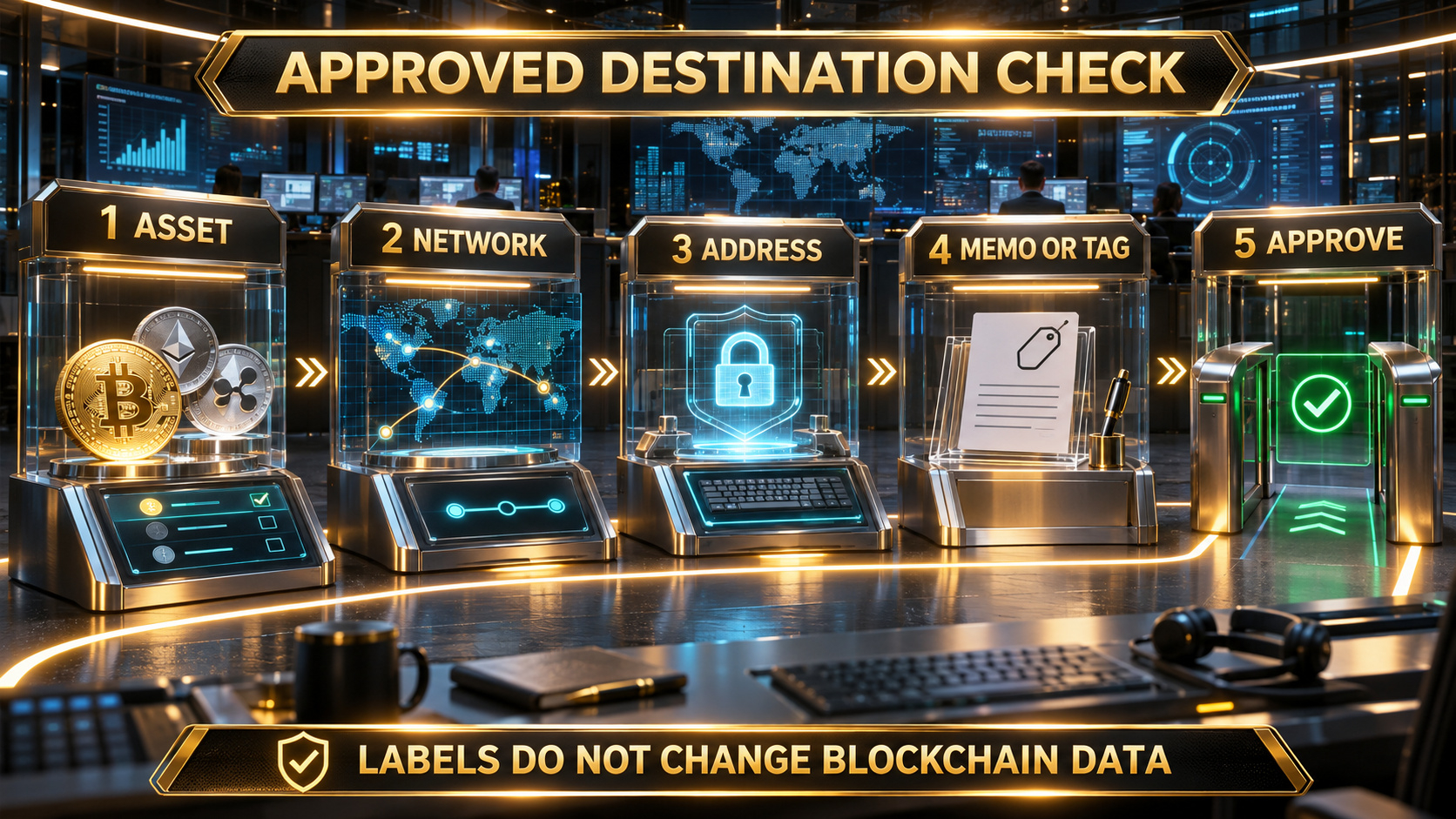
Confirm the asset, network, address, Memo or Tag, and destination owner before adding an approved withdrawal address.
Add an address carefully
In the current web flow, open Settings, go to Withdrawal, and choose Address Management. Select Add address, enter a recognizable label, choose the asset and network when required, paste the destination, and identify the address origin if prompted.
Select Add Address to Whitelist only after comparing the destination with the receiving platform. Then save the entry and complete the requested security verification.
Binance notes that changing the withdrawal whitelist may trigger a temporary withdrawal suspension for a specific limit, such as 24, 48, or 72 hours. Read the live notice shown in your account because the available control and applicable delay can vary.
Use the whitelist as part of a wider security routine
The whitelist is strongest when combined with a unique password, passkey or authenticator-based 2FA, a secured email account, an anti-phishing code, and regular account-activity reviews.
Never share a 2FA code, passkey prompt, recovery code, API key, or screen-sharing access. If a message asks you to add an unfamiliar destination or disable a security control, stop and verify the request through Binance's official website, app, or support channel.
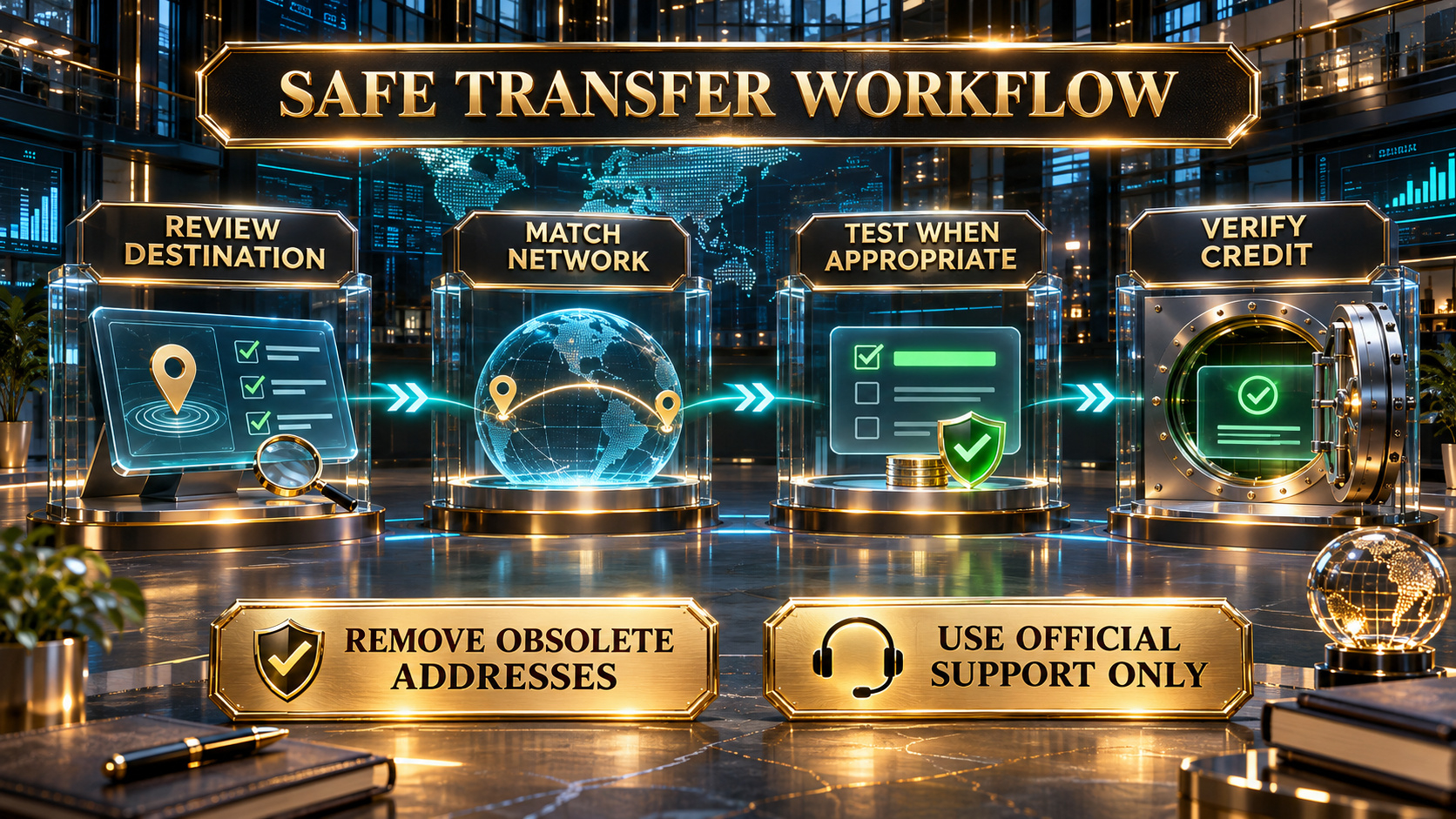
Review the destination, match the network, test when appropriate, and verify the credited balance before sending more.
Review the list before each important transfer
Remove obsolete destinations and investigate any address you do not recognize. When practical, confirm the destination through a trusted channel and compare more than the first and last characters.
For a new destination, Binance recommends considering a small test withdrawal first. The test must still meet the receiving platform's current deposit minimum and should account for network and withdrawal fees.
Do not assume that a previously successful route remains valid. Networks, deposit addresses, Memo requirements, minimums, availability, and compliance prompts can change.
Frequently asked questions
Q1. Does enabling the whitelist guarantee that a withdrawal is safe?
No. It restricts destinations, but you must still verify the asset, network, address, Memo or Tag, and receiving-platform support.
Q2. Is an address label part of the blockchain address?
No. The label is a reference name for your address book. It does not change or validate the destination.
Q3. Can I withdraw to a new address immediately after adding it?
Not always. Whitelist changes or an enabled Whitelist Withdrawal Limit may suspend withdrawals to a new address for the period shown in your account.
Q4. Should I enable one-step withdrawal?
One-step withdrawal is a separate optional setting for eligible small withdrawals to whitelisted addresses. Binance notes that security verification may still be required. Review the current quota and risk before enabling it.
Q5. How many addresses can be whitelisted?
Binance's current withdrawal-settings guide states that up to 200 withdrawal addresses can be added. Check the live interface in case the limit changes.
Q6. What should I do if I see an unfamiliar whitelisted address?
Do not use it. Review account activity, secure the linked email and authentication methods, and contact Binance through its official support channel. If you detect suspicious activity, use the official account-disable process.
Official sources
Binance Support: How to Manage Withdrawal Settings for My Binance Account?
https://www.binance.com/en/support/faq/detail/1d08944f103b4fc78d3519913b600086
Binance Support: Binance Account Security Tips
https://www.binance.com/en/support/faq/detail/360000106932
Binance Support: How to Withdraw Crypto from Binance?
https://www.binance.com/en/support/faq/detail/115003670492
Check availability and terms before signing up
Withdrawal controls, supported assets, networks, delays, fees, limits, and verification requirements vary by jurisdiction, account, and current interface. Use your genuine identity and actual residence, follow the rules that apply to you, and never bypass a restriction. If Binance is available where you live and you need a new account, confirm referral code UAUBG73C on the official registration form before submitting. No reward, discount, approval, security result, or product access is guaranteed.
https://www.binance.com/join?ref=UAUBG73C
Affiliate disclosure: this Article includes a referral sign-up link.
#BinanceSecurity #WithdrawalWhitelist #CryptoSafety #AccountSecurity
Related Binance guides
For account setup and identity checks, see Binance sign up: website and app steps and Binance KYC: documents and verification status.