
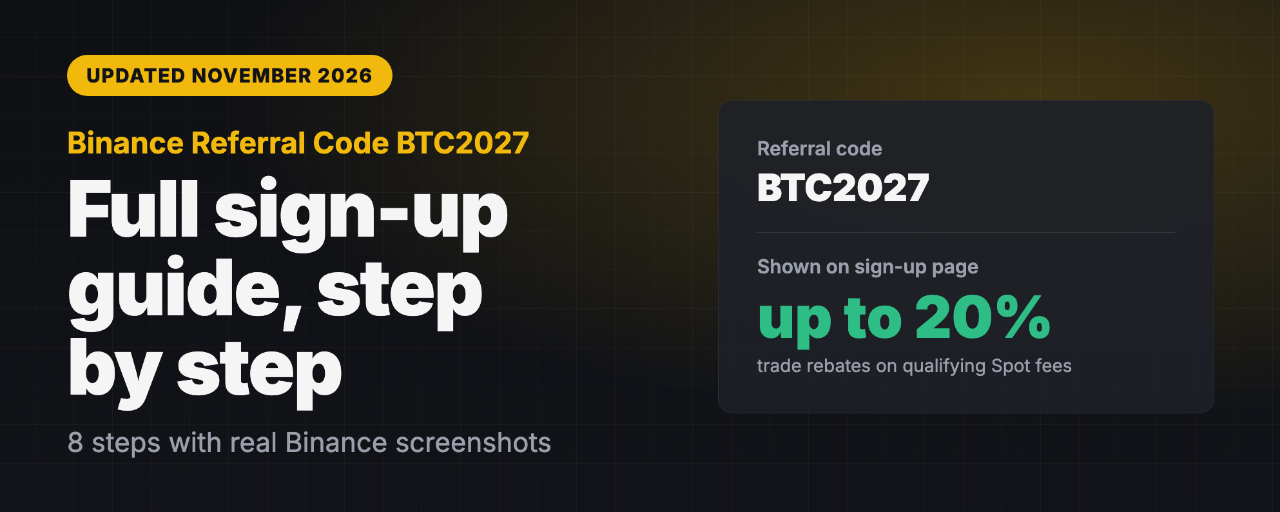

Updated: November 24, 2026 (last checked). Valid for 2026 and 2027. Real Binance screenshots.
👉 Binance referral code BTC2027 overview: https://www.binance.com/en/events/binancereferralcode
The Binance referral code for 2027 is BTC2027. To use it, open the official sign-up link https://www.binance.com/join?ref=BTC2027. The code is applied automatically. Binance's sign-up page then shows up to 20% trade rebates, and eligible new users can see welcome rewards of up to $19,800, depending on region and task completion.
Binance Referral Code BTC2027: Quick Facts
Referral code: BTC2027
Shown on the sign-up page: up to 20% trade rebates
Applies to: qualifying Spot trading fees
Welcome rewards: up to $19,800 shown for eligible new users, separate and task-based
Cost: free
Works on: binance.com and the Binance app (iOS and Android)
Sign-up link: https://www.binance.com/join?ref=BTC2027
BTC2027 guide page: https://www.binance.com/en/events/binancereferralcode
Last checked: November 2026
How to Sign Up on Binance with Referral Code BTC2027
Steps 1, 2 and 7 use live Binance pages captured in November 2026. Steps 3 to 6 use screenshots from Binance's official support guides, because those screens appear only during a real registration.
Step 1: Open the Binance Sign-Up Link with BTC2027
Open https://www.binance.com/join?ref=BTC2027 in your browser. At the top of the page you will see "(Code: BTC2027)" and "Up to 20% trade rebates". This confirms the code is applied, so you do not need to type it.
Check the address bar before you type anything. The page should be on accounts.binance.com.
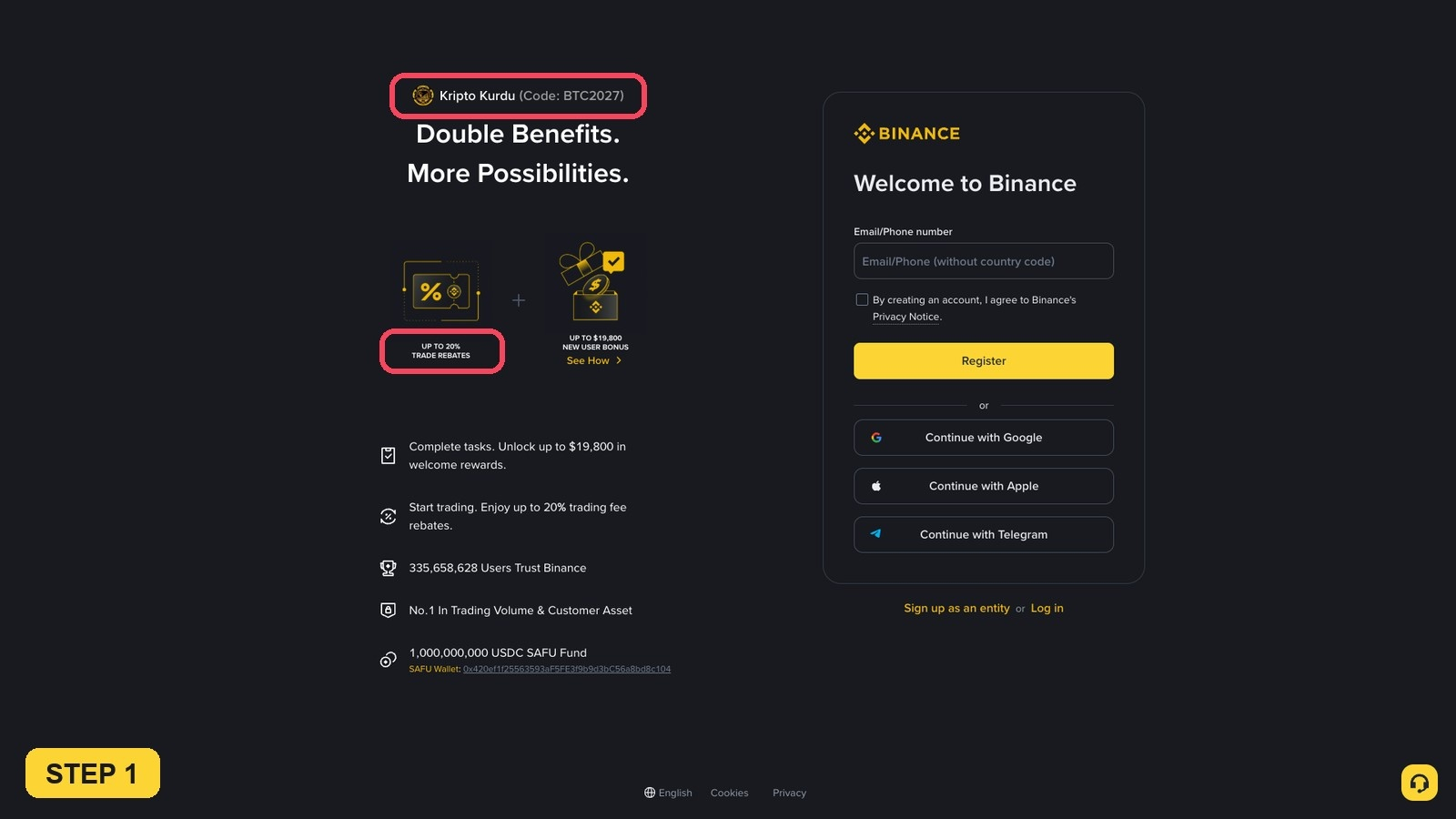
Step 2: Enter Your Email or Phone Number and Tap Register
Type your email address or phone number (without the country code) in the "Email/Phone number" field.
Tick the box "By creating an account, I agree to Binance's Privacy Notice".
Tap the yellow Register button.
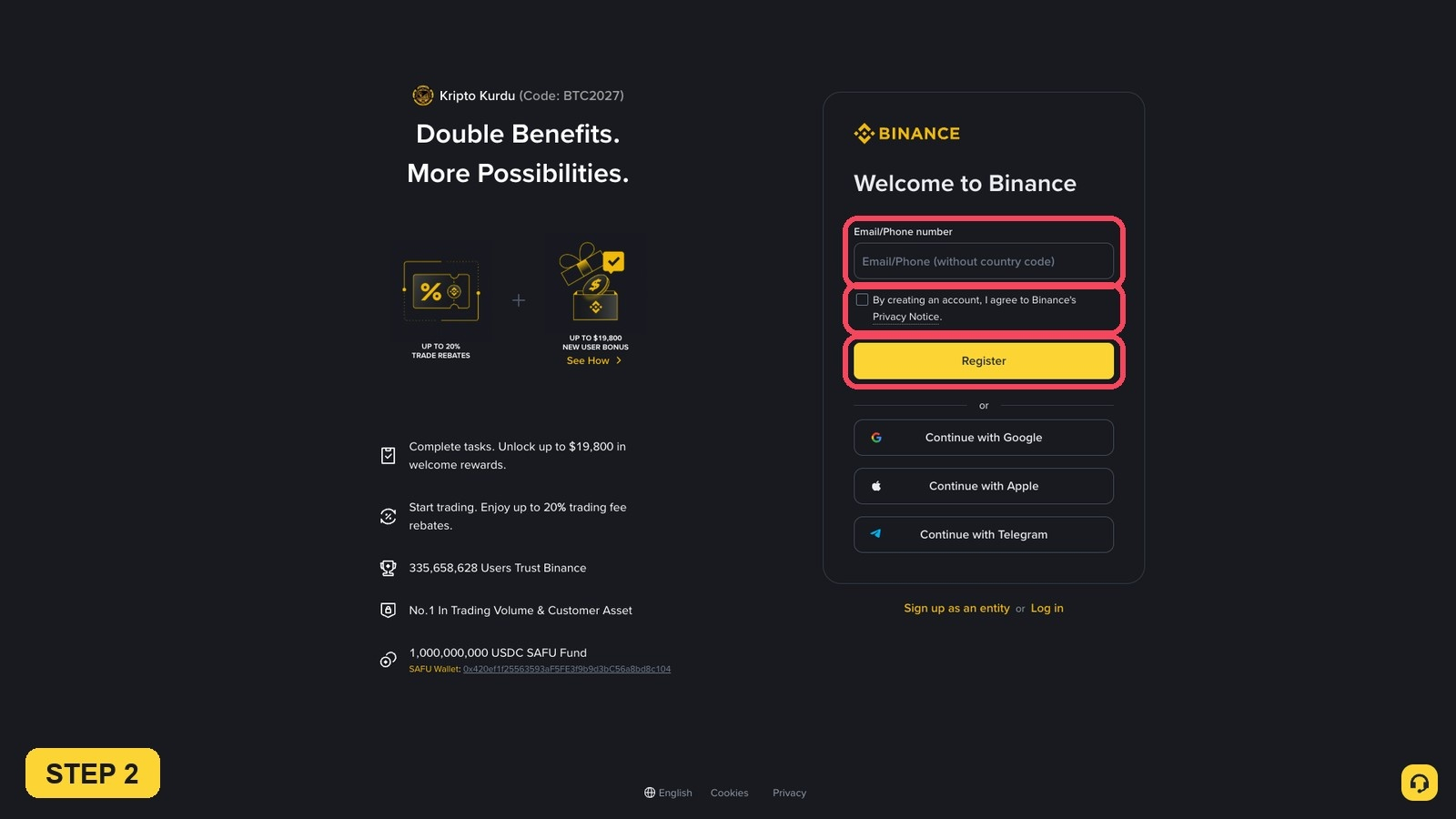
Faster option: you can also tap "Continue with Google" or "Continue with Apple". Check that the referral code still shows as linked in Step 5.
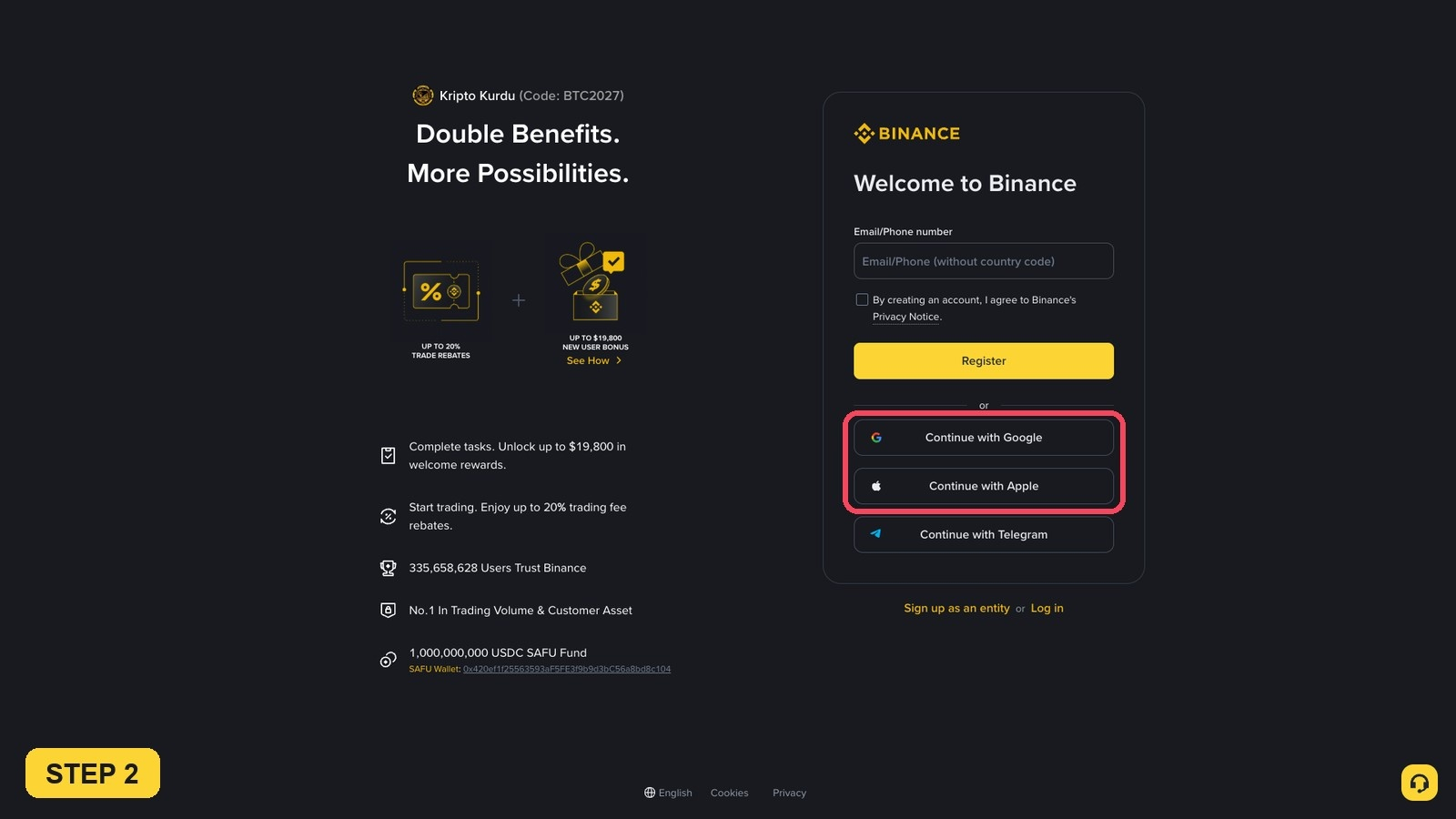
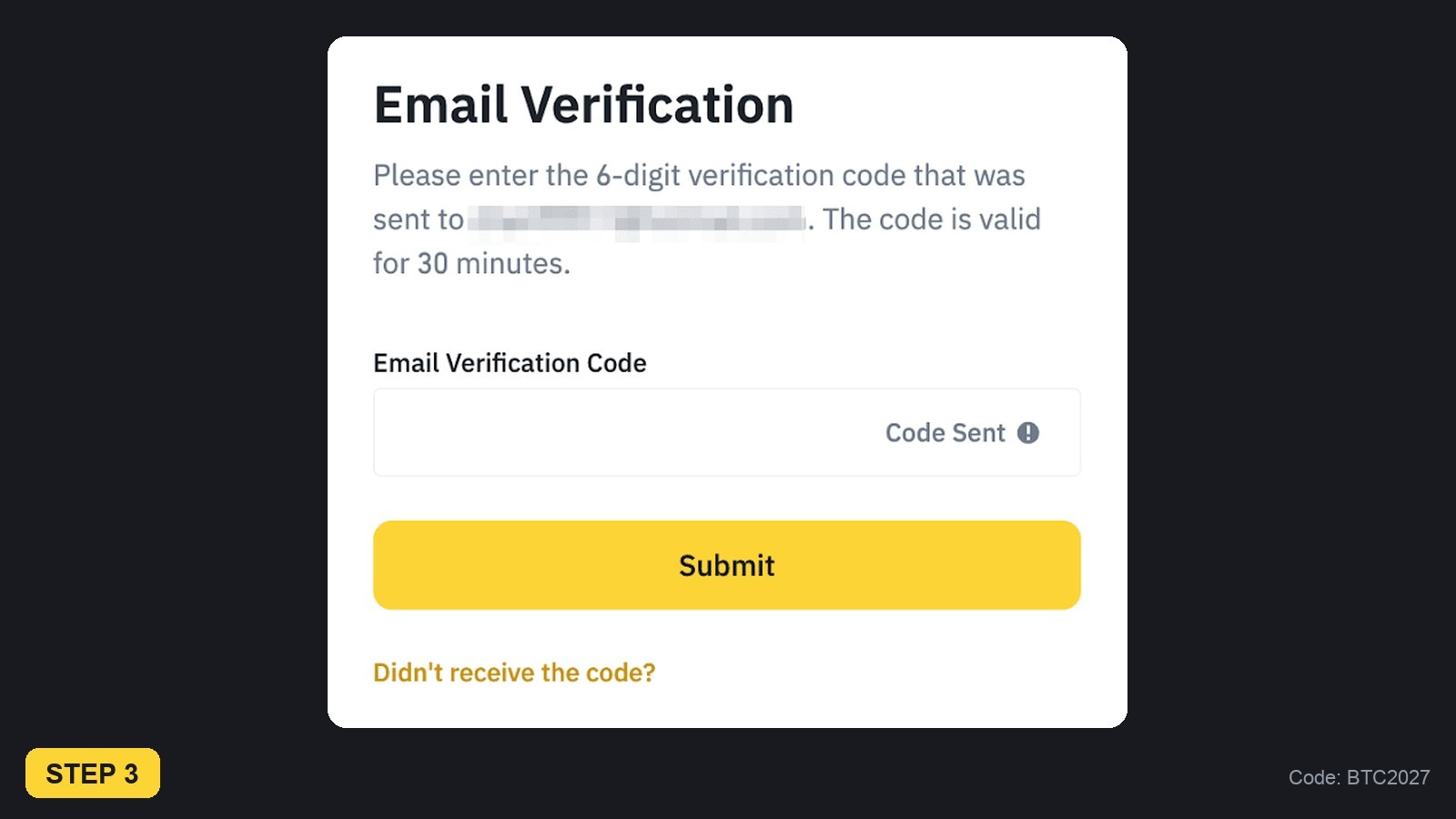
Step 3: Enter the 6-Digit Verification Code
Binance sends a 6-digit code to your email or phone. Enter it within 30 minutes and tap Submit. If the email does not arrive, check your spam folder or tap "Didn't receive the code?".
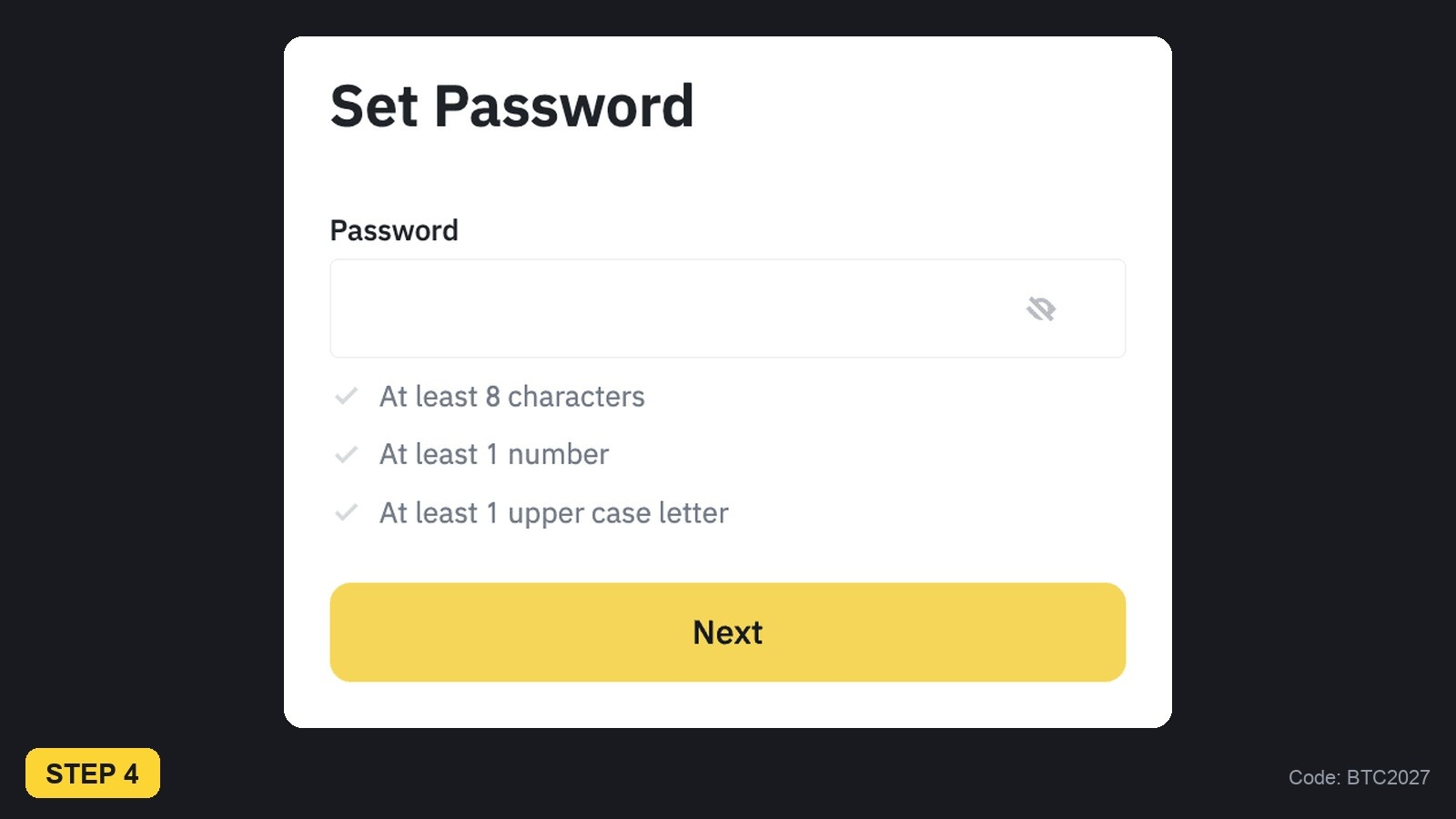
Step 4: Create a Strong Password
Your password needs at least 8 characters, one number and one uppercase letter. Never share your password or verification codes with anyone. Binance staff will never ask for them.
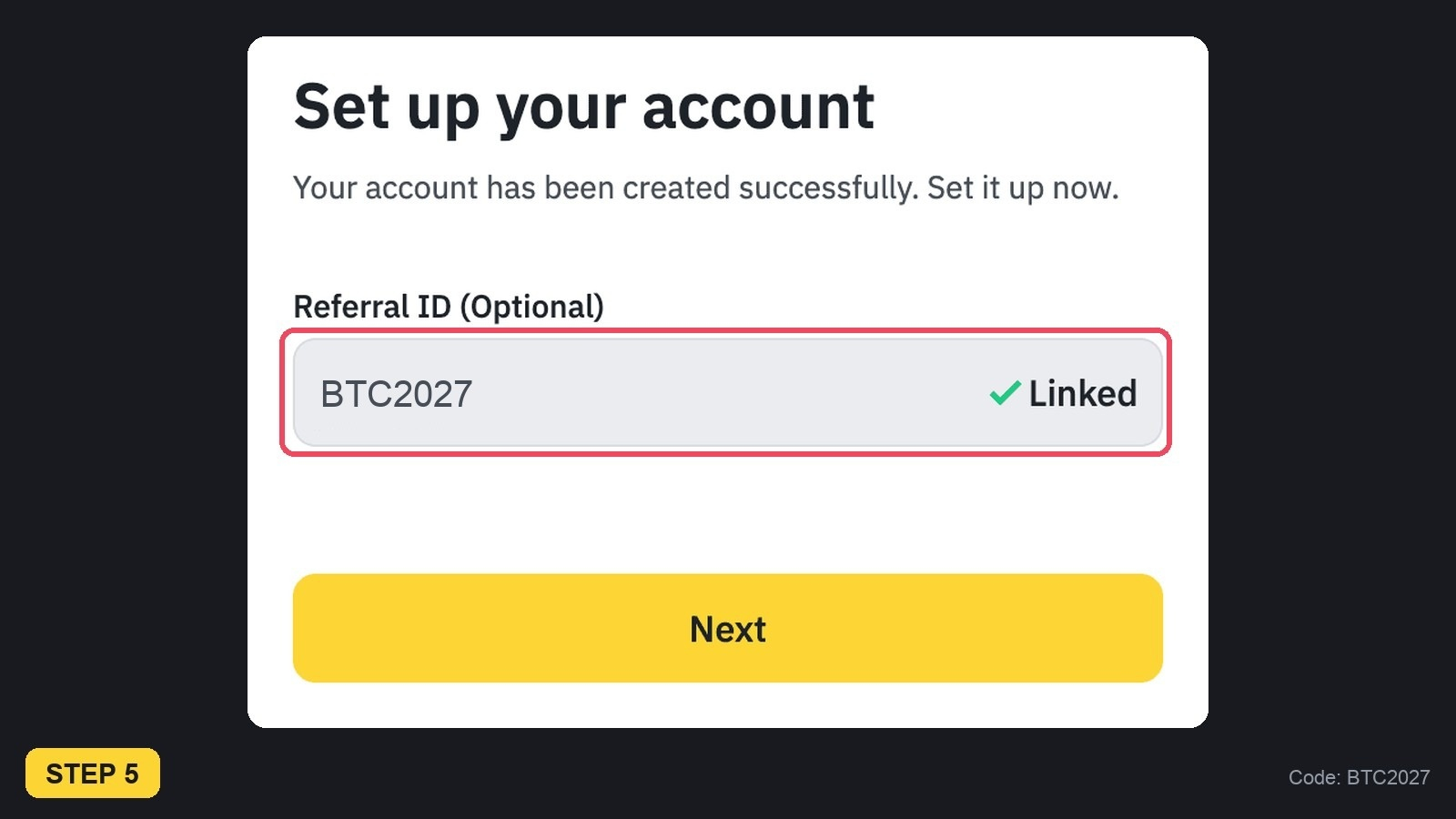
Step 5: Confirm That Your Referral ID Shows "Linked"
This is the most important check. On the "Set up your account" screen, the Referral ID (Optional) field should show BTC2027 with a green tick and Linked. If the field is empty, type BTC2027 (all capitals, no spaces) before you tap Next.
Binance says a referral code cannot be changed once it is linked to your account, so check it now.
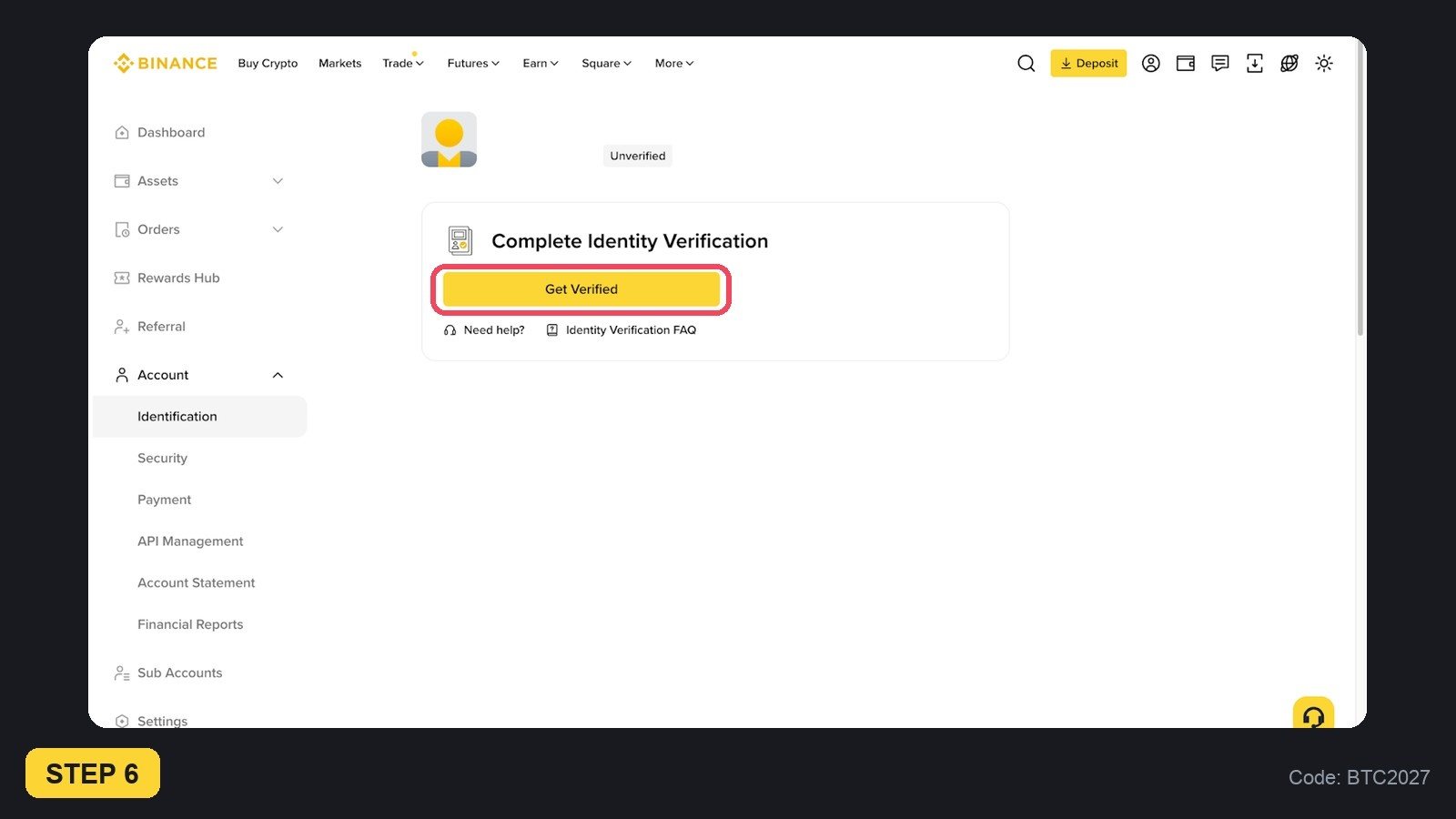
Step 6: Complete Identity Verification (KYC)
Binance requires identity verification before you can trade. Open Account > Identification and tap Get Verified.
Choose your country and document type: ID card, passport or driver's license.
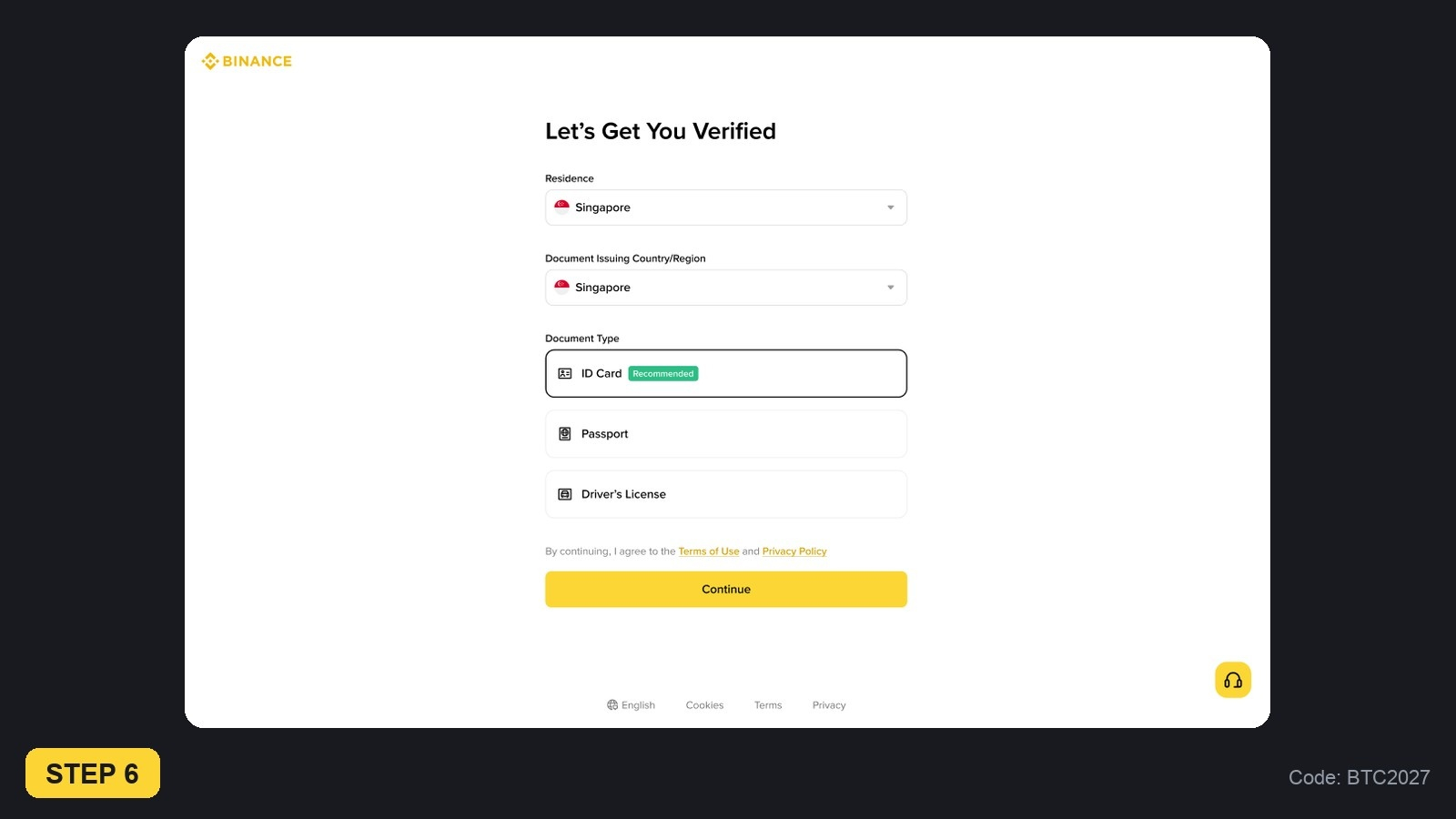
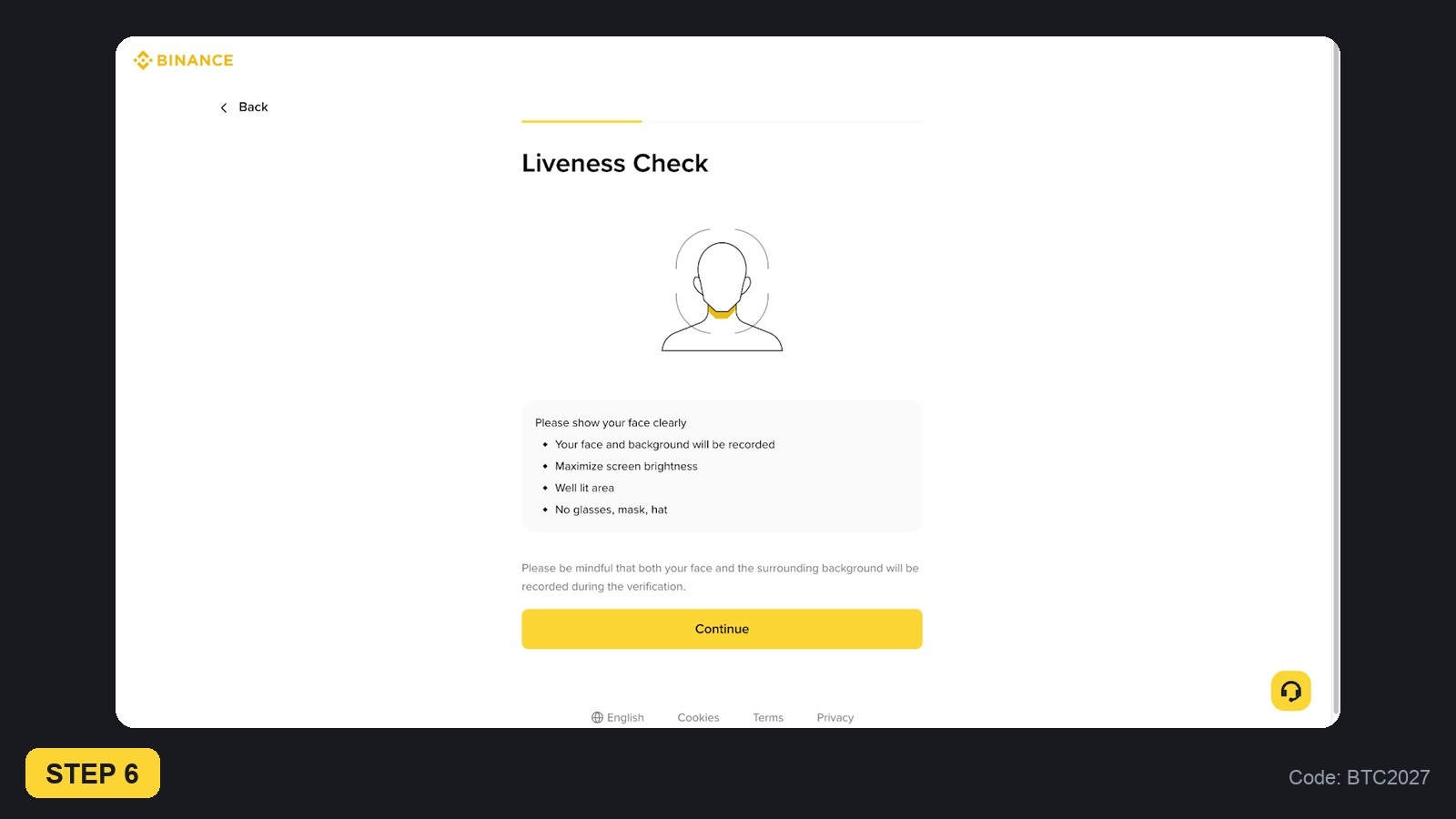
Upload the document, then complete the liveness check. Show your face clearly with no glasses, mask or hat.
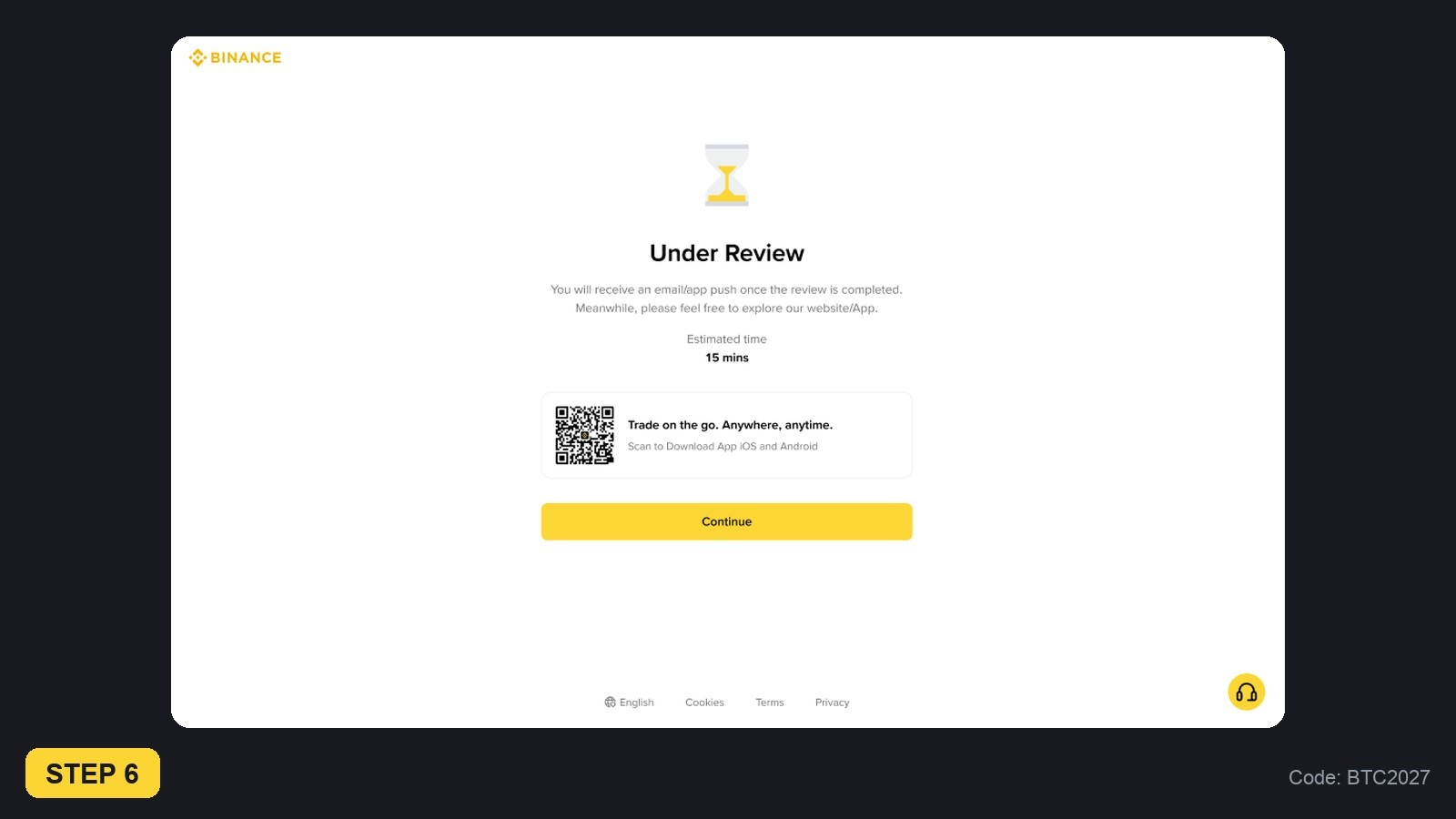
Confirm your personal information and submit. Binance's guide shows an estimated review time of 15 minutes, and you will get an email or push notice when it is finished.
Step 7: Deposit or Buy Crypto and Start Trading
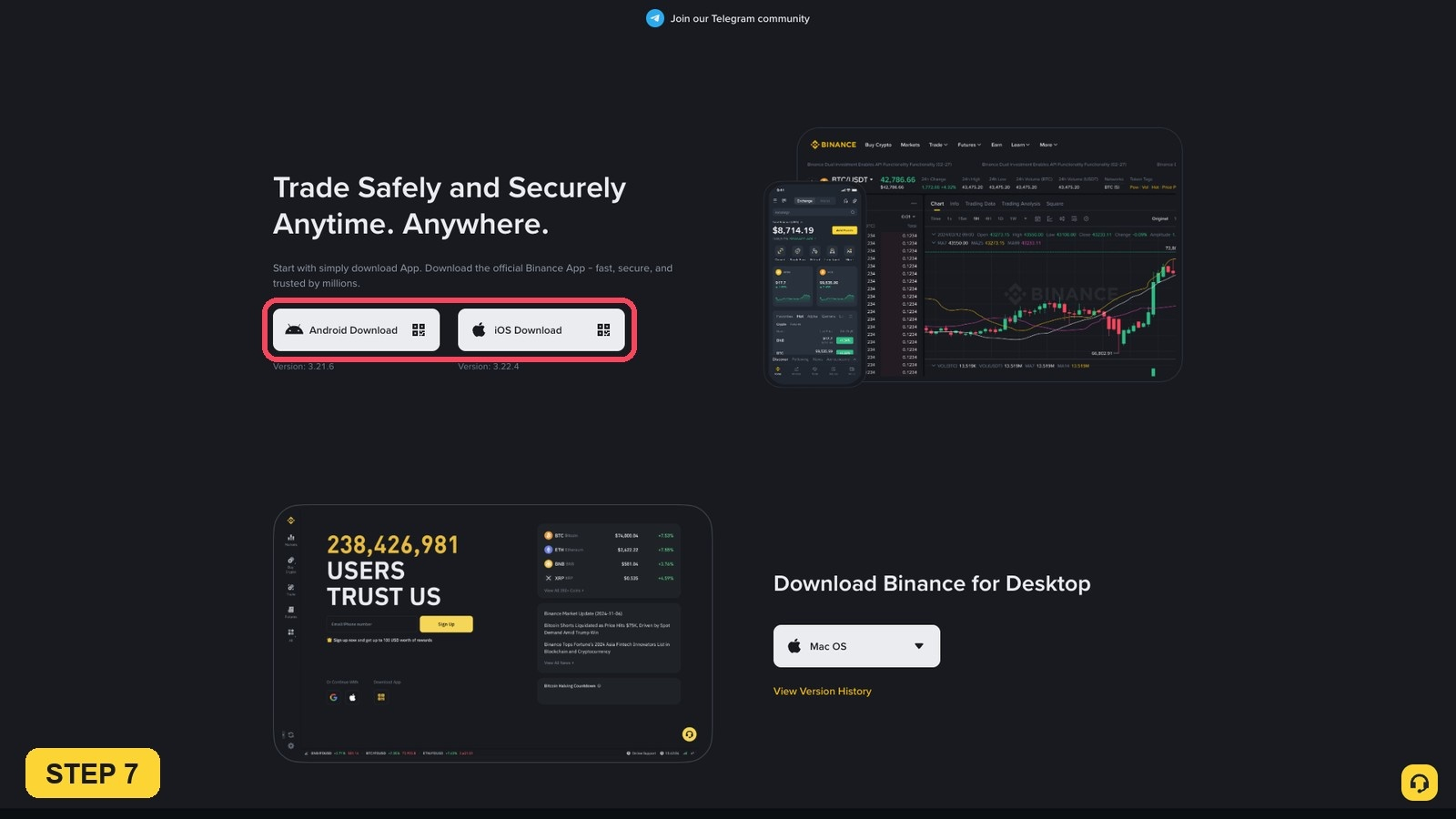
Buy crypto with a card, use P2P, or deposit from another wallet. You can do this on the website or in the official Binance app. The BTC2027 rebate applies to qualifying Spot trading fees.
After your first Spot trade, check your fee and transaction history to confirm the rebate is arriving. A small test trade is enough.
Step 8: Secure Your Account
Turn on two-factor authentication with an authenticator app.
Set an anti-phishing code so you can recognize real Binance emails.
Use a withdrawal address whitelist if you plan to hold funds on Binance.
Binance Sign-Up With vs Without a Referral Code
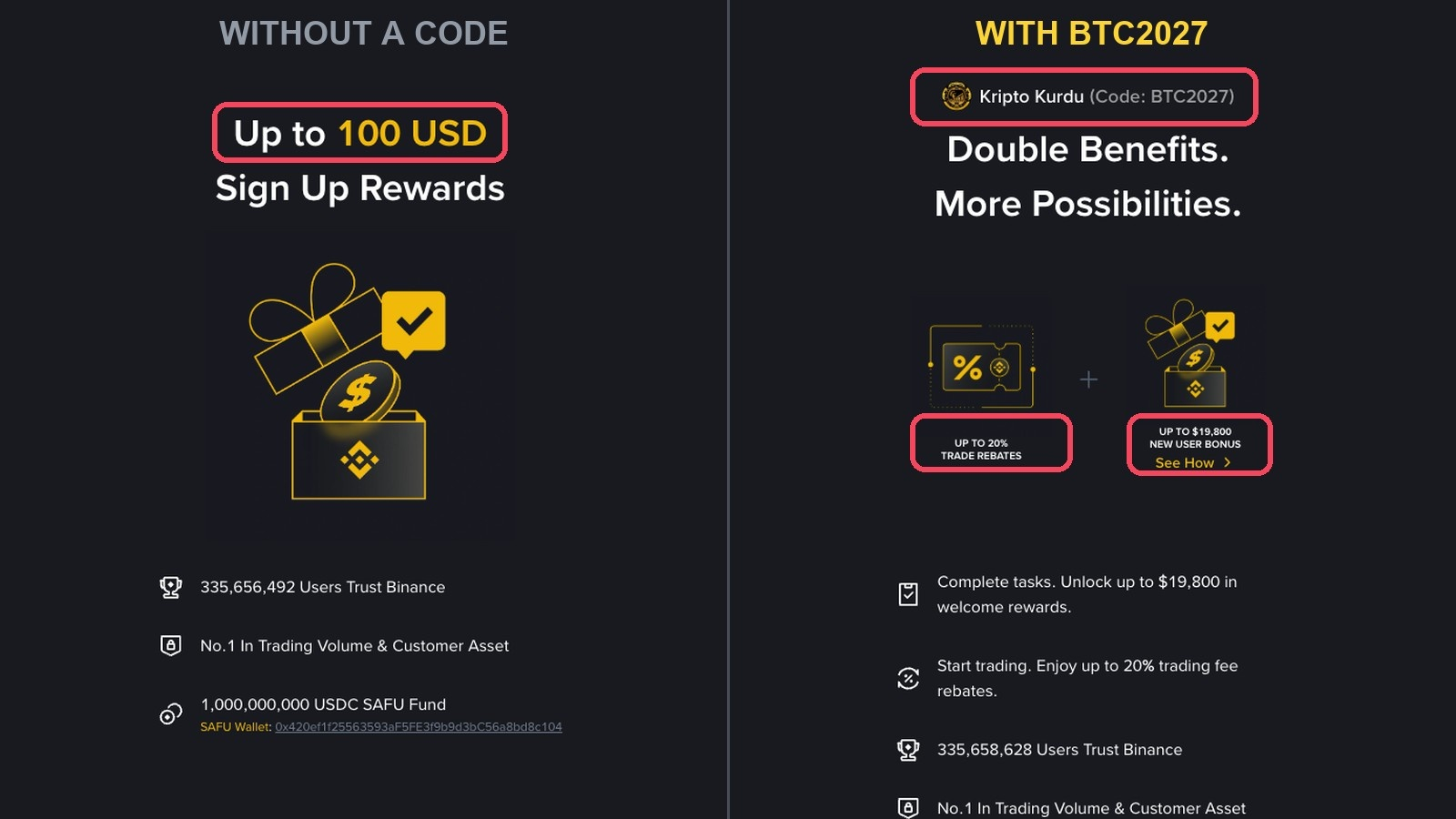
Binance's own sign-up page shows the difference. Without a code, the page offers "Up to 100 USD Sign Up Rewards". With BTC2027, the page shows "Double Benefits": up to 20% trade rebates plus a new user bonus of up to $19,800. These rewards are tied to tasks such as deposits and trading volume, so check the conditions shown for your account.
How Much Can You Save with Referral Code BTC2027?
According to Binance's fee schedule, a Regular User pays 0.100% maker / 0.100% taker on Spot, or 0.075% when paying fees with BNB. With BTC2027 you can get up to 20% of qualifying Spot fees back.
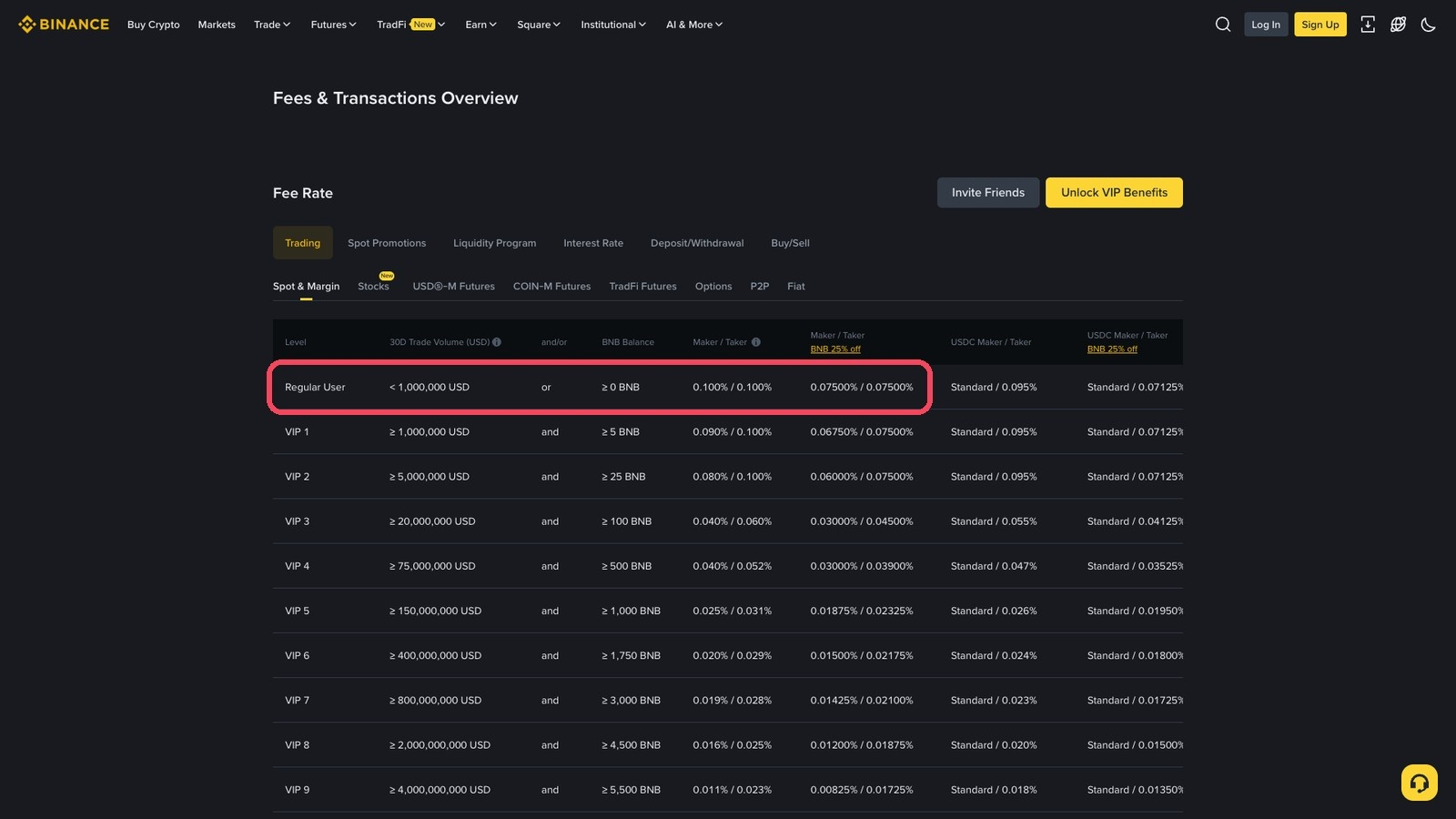
At the standard 0.100% rate, the maximum rebate looks like this:
$10,000 Spot volume per month: $10 fee, up to $2 back, up to $24 per year
$50,000 Spot volume per month: $50 fee, up to $10 back, up to $120 per year
$250,000 Spot volume per month: $250 fee, up to $50 back, up to $600 per year
Since April 29, 2026, Spot referral commission is calculated on net fees, so actual amounts can be lower.
Tip: paying fees with BNB gives you 25% off Spot fees. On $10,000 at 0.075%, the fee is $7.50 and up to $1.50 comes back.
Important Rules to Keep in Mind
Use the code at sign-up: open the link and confirm "Linked" before you finish.
One code per account: a linked code cannot be changed.
Spot trading fees: no Futures rebate is claimed for BTC2027.
Verification required: complete KYC before you trade.
Regional availability: Binance services and rewards are not available in every country.
Terms can change: fee rates, rebates and rewards are set by Binance and may be updated.
Frequently Asked Questions (FAQ)
What is the Binance referral code for 2027?
The Binance referral code for 2027 is BTC2027. Binance's sign-up page shows up to 20% trade rebates with this code, plus welcome rewards for eligible new users.
Is Binance referral code BTC2027 still valid in 2026?
Yes. BTC2027 was working when this was last checked in November 2026. You can confirm it on the Binance referral code BTC2027 page before you sign up.
Can I use BTC2027 before 2027?
Yes. BTC2027 is active now and works for sign-ups in 2026 and 2027.
How do I use the Binance referral code BTC2027?
Open https://www.binance.com/join?ref=BTC2027 and the code is applied automatically. Then confirm that the Referral ID shows "Linked" at the end of sign-up.
Does BTC2027 give a discount on Futures?
No Futures rebate is claimed for BTC2027. The rebate covers qualifying Spot trading fees.
Can I add the referral code after registration?
Only in limited cases. On the referral binding page the usual conditions are: the account is under 30 days old, has no deposit or trade yet, is a main account (not a sub-account), its KYC was not used on another account in the last 180 days, and there is no wash trading. If you qualify, you can add BTC2027 there.
Is the Binance referral code free?
Yes. Using BTC2027 costs nothing.
Does BTC2027 work in the Binance app?
Yes. It works on binance.com and in the Binance app for iOS and Android.
Start with Binance Referral Code BTC2027
Signing up on Binance takes about five minutes, plus identity verification. Use BTC2027 during registration to get up to 20% trade rebates on qualifying Spot trading fees and unlock eligible welcome rewards.
Binance Referral Code: BTC2027
Sign up: https://www.binance.com/join?ref=BTC2027
Everything about the Binance referral code BTC2027 in one place: https://www.binance.com/en/events/binancereferralcode
Disclosure: BTC2027 is my referral code, and I may earn commission from qualifying activity. This is an independent guide, not an official Binance post. Benefits depend on Binance's terms, your region and your eligibility. Crypto trading carries risk. Not financial advice. DYOR.
#BinanceReferralCode #BTC2027 #Binance #BinanceSquare