


To close your Binance account, log in, open your account settings, go to Security and choose Close Account in the account management section. First withdraw anything above 5 USD, cancel Earn subscriptions, clear Margin or Loan positions and close sub-accounts. Closure is permanent, so download your transaction history before you confirm.
👉 Not on Binance yet, or planning a fresh start later? Sign up on Binance with a bonus for eligible new users.
What do you need to do before closing your Binance account?
You need to empty the account and close every open position first. If anything is still running, Binance blocks the closure until you clear it.
Withdraw your funds. If more than 5 USD is left, you have to withdraw it before you can close.
Move any Futures balance to your Spot or Funding account.
Cancel Earn subscriptions and withdraw those funds.
Repay any Margin liability and close open Loan orders.
Wait until P2P orders from the last 48 hours are completed.
Close any active sub-accounts.
If you use Binance Wallet inside your account, convert it to a private key wallet first.
Moving coins out for the first time? This step-by-step guide to withdrawing crypto from Binance explains networks and fees.

Start from your wallet overview, where Withdraw sends your remaining crypto to another wallet or exchange.
What should you do with small leftover balances?
Swap them into one coin and withdraw that. Small amounts spread across many coins are hard to move out one by one.
Use Convert to turn leftovers into USDT or another coin you plan to withdraw.
Check the minimum withdrawal amount for your network, because very small amounts can fall below it.
Anything still in the account when it closes is lost and can't be recovered.
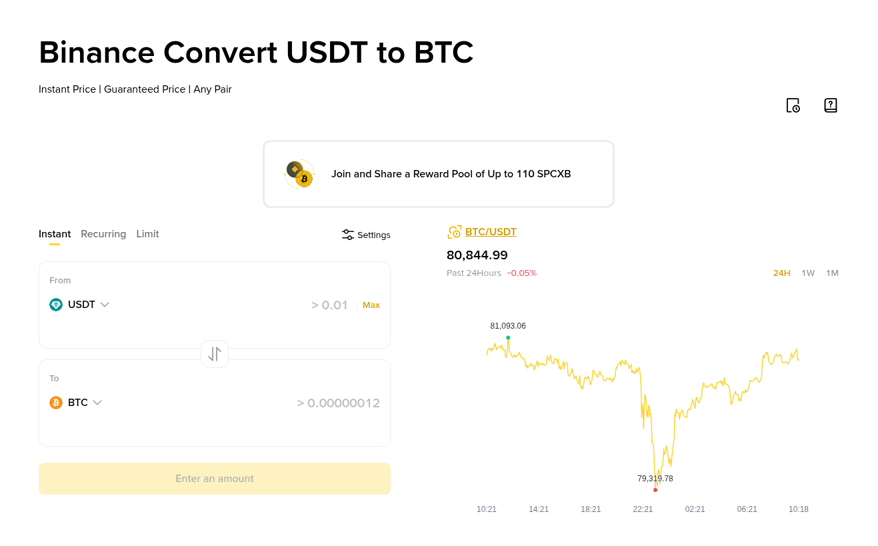
Convert swaps leftover coins into a single asset at an instant quote, which makes the final withdrawal simpler.
How do you close a Binance account step by step?
Once your balances are cleared, the closure takes only a few minutes on the website or in the app.
Log in and open your account or profile settings.
Go to Security and scroll down to the account management section.
Choose Close Account (older versions call it Delete Account) and pick a reason.
Read the terms and continue.
Tick the box confirming that any remaining assets will be lost.
Complete the security verification to finish.
Should you close or disable your Binance account?
Close it only if you never want to use it again. Disable it if you suspect someone else has access and you want to lock it fast.
Close Account is permanent. You can't log in again or view your past activity.
Disable Account is a security lock. Trading and withdrawals stop, and you contact Binance Support when you want to reopen it.
If you disabled your account by mistake, you need to wait at least two hours before it can be reactivated.
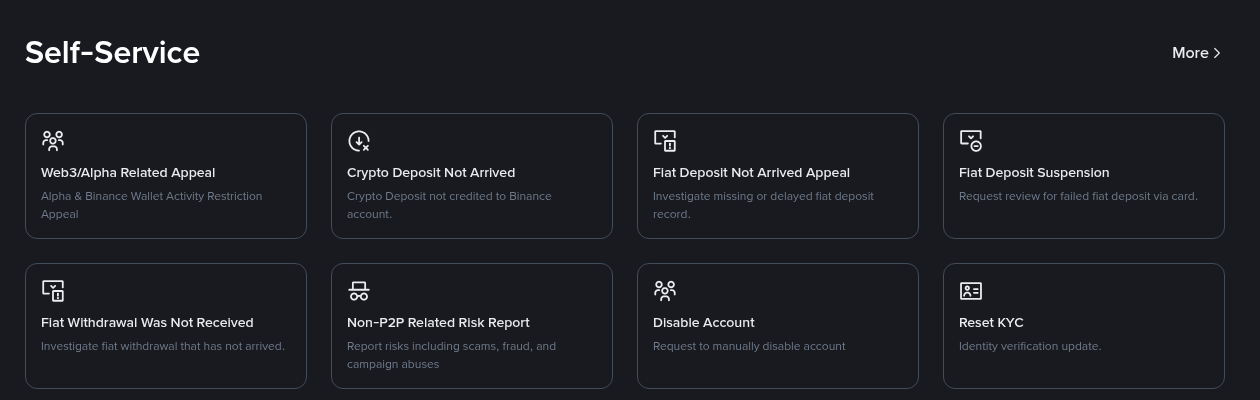
The Self-Service area of Binance Support includes a Disable Account request next to other account tools.
What happens after your Binance account is closed?
You lose access right away, and the closure can't be undone.
Your transaction history is no longer visible, so export it first if you need it for taxes or records.
Binance keeps certain personal data for as long as the law requires, for example under anti-money laundering rules.
If you open a new account later, identity verification may be blocked for 30 days or longer.
You lose eligibility for activities and rewards linked to the old account.
Can you come back to Binance after closing your account?
Yes, but only with a new account. The old one can't be restored, and the new one starts from zero.
When you register again, you can add code GETREWARD in the code field on the sign-up form. New accounts can also join the task-based welcome bonus of up to $19,800 for eligible users, and you can see the current Binance new-user bonus campaign before you start.
FAQ
Can I close my Binance account with money still in it?
Only small amounts. Above 5 USD you have to withdraw first, and anything left behind is lost.
How long does it take to close a Binance account?
The closure itself finishes as soon as you pass the security verification. Clearing balances and open positions usually takes longer.
Can I reopen a closed Binance account?
No. Closing is irreversible. A disabled account, by contrast, can be reopened through Binance Support.
What should I do if my account was hacked?
Disable it first to lock it quickly, then contact Binance Support. Closing the account doesn't help you recover anything.
Thinking about a fresh start?
If you want a clean Binance account later, create your new Binance account here and turn on 2FA from day one.
Disclosure: GETREWARD is my sign-up code. If you use it, I may earn a commission from Binance at no extra cost to you. This is not financial advice.