


I’ve been using AI tools for long enough that I sometimes catch myself trying to delegate
things they weren’t originally designed to do. Crypto is a good example.
An AI assistant can explain blockchain transactions, compare networks, help write a smart
contract, or generate a script for interacting with a wallet. But there’s a difference between
getting instructions from an AI and having an AI agent actually interact with your crypto
assets.
I wanted to explore that difference, so I spent some time looking for a tool that could connect
an AI agent to a real wallet. My search wasn’t limited to traditional wallets. I was also
considering bots, scripts, and other ways to give an AI access to blockchain functionality
without having to build the entire integration myself.
IronWallet for AI Agents was one of the solutions I decided to investigate.
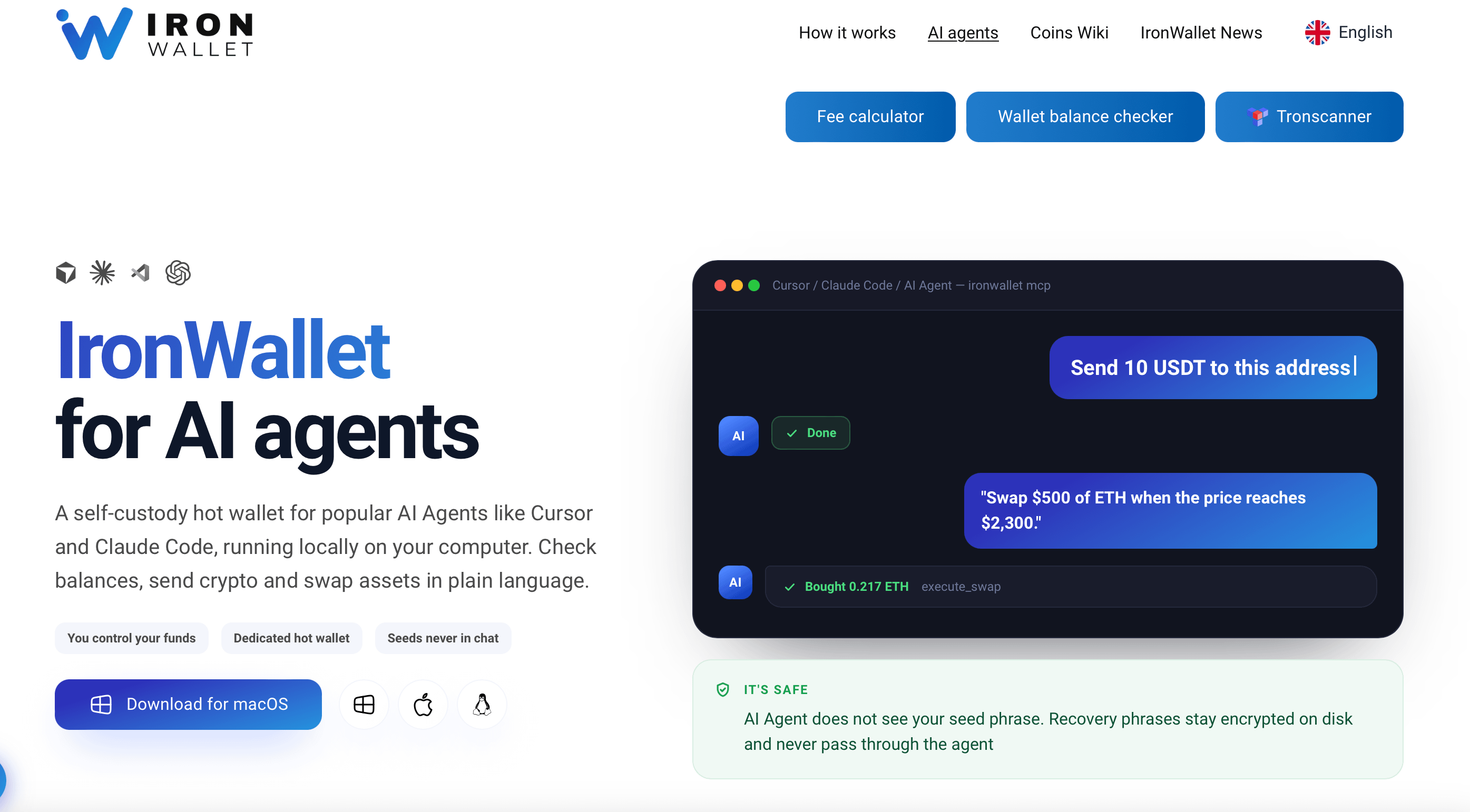
The experience starts before you open a wallet
IronWallet approaches this use case through the Model Context Protocol (MCP), which
allows compatible AI applications to communicate with external tools.
In practical terms, this means the wallet doesn’t need to have its own conversational
interface. Instead, you connect it to an AI client and use that client’s chat interface to request
wallet operations.
I found this approach more interesting than simply adding an AI chatbot to a conventional
wallet. The AI becomes part of the process rather than a separate source of information.
There is, however, a technical aspect to consider. This isn’t the same experience as
downloading a mobile wallet, creating an account, and immediately transferring funds. You
need to configure the MCP integration with a compatible desktop AI client.
For someone already experimenting with AI development tools, the concept should feel
relatively familiar. For a crypto user who has never configured an MCP server, the initial
setup may take some additional time.
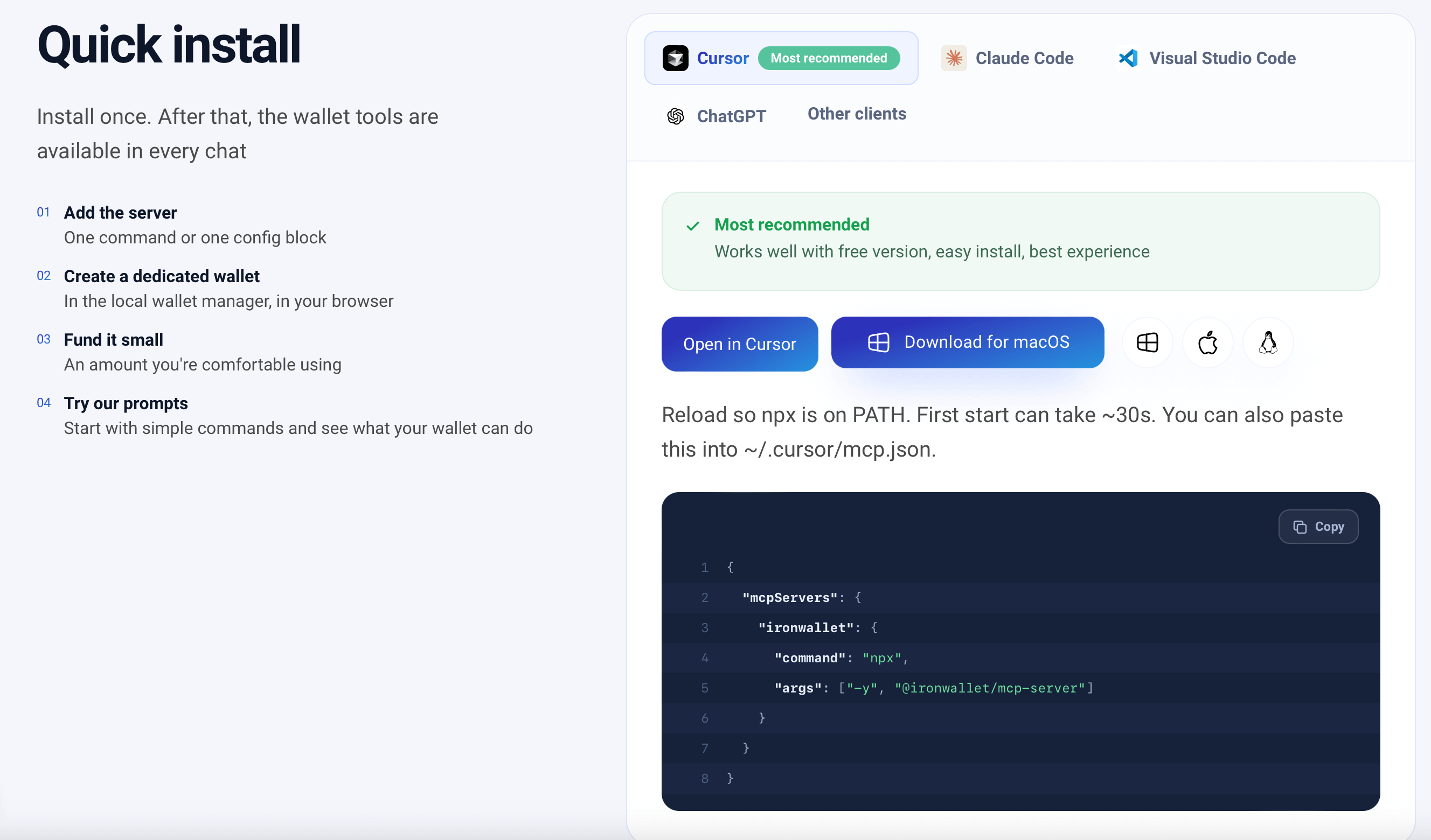
From wallet menus to conversation
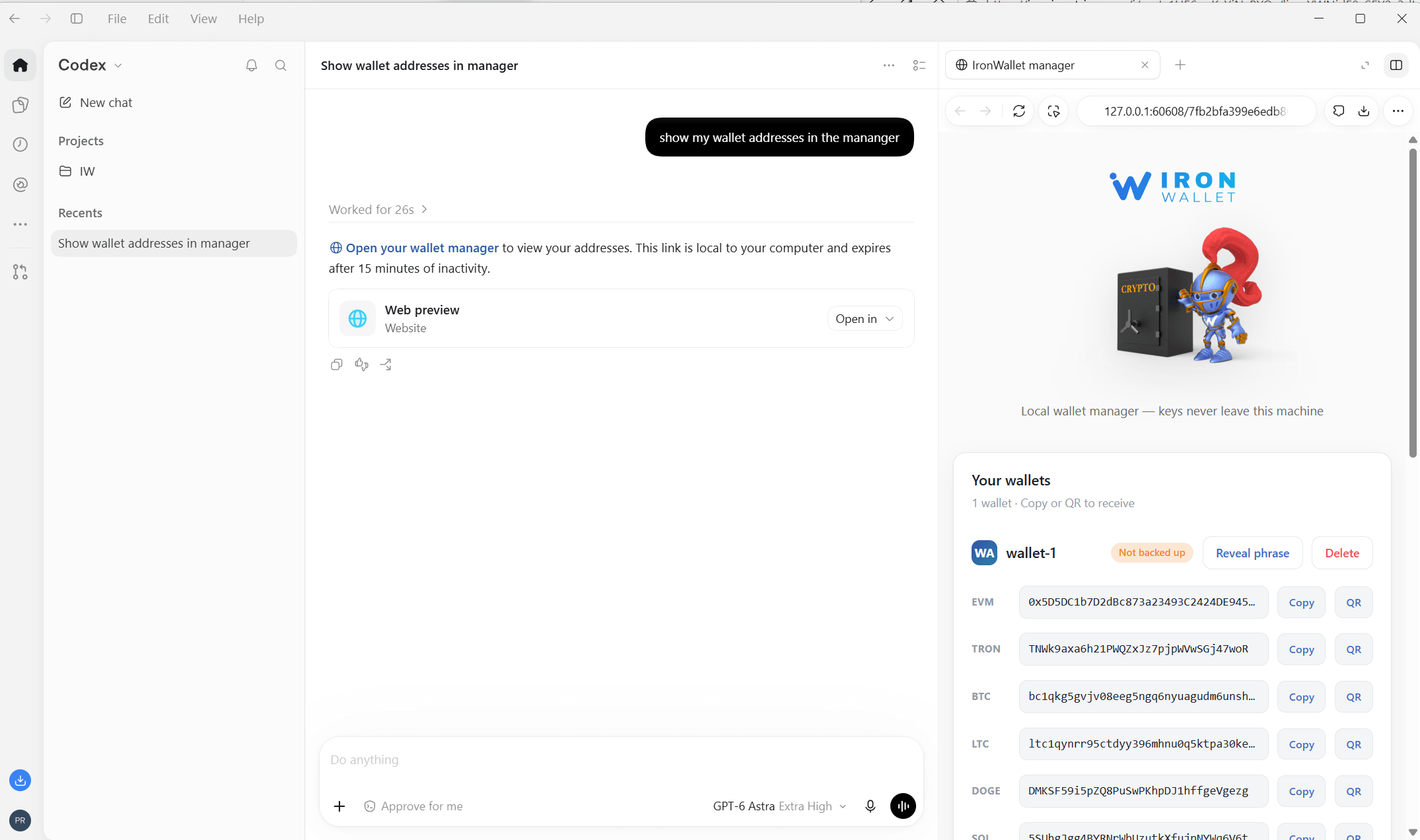
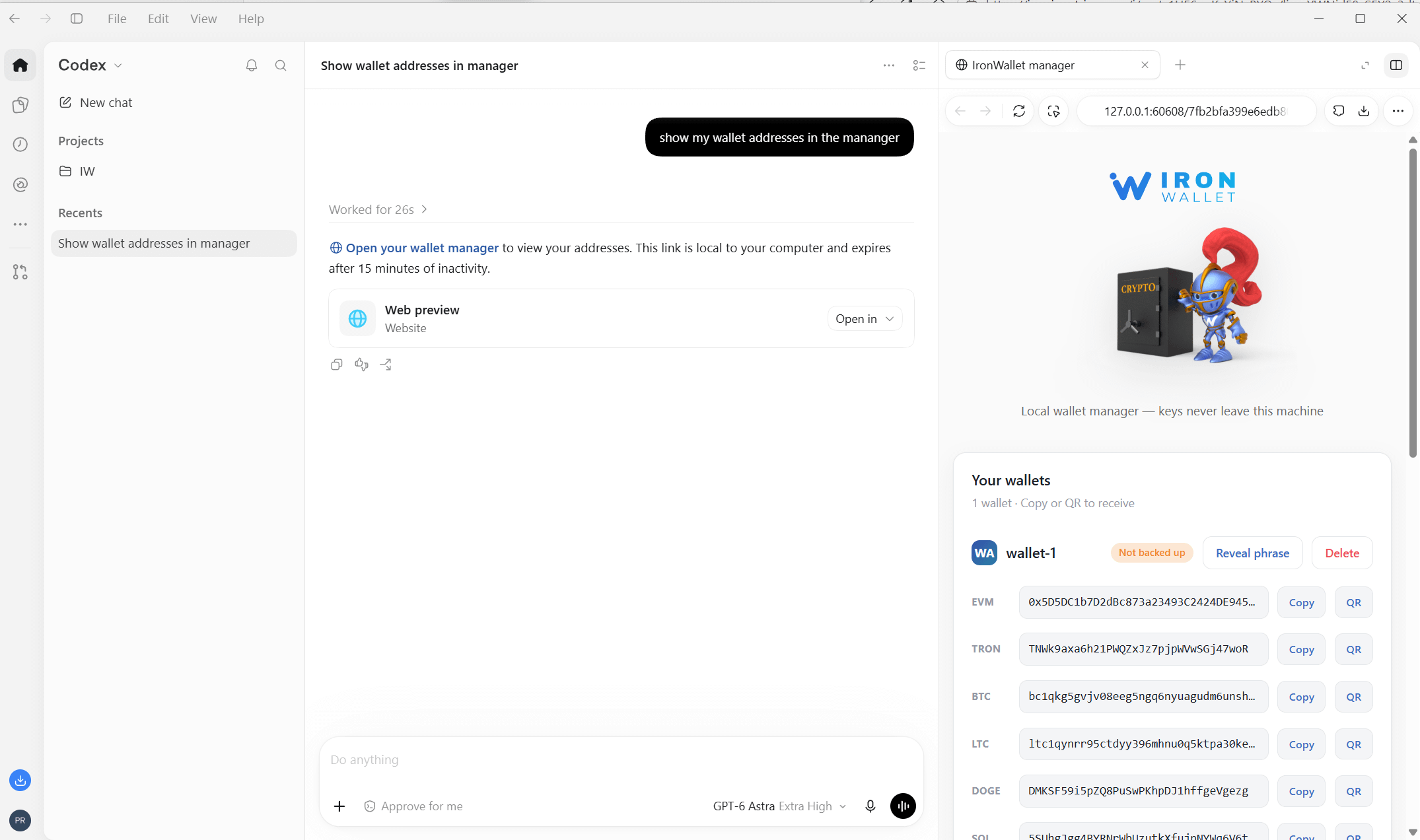
Once the integration is configured, the main difference is how you interact with the wallet.
Instead of navigating through several screens to find particular information, you can request
it through the AI interface. Depending on the available wallet tools and the connected
network, this can include checking balances, retrieving wallet addresses, inspecting
transactions, and estimating transaction fees.
I started with basic requests because they offered a straightforward way to understand how
the integration worked.
The important thing was whether the AI could retrieve information from the connected wallet
rather than simply generate a plausible answer based on its training data.
That distinction matters whenever an AI application interacts with external systems. A
language model might know how blockchain transactions work, but it doesn’t automatically
know the current balance of a particular wallet. It needs access to the relevant data.
With an MCP integration, the AI can call the tools made available by the wallet server and
use their responses to answer the user’s request.
I found this interaction model convenient for exploratory tasks. It feels natural to ask a
question in plain English, especially when you’re checking information rather than performing
a complicated sequence of manual actions.
Of course, a conversational interface doesn’t eliminate the need to understand what you’re
asking the wallet to do. It simply changes how you express the request.
What happens when you want to move funds?
Reading wallet information is one thing. Initiating a transaction is another.
This was the part I approached more cautiously, because a misunderstanding in a chat can
have different consequences depending on whether the result is an incorrect answer or an
actual blockchain transaction.
IronWallet MCP provides tools for wallet operations, including transaction-related
functionality. This makes it possible to use an AI agent for more than passive research,
although the precise operations available depend on the integration and supported network.
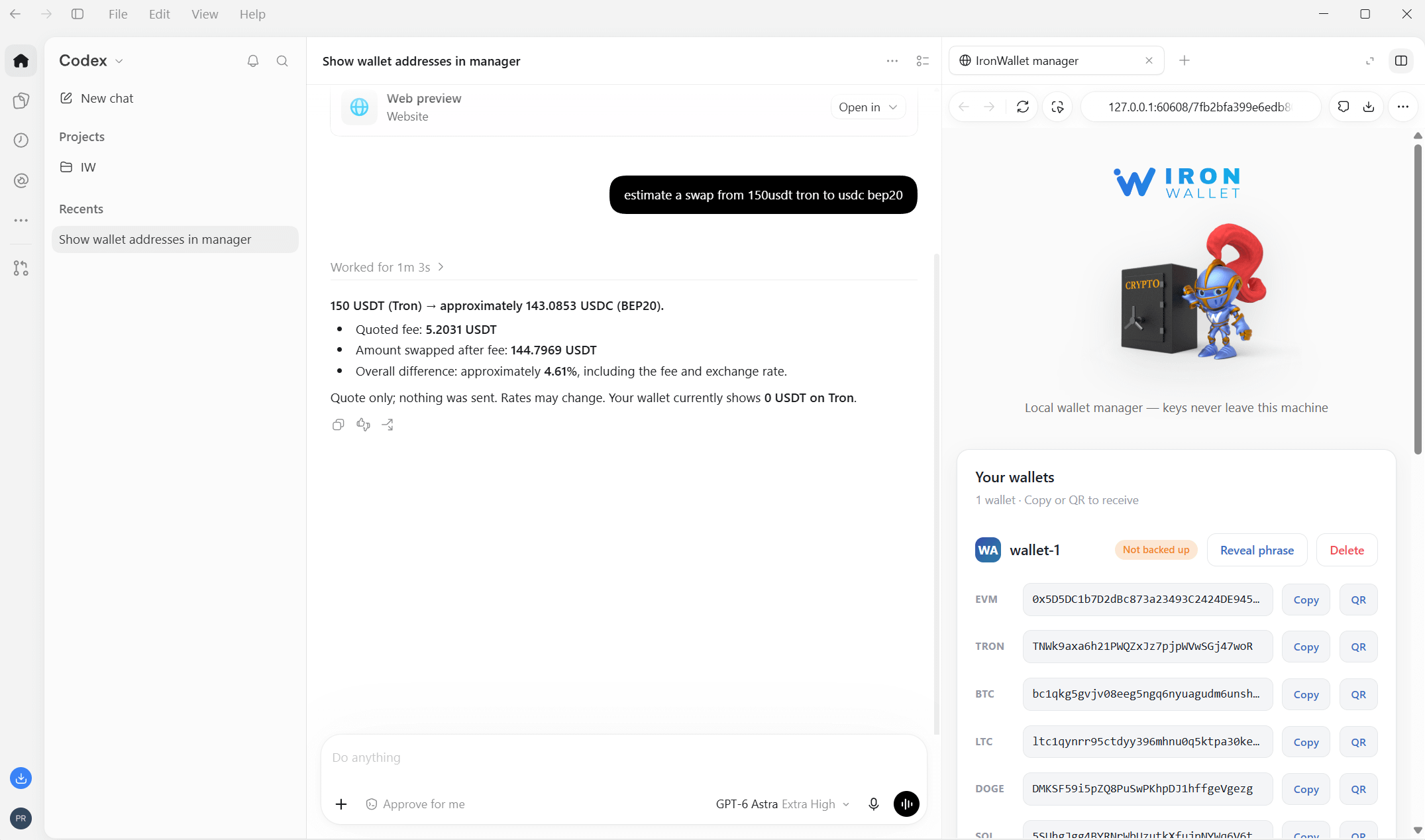
A sensible workflow is to begin with a request for a fee estimate, check the destination and
amount, and only then proceed with a transaction if everything is correct.
I would also recommend experimenting with a separate wallet containing a small amount
rather than immediately connecting a wallet holding substantial assets. This makes it easier
to explore the functionality without unnecessarily exposing your main funds to the risks
associated with a hot wallet and an AI-assisted workflow.
One thing worth remembering is that natural-language instructions can be ambiguous. An AI
agent can interpret a request incorrectly, and a confirmed blockchain transaction generally
cannot simply be reversed. Reviewing transaction details before execution remains
essential.
Security is part of the user experience
For me, the most important question wasn’t how quickly I could get the wallet running. It was
how the integration handled sensitive information.
IronWallet’s documented architecture keeps the seed phrase local rather than exposing it to
the AI model. Wallet operations are handled through the local MCP setup, which separates
the AI’s ability to request operations from direct access to the recovery phrase.
That is an important distinction, although it shouldn’t be interpreted as a guarantee that
every aspect of using an AI-connected wallet is risk-free.
There are several separate considerations here: the security of the computer running the
wallet, the configuration of the MCP server, the permissions available to the AI client, and
the way transaction requests are reviewed.
I would treat IronWallet MCP as an operational wallet setup rather than a replacement for
secure long-term storage. Keeping a limited balance in a dedicated wallet is a more
reasonable starting point than connecting an account containing all your crypto.
This approach also makes the purpose of the integration clearer: it gives an AI agent access
to specific wallet capabilities without requiring the user to hand over their recovery phrase.
Working across different networks
Another useful aspect is the range of supported blockchain networks.
IronWallet’s documentation lists 12 networks: Ethereum, BNB Smart Chain (BSC), Polygon,
Base, Arbitrum, Optimism, Avalanche, TRON, Bitcoin, Solana, XRP, and TON.
For users who interact with different ecosystems, this broadens the potential applications
beyond a single-chain experiment.
It doesn’t mean every operation is identical across all networks. Assets, fees, transaction
formats, and available operations can differ, so the AI still needs to work within the
capabilities of the relevant network and wallet tools.
Nevertheless, having multiple supported networks available through the same integration is
useful when the goal is to explore AI-assisted crypto operations without assembling a
separate solution for every blockchain.
My overall impression
IronWallet for AI Agents is best understood as a way to connect an existing AI workflow with
actual crypto wallet functionality.
Its main appeal isn’t that it makes crypto disappear behind a chatbot. Rather, it offers
another way to interact with a wallet, using natural-language requests instead of relying
exclusively on conventional wallet interfaces.
The trade-off is that the setup is more technical than a typical consumer wallet, and the
additional convenience comes with responsibilities. Users need to understand the
integration, manage their wallet security, and verify transactions before they are executed.
For someone who simply wants a place to store cryptocurrency, this may be more
infrastructure than they need.
For someone actively exploring AI agents and looking for a practical way to connect them to
blockchain operations, however, it addresses a much more specific problem.
That was ultimately what interested me about IronWallet. I wasn’t searching for another
wallet with a list of familiar features. I wanted to understand how an AI agent could become a
useful part of my crypto workflow — and MCP provides a practical way to explore that possibility.