
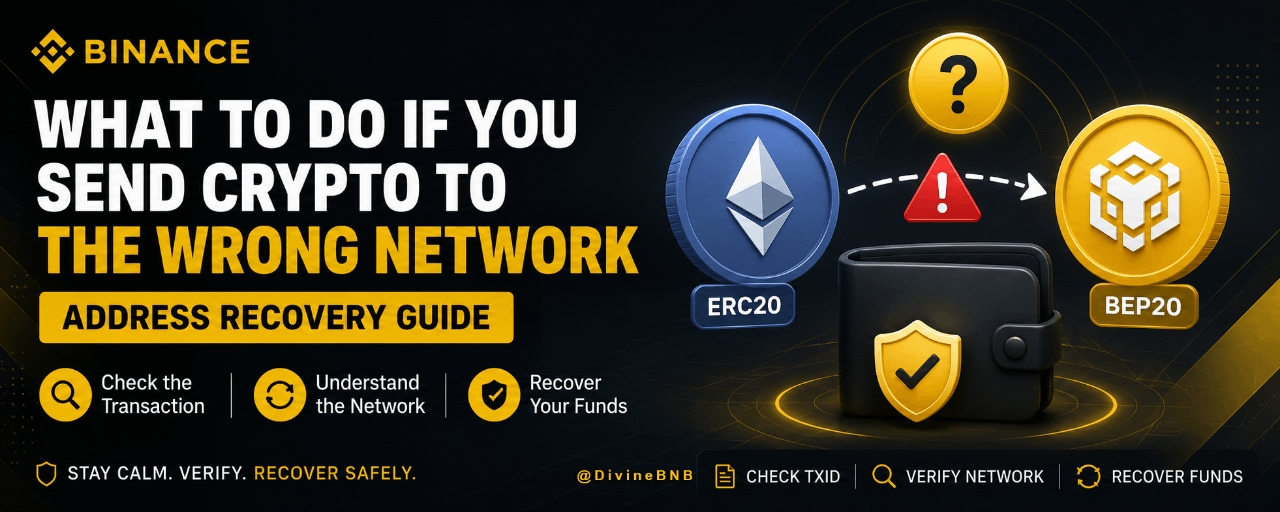
Sending crypto to the wrong network can be one of the most stressful experiences for a crypto user. The good news is that sending crypto to the wrong network does not always mean your funds are permanently lost.
In some situations, you can recover crypto sent to the wrong network yourself, particularly when you control the receiving wallet and it supports both networks involved. In other cases, such as sending funds to a custodial exchange or wallet that does not support the network you selected, recovery may require contacting the platform's support team and may not be possible.
This guide explains what happens when you select the wrong blockchain, how Binance deposit recovery works in relevant situations, and how network mechanics can help you understand whether your funds can be recovered.
Important: Blockchain transactions are generally irreversible. Never share your seed phrase, private key, password or 2FA codes with anyone claiming they can recover your funds.
What Does “Sending Crypto to the Wrong Network” Mean?
Many cryptocurrencies can be transferred across multiple blockchain networks.
For example, depending on the asset and platform, you may see networks such as:
Arbitrum
Polygon
Solana
The receiving platform must support the same network you use to send the transaction. Binance's deposit guidance also warns that the selected deposit network must match the network from which the crypto is being sent.
A common example is sending an asset using BEP-20 when you intended to use ERC-20.
The transaction can still be successfully confirmed on the blockchain, but the receiving platform may not automatically credit the funds because it is monitoring a different network.

Can You Recover Crypto Sent to the Wrong Network?
Sometimes, yes.
Whether you can recover the funds depends mainly on:
Which network you used.
Which network you intended to use.
Whether you control the receiving wallet.
Whether the receiving wallet supports both networks.
Whether the receiving platform supports recovery for that particular transaction.
Binance's current recovery guidance explains that if you sent funds to a self-custody wallet supporting both BEP-20 and ERC-20, you may be able to access the asset on the network where it was actually sent and return it to Binance using the correct network.
However, if the destination is a custodial exchange or wallet, you generally need to contact that provider because you do not control the private keys.
BEP20 to ERC20 Recovery: How Does It Work?
One of the most common mistakes is confusing BEP-20 and ERC-20.
ERC-20 is a token standard used on Ethereum, while BEP-20 is used on BNB Smart Chain. The two networks are separate blockchains, even though their wallet addresses can look very similar.
This is why a user can sometimes send an asset to what appears to be the “same” address while actually sending it across a different network.
For example:
You intended:
ETH → ERC-20 → receiving wallet
But selected:
ETH → BEP-20 → receiving wallet
If you control a wallet that supports both networks, the funds may still be accessible. You can switch to the network where the transaction occurred, locate the token, and then transfer it back using the appropriate network.
Why the Funds May Not Appear
Your wallet application may only display assets on the network it is currently configured to use.
That does not necessarily mean the blockchain transaction failed.
The first thing to do is check the transaction hash, or TxID, on the appropriate blockchain explorer. This allows you to confirm:
Whether the transaction succeeded
Which network processed it
The receiving address
The amount transferred
The transaction status
Binance also recommends using a blockchain explorer to check the status of crypto transfers and their confirmations.
How to Recover Crypto Sent to the Wrong Network
Step 1: Don't Send Another Transaction
Your first reaction may be to send the same amount again using the correct network.
Don't.
First establish exactly what happened to the original transaction. Sending another transaction before understanding the problem could create additional losses or confusion.
Step 2: Find Your Transaction ID
Locate the transaction hash or TxID in the wallet or exchange you used to send the funds.
Then check it on the relevant blockchain explorer.
Confirm the:
Network
Receiving address
Amount
Confirmation status
Token/asset
This information is essential for determining the appropriate recovery method.
Step 3: Identify the Destination
Ask yourself:
Do I control the receiving wallet?
If the answer is yes and you have the wallet's seed phrase or private key, you may have more recovery options.
If the destination belongs to Binance or another centralized exchange, you generally don't control the private keys. In that situation, you should use the platform's official support or recovery process.
Step 4: Check Whether the Wallet Supports the Network
If you control the wallet, check whether it supports the network you accidentally used.
For example, if you intended to send an ERC-20 asset but sent it through BEP-20, check whether your wallet supports BNB Smart Chain.
If it does, switch to the relevant network and check the balance.
In some cases, you may need to manually add or import the relevant token so that the balance becomes visible.
Step 5: Return the Asset Using the Correct Network
Once you can access the funds on the network where they actually arrived, you can generally send them back to the appropriate destination using the correct network.
For example:
BEP-20 asset → Binance BEP-20 deposit → Binance → withdraw via ERC-20 → receiving wallet
Depending on the asset and current Binance support, available networks and conversion options can vary.
You should always check the current deposit and withdrawal options before making the next transaction.
What If You Sent Crypto to Binance Using the Wrong Network?
This situation requires extra care.
If you sent crypto to a Binance deposit address but selected a network that Binance does not support for that asset or deposit, the funds may not automatically appear in your account.
Do not assume that because the address looks correct, the deposit will be credited.
The blockchain network and asset configuration matter.
Binance's current guidance specifically notes that crypto sent to the wrong blockchain on a Binance account may be difficult or impossible to recover, while deposits involving unsupported networks can require assistance from Binance Support.
If the transaction qualifies for a Binance recovery process, follow the official instructions shown in your Binance account rather than using third-party “recovery services.”
Binance Deposit Recovery: What Information Do You Need?
When a recovery process is available, having complete transaction information can make the process easier.
Keep the following details ready:
Your Binance account
Cryptocurrency and amount
Transaction ID (TxID)
Sending wallet address
Binance deposit address
Network used
Date and time of the transaction
Screenshots or transaction records, if available
Binance has also provided self-service recovery options for certain crypto deposits, including cases involving missing memo/tag information, where users may need details such as the TxID, amount and sender address.
The exact recovery options available can depend on the asset, network and type of transaction.
For more details, please refer to How to Find my Transaction ID (TxID)
For certain tokens and blockchains, such as XRP and TON, you need to enter the corresponding tag or memo before you could successfully deposit funds. Please make sure you’ve entered the correct tag or memo. In this case, you can apply for recovery here.
What If the Wrong Network Was Used With a Self-Custody Wallet?
This is often the situation with the most control.
Suppose you accidentally sent an asset through BNB Smart Chain instead of Ethereum to a self-custody wallet.
If the wallet supports both networks, you may be able to:
Open the wallet.
Switch to the network actually used.
Locate the transferred token.
Ensure you have enough native gas token for the transaction.
Send the asset to a destination supporting that network.
If necessary, transfer it again using the intended network.
This works because the wallet's private key can control addresses across compatible networks. The important point is that the funds may be on a different blockchain rather than destroyed.
What If the Wallet Supports Only One Network?
This can be more complicated.
If your wallet interface supports only one of the networks involved, you may need a compatible self-custody wallet that supports the network where the funds were actually sent.
Binance's recovery guide explains that, where appropriate, users may import their wallet into another compatible wallet that supports both networks.
Never give your seed phrase or private key to another person.
If you need to use a different wallet application, download it only from its official source and make sure you understand how wallet import works before proceeding.
What If You Sent Crypto to Another Exchange?
This is one of the more difficult scenarios.
If you sent crypto using an unsupported network to another centralized exchange, you don't control the private keys associated with the destination address.
In that case:
Contact the receiving exchange's official support team.
Provide the transaction information and ask whether they offer a recovery process for unsupported-network deposits.
Recovery is not guaranteed, and some platforms may charge a recovery fee or be unable to retrieve the funds at all. Binance's own guidance similarly notes that transfers to custodial wallets or other exchanges may require contacting the provider.
Does a Crypto Bridge Fix a Wrong-Network Transaction?
Not automatically.
A blockchain bridge is designed to move or represent assets between supported blockchain networks. It is not a universal “undo” button for a transaction sent to the wrong destination.
The correct recovery path depends on where the asset actually landed.
For example:
Wallet you control → wrong network → compatible wallet
You may be able to access the asset on the network where it arrived and then move it appropriately.
But:
Exchange → wrong network → unsupported deposit
You generally cannot use a bridge yourself because the exchange controls the destination wallet.
The key distinction is wallet ownership and network support.
Wrong Address vs Wrong Network: What's the Difference?
These two mistakes are often confused.
Wrong network
You sent the funds to the correct address but selected the wrong blockchain network.
Depending on the circumstances, recovery may be possible.
Wrong address
You sent the funds to an incorrect blockchain address.
This can be much more difficult.
If the address belongs to someone else, there is generally no mechanism that allows you to reverse the transaction. Blockchain transactions are designed to be final once confirmed.
That's why checking both the address and network before confirming a transaction is essential.
How to Avoid Sending Crypto to the Wrong Network
The best recovery strategy is prevention.
Before pressing Confirm, check these five things:
1. Asset
Make sure you selected the correct cryptocurrency.
2. Network
Confirm that the sending and receiving networks match.
3. Address
Compare the first and last several characters of the wallet address.
4. Memo/Tag
If the receiving platform requires a memo, tag or payment ID, make sure it is included.
5. Test transaction
For a large transfer, consider sending a small test amount first.
Also remember that network availability can change. Always check the current deposit and withdrawal page on the platform you are using before sending funds.
Final Takeaway
If you sent crypto to the wrong network, don't panic and don't immediately send another transaction.
First identify the blockchain used, find the TxID, verify the destination address and determine whether you control the receiving wallet.
If you control the wallet and it supports both networks, recovery may be relatively straightforward. If the funds were sent to a centralized exchange or an unsupported deposit network, you may need to contact the platform's official support team, and recovery may not be possible.
For Binance users, the safest approach is to use Binance's official deposit and recovery tools where available and avoid anyone claiming they can recover your crypto in exchange for an upfront payment.
The golden rule is simple: always match the network before sending crypto. A few seconds of checking can prevent hours—or potentially weeks—of recovery work.
FAQ
Can I recover crypto sent to the wrong network?
Sometimes. Recovery depends on the destination wallet, network, asset and whether you control the private keys. Self-custody wallets that support both networks generally provide more recovery options.
Can I recover BEP20 to ERC20 transfers?
In some situations, yes. If you control a compatible wallet, you may be able to access the asset on the network where it was received and then transfer it using the intended network.
Can Binance recover a deposit sent on the wrong network?
It depends on the specific transaction and network. Some deposits may have recovery options, while others may not be recoverable. Use Binance's official support and recovery channels for the latest options.
Is a wrong-network transaction the same as losing crypto?
Not necessarily. The transaction may have successfully placed the asset on another blockchain. If you control the receiving wallet and can access that network, the funds may still be recoverable.
Should I give my seed phrase to Binance Support or a recovery agent?
No. Never share your seed phrase or private key with anyone claiming to recover your funds.
What is the most important thing to check before sending crypto?
Check the asset, receiving address, network and any required memo/tag before confirming the transaction.
Remember: In crypto, the network is just as important as the address.
#SAFU🙏 | @Binance Square Official | @Binance Angels
Disclaimer: This content is presented to you on an "as is" basis for general information and educational purposes only, without representation or warranty of any kind. It should not be construed as financial, legal, or other professional advice, nor is it intended to recommend the purchase of any specific product or service. You should seek your own advice from appropriate professional advisors.
You are solely responsible for your investment decisions. Always Do Your Own Research (DYOR).