

SurfScore is built to turn everyday onchain activity into something simple and meaningful:
a clear signal of who is actually active on a blockchain network.
This article explains how SurfScore works, from connecting your wallet to minting your onchain identity badge, in a way that’s easy to understand even if you’re new to SurfLayer.
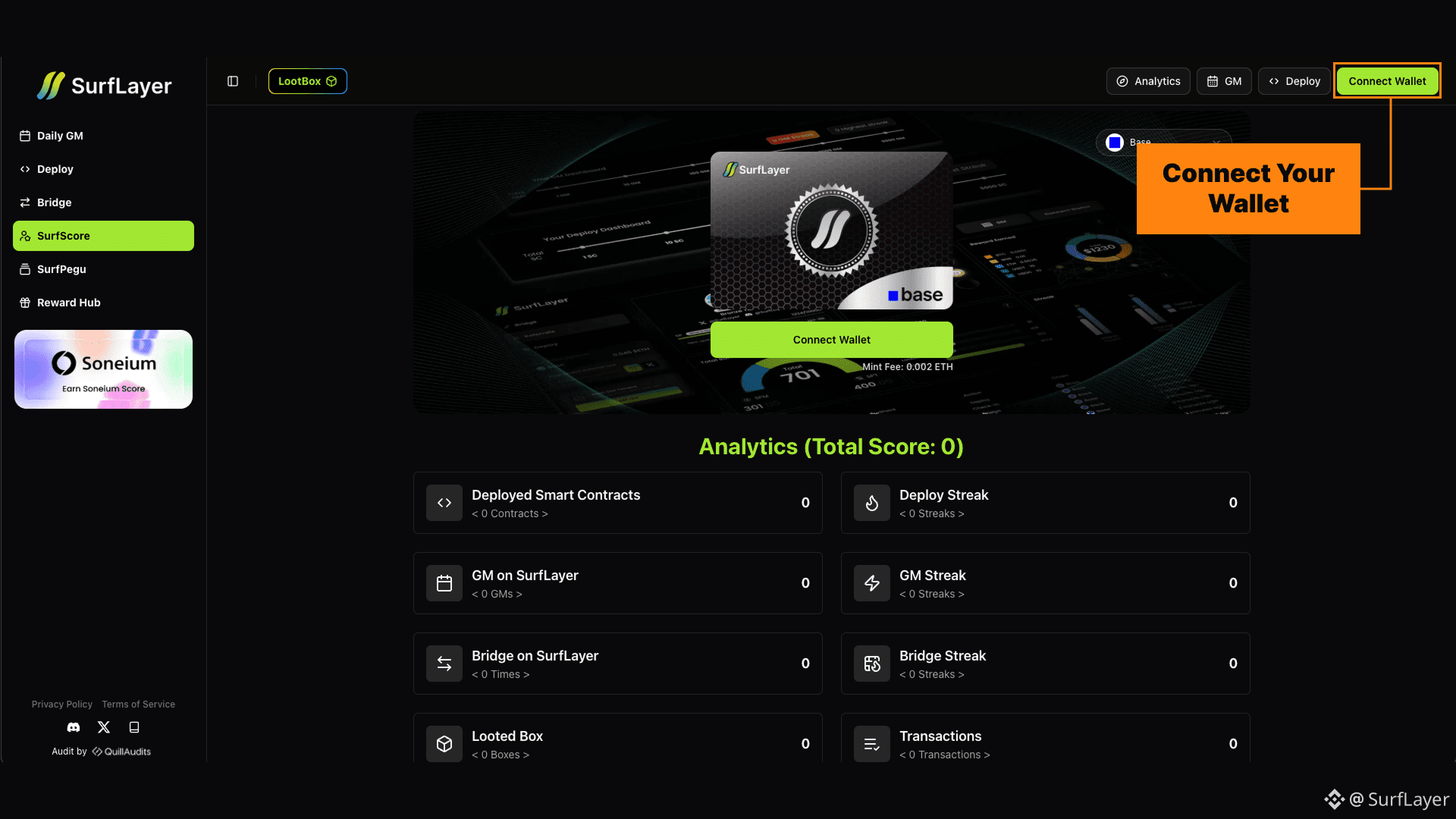
Step 1: Connect Your Wallet
Everything starts with your wallet.
When you visit the SurfScore page on SurfLayer and connect your wallet, the system only reads public onchain data.
Nothing is transferred, and nothing is minted at this stage.
This step simply allows SurfLayer to understand how your wallet has interacted with the network.
👉 Start here: https://surflayer.xyz/surfscore
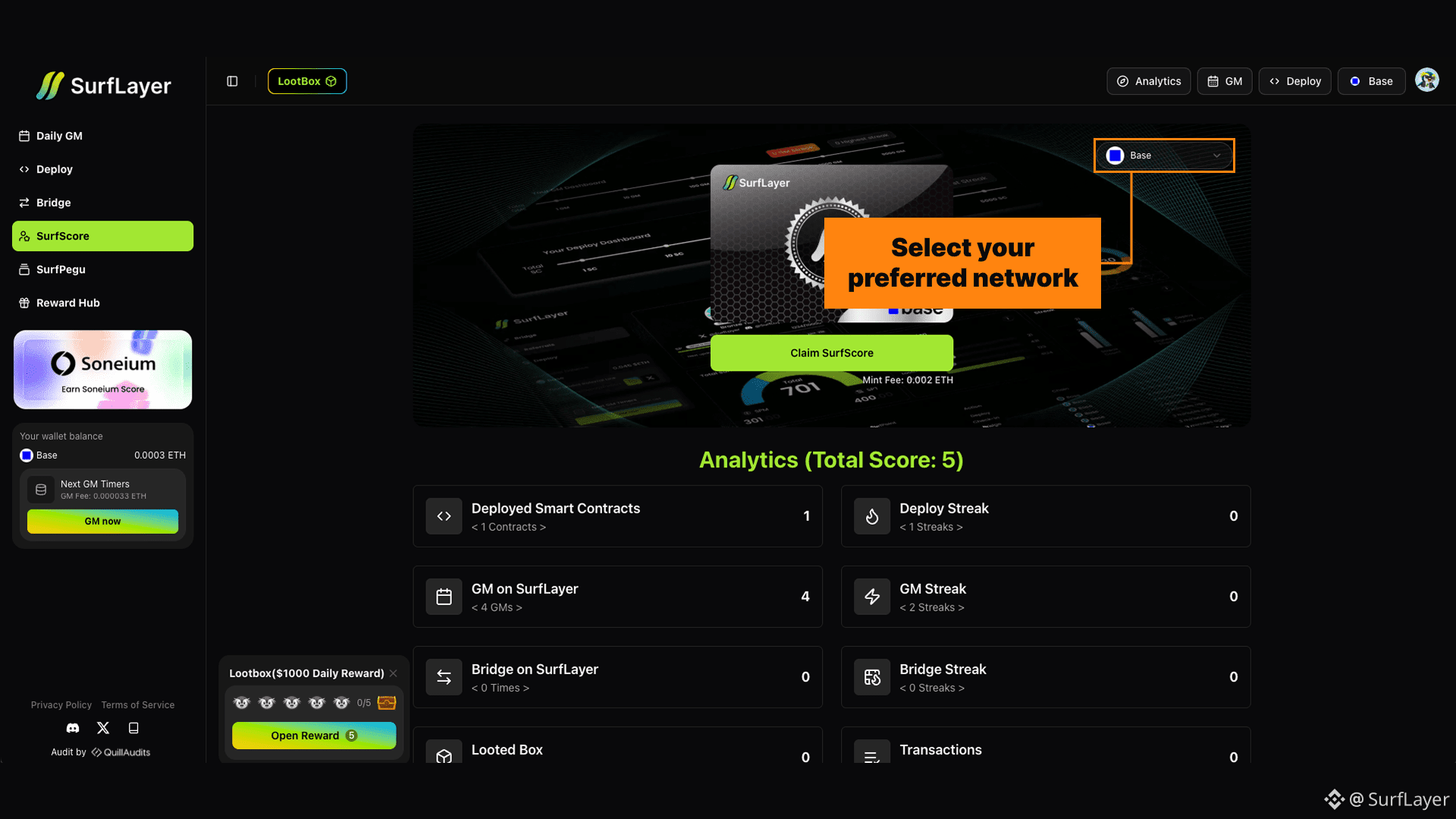
Step 2: Choose a Network
SurfScore works per network, not across all chains at once.
Each supported blockchain has its own SurfScore because activity looks different on every ecosystem.
Bridging, deploying, or transacting on one chain does not affect your score on another.
This keeps SurfScore fair and specific to the network you are using.
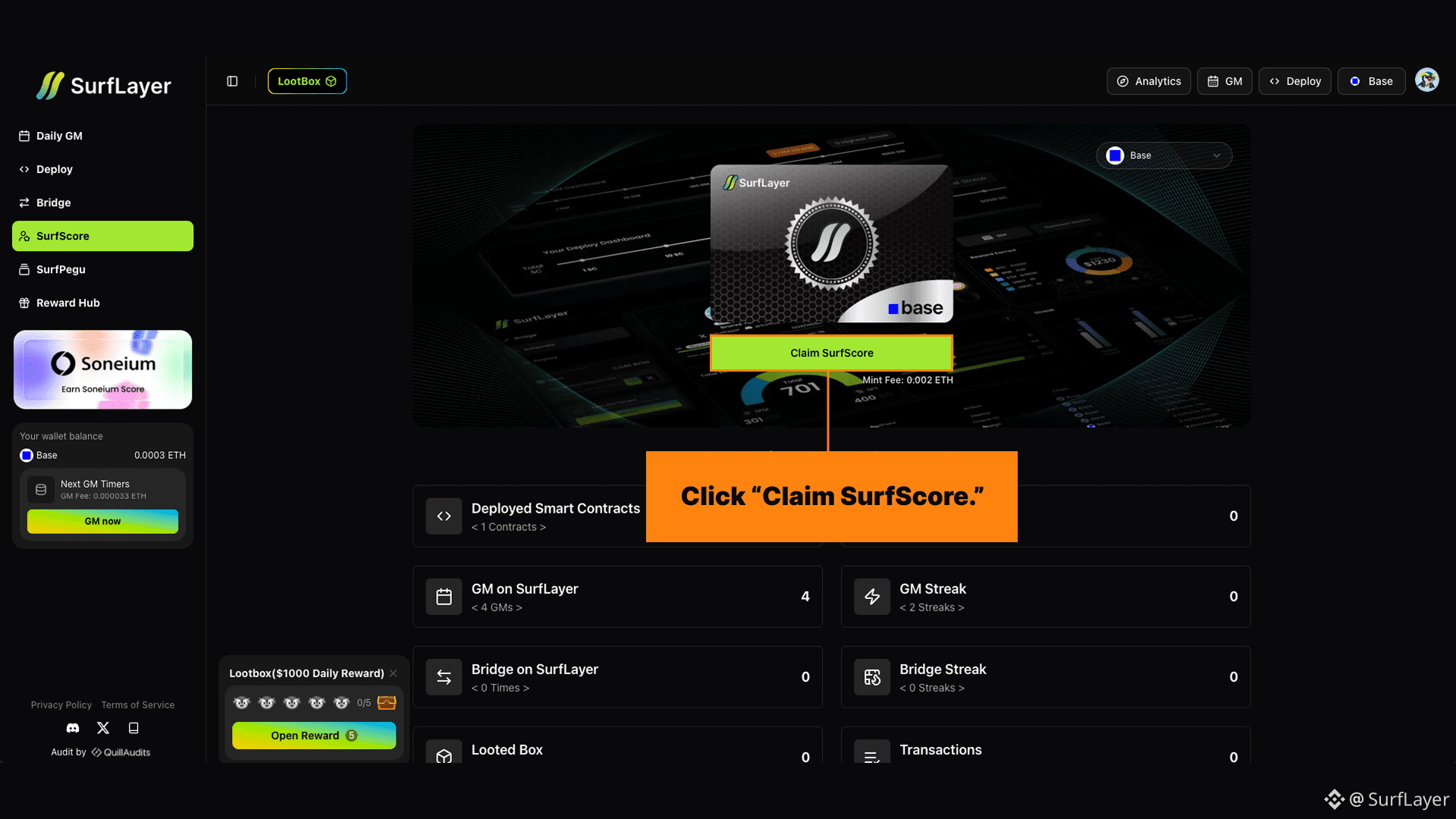
Step 3: Generate Your SurfScore
After selecting a network, click Get Score.
SurfLayer scans your wallet’s on-chain history and evaluates it using activity signals.
Step 4: What SurfScore Measures
SurfScore is based on multiple activity pillars that reflect how you actually use the chain.
These include:
Activity spread across different days, weeks, and months
Total number of transactions
Interaction with multiple smart contracts
Transaction volume and value movement
Gas spent to execute actions
Balance activity over time
Only verifiable onchain actions are counted. Spam or artificial behavior is filtered out.
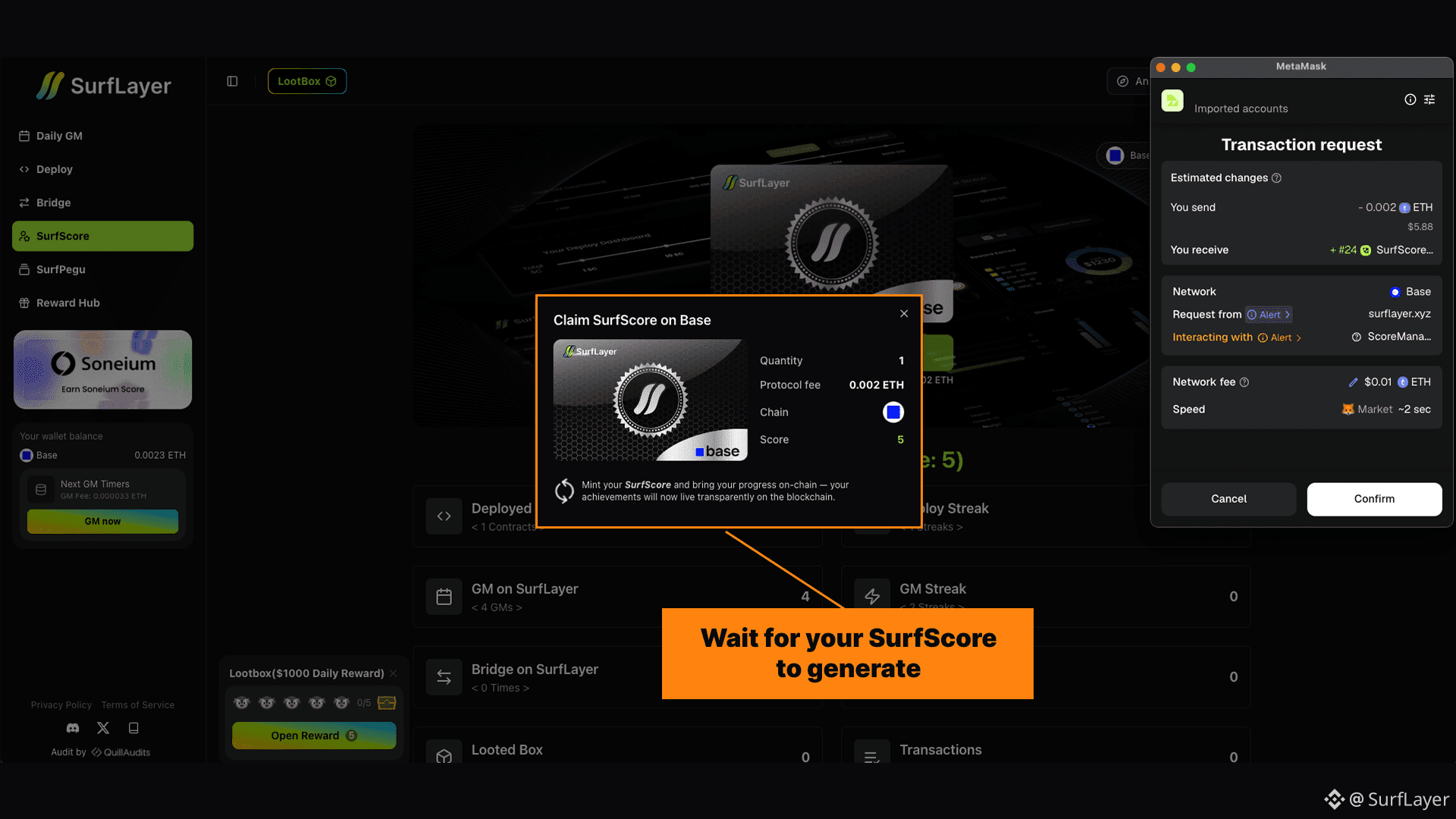
Step 5: Mint Your On-Chain Badge
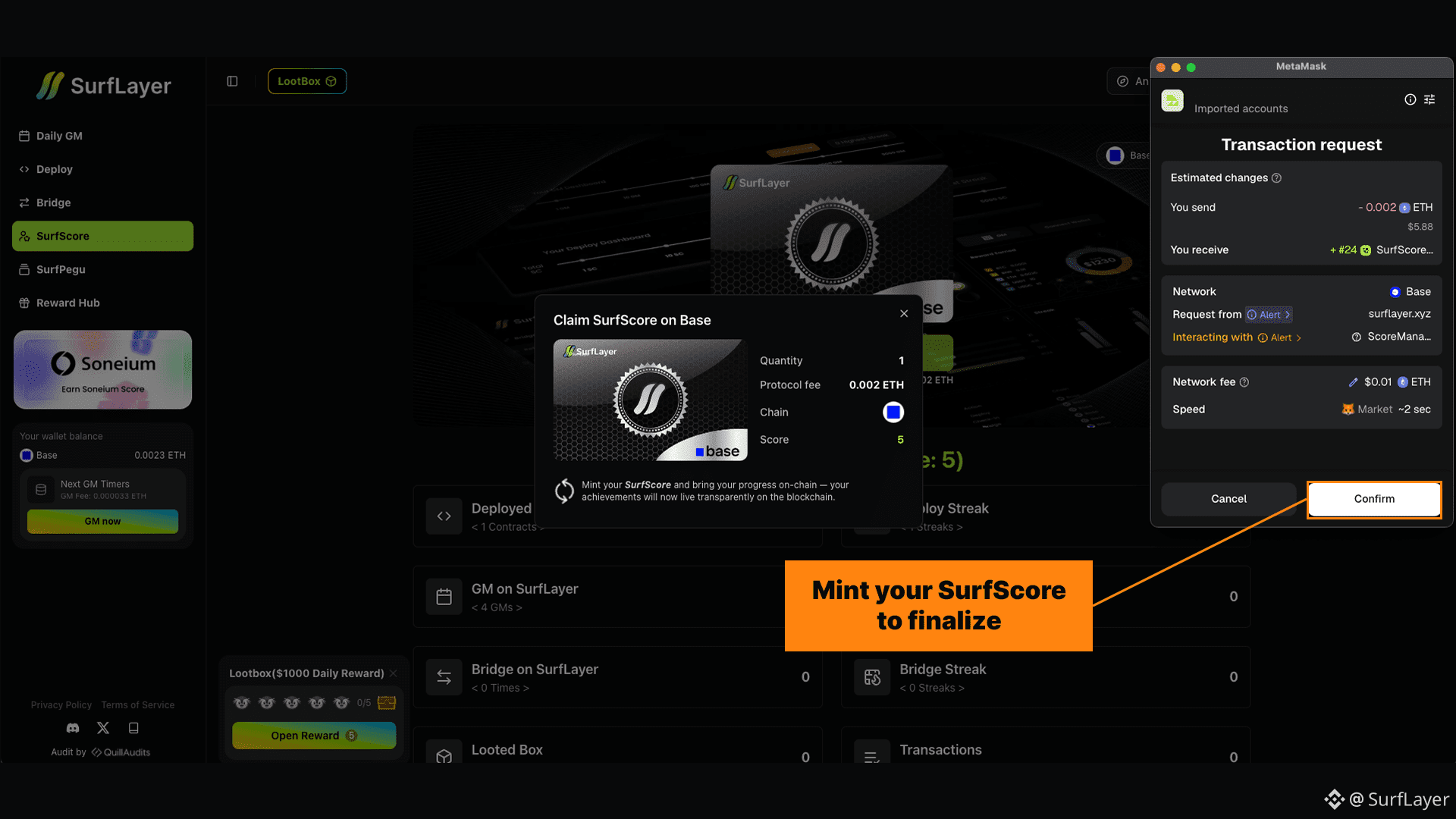
Once your SurfScore is generated, you can mint it on-chain.
Minting your SurfScore:
Locks the badge permanently to your wallet
Makes it non-transferable
Turns it into a verifiable on-chain identity
After minting, SurfScore continues to track your activity.
You can choose when to update your score to reflect new actions.
Connect your wallet, choose a network, generate your score, and mint your on-chain badge.
👉 Check your SurfScore: https://surflayer.xyz/surfscore
📘 Read the docs: https://docs.surflayer.xyz/features/surf-score