

Many experts currently predict that Bitcoin’s price will rise significantly. Even now, it’s not a bad idea to start accumulating spot Bitcoin little by little with the expectation that the market may go up.
By signing up through the link below, you can receive a 20% discount on trading fees on Binance, which can help reduce your costs while investing.
If you use the referral link I’ve provided to register on Binance and begin trading, you’ll be able to enjoy that fee discount.
✨ Binance 20% Trading Fee Discount Offer
If you register without using the referral link, you may not receive the discount, so I highly recommend signing up through the link I’ve shared.
How to Trade Bitcoin Futures on Binance
Let me walk you through how to trade Bitcoin futures on Binance and introduce a few useful features.
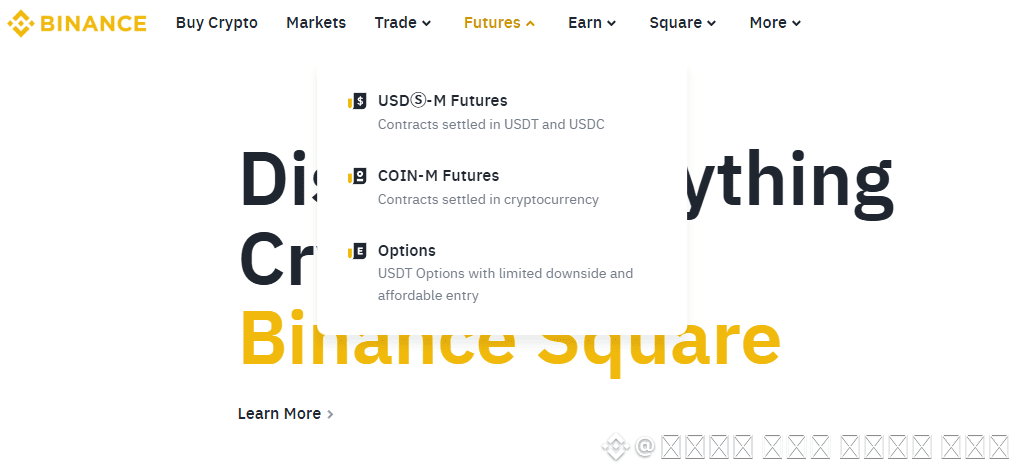
First, go to the Binance homepage and log in. Once logged in, go to the top menu and click “Futures.” Then, select the first option you see—this will take you directly to the Binance futures trading screen.
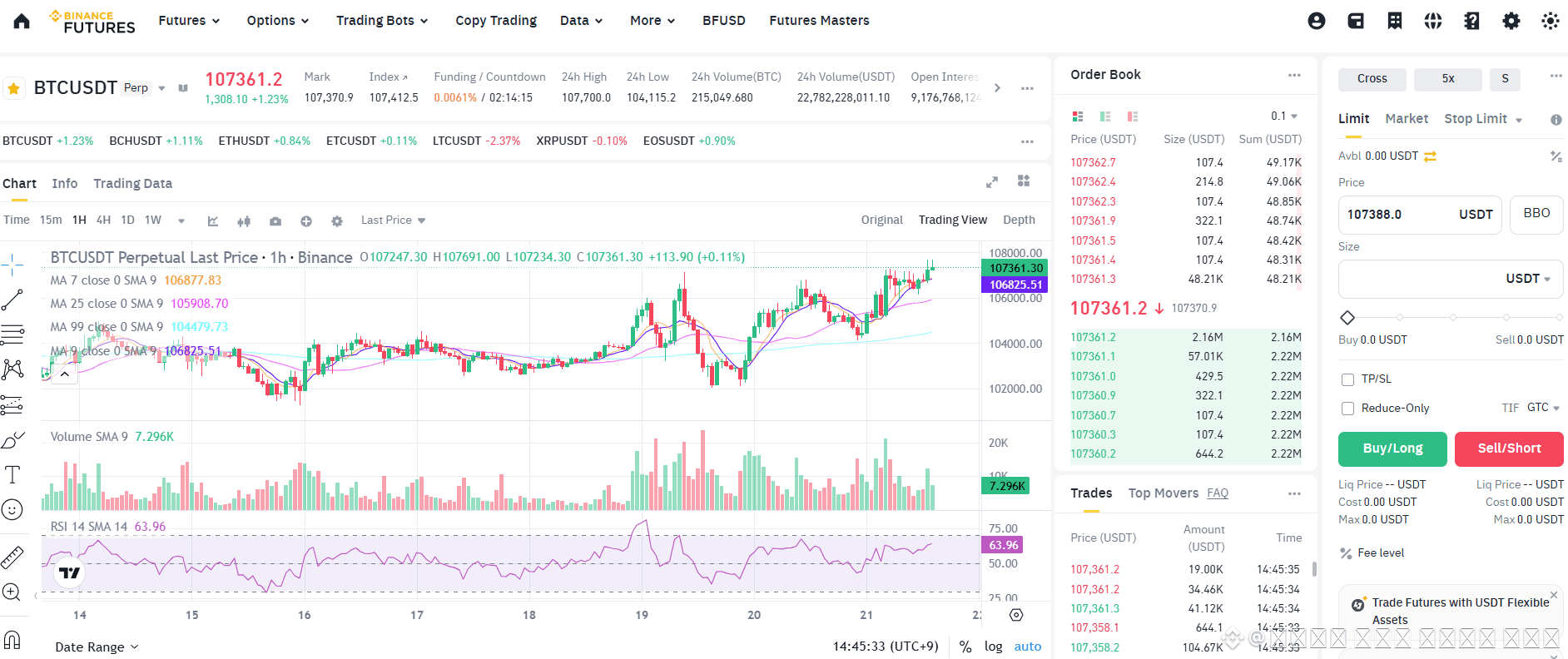
Once you’re on the futures trading interface, you’ll see a large price chart, an order book on the side, and a trading panel on the far right.
Let me explain some of the frequently used features in the trading panel that you should definitely use to trade more efficiently.
Cross vs. Isolated Margin
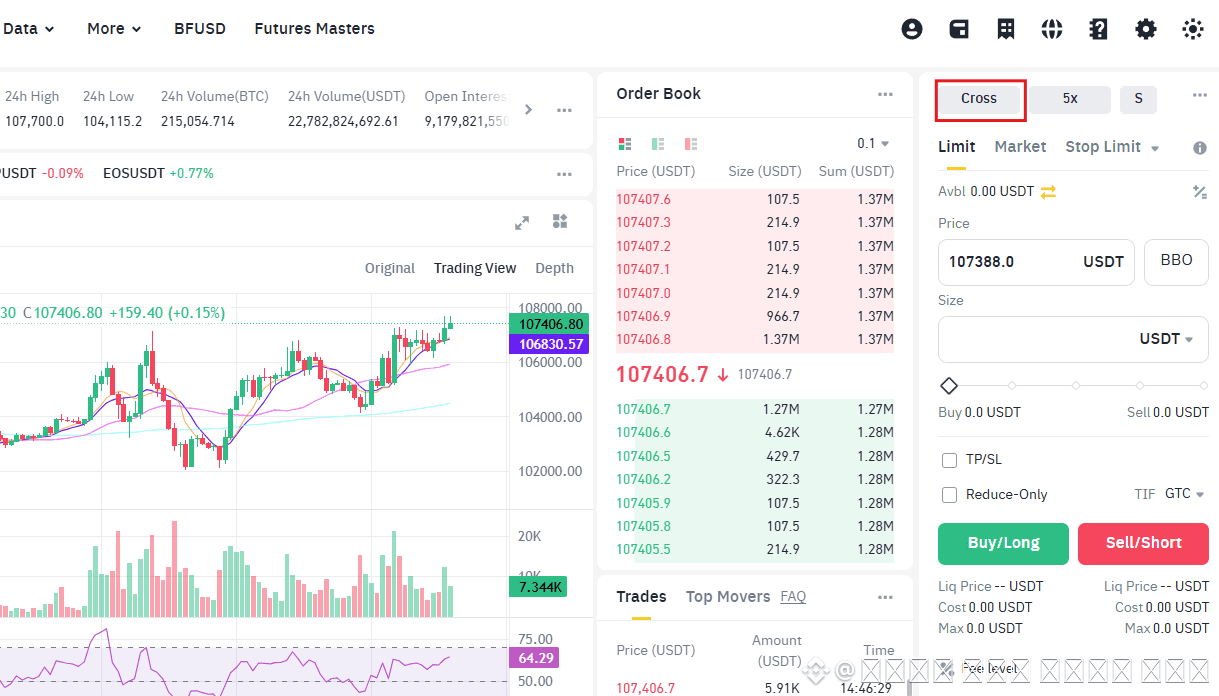
At the top-left of the trading panel, you’ll see an option labeled “Cross.” Click it and you’ll be able to choose between Cross and Isolated margin modes.
This setting determines how your margin (investment funds) will be used during trading.
If you choose Cross, even if you set your investment amount to 15%, your entire account balance may be used for the position.
This means that if the position moves against you, you could lose your entire balance.
If you choose Isolated and set it to 15%, only that 15% is at risk. Even if the position gets liquidated, the remaining 85% of your funds will remain untouched—making it a much safer option.
This feature is particularly useful for traders who struggle with managing stop-losses.
While Cross mode offers the potential for maximum profits, it also carries higher risk.
Isolated mode is safer but may limit your profit potential.
Using both modes strategically depending on market conditions can help you trade more efficiently.
Adjusting Leverage
Next, let’s look at the leverage feature.
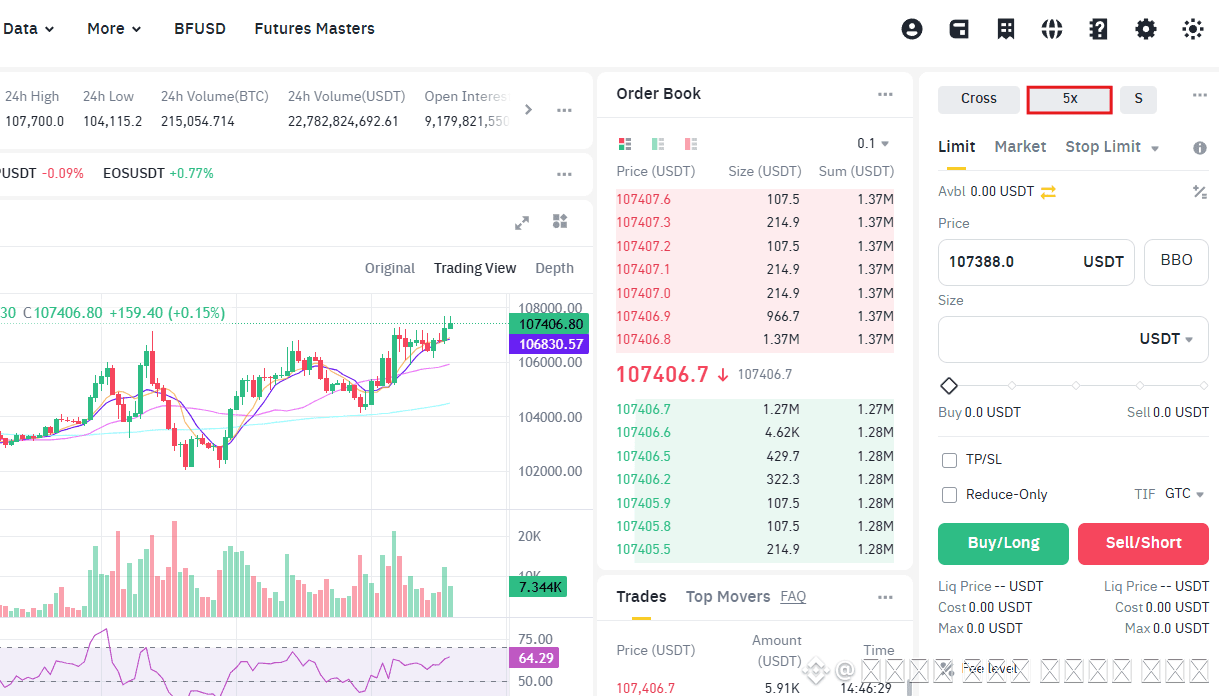
Click the number next to your position to adjust your leverage.
Leverage allows you to amplify your profits relative to your capital.
Binance offers leverage from 1x to 125x, but using high leverage can be extremely risky—losses can pile up quickly, making it difficult to hold a position for long.
For most traders, we recommend using 20x leverage or less to maintain a more stable and effective trading approach.
In this guide, we’ve reviewed how to trade Bitcoin futures on Binance and introduced two key features you should understand:
margin mode (Cross/Isolated) and leverage adjustment.
The key to futures trading is consistency and safety.
If you’re just getting started, make sure to sign up using the referral link above to receive a 20% fee discount—it’s a great way to save as you trade.