



Today, I’m going to explain how to trade Bitcoin futures through the Binance exchange in a blog post.
We’ll be looking at how to trade Binance futures using the mobile app, so please have your smartphone ready and prepare funds on a domestic exchange so you can transfer coins to Binance and follow along as you read.
Although Bitcoin has risen to a significantly higher price compared to its early days, there have been countless ups and downs along the way.
In such circumstances, if you are spot trading, you can only profit when the price goes up. So when a bear market arrives for a while, you’re stuck with psychological pressure and unable to make any profit.
Even if you have the insight to understand the crypto market properly, spot trading still only makes sense when the price goes up — so it doesn’t mean much in the end.
That’s why it’s good to learn about futures trading, where you can earn profits with long positions when prices rise, and with short positions when prices fall.
If you can just figure out the direction of Bitcoin’s price and trade accordingly, it’s a structure where you can profit even in a bear market. So for skilled investors, this can actually be a welcome method.
So today, let’s take a look at how to trade Bitcoin futures.
For reference, crypto futures trading is only available on overseas exchanges.
That’s why in this post, I’ll explain it using Binance.
Binance is the No.1 global exchange, ranked first in both spot and futures trading.
It’s used by many users not only in Korea but all over the world.
👉 Click here to get a 20% discount on Binance trading fees
If you sign up to Binance using the link above, you’ll not only receive fee discounts,
but also get chances to participate in events that offer rewards based on your deposits and trading volume.
So if you plan to trade regularly, I recommend taking advantage of these benefits.
Clicking the link will take you directly to Binance’s official sign-up page.
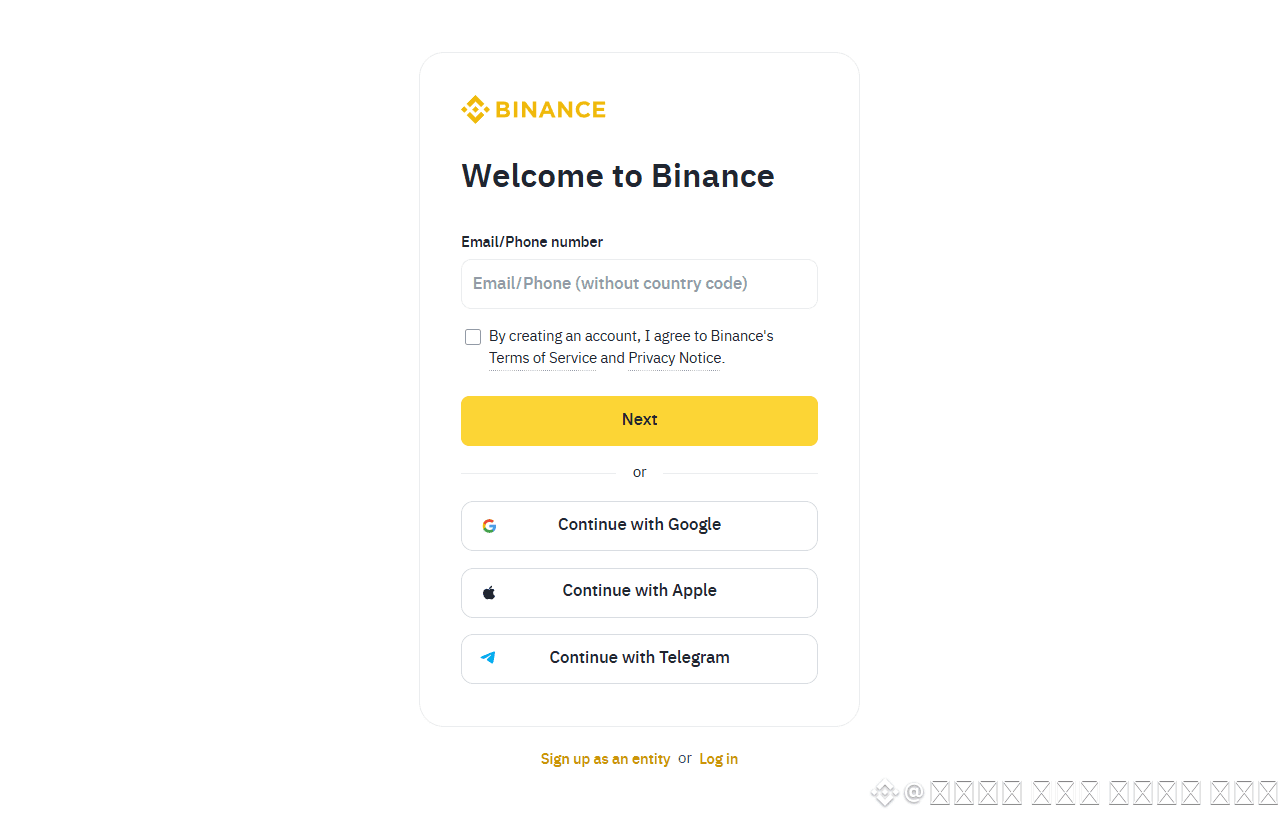
To create an account, just enter your email or mobile number.
After clicking the Next button, a 6-digit verification code will be sent to your chosen method — check the code and enter it during the sign-up step to complete verification.
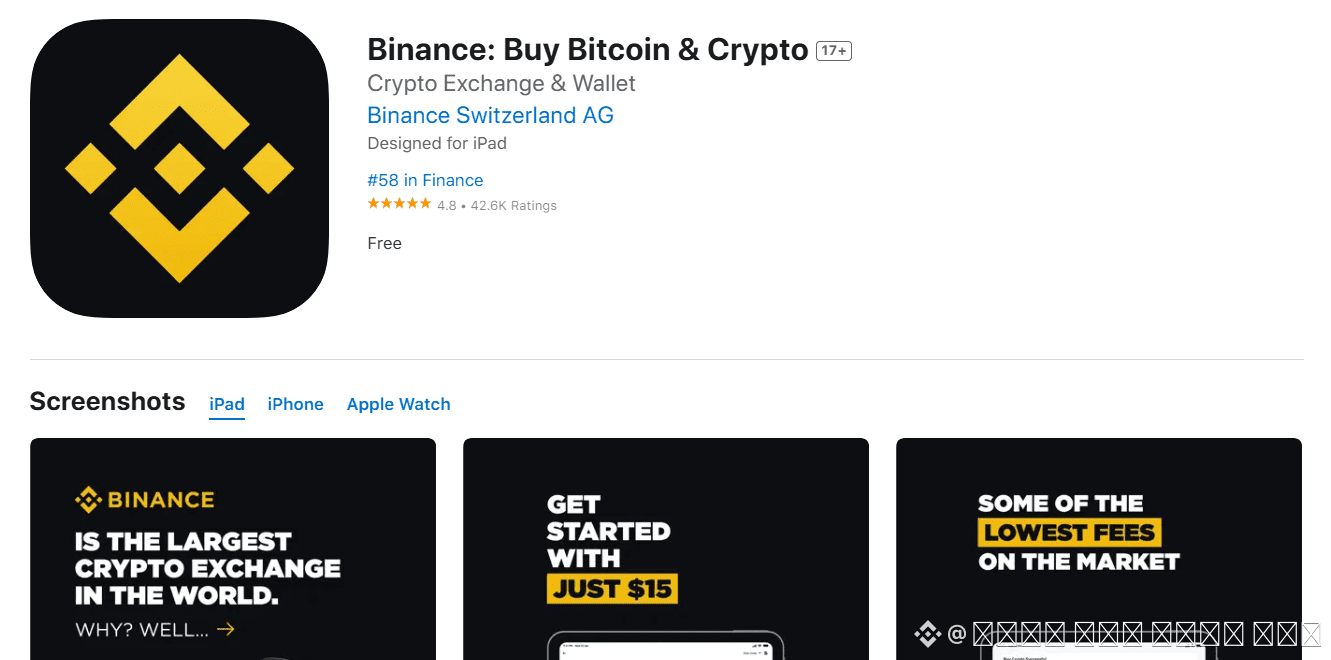
After signing up, go to your phone’s app store and search for Binance to install the Binance mobile app.
Because crypto futures trading involves constantly checking your position and market prices, it’s convenient to trade using your smartphone for quick access.
Unless I’m aiming for very short-term entries, I also prefer trading on mobile rather than sitting at a computer.
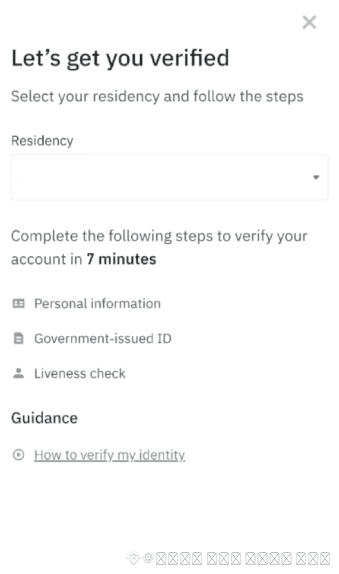
After installing the app, log in and complete the KYC verification process that comes up first.
Since this service deals closely with money, the identity verification process is thorough.
Prepare your ID and complete the process according to the instructions.
Once you complete KYC verification, you can now deposit coins into Binance and proceed with futures trading.
First, tap the Deposit button at the top right corner of the app.
When you see a screen like the image on the right, tap Deposit Crypto.
To send funds to Binance or any overseas exchange, you must buy coins on a domestic exchange, send them over, and sell them to prepare USDT.
This is because foreign exchanges don’t allow KRW deposits to be used directly.
So during the deposit step, choose which coin you will send to Binance.
People commonly use TRX or XRP for transfers, and these days, many directly deposit USDT.
I also often deposit Tether directly or use other options.
In any case, as long as the coin transfers quickly and with low fees, anything is fine.
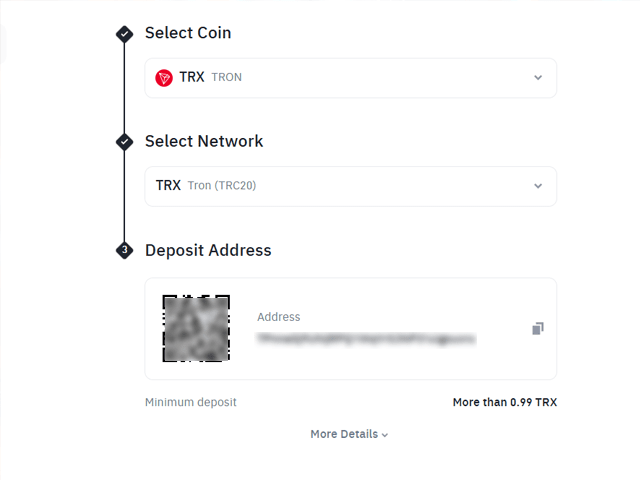
For example, if you choose TRX, a Binance TRX wallet address will be generated — that becomes your deposit address.
Send TRX from your domestic exchange to your Binance TRX wallet address.
Check that the address is correct. While most won’t be confused, always make sure to send to your own account.
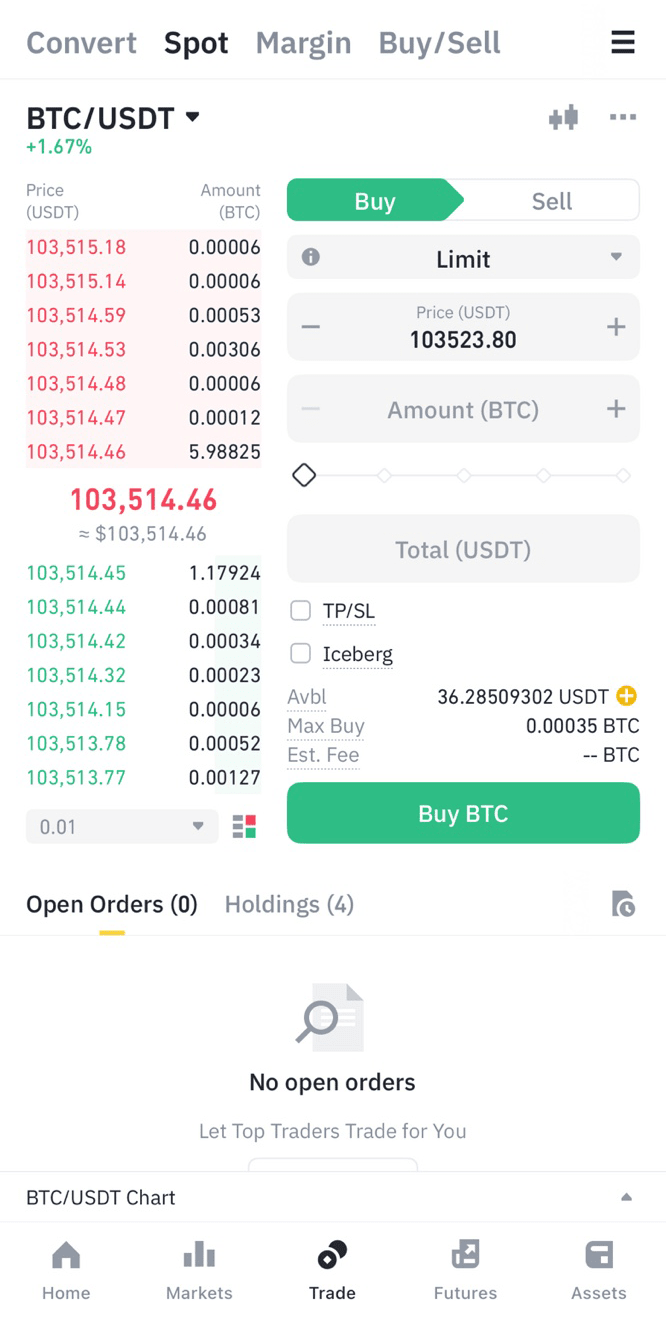
Once your coin has been successfully sent from the domestic exchange to Binance,
open the Binance mobile app and tap the Trade menu at the bottom.
Then tap the coin name in the top left, select the coin you received, and sell all of it to convert it to USDT (Tether).
The reason you convert to Tether is because both spot and futures trading on overseas exchanges use USDT by default.
Once you’ve sold the coin, tap the Assets menu at the bottom, then tap Transfer.
The USDT you just got will be in your Spot Wallet.
To use it for futures trading, you need to transfer it from Spot to your Futures Wallet.
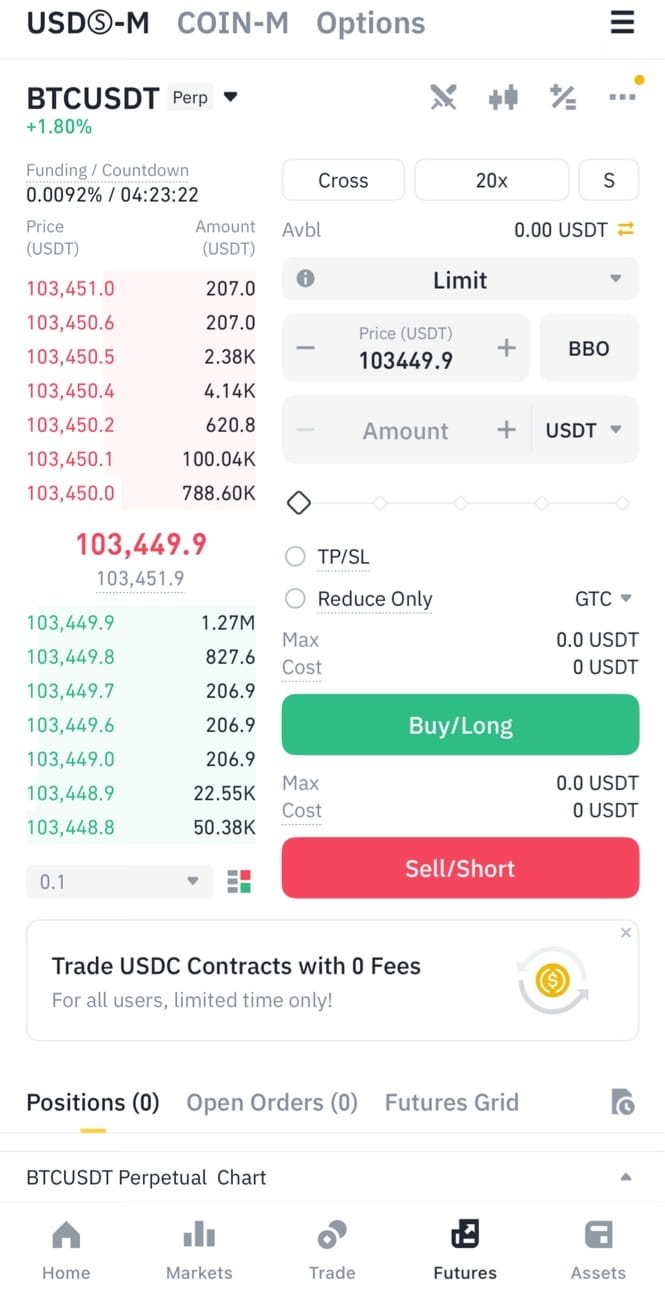
Once you’ve transferred the USDT to your Futures Wallet, tap Futures in the bottom menu.
From here, you can now start learning how to trade Binance futures through the mobile app.
Before placing your first trade, you need to set your margin mode.
There are two types: Cross and Isolated.
It’s not that one is better than the other — they each have their own characteristics,
so just use the one that suits your trading style.
Cross uses your entire Futures wallet balance as margin when opening a position.
Isolated uses only the set amount for that position as margin.
Next to the margin mode setting is the leverage adjustment feature.
For Bitcoin, you can set up to 125x leverage.
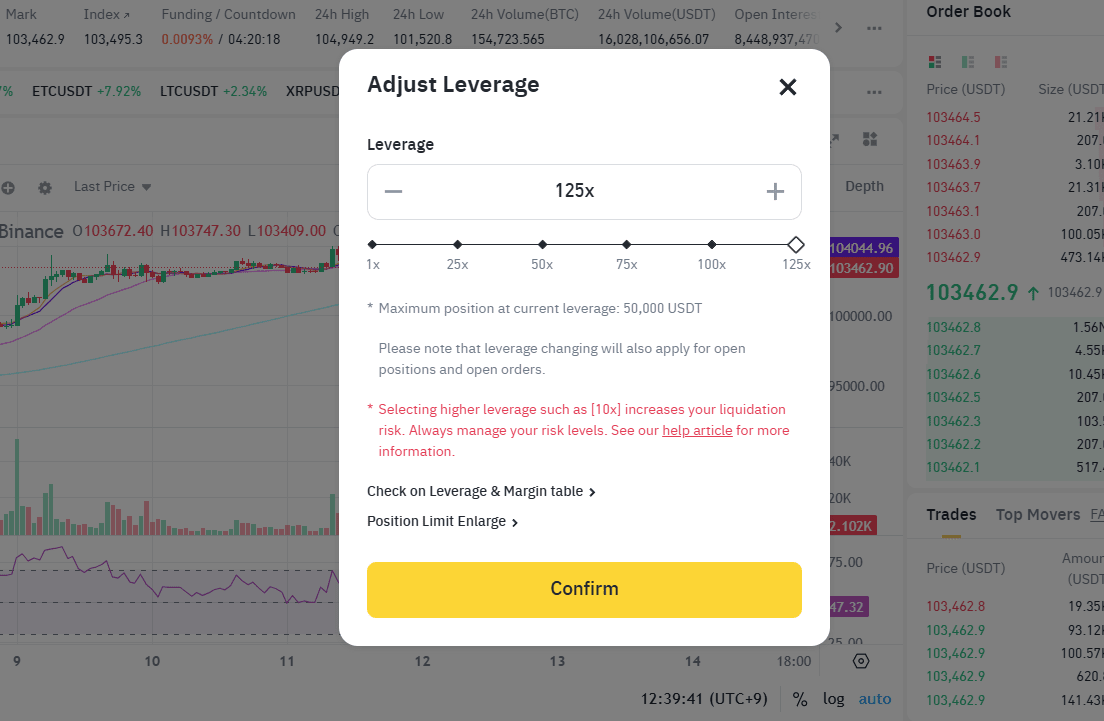
This means you're deciding how much multiplier to apply to your trades.
For example, if you set it to 50x, your profits will be 50 times larger compared to no leverage.
It might sound like not using leverage is a waste —
but of course, if you lose, you lose 50 times more too.
So using extremely high leverage is risky. It's best to use it moderately and wisely.
Below that, you can tap to select the order type.
Here, just knowing Limit and Market is enough.
Limit is where you set the price manually — placing an order at your chosen price.
Market is where the order gets filled immediately at the current market price.
Each has its advantages, like entering at your preferred price, or quickly riding a market trend.
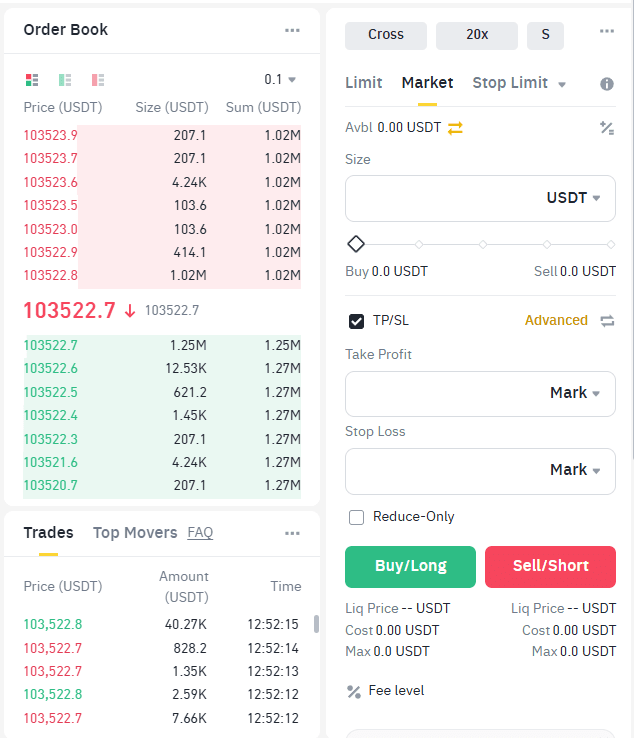
Use whichever order type best suits your needs.
After setting all of the above, the final step is to decide how much to trade,
and choose between Long and Short positions.
If you want to profit when the price goes above your entry — choose Long.
If you want to profit when the price goes below your entry — choose Short.
That’s the explanation on how to trade Binance futures.
It may seem complicated, but it’s actually quite easy to start investing in futures trading.
Today’s explanation was based on Bitcoin, the leading cryptocurrency, but you can trade other coins as well. Just tap the coin name at the top left of the trading page, search for the one you want, and trade it accordingly.